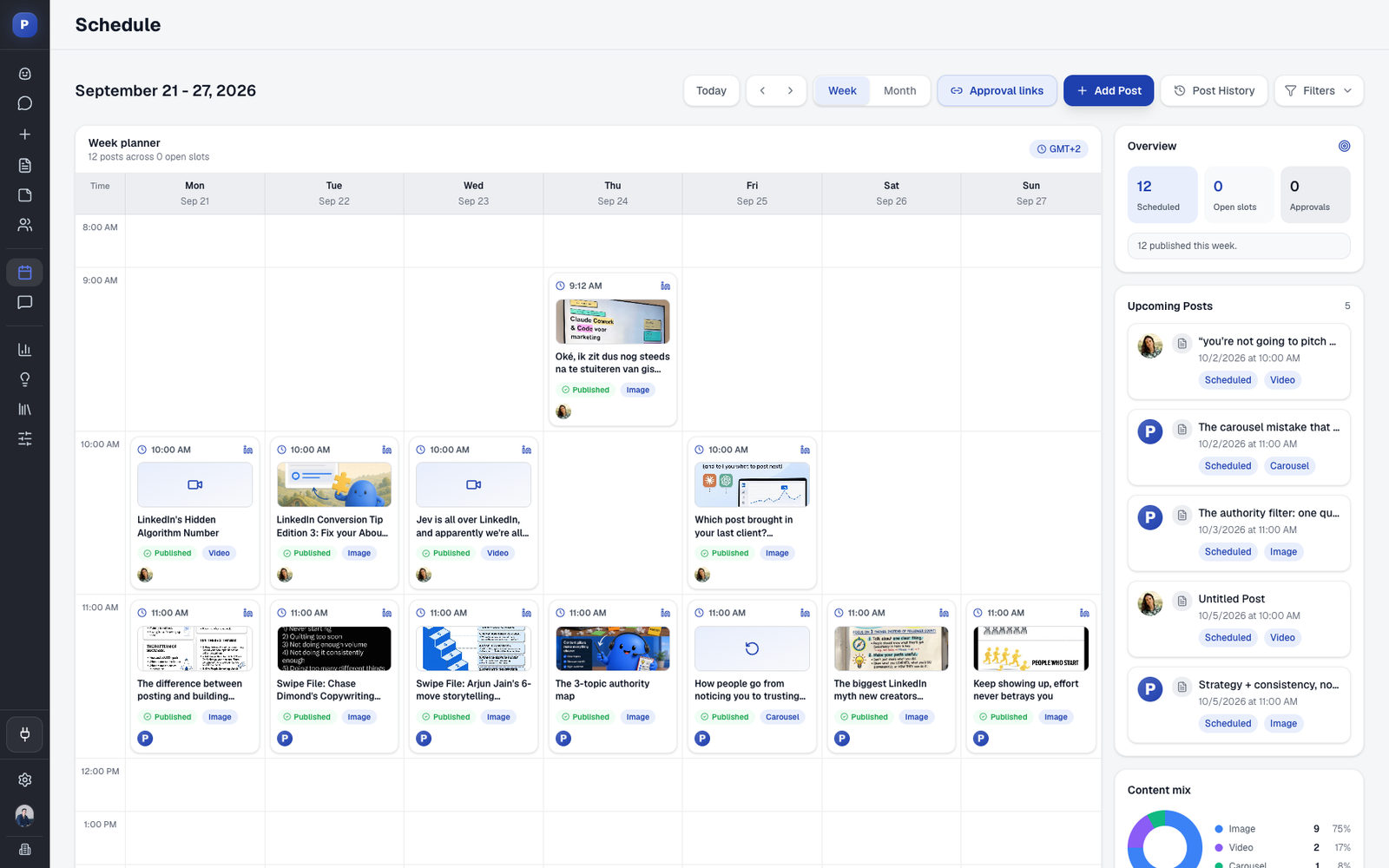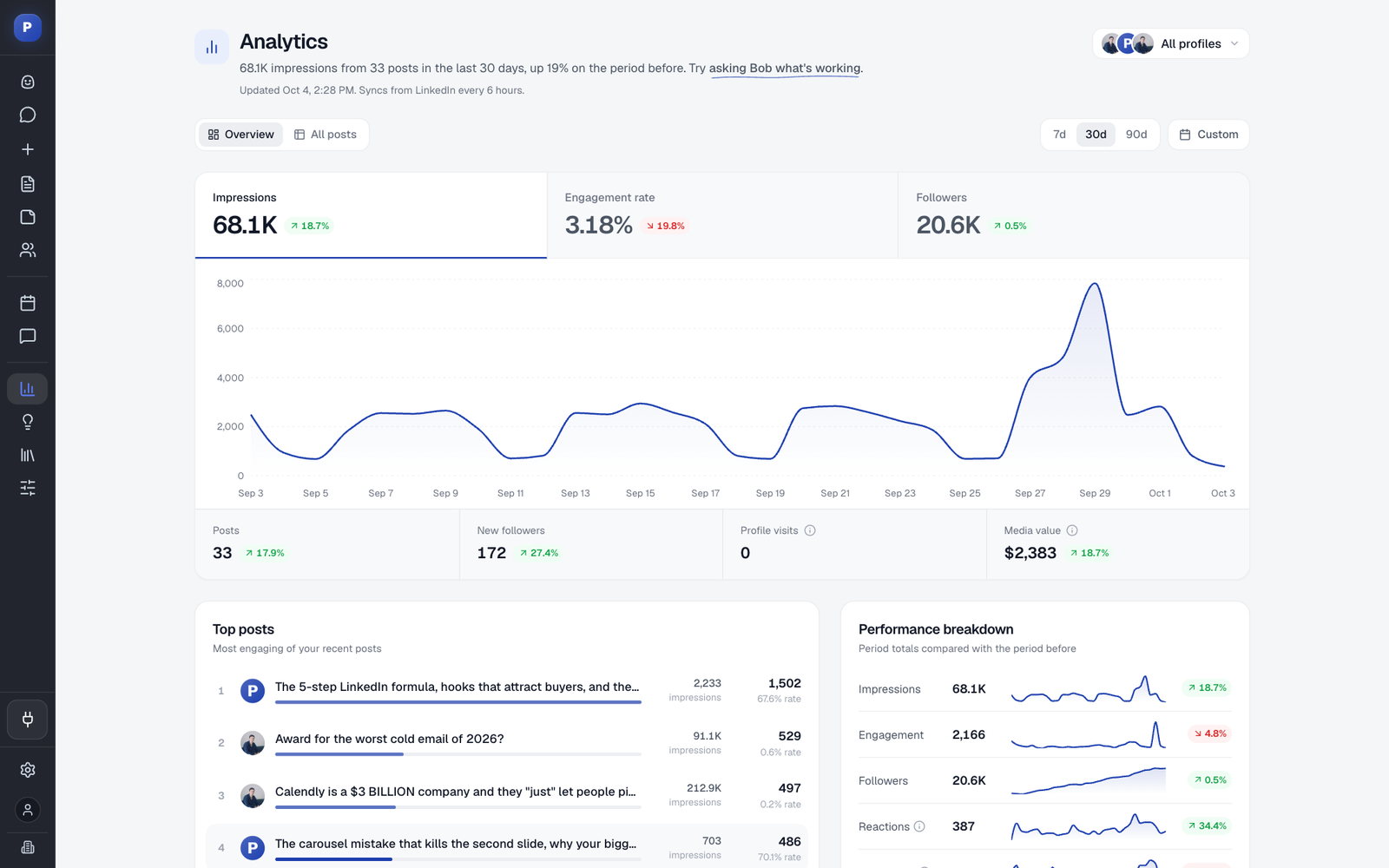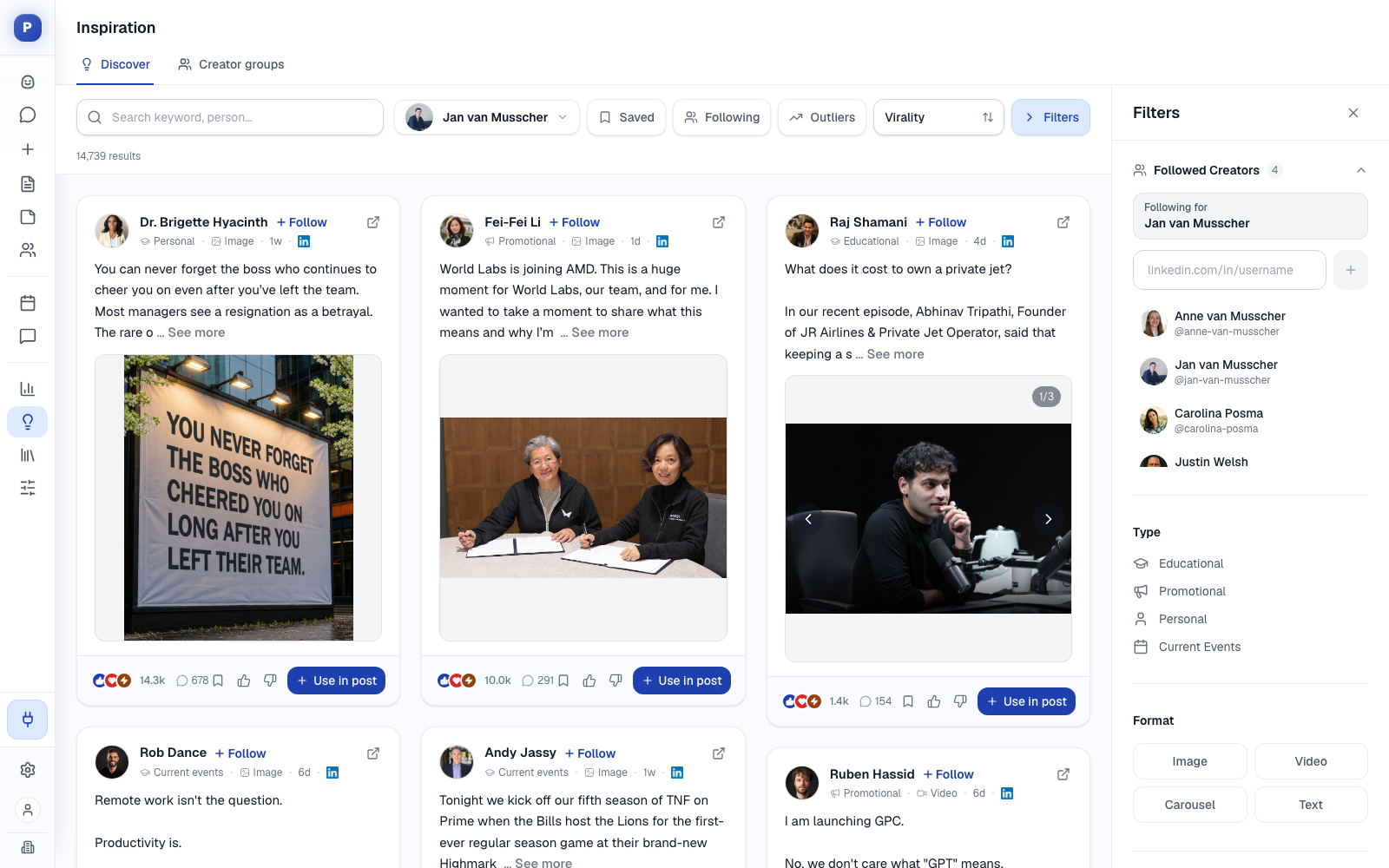
This is a free social media audit template for agencies, freelancers and in-house teams, with a worked example you can read before you touch your own. It has nine sections: a profile inventory, a profile quality check, a content audit, an audience and engagement review, a competitor benchmark, a workflow and access check, a scorecard, an action list and a close-out checklist. There is no email gate and no signup.
An audit answers one question before you spend time or money: what do we have, and what is it worth? Run it when you take on a client, to see what you inherit. Run it on a prospect, to show what you saw before you pitch. Run it every quarter on accounts you manage, because profiles drift. A short audit also works as a lead magnet for an agency, which our guide on how to get clients for a marketing agency covers.
The examples use a made-up company called Northwind Analytics, posting on LinkedIn. The structure works for any network where people post under named profiles. If you audit and run many clients, Postiv's client workspaces keep each client's profiles, analytics and approvals apart, so an audit does not mean a new spreadsheet and a new set of logins every time.
Download the Template
Pick the format your team already works in.
To import, use File > Open in Google Docs for the .docx, File > Import in Google Sheets for the .xlsx, and Import > Markdown in Notion for the .md. The document versions hold all nine sections. The spreadsheet has a Read me tab plus nine tabs, with formulas for the profile scores, the posts-per-week figure, the outlier flag and the scorecard rating.
What Is Inside the Template
| # | Section | What you find out | Spreadsheet tab |
|---|---|---|---|
| 1 | Profile inventory | Every profile and page, who administers it and whether it is alive | Inventory |
| 2 | Profile quality check | Whether a stranger understands who the profile is for | Profile quality |
| 3 | Content audit | What was posted, what worked and what counts as an outlier | Baseline, Post log |
| 4 | Audience and engagement | Who reacts, who comments and whether they are the buyers | Audience |
| 5 | Competitor and peer benchmark | What the people your buyer follows do differently | Benchmark |
| 6 | Workflow and access | Who writes, approves and publishes, and who holds the keys | Workflow |
| 7 | Scorecard | A score per area, a total and a rating | Scorecard |
| 8 | Findings and action list | What to fix first, with owner and horizon | Actions |
| 9 | Audit close-out | A checklist before you hand the audit over | Document only |
When to Run a Social Media Audit
- When you take on a client. You need to know what you inherit before you promise results: duplicate pages, lost admin access, a shared password.
- Before you pitch a prospect. A one-page audit shows you did the work. The template's scorecard and action list slot straight into a social media proposal.
- Every quarter for active accounts. Quarterly is frequent enough to catch drift and spaced enough that something has changed. A monthly social media report covers the numbers in between.
- After a change. A rebrand, a new hire who posts, a campaign or a platform change all justify an extra pass.
How to Run the Audit, Part by Part
Northwind Analytics is a made-up 40-person company that sells reporting software to operations teams at logistics firms. The audit covers the 90 days before an agency takes over its LinkedIn. Every number below is invented for illustration. None of them is a benchmark.
1. Profile Inventory
List every profile and page the client has, including old, duplicate and inactive ones, with the type, who can administer it, its status, the last post date and the follower count. Unknown access is a finding in itself.
Northwind has four: the founder's profile, the sales lead's profile, the company page and an old duplicate page with 112 followers that a former employee created. The sales lead's login is shared with an assistant, which goes on the list as a high risk. Nobody should hand over a password to post on LinkedIn, and with an official-API tool nobody needs to. Our guide to managing multiple LinkedIn accounts for clients explains the safe setups.
2. Profile Quality Check
Open each profile in a private browser window, so you see what a stranger sees, and score seven checks from 0 to 2: current photo or logo, a banner that shows the offer, a headline or tagline that says who it helps, an About section that opens with the reader's problem, one clear next step, working links and a voice that matches the website.
| Check | Priya Raman | Marcus Lindqvist | Northwind page |
|---|---|---|---|
| Photo or logo is current and clear | 2 | 1 | 2 |
| Banner shows the offer or the brand | 1 | 0 | 1 |
| Headline or tagline says who it helps and how | 1 | 0 | 1 |
| Total (out of 14) | 9 | 4 | 10 |
The table shows three of the seven checks, and the totals include all seven. The pattern in the example is common: complete profiles that say what the person does but not who it is for, and no next step. For fixes, see B2B LinkedIn profile optimization, LinkedIn company page best practices and the free LinkedIn profile optimizer.
3. Content Audit
Log up to 30 recent posts per profile, with date, format, topic, first line, impressions and engagement rate. Then calculate a baseline per profile. Use the median, not the average: one viral post can double an average and make every other post look weak. A post that reaches at least twice the profile's median counts as an outlier. That two-times rule is ours, so change it if it does not fit your accounts.
| Profile or page | Posts in 90 days | Median impressions | Median engagement rate | Outlier threshold (2x median) |
|---|---|---|---|---|
| Priya Raman | 11 | 1,150 | 2.1% | 2,300 |
| Marcus Lindqvist | 2 | 430 | 1.4% | 860 |
| Northwind Analytics | 14 | 380 | 0.9% | 760 |
In the example, the founder's story "We almost shut down the product in 2023" reached 3,100 impressions, about 2.7 times her median. Her product announcement reached 700. The company page's "New: export to CSV" reached 350, below its median. The pattern across all three profiles is that personal stories and buyer problems work and product news does not.
The spreadsheet's Post log tab compares each post with the Baseline tab and flags outliers for you. For a client you already run, the numbers come from your analytics tool. In Postiv, the Posts tab lists every post with its numbers and has a Download CSV button, which gives you the raw rows for the log.
If you audit a prospect, you can see public reactions, comments and posting dates, but not impressions. Use reactions plus comments as the baseline and ask for an analytics screenshot on the discovery call. Do not guess private numbers.
4. Audience and Engagement
Count people, not reactions. Who comments on the posts: buyers, peers, employees or nobody? Are comments answered, and how fast? Does the follower base match the target buyer? Do teammates support each other's posts? Write the finding and the evidence for each question. Northwind's answers are typical: 3 of 40 commenters looked like target buyers, the founder replies within a day and the company page never replies.
5. Competitor and Peer Benchmark
Choose three to five companies or people your buyer also follows, not only direct competitors, and record the same facts for each: followers, posts per week, main formats, topics they own, what they do better and what you can do differently. The last column is the one that matters. If the client has a company page, LinkedIn's own page analytics has a view that compares the page with pages you nominate, which saves time here. Browsing what works in the niche also helps: Postiv's inspiration library shows the posts taking off in a niche and flags outliers, which is useful when you are choosing whom to benchmark.
6. Workflow and Access
Most problems that look like content problems are process problems. Ask who writes, who approves and who publishes, whether a strategy or voice guide exists, who has admin access, how far ahead content is planned, which tools are used and whether anyone reads a monthly report. At Northwind the founder writes at night and publishes without a review, nothing is planned ahead and no report exists. Three high risks and two medium ones turn into the first actions.
7. Scorecard
Score each area from 1 to 5 using the evidence you collected, then add them up.
| Area | Score | Evidence |
|---|---|---|
| Profile quality | 3 | Complete but unfocused |
| Content quality | 3 | Strong personal stories, weak product posts |
| Posting consistency | 2 | About one post a week, in bursts |
| Engagement and replies | 2 | Mostly employees comment, the page never replies |
| Audience fit | 3 | Logistics audience, few operations leaders |
| Measurement | 1 | No report and no targets |
| Workflow and access | 2 | A shared login and no review step |
| Total (out of 35) | 16 | Build the foundations |
Our rule of thumb for the rating: 7 to 17 means build the foundations, 18 to 27 means fix the biggest gaps and 28 to 35 means optimize what works. The bands are a convention for clients to read at a glance, not a statistic. The spreadsheet's Scorecard tab adds the total and the rating for you.
8. Findings and Action List
Turn the scorecard into actions, each with an owner, a horizon (quick win, 30 days or 90 days), an impact and an effort. Northwind's list starts with three quick wins: rewrite the sales lead's headline and Featured section, replace the shared login with a connection through LinkedIn's official authorization, and ask LinkedIn to merge the duplicate page. The 30-day fixes are a fixed posting rhythm, customer-problem posts on the company page and a monthly report. The 90-day project is a set of content pillars and a voice guide for each profile, which the social media strategy template walks you through.
Social Media Audit Checklist
If you want the short version, tick these before you call an audit done.
- Every profile and page is listed, including duplicates and inactive ones
- Every profile has a named owner and documented access, and no password is shared
- Each profile was checked in a private browser window
- The last 90 days of posts are logged with format, topic and numbers
- The baseline uses medians, and outliers are flagged
- Comments were read, not only counted
- Three to five peers are benchmarked on the same facts
- The workflow, from draft to publish, is written down
- Each area is scored and the total adds up
- Every action has an owner and a horizon
- The findings were walked through with the client
- The next audit is on the calendar
What to Check on LinkedIn That Generic Audits Skip
Most audit guides cover every network at once and skip what makes LinkedIn different for B2B.
- Personal profiles and the company page are separate audits. Reach usually sits on the personal profiles and the brand on the page, so read them side by side.
- Company page admins. A page with one admin, or with a former employee as admin, is a risk. Keep at least two current admins.
- What outside tools can see. LinkedIn shares more data with outside tools for company pages than for personal profiles, and it does not share follower demographics for personal profiles. Take those from the profile's own analytics page.
- Team engagement. Do colleagues react to and comment on each other's posts? Our guide to B2B LinkedIn employee strategy covers how to organize it.
- Comment quality. Ten comments from buyers are worth more than a hundred from colleagues.
- How the profile is connected to tools. A tool should connect through LinkedIn's official authorization, never through a shared password or a browser extension.
Turn the Audit Into a Proposal and a Strategy
An audit has three natural next steps. Send the scorecard and top actions as the basis of a social media proposal, which has a "what we found" section built for it. If the client has said yes, write the plan with the social media strategy template, starting with content pillars. Once the plan runs, report monthly with the social media report template, and use the pricing guide to scope the retainer.
Run Audits Across Many Clients With Postiv
Auditing one account is a spreadsheet exercise. Auditing ten clients every quarter is an operations problem, and Postiv is the workspace that handles it. Each client gets a workspace with their own profiles, company pages, brand, calendar and approvals, and your team moves between workspaces without anything mixing. Analytics shows impressions, followers, engagement rate, net new followers and profile visits per profile and company page against the previous period, with top posts and outliers, so the content audit starts from real data. The audit's action list then becomes the first month of work: Bob, Postiv's AI agent, plans each profile's week from its content pillars, drafts in the profile's voice, and the client approves from a link without needing an account.
If you work with an AI assistant, Postiv's LinkedIn MCP lets Claude or ChatGPT read analytics for connected accounts, so you can ask it to compare the last 90 days with the 90 before.
FAQ
How do you create a social media audit?
List every profile and page the client has and who can administer each, score the quality of each profile, review the last 90 days of posts against a median baseline, check who engages, benchmark three to five peers, review the workflow and access, then score each area and turn the findings into a prioritized action list. The template puts these steps in order.
How often should you perform a social media audit?
Run a full audit when you take on a client or pitch a prospect, and then every quarter for accounts you actively run, or at least twice a year for a stable one. Run an extra one after a rebrand, a team change or a campaign that changed how the profiles are used. Between audits, a monthly report covers the numbers.
What should a social media audit include?
An inventory of every profile with its owner and access, a quality check of each profile, a content audit of recent posts with a baseline, an audience and engagement review, a benchmark against peers, a check of workflow and access, a scorecard and a prioritized action list.
Can ChatGPT do a social media audit?
Partly. A chat assistant can help with the writing-heavy parts, such as reading profile copy, tagging posts by topic and summarizing comments, if you paste the material in. It cannot pull your analytics on its own, and it may invent numbers for a profile it cannot see. An assistant connected to Postiv's LinkedIn MCP can read analytics for connected accounts, including performance summaries, top posts and individual post analytics, so the content audit can start from real data. The inventory, access checks and judgment calls stay with you.
How long does a social media audit take?
Plan on about half a day for three profiles the first time. That is a planning estimate, not a benchmark. A repeat audit of the same accounts is much shorter, because the inventory, the baseline and the benchmark list already exist.
What is the difference between a social media audit and a social media strategy?
An audit looks back: what you have, how it performed and what is broken. A strategy looks forward: goals, audience, pillars, cadence, approvals and measurement. Run the audit first and let its action list shape the strategy.
Is the social media audit template really free?
Yes. All three formats are free to download and use, with no email form and no signup. You can adapt it for your own clients and prospects and share the finished audit under your own name. The Northwind Analytics example is made up, so replace every row with your own findings.
Can I use the template in Word, Google Docs, Google Sheets or Notion?
Yes. The .docx opens in Word and imports into Google Docs through File > Open. The .xlsx opens in Excel and imports into Google Sheets through File > Import. The .md file imports into Notion through Import > Markdown. The spreadsheet adds formulas for the profile scores, the baseline, the outlier flag and the scorecard rating.
Next Step: Start With the Inventory
Open section 1 and list every profile the client has, including the ones nobody remembers. The first surprise is often there. If you would rather not rebuild the audit for every client, Postiv has a 7-day free trial, and the agency workspace setup shows how each client's profiles and analytics stay in one place.