

Postiv for LinkedIn
The Deepest LinkedIn Workflow for B2B Teams.
Personal profiles and company pages, every post format, mentions, approvals, an automatic first comment and analytics. LinkedIn is where Postiv started, and it shows.
Official LinkedIn API. No Chrome extension.
Formats
Every LinkedIn Format, Scheduled
Write it once in Postiv and publish it natively, as the profile or the page.
- Text post3,000 characters
Counted as you write, with mentions that tag properly.
- Images1+ per post
A single image or a multi-image post, uploaded natively.
- CarouselPDF document post
Designed in the carousel editor, published as a swipeable document.
- Video200 MB max
Native MP4 or MOV video on profiles and company pages.
Built for LinkedIn
Everything LinkedIn Needs, Nothing It Does Not
The details that make LinkedIn different are handled for you.
Profiles and company pages
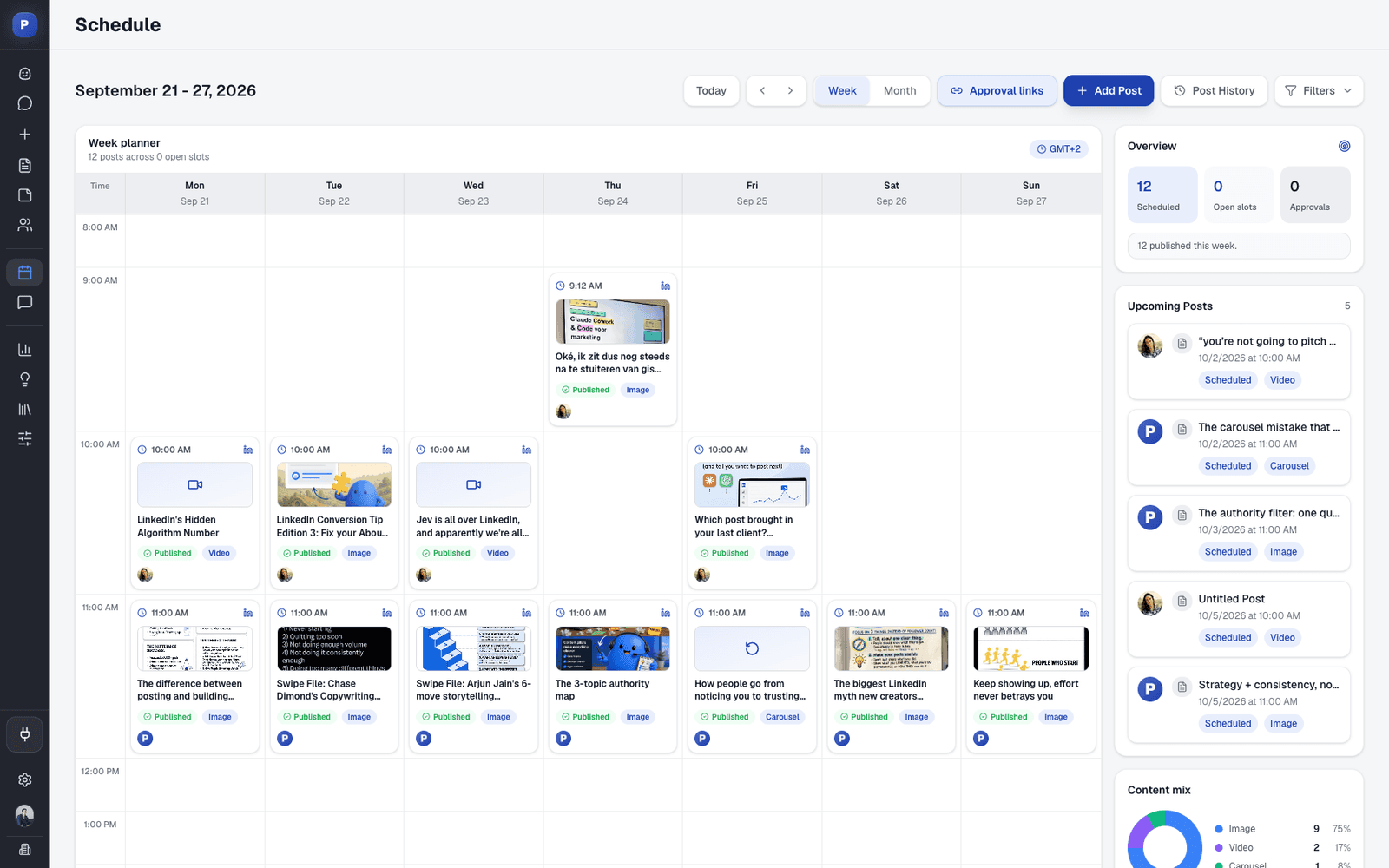
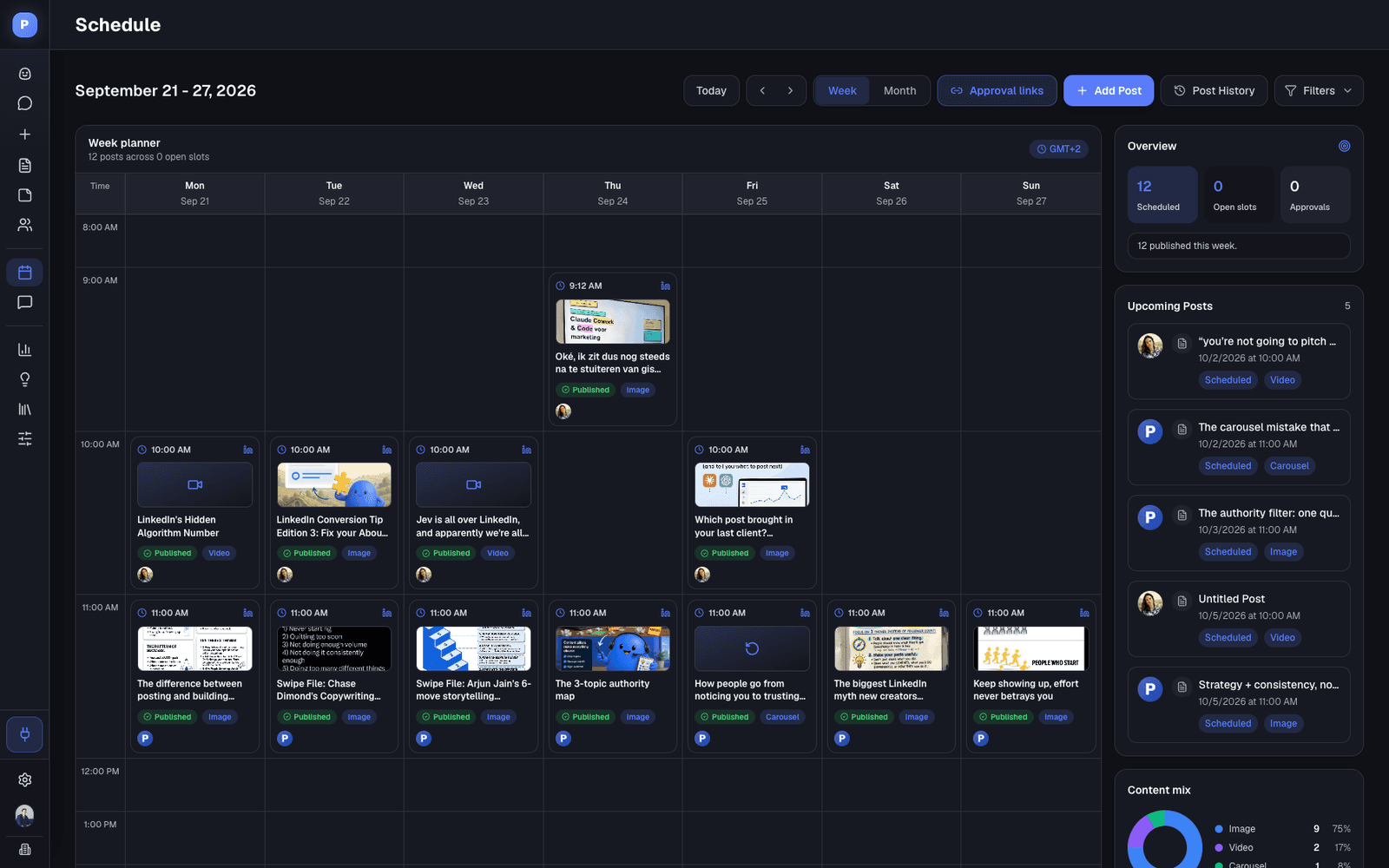
Schedule as yourself, your teammates and every page you admin, on one calendar.
Real mentions
Tag people and companies so the mention links and notifies when the post goes live.
Automatic first comment
Your link or follow-up, posted 2 minutes or more after publishing, as the profile or the page.
Approvals
Approvers per profile or page. Nothing goes live without your OK.
LinkedIn analytics
Impressions, followers, engagement and profile visits per post, profile and page.
Team likes
Slack pings your team when a post goes live, and admins can turn on team likes.
How It Works
From Idea to Live on LinkedIn
Connect once, then run the whole week from Postiv.
- 1
Connect LinkedIn
Sign in with LinkedIn and switch on the company pages you admin.
- 2
Create
Write or draft with Bob, and design carousels and visuals on your brand.
- 3
Schedule
Drop posts into your slots, add a first comment and set approvers.
- 4
Publish and learn
Postiv publishes through the official API and tracks the results.
LinkedIn in Postiv, the Specs
The numbers worth knowing before you plan a quarter.
| What | On LinkedIn |
|---|---|
| Accounts | Personal profiles and company pages (page admins) |
| Post length | 3,000 characters |
| Media | Images, multi-image, PDF carousels and documents, video up to 200MB |
| First comment | Up to 5 comments per post, 2 minutes or more after publishing |
| Profiles | Unlimited on the Team plan |
| Publishing | Official LinkedIn Posts API |
FAQ
Frequently Asked Questions
Does Postiv use the official LinkedIn API?
Yes. Posts go out through LinkedIn's official Posts API. There is no Chrome extension and nothing logs in as you.
Which LinkedIn post types can I schedule?
Text posts, single and multi-image posts, carousels (published as a PDF document), documents and native video up to 200MB, on personal profiles and company pages.
Can I post to a LinkedIn company page?
Yes. Connect the LinkedIn account of a page admin, switch on the pages you manage, and schedule posts as the company next to your personal profile.
Can I @mention people and companies?
Yes. Mentions are resolved to real LinkedIn people and pages, so they tag properly when the post goes live.
What is the character limit?
LinkedIn allows 3,000 characters per post. Postiv counts as you write, so you see the limit before you schedule.
Can Postiv post my first comment?
Yes. Comment Plug posts your first comment automatically, 2 minutes or more after publishing. Save up to five variations per profile, or set comments per post.
What happens when my LinkedIn connection expires?
LinkedIn connections expire periodically. Postiv shows how long yours has left and asks you to reconnect in Settings before it runs out.
Put LinkedIn on a System
Connect your profile and company page and plan your first week in one sitting. Try Postiv free for 7 days, cancel anytime.
Scheduling LinkedIn for a B2B Team
LinkedIn rewards consistency and real conversations more than volume. Pick two or three posting slots a week per person, give each slot a content pillar, and answer the comments within the first hour.
The LinkedIn post scheduler guide compares the options, the carousel generator covers the format that travels furthest, and team management shows how to get more of your people posting.
More From Postiv
- Postiv for X
- Content creationPosts, carousels, images and infographics on your brand. Draft with AI, finish in your own words.
- Team managementEvery profile and company page in one workspace, with roles, approvers per profile and a Team Hub.
- SchedulingOne calendar for every profile, company page and channel, with posting slots and an automatic first comment.
- AnalyticsReach, engagement and followers per post and per profile, so next week starts from what worked.