This is a free social media report template for monthly client reporting, with a filled-in example you can read before you touch your own. It has ten sections: a five-line summary, a KPI scorecard, results per LinkedIn profile and page, top posts, a pillar review, written commentary, the business results only the client can see, next month's plan, an appendix and a checklist for before you send. There is no email gate and no signup.
Most report templates are dashboards with empty boxes. Clients do not pay for the boxes. They pay for the paragraph that says what happened, why it happened and what you will do next, and this template is built around that paragraph. The numbers part is short on purpose: six metrics, one row per profile and one comparison with last month.
The examples use a made-up company called Northwind Analytics and a made-up agency called Kestrel Content, so the report reads like a real month. The structure works for any B2B client and any network where people post under named profiles. LinkedIn gets extra attention because that is where most B2B client work happens. If you report for several clients, Postiv's client workspaces keep each client's profiles, analytics and approvals apart, which shortens the slowest step: collecting the numbers.
Download the Template
Pick the format your team already works in.
To import, use File > Open in Google Docs for the .docx, File > Import in Google Sheets for the .xlsx, and Import > Markdown in Notion for the .md. The document versions hold all ten sections. The spreadsheet has a Read me tab plus eight tabs for the table-heavy parts, with formulas for the changes, the totals and each pillar's share of posts. Save the finished report as a PDF before you send it.
What Is Inside the Template
| # | Section | What it answers | Spreadsheet tab |
|---|---|---|---|
| 1 | The month in five lines | What happened, in the order a busy client reads | Document only |
| 2 | KPI scorecard | Are we ahead, on track or behind? | KPI scorecard |
| 3 | LinkedIn by profile and page | Which profile produced the result, and in which format | LinkedIn profiles, Formats |
| 4 | Top posts | Which posts to repeat and which to rewrite | Top posts |
| 5 | Pillar review | Which topics earn their place | Pillars |
| 6 | Commentary | What happened, why and what we do next | Document only |
| 7 | Business results | What the posts did for the client's business | Business results |
| 8 | Next month | The posting plan, one experiment and what we need from the client | Posting plan, Client needs |
| 9 | Appendix | Definitions and screenshots, so the numbers can be checked | Document only |
| 10 | Before you send | A checklist that catches the common errors | Document only |
Fill in the data sections (2 to 5 and 7) first, write the commentary in section 6 next, and write section 1 last. It goes on top, but it is the part that needs everything else to be finished.
Which Metrics Belong in a Social Media Report
Choose a short set and keep it identical every month. The test for each metric is whether the client could act on it. These are the ones the template uses, with what each one tells the client.
| Metric | What it tells the client | Read it carefully |
|---|---|---|
| Posts published | Whether the plan was kept | Compare with the planned number, not only with last month |
| Impressions | How often the posts were shown | Report per profile, because one profile often carries the total |
| Engagement rate | Whether the people who saw the posts cared | Use one definition every month and compare with the profile's own average |
| Followers and net new followers | Whether the audience is growing | Net new followers is the change in the month, which is the number that moves |
| Profile and page visits | Whether posts make people look at the person or the company | Profile and page visits are reported separately |
| Comments | The metric closest to a conversation | Read the comments and note who wrote them, not only how many |
| Saves and followers gained per post | Which posts people want to keep or followed you for | LinkedIn reports these for personal profile posts only |
| Audience breakdown (job function, industry) | Whether the right people follow | Company pages only for outside tools. For a personal profile, take a screenshot from the profile's own analytics page |
| Inbound conversations and demo requests | What the posts did for the business | Only the client can supply these, so ask for them |
Leave out anything the client cannot act on. A report that lists every number in the tool teaches the client to ignore the report. If you are unsure whether an engagement number is high or low, the free engagement rate calculator checks a single post, and our LinkedIn analytics guide explains each metric.
How to Fill In the Report, Section by Section
Northwind Analytics is a made-up 40-person company that sells reporting software to operations teams at logistics firms. Kestrel Content runs its LinkedIn profiles. Every number below is invented for illustration. None of them is a benchmark.
1. The Month in Five Lines
Write it last and put it first. Give one line each to the headline result, what drove it, what did not work, what you will do about it and the one decision you need from the client, and put a number in every line.
Northwind's report opens like this. Impressions rose 15% to 47,300 and net new followers reached 295, ahead of the 250 target. Two carousels on the founder's profile delivered 35% of the month's impressions. Kestrel published 24 posts against a plan of 28, and product news on the company page earned 640 impressions at a 0.8% engagement rate. In October the team publishes two more carousels, rewrites page posts around a customer problem and batches drafts so a holiday week leaves no gap. The decision needed: approve two customer names for case studies by October 5.
Notice that the weak parts are in the summary. A client who finds the problem on page three trusts the report less.
2. KPI Scorecard
One row per metric: this month, last month, the change, a target from your strategy and a status of Ahead, On track or Behind.
| Metric | This month | Last month | Change | Target | Status |
|---|---|---|---|---|---|
| Posts published | 24 | 22 | +9.1% | 28 | Behind |
| Impressions | 47,300 | 41,200 | +14.8% | 45,000 | Ahead |
| Engagement rate | 3.0% | 2.8% | +7.1% | 3.0% | On track |
| Net new followers | 295 | 240 | +22.9% | 250 | Ahead |
| Profile and page visits | 780 | 690 | +13.0% | 750 | Ahead |
Compare with last month, not with a competitor, and keep the same rows every month so the trend is readable. "Behind" is an allowed answer: honest status words are what make the green ones believable. If you have no targets yet, set them with the social media strategy template, which has a goals section built for this.
3. LinkedIn by Profile and Page
List every profile and company page that posted, one row each, with a total row that adds up.
| Profile or page | Posts | Impressions | Engagement rate | Net new followers |
|---|---|---|---|---|
| Priya Raman (founder) | 10 | 31,400 | 3.4% | 190 |
| Marcus Lindqvist (sales lead) | 6 | 9,800 | 2.6% | 60 |
| Northwind Analytics (company page) | 8 | 6,100 | 1.8% | 45 |
| Total | 24 | 47,300 | 3.0% | 295 |
The rows matter more than the total here: two thirds of the impressions came from one profile. The template also has a table per format, which tells the client what to make more of. Northwind's carousels earned a 4.2% engagement rate against 1.7% to 2.3% for text, image and video.
Read personal profiles and company pages separately, because LinkedIn shares different data for each. Saves and followers gained per post are reported for personal profile posts only, so leave them blank for company page posts instead of writing 0. LinkedIn does not share follower demographics for personal profiles with outside tools. If the client cares who follows them, attach a screenshot from the profile's own analytics page.
4. Top Posts and the One to Learn From
Pick the three best posts by engagement rate and one that fell short. For each, write one line on why you think it behaved that way and one on what happens next. This is the section clients quote back to you in meetings.
- Sep 9, "Three weekly numbers ops and finance should never argue about": 11,200 impressions and a 5.1% engagement rate. A numbered list readers could screenshot, and it started three inbound conversations. Next: two more carousels in October.
- Sep 23, "A dispatcher's Monday, hour by hour": 5,400 impressions and 4.4%. A day-in-the-life story with specific times. Next: repeat it with a warehouse shift.
- Sep 16, "The objection I hear most: spreadsheets already work": 3,900 impressions and 3.8%. It opens with a real sales objection. Next: turn the replies into a customer story.
- Sep 4, release notes for version 4.2 (the weak one): 640 impressions and 0.8%. A feature list with no buyer problem in the first line. Next: rewrite it as a before and after.
5. Pillar Review
If the client has content pillars, compare each pillar with the profile's own average and decide keep, change or stop. If not, group posts by topic and start with the strategy template.
| Pillar | Posts | Engagement rate | Inbound conversations | Decision |
|---|---|---|---|---|
| Reporting that finance trusts | 9 | 3.5% | 5 | Keep. Add a carousel every two weeks |
| Logistics ops in the field | 6 | 3.2% | 2 | Keep |
| Building Northwind | 5 | 1.5% | 0 | Cut to one post a week and use stories, not announcements |
| Customer results | 4 | 2.3% | 2 | Keep. Need two new customer names |
6. Commentary: What Happened, Why and What Next
Numbers do not explain themselves, and the commentary is what separates a report from a screenshot. Answer three questions in two or three sentences each, and name one number per sentence. Never write "engagement was good" without saying compared with what.
- What happened? Impressions grew 15% to 47,300, and 66% of them came from Priya's profile. Engagement rate edged up from 2.8% to 3.0%.
- Why did it happen? Carousels earned 4.2% engagement against 1.7% to 2.3% for the other formats, and the "three numbers" carousel started three inbound conversations. The company page lagged because product news does not carry a buyer problem.
- What do we do next? In October we publish two more carousels on the finance-trust pillar, rewrite company page posts around a customer problem and cut Building Northwind to one post a week.
7. Business Results
Clients care about this section most, and you can see it least. Posts rarely carry trackable links, so ask the client for the numbers behind the post metrics: conversations started, demo requests that mention LinkedIn, meetings booked and how new leads say they found the company. Write the source next to each number. If a number has not arrived yet, write "not yet reported" instead of leaving the row out.
Northwind's example: 9 inbound conversations (7 last month, with a target of 15 by the 90-day review), 2 demo requests that mention LinkedIn and 1 meeting booked. For how to connect post metrics to revenue, read how to measure social media ROI.
8. Next Month
Keep it to one page: a posting plan per profile (posts per week, pillars, formats), one experiment with a hypothesis and a way to judge it, and a short list of what you need from the client, with dates. One experiment keeps the result readable. If you change three things at once, you cannot tell which one worked.
9 and 10. Appendix and the Pre-Send Checklist
Write the definitions once so the report reads the same every month: the exact period, the data source and pull date, your definition of engagement rate and any known gaps. Attach the screenshots you used. The checklist at the end of the template catches the usual errors: totals that do not add up, a changed period, a number in the summary that appears nowhere else.
How to Write a Social Media Report in 8 Steps
- Fix the reporting period and use the same dates every month.
- Pull the same six metrics for every profile and channel.
- Compare each metric with last month and with its target.
- Pick the three best posts and one weak one.
- Review each content pillar or topic and decide keep, change or stop.
- Write the commentary: what happened, why and what you do next.
- Add the business results the client can see, with their source.
- Write the five-line summary, add next month's plan and check the numbers before you send.
In the template each step is one section, so the whole report fits on two or three pages.
How Often Should You Send a Social Media Report?
Monthly is the default for client work. A month is long enough for a pattern to show and short enough to change course. Add two lighter rhythms around it. Check three numbers weekly for yourself, such as posts published, impressions and comments that need a reply, and do not send them. Hold a longer review every quarter: 60 minutes against the 90-day targets, where you decide whether scope, targets or plan should change.
One Report per Client, Without Rebuilding It Each Month
The template works with numbers from any tool, including the analytics pages inside each network. The slow part of reporting is not the template. It is collecting numbers from many profiles and keeping each client's data apart.
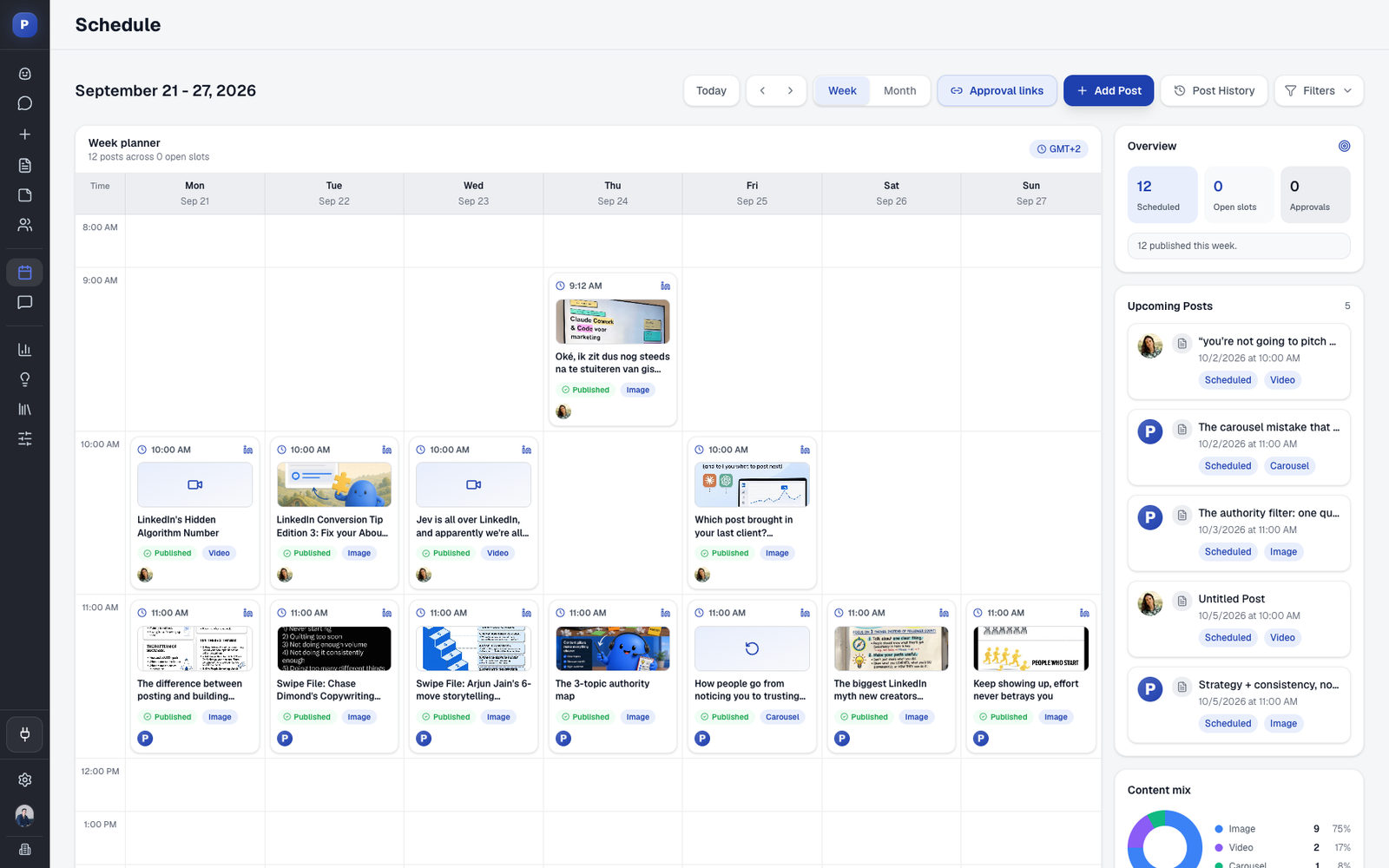
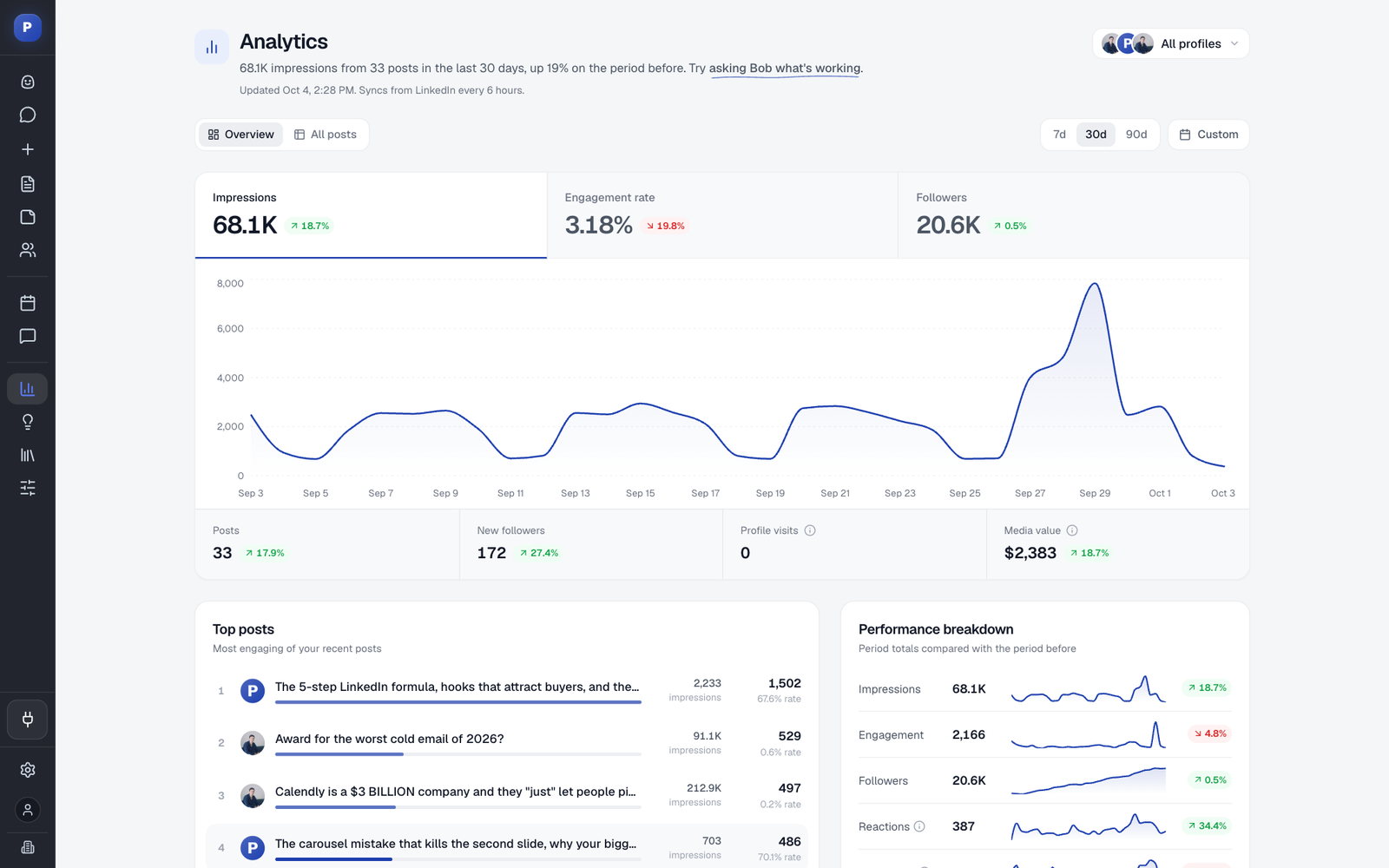
Postiv is built for that. Every client gets a workspace with their own profiles, company pages, brand, calendar and approvals, and your team switches between them from one menu. Analytics shows posts, impressions, followers, engagement rate, net new followers and profile visits for each profile and company page, each compared with the previous period. Set a custom date range to the calendar month, copy the numbers into sections 2 and 3, and open the Posts tab for section 4: it lists every post with its numbers and has a Download CSV button. You can also ask Bob, Postiv's AI agent, which posts did best, and then verify the answer against the table before you write it down.
The numbers feed the work too. Each pillar's last 30 days of posts, average impressions and engagement go into Bob's next weekly plan, so the "what we do next" line in your report is the plan Bob is already building. The commentary, the part clients pay for, stays yours. If you manage many client profiles, how to manage multiple LinkedIn accounts covers the weekly workflow around the report.
The Agency Template Set
This is one of four templates that follow the life of a client. Run a social media audit before you start, send a social media proposal to win the work, write the plan with the social media strategy template, and report every month with this one. The report also belongs in your packages: the social media management pricing guide shows what reporting each tier usually includes.
FAQ
How do I write a social media report?
Pick the reporting period, pull the same few metrics you used last month, compare each one with last month and with its target, choose the top posts and one weak post, explain why they behaved that way, add the business results only the client can see, and finish with next month's plan. The template puts these steps in order, with the five-line summary written last and placed first.
How can I generate a social media report?
Collect the numbers from your analytics tool or from each network's own analytics page, then paste them into a fixed template. The template works with numbers from any tool. In Postiv, analytics show posts, impressions, followers, engagement rate, net new followers and profile visits for each profile and company page against the previous period, for 7, 30 or 90 days or a custom range. You write the commentary yourself, which is the part clients value.
What should a social media report include?
A five-line summary, a KPI scorecard against last month and a target, results per profile or channel, the top posts and one weak post, a review of your content topics, written commentary, the business results the client can see, and next month's plan. A short appendix with definitions and screenshots lets anyone check the numbers.
What metrics should a social media report include?
Keep it to six to eight and use the same ones every month: posts published, impressions, engagement rate, followers, net new followers and profile visits, plus the client's own numbers such as inbound conversations and demo requests. On LinkedIn, read personal profiles and company pages separately, because LinkedIn shares different data for each.
How often should I send a social media report?
Monthly is the default for clients. It is long enough to show a pattern and short enough to change course. Check three numbers weekly for yourself without sending anything, and run a longer review every quarter against your 90-day targets.
How long should a social media report be?
Two or three pages plus an appendix. The five-line summary at the top should work on its own, because many clients read only that part.
Is the social media report template really free?
Yes. All three formats are free to download and use, with no email form and no signup. You can adapt it for your own clients and send it under your own name. The Northwind Analytics numbers are made up, so replace every row with real data.
Can I use the template in Word, Excel, Google Docs, PDF, PowerPoint or Notion?
Yes. The .docx opens in Word and imports into Google Docs through File > Open. The .xlsx opens in Excel and imports into Google Sheets through File > Import. The .md file imports into Notion through Import > Markdown. Save the finished document as a PDF before you send it, or paste the tables into slides if your client prefers a deck.
Next Step: Send Your First Report
Start with section 2: put last month's numbers next to this month's and set a target for each row. Then write the three commentary answers and the five lines on top. If you would rather not copy numbers between profiles and tools, Postiv has a 7-day free trial, and the agency workspace setup shows how each client's profiles, approvals and analytics stay together.