

Inspiration Library
See What's Working in Your Niche. Then Make It Yours.
Browse the LinkedIn posts that are taking off with your buyers, spot the outliers, and turn the idea and the format into a post built on your own stories.
Included in Creator Pro and Team
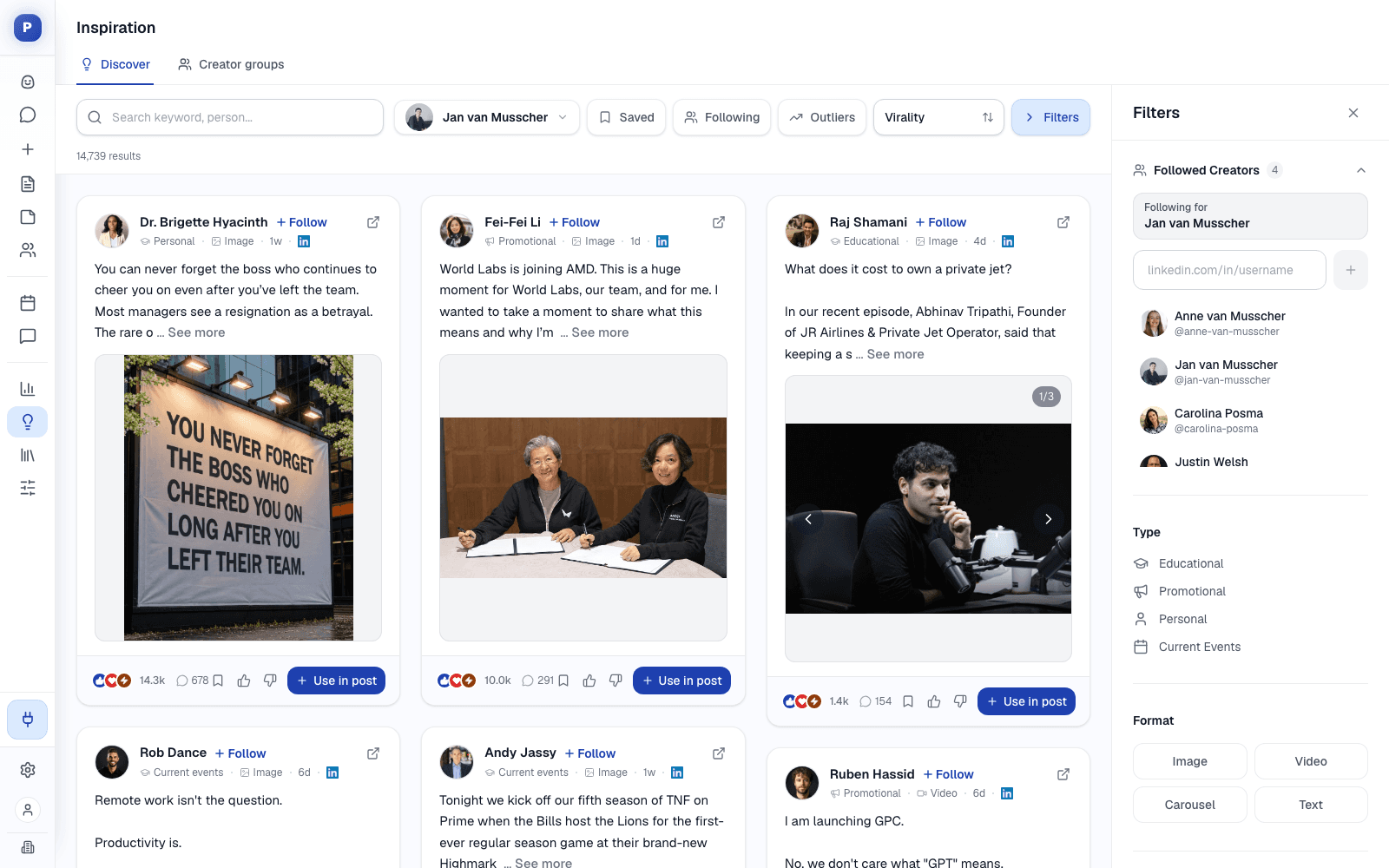
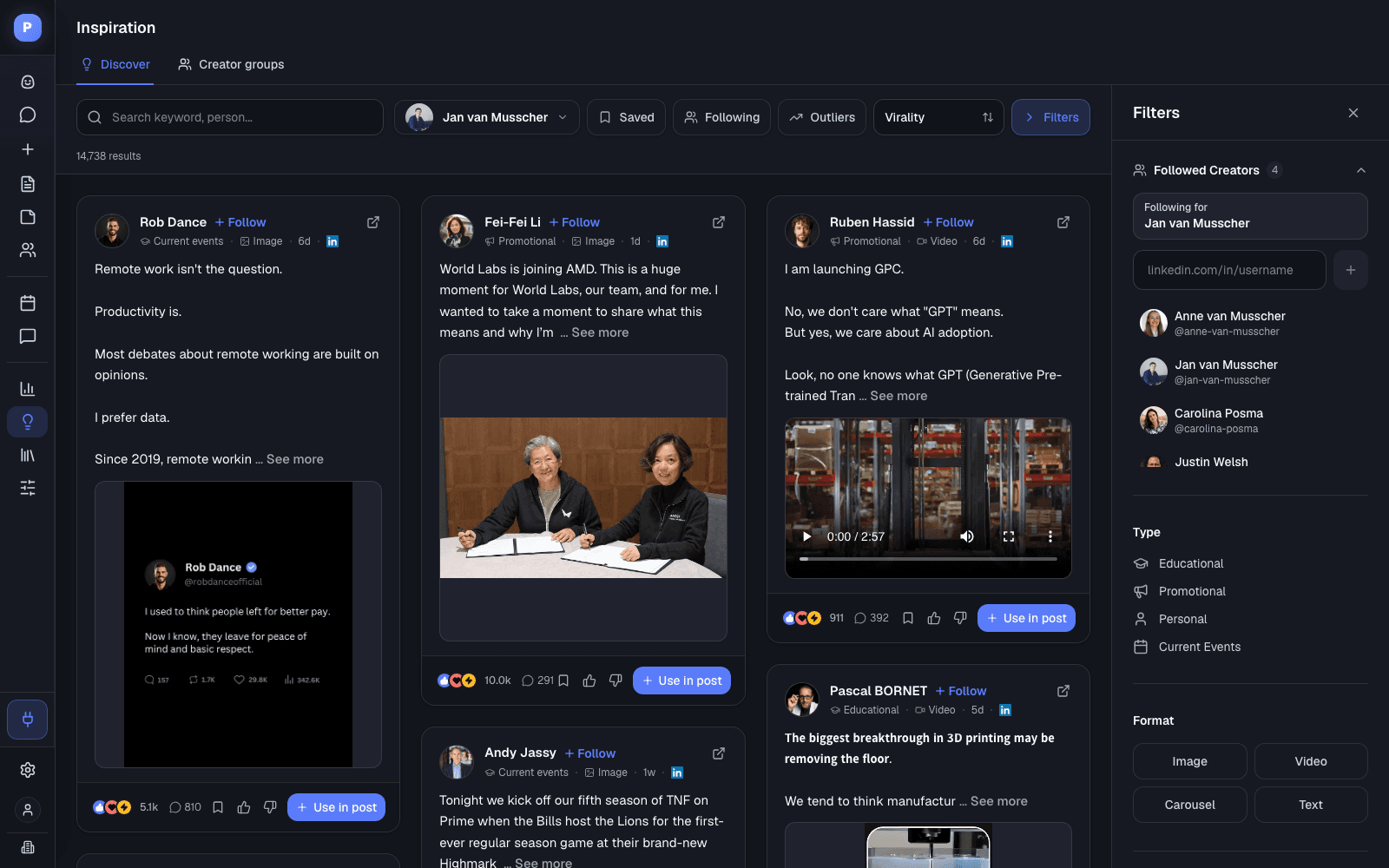
Outliers at 3x their creator's usual engagement
Filter by type, format, size and reach
Follow the creators your buyers read
Use in post opens a draft with the reference attached
The Feed
Everything You Need to Spot a Winning Idea
Every post comes with the numbers and labels that tell you why it is worth a look, so you pick ideas on evidence instead of gut feel.
Sort by what is working
Sort by virality, date, trending or outperforming, and switch on Outliers to see only posts that beat their creator's usual engagement by 3x or more.
Filter to your buyers
Narrow the feed by post type (educational, promotional, personal, current events), format (image, video, carousel, text), creator size, likes, comments and time range.
Follow creators
Add any creator by LinkedIn URL and follow them for the profile you are working on. Following shows only the creators you track.
Creator groups for your team
Shared lists of creators by company, topic or any list you like. Postiv collects their posts, and a refresh pulls in new ones.
Search LinkedIn when the library is thin
When a search turns up little, Postiv searches LinkedIn for it, ranks the best posts and adds them to the library.
Save what you like
Bookmark posts to come back to them, and open any post on LinkedIn to read the comments.
Spot, Adapt, Learn
From Someone Else's Winner to Your Next Post
Borrow the idea and the format, never the words. Your stories, numbers and opinions do the rest.
- 1
Spot
Find a post that is working with your buyers this week, filtered to your niche and switched to outliers.
- 2
Adapt
Click Use in post. A new draft opens with the original attached, and you or Bob rebuild it around your own experience.
- 3
Learn
Once it is live, your analytics show how it landed, so next week starts from what worked for you.
Straight Answer
Inspiration, Plainly
What the feed does, and what it deliberately does not.
What it does
- Shows reactions, comments, type and format for every post
- Flags outliers at 3x or more a creator's usual engagement
- Lets you follow creators and share creator groups with your team
- Opens a draft from any post with the original attached
- Works from Claude or ChatGPT through the Postiv MCP server
What to know first
- It does not copy posts. Use in post gives you a reference, not a rewrite. The words stay yours.
- It does not touch your account. Browsing inspiration reads the library, not your LinkedIn account.
- Creator groups have limits. Up to 30 groups and 50 tracked profiles per workspace, with a refresh at most once an hour.
FAQ
Frequently Asked Questions
What is the Postiv inspiration feed?
A searchable library of LinkedIn posts from public creators and the creators you follow. Each post shows its reactions and comments, a type label (educational, promotional, personal or current events) and its format, so you can see what is working before you write.
What is an outlier post?
An outlier is a post that got three times or more its creator's usual engagement. Turn on Outliers to see only those posts. They are the clearest signal that a topic or format landed, not just that the creator has a big audience.
Does Postiv copy other people's posts?
No. Use in post opens a new draft with the original attached as a reference. You borrow the idea and the format, never the words, and rebuild it with your own stories, numbers and opinions.
Can I follow specific creators?
Yes. Add a creator by their LinkedIn URL and follow them for the profile you are working on. Following filters the feed to the creators you track. Creator groups let your team share lists of creators by company, topic or any list you like.
What if the library has little on my topic?
Search for it anyway. When the library has little on a search, Postiv offers to search LinkedIn for it, ranks the best posts it finds and adds them to the library for next time.
Can my AI agent use the inspiration library?
Yes. Through the Postiv MCP server, Claude, ChatGPT and other MCP clients can search the library, filter for outliers, formats and creators, and show you the results before drafting.
Start Next Week From What Is Already Working
Open the inspiration feed, pick an outlier and turn it into your own post in one sitting. Try Postiv free for 7 days, cancel anytime.
How to Find LinkedIn Post Ideas That Actually Work
The fastest way to a good LinkedIn post is to start from one that already worked with the people you want to reach. Look for outliers, posts that did far better than their creator usually does, because they tell you the idea or format landed, not just that the creator is famous.
Then change everything but the skeleton. Keep the hook pattern and the structure, and replace the story with one of yours. Our list of engagement post ideas gives you more starting points, and the LinkedIn post generator turns a rough idea into a first draft.
Finally, close the loop. Put the post on your content calendar, check LinkedIn analytics a week later, and let Bob build next week's plan on what worked.
Last updated
More Postiv Features
All features- Ideation agentBob plans your posting week: one idea per slot, tied to your content pillars, your sources and last week's results.
- Content creationPosts, carousels, images and infographics on your brand. Draft with AI, finish in your own words.
- Team managementEvery profile and company page in one workspace, with roles, approvers per profile and a Team Hub.
- SchedulingOne calendar for every profile, company page and channel, with posting slots and an automatic first comment.
- EngagementEvery comment on every profile in one inbox, plus a feed of the people you want to engage with.
- AnalyticsReach, engagement and followers per post and per profile, so next week starts from what worked.
- Knowledge baseYour website, documents, YouTube, Notion and newsletters in one library, so every idea and draft starts from your own material.