

Knowledge Base
Your Material In. Your Voice Out.
Your website, documents, YouTube videos, Notion pages and newsletters in one library. Every idea and draft starts from your own stories and numbers, not a blank prompt. Then use it from Claude or ChatGPT, with Slack for team alerts.
Knowledge base with AI plans (Pro and Team)
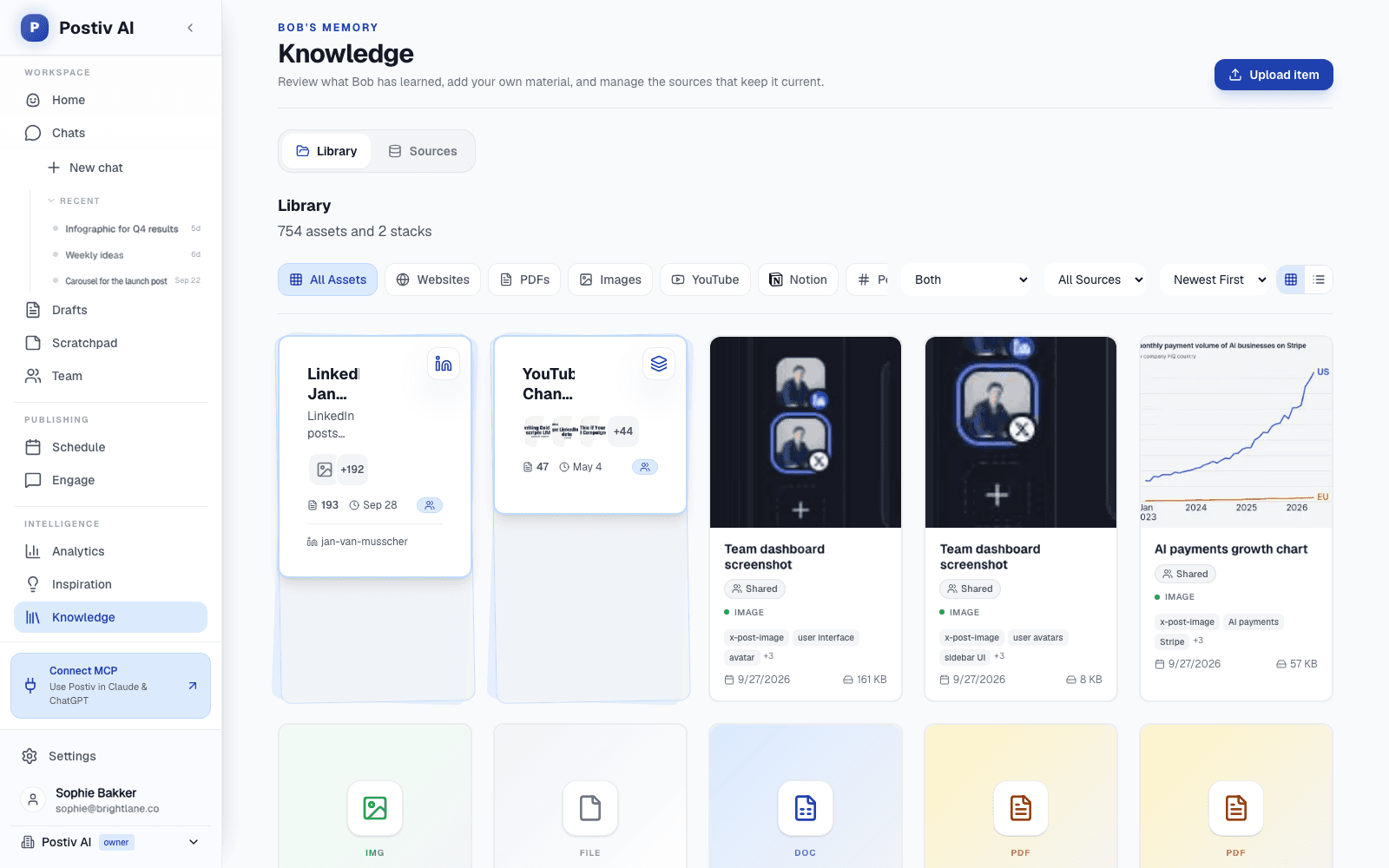
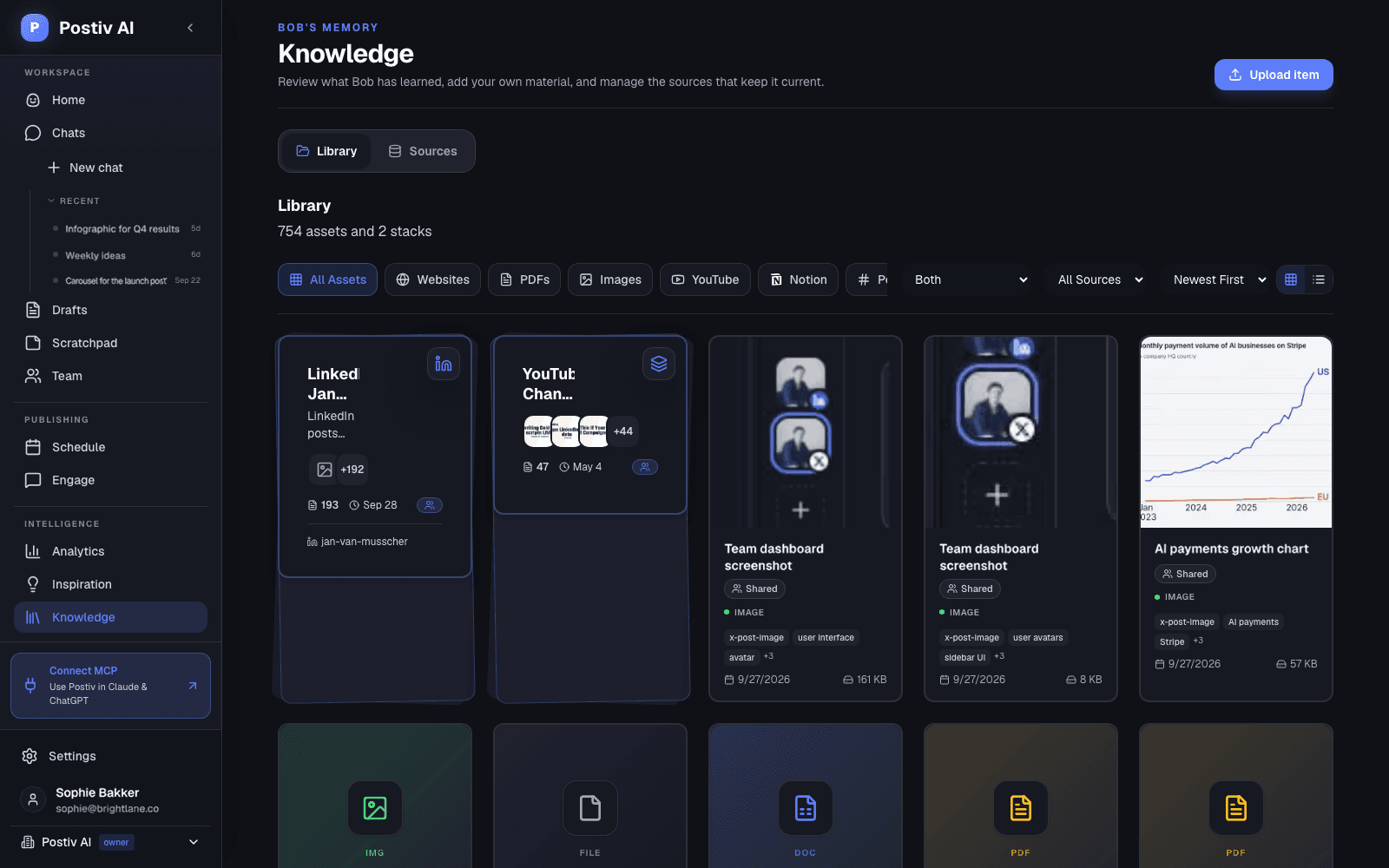
YouTube transcripts as source material
Notion pages that stay in sync
Team alerts and recaps in Slack
Claude, ChatGPT and Cursor via MCP
Sources for Bob
Every Source Bob Can Learn From
Bob plans ideas and drafts from your knowledge base, quoting your own words and numbers. The more of your material it holds, the less generic the posts get.
YouTube
Add a channel and its video transcripts are imported as knowledge. Add single videos from the library.
Notion
Pick pages to share with Bob. Child pages come along, and edits in Notion sync automatically.
Newsletters
A private forwarding address turns incoming newsletters into source material, filtered by sender if you like.
Your website
The website source crawls your own company website, and you can include or exclude paths.
Documents
Upload PDF, Word, PowerPoint and Excel files, such as case studies, decks and reports, to the library.
Push via API
Send text documents into your knowledge base from your own systems with the REST API.
How Sources Reach Your Posts
Connect Once, Use Every Week
- 1
Add a source
Pick YouTube, Notion, a newsletter, your website or a document from the sources list.
- 2
Postiv keeps it current
Transcripts, pages and emails are imported into your knowledge base. Notion pages resync when you edit them.
- 3
Ideas start from it
Weekly plan ideas show the passages they are based on, and drafts use the same material.
Where Your Team Works
Slack, Your AI Assistant, and Your Own Code
Sources feed Bob. These integrations bring Postiv to the places your team already spends the day.
Slack (Team plan)
Connect one team channel and choose what Postiv posts there. Link teammates to their Slack accounts so reminders mention the right person.
- New post published: share each teammate's LinkedIn post
- Posting reminders: who is behind their weekly goal
- Weekly recap: team results every Monday
- Company mentions: an alert when someone tags your page
Claude, ChatGPT and Cursor via MCP
Postiv's MCP server lets your own AI assistant work in your workspace: draft and schedule posts, build carousels, search your knowledge base, read analytics and handle approvals. Claude and ChatGPT connect with a sign-in. Cursor, Claude Code and Codex use an API key.
Setup guide for every appREST API
One workspace API key with scoped permissions for posts, scheduling, images, profiles, analytics, knowledge, plans, approvals and more. Created by a workspace admin.
Read the API documentationWebhooks
Get a signed request whenever a post is published, to update a CRM, a spreadsheet or an automation in Zapier, Make or n8n. Send a test delivery from settings before you rely on it.
Straight Answer
Integrations, Plainly
What is connected today, and what is not, so you can plan around it.
What it does
- YouTube channels and single videos
- Notion pages with automatic sync
- Newsletters through a forwarding address
- Your company website and uploaded documents
- Slack, MCP, REST API and post-published webhooks
What to know first
- Website sources are your own site. The website crawler reads the company website set in your profile, not any site on the web.
- No native Zapier, Make or Google Drive app. Automation tools connect through the API and webhooks. Drive files can be uploaded as documents.
- Slack is for notifications. Posts are written and approved in Postiv or through MCP, not inside Slack.
FAQ
Frequently Asked Questions
Which tools does Postiv integrate with?
For source material: YouTube, Notion, newsletters by email, your company website, and PDF, Word, PowerPoint and Excel files. For your team: Slack. For AI assistants: Claude, ChatGPT, Cursor, Claude Code and Codex through Postiv's MCP server. For developers: a REST API and post-published webhooks. And LinkedIn itself, for personal profiles and company pages.
How does the Notion integration work?
Connect Notion, then pick the pages Bob should learn from. Child pages are included when you select a parent, and selected pages stay in sync automatically when you edit them in Notion. Bob uses them when he plans your week and writes your drafts.
Can Postiv turn my YouTube videos into LinkedIn posts?
Yes. Add your YouTube channel and Postiv imports the video transcripts into your knowledge base, or add a single video from the library. Bob then pulls ideas and quotes from them for your weekly plan and your posts. See content repurposing for the full workflow.
How do newsletter sources work?
Postiv gives you a private forwarding address. Subscribe it to newsletters you read, or forward emails to it, and each email becomes source material for Bob. You can limit it to specific senders or domains.
What does the Slack integration do?
On the Team plan, connect one Slack channel for your team. Postiv can share new LinkedIn posts when a teammate publishes, remind the channel who is behind on their weekly posting goal, post a weekly recap every Monday, and alert you when someone @mentions a connected company page. Slack is for notifications; posts are written and approved in Postiv.
Can I use Postiv from Claude or ChatGPT?
Yes. Postiv's MCP server connects to Claude and ChatGPT with a sign-in, no API key needed, and to Cursor, Claude Code and Codex with a workspace API key. Your assistant can draft and schedule posts, read analytics, search your knowledge base and more. The LinkedIn MCP page has setup steps for each app.
Is there a Zapier or Make integration?
There is no native Zapier or Make app. You can connect them through Postiv's REST API and the post-published webhook, or through the MCP server where those tools support it.
Give Bob Something Real to Work With
Connect a YouTube channel or a few Notion pages and see the difference in your first weekly plan. Try Postiv free for 7 days, cancel anytime.
Turning What You Already Make Into LinkedIn Posts
Most teams already produce more material than they post: webinars, podcasts, internal docs, newsletters. Integrations make that material usable. Our guides to repurposing video content for LinkedIn and content repurposing strategies show what to pull out, and Postiv's content repurposing page shows the workflow end to end.
If you would rather drive Postiv from an AI assistant, start with how to connect Claude to LinkedIn and how to schedule LinkedIn posts with Claude, then set it up on the LinkedIn MCP server page.
Every source ends up in the same place: the knowledge base Bob, the AI LinkedIn agent, plans from each week.
Last updated
More Postiv Features
All features- Ideation agentBob plans your posting week: one idea per slot, tied to your content pillars, your sources and last week's results.
- Content creationPosts, carousels, images and infographics on your brand. Draft with AI, finish in your own words.
- Team managementEvery profile and company page in one workspace, with roles, approvers per profile and a Team Hub.
- SchedulingOne calendar for every profile, company page and channel, with posting slots and an automatic first comment.
- EngagementEvery comment on every profile in one inbox, plus a feed of the people you want to engage with.
- AnalyticsReach, engagement and followers per post and per profile, so next week starts from what worked.
- Inspiration librarySee which LinkedIn posts are taking off in your niche, spot the outliers, and turn the idea and format into your own post.

