

LinkedIn for consultants
LinkedIn for Consultants.
Share What You Know Every Week.
Clients hire the expert they already trust. Postiv helps independent consultants, fractional executives, coaches and small consultancies turn their own expertise into steady LinkedIn content, so the right people see how you think before they ever book a call.
For LinkedIn and X. 7-day free trial, cancel anytime.
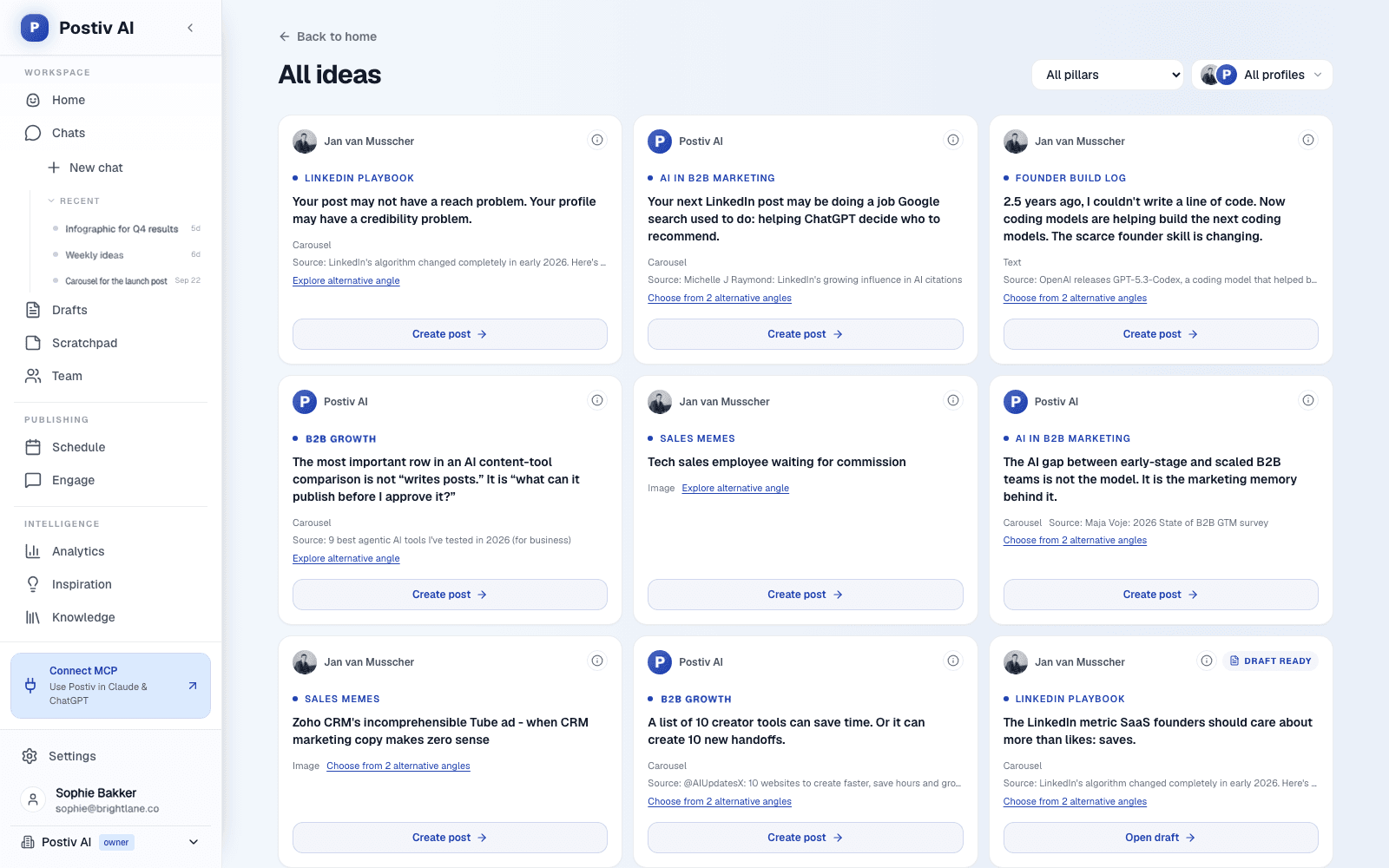
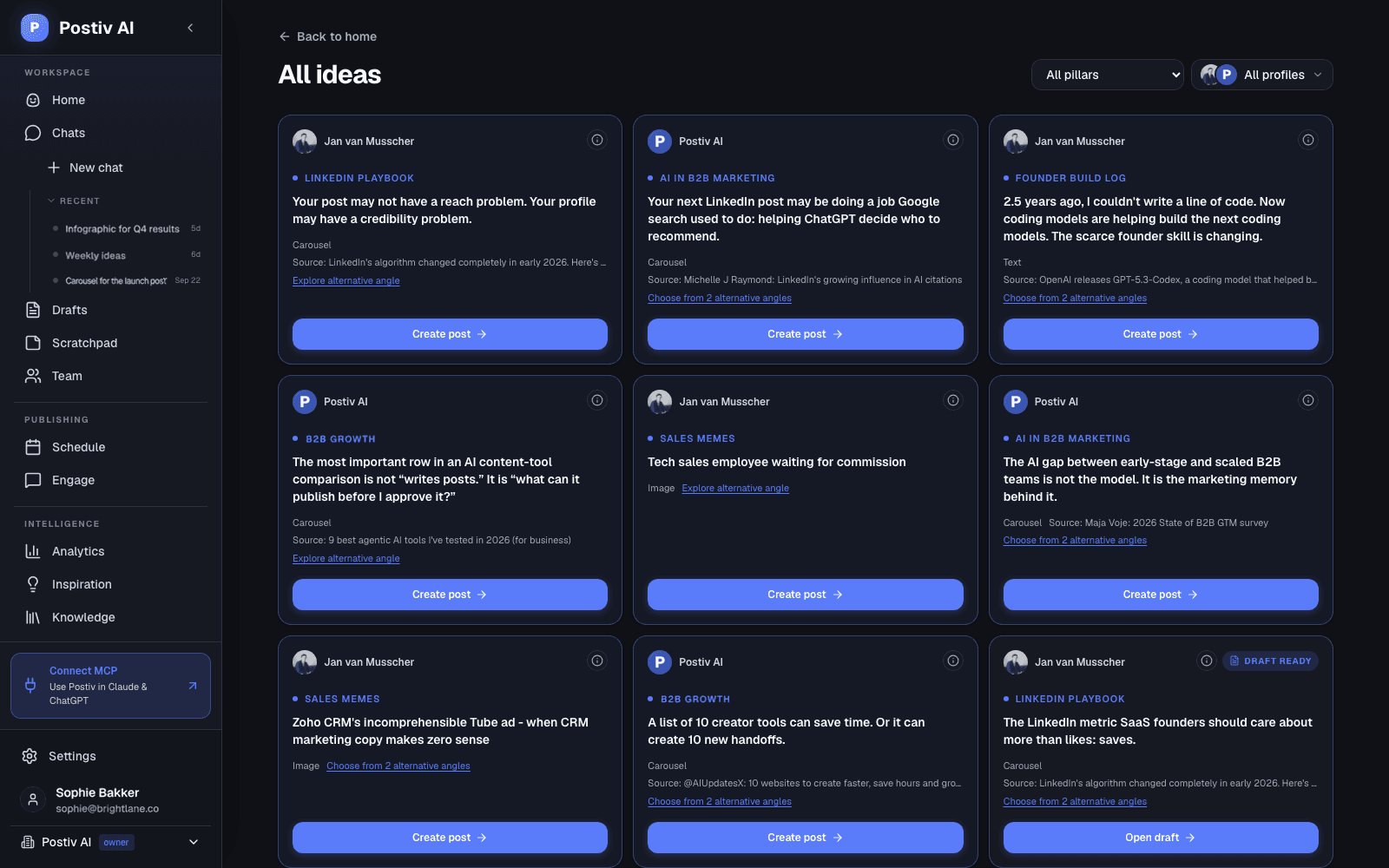
Built from your own material
A weekly plan for every content pillar
Drafts in your voice, edited by you
7 days free, cancel anytime
The consultant's LinkedIn problem
You Do the Client Work First. LinkedIn Gets What Is Left.
Most consultants know LinkedIn is where buyers look you up. The hard part is not the advice. It is finding the time, the topics and the voice to keep showing up.
It feels like a second job
Delivery, proposals and calls come first. Posting waits for a quiet hour that rarely arrives, so it slips to the weekend and then to never.
You know a lot and still face a blank box
Everything you know feels either too obvious to share or too confidential to post. So nothing goes out, and the box stays empty.
Generic posts do not sound like you
Buyers hire a person. A post that anyone could have written, or a chatbot could have invented, gives them no reason to pick you.
Three posts, then silence
One busy month empties the calendar. The people who were starting to notice you move on, and you start from zero again.
How Postiv works for a consultant
Your Expertise In. A Week of Posts Out.
Postiv runs the work around the post: ideas, drafts, design, scheduling and analytics. You bring the thinking, and you approve every post.
Your expertise is the source material
Add your website, case studies, decks, YouTube videos, Notion pages and newsletters to your knowledge base. Bob drafts from what you have actually said and done.
A weekly plan for every pillar
Each posting week, the ideation agent plans one idea per posting day, each tied to one of your content pillars, so you open Postiv to a plan instead of a blank page.
See what works in your niche
The inspiration library shows which LinkedIn posts are taking off in your field. Borrow the idea and the format, never the words.
Drafts in your voice
Tell Bob what happened with a client this week and get a first draft in your own voice, like an AI ghostwriter you finish in your own words.
Carousels and infographics on your brand
Turn a framework or a result into a LinkedIn carousel or infographic with your colors, fonts and logo. Change any slide by asking.
Schedule LinkedIn and X together
One calendar for your personal profile and company page. Add an X version of a LinkedIn post and schedule both. See content creation for everything the editor does.
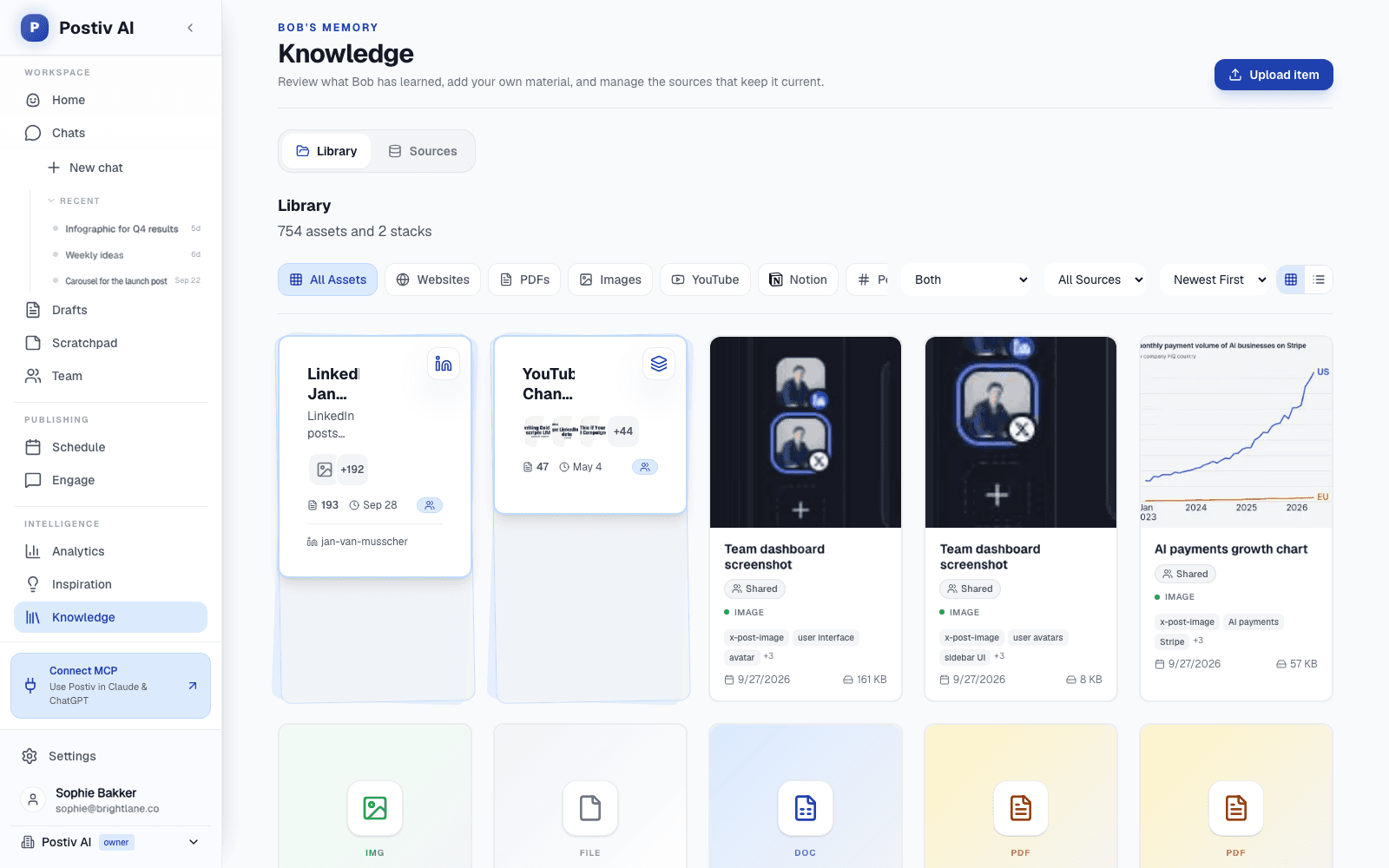
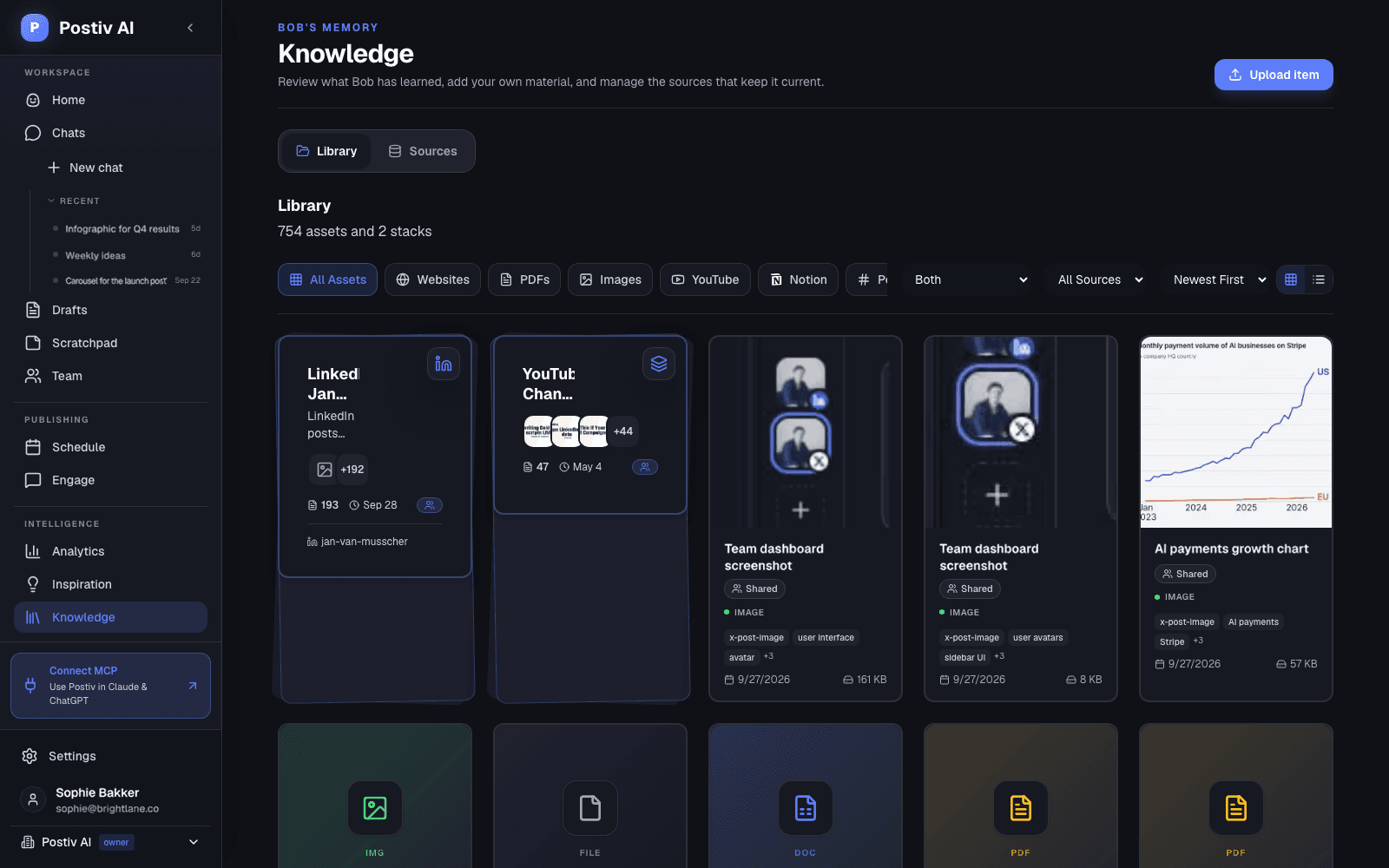
Already work in Claude or ChatGPT? Connect Postiv through the LinkedIn MCP server and your assistant can draft and schedule posts, read analytics and search your knowledge base.
LinkedIn content strategy for consultants
Five Pillars to Post About as a Consultant
A content strategy for a consultant is a short list of topics you can speak about with authority, repeated until the right people connect them with your name. These five cover most practices.
- 01
Problems you solve
Name the problem the way your client says it, then explain what is really going on underneath.
Example angleThe three questions I ask before I quote any project.
- 02
Your method
Walk through how you work, step by step. Frameworks are easy to save, share and reuse.
Example angleHow I scope a pricing review in two weeks.
- 03
Stories from real work
What happened, what you did and what you would do differently. Anonymise the client, keep the detail.
Example angleA client asked me to fix their sales deck. The deck was fine.
- 04
Opinions on your field
Say what you disagree with and why. A clear position helps the right buyers recognise you.
Example angleWhy I tell most early-stage clients not to hire yet.
- 05
Proof and results
With permission, share the situation, the result and what changed. Specifics beat adjectives.
Example angleWhat changed in a client's first 90 days, in four slides.
In a typical week of two or three posts, aim for one that teaches, one story from real work, and one opinion or proof post. Keep offers rare. In Postiv these pillars are saved in your profile, and Bob plans every week from them together with the posts that already work in your niche in the inspiration library.
Show your thinking
Turn a Framework Into a Carousel or Infographic
Consultants sell thinking, and a framework is easy to show as a carousel or infographic. Start from a topic, an existing post or your notes, then change anything by asking Bob.
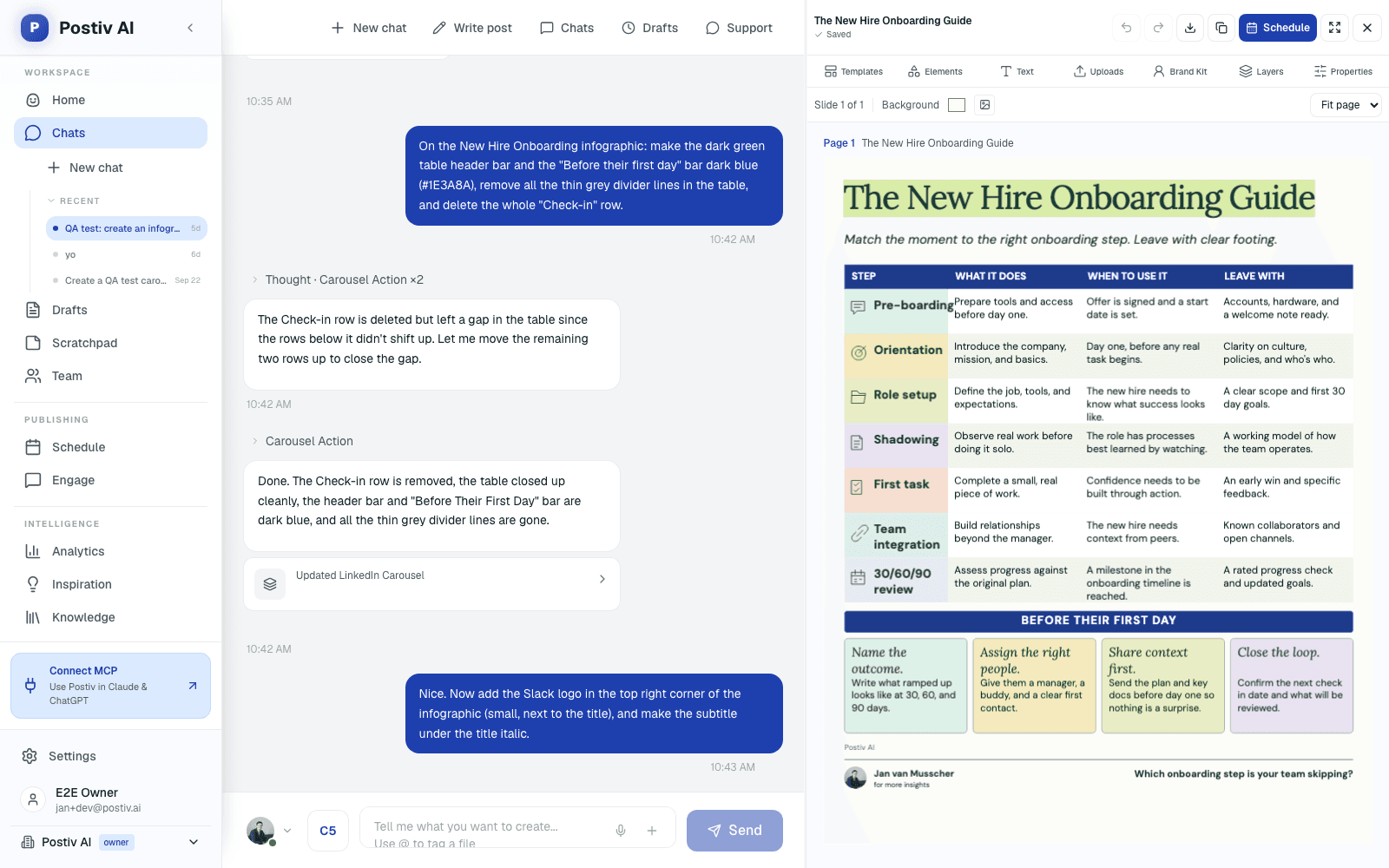
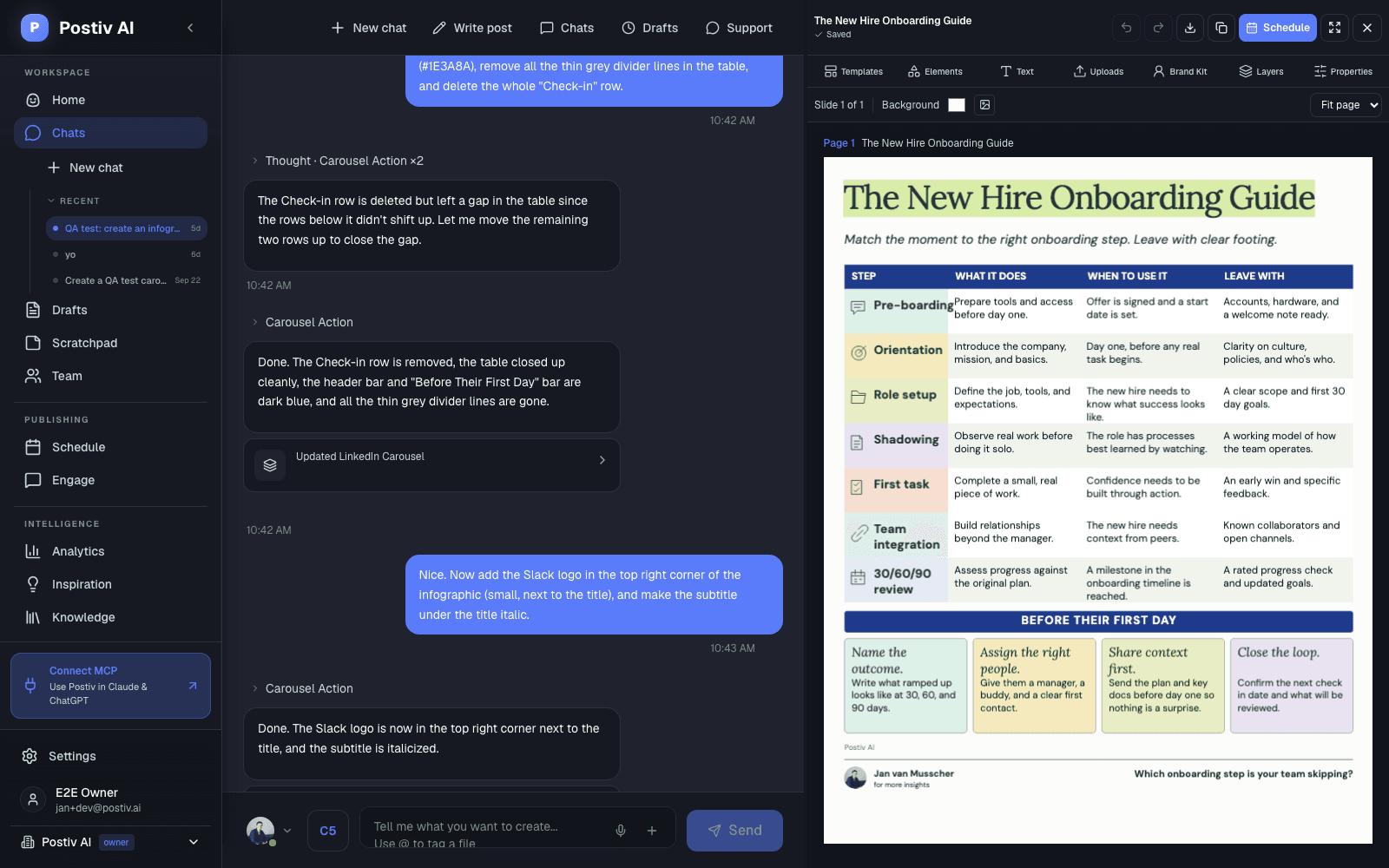
Your brand colors, fonts and logo go on every slide, and carousels publish as LinkedIn document posts. See the LinkedIn carousel generator and the infographic maker for the full workflows.
The basics that make it work
Profile, Rhythm, Comments and Numbers
Content gets attention. These four habits decide whether that attention turns into a conversation. The advice is general LinkedIn practice, and where Postiv helps it says so.
Make your profile say who you help
- Write your headline for the buyer: who you help and with what, not only your title.
- Use About for the problem you solve and one clear next step.
- Pin proof in Featured: a case study, a framework carousel or your booking link.
- Treat your personal profile as the main channel and a company page as support.
Post on a rhythm you can keep
- Start with one to three posts a week and hold it for a quarter before you judge.
- Pick fixed posting days, plan the week once and write the week's posts in one block.
- Plan several weeks of topics from your pillars so you never start from nothing.
- In Postiv, posting days and slots do this planning for you.
Be present in the comments
- Reply to the comments on your own posts. A real answer starts a conversation.
- Comment with substance on posts from clients, peers and people you want to work with.
- When someone asks a real question, answer in public, then offer to continue in a message.
- Postiv brings the comments on all your profiles into one inbox. It does not automate DMs or outreach.
Measure what you can see
- Track reach, engagement, followers and profile visits per post. Postiv's analytics show all four.
- Look at which pillars and formats earn the most attention and do more of them.
- Postiv does not track leads or revenue. Ask every new inquiry how they found you and write it down.
- Put your booking link or a resource in an automatic first comment (Comment Plug), so the post itself stays about the idea.
Want a quick check on your profile first? Run it through the free LinkedIn profile optimizer.


Get started
From Zero to Your First Week in Three Steps
Setup takes a short session. After that, each week starts with a plan.
- 1
Connect your profile
Connect your LinkedIn profile, add your company page if you have one, and choose the days you want to post. Link X if you post there too.
- 2
Add your material and agree your pillars
Add your website, a few case studies and any videos or notes. Bob looks at your knowledge base and proposes three to five content pillars, and saves them only after you confirm.
- 3
Get your first weekly plan
Open the plan, pick an idea, draft it with Bob, edit it in your own words and schedule it. Nothing goes live until you schedule it.
Different setup?
Postiv for Agencies and B2B Teams
The same workspace scales from one consultant to many people.
FAQ
LinkedIn for Consultants: Common Questions
What is the best LinkedIn content strategy for a consultant?
Pick the buyer you most want to work with, choose three to five topics you could talk about for years (your content pillars), and post on a rhythm you can keep. Mix posts that teach, tell a story from real work, share an opinion and show a result. Use your personal profile as the main channel, reply to the comments you get, and judge the strategy over months, not weeks. In Postiv, Bob plans each week from your pillars, your own material and what is working in your niche, so the strategy turns into posts you can write.
How often should a consultant post on LinkedIn?
One to three times a week is a realistic baseline when client work comes first. Consistency matters more than volume: a rhythm you keep for a year beats a burst you drop after a month. Pick fixed posting days, plan the week in one sitting and write in one block. In Postiv you set your posting days and slots, and Bob builds each weekly plan around them.
What should a consultant post about on LinkedIn?
Post about the problems your clients bring you, how you work, what you see in real engagements (anonymised), your opinions on your field, and results you can share with permission. That gives you five pillars: problems, method, stories, opinions and proof. Skip generic tips anyone could write. Specifics from your own work are what show you know the field.
How do I show my consulting work on LinkedIn?
Show the situation, what you did and what changed, and leave the client unnamed unless you have their permission. A short story, a before and after, or a carousel that walks through your method all work. Pin your best case study, a framework carousel or your booking link in the Featured section of your profile, and ask happy clients for a recommendation. In Postiv you can add case studies, decks and reports to your knowledge base so Bob drafts from real work, then turn a framework into a carousel on your brand.
What is the 4-1-1 rule on LinkedIn, and the 3-2-1 rule?
Both are rules of thumb for balancing types of posts. They are not LinkedIn rules, and sources define them differently. The 4-1-1 rule is usually given as: for every six posts, four share other people's useful content, one is your own original content and one promotes your offer. The 3-2-1 rule is often given as three posts that teach, two that share a story or an opinion and one that promotes. For a consultant, take away the useful part: keep offers a small share of what you post, and make your own experience the biggest share.
What are the rule of 3 and the 5 C's or 7 C's of consulting?
They come from consulting practice, not from LinkedIn, and there is no single official list: the 5 C's and 7 C's differ from one source to the next. The rule of 3 usually means organising an argument or recommendation in three points, because three is easy to follow and remember. It also makes a good post structure: three points, three steps, three mistakes. If you have your own framework, whatever you call it, it is strong post material, and a carousel is a natural way to show it.
Can AI write my LinkedIn posts without sounding generic?
Only if it starts from you. Generic posts come from a model that has nothing to go on. In Postiv, each profile has a writing style (tone, structure, vocabulary, hooks and your own instructions), and Bob drafts from your knowledge base, such as your website, case studies, videos and notes, instead of inventing examples. You can tell Bob what happened with a client this week and get a first draft in your voice, then finish it in your own words. Nothing goes to LinkedIn until you schedule it.
Should I post from my personal profile or a company page?
For most independent consultants the personal profile does the work: people hire people, and a personal profile is where the conversations happen. A company page can support it, for example for a small consultancy building a brand. Postiv schedules to personal profiles and company pages from one calendar, so you can post as yourself and as the firm without switching tools.
Let Clients See How You Think.
Connect your profile, add your material and get your first weekly plan from Bob. Try Postiv free for 7 days, cancel anytime.Last updated

