

Ideation Agent
Bob Plans Your LinkedIn Week. You Decide What Goes Out.
Bob is Postiv's AI agent for LinkedIn. Every week he turns your content pillars, sources and results into a posting plan. You write the posts, or ask him for a first draft in your own voice.
Included in Creator Pro and Team
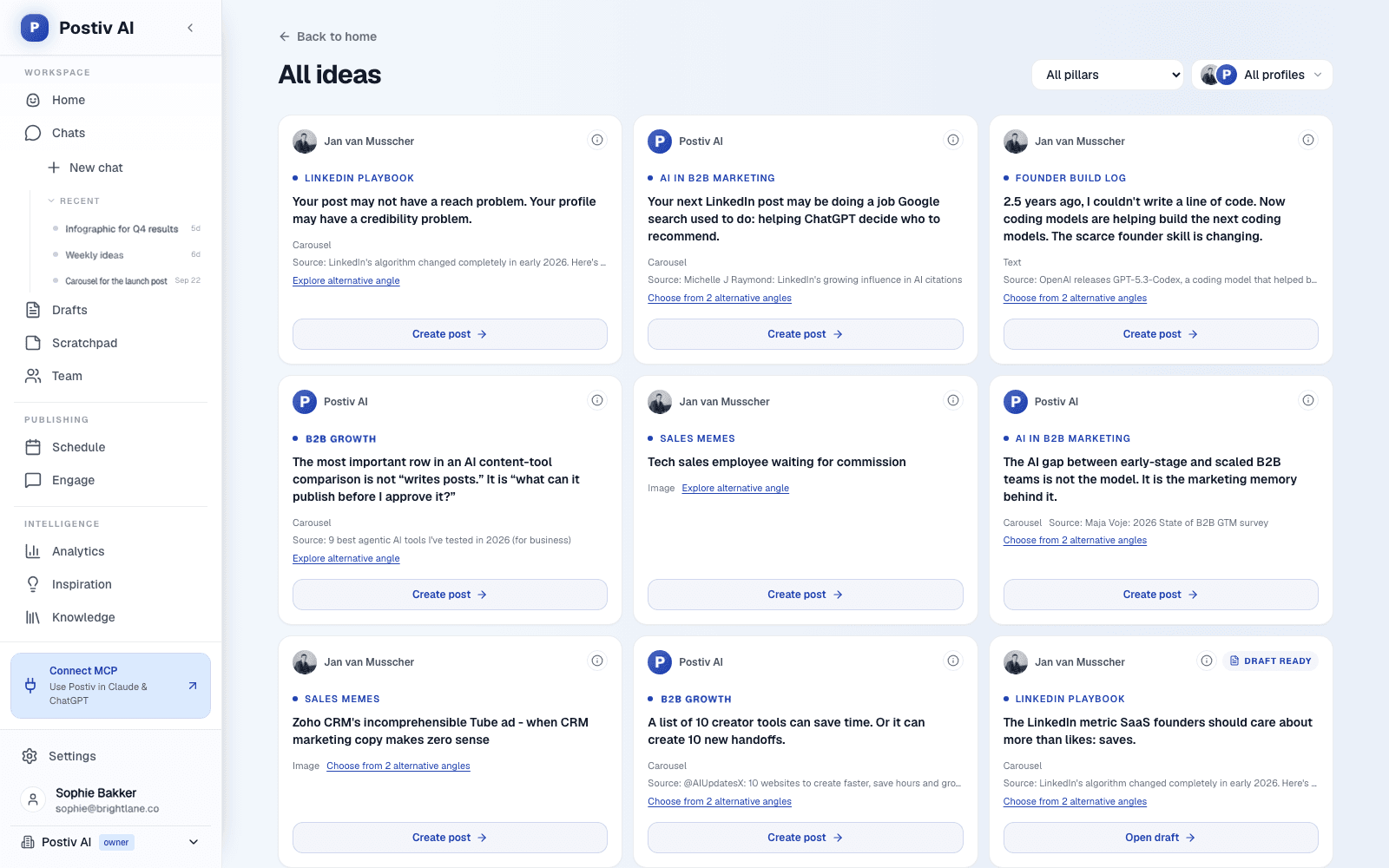
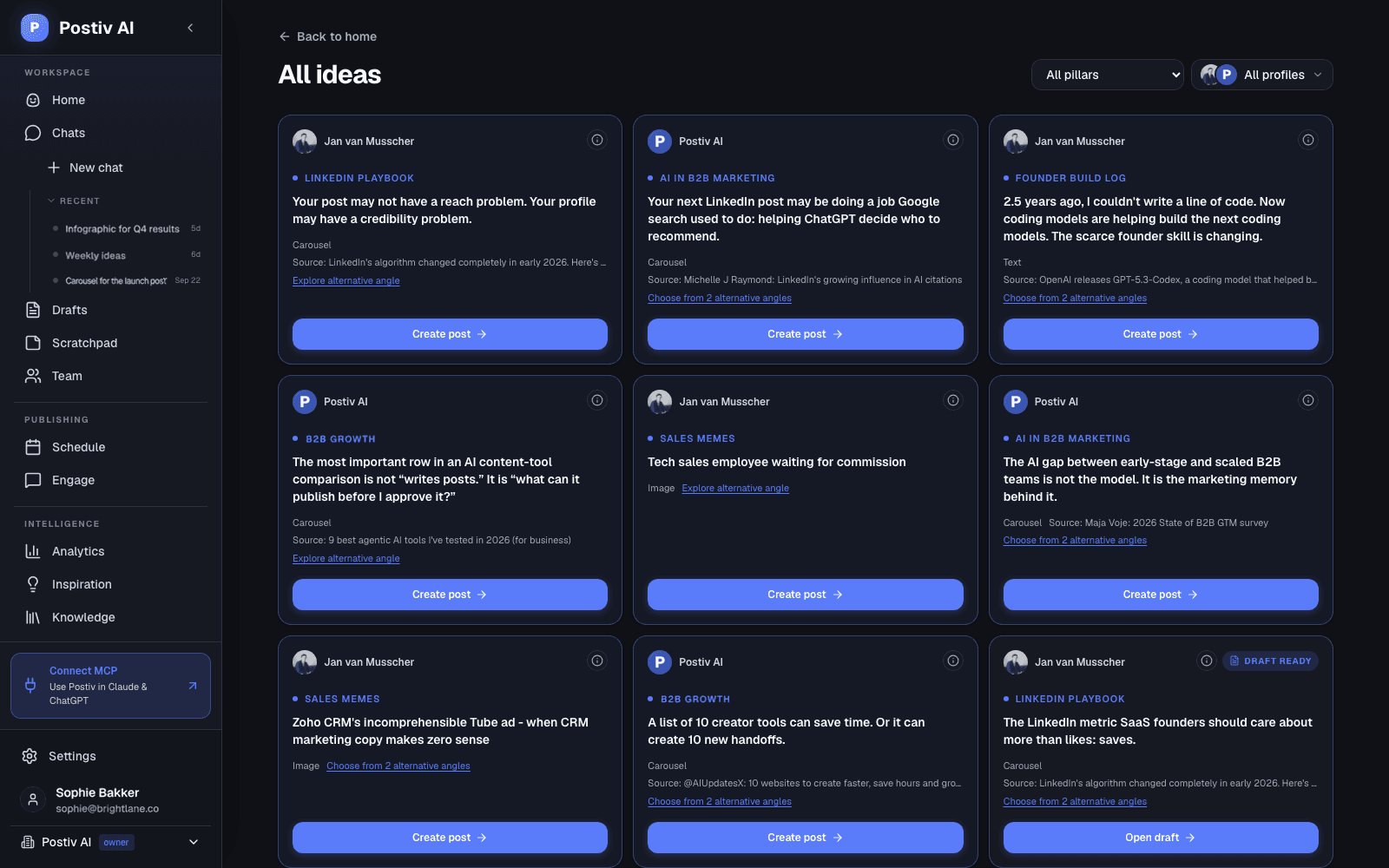
A fresh plan for every posting week
Each idea tied to one of your content pillars
Built from your own sources and past posts
You write and approve every post
What Bob Does
A Planner and a Writer That Know Your Account
Bob is not a blank chat box. He starts from what Postiv knows about your profile: your pillars, your voice, your sources and your numbers.
Plans the week
One idea per posting day you chose, each with a topic, a hook or angle, a format, and the pillar it belongs to. A pillar with a preferred day goes to the closest posting day.
Grounds ideas in your sources
Ideas pull matching passages from your knowledge base: YouTube transcripts, Notion pages, newsletters, website pages and documents. Open an idea to see what it is based on.
Learns from your results
Each pillar's last 30 days (posts, average impressions and engagement rate against your profile average) go into the next plan, so themes that land get their due.
Writes with you in chat
Open an idea and Bob drafts it with the brief and sources attached. Ask for a sharper hook, a shorter version or a different angle, then edit it yourself in the post editor.
Makes the visuals
Carousels, infographics and post images, made and edited in the same chat, using your saved carousel style.
Answers questions about your numbers
Ask which posts did best this month or which formats get engagement. Bob answers from your LinkedIn analytics.
How a Week With Bob Works
From Plan to Published in Four Steps
Bob does the planning. The writing is a conversation. Publishing stays with you.
- 1
Set your pillars
On your first run, Bob looks at your analytics and knowledge base, then proposes three to five content pillars. He saves them only after you confirm.
- 2
Get the week's plan
Each week starts with a fresh plan in Postiv: one idea per posting day, with its pillar, angle, format and sources.
- 3
Write with Bob
Click Create post on an idea. Bob drafts it with the brief attached, and you shape it in chat and in the editor.
- 4
Schedule it
Put the post on your content calendar. The plan card updates from idea to draft to scheduled to published.
Straight Answer
What Bob Does and Does Not Do Today
Agents get oversold. Here is exactly where Bob stops, so you know what you are signing up for.
What it does
- Prepares a weekly plan for each connected profile
- Proposes and updates content pillars in chat
- Drafts posts, carousels, infographics and images with you
- Schedules posts you approve to your calendar
- Answers questions about your LinkedIn analytics
What to know first
- No autopilot posting. Bob never writes or publishes posts in the background. Every post is one you opened, edited and scheduled.
- Not in Creator Light. Bob's plan and AI writing need Creator Pro or Team.
- One plan per profile. On a team, each LinkedIn profile gets its own plan, pillars and voice. Bob does not mix them.
FAQ
Frequently Asked Questions
What is an AI LinkedIn agent?
An AI LinkedIn agent does part of the posting work for you instead of waiting for a prompt. In Postiv, that agent is Bob. Each week he prepares a posting plan for your LinkedIn profile: which days to post, which content pillar each post belongs to, the angle, the format, and the sources to draw from. You then write each post with him in chat.
Does Bob publish posts without me?
No. Bob plans the week and helps you write, but nothing goes to LinkedIn until you schedule it. You open an idea from the plan, draft it with Bob, edit it, and pick the time. Bob does not write or publish posts in the background.
When does Bob make the weekly plan?
Plans follow the week, which starts on Monday. Bob prepares the plan for the current week once your LinkedIn profile is connected and your pillars are set, so a new account gets its first plan right after setup. The number of ideas follows the posting days you chose: pick Monday, Wednesday and Friday and you get three.
What does Bob use to plan my posts?
Your content pillars (the recurring themes you post about), the sources in your knowledge base such as YouTube transcripts, Notion pages, newsletters and documents, your saved inspiration, what is being discussed in your field right now, your recent posts so topics don't repeat, and how each pillar performed over the last 30 days.
Can Bob write carousels and images too?
Yes. A plan idea can be a text post, a carousel, an infographic or an image post. In chat, Bob can create and edit carousels and infographics, generate or edit images for a post, and schedule the result on your calendar.
Can I change the plan Bob made?
Yes. Decline an idea, ask Bob for a different angle in chat, or start a post from an open slot. You can also change your posting days and pillars at any time, and the next plan follows the new setup.
Which Postiv plans include Bob?
Bob's weekly plan and AI writing are included in Creator Pro and Team. Creator Light is for people who write their own posts: it has the calendar, scheduling and analytics, but not Bob. Every new account starts with a 7-day free trial.
Start Monday With a Plan
Connect your LinkedIn profile, agree on your pillars with Bob, and get your first weekly plan right after setup. Try Postiv free for 7 days, cancel anytime.
Why a Planning Agent Beats a Prompt Box
Most AI LinkedIn tools wait for you to type a topic. The hard part of posting consistently is not the typing, it is deciding what to post on Tuesday when nothing comes to mind. That is the job Bob takes on. He works from a small set of content pillars and a posting calendar, so every week has a shape before you open the editor.
The plan only helps if the ideas sound like you. That is why Bob drafts from your own material: add a YouTube channel, Notion pages or a newsletter through Postiv's integrations, and those sources show up in the ideas. If you would rather hand the writing to a person-like assistant, our AI LinkedIn ghostwriter page explains how Bob learns your voice.
For the strategy behind it, read our LinkedIn content strategy guide and how often you should post on LinkedIn. Then check what worked in LinkedIn analytics, which feeds straight back into next week's plan.
Last updated
More Postiv Features
All features- Content creationPosts, carousels, images and infographics on your brand. Draft with AI, finish in your own words.
- Team managementEvery profile and company page in one workspace, with roles, approvers per profile and a Team Hub.
- SchedulingOne calendar for every profile, company page and channel, with posting slots and an automatic first comment.
- EngagementEvery comment on every profile in one inbox, plus a feed of the people you want to engage with.
- AnalyticsReach, engagement and followers per post and per profile, so next week starts from what worked.
- Inspiration librarySee which LinkedIn posts are taking off in your niche, spot the outliers, and turn the idea and format into your own post.
- Knowledge baseYour website, documents, YouTube, Notion and newsletters in one library, so every idea and draft starts from your own material.