In the competitive B2B landscape, a static LinkedIn Company Page is a significant missed opportunity. It's no longer just a digital business card; it's a dynamic hub for brand storytelling, community building, talent acquisition, and lead generation. However, simply having a page isn't enough to drive real impact. The difference between a profile that languishes and one that thrives lies in a strategic, data-driven approach.
Many businesses grapple with low engagement, inconsistent posting schedules, and a frustrating inability to convert followers into customers. Their pages exist but don't perform, failing to capture the attention of their ideal audience or contribute to pipeline growth. This is where a defined strategy becomes crucial. Mastering a few core principles can fundamentally change your page's trajectory.
This guide cuts through the noise. We've compiled 10 essential, actionable LinkedIn Company Page best practices designed to transform your presence from a passive profile into an active, authority-building asset. You will learn specific tactics for profile optimization, content creation, community engagement, and performance analysis.
Whether you're a marketer tasked with increasing brand visibility, a founder building a personal and company brand, or a sales leader looking to leverage social proof, these strategies will equip you with the tools to optimize your page from top to bottom. The goal is to help you captivate your audience, foster genuine connection, and drive measurable business results directly from the platform. Let's dive into the practices that will make your page work for you.
What Changed for LinkedIn Pages Going Into 2026
Most company page advice circulating online was written for a version of LinkedIn that no longer exists. Four changes matter before you apply any tactic below.
Feed ranking now reads your posts. LinkedIn rebuilt its feed stack around large language models and a sequential ranking model that, in its own engineering team's words, processes "more than a thousand of your historical interactions" instead of scoring each post in isolation. The stated goal is understanding "what a post is actually about and how it relates to a member's evolving interests and career goals." The practical consequence is that posting consistently about a narrow set of topics compounds, and generic corporate updates that used to coast on engagement proxies no longer do. You can read the full breakdown in our guide to the LinkedIn algorithm in 2026.
Hashtag following is gone. LinkedIn removed the ability for members to follow hashtags in late 2024. Hashtags did not become useless, but they stopped being a distribution channel. They are now a topical classification signal, and the Specialties field on your page does more work for discoverability than any hashtag block ever did.
Newsletters became the strongest owned channel on a page. A page newsletter notifies and emails your subscribers on every edition. That is the one surface on LinkedIn where reach is not arbitrated by the feed, and most company pages still have not published one.
The gap between page reach and employee reach widened. This was always true. It is now the single most important structural fact about company pages, and it is why employee advocacy sits at number four on this list rather than number ten.
None of this makes company pages pointless. It does mean the page works best as a credibility anchor and a distribution seed rather than as your primary reach engine.
1. Complete and Optimize Company Profile Information
A foundational step in any list of LinkedIn Company Page best practices is ensuring every field is complete and strategically optimized. Think of your profile as your digital storefront on LinkedIn; a sparse, incomplete page signals a lack of attention to detail and can deter potential followers, clients, and talent. A fully populated profile not only builds immediate credibility but also significantly boosts your page's discoverability.
LinkedIn's algorithm favors completeness. By filling out every section, from your company description and website to industry, size, and location, you provide crucial data points that help the platform understand what your business does. This enhances your visibility in both on-platform search results and external search engines like Google.
Why It Works and How to Implement It
A complete profile acts as a central hub for anyone researching your company. It provides immediate answers to essential questions, making it easier for visitors to understand your value proposition.
- Company Description (Tagline & About): Your tagline is your 120-character elevator pitch. The "About" section gives you 2,000 characters to expand on your mission, vision, and values. Weave in relevant keywords naturally to describe what you do, who you serve, and what problems you solve.
- Specialties: Don't neglect this section. List up to 20 specific areas of expertise. Think like a potential customer searching for a solution. What terms would they use? For example, a marketing agency might list "Content Marketing," "SEO Strategy," and "B2B Lead Generation." Since hashtag following was retired, these 20 terms are the clearest signal you can give LinkedIn about what your business actually does, and you can edit them at any time as your positioning shifts.
- Custom CTA Button: This is the single most overlooked field on a LinkedIn page and the only direct conversion element you get. Choose the action that matches your goal (Visit website, Contact us, Learn more, Register, Sign up), point it at a page that converts, and then check how many people clicked it in your visitor analytics. A page with no CTA button asks every interested visitor to figure out the next step on their own.
- Logos & Cover Image: Upload high-resolution logos and a compelling, on-brand cover image. This is prime visual real estate to showcase your brand personality, a key product, or a current campaign. See practice two for the exact specs, which are not the ones most guides quote.
Pro Tip: Treat your "About" section as a living document. As your company evolves, introduces new service lines, or refines its messaging, update your profile to reflect these changes. An updated profile signals an active and relevant business.
Assign the Right Admin Roles
Completeness includes the people behind the page. LinkedIn splits page access into distinct roles, and handing everyone super admin access is a common and avoidable risk.
- Super admin has every permission available, including adding and removing other admins, editing page information, and deactivating the page. Keep this to two or three people so you never lose access when someone leaves.
- Content admin can create and manage posts, events, and newsletters, and can boost posts. This is the right role for most marketers.
- Analyst sees the analytics tab only. Ideal for leadership or agency partners who need reporting but should not publish.
Agencies running Pages for several clients should be added to each Page from their own profile, never with a client's login. Our guide on how to manage multiple LinkedIn accounts covers the full setup for client profiles and Pages.
- Paid media roles are separate: sponsored content poster, lead gen forms manager, and landing pages manager, all operated through Campaign Manager.
Give each person the narrowest role that lets them do their job, and audit the admin list quarterly.
Major brands like Salesforce and Microsoft exemplify this principle perfectly. Their pages are meticulously filled out, leaving no section blank. This not only provides clarity for visitors but also establishes a high standard of professionalism. Completing your profile is a crucial first step that directly impacts your ability to grow your audience. For more insights on this topic, discover additional strategies for how to grow LinkedIn followers on postiv.ai.
2. Use High-Quality Visual Branding
Beyond completing text fields, your page's visual elements are the first thing visitors notice. High-quality, consistent visual branding creates a powerful and immediate professional impression, reinforces brand recognition, and builds trust. Neglecting your logo and cover image is like having a storefront with a broken sign; it undermines your credibility before a visitor even reads a word about your company.
This practice is fundamental to the list of LinkedIn Company Page best practices because it communicates your brand's identity and quality at a glance. It ensures your page looks polished and professional across all devices, from a wide desktop monitor to a small mobile screen, which is crucial for capturing and retaining audience attention.
Why It Works and How to Implement It
Strong visual branding makes your page instantly recognizable and memorable. It aligns your LinkedIn presence with your other marketing channels, creating a cohesive and trustworthy brand experience for followers, customers, and potential hires.
- Company Logo: This is your profile icon across LinkedIn. LinkedIn recommends 400x400 pixels with a minimum of 268x268, as a PNG or JPEG under 3MB. It must stay clear and recognizable at a small size, because that is how it appears in the feed next to every post. Avoid logos with small, intricate text, and check it against both light and dark backgrounds.
- Cover Image (Banner): Here is where most guides get it wrong. LinkedIn recommends uploading a page cover image at 4200x700 pixels, which renders at roughly 1128x191 in the browser. That is a 6:1 ratio. The 1584x396 figure quoted almost everywhere is the personal profile banner, a 4:1 ratio, and dropping that file into a page cover slot means LinkedIn crops it aggressively. Design at 6:1, keep the file under 3MB, and use a high-resolution JPEG rather than a PNG.
- Mind the crop zones: Your logo overlaps the lower left of the cover image, and mobile crops in toward the centre. Keep text and logos well away from the edges and out of that lower-left corner, or your value proposition will be half-hidden on the device most people use.
- Brand Consistency: Ensure the colors, fonts, and imagery used on your LinkedIn page match your website and other social media profiles. This consistency is key to building strong brand equity.
Pro Tip: Test your visual assets on multiple devices, especially mobile, before publishing. Your cover image is often cropped or partially obscured by your logo on different screen sizes, so ensure your key message or visual element remains visible.
Companies like Google and Nike are masters of this. Google uses vibrant, culturally relevant banners that reflect its innovative spirit, while Nike uses dynamic, action-oriented imagery that perfectly captures its "Just Do It" ethos. These visuals are not just decorative; they are strategic communication tools that enhance their brand's story.
3. Post Consistent, Relevant Content Regularly
An active page is a visible page. One of the most critical LinkedIn Company Page best practices is establishing a consistent posting schedule with content that genuinely resonates with your target audience. Sporadic updates signal a disengaged brand, while a steady stream of valuable content keeps your page top-of-mind, builds authority, and consistently places you in your followers' feeds.
Regularity trains LinkedIn's algorithm to recognize your page as an active, valuable contributor, increasing the organic reach of your posts. More importantly, it trains your audience to anticipate and engage with your content. The key is finding a sustainable rhythm and adhering to it, ensuring your page remains a dynamic resource rather than a static digital brochure.
Why It Works and How to Implement It
Consistency builds trust and momentum. Each post is an opportunity to reinforce your brand's expertise, showcase your company culture, and engage with your community. A well-planned content strategy prevents last-minute scrambling and ensures a high standard of quality.
- Establish a Content Mix: Avoid a purely promotional feed. A healthy balance is crucial. Aim for the 80/20 rule: 80% of your content should be educational, insightful, or entertaining for your audience, while only 20% directly promotes your products or services.
- Create a Content Calendar: Planning your content 4-6 weeks in advance helps maintain consistency and ensures a strategic mix of themes. This calendar should map out post topics, formats (text, image, video, document), and calls-to-action.
- Stay Narrow on Topics: Now that ranking is driven by models that read your posts and weigh them against a member's interests, topical consistency does more for you than volume. A page that publishes on three recognisable themes for a quarter builds a clearer signal than one that posts about everything twice as often. Pick your themes, then resist the urge to post off-topic company news into the same slot.
- Leverage Different Content Types: Mix your formats to keep the feed interesting. Share original thought leadership articles using LinkedIn's native publishing, post quick tips, curate relevant industry news, and create employee spotlights to humanize your brand. Ask questions to spark conversation and tag relevant companies or individuals to expand your reach.
- Target Your Organic Posts: This free feature goes unused on most pages. You can restrict any organic page post to a specific language, location, region, university, job function, seniority, industry, or company size. If you serve several markets or sell to two very different buyer types, targeting keeps each post relevant instead of diluting it across an audience where most people do not care.
Pro Tip: Dive into your LinkedIn Analytics to find the optimal posting times for your specific audience. While general advice points to weekday business hours, your "Follower analytics" will show you the exact days and times when your followers are most active on the platform. For a full day-by-day and industry-level breakdown, see our guide on the best time to post on LinkedIn.
Brands like HubSpot and Buffer are masters of this. HubSpot posts daily, sharing actionable marketing and sales tips that directly help their audience, while Buffer consistently provides valuable social media insights. Their feeds are reliable sources of industry knowledge, which drives high engagement and solidifies their authority.
4. Leverage Employee Advocacy and Amplification
Resharing is only one option. Employee-generated content (EGC) starts with an employee's own experience: a product decision, a customer question, or a lesson from the job. Our guide shows how to support those original posts alongside your company-page content, without asking everyone to publish the same message.
One of the most potent yet underutilized LinkedIn Company Page best practices is activating your employees as brand advocates. Employee advocacy involves encouraging and enabling your team to share company content on their personal profiles. This strategy dramatically expands your reach and lends a powerful layer of authenticity and trust to your messaging, as content shared by individuals is often perceived as more credible than posts from a corporate entity.
When employees share company updates, they tap into their unique professional networks, exposing your brand to audiences you might not otherwise reach. Research consistently shows that employee-shared content generates significantly higher engagement rates than content posted directly by a company page. This amplification engine turns every team member into a potential marketing channel, humanizing your brand and building social proof.
Why It Works and How to Implement It
An employee advocacy program transforms your content distribution from a one-to-many broadcast into a many-to-many conversation. It capitalizes on the trust inherent in personal connections, making your message more impactful and memorable.
- Create Share-Worthy Content: Develop content that employees will be genuinely proud to share. This includes celebrating team successes, highlighting company culture, sharing industry insights, and posting valuable thought leadership.
- Make Sharing Frictionless: Don't make employees hunt for content. Use a dedicated Slack channel, a regular internal newsletter, or a dedicated advocacy platform such as Employee Advocacy by Sprout Social (the product formerly sold as Bambu) or DSMN8 to provide easy access to pre-approved posts and suggested captions.
- Use the Notify Employees Button: LinkedIn lets a page notify its employees about a post up to once per week. This is a native, free amplification lever sitting inside the admin view, and most pages never touch it. Save it for the single post each week that genuinely deserves the push, because burning it on routine updates trains your team to ignore the notification.
- Establish Clear Guidelines: Create a simple social media policy that empowers employees with best practices for sharing. This should guide them on tone and disclosure without being overly restrictive. The goal is to encourage, not mandate.
- Fix Weak Personal Profiles First: An advocacy push only works if the profile behind the share looks credible. Have your team run their About section through a free LinkedIn bio generator before the program launches, so every share lands on a profile that actually reflects the expertise being shared.
- Recognize and Reward: Acknowledge employees who actively participate. A simple shout-out in a team meeting or a small monthly prize for the top advocate can go a long way in sustaining momentum and showing appreciation.
Pro Tip: Encourage employees to add their own perspective or commentary when they share company content. A simple "Excited about this new feature our team just launched!" is far more engaging than a simple reshare. This personal touch enhances authenticity and sparks more meaningful conversations.
Companies like Cisco and Dell have built formidable employee advocacy programs. They empower thousands of employees with the tools and content needed to act as brand ambassadors, resulting in massive organic reach and a significant increase in lead generation. Implementing a structured advocacy program is a key step in maturing your LinkedIn strategy.
You don't need Cisco's headcount to pull this off. We broke down how Deel turned 40 employees into 40 personal brands that made one company impossible to scroll past, a smaller-scale version of the same playbook.
5. Create and Manage Relevant LinkedIn Articles and Long-Form Content
Beyond short-form status updates, leveraging LinkedIn's native article publishing feature is a powerful way to establish deep industry authority. Articles, once known as Pulse, allow you to share long-form, thought-leadership content directly on the platform. This positions your brand as a go-to resource and an expert voice in your field.
Unlike simply sharing a link to an external blog, native articles are favored by LinkedIn's algorithm. They keep users on the platform longer, which LinkedIn rewards with greater visibility in your followers' feeds and beyond. This enhanced reach provides a significant advantage for content designed to educate, inform, and build trust.
Why It Works and How to Implement It
Publishing in-depth articles allows you to explore complex topics, share proprietary research, or offer detailed guides that a standard post cannot accommodate. This format is ideal for building credibility and providing genuine value that fosters a loyal following.
- Establish Thought Leadership: Write substantive pieces on industry trends, future predictions, or solutions to common challenges. LinkedIn's own publishing guidance recommends 500 to 1,000 words for readability, which is shorter than the 1,500 to 2,000 words most blogs suggest. Longer is not automatically better here: a LinkedIn article is read in a feed context, not a blog context, and the platform's own advice reflects that.
- Optimize for Clicks and Readability: Craft compelling headlines around 60 characters to avoid truncation. Use a high-quality, on-brand cover image in 16:9. Break up long blocks of text with subheadings, bulleted lists, and short sections. LinkedIn's editor also lets you set a separate SEO title, description, and tags, which is what search engines pick up off-platform. Almost nobody fills these in, and it is a free win.
- Promote and Repurpose: After publishing, share the article as a new post on your company page with additional commentary to spark discussion. Encourage your team to share it with their networks to amplify its reach.
Pro Tip: Don't let your best content fade away. Periodically review your top-performing articles and update them with fresh data, new insights, or current examples. You can then re-share the updated article, breathing new life into a proven asset.
Publish a Page Newsletter
If you only add one thing to your page this quarter, make it a newsletter. Super admins and content admins can create one from the admin view, and the mechanics are what make it valuable: when you publish your first edition, your existing page followers are invited by notification to subscribe. From then on, every edition sends subscribers both a notification and an email.
That is the only surface on LinkedIn where your reach is not decided by the feed. A page with 4,000 followers and 900 newsletter subscribers has a far more reliable channel than a page with 4,000 followers alone. Publishing also creates a public newsletter page that anyone can view without logging in, which gives your content an off-platform footprint.
Pick a cadence you can genuinely sustain, monthly is fine, and treat the first edition as the acquisition moment, because that is when the subscribe invitation goes out to your whole follower base.
Companies like McKinsey & Company excel at this, publishing deep-dive articles based on their industry research directly on LinkedIn. This strategy reinforces their authority and drives meaningful conversations. By incorporating native articles into your content mix, you move beyond simple updates and begin shaping the narrative within your industry, a key component of effective LinkedIn company page best practices.
6. Implement a Strategic Use of Hashtags and Keywords
One of the most effective LinkedIn company page best practices is the strategic use of keywords and hashtags to amplify discoverability. While great content is essential, it won't deliver results if your target audience never sees it. Keywords embedded in your page enhance your ranking in both LinkedIn and external search results, and hashtags help classify what a given post is about.
This is the practice where the most outdated advice circulates, so it is worth being precise about what changed. LinkedIn removed the ability to follow hashtags in late 2024. There is no longer a feed of people following #B2BMarketing waiting to discover your post. Any guide still telling you that hashtags "make your content visible to users following those topics" is describing a feature that no longer exists.
Hashtags are not worthless. They still act as a topical signal that helps LinkedIn classify your post, and they remain useful for campaign tracking and for surfacing content in search. But they are a labelling tool now, not a distribution channel, and you should size your effort accordingly.
Why It Works and How to Implement It
The heavier lifting has shifted to keywords. LinkedIn recommends leading with the terms and phrases that describe your organization's mission and purpose, because members search by keyword and the ranking models read your text.
- Treat Specialties as Your Real Keyword Field: Your 20 specialties do more for page discoverability than any hashtag block. Write them as the phrases a buyer would actually search, not as internal jargon, and revise them whenever your positioning changes.
- Use 3-5 Relevant Hashtags: LinkedIn's own guidance is to identify three to five hashtags that are top of mind for your organization and add them when relevant. Prefer specific tags (#B2BContentStrategy) over enormous generic ones (#Marketing) where your post is one of millions.
- Integrate Keywords Naturally: Your keywords should be seamlessly woven into your "About" section, tagline, and post copy. Think about the terms your ideal customer would use to find your services and ensure they are present in your page.
- Write for Extraction, Not Just Ranking: Buyers increasingly ask an AI assistant to shortlist vendors before they ever run a search. Clear, factual sentences about what you do and who you serve are what those systems can quote. Vague mission language is not.
Pro Tip: Keep your posts clean and readable by placing your block of 3-5 hashtags at the very end of your post. This maintains a professional look while still giving the platform a clean topical signal.
Companies like Starbucks have used branded hashtags such as #DayInTheLife to give a behind-the-scenes look at their culture. Note what that tag is really doing now: it is a consistent label across a recurring series, which makes the content easy to find in search and easy for employees to rally around. That is the honest role of a hashtag in 2026. Your keywords and specialties do the discovery work, and your hashtags keep a campaign coherent.
7. Utilize Video Content and Visual Media
In the fast-scrolling world of social media, text-only updates often get overlooked. One of the most impactful LinkedIn Company Page best practices is to prioritize video and other visual media. This approach captures attention far more effectively, with video content known to generate up to five times more engagement than static posts. Visuals break through the noise, making your message more memorable and shareable.
The key to success is using native video, which means uploading your files directly to LinkedIn rather than linking to external platforms like YouTube. The platform's algorithm gives preferential treatment to native content, significantly boosting its reach and performance in the feed. This ensures your message is seen by a wider segment of your target audience.
Why It Works and How to Implement It
LinkedIn's own figures are the ones worth planning around: images typically produce a 2x higher comment rate, video gets 5x more engagement, and live video gets 24x more. Visual formats let you showcase your brand's personality, explain complex topics simply, and build a more human connection with your audience.
- Native Uploads for Maximum Reach: Always upload your video files directly to LinkedIn. The auto-play feature in the feed is designed to capture immediate attention, a benefit you lose when sharing an external link.
- Post Documents, Not Just Images: Uploading a PDF or slide deck creates a swipeable document post, and it is the format that holds attention longest because readers actively swipe through it rather than scrolling past. LinkedIn specifically recommends using documents to showcase what makes your brand unique, and notes that members respond best to behind-the-scenes stories about your culture and values. If you are choosing one format to get good at, choose this one.
- Try Custom Image Collages: LinkedIn reports that collages of three to four images in a single post perform especially well for organizations. It is a low-effort format that most pages overlook.
- Optimize for Silent Viewing: A high percentage of users watch videos with the sound off. Include clear, easy-to-read captions to ensure your message is understood by everyone, regardless of their viewing environment.
- Keep it Concise and Engaging: Aim for a video length between 30 seconds and two minutes for optimal engagement. Start with a strong hook in the first few seconds to stop the scroll and encourage viewers to watch until the end.
- Repurpose Existing Content: You don't always need to create videos from scratch. Turn webinar recordings, event presentations, or even blog posts into short, shareable video clips or infographics to extend their value.
Pro Tip: Use a compelling thumbnail image for your video. This is the first thing people see before the video autoplays. A custom, eye-catching thumbnail with a clear title can dramatically increase your click-through and view rates.
Brands like Microsoft excel at this, using employee spotlight videos to humanize their company culture. Similarly, IBM frequently shares thought leadership interviews with industry experts, positioning themselves as a trusted authority. To get started, you can master the technical steps and discover more tips for how to post a video to LinkedIn on postiv.ai.
8. Actively Engage with Your Community and Respond to Comments
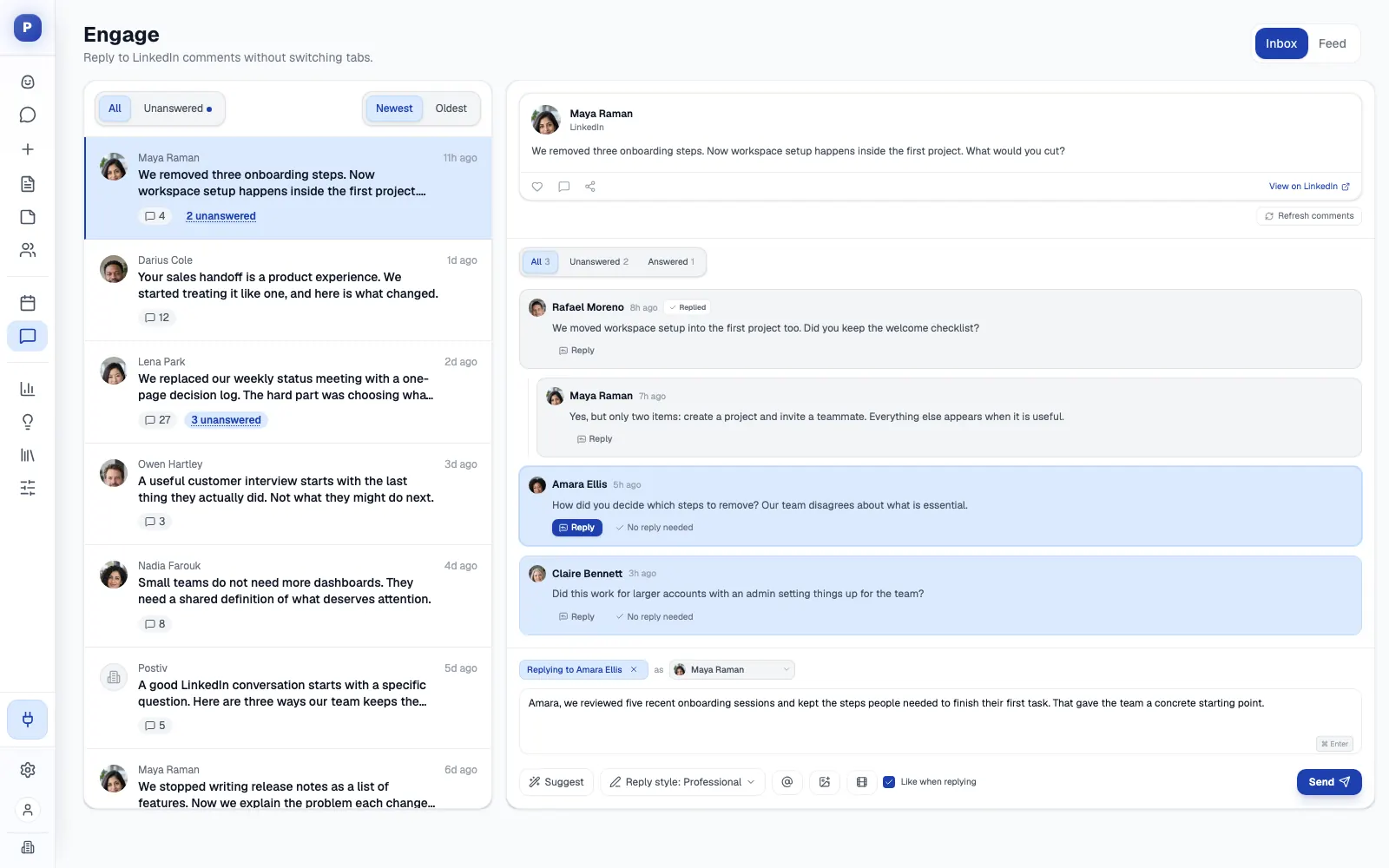
Publishing content is only half the battle; building a thriving community requires active, consistent engagement. Responding to comments, messages, and mentions transforms your Company Page from a broadcast channel into a conversation hub. Timely and thoughtful engagement signals that you value your audience's input, which builds trust, loyalty, and a stronger brand-to-customer relationship.
This practice is also a key part of mastering LinkedIn company page best practices because the platform's algorithm rewards it. Pages with high engagement rates, including comment-to-reply ratios, often see their content's reach and visibility amplified. By actively participating in the conversations your content starts, you encourage more interaction and feed the algorithm positive signals.
Why It Works and How to Implement It
Engaging with your community provides invaluable qualitative feedback, humanizes your brand, and fosters a sense of belonging. Each comment is an opportunity to reinforce your brand voice, demonstrate expertise, and turn passive followers into active advocates.
- Set a Response Time Goal: Aim to respond to all legitimate comments and questions within 24 hours, with a stretch goal of 2-4 hours for an exceptional experience. Swift responses show your audience that you are listening and attentive.
- Encourage Deeper Conversation: Don't just "like" a comment. Thank the user, answer their question, and then ask a follow-up question to keep the dialogue going. This can turn a simple comment into a meaningful exchange.
- Comment as Your Page, Not Just on It: You can react, comment, and share any post in your feed from your brand's perspective, and follow other pages to find those conversations. This is the most underused engagement lever available to a company page, because it puts your brand in front of an audience that has not followed you yet. Ten thoughtful comments a week on posts your buyers are already reading will do more than an eleventh post of your own.
- Handle Criticism Professionally: Never delete legitimate negative feedback. Address the concern publicly and transparently, then offer to take the conversation offline to resolve it. This demonstrates accountability and can turn a negative experience into a positive one.
- Re-share Your Mentions: When employees, executives, or customers mention your organization, those posts appear under your page's Activity tab. Re-sharing them is free social proof in someone else's words, and it costs you nothing to produce.
- Empower Your Team: Assign team members specific days or times to monitor and respond to comments. Creating a few simple response templates for common questions can ensure consistency and speed without sounding robotic.
Pro Tip: Use the comment section as a source of content inspiration. Track recurring questions or popular discussion topics. These can be turned into future posts, FAQs, or even webinars, showing your community that you are directly addressing their needs.
Companies like Buffer and HubSpot excel at this. They are known for their rapid and helpful responses, often joining conversations to add value even when it doesn't directly promote their products. This approach builds immense goodwill and establishes them as genuinely helpful resources in their industry.
9. Monitor Analytics and Optimize Based on Performance Data
Operating a LinkedIn Company Page without regularly checking analytics is like navigating without a map. A data-driven approach is essential among LinkedIn Company Page best practices because it transforms your content strategy from a series of guesses into a repeatable, optimized process. LinkedIn offers a robust suite of free analytics that provides deep insights into your page’s reach, engagement, follower growth, and visitor demographics.
By consistently monitoring this data, you can understand what content truly resonates with your audience, which formats drive the most action, and when your followers are most active. This allows you to allocate resources efficiently, doubling down on what works and refining what doesn't. A data-informed strategy ensures your efforts generate a measurable return on investment, leading to sustained growth and higher-quality engagement.
Why It Works and How to Implement It
Analytics provide direct feedback from your audience, revealing their interests and behaviors. This feedback loop is crucial for continuously improving your content and proving the value of your LinkedIn presence to stakeholders. It moves you from creating content you think your audience wants to creating content you know they value.
- Key Metrics to Track: Focus on a core set of metrics to avoid data overload. Consistently monitor follower growth, post reach, engagement rate (likes, comments, shares), and click-through rate on your links. Tracking these weekly will help you spot trends quickly.
- Identify Top Performers: Each month, identify your top 3-5 performing posts. Analyze what they have in common. Was it the topic, the format (video, carousel, text-only), the call-to-action, or the posting time? Use these insights to guide your future content calendar.
- Audience Demographics: Regularly review the "Followers" and "Visitors" tabs in your analytics. Understanding your audience’s job functions, industries, and seniority levels helps you refine your content to better align with their professional needs and interests.
- Use the Competitor View: LinkedIn Page analytics includes a comparison of how your page performs against competitors you nominate. It is a blunt instrument, but it answers the question executives always ask, and it tells you whether a flat month is your problem or a category-wide one.
- Track CTA Button Clicks: Your custom button click count sits in the visitor analytics. If you added a CTA button and nobody clicks it, either the label or the destination is wrong. This is the shortest feedback loop on the entire page.
Pro Tip: When testing new content ideas, change only one variable at a time. For instance, test the same topic using a single-image post versus a document post to isolate which format performs better. This methodical approach provides clearer, more actionable data.
Grow the Follower Base You Are Measuring
Analytics are more useful once you have an audience to analyse. LinkedIn reports that once a page passes roughly 150 followers, its growth opportunity becomes exponential, so the early push matters more than it feels like it does.
- Invite your connections. Page admins can invite their first-degree connections to follow the page, and you can allow employees to invite theirs as well. This is the fastest route past that first threshold.
- Add the follow button to your website. LinkedIn provides an embeddable follow button that converts existing site traffic into page followers without asking anyone to leave your site.
- Take the page offline. Put a QR code for your company page on booth banners, event slides, and printed brochures so visitors can follow the page on the spot.
- Consider Product Pages. If you sell a defined product, a Product Page builds a community of users and reviewers around it and gives you a second discoverable surface.
- Boost selectively. Boosting turns an organic post into an ad from inside the page experience. Use it on posts that already performed well organically rather than on posts that flopped, because boosting amplifies reach, not quality.
Companies like HubSpot exemplify this by using analytics to pinpoint optimal posting times, discovering that early morning posts generated the highest engagement for their audience. Similarly, Salesforce analyzed their data to find that video content outperformed text-only posts by a significant margin, leading them to invest more heavily in video production. For a deeper dive into building a data-backed plan, you can explore this complete LinkedIn marketing strategy for B2B on postiv.ai.
10. Build and Promote Employer Brand and Recruitment Presence
Your LinkedIn Company Page is more than just a marketing channel; it is a powerful tool for attracting and retaining top talent. Building a strong employer brand involves showcasing your company culture, values, and the employee experience. Potential candidates increasingly use LinkedIn to research what it’s like to work at a company before they even consider applying, making this a critical component of your overall strategy.
A well-defined employer brand presence helps you stand out in a competitive job market. It moves beyond simple job postings and gives candidates an authentic glimpse into your organization, which can significantly improve the quality of applicants and reduce your time-to-hire. It also does something measurable to your budget: a page that candidates already follow converts far better on every paid listing you run, which is why understanding the real LinkedIn job posting cost is worth doing before you set a promotion budget.

Why It Works and How to Implement It
A strong employer brand builds a pipeline of talent that is already engaged with and excited about your company's mission. By sharing authentic content, you attract candidates who are a better cultural fit, leading to higher retention rates.
- Showcase Company Culture: Go beyond stating your values; demonstrate them. Post photos from team-building events, share videos of employees discussing a collaborative project, or highlight community service initiatives. This content provides tangible proof of your workplace environment.
- Feature Employee Stories: Employee testimonials and success stories are social proof. Create a monthly or quarterly spotlight series featuring team members from various departments. This not only recognizes your current employees but also shows potential hires what success looks like at your company.
- Be Transparent with Benefits: Share insights into your unique benefits, such as professional development opportunities, flexible work arrangements, or wellness programs. This helps differentiate you from competitors and addresses what candidates are actively looking for.
- Optimize Job Postings: When you post open roles, use compelling descriptions that highlight the impact the role will have. Pair the posting with content that showcases the team they would be joining.
Pro Tip: Maintain a content calendar that balances recruitment-focused content with your standard brand and product marketing posts. A good rule of thumb is an 80/20 split, with 80% being non-promotional value-driven content and 20% dedicated to recruitment and employer branding.
Companies like Google and Salesforce excel at this. Google frequently shares content about its innovative work culture and employee perks, while Salesforce’s "Trailblazers" program effectively showcases employee success stories, making them both highly desirable employers. This strategic approach is a key part of any list of LinkedIn Company Page best practices. If you are also running paid campaigns alongside organic company page content, understanding LinkedIn advertising costs helps you budget effectively and decide how much to invest in promoted posts versus organic reach.
Top 10 LinkedIn Company Page Best Practices Comparison
| Item | Implementation Complexity 🔄 | Resource Requirements ⚡ | Expected Outcomes ⭐ / 📊 | Ideal Use Cases 💡 | Key Advantages ⭐ |
|---|---|---|---|---|---|
| Complete and Optimize Company Profile Information | Medium 🔄: initial data collection; periodic updates | Low–Medium ⚡: time from stakeholders; minimal budget | ⭐⭐⭐⭐ 📊: improved discoverability, credibility, better targeting | 💡: new pages, SEO focus, recruitment setup | ⭐: foundational visibility; accurate company representation |
| Use High-Quality Visual Branding | Medium 🔄: design specs, asset production | High ⚡: professional design/photography costs | ⭐⭐⭐⭐ 📊: stronger recognition, higher click-through and perceived credibility | 💡: brand differentiation, product launches, careers pages | ⭐: instant professional impression; consistent brand identity |
| Post Consistent, Relevant Content Regularly | High 🔄: planning, content calendar, ongoing production | High ⚡: content creators, editors, scheduling tools | ⭐⭐⭐⭐ 📊: increased organic reach, engagement, thought leadership | 💡: audience growth, demand generation, authority building | ⭐: sustained algorithmic visibility; audience retention |
| Leverage Employee Advocacy and Amplification | Medium 🔄: program setup, guidelines, training | Medium ⚡: advocacy tools, training time, incentives | ⭐⭐⭐⭐⭐ 📊: largest reach multiplier available; higher authenticity and referral traffic | 💡: rapid reach scaling, recruitment, trust-building campaigns | ⭐: authentic amplification; extended networks and credibility |
| Create and Manage LinkedIn Articles / Long-Form Content | High 🔄: research, writing, editing, consistent cadence | Medium–High ⚡: experienced writers, editors, time | ⭐⭐⭐⭐ 📊: thought leadership, longer dwell time, evergreen traffic | 💡: deep expertise showcases, research releases, leadership views | ⭐: superior native algorithm treatment; lasting authority |
| Implement Strategic Use of Hashtags and Keywords | Low–Medium 🔄: research and periodic tuning | Low ⚡: small toolset and time investment | ⭐⭐ 📊: improved search discoverability; hashtags now classify rather than distribute | 💡: niche targeting, campaign tagging, specialties optimization | ⭐: better searchability; clear topical signal to ranking models |
| Utilize Video Content and Visual Media | High 🔄: scripting, production, editing | High ⚡: equipment, editors, production budget | ⭐⭐⭐⭐⭐ 📊: up to 5x engagement; more time on page and shares | 💡: storytelling, product demos, culture and event highlights | ⭐: highest engagement and memorability among formats |
| Actively Engage with Community and Respond to Comments | Medium 🔄: monitoring workflows, response protocols | Medium ⚡: community managers, monitoring tools | ⭐⭐⭐⭐ 📊: higher loyalty, improved reach, reduced negative sentiment | 💡: customer support, reputation management, community growth | ⭐: builds trust and repeat engagement; feedback channel |
| Monitor Analytics and Optimize Based on Performance Data | Medium 🔄: regular analysis, testing, reporting | Medium ⚡: analytics tools, analyst time | ⭐⭐⭐⭐ 📊: data-driven improvements, better ROI and targeting | 💡: strategy refinement, content optimization, budget justification | ⭐: identifies high-performing tactics; informs decisions |
| Build and Promote Employer Brand and Recruitment Presence | Medium 🔄: careers integration, authentic content | Medium–High ⚡: HR coordination, content creation, recruitment tools | ⭐⭐⭐⭐ 📊: attracts higher-quality applicants, reduces time-to-hire | 💡: hiring campaigns, employer branding, talent market positioning | ⭐: improves talent attraction, employer reputation, referrals |
Turning Best Practices into Business Impact
We've journeyed through ten foundational pillars of LinkedIn success, moving from the essential first steps of profile optimization to the more advanced strategies of employee advocacy and data-driven content refinement. It's clear that a thriving LinkedIn Company Page is no longer a passive digital business card. Instead, it’s a dynamic, multifaceted engine for brand building, community engagement, lead generation, and talent acquisition. Mastering these linkedin company page best practices isn't about checking off a list; it's about committing to a continuous cycle of creation, engagement, and strategic iteration.
The true power of this platform is unlocked not by sporadically applying one or two of these tips, but by integrating them into a cohesive, sustainable strategy. Your high-quality visual branding only resonates when paired with consistent, valuable content. That content, in turn, achieves its maximum reach when amplified by a dedicated employee advocacy program. And none of it can be improved without a disciplined approach to monitoring analytics and listening to what the data-and your community-is telling you.
From Theory to Tangible Results: Your Action Plan
To transform this knowledge into measurable business impact, don't try to implement everything at once. Focus on a phased approach. Start with a comprehensive audit of your existing page using the first two points as your guide: complete all profile sections and refresh your visual branding. This is your foundation, and it is where the cheapest wins live. If your cover image is still a 1584x396 file, if your CTA button is empty, or if your 20 specialties are half-filled, fix those three things this week before you write a single new post.
Next, build a simple, manageable content calendar based on the principles of consistency and value. Identify your core content pillars-perhaps industry insights, company culture spotlights, and customer success stories-and begin creating. At the same time, initiate a small-scale employee advocacy pilot program with your most engaged team members. This creates a powerful feedback loop and provides immediate amplification for your new content efforts. Then publish the first edition of a page newsletter, because that single action converts followers into a channel you can reach without asking the feed for permission.
As you execute, make a habit of checking your LinkedIn Analytics weekly. Don't get lost in vanity metrics. Instead, focus on actionable insights:
- Which content formats are driving the most engagement?
- What topics are resonating most with your target follower demographic?
- Are you seeing an increase in follower count and website clicks over time?
This data is your roadmap for refinement. It will guide your decisions on everything from the types of videos you create to the long-form articles you publish. Remember, the goal is progress, not perfection. Every post, every comment response, and every data point is a learning opportunity that moves you closer to building a page that not only represents your brand but actively works to grow your business.
Ultimately, a successful LinkedIn strategy is a marathon, not a sprint. It's built on the consistent application of these best practices over time. By staying agile, providing genuine value, and committing to the process, you will transform your LinkedIn Company Page from a simple online presence into a cornerstone of your digital marketing and brand-building success.
Frequently Asked Questions About LinkedIn Company Page Best Practices
What is the LinkedIn company page About section character limit?
The LinkedIn company page About section allows up to 2,000 characters. Use this space to describe your mission, the problems you solve, and who you serve. Front-load keywords in the first two sentences because LinkedIn truncates the preview after roughly 200 characters on desktop. Treat it as a living document and update it whenever your services or positioning change.
How do I write a great LinkedIn company page description?
Start with a hook that addresses your target audience's biggest pain point, then explain your solution in plain language. Include one proof point such as a customer count or key metric, and close with a clear call to action. Weave in relevant keywords naturally so the page ranks in both LinkedIn and Google search. If you are setting up a page from scratch, our step-by-step guide on how to make a LinkedIn business page walks through every field.
What are the best LinkedIn company page optimization tips for 2026?
Fill every field including tagline, specialties, location, and the custom CTA button. Upload a cover image at 4200x700 pixels, not the 1584x396 size used for personal profiles. Post at least weekly with a mix of documents, native video, and employee spotlights. Track engagement rate and follower growth in LinkedIn Analytics to refine your strategy each month. Pages with complete information receive 30% more weekly views according to LinkedIn's own data.
How often should a company post on its LinkedIn page?
Aim for a minimum of one post per week to maintain algorithmic visibility. LinkedIn data shows that pages posting weekly see a 2x lift in engagement. If you can sustain higher quality, three to five posts per week will increase reach further. Consistency matters more than frequency, so pick a cadence you can maintain long-term.
What is the correct LinkedIn company page banner size?
LinkedIn recommends uploading a page cover image at 4200x700 pixels, which renders at roughly 1128x191 in the browser. That is a 6:1 ratio. The 1584x396 size quoted in most guides is the personal profile banner at 4:1, and using it on a page means heavy cropping. Keep the file under 3MB, and keep logos and text away from the edges and the lower-left corner where your logo sits.
Can I create a LinkedIn company page without a personal profile?
No. LinkedIn requires an active personal profile using your real first and last name, with a confirmed email address, before you can create a page. The page is then administered through that personal account, and you can add other admins afterwards. Check first that no page already exists for your organization, because duplicates have to be claimed or merged rather than created fresh.
How do I increase engagement on my LinkedIn company page?
Post documents and native video rather than link posts, and reply to every comment within 24 hours. Ask a handful of colleagues to comment early with real sentences, because substantive comments signal far more than likes. Use the notify employees option on your strongest post each week, and spend time commenting on other people's posts as your page to reach audiences who have not followed you yet.
Did the LinkedIn algorithm change for company pages in 2026?
Yes. LinkedIn rebuilt feed ranking around large language models and a sequential recommender that reads what a post is actually about rather than scoring it on engagement proxies alone. Pages that publish consistently on a narrow set of topics benefit. Generic corporate updates suffer, and the reach gap between a company page post and the same content shared by an employee has widened further.
What are the LinkedIn Page admin roles?
Super admins hold every permission, including adding or removing admins and deactivating the page. Content admins create and manage posts, events, and newsletters. Analysts see only the analytics tab. Three separate paid media roles cover sponsored content, lead gen forms, and landing pages through Campaign Manager. Assign the narrowest role that lets each person do their job, and review the list quarterly.
Ready to stop juggling tools and start consistently executing a world-class LinkedIn strategy? Postiv AI combines a brand-trained AI writer, an intuitive carousel designer, a smart scheduler, and in-depth analytics into a single, seamless workflow. Turn these best practices into a repeatable weekly routine with a 7-day free trial of Postiv AI.