Short answer: the best free Hootsuite alternatives that connect LinkedIn are Buffer Free (3 channels, 10 scheduled posts per channel) and Zoho Social Free (one LinkedIn profile and one Company Page). Metricool Free does not connect LinkedIn, and Pallyy Free allows 15 image posts a month. None of them include team approvals, so a team that needs sign-off ends up on a paid plan.
Among paid tools, Buffer is the cheapest scheduler, Sprout Social and Agorapulse are the closest full suites, SocialPilot and Sendible fit agencies, and Planable fits approval-heavy teams. If your work is mostly LinkedIn, a dedicated LinkedIn post scheduler is worth comparing before you pay for a ten-network suite. Postiv is built for LinkedIn-first B2B teams and agencies. If approvals and client workspaces decide it, our B2B social media scheduler roundup compares ten tools on both.
Prices below were checked on each vendor's pricing page between 2026-10-01 and 2026-10-19. Every price names its billing period, because annual and monthly rates differ.
What is the best alternative to Hootsuite? Quick picks by need
| If you need... | Best pick | Entry price (verified) | Why |
|---|---|---|---|
| A free plan that connects LinkedIn | Buffer Free or Zoho Social Free | $0 | Buffer: 3 channels. Zoho: 1 LinkedIn profile and 1 Company Page |
| The cheapest paid scheduler | Buffer or Zoho Social | Buffer $5 per channel per month (billed yearly); Zoho from $10 per month (billed annually) | Low flat prices, LinkedIn supported |
| An agency budget with client approvals | SocialPilot | $85 per month billed annually (Premium) | 20 accounts, 6 users, unlimited client seats, no-login approval links |
| Approvals and review UX | Planable | $33 per workspace per month (billed yearly) | Unlimited users per workspace, Required approval from Pro |
| Inbox, reporting and listening | Sprout Social or Agorapulse | Sprout $79 per seat per month (annual); Agorapulse $79 per user per month (annual) | The closest Hootsuite-class suites |
| Unlimited users and a workspace per client | Sendible | $35 per month billed monthly (Core) | Bundles priced by workspace, not seat |
| LinkedIn-first B2B teams and agencies | Postiv | 7-day free trial | Voice-based drafting, built-in carousels, client workspaces, approval links |
Hootsuite pricing in 2026
Hootsuite sells four tiers. Standard, Professional and Advanced are priced per user per month and billed annually; monthly billing costs more per user, and the plans page leads with the annual price. Enterprise is custom.
| Plan | Price (per user per month, billed annually) | What changes |
|---|---|---|
| Standard | $99 | Up to 10 social accounts, unlimited scheduling, inbox, AI assistant, 7-day listening search |
| Professional | $199 | Unlimited social accounts |
| Advanced | $399 | Unlimited accounts, approvals, customizable reports, bulk scheduling by CSV, 30-day listening search |
| Enterprise | Custom | SSO, Talkwalker listening, employee advocacy, Salesforce integration |
A three-person team on Standard pays $297 per month billed annually before any upgrade. Hootsuite offers a 14-day free trial with no credit card. Approval workflows are listed first on Advanced, not Standard or Professional, so a team that needs editorial review pays the top self-serve tier for every seat.
For every plan, seat cost and limit in detail, see our Hootsuite pricing and review.
Can you get Hootsuite for free?
Not permanently. Hootsuite has no free plan and no tier below Standard. What you can get is the 14-day trial, and it comes with limits: trial accounts cap daily posting at 10 to 20 posts per organization depending on the plan, and bulk scheduling is not available during the trial.
That is long enough to test the inbox and listening, but not long enough to run a real client calendar through it. If you need a free tool for the long run, use one of the plans in the next section.
Free Hootsuite alternatives
Is there a free app like Hootsuite?
Yes, but free plans are built for one person with a small queue, not for a team. Here are the free plans we verified and what each does for LinkedIn.
- Buffer Free. 3 channels, 10 scheduled posts per channel (the count refills as posts publish), 1 user, an AI assistant, 100 ideas and 30 days of insights. LinkedIn pages get automatic publishing plus basic and advanced analytics. LinkedIn profiles get publishing and basic analytics only. First-comment scheduling is a paid feature. It is the safest free pick for most people.
- Zoho Social Free. 1 brand with 6 channels, including 1 LinkedIn Company Page and 1 LinkedIn profile, 1 team member and 5 AI credits. Custom scheduling and LinkedIn document posts start on the paid Standard plan, so treat Free as a way to connect accounts and test the product.
- Pallyy Free. 1 social set, 1 user, 15 scheduled posts a month, image posts only (no video, carousel, approvals or AI captions). It is a small free plan, but Pallyy's paid tiers are priced per client. See our Pallyy alternatives guide for the details.
- Planable's free plan. The first 50 posts are free with no time limit and no card, across 4 social pages and unlimited users. After 50 posts you must upgrade, so it is a long trial rather than a monthly allowance.
- Metricool Free. 1 brand and 20 scheduled posts a month, but LinkedIn is not included on the free plan. Skip it if LinkedIn is your main channel.
Free trials are a different thing. Sprout Social and Agorapulse give 30 days without a card, Zoho Social gives 15 days, Sendible, SocialPilot, Vista Social and Later give 14 days, and Postiv gives a 7-day free trial.
Why teams leave Hootsuite
- The price floor. Standard starts at $99 per user per month billed annually, and the first plan covers up to 10 social accounts. There is no budget tier.
- Approvals sit at the top. Approval workflows start on Advanced at $399 per user per month billed annually. Several tools below include approvals at a fraction of that, and some give clients a no-login link.
- No carousel designer. Hootsuite links out to Canva and Adobe Express. You design slides elsewhere, export a PDF and upload it.
- Generic AI. The AI assistant is included on every plan, but it is not trained on your own documents or voice, and nothing in it is specific to LinkedIn.
- A generalist tool for a one-network job. If most of your posts go to LinkedIn, much of the suite (Pinterest, TikTok, ads, Salesforce) goes unused.
The 10 best Hootsuite alternatives in 2026
1. Postiv: best for LinkedIn-first B2B teams and agencies
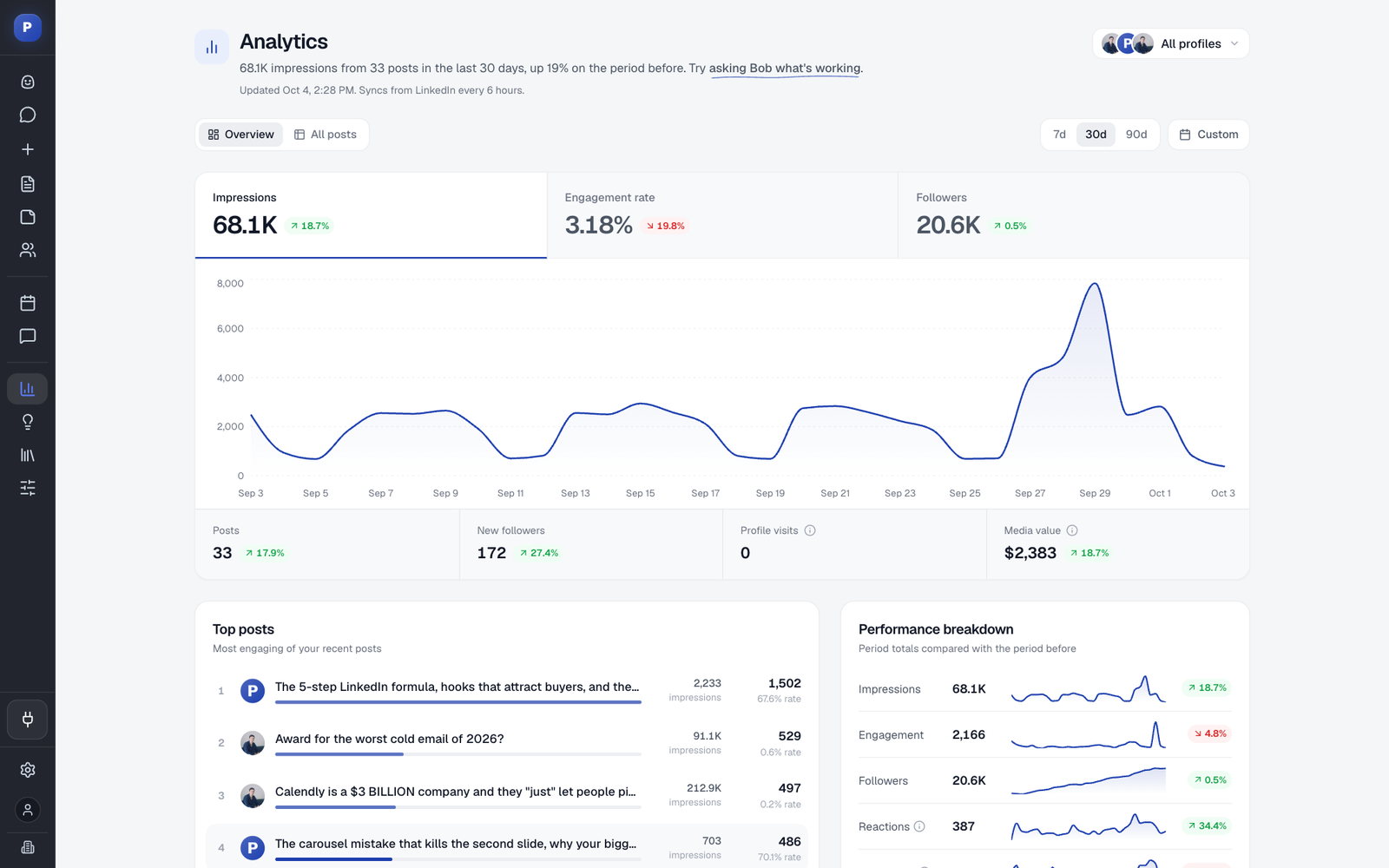
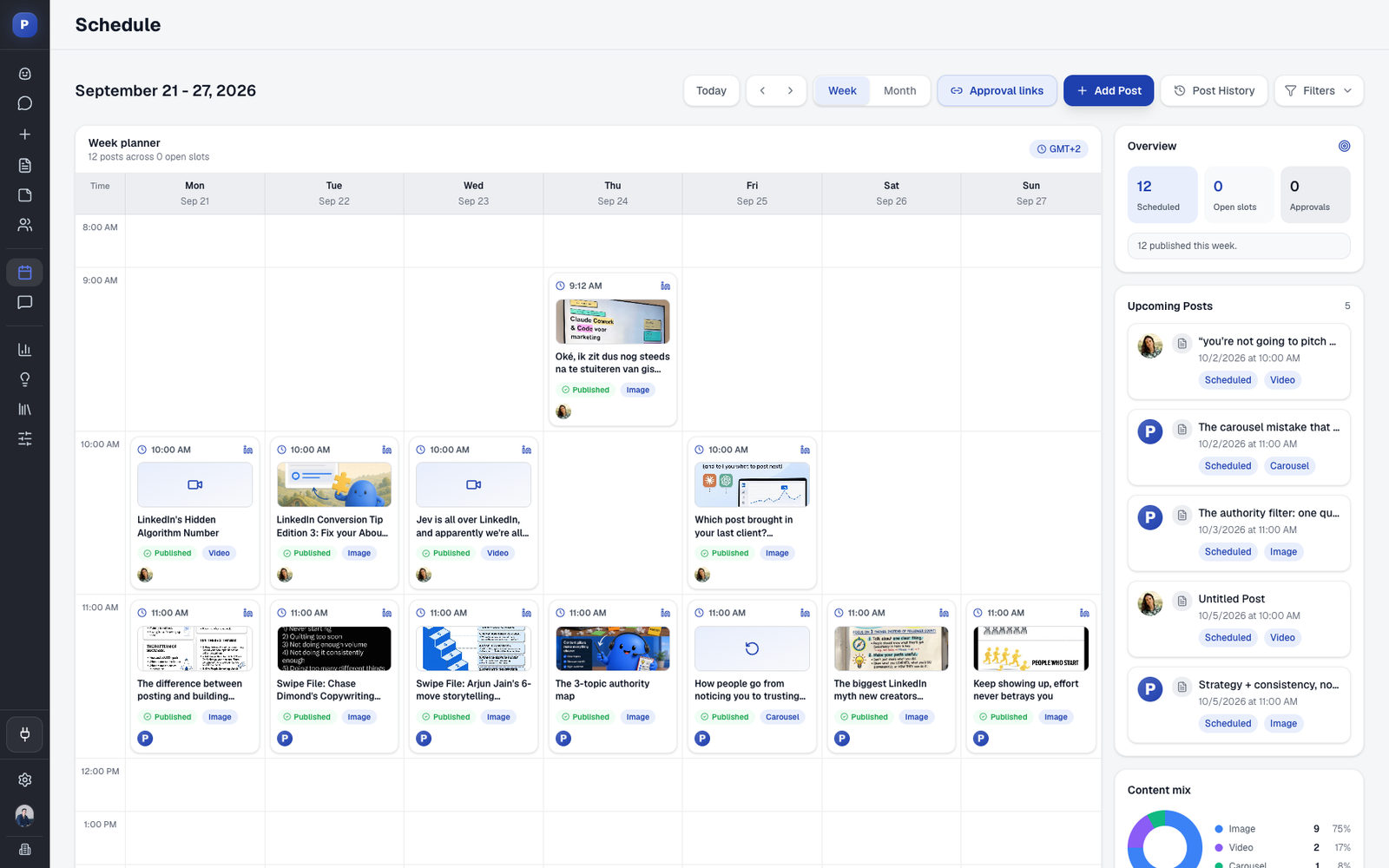
Postiv is a LinkedIn-first content workspace. Bob, Postiv's AI content partner, drafts posts and carousels in each person's own voice. Every LinkedIn profile has its own writing style, knowledge and content pillars, and Bob prepares a weekly plan per profile from its pillars. The carousel editor, AI carousels and infographics are built in, so there is no Canva round trip. You can also add an X version of a post (threads, X Articles) and schedule both from one calendar.
Posts publish to LinkedIn personal profiles and company pages through LinkedIn's official API. There is no browser extension and no automated connection requests or DMs. Each profile owner authorizes their own account on LinkedIn's screen, and Postiv never sees the password.
For agencies, each client gets a separate workspace with its own profiles, company pages, knowledge, brand kit and writing styles. Teammates reach every client workspace from the agency account, with no separate seat per workspace, and admins can show every client's scheduled posts on one calendar. See client workspaces for agencies.
Approvals. Create a reusable approval link for chosen client profiles in the calendar. New scheduled posts for those profiles wait for approval. The client sees each post as it will look on LinkedIn, adds their name, comments or approves, and needs no Postiv account. An approved post publishes at its scheduled time, and an edit after approval sends it back for review. The page shows no Postiv logo, and you can connect your own subdomain.
MCP and API. A hosted LinkedIn MCP server works with Claude, ChatGPT, Cursor and Claude Code. It can research inspiration, use workspace knowledge, create and edit posts, generate images and carousels, schedule into queues and read analytics, and approvals still apply. There is also a public REST API with API keys. Other tools on this list ship an MCP too, so the difference is what it can do for LinkedIn content.
Pricing. 7-day free trial.
- Pros: voice-based drafting per profile, built-in carousels, separate client workspaces, no-account client approvals, MCP and API, engage feed with comment drafting (comments go out only after you approve them), analytics per profile and page.
- Cons: it is not trying to replace a ten-network inbox and listening suite.
- Pick something else if your team lives in a shared inbox with listening and reviews across many networks (Sprout Social, Agorapulse), or you need a permanent free plan (Buffer, Zoho Social).
2. Buffer: best low-cost scheduler with a free plan
Best for: solo creators and small teams that post on many networks and want simple, reliable scheduling.
Pricing. Free, then Essentials at $5 per channel per month billed yearly ($6 billed monthly) and Team at $10 per channel per month billed yearly ($12 monthly). Buffer states its prices were last updated in November 2025. 14-day trial on paid plans.
Approvals. Team plan only, with unlimited team members, custom permissions and branded reports. Free and Essentials are single-user.
LinkedIn. Buffer lists 12 channels. LinkedIn pages and profiles both publish automatically, with first-comment scheduling on paid plans. Advanced analytics are for pages only.
MCP and AI. An AI assistant is on every plan, and integrations for Claude, ChatGPT, Cursor and Perplexity are on every plan including Free.
- Pros: the most useful free plan here, a clean queue and calendar, low per-channel prices.
- Cons: no carousel designer (Canva import only), generic AI, and per-channel pricing adds up for many accounts.
- Pick this over Postiv if you want a permanent free plan or you publish to many networks. For more, see our Buffer alternatives guide. If it is down to these two, our Buffer vs Hootsuite comparison goes deeper on cost, approvals and LinkedIn.
3. Sprout Social: best Hootsuite-class suite for brand and care teams
Best for: brand, comms and customer-care teams that need an inbox, reporting and compliance across many networks.
Pricing. Per seat per month, annual then monthly billing: Essentials $79 ($99), Standard $199 ($249), Professional $299 ($399), Advanced $399 ($499). Essentials and Standard include 5 profiles; Professional and above are unlimited. Listening and Premium Analytics are paid add-ons.
Free plan and trial. No free plan. 30-day trial, no card.
Approvals. Message approval from Professional. External approval without a Sprout login from Advanced.
LinkedIn. Company Pages and personal profiles both count against the profile limit. Competitor reports cover Facebook, X and Instagram, not LinkedIn. There is no carousel designer (Canva link-out).
API. Sprout API on Advanced and Enterprise. No MCP shown.
- Pros: the deepest inbox, reporting and approval ladder in this list.
- Cons: per-seat prices climb fast, and the first tier with the inbox is $199.
- Pick this over Postiv if you need cross-network engagement, reviews and enterprise reporting more than LinkedIn content creation. If you are weighing the two suites against each other, read Hootsuite vs Sprout Social for a head-to-head.
4. Agorapulse: best for inbox-driven agencies
Best for: agencies and brand teams that live in the inbox and reporting.
Pricing. Per user per month, annual then monthly billing: Standard $79 ($99), Professional $119 ($149), Advanced $149 ($199). Each plan includes 10 profiles; extra profiles are $10 per month on annual billing.
Trial. 30 days, no card. We could not confirm a permanent free plan, so do not count on one.
Approvals. No approvals on Standard. One-step approvals from Professional. Client approval without an Agorapulse account, through Shared Calendars (max 5), starts on Advanced. Multi-step approvals are Custom only.
LinkedIn. Profiles and company pages, LinkedIn documents scheduled as carousel posts, first comment from Professional, and comment moderation in the inbox. No slide designer.
MCP. An official MCP connector (beta) on all plans can read the inbox and analytics and create draft posts, but it cannot publish.
- Pros: strong inbox, white-label reporting on every plan, client sign-off without a login.
- Cons: per-user pricing multiplies with the team, and LinkedIn is one of ten networks.
- Pick this over Postiv if inbox moderation and reporting are your daily work.
5. Zoho Social: best value for a free plan and low-cost agency tiers
Best for: small teams and agencies that want cheap, broad scheduling, especially if you already use Zoho.
Pricing. Per plan, not per seat, annual then monthly billing: Free $0, Standard $10 ($15), Professional $30 ($40), Premium $40 ($65), Agency $230 ($320) for 10 clients, Agency Plus $330 ($460) for 20 clients.
Free plan and trial. Free forever, including 1 LinkedIn Company Page and 1 LinkedIn profile. 15-day trial, no card.
Approvals. Premium and above. Agency plans give clients a free login, so clients still need an account.
LinkedIn. Both profiles and pages are supported, with detailed member-post analytics (impressions, unique reach, reactions, reposts). Documents upload and images can be merged into a PDF from Standard. No slide designer.
MCP. An official Zoho Social MCP with 31 tools for publishing, scheduling and drafts.
- Pros: the most generous free plan with LinkedIn, real agency tiers, low entry price.
- Cons: small AI credit pools (40 to 80 on paid plans), and each brand holds one LinkedIn profile, so a team publishing from several executives' profiles needs add-ons or an agency plan.
- Pick this over Postiv if you want a free plan or already work in Zoho CRM and Desk.
6. SocialPilot: best budget pick for agencies
Best for: freelancers and agencies running 10 to 40 accounts across many networks.
Pricing. Flat per plan, annual then monthly billing: Essentials $17 ($20) for 5 accounts and 1 user, Standard $34 ($40) for 10 accounts and 3 users, Premium $85 ($100) for 20 accounts, 6 users and unlimited client seats, Ultimate $170 ($200) for 40 accounts and unlimited users.
Trial. 14 days, no card. No free plan.
Approvals. Team approvals from Standard. Client approvals from Premium, through a link that works without a login.
LinkedIn. Document publishing and multi-image carousels on every plan (up to 30 images), bulk scheduling by CSV, and company-page analytics. No slide designer.
MCP. An MCP server on every plan covers creating, scheduling and drafting posts and checking status, but not analytics or inbox. A public API is Enterprise only.
- Pros: the best price-to-feature ratio for client approvals and white-label reports.
- Cons: a generalist with generic AI, and API access is Enterprise only.
- Pick this over Postiv if you manage many accounts on many networks and need cheap client approvals.
7. Sendible: best for agencies that want unlimited users
Best for: agencies and multi-location brands that prefer workspace bundles over per-seat billing.
Pricing. Flat per plan, billed monthly (about 15% less billed yearly): Core $35 for 1 workspace and 6 profiles, Plus $99 for 3 workspaces and 18 profiles, Premium $199 for 7 workspaces and 42 profiles, Elite $299 for 15 workspaces and 90 profiles. Unlimited users and unlimited AI credits on every plan.
Trial. 14 days, no card. No free plan.
Approvals. Assigning posts for approval starts on Plus. Custom approval workflows start on Premium. Clients approve inside a Sendible login, and no approval link that works without a login is shown.
LinkedIn. Profiles and Company Pages, Page comment replies and PDF carousel scheduling, no slide designer. White label is a paid add-on on Elite and above.
MCP. No MCP server or documented API found.
- Pros: a workspace per client, Client Connect so clients link their own accounts, unlimited reviewers.
- Cons: approvals are paywalled at $99 a month, thin LinkedIn depth, no MCP.
- Pick this over Postiv if you need many reviewers and a white-label add-on across several networks.
8. Planable: best for approval-heavy teams
Best for: agencies and multi-brand companies with many reviewers per brand.
Pricing. Per workspace per month, with unlimited users: Basic $33 billed yearly ($39 monthly), Pro $49 billed yearly ($59 monthly), Enterprise custom. Analytics ($12 yearly, $14 monthly) and Social Inbox ($7.50 yearly, $9 monthly) are paid add-ons per workspace.
Free plan. The first 50 posts are free with no time limit and no card.
Approvals. Optional approval on Basic, Required approval on Pro, multi-level on Enterprise. A client needs a free Planable account to approve, because public links are view and comment only.
LinkedIn. Company pages and personal profiles, PDF document posts and first-comment scheduling. LinkedIn analytics need the paid Analytics add-on.
MCP and API. An MCP connector on every plan can create drafts and approve or reject posts. Public API on Pro and Enterprise.
- Pros: the best-known approval and feedback experience, with feed-style previews.
- Cons: every extra client is another $33 to $49 a month, and clients must sign up to approve.
- Pick this over Postiv if reviewers across many networks matter more than LinkedIn content creation. See our guide to approval-first tools like Planable, Loomly and Kontentino.
9. Vista Social: best multi-network suite with agency options
Best for: agencies and multi-location brands running many accounts across 13 or more networks.
Pricing. Professional $99 per month billed monthly (about $79 billed yearly, $950 a year) for 15 profiles and 2 users, Advanced $199 monthly for 30 profiles and 3 users, Scale $449 monthly for 70 profiles. X is a $29 per month add-on, and listening beyond your own profiles starts at $75 per month.
Free plan and trial. No free plan. 14-day trial, no card.
Approvals. Single-stage approvals on every plan, multi-stage from Advanced.
LinkedIn. Pages and personal profiles. There is no slide designer.
MCP. "Ask Vista + MCP" is on every plan.
- Pros: breadth across networks, inbox, listening and review management in one price.
- Cons: the entry price is the highest of the budget tools, LinkedIn is not a focus, and AI is generic.
- Pick this over Postiv if you need inbox, reviews and listening across many networks. For more, see our Vista Social alternatives guide.
10. Later: best if you are Instagram and TikTok first
Best for: brand and e-commerce teams that post mostly to Instagram, TikTok and Facebook and also want a LinkedIn slot.
Pricing. Per plan, billed yearly then monthly: Starter $18.75 ($25), Growth $37.50 ($50), Scale $82.50 ($110). Starter includes 1 social set (one profile per network, so one LinkedIn), 1 user and 30 posts per profile per month.
Free plan and trial. No free plan. 14-day trial.
Approvals. Content approval and an external comment workflow (no Later account needed) start on Growth.
LinkedIn. Auto publishing is supported. Best-time-to-post covers only Instagram, Facebook and TikTok, LinkedIn analytics are not shown, and there is no slide designer.
MCP. None shown.
- Pros: a polished visual planner, low entry price, no-account feedback links from Growth.
- Cons: thin LinkedIn support, AI aimed at Instagram captions, tight caps on Starter.
- Pick this over Postiv if your audience lives on Instagram and TikTok.
Feature comparison of the 10 alternatives
| Tool | Free plan | Entry price (unit, billing) | Approvals from | LinkedIn carousels / PDF | MCP / API | Best for |
|---|---|---|---|---|---|---|
| Postiv | 7-day free trial | 7-day free trial | Approval link, no account | Built-in carousel editor | MCP and REST API | LinkedIn-first B2B teams, agencies |
| Buffer | Yes (3 channels) | $5 per channel per month, yearly | Team | No designer | Claude, ChatGPT, Cursor integrations | Low-cost scheduling |
| Sprout Social | No (30-day trial) | $79 per seat per month, annual | Professional | No designer (Canva link-out) | API on Advanced+ | Brand and care teams |
| Agorapulse | Unclear (30-day trial) | $79 per user per month, annual | Professional | Documents as carousels, no designer | MCP (beta) | Inbox-driven agencies |
| Zoho Social | Yes (LinkedIn included) | $10 per month, annual | Premium | PDF merge, no designer | MCP (31 tools) | Free plan, Zoho users |
| SocialPilot | No (14-day trial) | $17 per month, annual | Standard (clients: Premium) | Documents and carousels, no designer | MCP; API Enterprise | Budget agencies |
| Sendible | No (14-day trial) | $35 per month, monthly | Plus | PDF carousels, no designer | None found | Many reviewers |
| Planable | First 50 posts | $33 per workspace per month, yearly | Basic (optional) | PDF posts, no designer | MCP; API on Pro+ | Approval-heavy teams |
| Vista Social | No (14-day trial) | $99 per month, monthly | All plans (single stage) | No designer | MCP | Multi-network agencies |
| Later | No (14-day trial) | $18.75 per month, yearly | Growth | No designer | None shown | Instagram and TikTok first |
| Hootsuite | No (14-day trial) | $99 per user per month, annual | Advanced | No designer (Canva, Adobe Express) | Not checked | Many networks, enterprise |
We compared each tool on five points: price and billing unit, approvals, LinkedIn depth, AI and MCP access, and who it suits. Facts come from vendor pricing pages and help centers, not from review sites.
LinkedIn-only tools worth a look
If you only post on LinkedIn, a LinkedIn-only tool can beat a suite. Supergrow now starts at $39 per month billed monthly ($31 billed yearly) on its Pro plan, with a 7-day trial and an MCP on every plan; its Teams plan is $199 per month for 5 accounts. Taplio runs $39 (Starter), $69 (Growth) and $199 (Pro) per month billed monthly, with a 7-day trial. Our Supergrow alternatives, Taplio alternatives and Scripe alternatives guides compare them in depth, and our FeedHive alternatives guide covers another scheduler. For carousel specifically, see the best LinkedIn carousel makers and the LinkedIn carousel generator.
Is there anything better than Hootsuite? Five questions to decide
What is your bottleneck? If it is cost, start with Buffer, Zoho Social or SocialPilot. If it is approvals, start with Planable, SocialPilot or Agorapulse. If it is writing and designing LinkedIn content, start with Postiv.
How many people touch a post? Per-seat tools (Hootsuite, Sprout Social, Agorapulse) get expensive as the team grows. Planable, Sendible, Zoho Social and SocialPilot price by workspace, brand or plan instead.
Do you need a free plan? Only Buffer and Zoho Social give a free plan that connects LinkedIn.
Do you want AI to write or just rewrite? Most suites on this list offer generic caption help. Postiv drafts from each profile's voice and knowledge. Several tools also ship an MCP if you want Claude or ChatGPT to work inside your calendar.
Do you need listening and a shared inbox? Then stay with a suite: Hootsuite, Sprout Social or Agorapulse. For a direct side-by-side, read Postiv vs Hootsuite.
Does anyone use Hootsuite anymore?
Yes. Hootsuite still earns its place for teams that run many networks at scale. All plans include a centralized inbox with DM automation and agent collision avoidance. Standard adds listening search with sentiment analysis and competitor benchmarking for 5 competitors. Enterprise adds Talkwalker listening, employee advocacy (Amplify), SSO and Proofpoint compliance. The 14-day trial needs no credit card.
The people who leave are mostly LinkedIn-first teams and small agencies. They pay $99 or more per user per month for breadth they do not use, with no carousel designer, generic AI, and approvals only on Advanced.
How to switch from Hootsuite
- Finish your trial first. Keep Hootsuite running while you test the new tool, and check your renewal date, since Hootsuite plans are billed annually.
- Save what you want to keep. Copy post text, saved images and hashtag lists. If you used bulk scheduling, your CSV files are the easiest backup. Export any reports you need from Hootsuite before you cancel.
- Reconnect your profiles. Each LinkedIn profile owner authorizes their own account, and company pages need an admin. Do this in the new tool before you disconnect anything.
- Rebuild the queue. Recreate scheduled posts in the new tool, then delete them from Hootsuite so nothing publishes twice.
- Set up approvals. Recreate approver roles. If clients review your work, choose a tool with a no-login link, like Postiv, SocialPilot or Agorapulse on Advanced.
- Cancel last. Cancel Hootsuite only after one full week of posts has gone out cleanly.
If LinkedIn is where your posts go, Start your 7-day free trial.
More Questions
What is the best free social media scheduler?
For LinkedIn, Buffer Free is the safest pick: 3 channels, 10 scheduled posts per channel, 1 user, an AI assistant and 30 days of insights, with no time limit. Zoho Social Free also connects LinkedIn, but custom scheduling needs a paid plan. Metricool's free plan does not connect LinkedIn at all. Free plans are single-user, so teams outgrow them quickly.
What are the top 5 social media schedulers?
Across the 2026 roundups we reviewed, the most cited general schedulers are Hootsuite, Buffer, Sprout Social, Agorapulse and Sendible. For LinkedIn-first work, swap one for Postiv. Planable leads on approvals and Zoho Social on free-plan value. Pick by your bottleneck (price, inbox, approvals or LinkedIn content), not by rank.
What is the best free social media management platform?
Buffer Free and Zoho Social Free are the two free plans that connect LinkedIn. Zoho gives one brand with six channels, including a LinkedIn profile and a Company Page. Buffer gives three channels with a queue and an AI assistant. Neither includes team approvals. Planable gives your first 50 posts free with no time limit, and Pallyy Free allows 15 image posts a month.
Which Hootsuite alternatives include client approvals?
Approvals depend on the plan. Hootsuite starts them on Advanced at $399 per user per month billed annually. SocialPilot adds no-login client approval links on Premium ($85 a month billed annually), Agorapulse offers one-step approvals from Professional ($119 per user, annual), and Buffer includes approvals on Team ($10 per channel, billed yearly). Postiv uses a reusable approval link, so clients approve without an account.
What is the best Hootsuite alternative for LinkedIn?
Postiv is built for LinkedIn-first B2B teams and agencies. Bob drafts posts and carousels in each profile's own voice, a carousel editor is built in, and posts publish through LinkedIn's official API. Suites like Agorapulse and SocialPilot schedule LinkedIn documents well, but their AI captions are generic and neither includes a slide designer.