Pallyy is a good tool for the job it was built for. It is a multi-network scheduler for agencies, freelance social media managers and local businesses, it has a free plan, and it is cheap per client. If your clients are restaurants, clinics or shops that live on Instagram, Pallyy (or another multi-network scheduler on this list) is built for exactly that, and you probably do not need to leave.
This guide is for the other case. Your clients are B2B, LinkedIn is the channel that matters, and you want LinkedIn tools for agencies that go beyond a calendar and a queue. Every competitor price and feature below was checked on 19 October 2026.
Quick picks by need:
- B2B agency where LinkedIn is the main channel: Postiv
- Many reviewers per client, visual feed-style approval: Planable
- Low flat price, many networks, client portal: SocialPilot
- Workspace bundles with unlimited users: Sendible
- Inbox and reporting first: Agorapulse
- One dashboard for 13+ networks: Vista Social
- Simple scheduling with a free plan: Buffer
Pallyy pricing in 2026
Pallyy prices by plan, with a fixed number of "social sets" and users. One social set is one client or brand with up to 11 connected accounts.
| Plan | Monthly billing | Yearly billing (per month) | Social sets | Users | What changes |
|---|---|---|---|---|---|
| Free | $0 | $0 | 1 | 1 | 15 scheduled posts a month, image posts only |
| Pro | $25 | $20 ($240 a year) | 1 | 1 | Unlimited posts, carousel and video, approvals, shared client calendar, AI captions and ideas |
| Agency | $99 | $79 ($950 a year) | 10 | 3 | Team invites, shared social sets, custom reports |
| Scale | $199 | $165 ($1,980 a year) | 30 | 10 | Same features, bigger limits |
What else to know before you budget:
- Extra social sets cost $10 a month on Pro and Agency, up to 30 sets in total. Pallyy's own example is three clients on Pro for $45 a month.
- Extra users cost $10 a month on Agency only. Pro stays at one user. Past 30 sets or 10 users you move to a custom plan.
- Trial: 14 days on paid plans. It asks for card details, but nothing is charged during the trial.
- Discounts and retention: nonprofits get 50% off, and analytics history is kept 30 days on Free and 5 years on paid plans.
Is Pallyy free?
Yes. The Free plan does not expire, but it suits testing, not client work: no video, carousels, approvals, shared calendar or inbox, and 15 scheduled posts a month.
What Pallyy does well
Pallyy gets a lot right, and a fair comparison starts there.
- The lowest published cost per client in this comparison. Ten clients on the $99 Agency plan, then $10 per extra set.
- A real free plan to connect an account and publish before you spend anything.
- Client approval without an account or a seat. You share a calendar link. The client comments, approves, rejects or requests changes per post, and approved posts publish at the scheduled time.
- Ten networks in one place, including Instagram, Facebook, TikTok, YouTube and Google Business.
- Solid LinkedIn basics. Personal profiles and company pages, text, image, video and carousel posts, page tagging and publishing through LinkedIn's official API. LinkedIn comments land in the inbox on Pro and above.
- An MCP on every plan. 17 tools, per-connection permissions and scoping per social set. You can filter posts by approval state from Claude, ChatGPT or Cursor. There is also a public REST API on Pro, Agency and Scale.
- AI captions and post ideas from Pro up.
If that list matches your week, stay put.
Why teams look for Pallyy alternatives
- Instagram-first by origin. Its biggest feature groups (grid preview, tags, trending audio, stories) are Instagram features. LinkedIn is supported, but it is one of ten networks.
- LinkedIn analytics cover company pages only. Pallyy documents page views, visitors, demographics, post insights and follower growth for company pages. Agencies running founders' personal profiles do not get the same view.
- Carousels are uploads. Pallyy publishes a finished carousel file. There is no slide designer in the app, and no brand-voice or knowledge-base training for the AI is shown.
- The MCP cannot read analytics or reply to comments. It creates and edits posts. An assistant can fill the calendar but cannot tell you what worked.
- Approval is one step. Pallyy documents a single approval step per post. Plan around that if you review internally first.
- Seats are tight. Pro includes one user and Agency three.
None of these is a flaw for Instagram-heavy work. They matter when the work is LinkedIn content for B2B clients.
Pallyy alternatives at a glance
Prices are USD, checked 19 October 2026. "Not shown" means the vendor does not list it on its pricing page.
| Tool | Pricing unit | Free plan | Client approval without account | LinkedIn analytics scope | MCP | Best for |
|---|---|---|---|---|---|---|
| Pallyy (baseline) | Per plan by social sets, $25 / $99 / $199 monthly | Yes | Yes, shared calendar link | Company pages only | 17 tools, every plan. Posts, media, notes. No analytics or comments | Instagram-heavy agencies, low cost per client |
| Postiv | 7-day free trial, plans on the pricing page | 7-day free trial | Yes, reusable approval link | Profiles and company pages | Research, knowledge, carousels, scheduling, analytics reads | B2B agencies on LinkedIn |
| Planable | Per workspace, $39 / $59 monthly, unlimited users | First 50 posts free | No, needs a free approver account | Paid add-on | Every plan. Drafts, approvals, analytics with add-on | Many reviewers per brand |
| SocialPilot | Flat per plan, $20 / $40 / $100 monthly | No, 14-day trial | Yes, from Premium | Company pages | Every plan. Create, schedule, status. No analytics | Low-cost multi-network agencies |
| Sendible | Per workspace bundle, from $35 monthly, unlimited users | No, 14-day trial | No link shown, clients get a login | Report-level | None listed | Fixed workspace bundles |
| Agorapulse | Per user, $99 / $149 / $199 monthly | Not confirmed, 30-day trial | Yes, from Advanced | Organic and paid in one report | Beta. Inbox, replies, drafts, analytics | Inbox and reporting teams |
| Vista Social | Flat per plan, $99 / $199 / $449 monthly | No, 14-day trial | Not shown | Multi-network | Every plan, tool list not shown | 13+ networks, one dashboard |
| Buffer | Per channel, $6 / $12 monthly ($5 / $10 yearly) | Yes, 3 channels | Not shown | Pages: advanced. Profiles: basic | Every plan. Queue and drafts | Simple, cheap scheduling |
The 7 best Pallyy alternatives
1. Postiv
Postiv is the pick when your clients are B2B and LinkedIn is the channel that matters. It is a LinkedIn-first content workspace, not a general scheduler with LinkedIn added on.
Best for: agencies, freelancers and in-house teams that run LinkedIn for people and companies, from a handful of clients up to hundreds.
What it does well:
- A separate workspace per client. Each holds that client's profiles, company pages, knowledge, brand kit and writing styles, behind one workspace switcher. Agency teammates reach every client workspace from the agency account with no separate seat per workspace, and admins can show every client's scheduled posts on one calendar. More in client workspaces for agencies.
- Content in each person's own voice. Every LinkedIn profile has its own writing style, knowledge and content pillars. Bob, Postiv's AI content partner, drafts posts and carousels from those and prepares a weekly plan per profile.
- A carousel editor with AI carousels and infographics built in.
- Approvals without a client account. You create a reusable approval link for chosen client profiles. The client sees each post as it will look on LinkedIn, adds their name, comments or approves. Approved posts publish at their scheduled time, and an edit after approval sends it back for review.
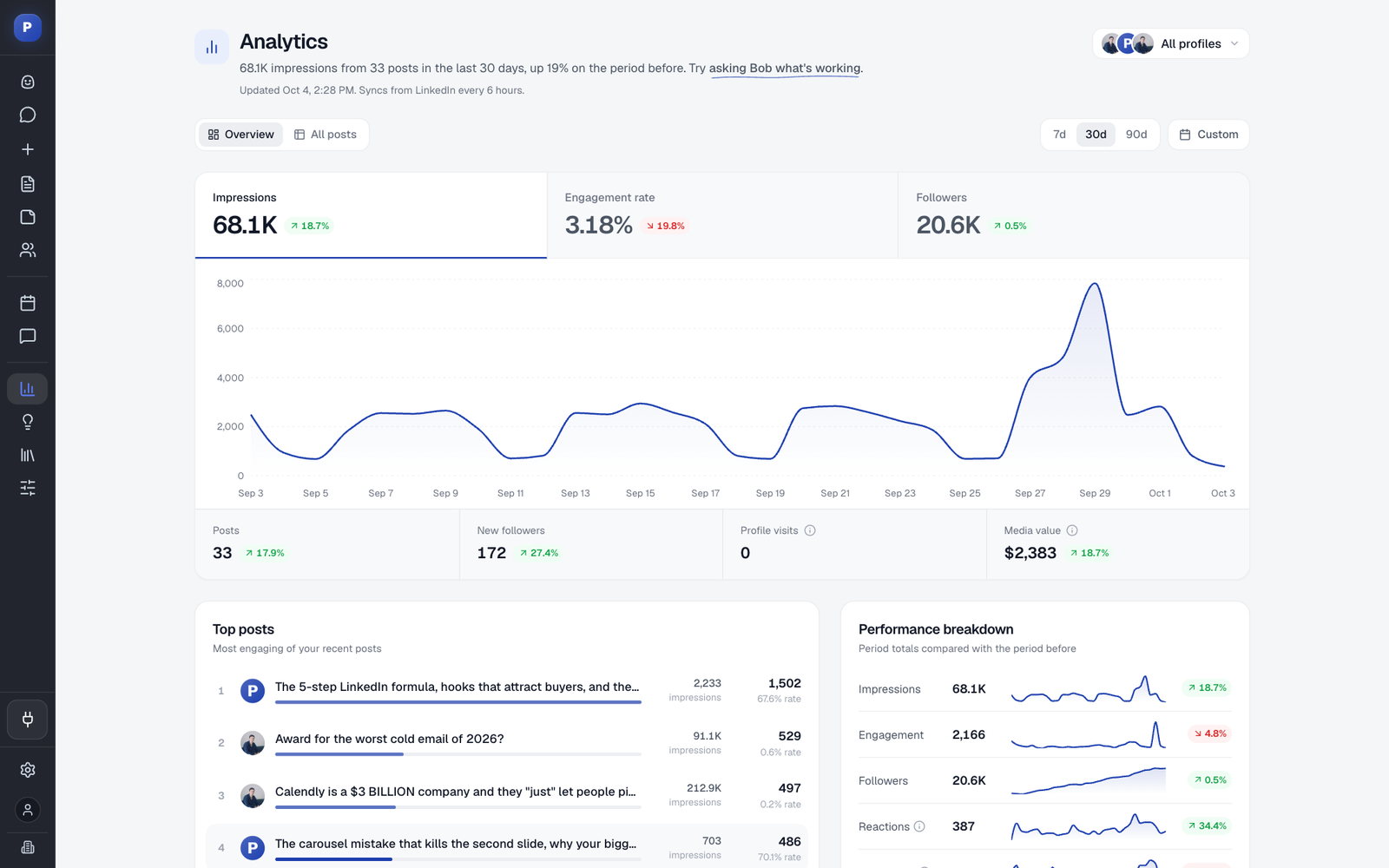
- Analytics for profiles and company pages: posts, impressions, followers, profile visits and engagement rate against the previous period, with up to 12 months of history imported through LinkedIn's official analytics access. See LinkedIn analytics.
- An engage feed with comment drafting. Comments go out only after you approve them.
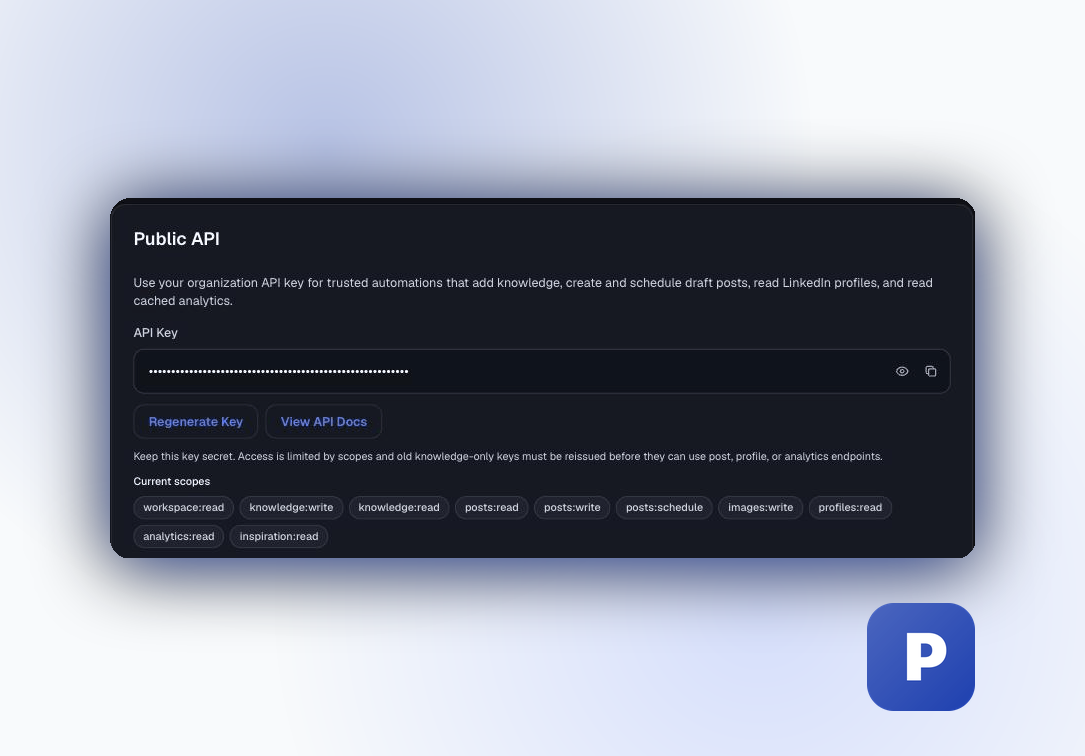
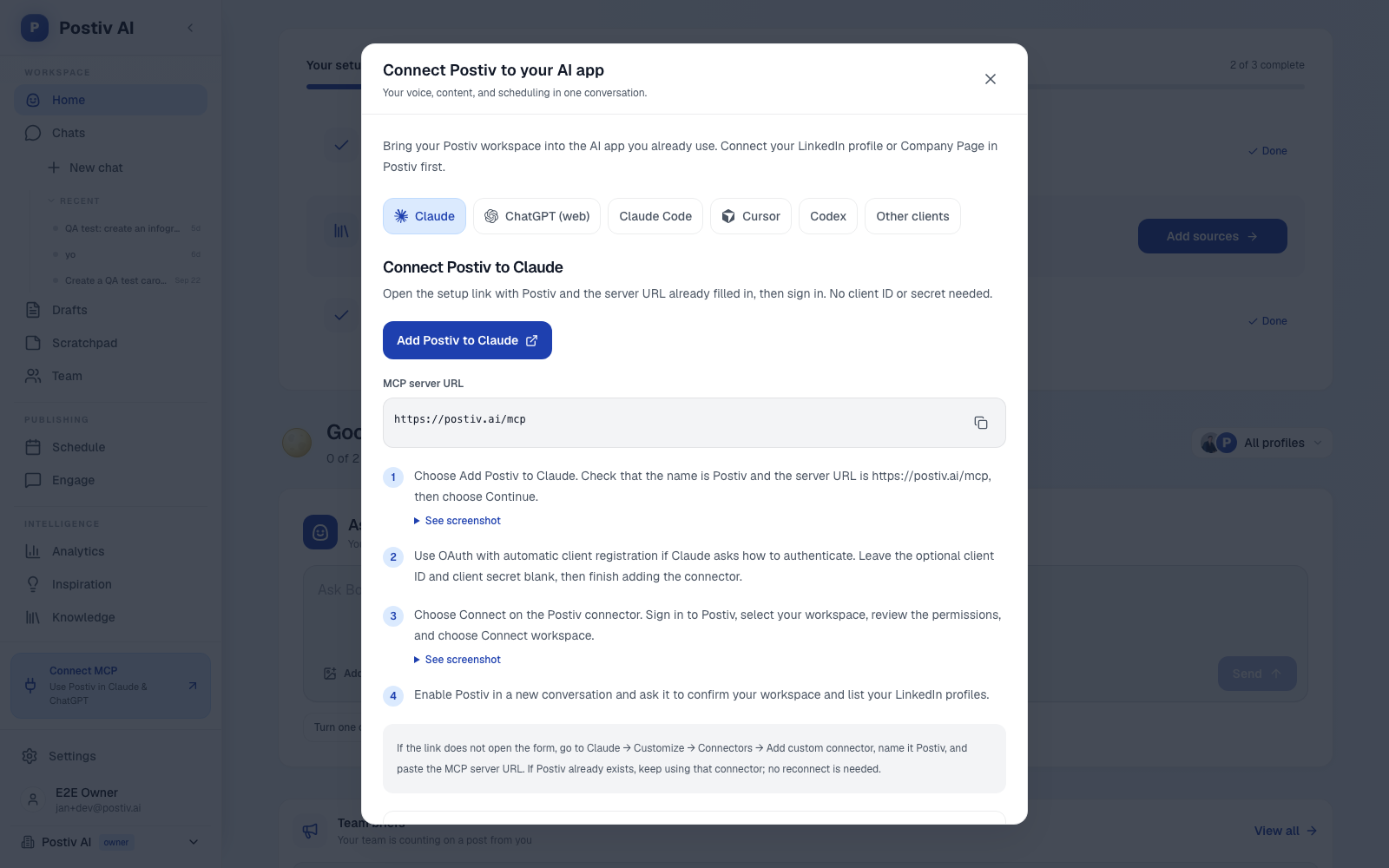
- An MCP and API. The LinkedIn MCP works with Claude, ChatGPT, Cursor and Claude Code. It can research inspiration, use workspace knowledge, create and edit posts, generate images and carousels, schedule content and read analytics. Approvals still apply when you schedule through it. A public REST API is available too.
- Official API publishing, with no browser extension or automated connection requests.
Where it is not the fit: if most of your clients' work is Instagram, TikTok or Facebook, a multi-network scheduler is the better tool.
2. Planable
Planable is built around collaboration and approval. Each client or brand is a workspace with its own pages, calendar, team and approval flow, and every plan has unlimited users.
Best for: agencies and multi-brand teams with many reviewers per brand.
Strengths: feed-style previews and suggested edits. Basic is $39 a month per workspace ($33 billed yearly) and Pro is $59 ($49 yearly). It schedules to LinkedIn company pages and personal profiles. The MCP connector is on every plan and can approve or reject posts as well as create drafts.
Weaknesses: every extra client workspace is another bill, and Analytics ($14 monthly) is a paid add-on. Required approval needs Pro and multi-level approval is Enterprise only. Client links are view and comment only, so a client must create a free Planable account to approve. There is no slide designer, and LinkedIn is one of nine networks.
Related: our guide to Planable, Loomly and Kontentino alternatives.
3. SocialPilot
SocialPilot is a flat-rate scheduler with an agency-friendly price curve. Essentials is $20 a month ($17 yearly) for 5 accounts. Premium is $100 monthly ($85 yearly) for 20 accounts, 6 users and unlimited client seats.
Best for: cost-conscious agencies and freelancers managing 10 to 40 accounts across many networks.
Strengths: client approval through a link with no login from Premium, LinkedIn document and carousel publishing on every plan (up to 30 images per carousel), bulk scheduling by CSV, white-label reports on Premium and an MCP on every plan.
Weaknesses: the MCP creates, schedules and checks status, with no analytics or inbox. The public API is Enterprise only, and there is no slide designer or LinkedIn-voice writing engine.
4. Sendible
Sendible prices by workspace bundle. Core is $35 a month for 1 workspace and 6 profiles, and Plus is $99 for 3 workspaces and 18 profiles. Every plan has unlimited users.
Best for: agencies that want predictable bundles and many reviewers without per-seat billing.
Strengths: a workspace per client, a Client Connect widget so clients link their own accounts without sharing logins, unlimited users, and a mature white-label option.
Weaknesses: approvals start at Plus ($99), custom approval workflows at Premium ($199), and white label is a paid add-on on the top tiers. Clients approve inside a Sendible login rather than through a no-account link. LinkedIn depth is thin, and its pricing page lists no MCP.
5. Agorapulse
Agorapulse is the inbox-and-reporting pick. Pricing is per user: Standard $99 monthly ($79 yearly), Professional $149 ($119) and Advanced $199 ($149), each with 10 profiles.
Best for: teams that live in the inbox and in client reports.
Strengths: a unified inbox, ROI reports and white-label reporting on every plan, no-account Shared Calendars on Advanced, and an official MCP connector (beta) that reads the inbox, replies, creates drafts and reads analytics.
Weaknesses: per-user pricing multiplies with every teammate, and Shared Calendars are capped at 5. Multi-step approvals are Custom only, and Standard has no approvals. There is no LinkedIn-native writing engine or slide designer, and the MCP creates drafts rather than published posts.
6. Vista Social
Vista Social covers 13+ networks with publishing, inbox, analytics, listening and review management. Professional is $99 a month, or about $79 billed yearly, with 15 profiles and 2 users. There is no free plan, only a 14-day trial. More in our Vista Social alternatives guide.
Best for: agencies and multi-location brands that want one broad dashboard.
Strengths: single-stage approvals on every plan, multi-stage from Advanced ($199), LinkedIn pages and personal profiles, strong analytics and listening, and an MCP on every plan.
Weaknesses: no carousel designer (Canva integration only), a general caption AI rather than a LinkedIn voice writer, and no-account client approval is not shown on its pricing page.
7. Buffer
Buffer is the simple option. Essentials is $5 per channel a month billed yearly ($6 monthly) and Team is $10 ($12 monthly). The Free plan covers 3 channels with 10 scheduled posts each. Our Buffer alternatives guide covers the trade-offs.
Best for: solo operators and small teams that want cheap, reliable scheduling.
Strengths: a permanent free plan, a clean queue and calendar, an MCP and AI-tool integrations on every plan, and basic plus advanced analytics for LinkedIn pages.
Weaknesses: no carousel designer and no client-isolated workspaces. LinkedIn personal profiles get basic analytics only, approval workflows sit on Team, and a no-account client link is not shown.
Pallyy vs Postiv for LinkedIn agencies
Pallyy is cheaper per client and has a free plan. That is a fact, and for some agencies it settles the question. The table compares them need by need.
| If you need | Pallyy | Postiv |
|---|---|---|
| Clients on Instagram, TikTok or Facebook | Built for it, 10 networks | Built for B2B LinkedIn work instead |
| LinkedIn posts written in a person's voice | AI captions and ideas on Pro and above. Voice training not shown | Bob drafts from each profile's style, knowledge and pillars |
| Carousels | Publishes a carousel file you upload | Built-in editor and AI carousels |
| Client approval | Shared calendar link, no account, single step | Approval link, no account, post shown as it will look on LinkedIn, re-review after edits |
| Client separation | A social set per client with its own accounts and calendar | A workspace per client with profiles, company pages, knowledge, brand kit and styles |
| LinkedIn analytics | Company pages | Personal profiles and company pages |
| MCP | 17 tools on every plan, no analytics or comments | Research, knowledge, carousels, scheduling and analytics reads, with approvals applied |
| Price | Lower per client, free plan | 7-day free trial |
Several tools above ship an MCP, so the useful question is what the assistant can do with it. For LinkedIn work, reading analytics and building carousels from Claude or ChatGPT is the difference between a remote control for your calendar and an assistant that can see what is working.
Which Pallyy alternative should you pick?
- Stay on Pallyy if your clients are local businesses on Instagram and cost per client is the main constraint.
- Choose Planable if clients bring several reviewers and you accept the per-workspace bill.
- Choose SocialPilot or Sendible for a predictable price across many networks.
- Choose Agorapulse if the inbox and reporting are the core of your service.
- Choose Vista Social or Buffer for a broad dashboard or a simple, free start.
- Choose Postiv if your clients are B2B companies and LinkedIn is where their pipeline comes from.
More Questions
How much does Pallyy cost?
Pallyy has a Free plan at $0 (1 social set, 1 user, 15 scheduled posts a month). Pro is $25 a month, or $20 a month billed yearly, for one social set. Agency is $99 monthly or $79 billed yearly for 10 sets and 3 users. Scale is $199 monthly or $165 billed yearly for 30 sets and 10 users. Extra social sets cost $10 a month. Prices checked 19 October 2026.
Does Pallyy support LinkedIn?
Yes. Pallyy connects LinkedIn personal profiles and company pages and publishes text, image, video and carousel posts through LinkedIn's official API. Carousel and video publishing start on the Pro plan. Its LinkedIn analytics cover company pages only. LinkedIn is one of ten networks, and the largest Pallyy feature groups are Instagram-first.
Does Pallyy have an MCP?
Yes, on every plan including Free. The Pallyy MCP has 17 tools that let Claude, ChatGPT or Cursor list social sets, read posts, create and edit posts, import media and manage calendar notes. Posts stay drafts unless you grant publishing permission. It cannot read analytics, reply to comments or delete posts.
Can clients approve Pallyy posts without an account?
Yes. On Pro, Agency and Scale you share a calendar link. The client comments, approves, rejects or requests changes per post, with no Pallyy account and no seat. Approved posts publish at the scheduled time. Pallyy documents a single approval step per post. The Free plan has no approvals.
What is the best Pallyy alternative for agencies?
It depends on your clients. For B2B clients where LinkedIn is the main channel, Postiv fits best: a workspace per client, each person's own voice, carousels, no-account approval links and profile plus company page analytics. For Instagram-heavy clients across many networks, Pallyy, SocialPilot or Planable are built for that.
What is the best Pallyy alternative for LinkedIn?
Postiv is built around LinkedIn. Bob drafts posts and carousels in each person's own voice, every client gets a separate workspace, and clients approve through a link without an account. Analytics cover personal profiles and company pages, and the engage feed drafts comments you approve before they go out.
Is there a free Pallyy alternative?
Buffer has a permanent free plan with up to 3 channels and 10 scheduled posts per channel. Planable gives you your first 50 posts free with no time limit, but then you must upgrade. Postiv offers a 7-day free trial. Pallyy itself is the other free option, with 1 social set and 15 scheduled posts a month.