Best Social Media Schedulers for B2B Teams in 2026
The best social media scheduler for a B2B team handles LinkedIn properly, puts approvals in front of publishing and keeps clients apart. Postiv is our #1 pick, ahead of Buffer, Hootsuite, Sprout Social, Agorapulse, Metricool, Later, Sendible, SocialPilot and SocialBee. We compared all ten on what a team of one to about 200 people runs into: LinkedIn profiles and Company Pages, approvals, roles, client workspaces, analytics and assistant access.
If LinkedIn is your main channel, read our guide to the LinkedIn post scheduler next, because this post covers social media scheduling tools across every network. Facts about each vendor come from that vendor's own pages, checked October 2026.
Every pick has a screenshot, who it is best for, what it does well for B2B teams, a good first workflow, plan and setup notes, and its strengths and limits. Prices are left out on purpose, because they change and vary by plan and billing period.
Picks at a glance
| # | Tool | Best for | Why it made the list |
|---|---|---|---|
| 1 | Postiv | LinkedIn-first B2B teams, founders and agencies | One calendar for profiles, Company Pages and X, with approvals and client workspaces |
| 2 | Buffer | Solos and small teams posting to many channels | Twelve channels, a mature queue and a permanent free plan |
| 3 | Hootsuite | Larger social teams | Shared inbox, benchmarking and listening in one suite |
| 4 | Sprout Social | Brand and customer-care teams | An approval ladder that reaches outside reviewers without a login |
| 5 | Agorapulse | Inbox-heavy teams and agencies | Inbox, white-label reports and no-account client sign-off |
| 6 | Metricool | Agencies running many small brands | Plans built around brands, strong analytics, MCP on every plan |
| 7 | Later | Brands that lead with Instagram and TikTok | Visual planner with outside feedback from the Growth plan |
| 8 | Sendible | Agencies with many reviewers | A workspace per client and unlimited users on every plan |
| 9 | SocialPilot | Freelancers and growing agencies | LinkedIn documents and carousels on every plan, client approval by link |
| 10 | SocialBee | Evergreen queues across networks | Category queues, content recycling and workspaces per client |
What is a social media scheduler for teams?
A social media scheduler lets you write posts ahead of time, line them up on a calendar and publish them to your networks at set times. The work happens in one planning session instead of every morning. A social media scheduler for teams adds what a solo user never needs: who may post to which account, who approves a post before it goes live, and how a manager sees the whole calendar at once.
Social media scheduling tools fall into a few groups. Multi-channel queues such as Buffer and SocialBee focus on getting posts out across many networks. Full suites such as Hootsuite, Sprout Social and Agorapulse add an inbox, reporting and sometimes listening. Agency tools such as Sendible and SocialPilot are organized around workspaces and client sign-off. Postiv is a workspace for LinkedIn-first teams, where planning, drafting, scheduling, engagement and analytics live in one place.
A B2B reader has different stakes than a consumer brand. The main channel is usually LinkedIn, where a founder's profile and the Company Page sit side by side. A post may need a sales lead or a reviewer to sign off. An agency has to keep one client's drafts away from another's. If you only post on LinkedIn, our LinkedIn-only comparison goes narrower than this one.
Comparison table
Cells say "check their docs" where the vendor's pages did not confirm a detail. Prices are left out on purpose.
| Tool | Channels | Approvals | Clients and teams | Free plan or trial | Assistant access (MCP) |
|---|---|---|---|---|---|
| Postiv | LinkedIn profiles, Company Pages, X accounts | Approvers per profile, review links for clients | Workspace per client, roles, Team Hub | 7-day free trial | Hosted MCP for Claude, ChatGPT and others |
| Buffer | 12 channels, including LinkedIn profiles and pages, X | Team plan | Unlimited members on Team, no client-isolated workspaces listed | Free plan, 14-day trial on paid plans | Claude, ChatGPT and Codex, Cursor, Perplexity, on all plans |
| Hootsuite | 7 networks plus ads publishing | Advanced plan | Multi-user on all plans, no client-isolated workspaces | 14-day trial, no card, no free plan | Check their docs |
| Sprout Social | 15 networks and review sites | Professional plan, outside reviewers without a login on Advanced | Per seat, client workspaces: check their docs | 30-day trial, no card, no free plan | Not shown, API on Advanced |
| Agorapulse | 10 networks | One step on Professional, client sign-off on Advanced, multi-step on Custom | Workspaces, up to 5 Shared Calendars on Advanced | 30-day trial, no card, free plan unconfirmed | Official MCP (beta), drafts but no publishing |
| Metricool | 11 networks, LinkedIn on paid plans only | Advanced plan | Priced by brand, unlimited team members on Advanced | Free plan without LinkedIn or X | Official MCP on every plan |
| Later | 8 networks | Growth plan, outside feedback without an account | Access Groups, users capped by plan | 14-day trial, no free plan | Not shown |
| Sendible | 10 networks | Plus plan, custom workflows on Premium | Workspace per client, unlimited users | 14-day trial, no card, no free plan | Not shown |
| SocialPilot | 10 or more networks | Standard plan, client approval without a login on Premium | Unlimited client seats on Premium | 14-day trial, no card, no free plan | MCP on every plan |
| SocialBee | 10 networks plus reminder-based posting | Accelerate plan | Workspace per client, 5 on Pro | 14-day Pro trial, no card, no free plan | Not shown |
How to choose the best social media scheduler for your team
Ten schedulers will not all fit your week. These are the checks we would run before you start a trial.
Start with the networks you really post to. B2B teams usually need LinkedIn first, then perhaps X, YouTube or a Google Business Profile. Count your networks and compare them with the channel column above before you read a feature list.
Check how LinkedIn is handled. "Supports LinkedIn" can mean different things: a personal profile, a Company Page, or both; PDF carousels or none; comments in an inbox or none. The LinkedIn table further down sets the tools side by side.
Find out where approvals start. Approvals sit on different tiers: Buffer Team, Hootsuite Advanced, Sprout Social Professional, Agorapulse Professional, Metricool Advanced, Later Growth, Sendible Plus, SocialPilot Standard and SocialBee Accelerate. Postiv holds a scheduled post when the profile has approvers. Then ask whether an outside client can approve without taking a seat.
Look at how the bill grows. Buffer bills per channel. Hootsuite, Sprout Social and Agorapulse bill per user. Metricool bills per brand, Later per social set and Sendible per workspace bundle with unlimited users, while SocialPilot and SocialBee use flat plans with seat limits. Ten people publishing and thirty client accounts grow along different lines, so model your own headcount and account list first.
Ask about roles, SSO and offboarding. Hootsuite, Sendible and SocialPilot list SSO on Enterprise, and Agorapulse puts custom roles and SSO on Custom. Also ask who owns each LinkedIn connection and what happens to the queue when that person leaves.
Decide how assistants fit. Buffer, Agorapulse, Metricool, SocialPilot and Postiv offer MCP access for Claude, ChatGPT and similar apps, and what they allow differs. Pick the one whose scope matches your trust, and keep an approval step on anything an assistant schedules.
Match analytics to your channel. A tool can report well on Instagram and thinly on LinkedIn. Ask to see a LinkedIn report during the trial.
The 10 best social media schedulers for B2B teams
1. Postiv
Best for: B2B teams, founders, consultants and agencies whose main channel is LinkedIn and who want one calendar for people, pages and clients.
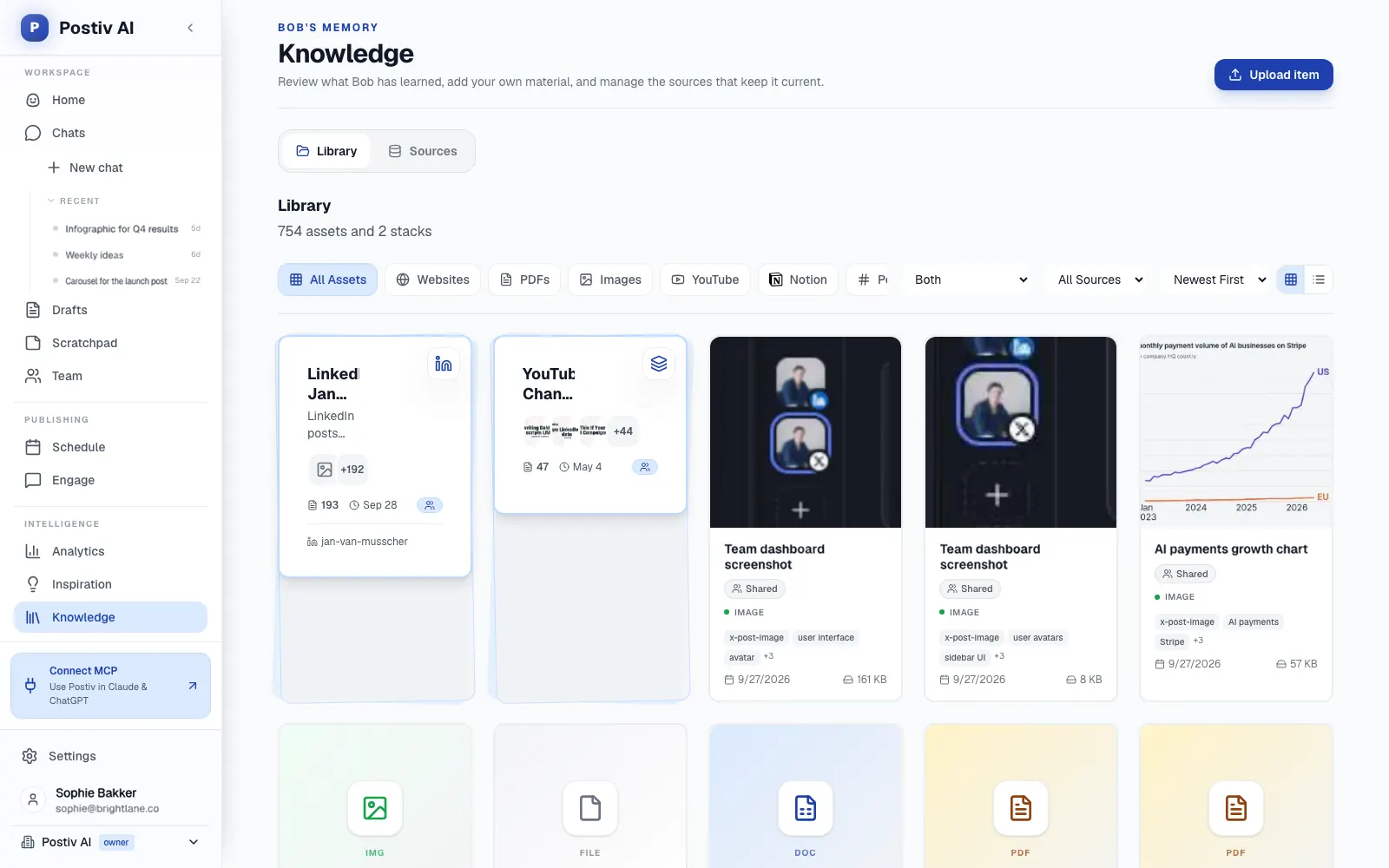
Postiv is a social workspace for you, your team and your AI agent. Bob, Postiv's planning and writing agent, plans each week's posts from your content pillars, sources and past results, and the rest of the workspace holds the calendar, drafts, approvals, inbox and analytics. As a scheduler, Postiv puts every profile, Company Page and channel on one calendar. It publishes to LinkedIn profiles, Company Pages and X accounts, and LinkedIn posts go out through LinkedIn's official API: no password, no session cookie, no scraping and no browser automation.
Scheduling and calendar
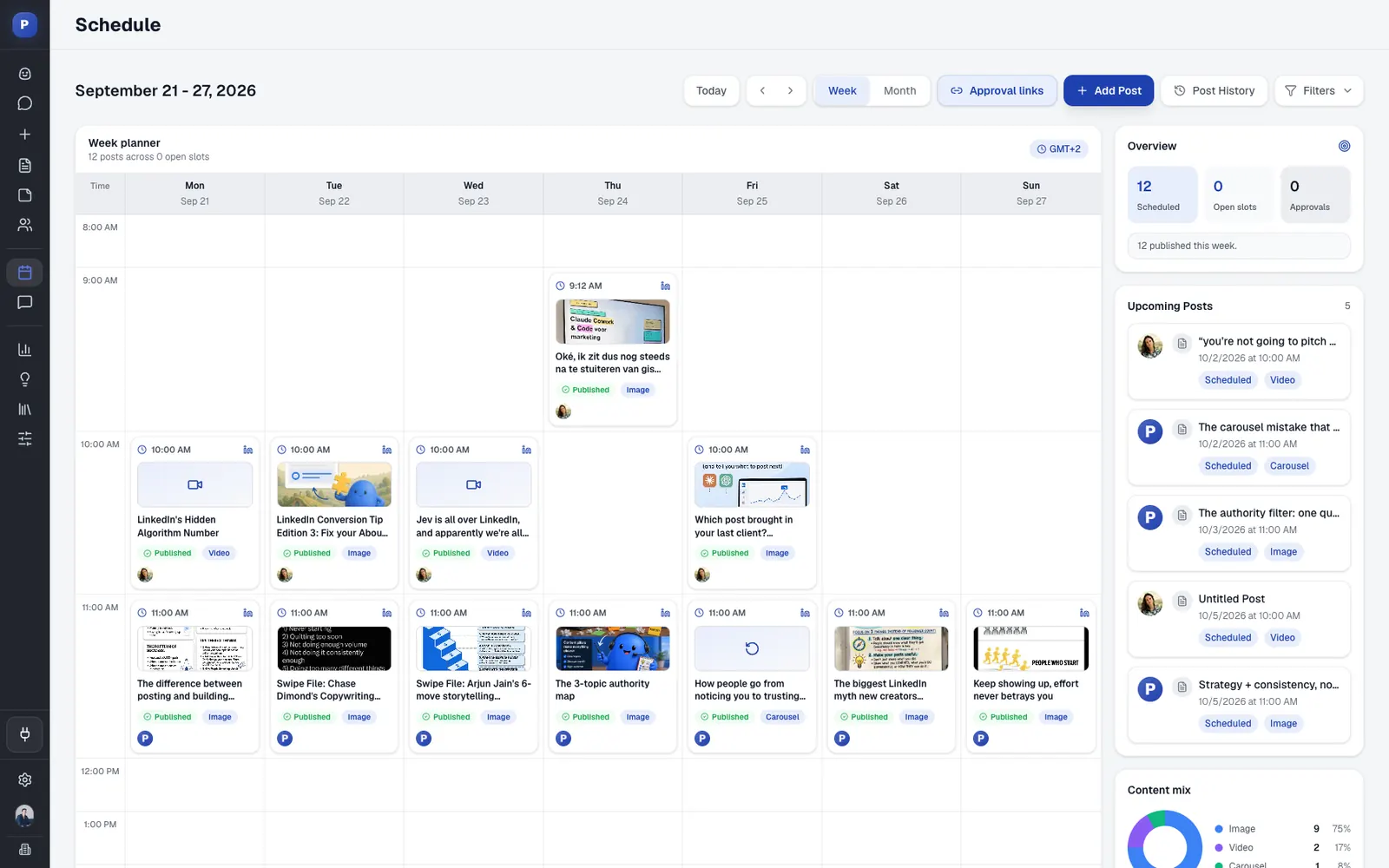
- Week and month views with posting slots per profile. Empty slots show up as Add post, Add to next slot drops a post into the first free one, and you can drag a queued, scheduled or waiting-for-approval post to a new day or time.
- LinkedIn profiles and Company Pages take text, image, carousel (PDF document) and native video posts. On X you can schedule single posts, threads, images and X Articles.
- An automatic first comment, called Comment Plug, goes up 2 minutes or more after the post is live, with up to five comments per post.
- Preview a post the way it will look on LinkedIn, mention people and Company Pages with @, and keep editing right up to publish time.
- A weekly overview shows how many posts are scheduled, how many slots are still open, how many wait for approval and the mix of text, image and carousel posts.
- Temporary LinkedIn errors are retried automatically, and if a connection expires you get an email asking you to reconnect.
Approvals and teams
- Add approvers to a profile or page, and every scheduled post waits until each approver has approved it. Approvers can approve, request changes or deny. Edit a post after approval and it goes back for review, and a post still waiting at its scheduled time does not publish.
- Approvers are set per profile, so the Company Page can need sign-off while a founder's own profile does not.
- Send a client a review link. They read the post and approve or comment without a Postiv account.
- Every profile and Company Page sits in one team workspace with roles, approvers per profile and a Team Hub. Teammates draft, approvers sign off and the calendar publishes.
- Agencies give each client its own workspace, so drafts, brand and approvals never mix between accounts.
Planning, drafting and visuals
- Bob proposes a week with one idea per posting slot, tied to your content pillars (up to five active per profile), and each idea has a Create post button. Your knowledge base (website, documents, YouTube, Notion and newsletters) and an inspiration library of LinkedIn posts taking off in your niche sit in the same workspace.
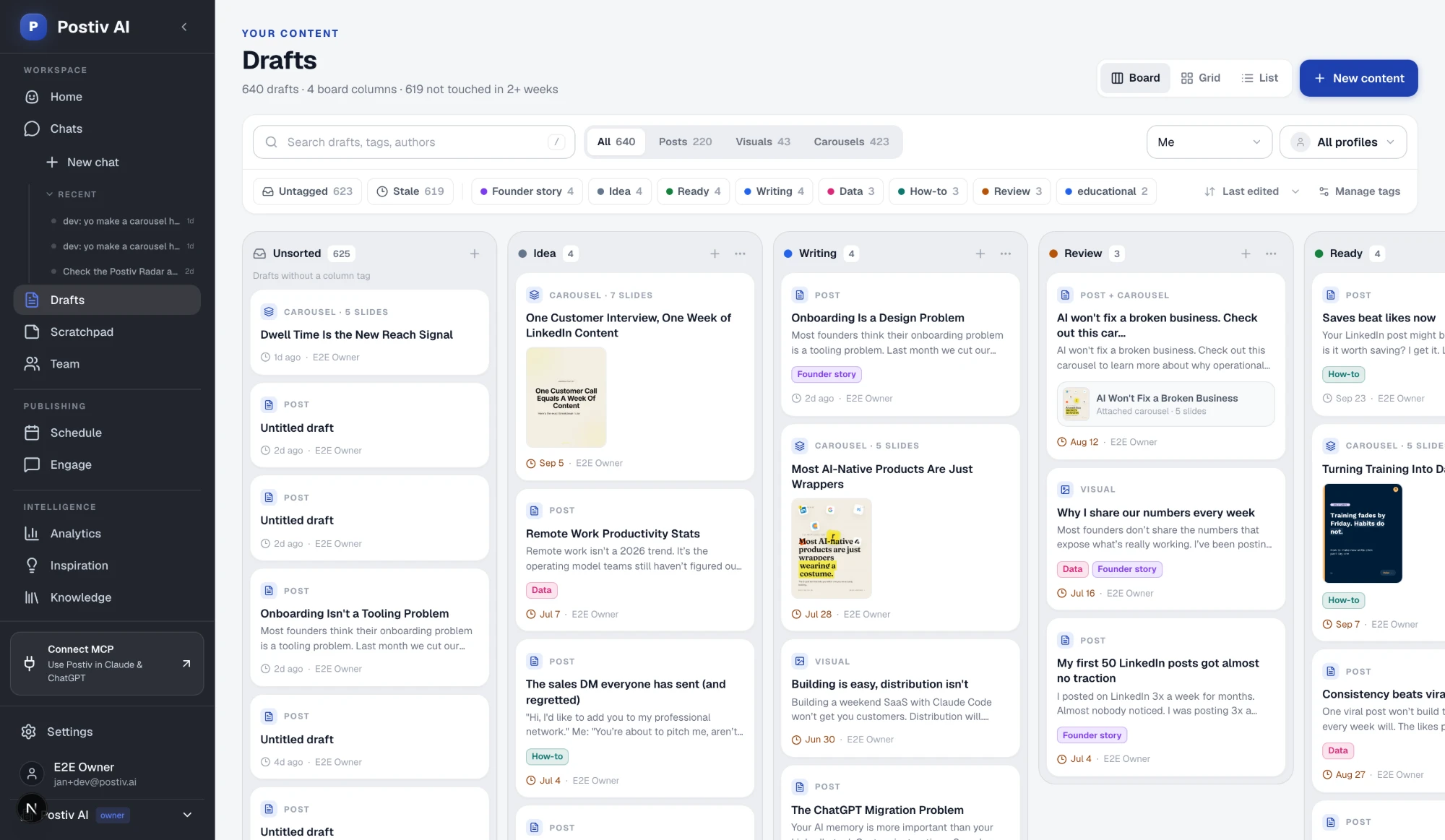
- The Drafts board moves each post through Idea, Writing, Review and Ready, so the calendar fills from a visible pipeline.
- Posts, carousels, images and infographics are built on your brand, and Bob drafts them with you rather than for you.
Engagement and analytics
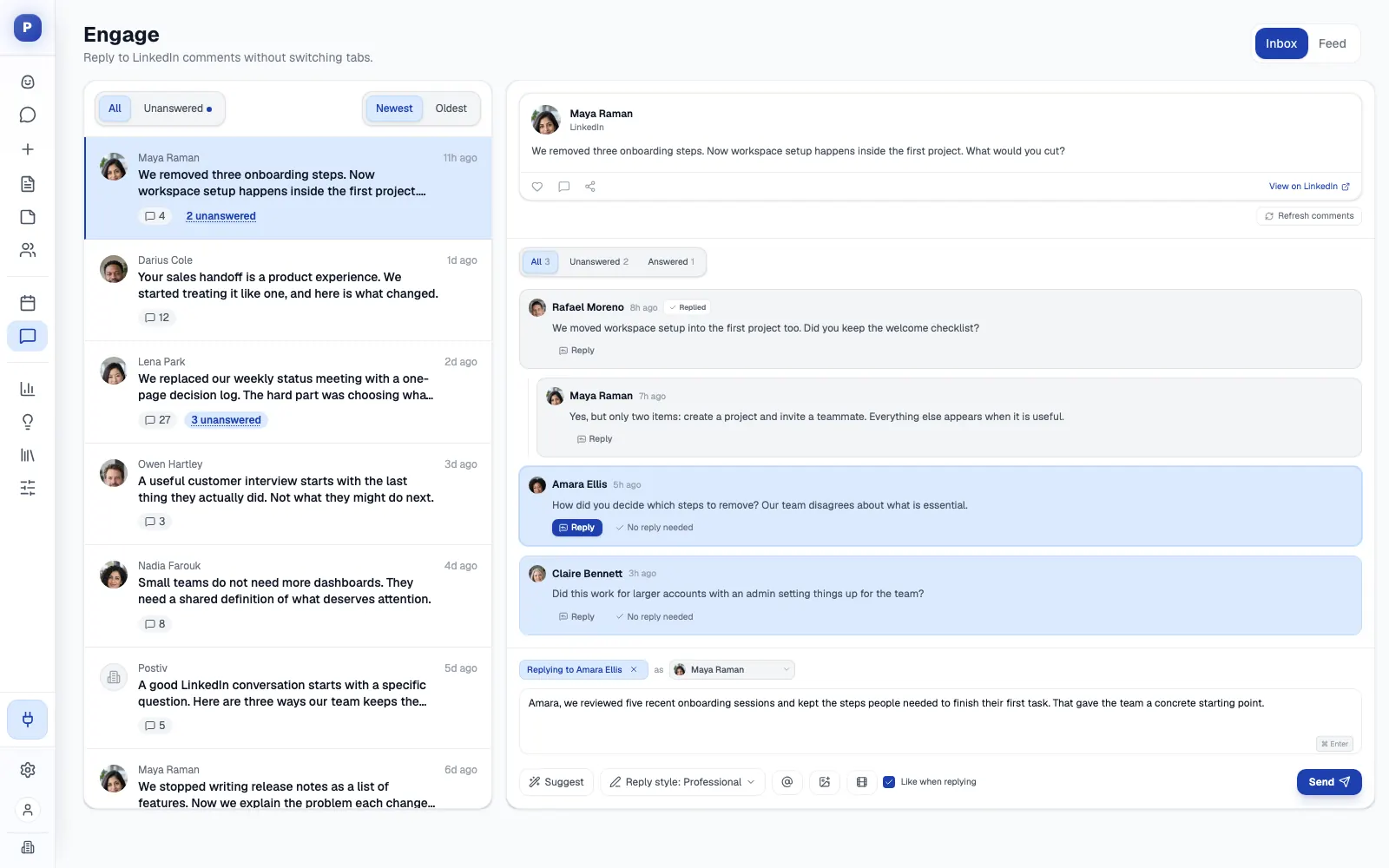
- The Engage inbox shows every comment on every profile in one place, next to a feed of the people you want to reach.
- Reach, engagement and followers show per post and per profile in Postiv's LinkedIn analytics, so next week's plan starts from what worked.
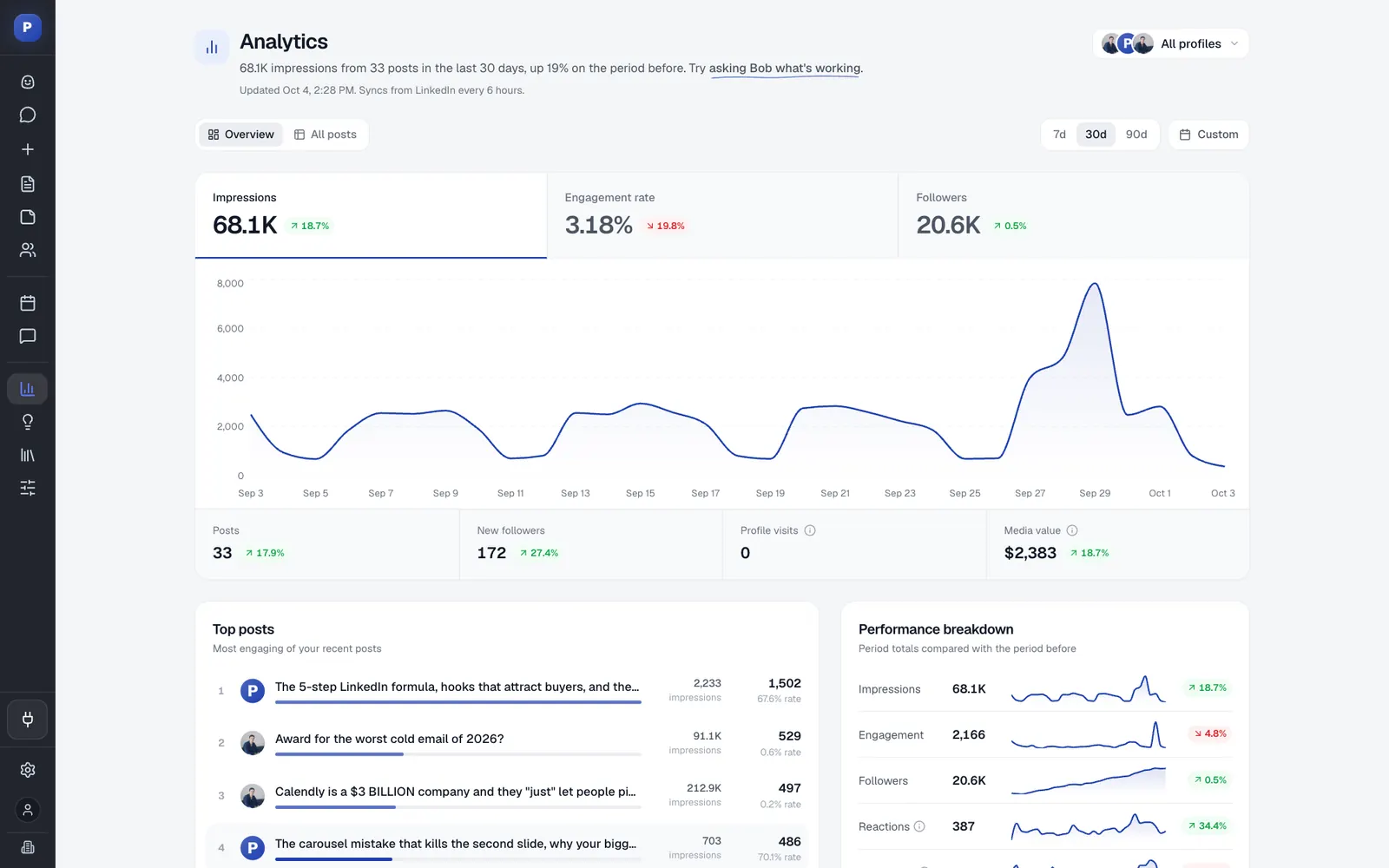
Postiv also runs a hosted MCP server at https://postiv.ai/mcp, so Claude, ChatGPT and other AI apps can work in the same workspace under the same approval rules.
Good first workflow: Connect your LinkedIn profile and the Company Pages you admin, then set posting days and times for each. Ask Bob to plan next week and review the ideas, move the ones you like through the Drafts board and drag the finished posts into open slots. Add an approver to the Company Page before you schedule anything. After publishing, answer comments in the Engage inbox, and check the analytics at the end of the week.
Setup and plan notes: Postiv has a 7-day free trial. You connect LinkedIn through LinkedIn's own sign-in screen, so no password is shared, and Company Pages appear as publishing targets where your LinkedIn account is an administrator. Approvers are part of the Team plan. Agencies run each client in a separate workspace, so a client's pillars, brand and drafts stay with that client.
Strengths:
- Planning, drafting, scheduling, engagement and analytics share one workspace, so a post keeps its context from idea to results.
- Approvals include review links for clients who have no Postiv account.
- One calendar covers founder profiles, Company Pages and client workspaces.
Limits:
- It is a paid product with a 7-day free trial.
- It is built for content, not outreach: no direct messages or connection requests.
- Analytics are scheduled imports, not live reads.
2. Buffer
Best for: solo founders, consultants and small teams that post to many channels and want a simple queue and calendar.
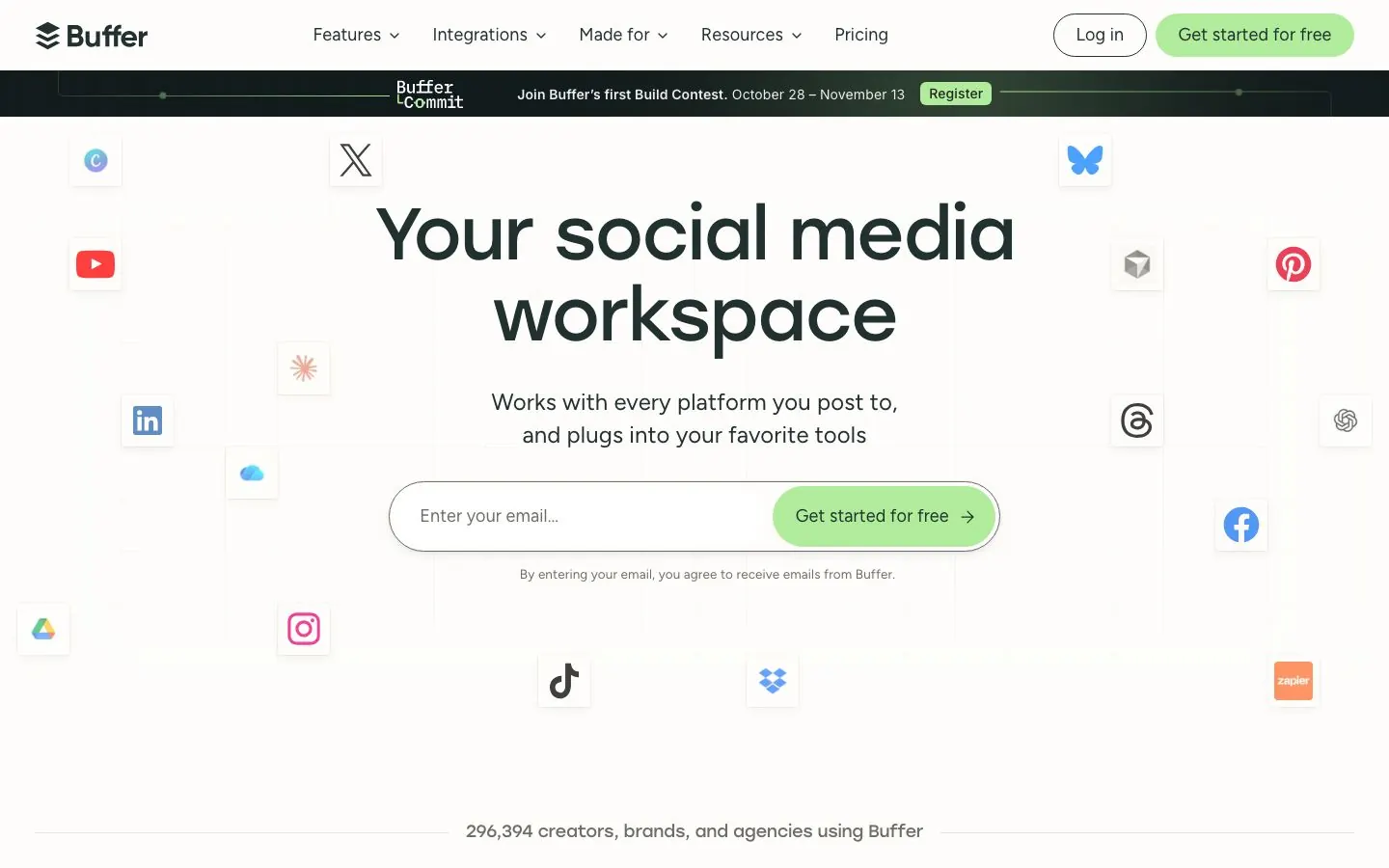
Buffer is a general multi-platform scheduler built around a queue, a visual content calendar and a board view. LinkedIn is one of its channels, not its focus. Its page lists twelve: Bluesky, Facebook, Google Business Profile, Instagram, LinkedIn (profiles and pages), Mastodon, Pinterest, Substack, Threads, TikTok, X and YouTube, plus a Start Page that counts as a channel. Much of what a small team needs is on every plan, the free one included: the calendar, an ideas inbox, a browser extension, an AI Assistant, Insights and a community inbox.
For LinkedIn, Buffer's channel table treats Pages and profiles differently. Pages get automatic publishing, basic and advanced analytics and community engagement. Profiles get automatic publishing and community engagement, with basic analytics only. Our Buffer alternatives guide covers where teams outgrow it.
What it does well for B2B teams:
- A mature queue, visual calendar and board view on every plan, so one owner can keep a steady rhythm.
- First-comment scheduling for LinkedIn posts on Essentials and Team, which keeps a link out of the post body.
- A community inbox on all plans for replying to comments on LinkedIn, Instagram, Facebook and more, with saved replies, AI reply suggestions and a way to turn comments into posts.
- On Team: unlimited team members, approval workflows, custom permissions that set which channels each member can use, and branded reports.
- Integrations on every plan, Free included, that let Claude, ChatGPT and Codex, Cursor and Perplexity manage the queue and draft posts, plus Zapier, Make, n8n and others.
Good first workflow: Connect your LinkedIn profile and Company Page along with the other channels you use, and fill a week of the queue from the ideas inbox. Bring visuals in through the Canva or Unsplash import, since Buffer has no native image or carousel builder.
Setup and plan notes: Buffer has a permanent Free plan (up to 3 channels, 10 scheduled posts per channel, 1 user and 30 days of Insights history) and paid Essentials and Team plans, with a 14-day free trial on the paid ones. Billing is per channel. Free and Essentials are single-user, so a second person means Team, which also brings approvals. Agencies pay per channel, not per client, and no client-isolated workspaces are listed. For free options built for LinkedIn, see our guide to free ways to schedule on LinkedIn.
Strengths:
- A permanent Free plan, with an AI Assistant on every plan.
- Assistant integrations on all plans, so Claude or ChatGPT can queue drafts from day one.
Limits:
- No dedicated carousel or slide builder and no native image creator; it relies on Canva, Unsplash and cloud-drive imports.
- No knowledge base, and the AI is a general assistant, not trained on your documents.
- Approvals need the Team plan, and the plans below it are single-user.
3. Hootsuite
Best for: larger social teams that manage many networks and want an inbox, benchmarking and listening in one suite.
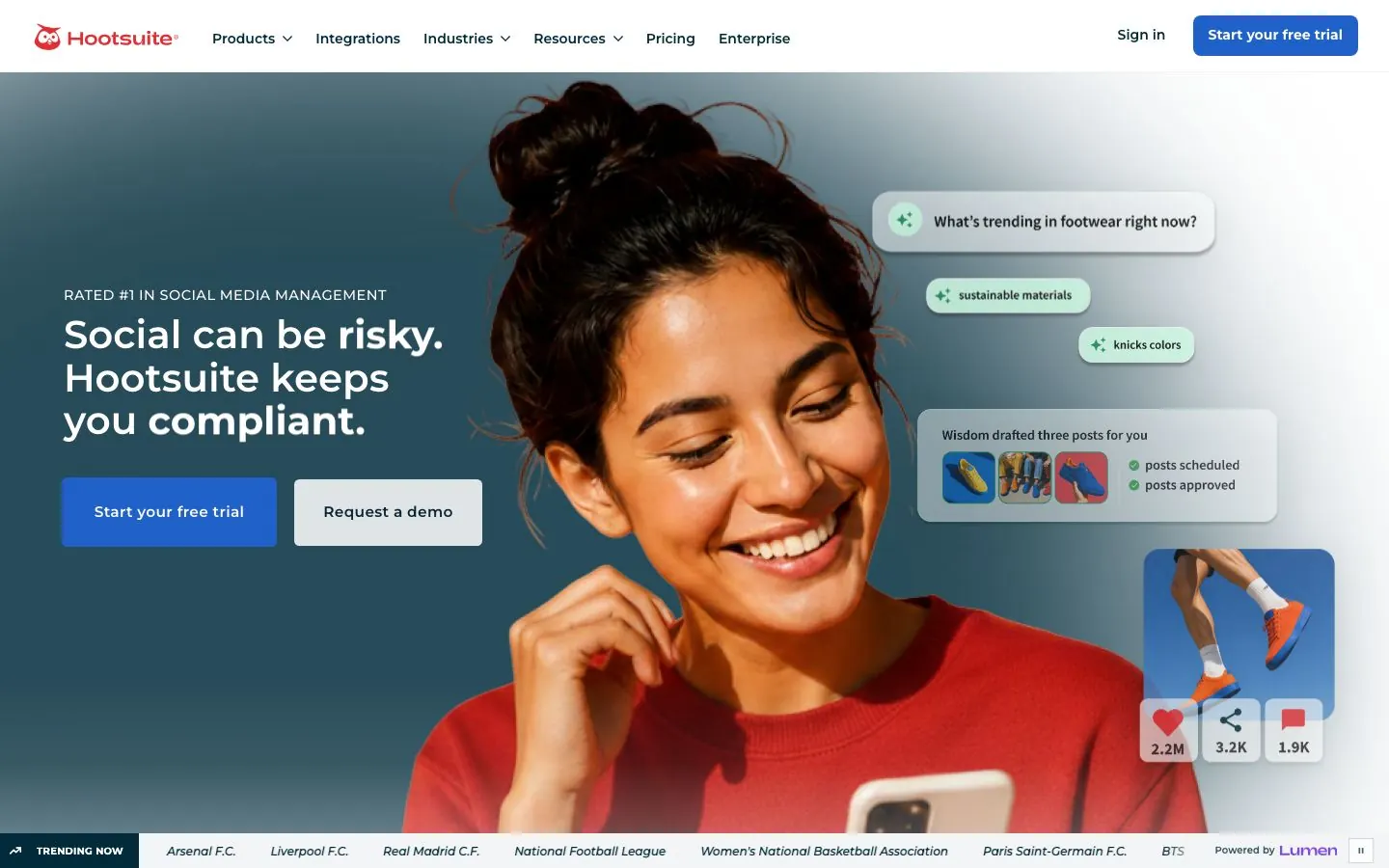
Hootsuite is a broad social media management suite. Its plan page lists Facebook, Instagram, LinkedIn (pages and profiles), X, TikTok, Pinterest and YouTube for publishing, plus social ads publishing on Facebook, Instagram, LinkedIn, X and Reddit. LinkedIn is one network among many. The suite is organized around the whole social operation: a content calendar with recommended posting times and a shared inbox on every plan, and reporting and listening tiers above that.
The plans are Standard, Professional, Advanced and Enterprise. Standard covers up to 10 social accounts, and the three above it are unlimited. Billing is per user, and you buy as many seats as the team needs. If it looks like more suite than you need, our Hootsuite alternatives list is the next read.
What it does well for B2B teams:
- A centralized inbox on all plans, with messages you can assign to teammates and collision avoidance so two people do not answer the same comment.
- Reporting that covers post performance and multi-network views, with industry benchmarking and competitive benchmarking (5 competitors on Standard, 20 on Advanced).
- Social listening in tiers: 7 days of Quick Search history on Standard, 30 days on Advanced, and 13 months plus a Talkwalker integration on Enterprise.
- Approval workflows, listed first on Advanced.
- Bulk scheduling of up to 350 posts by CSV upload on Advanced and Enterprise.
- Enterprise-only extras: SSO, a Proofpoint compliance integration, the Amplify employee advocacy product and custom user access permissions.
Good first workflow: Connect your LinkedIn Pages and profiles with the other networks, and set up the shared inbox so each comment has an owner. Build one monthly calendar and use the competitive benchmark report to see how your page compares with rivals. Add approvals once more than a few people write content, which means the Advanced plan.
Setup and plan notes: Hootsuite has no permanent free plan. It offers a 14-day free trial with no credit card required; trial accounts have daily posting limits of 10 to 20 posts per organization depending on the plan, and bulk scheduling is not available during the trial. Multi-user collaboration and departmental permission management are on all plans, while custom access permissions are Enterprise only. There are no client-isolated workspaces.
Strengths:
- Inbox, benchmarking and listening sit in one suite.
- Enterprise options for SSO, compliance and employee advocacy.
Limits:
- No native LinkedIn carousel or document designer; Canva and Adobe Express are external tools.
- The AI assistant is general-purpose, with no knowledge base for your own documents.
- Approvals start on Advanced, and there are no client-isolated workspaces.
4. Sprout Social
Best for: brand, communications and customer-care teams that need engagement, reporting and compliance across many networks.
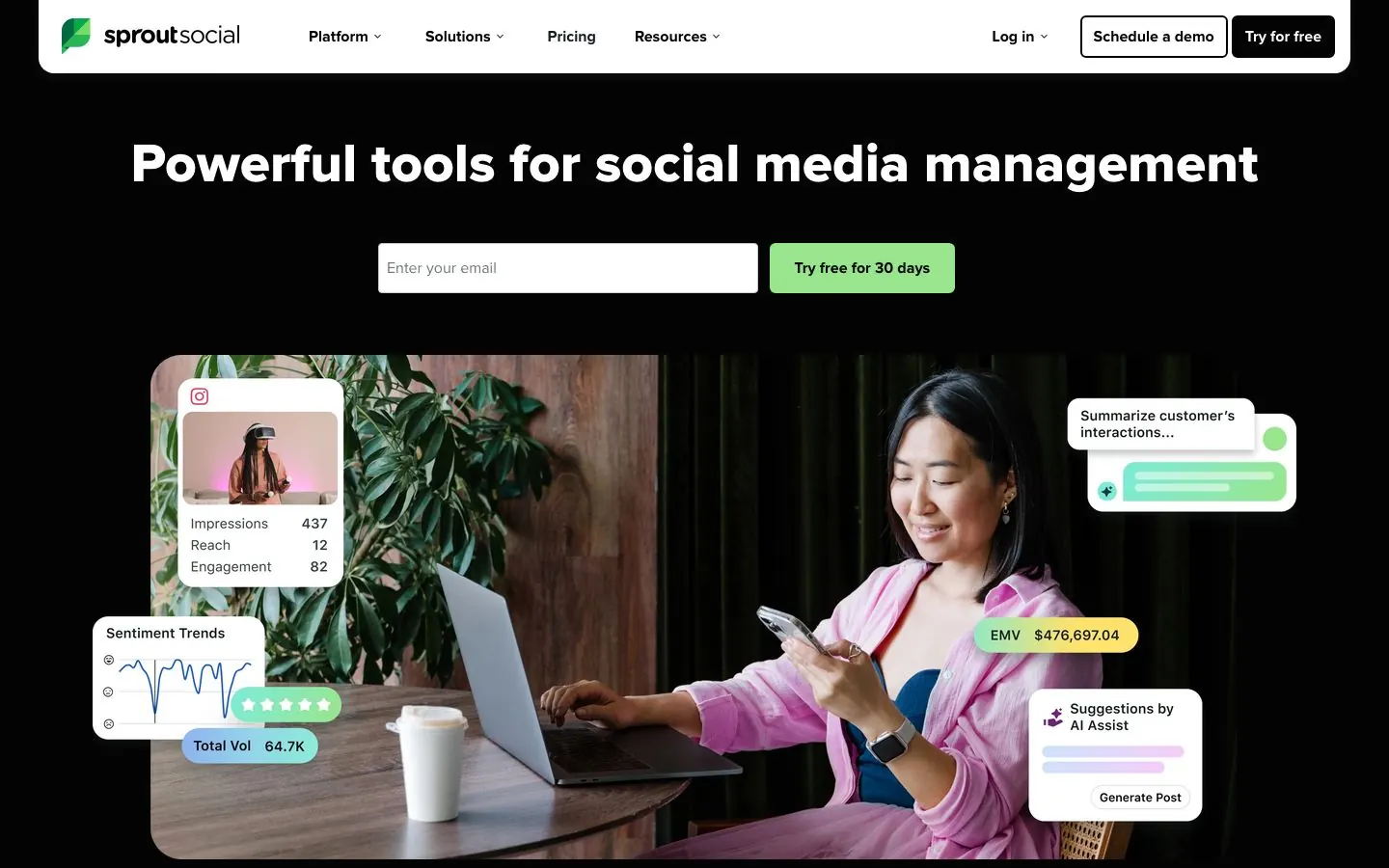
Sprout Social is a premium suite for large social operations: publishing, a unified inbox, reporting, listening and employee advocacy. It lists Facebook, X, Instagram, LinkedIn, Threads, Pinterest, TikTok, YouTube, WhatsApp, Reddit, Bluesky, Google Business Profile, TripAdvisor, Glassdoor and Yelp. LinkedIn Company Pages and personal profiles are both supported, and both count against a plan's profile limit: 5 on Essentials and Standard, unlimited from Professional.
Pricing is per seat across the plans Essentials, Standard, Professional, Advanced and Enterprise. Premium Analytics, Listening and Employee Advocacy are add-ons sold separately.
What it does well for B2B teams:
- A collaborative content calendar with optimal send times in compose and a pause-all queue on every plan.
- An approval ladder: a message approval workflow on Professional and above, and an external approval workflow on Advanced and above where outside stakeholders review without logging in to Sprout. Approvals for replies arrive on Advanced.
- An inbox from Standard; Essentials covers publishing and reporting only.
- Group, profile and post-level reporting on all plans, with scheduled report delivery and BI-tool integration from Advanced.
- Advanced permissions from Professional, plus feature visibility controls and IP whitelisting from Advanced.
- The Trellis AI agent on all plans with 100 credits per seat each month, and a Sprout API on Advanced and Enterprise.
Good first workflow: Connect the Company Page and the profiles of the people who post for it. Set up approvals before the first scheduled post: internal review for the content team, and external review for legal or leadership who should not need a Sprout login. Then use the group report to compare profiles side by side.
Setup and plan notes: Sprout offers a 30-day free trial with no credit card required, plus a free custom demo. There is no free plan. Buy as many seats as you need, and each seat gets its own monthly AI credits. Client workspaces are not described on the pricing page, so agencies should ask about them. Canva Design Importer and Canva Draft Publisher are on all plans, and there is no native carousel designer.
Strengths:
- An approval ladder that reaches outside reviewers without a login.
- A wide network list that includes review sites such as TripAdvisor, Glassdoor and Yelp.
- Reporting at group, profile and post level on every plan.
Limits:
- Per-seat billing means every teammate who publishes needs a seat.
- Competitor reports cover Facebook, X and Instagram, not LinkedIn.
- The AI is general-purpose rather than trained on your voice, and carousels are designed outside Sprout.
5. Agorapulse
Best for: social media managers and agencies that live in the inbox and in reporting, and need client sign-off.
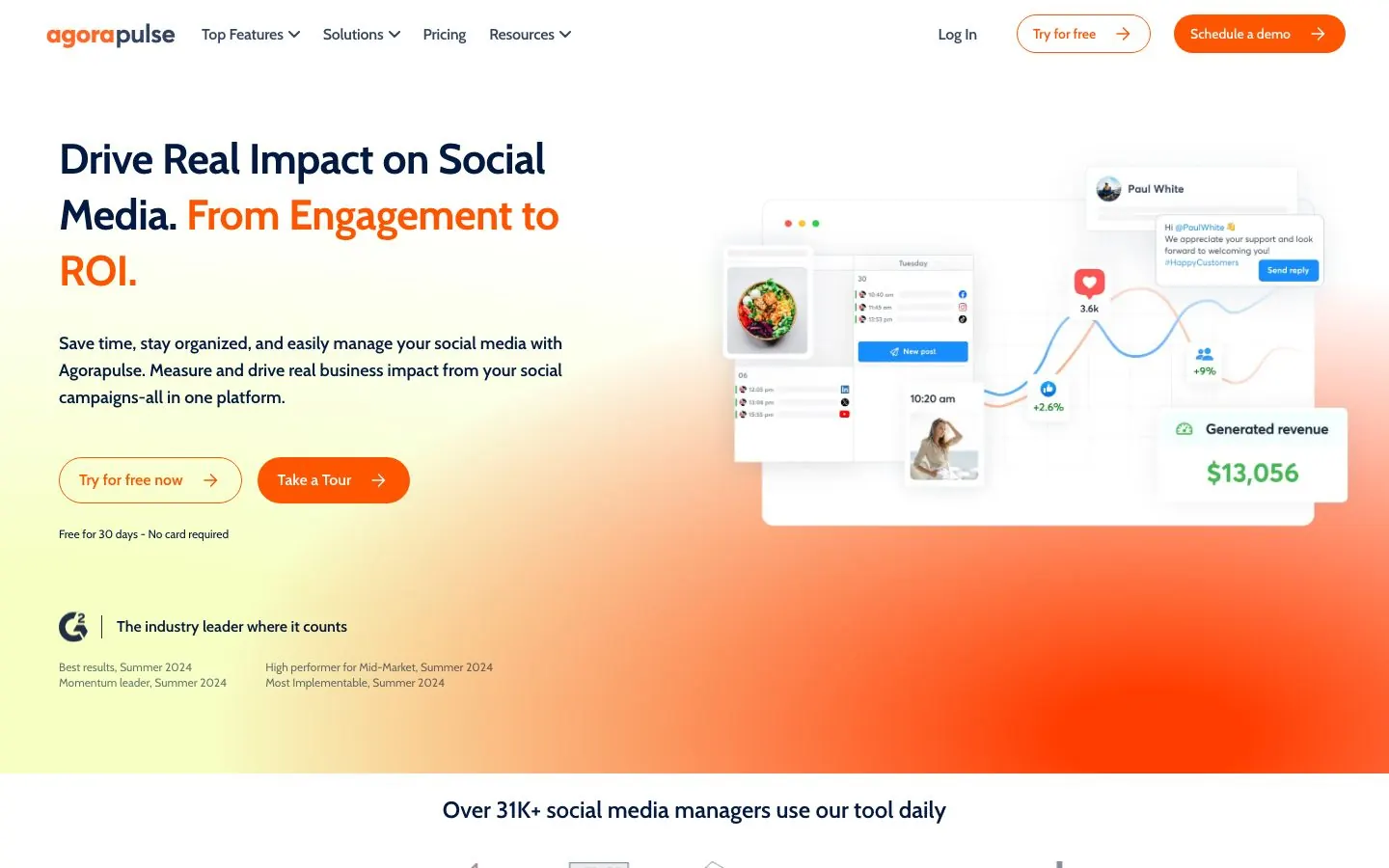
Agorapulse is a per-user suite for publishing, a unified inbox and reporting. It lists Facebook, Instagram, LinkedIn, X, TikTok, YouTube, Threads, Pinterest, Bluesky and Google Business Profile, with separate X Lite and X Plus add-ons. The three self-serve plans, Standard, Professional and Advanced, each cap you at 10 profiles, and Custom is unlimited. LinkedIn Company Pages and personal profiles both count as profiles.
Approvals are where the tiers matter. Standard has none. Professional and Advanced have one-step approvals, where you route a post to teammates or clients, with an Everyone must approve toggle and internal comments. Advanced adds bulk approve and Shared Calendars, which let outside reviewers approve, reject, comment and send posts back without an Agorapulse account. Multi-step approval chains are on Custom only.
What it does well for B2B teams:
- LinkedIn documents scheduled as carousel posts, a first comment from Professional, and bulk scheduling of up to 200 posts by CSV on Advanced.
- An inbox for replying to and moderating LinkedIn comments on all plans, plus LinkedIn organic and paid analytics in one report.
- White-label reporting and branded exports on all plans, team performance reports from Professional and competitor benchmarking on Advanced.
- Workspaces with profile-level access restrictions on all plans, a Profile Connector from Advanced for inviting clients or executives to connect their own profiles, and custom roles and SSO on Custom.
- An official MCP connector, in beta, for Claude, ChatGPT and Microsoft Copilot Studio. It reads inbox items and analytics, replies, and creates draft posts.
Good first workflow: Create one organization, connect the Company Page and the executives' profiles, and restrict each teammate to the profiles they own. Turn on one-step approvals if you are on Professional or Advanced. For a client, create a Shared Calendar on Advanced so they can review scheduled posts without a seat.
Setup and plan notes: Agorapulse has a 30-day free trial with no credit card required. Its pricing page also mentions a free plan inconsistently, so check there before you assume one. Billing is per user, and extra profiles beyond 10 are an add-on. Only Owners, Co-owners and Managers can create Shared Calendars, and people using one cannot see drafts or queued posts. The MCP connector needs a paid Claude or ChatGPT plan and an Owner or Admin role.
Strengths:
- Inbox and reporting are the core of the product, with white-label reports on every plan.
- No-account client sign-off through Shared Calendars from Advanced.
- An MCP connector that respects inbox approval rules when it replies.
Limits:
- Per-user billing multiplies with every teammate, and Standard has no approvals.
- Multi-step approvals are Custom only.
- The MCP connector can draft posts but not publish them, and no in-app slide designer is shown.
6. Metricool
Best for: agencies and social managers who run many small brands and care about analytics and competitor tracking.
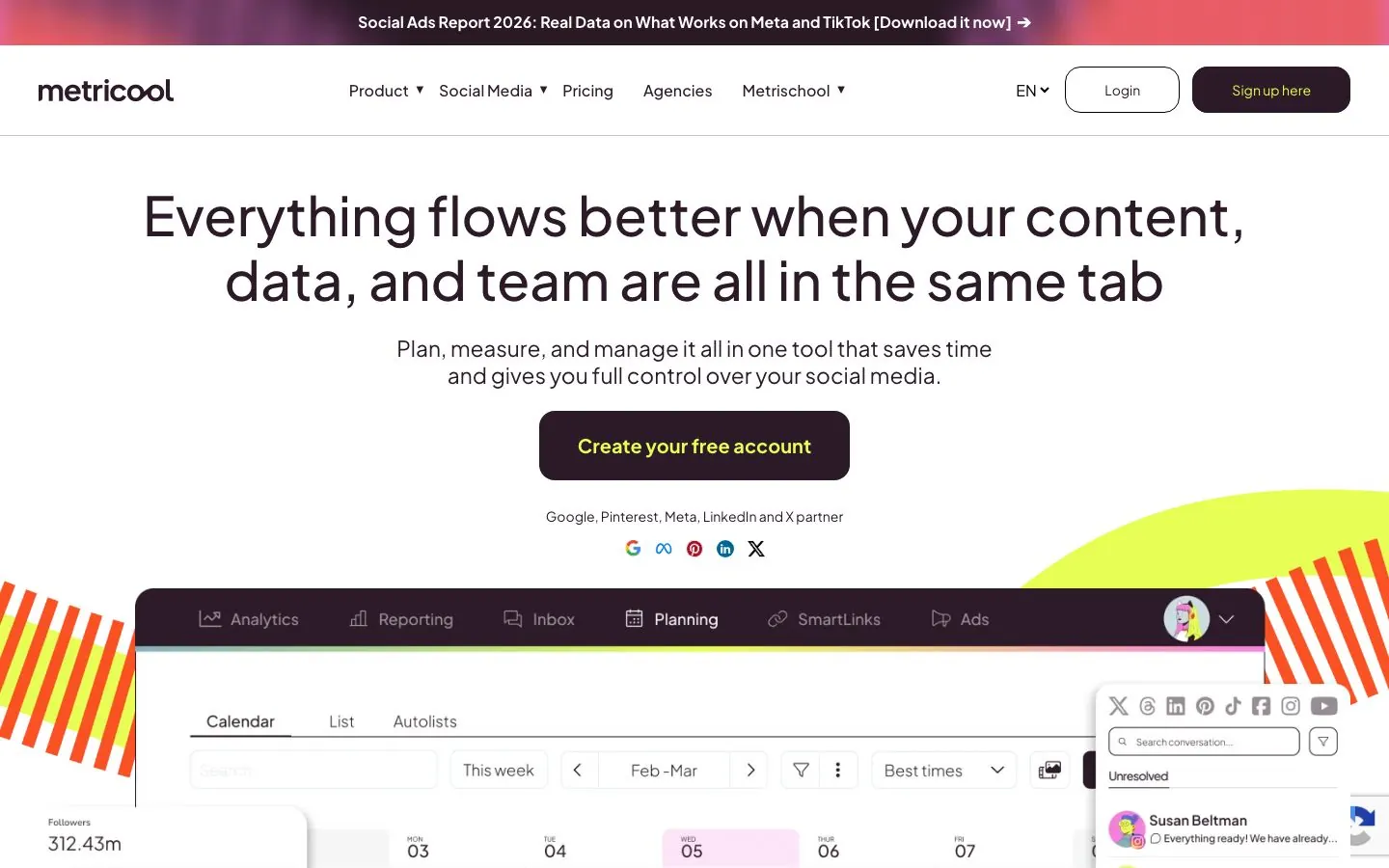
Metricool is an analytics and planning suite priced by the number of brands rather than seats. A brand is a business or client, and each brand holds one profile per network. The list is Facebook, Instagram, Threads, X (a paid add-on), Bluesky, Pinterest, TikTok, YouTube, Twitch, LinkedIn, Google Business Profile, plus ad accounts for Meta, Google and TikTok Ads and websites.
Check LinkedIn before you commit. The Free plan covers one brand and leaves out LinkedIn and X, and LinkedIn is available from Starter (up to 10 LinkedIn accounts) and Advanced (up to 50). Once connected, you can manage personal and business accounts together and schedule images, video, PDFs as document posts, polls, mentions and previews.
What it does well for B2B teams:
- Unlimited analytics history from Starter, with competitor analysis, PDF and PPT reports, and customizable report templates plus a Data Studio connector on Advanced.
- A post approval system on Advanced and Custom, where clients and team members can approve or suggest edits from the planner.
- Team members and roles on Advanced, with collaborators scoped to a single brand so one client never sees another.
- An official Metricool MCP on all plans, with 20+ tools for analytics, best time to post, scheduling and updating posts, competitors and ads, for Claude Code and Desktop, Cursor and ChatGPT.
- Best-time-to-post suggestions and an AI assistant with a monthly credit pool per brand.
Good first workflow: Create a brand per client or business unit and connect its LinkedIn account on Starter or above. Schedule a PDF carousel as a document post, then give the client a collaborator login for their brand only. At month end, export a PDF report and compare the brand with its tracked competitors.
Setup and plan notes: The plans are Free, Starter, Advanced and Custom, and the free plan replaces a trial, so the pricing page shows no trial length. Free includes 20 scheduled posts a month and 30 days of analytics. Team members are not on Free or Starter. Whether a client can approve without a Metricool account is not stated, so check their docs. MCP access is listed on every plan, with limits that may apply on Free and Starter. White label is on Custom.
Strengths:
- Brand-based plans suit agencies with many small clients.
- Analytics and competitor tracking are the core strength.
- MCP access is listed on every plan.
Limits:
- LinkedIn is not on the free plan, and X is a paid add-on.
- No native carousel designer; PDFs are scheduled, not designed.
- Approvals, team seats and API all need Advanced.
7. Later
Best for: brand and e-commerce teams that lead with Instagram and TikTok and also post on LinkedIn.
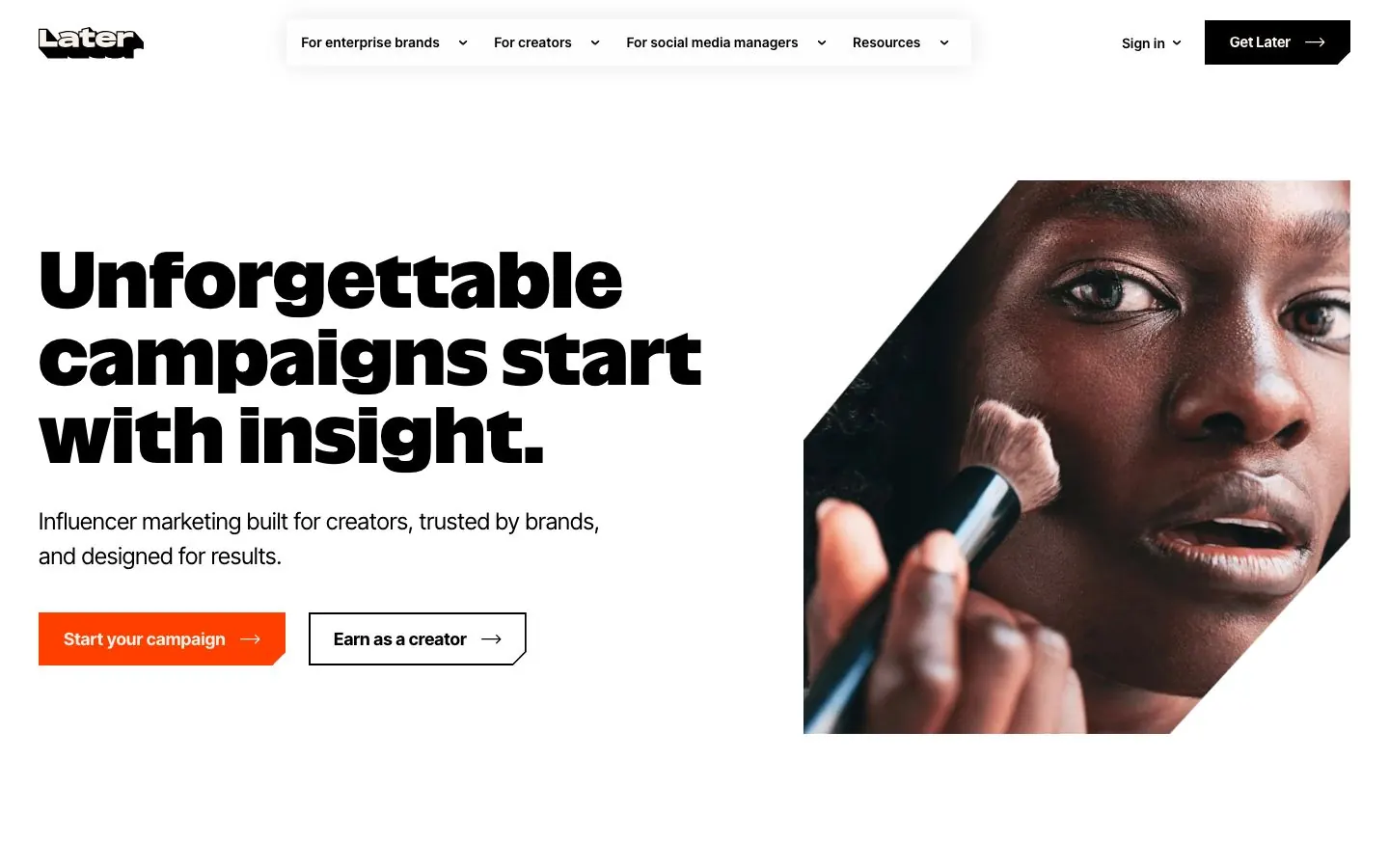
Later is a visual-first scheduler sold by social set, where one set holds one profile on each network. It supports eight networks: Instagram, Facebook, Threads, Pinterest, TikTok, LinkedIn, YouTube and Snapchat. Its homepage now leads with influencer marketing, with social management as one of several offers, and the planner is strongest for Instagram, TikTok and Facebook.
For a B2B team, the details around LinkedIn matter most. Auto publishing to LinkedIn is supported, but the pricing page does not say whether that means personal profiles, Company Pages or both. It lists best-time-to-post only for Instagram, Facebook and TikTok, and no LinkedIn analytics appear in the plan comparison. The plans are Starter (1 set), Growth (2 sets) and Scale (6 sets), which means one, two and six LinkedIn profiles.
What it does well for B2B teams:
- A visual planner with drafts and multi-profile scheduling.
- A Content Approval Workflow on Growth and Scale, plus an External Comment Workflow that gathers feedback from stakeholders through a shared link without a Later account.
- Access Groups that share and limit access to profiles, each with its own media library and calendar. Starter has one, Growth and Scale have unlimited.
- Caption Writer and Ideas tools, with monthly AI credits that rise by plan.
Good first workflow: Give each brand its own social set and Access Group on Growth, then schedule from the visual planner. Before publishing, send the stakeholder link so reviewers can comment without a login. If LinkedIn is your main channel, test a LinkedIn post and look for the analytics you need during the trial.
Setup and plan notes: Later has a 14-day free trial, and its pricing page does not say whether a card is required. There is no free plan. Starter has one user and cannot add more, Growth has two users and Scale has four, and extra users are an add-on on Growth and Scale. Starter caps scheduled posts per profile per month, which includes LinkedIn, and approvals start on Growth. There is no MCP or API shown.
Strengths:
- Approvals with outside feedback from the Growth plan.
- Unlimited Access Groups on Growth and Scale.
Limits:
- LinkedIn is one profile slot in an eight-network set, with no LinkedIn analytics or best-time suggestions shown.
- No carousel designer, and the AI writing is aimed at Instagram captions.
- Starter's single user and monthly post cap bite quickly for a team.
8. Sendible
Best for: agencies and multi-location brands with many reviewers who want workspaces rather than per-seat billing.
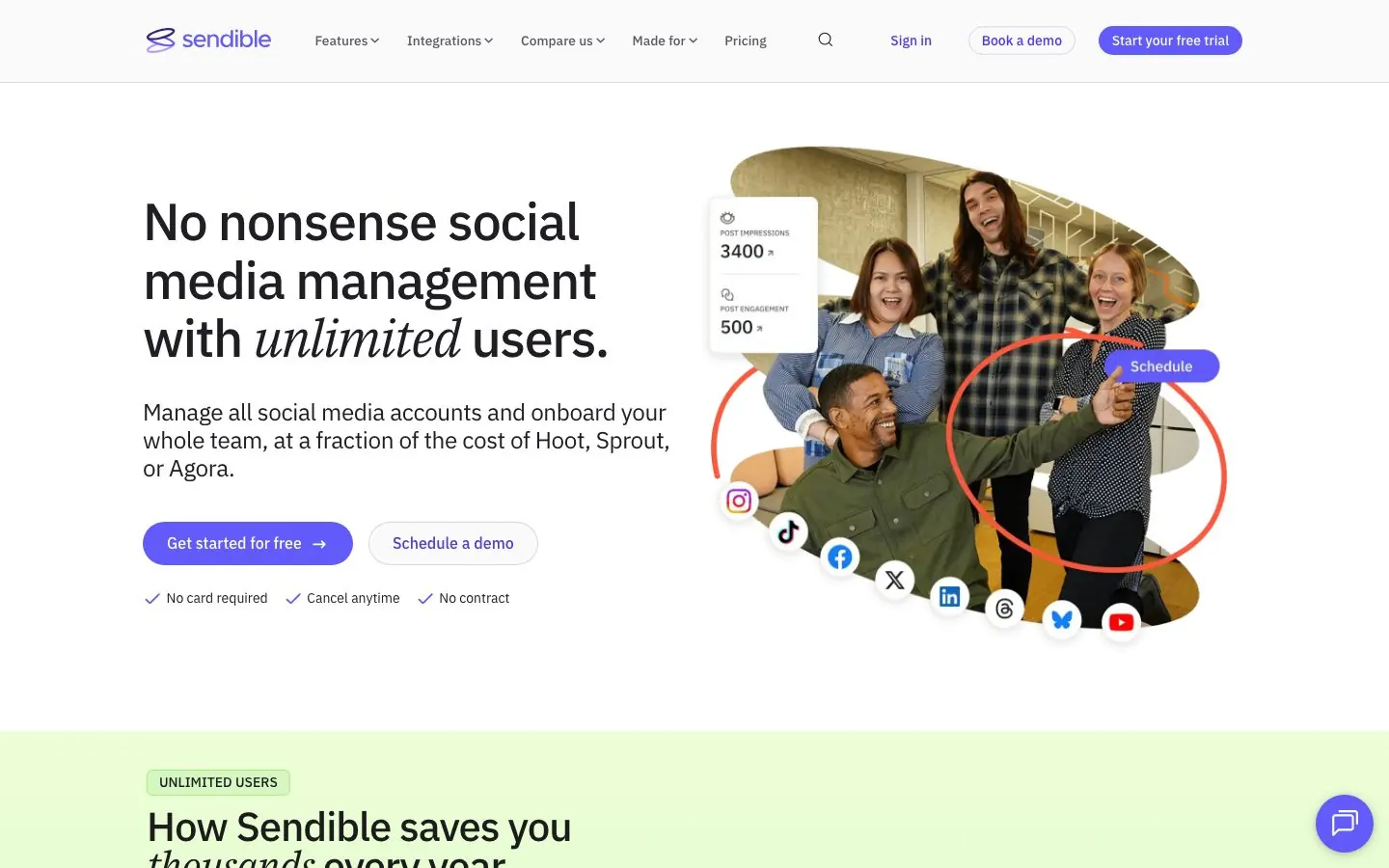
Sendible is an agency-focused tool priced by workspace bundle. Each workspace is a dedicated space for one client, location or brand, with its own profiles, settings, content, calendar and reports, and holds 6 profiles. Every plan includes unlimited users, which the page says covers team members, freelancers, stakeholders and clients. Channels are Instagram, Facebook, TikTok, X, LinkedIn, Google Business Profile, YouTube, WordPress, Threads and Bluesky.
The plans run Core (1 workspace), Plus (3), Premium (7), Elite (15) and Enterprise (50). That structure suits an agency that adds clients over time and does not want a seat count to grow with each reviewer.
What it does well for B2B teams:
- Assign posts for approval from Plus, and custom approval workflows from Premium that force approval on every post by chosen users, such as junior staff.
- Client dashboards on every plan, where client users preview and approve their own content, plus a Client Connect widget so clients link their own profiles without sharing logins.
- Scheduling to LinkedIn profiles and Company Pages, replies to comments on Pages, post previews and PDF carousels, with Canva as the design path.
- Custom branded reports with a report builder and scheduled email delivery from Premium.
- Permission groups from Elite, SSO on Enterprise, and a white-label option as a paid add-on on Elite and Enterprise.
- AI Assist with unlimited credits on every plan.
Good first workflow: Create a workspace for each client and add Client Connect so their LinkedIn page is linked without a password. Switch on assigned approvals on Plus, and invite the client as a user so they approve from their own dashboard. Put the monthly report on a schedule so it lands in their inbox.
Setup and plan notes: Sendible has a 14-day free trial with no card required, and no free plan. Clients approve inside a Sendible login, and a no-account approval link is not shown. Each workspace has a daily publishing cap. No MCP server or public API is described on the pricing page. Elite and Enterprise are the plans to look at if you need permission groups or white label.
Strengths:
- Unlimited users and unlimited AI credits on every plan.
- Workspace-per-client packaging with Client Connect.
Limits:
- Approvals start on Plus and custom workflows on Premium.
- Clients approve through a login, not a no-account link.
- LinkedIn depth is thin beyond posts, Page comments, PDF carousels and report-level analytics.
9. SocialPilot
Best for: freelancers and growing agencies that manage many accounts and need client approvals and white-label reports.
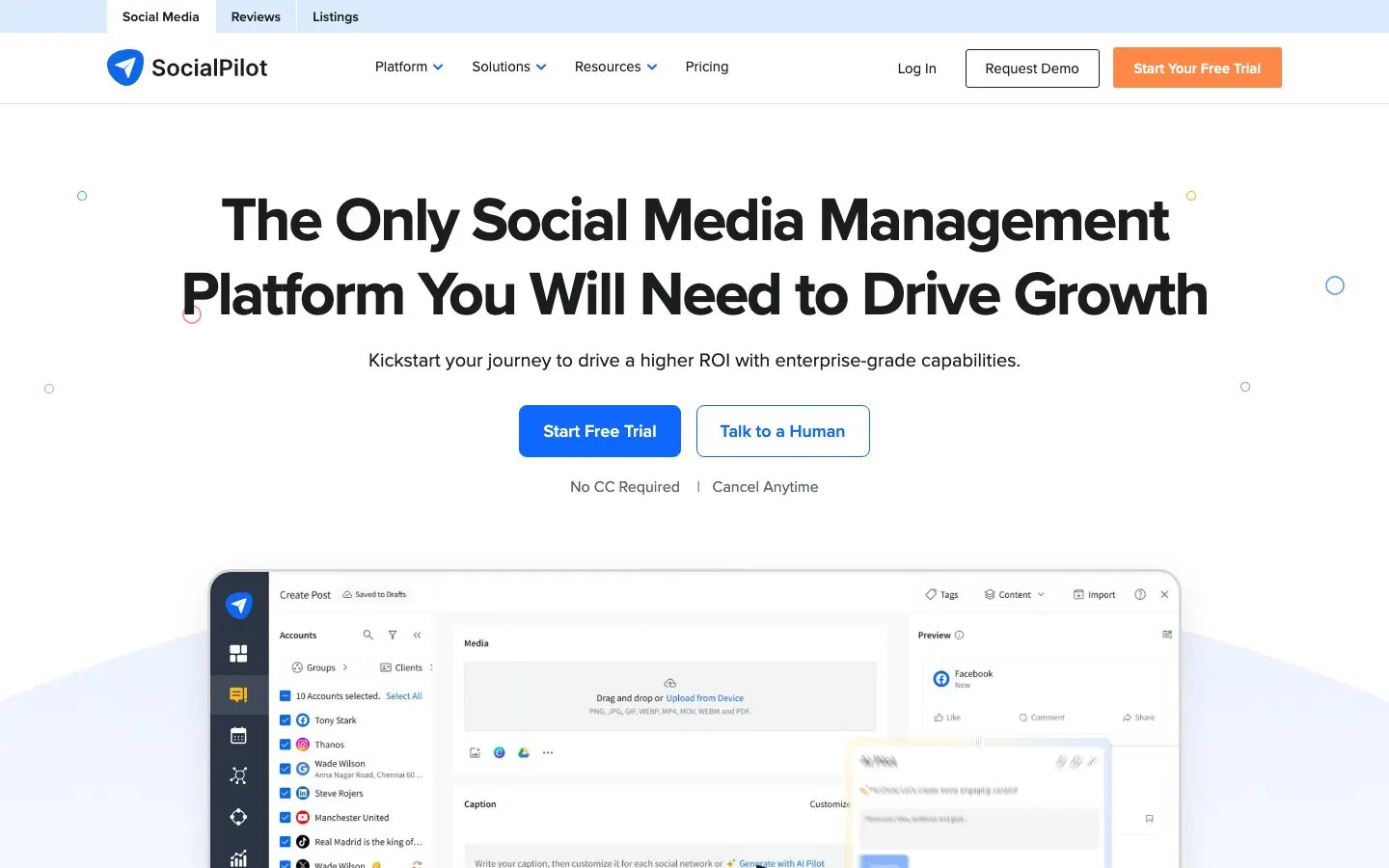
SocialPilot is a flat-rate scheduler for freelancers and agencies. Plans are Essentials, Standard, Premium, Ultimate and Enterprise, with a fixed number of accounts and user seats on each: 5, 10, 20, 40 and custom accounts. Its pricing table lists Facebook, Instagram, LinkedIn, X, Pinterest, Google Business Profile, TikTok, YouTube, Threads, Bluesky and others.
On LinkedIn it schedules to personal profiles and company pages, with images, documents, videos and GIFs, and document publishing and multi-image carousel posts (up to 30 images) on every plan. Bulk scheduling takes up to 500 posts from a CSV.
What it does well for B2B teams:
- Content approval and manager approval workflows from Standard, and client approval workflows plus client management from Premium.
- Clients can approve through an email link or Client Portal link without logging in, with the calendar and queued posts visible, and can comment or send posts back for edits.
- Unlimited client seats on Premium and above, so clients never use a user seat.
- Client groups and white-label reports from Premium, with advanced white label on Ultimate.
- An MCP server on every plan that creates and schedules posts, saves drafts for review and checks which posts are scheduled, published or failed, for Claude, ChatGPT, Cursor and others.
Good first workflow: Group each client's accounts on Premium, build the week as drafts and send the Approve On-the-Go link to the client. Once they approve, schedule the posts, and upload the carousel as a document. If you use Claude, connect the MCP server and let it draft posts, keeping an approval step before anything is scheduled.
Setup and plan notes: SocialPilot has a 14-day free trial with no credit card required, and no free plan. The MCP respects your SocialPilot role and account access, and it has no analytics, inbox or comment tools. A public API and SSO are Enterprise only. Single-step versus multi-step approvals is not described, so ask during the trial.
Strengths:
- LinkedIn documents and carousels on every plan.
- No-login client approvals and unlimited client seats from Premium.
- An MCP server on every plan.
Limits:
- Client approvals and white label start on Premium, and the API is Enterprise only.
- The MCP covers publishing and status, not analytics or comments.
- No LinkedIn-native writing engine or slide designer.
10. SocialBee
Best for: freelancers, small businesses and agencies that want an evergreen queue across many networks.
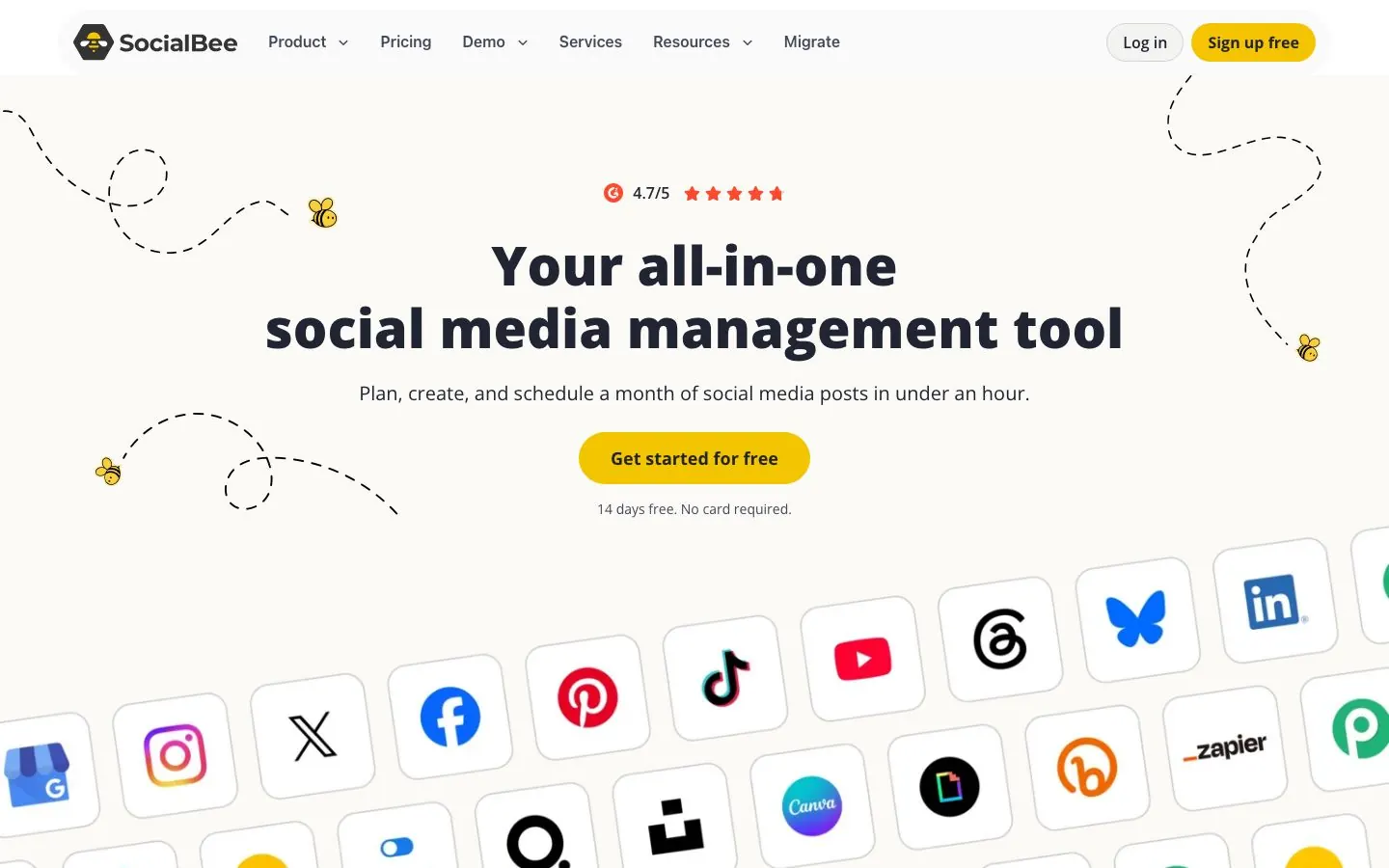
SocialBee is built around content categories and an evergreen queue. It publishes directly to Facebook (profiles, pages and groups), Instagram, Threads, LinkedIn (personal profiles and company pages), X, Pinterest, TikTok, YouTube, Google Business Profile and Bluesky. A Universal Posting option sends mobile reminders for Telegram, WhatsApp, Mastodon, Quora and Facebook Groups. LinkedIn is one of ten networks, and the pricing page shows no carousel or PDF builder.
The plans are Bootstrap, Accelerate and Pro, plus agency plans called Pro50, Pro100 and Pro150, named for their profile counts. Bootstrap and Accelerate have one user and one workspace each, Pro has 3 users per workspace and 5 workspaces, and the agency plans go up to 30 workspaces with 5 users each.
What it does well for B2B teams:
- Content categories, with limits that grow from 10 to unlimited by plan, plus evergreen recycling with expiry and best-time suggestions.
- A post approval system from Accelerate, with roles for Owner, Manager, Publisher (who approves) and Contributor, and internal notes and feedback from Pro.
- Separate workspaces per client or brand, each with its own profiles, content, analytics and inbox, and branded PDF analytics reports on Pro.
- Unlimited AI content generation for captions and images on every plan, with an AI Copilot that builds a strategy with ready-to-use posts.
Good first workflow: Make a workspace for the business, define categories for your content types and fill each with evergreen posts. Connect the LinkedIn personal profile and Company Page, set the schedule per profile and turn on recycling for posts that stay relevant. Add the approval step on Accelerate or Pro once a second person starts writing.
Setup and plan notes: SocialBee has a 14-day free trial that gives full access to every Pro feature, with no credit card, and no free plan. The engagement inbox covers LinkedIn Company Page comments and mentions only, not personal profiles. Automation runs through Zapier, Pabbly and Make, with no public API or MCP listed. Analytics history is 3 months on Bootstrap and 2 years from Accelerate. Whether a client can approve without an invited user is not shown.
Strengths:
- Evergreen queue and recycling that keep a steady cadence.
- Workspaces for clients from 5 on Pro up to 30 on the biggest agency plan.
- Unlimited AI generation on every plan.
Limits:
- Carousels and PDFs are not shown, so a LinkedIn carousel workflow needs a design tool.
- Lower plans are single-user, and approvals start at Accelerate.
- No public API or MCP, and the LinkedIn inbox is Company Pages only.
How each scheduler handles LinkedIn
LinkedIn is where most B2B posting happens, and schedulers differ more here than anywhere else. This table reads each vendor's own pages, and "check their docs" means the page did not say.
| Tool | Profiles and Company Pages | Documents and carousels | Comments and first comment |
|---|---|---|---|
| Postiv | Both, on one calendar | PDF carousels publish as native document posts, with a built-in designer | One inbox for comments on every profile, automatic first comment |
| Buffer | Both; Pages get advanced analytics, profiles basic only | No carousel builder, Canva import | Community inbox on LinkedIn, first comment on Essentials and Team |
| Hootsuite | Both | No native builder, Canva and Adobe Express are external | Inbox on all plans, first comment: check their docs |
| Sprout Social | Both, and both count toward the profile limit | Canva importer, no designer | Inbox from Standard, first comment: check their docs |
| Agorapulse | Both | Documents scheduled as carousel posts | Reply and moderate in the inbox, first comment from Professional |
| Metricool | Personal and business accounts, Starter and up | PDFs and polls from Starter | Check their docs |
| Later | Auto publish, profile or page not specified | No carousel designer shown | Check their docs |
| Sendible | Both | PDF carousels, PDF only | Reply to comments on Pages, first comment: check their docs |
| SocialPilot | Both | Documents and carousels of up to 30 images, on all plans | Check their docs |
| SocialBee | Both | Not shown | Inbox covers Company Page comments and mentions only |
For a ranking that stays on LinkedIn, see our LinkedIn-only list.
Scheduler stacks by team
Nobody needs ten tools. These are the setups we would start with, and Postiv carries the LinkedIn side in each one.
| Team | Start with | What it covers |
|---|---|---|
| Solo founder or consultant | Postiv, plus Buffer's free plan for a few other channels | Your profile and Company Page on one calendar |
| In-house B2B team (up to about 200 people) | Postiv, plus Sprout Social or Hootsuite for a care inbox and listening | Approvals, a shared calendar, cross-network reporting |
| Agency with many clients | Postiv, plus Metricool, SocialPilot or Sendible for other channels | A workspace per client, plus other networks |
Solo founder or consultant. You are the whole team, so the scheduler's job is to keep a rhythm with little admin. Postiv puts your profile, a Company Page if you have one, and X on one calendar, and Bob plans the week from your pillars so you never start from a blank page. A co-founder or editor added as an approver is cheap insurance. If you keep up a handful of other channels, add Buffer's free plan. To compare agents that plan and write alongside you, see our guide to AI social media managers.
In-house B2B team, up to about 200 people. A few people run the Company Page while executives post from their own profiles, and more employees join over time. You need roles, approvers per profile, a shared calendar and results per profile, which is what Postiv's Team Hub and approvers cover on LinkedIn. If marketing also runs a customer-care inbox across several networks, Sprout Social or Hootsuite can sit beside it. Both bill per user or seat, with approvals starting on Advanced at Hootsuite and Professional at Sprout, so plan for the number of people who publish, not only the number of accounts.
Agency with many clients. Postiv gives each client a workspace with its own voice and brand, approvals and review links so clients sign off without a login. If you are comparing other agency tools, choose by how the bill scales. Metricool prices by brand, Sendible by workspace bundle with unlimited users, SocialPilot offers unlimited client seats from Premium and SocialBee's agency plans reach 150 profiles. Agorapulse fits clients who live in the inbox and want white-label reports.
What B2B teams get wrong with schedulers
They pick a tool written for creators. Many roundups for this search lead with tools aimed at Instagram and TikTok creators, freelancers or hobbyists. A B2B team needs a Company Page next to a founder's profile, plus roles and sign-off. Later shows the gap: a polished visual planner where LinkedIn is one profile slot in an eight-network set.
They treat LinkedIn as one checkbox. Buffer gives Pages advanced analytics and profiles basic ones, Sprout Social's competitor reports leave out LinkedIn, and Later's plan comparison shows no LinkedIn analytics. During a trial, test a profile, a Company Page, a PDF carousel and a comment reply before you commit.
They buy approvals last. Approvals often sit a tier or two above entry: Hootsuite Advanced, Sprout Professional, Metricool Advanced, Later Growth, Sendible Plus and SocialBee Accelerate. Multi-step chains are rarer, and Agorapulse limits them to Custom. If a team of 10 to 200 needs a second pair of eyes, look at the plan that includes it, not the entry plan.
They count accounts and forget seats. Per-channel, per-user, per-brand and per-workspace billing behave differently once ten people publish. Do the arithmetic with your real headcount.
They skip the admin questions. SSO sits on Enterprise tiers at Hootsuite, Sendible and SocialPilot and on Custom at Agorapulse. We could not confirm from the vendor pages how most tools handle data export or a departing owner, so ask in the trial who owns each connection and what happens to scheduled posts when that person leaves.
They let an assistant publish without a gate. SocialPilot's MCP can create and schedule posts, Agorapulse's can draft but not publish, and Postiv holds posts for approval on profiles with approvers. Whatever the tool, put an approval step between an assistant and your Company Page.
They use the scheduler as the plan. A scheduler fills slots, and deciding what goes in them is a separate job. Pair it with planning, whether that is Bob in Postiv or the tools in our guide to content calendar software.
More quick answers
What is the best tool to schedule social media posts?
It depends on your team. For a B2B team that posts mainly on LinkedIn, Postiv is our pick, with approvals, Company Pages and client workspaces on one calendar. Buffer suits solo users posting to many channels. Hootsuite and Sprout Social suit larger teams that need an inbox and listening. Agencies should look at Sendible, SocialPilot or SocialBee.
What is a social media scheduler, and why should you use it?
A social media scheduler lets you write posts ahead of time and publish them automatically at set times. Teams use one to plan a month in a single session, keep a steady rhythm, and add steps such as approvals before anything goes live. The good ones also show every account on one calendar, so nobody double-posts.
What are some social media scheduling tools you would recommend?
For B2B teams we would start with Postiv, then Buffer for multi-channel queues, Hootsuite or Sprout Social for larger teams, and Agorapulse for inbox-heavy work. Agencies should compare Metricool, Sendible, SocialPilot and SocialBee. Later suits brands that lead with Instagram and TikTok. The picks above show what each one does and where it stops.
What are some free and easy-to-use social media scheduling tools?
Buffer has a permanent free plan with up to 3 channels, 10 scheduled posts per channel and 1 user. Metricool has one too, but it leaves out LinkedIn and X. Hootsuite, Sprout Social, Agorapulse, Later, Sendible, SocialPilot and SocialBee offer free trials, and Postiv has a 7-day free trial.
Can you schedule Instagram posts with Hootsuite?
Yes. Hootsuite lists Instagram among its supported networks, next to Facebook, LinkedIn, X, TikTok, Pinterest and YouTube. We did not confirm Reels, carousels or Stories, so check Hootsuite's help pages for those formats. If Instagram leads your plan, Later is built for it, with Instagram, TikTok and Facebook first.
What's the best social media scheduler for LinkedIn?
For LinkedIn, Postiv is our pick: it schedules to profiles and Company Pages, posts the first comment, sends carousels as native document posts and holds posts for approval. Among multi-channel tools, Buffer, Agorapulse and SocialPilot also reach both profiles and Company Pages. Agorapulse and SocialPilot schedule LinkedIn documents as carousels.
What is the best social media scheduler for small business?
Start with how many people post. A solo founder can run Postiv for LinkedIn and X, or Buffer when the plan spans many channels. A small team that needs sign-off before posts go live should check where each tool starts approvals, such as Postiv's approvers, Buffer's Team plan or Sendible's Plus plan.
Is Later a good social media scheduler for B2B teams?
Later is built for brands that lead with Instagram, TikTok and Facebook. For B2B, LinkedIn is a single profile slot in an eight-network set, and its pricing page lists no LinkedIn analytics or best-time suggestions. Approvals and no-account feedback start on the Growth plan. A LinkedIn-first team will usually do better with the other picks.
Try Postiv free
If you want one calendar for your team's LinkedIn profiles, Company Pages and X accounts, with approvals before anything goes live, start a 7-day free trial of Postiv and plan your first week with Bob.