If you are leaving Planable, Loomly or Kontentino, the short answer is this: pick on how your client signs off, and on how much LinkedIn matters in the mix. For LinkedIn-first teams, Postiv gives every client their own workspace and client approval links for LinkedIn agencies that need no client account. For agencies spread across Instagram, Facebook and TikTok, Pallyy, SocialPilot and Agorapulse are the closest multi-network picks. Pricing was checked on October 19, 2026.
Why teams leave Planable, Loomly and Kontentino
All three are approval-first tools, and people mostly like them. The complaints are about packaging more than quality:
- Clients need an account or a seat. Planable clients need a free Approver account. Loomly clients must register and count as a user. Kontentino clients are invited users and count toward your seat total.
- Approval depth is gated by plan. Planable's required approvals start on Pro and multi-level approvals are Enterprise only. Kontentino puts client approvals on Standard.
- Pricing scales with clients or users. Planable charges per workspace, Kontentino scales with users, and Loomly caps users on its entry plan.
- LinkedIn is one network of ten. None has a LinkedIn writing engine or a slide designer, so carousels get built elsewhere and uploaded.
- MCP is thin. Planable ships an MCP connector on every plan. We found none for Loomly or Kontentino.
Planable: where visual approvals win and where limits bite
Planable has the best-known approval experience in the category: native-looking previews, annotations, internal and external comments, and unlimited users on every plan. It is priced per workspace, where one workspace is one client, brand or location.
Pricing (checked October 19, 2026):
- Basic: $33 per workspace per month billed yearly, $39 billed monthly. 4 social pages and 60 posts per workspace per month.
- Pro: $49 per workspace per month billed yearly, $59 billed monthly. 10 social pages and 150 posts per workspace per month.
- Enterprise: custom.
- Add-ons per workspace: Analytics $12 a month on yearly billing ($14 monthly), Social Inbox $7.50 ($9), Social Listening $82.50 ($99).
Five client workspaces on Pro come to $245 a month on yearly billing.
Approvals: Optional approvals start on Basic. Required approvals (someone must sign off before a post can be scheduled) start on Pro. Multi-level approvals, such as team lead then client then legal, are Enterprise only. Public share links work without a login, but they are view and comment only. For a client to approve, they need a free Planable account with the Approver role.
On LinkedIn: it schedules to personal profiles and company pages and supports PDF document posts. There is no slide designer, and LinkedIn analytics need the paid add-on. Why people leave: per-workspace cost as the client list grows, post caps, add-ons, and the account step for clients.
Is there a free version of Planable?
Not a permanent one. A free trial plan gives you the first 50 posts in total, with no time limit and no card, on 4 social pages per workspace and with the MCP connector. X publishing is not available on it. After 50 posts you pay.
Loomly: approval workflows, user caps and the price increase
Loomly is a calendar-first tool with built-in post ideas, an AI Assistant and flat plan pricing. Calendars (one per brand or client) are unlimited on every plan, which is why small agencies like it. A Reddit thread asking for alternatives after a price increase ranks first for "loomly alternatives", so cost is part of the story.
Pricing (checked October 19, 2026, on loomly.com):
- Starter: $49 a month billed yearly ($588 a year), $65 billed monthly. 12 social accounts, 3 users.
- Beyond: $249 a month billed yearly ($2,988 a year), $332 billed monthly. 60 social accounts, unlimited users.
- Enterprise: custom, 61 or more social accounts.
- Yearly billing is charged upfront for 12 months with no early exit.
Third-party review pages disagree (some list $42 for Starter, some a 14 or 15 day trial). The current loomly.com page shows the figures above and a 7-day trial.
How approvals work: approval workflows and roles are on Starter and Beyond. Loomly offers preset workflows per calendar, batch approval of a month of content and private internal comments. Custom workflows and custom roles are aimed at the higher tier. The catch for agencies: invited collaborators, clients included, must create a free Loomly account and count as a user. On Starter that means a client approver uses one of your three seats.
On LinkedIn: it publishes posts, PDF carousels and polls to personal profiles and company pages. There is no slide designer. We found no MCP server on loomly.com, and Loomly does not document an API.
Is Loomly worth it?
Yes for a small team or agency with a handful of clients and modest approval needs. It stops being a fit when clients should approve without registering, when you need more than three users on the cheap plan, or when LinkedIn carousels are the main output.
Is there a free version of Loomly?
No. There is a 7-day trial with no credit card, and then paid plans only.
Kontentino: structured approvals and seat-based pricing
Kontentino is built for agencies and multi-market teams, and approvals are the product. It has internal approvals on the entry plan, client approvals from Standard, mobile approvals on iOS and Android, a Brand Hub and AI captions with brand voice.
Pricing (checked October 19, 2026):
- Starter: from €49 a month billed annually ($59), €69 monthly. 3 users, 10 profiles.
- Standard: from €109 annually ($131), €149 monthly. 10 users, 40 profiles.
- Pro: from €199 annually ($239), €269 monthly. Unlimited profiles.
- Analytics is a paid add-on on Starter and Standard and included in Pro.
- 14-day trial, no credit card. No free plan.
Kontentino says price depends on users and features and does not spell out the per-extra-user cost, so treat these as minimum bundles and use its calculator.
How approvals work: Starter has an internal workflow. Client and external approvals arrive on Standard. Clients do not have to register, but they are invited users and count toward your user total. Kontentino's own comparison content claims multi-level chains from Standard, but the pricing page does not, so verify it in a demo.
On LinkedIn: it handles personal profiles and business pages, and since March 2026 it supports PDF carousels with a slide-by-slide preview inside the approval flow. That preview is a real strength. There is no slide designer, and we found no MCP server or public API. Why people leave: paid analytics, clients counting as users, and cost that grows with headcount.
Social media approval tools compared
The table compares the approval details that matter when the person approving is your client. Prices are what each vendor lists, checked October 19, 2026. Where two prices appear, the first is billed yearly (per month) and the second billed monthly.
| Tool | Pricing unit | Entry price | Approvals from | Client approves without account or seat | Multi-step approvals | LinkedIn PDF / carousel | MCP / API |
|---|---|---|---|---|---|---|---|
| Postiv | Client workspaces, no extra seat per client workspace for agency teammates | 7-day free trial | Built in | Yes, approval link with no client account | Team approvers or an external client approver per profile | Built-in carousel editor and infographics | Hosted LinkedIn MCP (approvals respected) and public REST API |
| Planable | Per workspace | $33 / $39 per workspace | Optional on Basic, required on Pro | No, free Approver account needed (share links are comment only) | Enterprise only | PDF posts from images, no designer | MCP on every plan, API on Pro+ |
| Loomly | Flat per plan (accounts and users) | $49 / $65 (3 users) | Starter | No, free account, counts as a user | Multi-tier workflows listed; custom workflows on higher tier | PDF carousels (upload) | No MCP found, API not documented |
| Kontentino | Users (3-user minimum) | From €49 / €69 ($59 / $83) | Internal on Starter, client on Standard | Clients skip registration but count as users | Vendor claims from Standard, not on pricing page | PDF carousels with slide preview | None found |
| Agorapulse | Per user | $79 / $99 per user | One-step on Professional ($119 / $149) | Yes, from Advanced via Shared Calendar ($149 / $199) | Custom plan only | Documents as carousels | MCP connector (beta), API on Custom |
| Sendible | Workspace bundles, unlimited users | $29.75 / $35 | Plus ($84.15 / $99) | Clients get a free login, no-account link not shown | Custom workflows on Premium ($169.15 / $199) | PDF carousel scheduling | None found |
| SocialPilot | Flat per plan, client seats free on Premium | $17 / $20 (1 user) | Standard ($34 / $40) | Yes, no-login link from Premium ($85 / $100) | Not shown | Documents and carousels on all plans | MCP on every plan, API on Enterprise |
| Pallyy | Per plan with "social sets" (one per client) | Free, then $20 / $25 | Pro | Yes, shared calendar link, no account or seat | Single step | Carousel from Pro (upload) | MCP on every plan, API on Pro+ |
| Vista Social | Flat per plan (profiles and users) | $79 / $99 (2 users) | Single-stage on all plans | Not shown | Multi-stage from Advanced ($159 / $199) | Not shown on pricing page | MCP on every plan, REST API not shown |
Postiv's price is on its pricing page. Vista Social's yearly figure is $950 a year, about $79 a month.
The best Planable, Loomly and Kontentino alternatives
1. Postiv: best for LinkedIn-first teams and agencies
Postiv is a LinkedIn content workspace where approvals sit next to creation, not after it. Each client gets a separate workspace with their own LinkedIn profiles, company pages, knowledge, brand kit and writing styles. Agency teammates reach every client workspace from the agency account with no separate seat per client workspace, and admins can see every client's scheduled posts on one calendar.
What it does well:
- Drafting in each person's voice. Bob, Postiv's AI content partner, drafts posts and carousels from each profile's writing style, knowledge and content pillars, and prepares a weekly plan per profile.
- Carousels without a Canva round trip. The carousel editor and AI infographics are built in, so the slides your client approves are the slides that publish. See the LinkedIn carousel generator.
- Approval links with no client account. In the calendar you create a reusable approval link for chosen client profiles. Clients see each post as it will look on LinkedIn, add their name, comment or approve. No Postiv account. The page shows no Postiv logo, and you can connect your own subdomain such as content.youragency.com.
- Team approvers too. Each profile can use team approvers (selected Postiv members) or an external approver (the client link).
- Official LinkedIn API. Posts go to personal profiles and company pages through LinkedIn's official API, with no Chrome extension or browser automation.
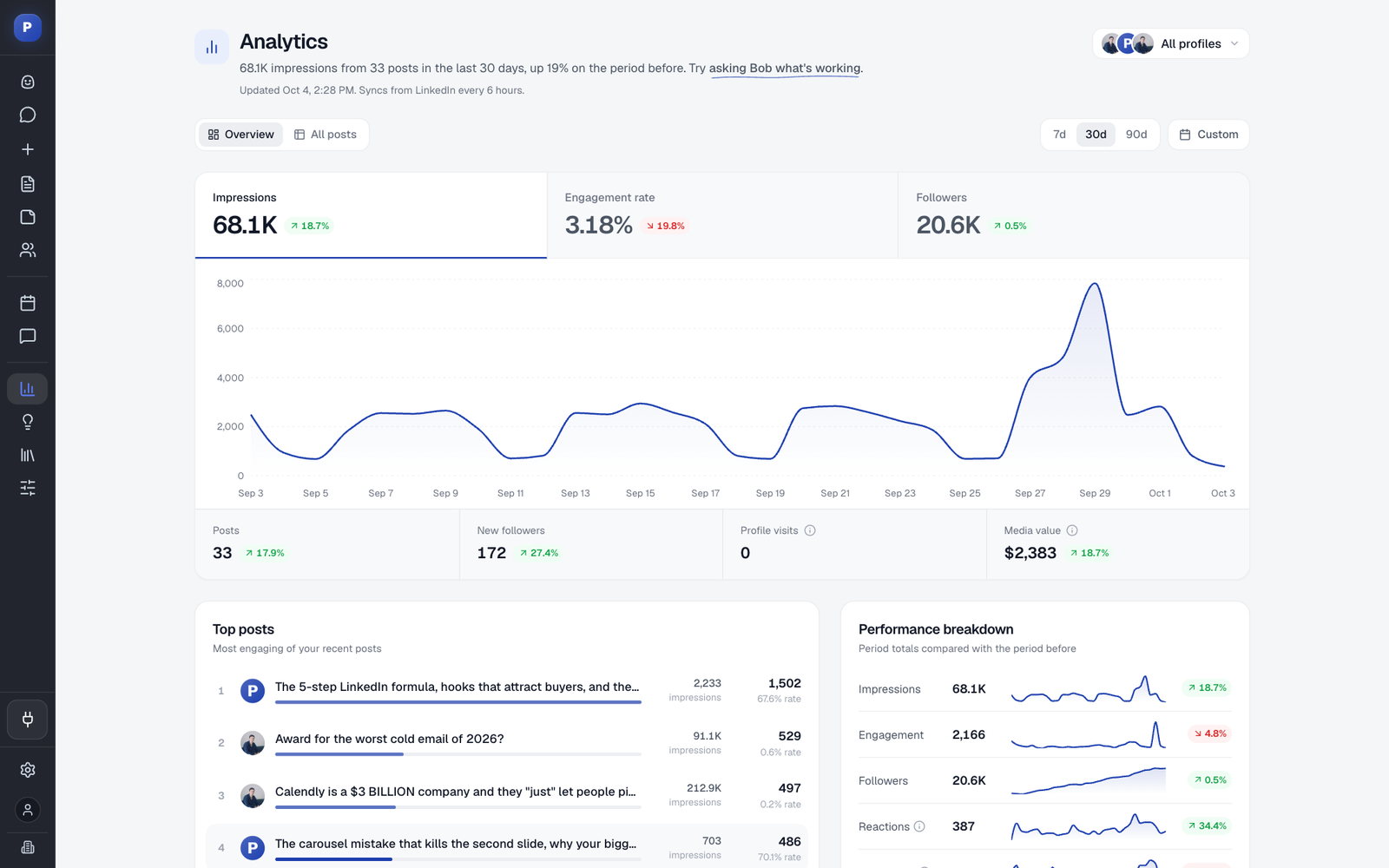
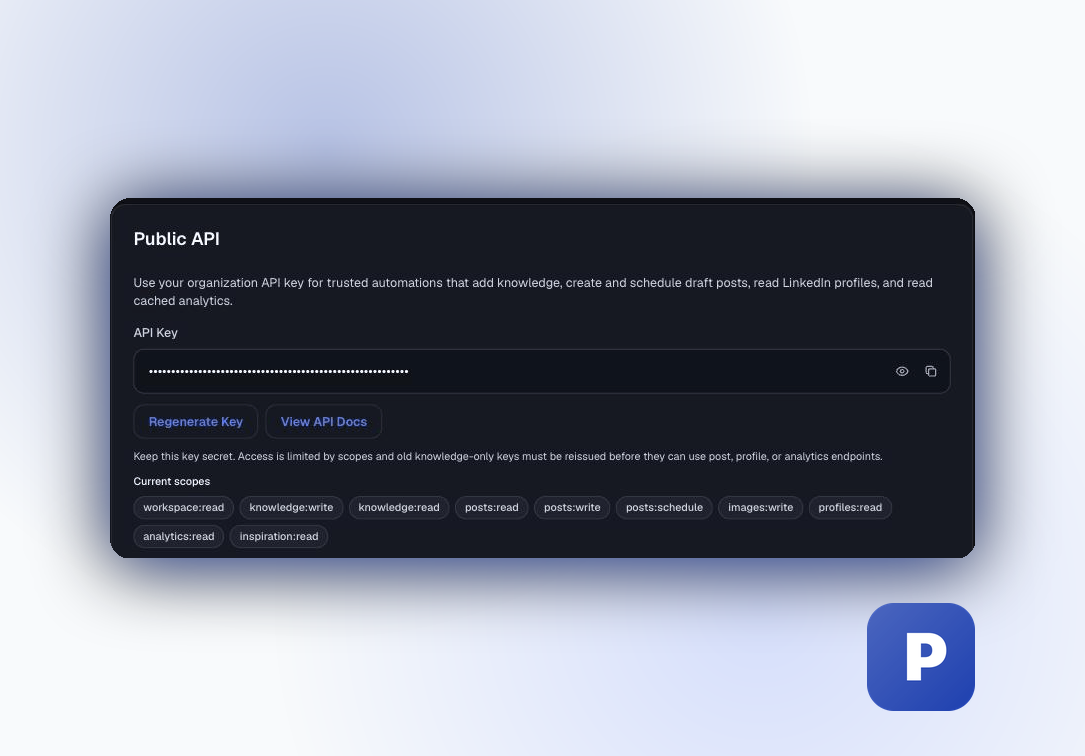
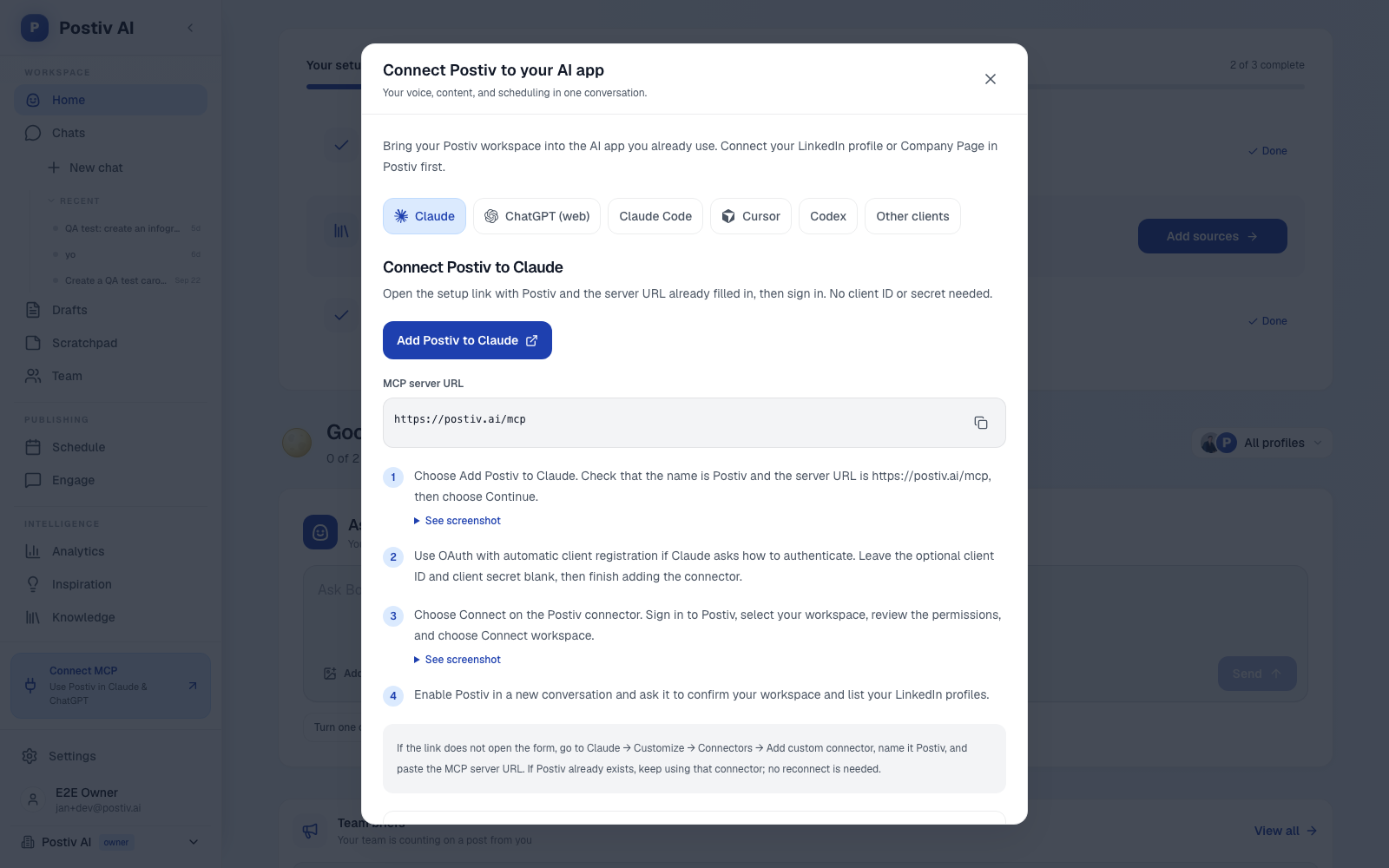
- An MCP that respects approvals. The hosted LinkedIn MCP lets Claude, ChatGPT or Cursor research, draft, schedule and read analytics, and approvals still apply when content is scheduled through MCP. A public REST API with API keys is available too.
Honest limits: Postiv is built for B2B teams where LinkedIn is the channel that matters. If most of your client work is consumer brands on Instagram or TikTok, a multi-network tool will fit you better. You also send the approval link yourself. Set up one client during the trial to see the flow.
2. Pallyy: best for small agencies on a tight budget
Pallyy prices by "social set", where one set is one client or brand. It has a permanent Free plan (1 set, 15 scheduled posts a month, no approvals), Pro at $20 a month billed yearly ($25 monthly), and Agency at $79 ($99) with 10 sets and 3 users.
Strengths: clients approve through a shared calendar link with no account and no seat, and the MCP is on every plan. Weaknesses: single-step approvals, LinkedIn analytics for company pages only, carousels are uploaded finished files, and Pro allows one user. Good for freelancers with Instagram and Facebook clients. More in our Pallyy alternatives guide.
3. SocialPilot: best for cost-conscious agencies with many networks
Essentials is $17 a month billed yearly ($20 monthly, 5 accounts, 1 user). Premium is $85 ($100) with 20 accounts, 6 users and unlimited client seats.
Strengths: approvals from Standard, a no-login client link from Premium, LinkedIn document and carousel publishing on every plan, and an MCP server on every plan. Weaknesses: the MCP covers publishing and status only, the API is Enterprise only, multi-step approvals are not documented, and there is no slide designer or voice-trained writing.
4. Agorapulse: best for inbox and reporting heavy teams
Agorapulse charges per user: Standard $79 a month billed yearly ($99 monthly), Professional $119 ($149) and Advanced $149 ($199). Approvals do not exist on Standard, one-step approvals arrive on Professional, and no-account client sign-off through Shared Calendars (up to 5) arrives on Advanced.
Strengths: the best inbox and reporting in this list, LinkedIn documents as carousels, and an MCP connector in beta that reads analytics and inbox and creates drafts. Weaknesses: per-user pricing multiplies with every teammate, multi-step approvals are Custom only, and the MCP cannot publish.
5. Sendible: best for agencies with many reviewers
Sendible prices by workspace bundle with unlimited users on every plan. Core is $35 a month billed monthly (about $29.75 yearly) for 1 workspace and 6 profiles. Plus is $99 ($84.15) for 3 workspaces and Premium $199 ($169.15) for 7.
Strengths: unlimited users including clients, and Client Connect so clients link their own accounts. Weaknesses: approvals start at Plus, clients approve inside a Sendible login rather than via a no-account link, and we found no MCP server.
6. Vista Social: best for broad network coverage
Vista Social is a wide scheduler across 13 or more networks. Professional is $99 a month billed monthly, about $79 yearly ($950 a year), with 15 profiles and 2 users. There is no free plan, only a 14-day trial.
Strengths: single-stage approvals on every plan, multi-stage from Advanced, an MCP on every plan, and strong analytics. Weaknesses: we could not confirm client approvals without an account, there is no carousel designer, and its AI is a general caption assistant. More in our Vista Social alternatives post.
7. Buffer: best for simple low-cost scheduling
Buffer charges per channel: Free for 3 channels, Essentials at $5 per channel per month billed yearly ($6 monthly), and Team at $10 ($12), which adds approval workflows and unlimited team members.
Strengths: price, a clean queue and a free plan. Weaknesses: approvals only on Team, no client-isolated workspaces, no carousel designer, and no confirmed no-account client link.
How to set up a client approval workflow for LinkedIn
The pattern works in any tool:
- Decide who signs off per profile. A founder's profile might need the founder only. A company page might need the marketing lead and the client.
- Leave a lead time. Schedule far enough ahead that a slow reviewer does not block publishing.
- Review the real thing. The approver should see the post as it will look on LinkedIn, with the image or carousel, not a text document.
- Re-review edits. If a post changes after approval, it should be reviewed again, or the approved and published versions drift apart.
- Keep one stable link. One link that stays the same as new posts arrive beats a new email every week.
In Postiv:
- Create a workspace for the client and connect their profiles. Each profile owner authorizes their own LinkedIn account on LinkedIn's screen, and Postiv never sees the password.
- Draft posts and carousels with Bob in the client's voice and schedule them.
- In the calendar, create an approval link for the client profiles you want. New scheduled posts for those profiles now wait for approval.
- Share the link with the client. Postiv does not send it for you.
- The client sees each post as it will look on LinkedIn, adds their name, comments or approves. No account needed.
- Approved posts publish at their scheduled time. If you edit after approval, the client reviews again.
- Revoke the link when the engagement ends.
Approvals work for internal teams too. When employees post from their own profiles, team approvers keep messaging consistent, which is the pattern behind employee advocacy programs.
Is there anything better than Hootsuite for approvals?
If approvals are the reason you are shopping, probably. Hootsuite lists approval workflows first on its Advanced plan ($399 per user per month billed annually) and has no native LinkedIn carousel designer. Pallyy, SocialPilot, Vista Social and Agorapulse include approvals at lower tiers. Details in our Hootsuite alternatives guide.
How to choose
- Mostly LinkedIn, with carousels and thought leadership: Postiv. Drafting, carousels and approvals live in one place, and clients approve without an account.
- Clients on Instagram, Facebook or TikTok, cost per client matters: Pallyy or SocialPilot.
- Client sign-off plus strong reporting: Agorapulse on Advanced.
- Many reviewers, unlimited users: Sendible.
- Liked Kontentino's slide-by-slide LinkedIn preview but want fewer seat limits: Postiv or SocialPilot.
Whichever you pick, run a real client approval during the trial. Check whether the client had to register, and edit a post after approval to confirm it goes back to review. If you use Claude or ChatGPT, check what the MCP can do: some connectors only create drafts, and some respect approvals.
If your clients are on LinkedIn, run one of them through the flow above. The LinkedIn post scheduler page shows how scheduling and approvals fit together.
More Questions
What are some alternatives to Planable?
The closest alternatives for approval workflows are Postiv (LinkedIn-first, approval links with no client account), Pallyy (cheap per-client pricing and a no-account shared calendar), SocialPilot (no-login client approvals from its Premium plan), Agorapulse (no-account Shared Calendars from Advanced), Sendible (workspaces and unlimited users) and Vista Social (single-stage approvals on every plan). Which one fits depends on your networks and client count.
What are some alternatives to Loomly?
For Loomly, the main alternatives are Pallyy and SocialPilot if cost per client matters, Planable if reviewer experience matters, Agorapulse if you live in the inbox and reporting, and Postiv if your clients are mostly on LinkedIn. Loomly makes clients register for an account and counts them as users, so check how each option handles client sign-off before you move.
Which social media approval tool lets clients approve without an account?
Pallyy, SocialPilot and Agorapulse let clients approve posts without a tool account. Pallyy does it through a shared calendar link on paid plans, SocialPilot through a client link from Premium, and Agorapulse through Shared Calendars from Advanced. Postiv does it with a reusable approval link per client. Planable, Loomly and Sendible clients need a login.
What are some alternatives to Kontentino?
Look at Postiv, Pallyy, SocialPilot or Agorapulse. Kontentino ties client approvals to its Standard plan and counts clients as users, with no MCP or public API found. Postiv gives LinkedIn teams per-client workspaces, voice-trained drafting, a carousel editor and approval links. Pallyy and SocialPilot suit agencies spread across many networks.
How do you set up a client approval workflow for LinkedIn?
Create a separate workspace per client, draft posts, and schedule them. Share an approval link so the client sees each post as it will look on LinkedIn and can comment or approve. In Postiv, approved posts publish at their scheduled time, and any edit after approval sends the post back for review. The link stays the same as new posts arrive and can be revoked.