You get employees to post on LinkedIn by asking a few volunteers instead of everyone, replacing the blank page with a short brief and a draft they can edit, keeping approval quick, and giving them one 30-minute block a week. People post when it is easy, safe and useful to them. They stop when it feels like a second job.
This guide is for B2B teams, agencies and consultancies that want more of their people visible to buyers. It covers picking volunteers, content kits, approvals, drafting in each person's own voice with Bob, Postiv's AI agent, a realistic cadence and how to measure it. It sits inside a bigger system, which we cover in our guide to launching an employee advocacy program, and the employee advocacy platform page shows the software side. To estimate what a pilot could be worth, use the free employee advocacy ROI calculator.
Why employees do not post on LinkedIn
Most people are not unwilling. They are blocked. Postiv's interviews with Semrush, Storylane and Cognism, summarized in our post on how B2B teams get millions of views from employees, point the same way: motivation was rarely the problem, and the blank page and a lack of time were. Find out which blocker applies to each person before you fix anything.
| Blocker | What it sounds like | What helps | Step |
|---|---|---|---|
| The blank page | "I don't know what to write." | A brief and a first draft to edit | 3 and 5 |
| No time | "I'm slammed. I'll do it next week." | A 30-minute weekly block and a short routine | 6 |
| Fear of getting it wrong | "What if I say something I shouldn't?" | One-page guidelines and a fast reviewer | 4 |
| No clear benefit | "Why would I do this?" | A personal reason and recognition | 2 |
| Awkwardness | "Nobody will care." | Support from colleagues and a safe first post | 1 and 8 |
Step 1: Start with volunteers, not the whole company
Launching to everyone is how programs fade. Pick three to five people who are near your buyers and likely to say yes: a founder or senior leader, someone in sales, someone in product or engineering, someone in customer success. Add one visible leader who posts first, because people copy what leaders do.
Sort volunteers by the help they need, using the tiers Storylane described to us:
| Tier | Who they are | What they need |
|---|---|---|
| 1 | Already post and write their own | Visibility and encouragement |
| 2 | Have ideas but no time to write | Planning help and first drafts |
| 3 | Not natural posters, happy to support others | A light role in campaigns and a thank-you |
Invite each person one to one. A message that works:
Hi [name], we are trying a small LinkedIn pilot with a few people from the team. You know [topic] better than most, and customers ask about it a lot. Would you be up for one post a week for four weeks? I would set aside 30 minutes in your calendar, and I will help with ideas and a first draft. You choose what goes out under your name, and it is fine to say no.
Avoid group announcements, quotas and public lists of who has not posted. If someone declines, leave it there and ask again next quarter.
Step 2: Give each person a reason
Do not sell the company's goals. Sell the person's. People take part when it does something for them:
- Career visibility. A visible expert profile can open doors: speaking invitations, recruiter interest and a stronger case for a promotion. Cognism told us employees see the personal-branding benefit, which makes them want to take part.
- A network of their own. Customers, peers and recruiters who follow them stay with them.
- A habit of writing clearly. Explaining decisions in public sharpens thinking.
- Recognition. A shoutout at an all-hands, as Storylane's founders do, costs nothing.
Say all of this in two sentences, then give them time. Hold the posting window during work hours, not after 6pm.
Step 3: Replace the blank page with a content kit
A content kit is a short brief that gives a person everything they need to write one good post. It is not a finished post. Cognism told us it gives selected colleagues an info pack with key messages and lets them write in their own voice, so a launch becomes several different posts instead of one reshared announcement.
A kit has seven parts:
| Part | What goes in it |
|---|---|
| Topic and angle | The subject in one line, and the question it answers for buyers |
| Facts they may use | Approved numbers, dates, product details and links |
| Facts to avoid | Unreleased plans, customer names without permission, forecasts |
| Prompts by role | One question per role, such as "What did customers ask you this week?" |
| Proof and assets | A screenshot, a customer quote that has been cleared, a link to the source |
| Deadline and review path | When to post and who checks |
| What is optional | The reminder that they can reshape or skip it |
GitLab's public handbook shows the same idea for a larger program. Its curator page asks curators to add a note on why a story is worth sharing, suggested post copy in more than one tone and start and end dates for each story, and to check content against four safety questions first.
Keep kits short and role-aware. One launch can produce a product kit ("why we built it"), a sales kit ("how customers reacted") and a customer-success kit ("what to do on day one"). If you send the same text to everyone, you get the same post six times.
In Postiv, the Team Hub is built for this. An admin shares a brief with a title, instructions, a deadline and optional reward points, and it goes to every member of the workspace. Each person's progress shows as pending, draft, scheduled or published. Bob can read the brief when a member asks what to post for the team, and an admin can ask Bob to create one. The team's shared knowledge base (your website, documents and Notion pages) and the shared asset library give people real facts and visuals to work from.
Step 4: Keep approvals fast and safe
Approval should feel like a safety net, not a gate that makes people wait. Pick a level by topic:
| Level | Use for | Who approves |
|---|---|---|
| Light | Posts about the person's own work, with no confidential detail | The author |
| Standard | Company news, customer stories, launches | A manager or marketing lead |
| Strict | Regulated claims, security topics, legal exposure | A named reviewer, plus compliance if needed |
Three rules keep it quick. Agree a response time of one working day. Review facts and risks, not tone, because the person's voice is the reason this works. And if someone asks for changes, say what to change and why, so the draft can be fixed in one round.
In Postiv you choose approvers per profile or company page. Every post scheduled for that profile waits until each approver has approved it, one denial stops it, and "request changes" returns it with feedback. If you are the only approver on your own profile, your posts go straight through. Approval is a check before publishing, not a permission level, so people can still draft and schedule freely.
Step 5: Draft in each person's own voice with Bob
The blank page is the biggest blocker, so this is where most of the time is saved. The aim is a draft that sounds like the person, built from what they know, which they then edit.
Here is how that works in Postiv:
- Each person connects their own LinkedIn profile. The profile has its own writing style (tone, structure, vocabulary, hooks and instructions), its own pillars and its own weekly plan. Bob keeps them apart.
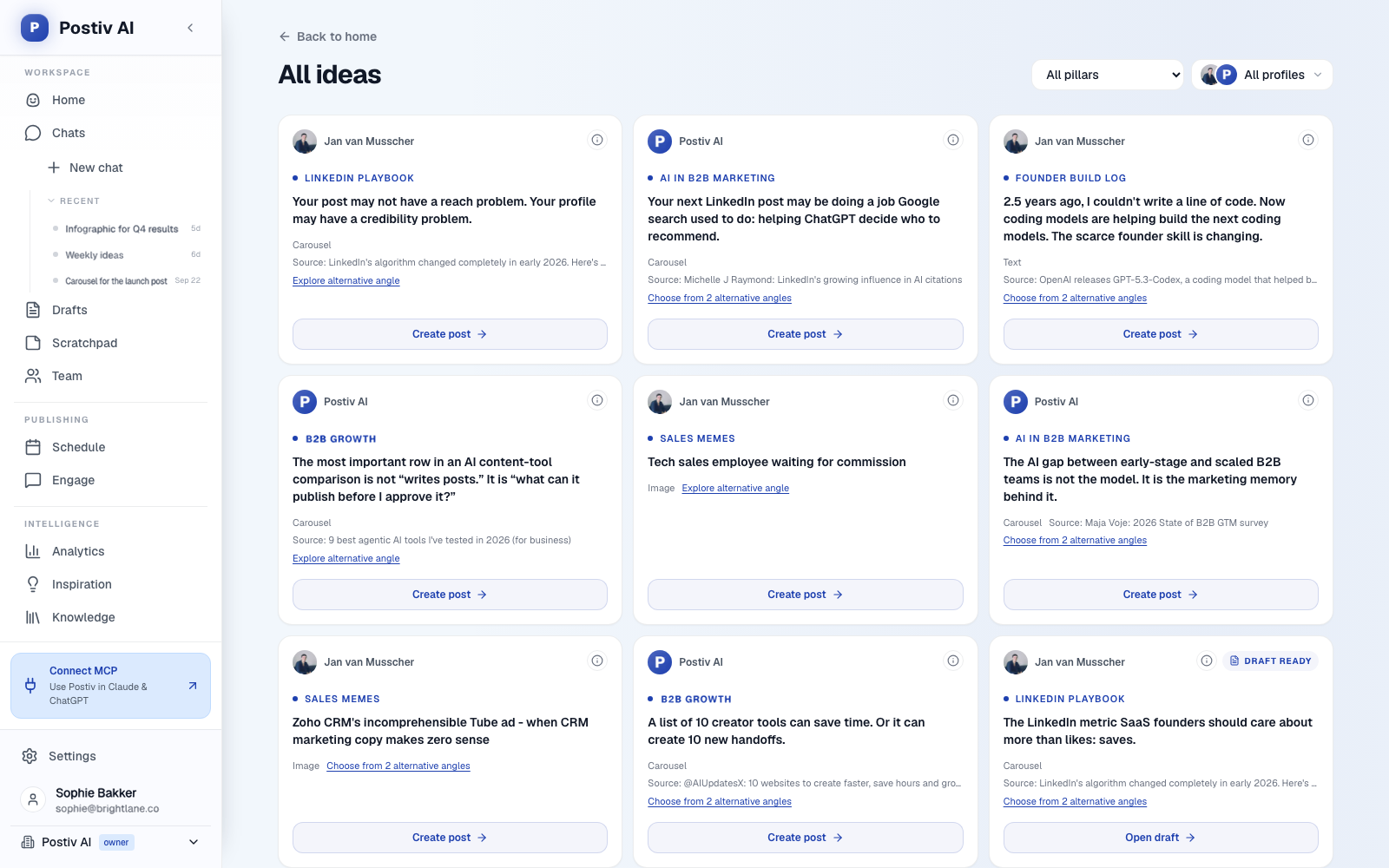
- Bob prepares a weekly plan. For each posting day the person picked, Bob proposes an idea with an angle, a format, sources and the pillar it belongs to. Bob uses the person's pillars, the knowledge base, saved inspiration and how each pillar performed over the last 30 days.
- The person adds what only they know. They tell Bob what happened this week in chat, such as a customer question, a decision or a mistake, and Bob drafts from that material and quotes the knowledge base instead of inventing examples.
- They edit and schedule. Bob does not publish in the background. Nothing goes to LinkedIn until the person schedules it, and approvals apply if you set them.
A worked example, with a fictional person. Priya leads customer success at a fictional 40-person software company. Her plan idea for Wednesday is "setup mistakes we keep seeing". She tells Bob that three customers this week asked who should own approvals during onboarding. Bob drafts a short post from her note. Priya cuts the opening, adds a sentence about what she says on kickoff calls and schedules it.
Three customers asked me the same thing this week: who should own approvals during setup?
Here is what I tell them on the kickoff call. Name one person who can say yes, and name a backup for when they are away. Everything else gets easier once that is clear.
What is the question you keep answering on kickoff calls?
A draft is only as specific as its input. The real customer question is what makes this one useful, which is why the kit and the person's own notes matter. Do not push one draft out through several profiles. Each person should get their own plan and their own words. Our content pillars guide explains how to set each person's lane.
Step 6: Fix the cadence and the time
Start small and protect the time. As planning choices, not benchmarks:
| Tier | Cadence | Time per week |
|---|---|---|
| 1: already posting | Their own rhythm, one to two posts | 30 to 45 minutes |
| 2: have ideas, need help | One post a week | 30 minutes with a draft to edit |
| 3: occasional | One post per campaign, plus comments | 15 minutes |
A weekly rhythm that works for most volunteers:
- Monday: pick one idea from the plan or the kit.
- Tuesday or Wednesday: one 30-minute block to draft and edit.
- Within a day: review.
- Thursday: schedule.
- Afterwards: 10 minutes to reply to comments and comment on one customer or colleague post.
Our guide on how often to post on LinkedIn helps you decide when to move to two posts a week.
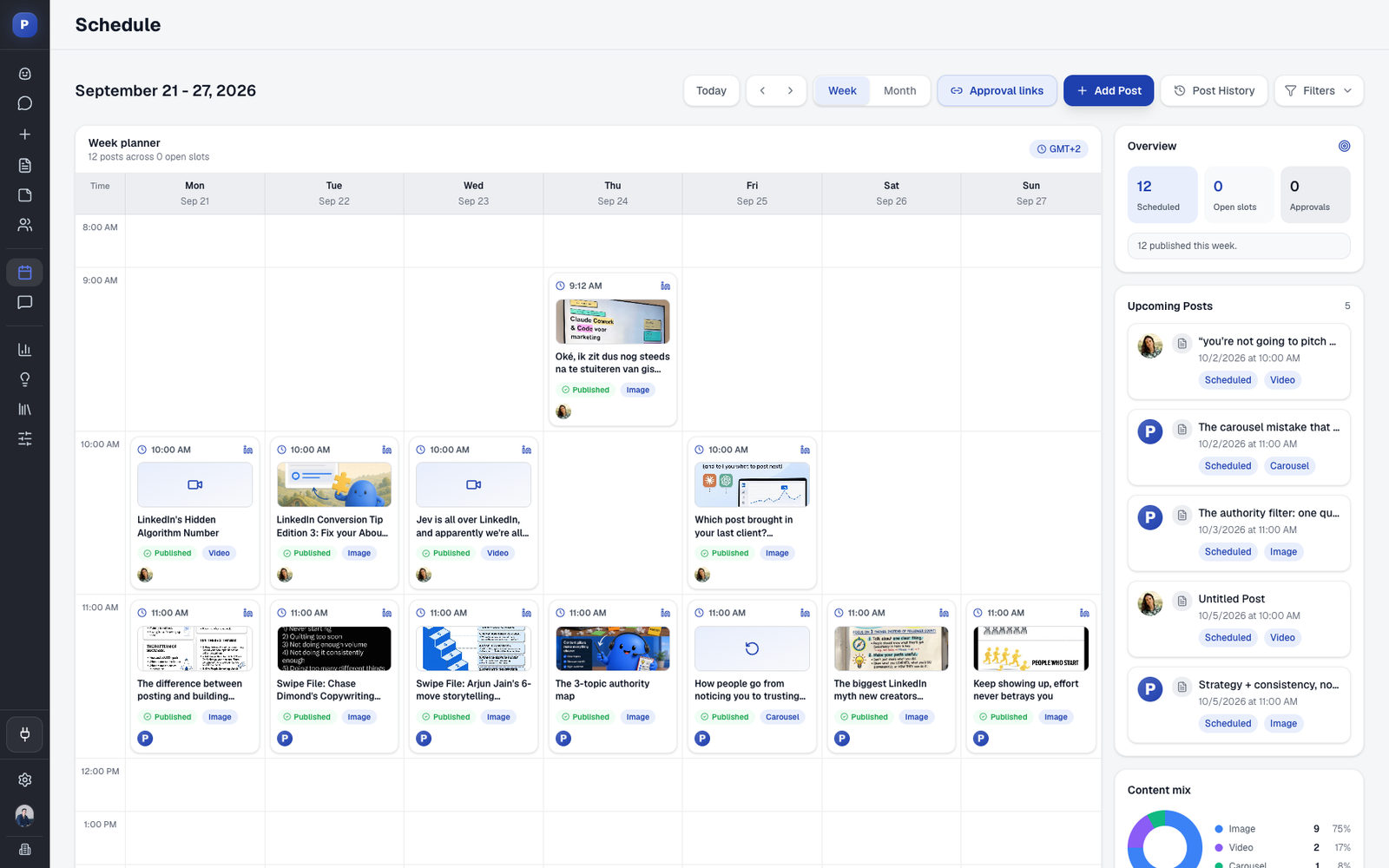
Keep chat for the nudge, not the content. In Postiv, the Team plan's Slack connection can share a colleague's post in your channel when it goes live, remind the channel who is behind on their weekly goal and post a recap every Monday. The engagement inbox shows comments on every connected profile in one place, and an engagement feed lets people follow customers and prospects and comment on their posts from the same workspace.
Step 7: Measure per person and per team
Measure two things: whether people are posting, and whether the posts are doing something.
| Metric | Why it matters |
|---|---|
| Participation | Share of invited people who posted this month |
| Posts per person per week | Whether the routine holds |
| Impressions and engagement rate | Whether people are reading |
| Follower growth | Whether a person's audience is building |
| Conversations | Replies, DMs and "I saw your post" on calls |
| Blockers | What stopped people, in their own words |
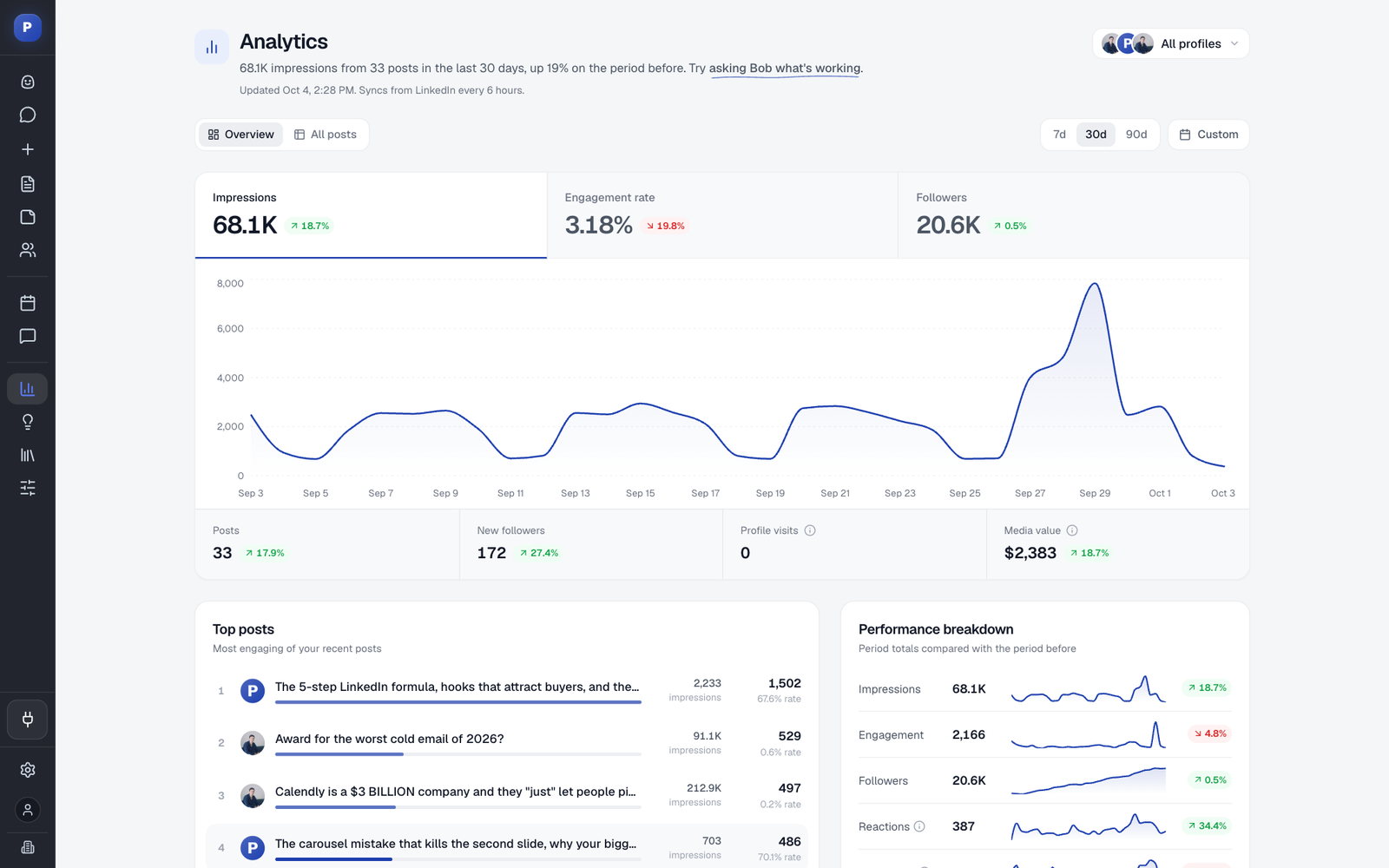
Review it monthly in 30 minutes with the volunteers. In Postiv, analytics show impressions, engagement rate, followers and profile visits per profile and per post, and the Team Hub leaderboard shows posts, reach and streaks. Use a leaderboard for recognition only. If it turns into pressure for the people at the bottom, drop it.
Single posts swing a lot, so wait for several posts per person before you judge. To put figures against cost, use the employee advocacy ROI calculator, and our post on measuring social media ROI explains how to tie activity to outcomes.
Step 8: Keep it going: the first 30 days
| Week | Focus | Owner action |
|---|---|---|
| 1 | Invite and set up | Invite one to one, share the guidelines, set lanes, book the weekly block |
| 2 | First posts | Send each person a kit or a plan idea, review within a day |
| 3 | Fix blockers | Ask each person what slowed them, shorten the process |
| 4 | Review and recognize | Share what worked, thank people in public, decide whether to add a second group |
Expand when the first group posts without reminders. See our employee advocacy examples for how other teams staged it, and employee-generated content for role-based post ideas.
What not to do
- Do not ask for reshares and call it advocacy. The same post from many people adds little.
- Do not write posts for people without their consent. Drafts are help. The person decides what goes out under their name.
- Do not set quotas. They produce rushed posts and quiet resentment.
- Do not post after hours by default. Hold the time in the work week.
- Do not review for style. Fix facts and risks, not personality.
- Do not forget the leaders. If leaders do not post, people read the program as a request, not a norm.
How Postiv helps employees post
Postiv (postiv.ai) is a social workspace for you, your team and your agent. For this job the useful pieces are Bob's weekly plan and drafts for each profile, a Team Hub with briefs, challenges and a leaderboard, approvers per profile, Slack reminders, shared knowledge and assets, and analytics per profile. The Team plan includes unlimited members and LinkedIn profiles, so a pilot and a full rollout use the same workspace. Agencies get a separate workspace per client, with approvals kept apart. You can also connect Claude or ChatGPT through Postiv's MCP server if people prefer to draft in their own assistant. Try it free for 7 days.
FAQ
How do you get employees to post on LinkedIn?
Ask a few volunteers instead of everyone. Remove the blank page with a short brief and a draft they can edit, keep approval fast, and give them a 30-minute weekly writing block. People post when it is easy, safe and useful to them. Recognize those who do, and review the results with them once a month.
Why won't my employees post on LinkedIn?
The usual reasons are the blank page, no time, fear of saying something wrong, no clear benefit for them and unclear rules. Ask each person which one applies. A short interview and a first draft help the blank page, and a one-page guideline and a quick reviewer help with fear.
Can you require employees to post on LinkedIn?
You can, but it usually backfires. Required posts read as forced and people stop after a few weeks. A voluntary program with help, recognition and time at work gets more consistent posting. If posting is part of someone's role, agree the expectations, support and account boundaries in writing.
How often should employees post on LinkedIn?
Start with one post a week per person. It is a number people can keep, and consistency matters more than volume. After a month, let each person move to two posts a week if they want to and the routine holds. Quality drops fast when the schedule is more than someone's week can carry.
What should employees post about?
Their own work: a decision they made, a question customers keep asking, a mistake and its fix, how something works. Give each person two or three themes tied to their role. Company news is better as a brief of facts they can react to in their own words than as a finished post to copy.
Will AI make every employee sound the same?
Not if each person has their own setup. In Postiv, every profile has its own pillars, writing style and weekly plan, and Bob drafts from that person's notes and the company knowledge base. The employee edits and schedules every post, and nothing is published without them.
How do you get employees to engage with company posts without it feeling fake?
Do not ask for likes on demand. Tell people when a colleague's post goes live and invite a comment only when they have something to add. Real comments from colleagues and customers beat a wave of identical reactions.
Start with one volunteer and one kit
Choose the person most likely to say yes, send the invite above and give them one kit and a 30-minute block this week. When their first post goes out, ask what slowed them down, fix that, and invite the next person. For the bigger picture, read our guide to launching an employee advocacy program.