Update (June 2026): LinkedIn asked Kleo to shut down its free Chrome extension in early 2026 after two years and over 70,000 users. The extension relied on scraping LinkedIn's interface, which put it squarely in the crosshairs of LinkedIn's ongoing crackdown on browser-based tools. Kleo has since relaunched as Kleo 3.0, a paid web app at $99/month with no free plan and no free trial. If you're one of the thousands of users looking for a replacement, you're in the right place.
Even before the ban, Kleo users were hitting limits. The tool was excellent for content discovery. studying what top creators post, spotting trending topics, and analyzing engagement patterns. But research is only the first step. At some point, you need to actually write the post, design the carousel, schedule it, and track how it performs. And Kleo still does not cover carousel design or team workflows, even on its current $99/month plan.
I spent several weeks testing 10 tools that fill the gaps Kleo leaves open. Some are all-in-one platforms, others specialize in one area. This guide covers what each tool does well, where it falls short, and what it actually costs so you can pick the right replacement for your workflow.
TL;DR. Quick Picks by Use Case:
| Your Need | Best Kleo Alternative | Why |
|---|---|---|
| Full workflow replacement | Postiv AI | Brand-trained AI + carousel designer + scheduling + team workspaces |
| AI writing + lead gen | Taplio | Viral post library, carousel builder, lead database (from $69/mo Growth) |
| Free scheduling | Buffer | 3 channels free, OAuth-safe, basic AI on paid plans |
| Post formatting | AuthoredUp | Rich text editor, 300+ hooks, cross-device preview |
| Agency teams | Postiv AI | Multi-client workspaces, approval workflows, branded carousels |
| Enterprise | Hootsuite | Advanced permissions, compliance, multi-platform |
Why People Look for Kleo Alternatives

Kleo users tend to hit the same ceiling. The tool is excellent for understanding what works on LinkedIn, but when it comes time to produce content, you are on your own. The search for alternatives usually starts when one of these needs becomes urgent.
LinkedIn's Crackdown and Kleo's Chrome Extension Shutdown
This is no longer a hypothetical risk. In early 2026, LinkedIn directly asked Kleo to remove its Chrome extension after over two years of operation and 70,000+ users. The extension was scraping LinkedIn's interface, exactly the behavior LinkedIn has been cracking down on since 2025.
The shutdown was widely discussed on Reddit and LinkedIn, with thousands of users suddenly needing a replacement. Kleo has pivoted to a web-based platform, but many of its core content discovery features were tied to the Chrome extension overlay. The safest path forward is to use tools that connect through LinkedIn's official API and OAuth authentication. These are methods LinkedIn explicitly supports and cannot ban.
Common Reasons to Switch
When creators move beyond Kleo, their motivations cluster around four areas:
- High price, single tier: Kleo 3.0 costs $99/month with no lower-priced entry option and no free trial. The old free Chrome extension no longer exists. You either pay the full price or look elsewhere.
- No carousel or visual design: LinkedIn carousels consistently outperform text-only posts in engagement. Kleo has no carousel builder. Its "image creator" generates single on-brand graphics (capped at 20/month), not the multi-slide carousel format LinkedIn is known for. You need Canva or another tool for carousels.
- No team or agency features: Kleo is a single-user tool with no approval workflows, no shared workspaces, and no role-based permissions. Multi-profile support is listed as "coming soon" but not available today.
- No own-post analytics: Kleo helps you study other creators' content but does not show you how your own posts are performing. There is no analytics module in the platform.
The fundamental gap is this: Kleo tells you what to post about, but it still cannot help you design carousels, collaborate with a team, or track your own post analytics. Once your LinkedIn strategy gets serious, you need tools that cover the full workflow, not just the writing phase.
What Kleo Does Well
To be fair, Kleo 3.0 earns its premium price for good reasons:
- Voice-trained AI is the real product. Kleo's "Think" pillar lets you build a knowledge base (your "second brain"), define your writing style, and set an identity profile. The AI drafts posts using your actual expertise and voice, not generic prompts.
- Memory layer improves over time. Kleo tracks automatic memories from every post you create, so the AI gets more personalized the longer you use it.
- Content discovery and swipe files are built in. You can save inspiration from anywhere on the web and access a curated swipe library of 160+ post templates, 200+ hooks, and 170+ post swipes.
- LinkedIn scheduling included. Kleo handles post scheduling directly in the platform (LinkedIn-only; X generation is supported but scheduling is LinkedIn only).
- LinkedIn and X text support. The AI generates content for both platforms, giving multi-platform writers one drafting environment.
Key Limitations at a Glance
| Limitation Area | Kleo's Current State | What You Need Instead |
|---|---|---|
| Price / Entry Barrier | $99/month flat, no free plan, no free trial. | Lower-priced entry options or a free trial to test before paying. |
| Visual Content | No carousel builder. Image creator generates single graphics (20/month), not multi-slide carousels. | Integrated carousel designer with brand templates and one-click export. |
| Team Collaboration | Single-user only. Multi-profile support listed as "coming soon." | Team seats, approval workflows, and client workspaces. |
| Own-Post Analytics | No analytics module. No performance tracking for your published posts. | Performance tracking for your own content with actionable insights. |
| Account Safety | Does not automate LinkedIn actions; user publishes manually. Not an official LinkedIn API partner (claim unverified). | Verified OAuth 2.0 authentication via LinkedIn's official API. |
What Kleo Actually Costs in 2026
Kleo's pricing changed completely with the Kleo 3.0 launch. There is now a single flat plan. No tier ladder, no free version.
| Plan | Price | AI Writing | Scheduling | Carousel Design | Team Features |
|---|---|---|---|---|---|
| Kleo (only plan) | $99/mo or $999/yr | Yes (unlimited posts, voice-trained) | Yes (LinkedIn only) | No (single graphics, 20/mo) | No (single user) |
The plan includes a knowledge base, writing style guide, identity profile, image creator (20 graphics/month), scheduling, 160+ post templates, 170+ swipe files, and guided onboarding. What it does not include: a dedicated carousel designer with multi-slide brand templates, agency client workspaces, approval workflows, or own-post analytics.
At $99/month, Kleo sits in the same price band as Taplio's Growth plan ($69/month) and Hootsuite's entry plan, but with a narrower feature set for anyone who needs carousels or team management. If you were using the old free Chrome extension and now face a $99/month bill for Kleo 3.0, it is worth comparing Postiv AI, Taplio, and Supergrow before committing. Feature depth, not price alone, is the deciding factor now.
How We Evaluated These Alternatives

Finding a great Kleo alternative requires looking beyond feature checklists. We evaluated each tool against five pillars that matter most for LinkedIn success in 2026.
The Five Pillars of Our Evaluation
- AI Content Quality & Personalization: Does the AI produce content that sounds like you, or does it generate generic text that needs heavy rewriting? Can you train it on your existing materials?
- Content Format Versatility: Can you create carousels, formatted text posts, and other visual content inside the same platform? Or are you still bouncing between apps?
- Scheduling & Analytics: Does it offer smart scheduling with data-backed timing? Do you get meaningful analytics about your own content performance?
- Team Collaboration & Workflow: Can you work with editors, clients, or a content team? Are there approval workflows, roles, and shared brand assets?
- Account Safety & Compliance: How does the tool connect to LinkedIn? We prioritized platforms using OAuth authentication and LinkedIn's official API. These are the methods least likely to trigger account restrictions.
This framework let us make direct comparisons between tools that serve very different purposes, from pure research tools to full content platforms.
The 10 Best Kleo Alternatives in 2026
1. Postiv AI: Best All-in-One Content Engine
Postiv AI is the most complete alternative to Kleo because it covers every stage of the LinkedIn content workflow that Kleo misses. Where Kleo stops at research, Postiv AI picks up with brand-trained AI writing, an integrated carousel designer, scheduling, and team management.
The standout feature is the brand-trained AI. Instead of generic, prompt-based writing, you feed it your own content (blog posts, PDFs, video transcripts) and it learns your specific voice, phrasing, and expertise. First drafts sound like you actually wrote them, which eliminates the heavy editing cycle that plagues most AI writing tools. This is the same voice-learning engine that powers Postiv's AI LinkedIn ghostwriter, which founders use as a sub-$100 replacement for hiring a human ghostwriter at $2,000+ per month.
The carousel designer deserves special mention. You can go from an AI-generated draft to a fully designed, on-brand carousel without leaving the platform. For anyone who has been bouncing between Kleo for research, a text editor for writing, and Canva for carousel design, this consolidation is a genuine workflow improvement.
Best for: Founders, agencies, and marketing teams who need the full content pipeline: creation, design, scheduling, and collaboration in one place.
Key strengths:
- Brand-trained AI that learns your unique voice from your own content
- Integrated carousel designer with brand templates and one-click export
- Team collaboration with approval workflows and role-based permissions
- OAuth 2.0 authentication for account safety
- Smart scheduling with performance analytics
Limitations: Newer platform with a growing user community. No free tier (free trial available).
Pricing: Free trial available; paid plans include AI from the starting tier. Compare it with Kleo's $99/month on Postiv's pricing page, which lists the current plans for creators, teams, and agencies.
2. Taplio: Best for AI Content + Lead Generation
Taplio is the tool most often compared to Kleo, and it covers significantly more ground. It combines AI content generation, scheduling, a carousel builder, and even lead generation features. If Kleo is your research tool, Taplio is the execution layer many creators graduate to.
However, Taplio's pricing deserves a closer look. The $39/month Starter plan includes zero AI credits. To actually use the AI writing features Taplio is known for, you need the Growth plan at $69/month (250 AI credits) or the Pro plan at $199/month (unlimited AI). This hidden pricing reality surprises many new users. For a detailed comparison, see our full Taplio alternatives guide.
Best for: Solo creators who want AI writing and scheduling with lead generation built in.
Key strengths:
- AI content generation with a viral post library for inspiration
- Built-in carousel builder (from $69/mo Growth plan)
- Lead database and auto-DM features on the Pro plan
- Scheduling with engagement analytics
Limitations: The $39/mo Starter plan has zero AI credits. Real AI access starts at $69/mo. AI output can feel generic without deep brand training. Uses Chrome extension alongside OAuth, raising some account safety concerns.
Pricing: Starter $39/mo (no AI), Growth $69/mo (250 AI credits), Pro $199/mo (unlimited).
3. AuthoredUp: Best for Post Formatting & Writing Craft
AuthoredUp takes a different approach from Kleo entirely. Instead of content discovery, it focuses on making your LinkedIn posts look polished and professional. Think rich text formatting, custom spacing, bullet styles, and a library of 300+ hooks and CTAs. These are the presentation tools LinkedIn's native editor lacks.
What many creators love is the cross-device preview. You can see exactly how your post will render on mobile and desktop before publishing. AuthoredUp also uses a cookie-free connection model, which means minimal account risk. For more on tools in this category, see our AuthoredUp alternatives roundup.
Best for: Experienced writers who already know what to say but want better formatting, structure, and visual presentation.
Key strengths:
- Rich text editor with formatting options LinkedIn does not natively support
- 300+ hook and CTA template library
- Accurate cross-device post preview (mobile + desktop)
- Cookie-free authentication model
Limitations: No AI content generation. No scheduling. No carousel design. You will need to pair it with at least one other tool for a complete workflow.
Pricing: Starts around $20/month per profile.
4. Supergrow: Best for Trending Topics + Basic Carousels
Supergrow positions itself as an AI-powered personal branding tool for LinkedIn. It surfaces trending topics in your industry, generates post drafts using AI, and includes a basic carousel builder (Pro plan only at $39/month). This covers more of the workflow than Kleo does.
The trending topic analyzer is genuinely useful for content ideation, filling a similar role to Kleo's discovery features but with AI writing layered on top. The carousel builder is functional for simple designs, though it lacks the brand template depth of dedicated design tools. For alternatives in this space, see our Supergrow alternatives comparison.
Best for: Solo creators who want data-driven content ideas with AI writing and basic carousel design included.
Key strengths:
- Trending topic analysis for content ideation
- AI post writing with templates
- Basic carousel builder included
- Content scheduling with queue management
Limitations: AI writing is prompt-based, not trained on your brand, so posts often need heavy editing. Carousel builder is limited compared to dedicated tools. Team features are basic.
Pricing: Starts at $19/month (Starter). Carousel builder is Pro ($39/month) only.
5. Buffer: Best Free Multi-Channel Scheduler
Buffer is one of the most established social media scheduling tools on the market. If your primary gap after using Kleo is scheduling (you know what to write but need a way to queue and time your posts), Buffer fills that gap at an unbeatable price point.
The free plan supports up to three social channels with basic scheduling. For LinkedIn users, this means you can research with Kleo and schedule with Buffer without paying a cent. Buffer also added a basic AI writing assistant on paid plans, though it is more of a general-purpose tool than a LinkedIn specialist.
Best for: Users managing multiple social platforms who need reliable, affordable scheduling.
Key strengths:
- Free plan for up to 3 social channels
- Multi-platform scheduling from one clean dashboard
- Team collaboration on paid plans
- Basic AI writing assistant
- OAuth 2.0 authentication for safe LinkedIn connection
Limitations: Not LinkedIn-focused. No carousel design, no brand-trained AI, no LinkedIn-specific analytics. It schedules well but does not help you create better content.
Pricing: Free tier available; paid plans from $5/month per channel.
6. Typefully: Best for Cross-Platform Creators
Typefully is the best option if you create content across LinkedIn, X, Bluesky, Threads, and Mastodon. It started as a Twitter writing tool and expanded into a clean, multi-platform drafting and scheduling environment. The writing interface is minimal and distraction-free, which many creators prefer.
The AI assist feature helps expand ideas and polish drafts, though it is a general-purpose AI rather than one trained on your specific voice. Typefully also offers collaborative features for teams, making it more capable than Kleo for group workflows.
Best for: Creators active on multiple text-based social platforms who want a single tool for drafting and scheduling.
Key strengths:
- Multi-platform support (LinkedIn, X, Bluesky, Threads, Mastodon)
- Clean, distraction-free writing interface
- AI writing assist for expanding and refining ideas
- Generous free plan available
- Team collaboration features
Limitations: Not LinkedIn-specialized. No carousel designer, no brand-trained AI, no LinkedIn-specific analytics. Better for text content than visual formats.
Pricing: Free plan available; paid plans from $12.50/month.
7. MagicPost: Best for API-Safe, Fast Posting
MagicPost has carved out a niche as one of the safest LinkedIn tools available. It operates as an official LinkedIn API partner, meaning it connects through LinkedIn's approved channels with no Chrome extension and no cookie scraping. After LinkedIn's 2025 crackdown, this matters.
The tool focuses on speed. You can generate posts using templates and AI and schedule everything quickly. The AI is template-driven rather than personalized to your voice, but the tradeoff is simplicity and safety.
Best for: Creators who prioritize account safety above all else and want a fast, no-frills posting workflow.
Key strengths:
- Official LinkedIn API partner status
- Fast post generation with templates and AI
- Simple, clean scheduling interface
- Clean, straightforward interface
Limitations: AI is template-based, not trained on your brand. No knowledge base or voice learning features. Analytics are basic compared to more established platforms.
Pricing: Starts around $21/month.
8. Hootsuite: Best for Enterprise Social Management
Hootsuite is the legacy heavyweight of social media management. If you are part of a large team managing LinkedIn alongside Instagram, X, Facebook, and other platforms, Hootsuite provides enterprise-grade features (advanced permissions, approval workflows, compliance tools, and reporting) that smaller tools cannot match.
For individual creators or small teams, Hootsuite is likely overkill. The $99/month starting price and the lack of LinkedIn-specific features like carousel design or brand-trained AI make it a poor fit for most Kleo users. But for organizations with complex social media operations, it remains the industry standard.
Best for: Enterprise teams managing social media at scale across multiple platforms with strict compliance requirements.
Key strengths:
- Advanced analytics and custom reporting
- Robust team management with granular permissions
- Multi-platform support and social listening
- Established track record and enterprise support
Limitations: Starting at $99/month, it is expensive for individual creators. Not LinkedIn-focused. No carousel design, no brand-trained AI, no LinkedIn-specific content features.
Pricing: Professional plan starts at $99/month.
9. ContentStudio: Best for Content Curation + Scheduling
ContentStudio combines content curation with multi-channel scheduling. Its discovery feature pulls trending articles and social media content from across the web, giving you a stream of shareable content ideas. This is similar in spirit to Kleo's discovery but broader in scope.
Where it differs from Kleo is in the execution layer. ContentStudio includes a post composer, scheduling queue, and basic AI writing assistant. You can discover, create, and schedule from one dashboard. It supports LinkedIn alongside other social platforms.
Best for: Marketers who want content curation and scheduling combined, especially those managing multiple social channels.
Key strengths:
- Content discovery and curation from web sources
- Multi-channel scheduling with calendar view
- AI writing assistant for post drafts
- Automation recipes for recurring content workflows
Limitations: AI writing is general-purpose, not LinkedIn-specialized. No carousel builder. Content curation can lead to a lot of reshared content rather than original posts, which LinkedIn's algorithm penalizes.
Pricing: Starts around $25/month.
10. Shield: Best for LinkedIn Analytics Specialists
Shield fills a different gap in the Kleo user's toolkit. While Kleo helps you study other creators' content, Shield gives you deep analytics on your own LinkedIn performance. Impressions, engagement rates, follower growth, content type breakdowns. Shield provides the data layer that LinkedIn's native analytics barely scratches. Note: Shield is currently winding down its service (as of mid-2026). Check their site for the latest status before subscribing.
Shield is not a content creation or scheduling tool. It is pure analytics. But for creators who have moved past the research phase and need to understand what is actually working in their own content strategy, Shield provides insights that no other tool on this list matches.
Best for: Data-driven LinkedIn creators and teams who need detailed performance analytics beyond what LinkedIn natively offers.
Key strengths:
- Deep LinkedIn-specific analytics (impressions, engagement, growth trends)
- Content performance breakdowns by type and topic
- Audience demographics and follower insights
- Clean, visual reporting dashboards
Limitations: Analytics only. No content creation, no scheduling, no AI writing, no carousel design. You need a separate tool for everything else. Service is winding down as of mid-2026.
Pricing: Starts around $25/month.
Feature Comparison: All 10 Alternatives
This table gives you a snapshot of how each tool stacks up against the core features Kleo users are typically looking for.
| Feature | Kleo | Postiv AI | Taplio | AuthoredUp | Supergrow | Buffer | Typefully | MagicPost | Hootsuite | ContentStudio | Shield |
|---|---|---|---|---|---|---|---|---|---|---|---|
| AI Content Generation | Yes (voice-trained, unlimited posts) | Yes (brand-trained) | Yes (from $69/mo Growth) | No | Yes (prompt-based) | Yes (basic) | Yes (AI assist) | Yes (template) | Yes (basic) | Yes (basic) | No |
| Carousel Designer | No (single graphics only, 20/mo) | Yes (integrated) | Yes (from $69/mo Growth) | No | Yes (Pro $39 only) | No | No | No | No | No | No |
| Content Discovery | Yes (swipe file, web saver) | Yes (from your sources) | Yes (viral library) | Yes (hook library) | Yes (trending topics) | No | No | No | Yes (social listening) | Yes (web curation) | No |
| Post Scheduling | Yes (LinkedIn only) | Yes | Yes | No | Yes | Yes | Yes | Yes | Yes | Yes | No |
| Team Workflows | No (single user, coming soon) | Yes (roles + approvals) | Basic | Basic | Basic | Yes | Yes | Basic | Yes (enterprise) | Yes | No |
| Own-Post Analytics | No | Yes (own content) | Basic | Preview only | Yes | Yes | Basic | Basic | Advanced | Basic | No (winding down) |
| Multi-Platform | LinkedIn + X (text; scheduling LinkedIn only) | 8+ platforms | 5 platforms | Multiple | Multiple | ||||||
| Authentication | Web app, no posting automation (manual publish) | OAuth 2.0 | Cookie + OAuth | Cookie-free | OAuth | OAuth 2.0 | Official API | Official API | OAuth | OAuth | OAuth |
Pricing Comparison Table
| Tool | Free Plan | Starting Price | AI Included? | Best For |
|---|---|---|---|---|
| Kleo | No (old free extension is gone) | $99/mo or $999/yr | Yes (voice-trained) | Solo personal-brand builders |
| Postiv AI | 7-day free trial | Paid (AI included) | Yes (brand-trained) | Agencies, founders, content teams |
| Taplio | No | $39/mo (0 AI credits) | Only from $69/mo Growth | AI content + lead generation |
| AuthoredUp | No | ~$20/mo | No | Formatting-focused creators |
| Supergrow | No | $19/mo | Yes (prompt-based) | Solo creators wanting AI + trends |
| Buffer | Yes (3 channels) | $5/mo per channel | Yes (basic) | Multi-platform schedulers |
| Typefully | Yes (free plan) | $12.50/mo | Yes (AI assist) | Cross-platform creators |
| MagicPost | No | ~$21/mo | Yes (template-based) | Safety-first creators |
| Hootsuite | No | $99/mo | Yes (basic) | Enterprise social teams |
| ContentStudio | No | ~$25/mo | Yes (basic) | Content curation + scheduling |
| Shield | No | Winding down | No | LinkedIn analytics (shutting down) |
How to Choose the Right Kleo Alternative
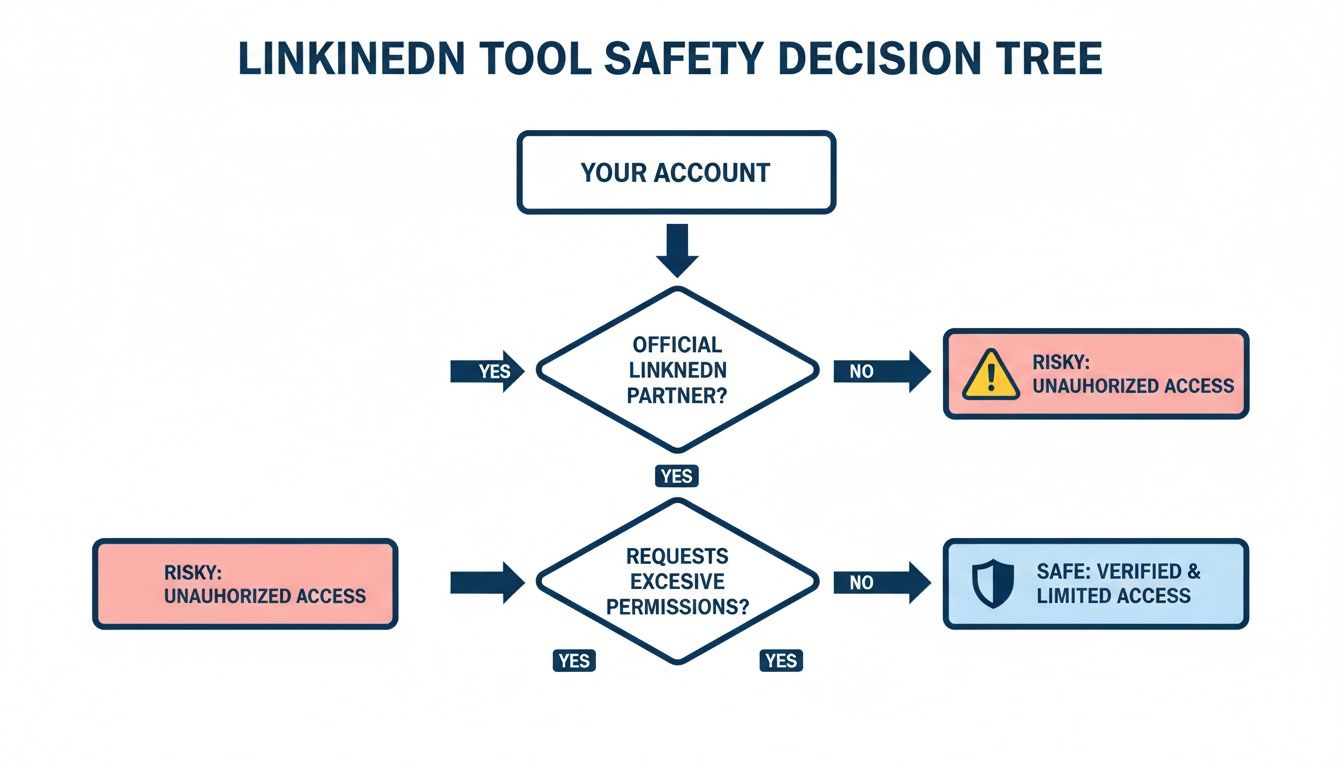
The right tool depends on which gap in your workflow is costing you the most time. Here is a decision framework based on the three most common scenarios.
You Need a Complete Kleo Replacement
If you want one tool that handles everything (AI writing, carousel design, scheduling, analytics, and team collaboration), the answer is Postiv AI. It covers the entire workflow that Kleo misses and adds brand-trained AI that actually sounds like you. This is the path for founders, agencies, and marketing teams who want to consolidate their tool stack.
You Need Scheduling (But You Like Kleo's Research)
Many creators are happy using Kleo 3.0's web platform for inspiration and voice training but need additional tools to fill the workflow gaps. Buffer (free for 3 channels) or Typefully (free plan available) are the most cost-effective scheduling options. You keep Kleo for its knowledge base and AI drafting, then add scheduling or carousel design from another tool without a major extra bill.
You Need Carousels and Visual Content
LinkedIn carousels consistently drive higher engagement than text posts. If visual content is your bottleneck, look at tools with built-in carousel makers. Postiv AI has the most integrated carousel workflow (AI text to designed carousel in one step). Supergrow also includes a carousel builder (Pro plan only). If you are creating infographics for LinkedIn, you will want a tool with strong design capabilities.
You Need Enterprise-Grade Team Management
For large organizations with compliance requirements and complex approval chains, Hootsuite is the industry standard. For agencies managing multiple client brands with distinct voices, Postiv AI offers a more LinkedIn-focused approach with separate brand libraries per client. If you are cross-shopping Kleo against Taplio specifically, our best Taplio alternative breakdown maps every feature, price tier, and account-safety trade-off side by side.
Your LinkedIn tool is more than a content scheduler. It is an extension of your brand strategy. The best choice is the one that eliminates your biggest bottleneck, whether that is creative block, design friction, account safety concerns, or workflow fragmentation.
A Note on Using Multiple Tools Together
It is perfectly valid to use more than one tool. Many creators pair Kleo 3.0's web platform for knowledge base and AI drafting with a LinkedIn post creator for carousel design, scheduling, and team workflows. Since Kleo's old Chrome extension was shut down in early 2026, the main account safety risk of extension stacking is reduced if you stay within Kleo's web app. If you do combine tools, prefer platforms that connect through OAuth or LinkedIn's API rather than browser extensions. For a broader look at safe LinkedIn tools, see our guide to the best LinkedIn automation tools.
Kleo Chrome Extension Alternatives After the Ban
The Chrome extension was the version of Kleo most people actually used: the overlay that surfaced top posts and creator stats while you browsed LinkedIn. That version is gone. If you specifically want a browser extension that finds viral LinkedIn posts, a handful of tools have stepped into that gap.
- depost.ai. Frequently recommended on Reddit as the closest feature-for-feature replacement. Lets you filter top posts, bookmark, and analyze creators directly from LinkedIn.
- Taplio Chrome Extension. Adds AI rewrite suggestions on top of post discovery. Pairs with Taplio's paid platform for scheduling.
- LiGo. Focused on safe LinkedIn commenting with AI-generated replies, rather than post discovery.
These extensions still rely on browser-based overlays, which carries the same category of risk that led to Kleo being banned. If you want long-term safety, the better move is a web platform that uses LinkedIn's official OAuth. Postiv AI, MagicPost, and Buffer all fit that profile.
Best Free Alternatives to Kleo in 2026
Kleo no longer has a free plan. The old free Chrome extension was shut down in early 2026, and Kleo 3.0 requires a $99/month subscription. If you need free options, here are the alternatives worth testing before you open your wallet.
- Buffer Free. Schedule up to 3 social channels. Clean LinkedIn support with OAuth. No carousel design, but unbeatable for basic queuing.
- Typefully Free. Drafting and scheduling for LinkedIn, X, and a few other text platforms. Minimalist interface.
- MyFeedIn Free. A newer tool offering custom creator feeds and personal analytics at no cost. Positions itself as a direct Kleo alternative for discovery.
- Postiv AI 7-day free trial. Full access to brand-trained AI writing and the integrated carousel designer for the trial window. The fastest way to test the complete Kleo-alternative workflow.
The honest tradeoff: fully free tools cover one slice of the workflow, usually discovery or scheduling. Combining two free tools (Buffer + MyFeedIn, for example) can replicate some of what the old Kleo did at zero cost. When you need AI writing and carousels in the same place, that is when paid platforms start to earn their price.
Kleo vs Taplio: The Direct Comparison Most Buyers Want
Kleo and Taplio are the two tools most LinkedIn creators compare when leaving the old free Chrome extension. After Kleo's pivot, they sit much closer in feature set than they used to, so the choice now comes down to four practical questions.
Pricing: Where Each Tool Actually Lands
Kleo is $99/month (or $999/year), a single flat plan with no trial. Taplio's real AI access starts at $69/month (Growth plan, 250 AI credits), and full unlimited AI is $199/month on Pro. The $39/month Taplio Starter plan has zero AI credits, which surprises a lot of buyers.
At the $69-99/month band, Taplio gets you AI writing, a carousel builder, scheduling, and lead generation. Kleo at $99/month gets you voice-trained AI writing, a knowledge base, scheduling, an image creator, templates, and swipe files. Neither wins on price alone, so the comparison comes down to feature priorities.
AI Writing: Knowledge Base vs Viral Library
Kleo is built around its knowledge base. You store your expertise, define your writing style, and set an identity profile. The AI also builds automatic memories from every post you create, getting more personalized over time. This "second brain" approach produces drafts that sound like you rather than generic LinkedIn templates.
Taplio leans on a viral post library plus AI rewriting. You browse high-performing posts in your niche and rewrite them in your style.
For creators with a strong, established voice and existing source material, Kleo's knowledge-base approach often produces more authentic drafts. For creators starting from scratch or wanting to ride proven post patterns, Taplio's viral library is faster.
Postiv AI also trains on your own content (blog posts, PDFs, video transcripts, and a voice interview), and the carousel designer and agency workspaces give it broader workflow coverage. For a side-by-side breakdown of Taplio specifically, see our Taplio alternatives guide.
Carousels: Image Creator vs Carousel Builder
Kleo includes an image creator that generates single on-brand graphics (up to 20 per month) to accompany a post. This is not a carousel builder. It does not produce multi-slide documents in the PDF format LinkedIn uses for carousels. Taplio includes a true carousel builder from the $69/month Growth plan. If you publish carousels regularly, Taplio is the stronger of the two for that format.
Both still fall short of dedicated carousel-first tools. If carousels are a core part of your content mix, see our roundup of the best LinkedIn carousel makers before locking in either.
Lead Generation: Only Taplio Has It
Taplio's Pro plan includes a lead database, contact enrichment, and auto-DM features. Kleo does not include lead generation and deliberately avoids automating LinkedIn actions ("you stay fully in control" per Kleo's FAQ). If your LinkedIn content strategy feeds into outbound sales, Taplio earns its higher tier. If you are focused purely on content (founders, ghostwriters, agency content teams), this gap may not matter.
For the deep version of this comparison, see Kleo vs Taplio.
Is Kleo Safe to Use in 2026?
Account safety is the most-asked follow-up question after Kleo's Chrome extension was shut down. The short answer: Kleo's new web platform is safer than the old extension, but it is not the safest option on the market.
The Chrome Extension Was the Risky Part
The legacy Kleo Chrome extension worked by injecting JavaScript into LinkedIn's interface and scraping data from the page as you browsed. LinkedIn's updated terms of service specifically prohibit this kind of unauthorized scraping, which is why the extension was removed in early 2026. Anyone who was running Kleo's old extension faced a small but non-zero chance of LinkedIn flagging their account.
The New Kleo Web Platform Takes a Different Approach
Since the Kleo 3.0 pivot, Kleo no longer automates LinkedIn posting at all. Per their own FAQ, "Kleo does not automate posting or perform any actions on your LinkedIn account. You stay fully in control." The new subscription does include a browser extension for saving inspiration to your swipe file, but it does not interact with your LinkedIn feed or automate any actions. The core safety risk of the old product is gone.
The Safest Tier: OAuth-Only, Official API Partners
If you want the absolute lowest risk profile, look at tools that are official LinkedIn API partners and never used a Chrome extension. Postiv AI, MagicPost, Buffer, and Hootsuite all qualify. They connect through LinkedIn's approved authentication and post through LinkedIn's official endpoints, which means they cannot be banned in the way the Kleo extension was.
Quick Safety Ranking
| Tier | Tools | Risk Level |
|---|---|---|
| Lowest risk | Postiv AI, Buffer, Hootsuite | OAuth-only, official API. No browser injection. |
| Low risk | Kleo (web platform, no automation), Supergrow, Typefully | No LinkedIn automation; user publishes manually or via web. |
| Moderate risk | Taplio, AuthoredUp | Uses cookie or extension alongside OAuth. |
| Higher risk | depost.ai, Taplio Chrome Extension, LiGo | Browser injection on LinkedIn's interface. |
For most users moving off Kleo today, the safer long-term play is a web-based, OAuth-only platform. That is also why agency teams have largely settled into Postiv AI, Buffer, or Hootsuite rather than rotating between Chrome extensions.
How Much Does Kleo Cost? Plan Breakdown
Kleo's pricing is the most-searched question after "kleo alternatives" itself, so here is the current state of every plan and what each one includes.
Kleo Free
There is no free plan. The old free Chrome extension that surfaced viral posts and creator stats while you browsed LinkedIn was shut down in early 2026. Kleo 3.0 does not offer a free tier. Kleo also does not offer a free trial (their FAQ states this explicitly). Annual subscribers get a 30-day money-back guarantee instead.
Kleo (Only Plan, $99/month or $999/year)
The single Kleo 3.0 plan in 2026 includes:
- Knowledge base ("second brain") that stores your expertise and trains the AI on your voice
- Writing style guide and identity profile
- Automatic memory layer that improves with every post
- Image creator (single on-brand graphics, capped at 20/month)
- Unlimited AI post generation
- 200+ hook templates, 160+ post templates, 170+ swipe files, 20 viral prompts, 20 lead-gen prompts
- Scheduling (LinkedIn only; X text generation supported but scheduling is LinkedIn only)
- Save-to-swipe browser extension (for saving inspiration, not for automating LinkedIn)
- Guided onboarding and access to a creator community
What is still missing: a true carousel builder with multi-slide brand templates, agency client workspaces, approval workflows, team seats, and own-post analytics.
How That Stacks Up
At $99/month, Kleo sits in the same band as Taplio's Growth plan ($69/month) and lands significantly above entry-level tools. For solo creators, the deciding factor is whether the knowledge base and voice training produce drafts you actually publish without heavy editing. For agencies and teams, Kleo's lack of multi-client workspaces makes it a poor fit regardless of price.
Frequently Asked Questions About Kleo Alternatives
What is Kleo and what does it do?
Kleo was a Chrome extension for LinkedIn that helped users discover high-performing content, analyze creator profiles, and identify trending topics. The free Chrome extension was shut down in early 2026 after LinkedIn asked Kleo to remove it. Kleo has since pivoted to a paid web-based platform (Kleo 3.0) at $99/month with voice-trained AI writing, a knowledge base ("second brain"), scheduling (LinkedIn only), post templates, swipe files, and a community. There is no free plan and no free trial. Its core strength is now the voice and identity training layer that makes AI drafts sound like you.
Is there a free alternative to Kleo?
Yes. Buffer offers a free plan for scheduling up to three social channels. Typefully has a free tier for drafting and scheduling on LinkedIn and X. However, free plans typically lack AI writing, carousel design, and team collaboration. Kleo itself no longer has a free plan. Postiv AI offers a 7-day free trial that includes brand-trained AI writing and carousel design, so you can test a full-featured workflow before committing.
Why are people looking for Kleo alternatives in 2026?
Three main reasons. First, Kleo's Chrome extension was shut down by LinkedIn in early 2026, forcing 70,000+ users to find replacements. Second, LinkedIn's broader crackdown on browser extensions and automation tools has made account safety a top priority. Third, many creators had already outgrown Kleo's research-focused feature set and needed AI content generation, scheduling, and visual design tools that Kleo never provided.
What is the best Kleo alternative for agencies?
Postiv AI is the top pick for agencies. It supports multiple client workspaces with separate brand libraries, team roles with approval workflows, and an integrated carousel designer. This lets agencies manage multiple LinkedIn accounts with distinct brand voices from a single platform. Hootsuite is another option for enterprise teams, though it lacks LinkedIn-specific carousel design.
Can I create LinkedIn carousels with Kleo alternatives?
Some alternatives include built-in carousel designers. Postiv AI has the most complete carousel workflow: generate text with AI, convert it into a branded carousel, and schedule it without leaving the platform. Supergrow (Pro plan) also offers a carousel builder. AuthoredUp, Buffer, Typefully, Kleo, and Shield do not support carousel creation and require a separate design tool.
Is Kleo safe to use after LinkedIn's 2025 crackdown?
Kleo's Chrome extension was shut down in early 2026 after LinkedIn directly asked them to remove it. The extension had been scraping LinkedIn's interface, which violated the platform's updated terms of service. Kleo has since launched a paid web-based platform (Kleo 3.0), but the old free Chrome extension that made it popular is gone. The safest alternatives use LinkedIn's official API and OAuth authentication. Postiv AI, Buffer, and MagicPost all use compliant API-based connections that are unaffected by LinkedIn's extension bans.
What is the cheapest Kleo alternative with AI writing?
Typefully offers AI writing assistance starting at $12.50/month with a free plan for basic features. Supergrow starts at $19/month with prompt-based AI. Buffer includes a basic AI assistant on paid plans from $5/month per channel. For brand-trained AI that learns your specific voice, Postiv AI provides the most personalized option with AI included from the starting tier.
Can I use Kleo together with another LinkedIn tool?
Yes, and many creators do this. A common setup pairs Kleo 3.0's knowledge base and AI drafting with Postiv AI for carousel design, scheduling, and team management. Kleo handles research and voice training, while Postiv AI handles the visual and workflow layers. Since Kleo's old Chrome extension was shut down, there is no longer the same extension stacking risk if you use Kleo's web platform alongside another tool. Prefer tools that connect via OAuth or LinkedIn's official API for maximum account safety.
Did Kleo get banned by LinkedIn?
Yes. In early 2026, LinkedIn asked Kleo to remove its Chrome extension after two years and over 70,000 users. The extension relied on scraping LinkedIn's interface, which violated LinkedIn's updated terms of service around third-party browser tools. Kleo has since pivoted to a web-based platform, but many users have moved to API-based alternatives like Postiv AI, Buffer, and MagicPost that connect through LinkedIn's official OAuth authentication and are unaffected by extension bans.
What Kleo alternatives do people recommend on Reddit?
On Reddit threads in r/socialmedia and r/linkedin, the most commonly recommended Kleo alternatives are Taplio for AI writing and lead generation, AuthoredUp for post formatting, and Postiv AI for a complete workflow including brand-trained AI, carousel design, and scheduling. Many Reddit users specifically recommend moving to tools that use LinkedIn's official API rather than Chrome extensions after the 2025-2026 crackdowns.
How do ContentIn and PerfectPost compare as Kleo alternatives?
ContentIn and PerfectPost are two newer tools in the Kleo alternative space. ContentIn focuses on AI content creation with topic discovery, while PerfectPost is a LinkedIn analytics and formatting tool. Both are smaller platforms compared to established alternatives like Postiv AI, Taplio, or Buffer, and neither offers the complete workflow of brand-trained AI writing, carousel design, scheduling, and team management that tools like Postiv AI provide.
What is the best Kleo Chrome extension alternative?
The closest Chrome extension alternatives to Kleo for finding viral LinkedIn posts are depost.ai and Taplio's Chrome extension. depost.ai is frequently mentioned on Reddit as a direct replacement with filters and bookmarking for top posts. Taplio's extension adds AI rewrites on top of discovery. Both still carry the same account risk profile as Kleo did, so if safety is a priority, a web-based platform like Postiv AI that connects through LinkedIn's official API is the safer long-term path.
Kleo vs Taplio, which one is better in 2026?
Kleo and Taplio now compete head-to-head after Kleo's pivot. Kleo is $99/month and bundles a voice-trained knowledge base, scheduling, an image creator, and templates. Taplio's real AI access starts at $69/month (Growth plan, 250 AI credits) and includes a carousel builder and scheduling, with lead generation on the $199/month Pro plan. The choice now comes down to features: pick Kleo if the knowledge base and voice training matter most, pick Taplio if you want carousels and lead generation. Postiv AI delivers the full workflow with brand-trained AI from its starting tier.
What are the best free Kleo alternatives?
The best fully free Kleo alternative is Buffer, which offers scheduling for up to three social channels with a basic AI assistant on paid plans. Typefully also has a free plan for drafting and scheduling on LinkedIn and X. Neither includes carousel design or brand-trained AI, but both give you reliable scheduling at no cost. For a free trial that includes AI writing and carousel design, Postiv AI lets you test the full premium workflow before deciding.
What is the best Kleo alternative according to Reddit?
On Reddit threads like r/LinkedInTips and r/socialmedia, users most often recommend depost.ai as a direct Chrome extension replacement for finding viral posts, AuthoredUp for formatting, Taplio or Supergrow for AI writing, and Postiv AI for a full end-to-end workflow. After the Kleo Chrome extension shutdown, Reddit advice has shifted strongly toward API-based tools like Postiv AI, MagicPost, and Buffer that connect through LinkedIn's official OAuth and are not affected by future extension bans.
How much does Kleo cost in 2026?
Kleo has a single flat plan: $99/month or $999/year (about $83/month billed annually). There is no free plan and no free trial. Annual subscribers get a 30-day money-back guarantee. The plan includes a voice-trained knowledge base, writing style guide, identity profile, image creator (20/month), unlimited AI post generation, 200+ hooks, 160+ post templates, 170+ swipe files, scheduling (LinkedIn only), and guided onboarding. It does not include a carousel builder, team features, or own-post analytics. The old free Chrome extension was shut down in early 2026 and is no longer available. Postiv AI offers brand-trained AI, scheduling, and the integrated carousel designer starting with a 7-day free trial.
What does Kleo do today after the Chrome extension shutdown?
In 2026, Kleo 3.0 positions itself as an AI personal-brand content engine for solo creators. It includes voice-trained AI writing, a knowledge base that learns your expertise and writing style, automatic memory that improves with every post, an identity profile, an image creator (single on-brand graphics, 20/month), post scheduling (LinkedIn only), 160+ post templates, 170+ swipe files, and a creator community. The original Chrome extension that surfaced viral posts while you browsed LinkedIn is gone, replaced by a web dashboard. Notably, Kleo does not include a carousel builder, team features, or an analytics module for your own post performance. The shift means Kleo now competes with Postiv AI, Taplio, and Supergrow rather than sitting in the discovery-only niche it used to own.
Is Kleo worth $99 a month in 2026?
It depends on your priorities. For solo creators who want a voice-trained "second brain" that gets more personalized over time, Kleo's knowledge base and memory layer are genuinely strong. If you also need a carousel designer, team features, or own-post analytics, Kleo does not cover those gaps at any price. Kleo at $99/month is more expensive than Taplio's Growth plan ($69/month) and well above the starting tier of alternatives like Postiv AI. If you were using the old free extension at no cost, the jump to $99/month is worth comparing against alternatives before committing.
What is the safest Kleo alternative for my LinkedIn account?
The safest Kleo alternatives all use LinkedIn's official OAuth authentication and avoid scraping LinkedIn's interface. Postiv AI, Buffer, MagicPost, and Hootsuite all fit this profile. They cannot be banned the way the Kleo Chrome extension was, because they post through LinkedIn's approved API. If account safety is your top concern after the Kleo shutdown, prefer these tools over any Chrome extension, including depost.ai and Taplio's extension.
How do you use Kleo for LinkedIn in 2026?
After the Chrome extension shutdown, Kleo pivoted to a web-based dashboard at kleo.so. To use Kleo for LinkedIn in 2026, you sign up on the website, connect your LinkedIn account through OAuth, and access features like the knowledge base, AI writing assistant, and scheduling from the web app. The old workflow of browsing LinkedIn with the Kleo overlay no longer exists. If you find the new web platform too limited compared to the old extension, tools like Postiv AI, Taplio, and Supergrow offer similar web-based workflows with deeper feature sets.
What do users say in Kleo reviews?
Kleo reviews are mixed after the 2026 pivot. Users who loved the free Chrome extension for content discovery generally rate the old product highly. Reviews of the new web-based Kleo 3.0 are more divided. Common praise includes the knowledge base and memory layer that make AI drafts sound more like the creator over time, plus the clean interface. Common complaints include the price jump to $99/month (with no free trial), the loss of the in-feed content discovery overlay, the lack of a true carousel builder, and the absence of own-post analytics. On Reddit and review sites, many former Kleo users say they switched to Postiv AI for the full creation workflow or to Buffer for free scheduling after the extension was removed.
Does Kleo offer LinkedIn post templates?
Yes, Kleo's $99/month plan includes 160+ post templates and 170+ swipe files. These are pre-built frameworks for common LinkedIn post formats like listicles, storytelling hooks, and opinion posts. You can customize them with your own content through the AI writing assistant. However, Kleo's templates are text-only. If you need carousel templates with branded visual designs, you will need a separate tool. Postiv AI includes both text post templates and visual carousel templates with brand customization built in.
How do ContentIn and EasyGen compare to Kleo?
ContentIn and EasyGen are two newer competitors that have appeared in the Kleo alternatives space since the Chrome extension shutdown. ContentIn positions itself as a direct Kleo replacement at $12.50/month with AI writing, scheduling, and analytics. EasyGen focuses on AI post generation with voice matching. Both are more affordable than Kleo's $99/month plan but lack carousel design and agency-level team management. For creators who need the full workflow of AI writing, carousel design, scheduling, and multi-client workspaces, Postiv AI remains the most complete option at a lower starting price than Kleo.