Best AI Social Media Managers in 2026 (Agents and Tools)
The best AI social media manager for a B2B team in 2026 is Postiv, whose agent Bob plans your week and drafts with you while you approve every post. After it come ContentStudio, FeedHive, SocialBee, Buffer, Hootsuite, Sprout Social, StoryChief, Predis.ai and Publer. Most AI social media tools only write a caption when you ask. A few build a plan, and fewer still work as AI agents for social media that plan, draft, design, queue and report.
To see what the first pick does day to day, read about the AI agent that plans your social content. Vendor facts in this post come from each vendor's own pages, checked October 2026.
Every pick says which level it reaches (assistant, planner or agent), and picks 2 to 10 show a screenshot of the vendor's own homepage hero. You also get what it does for B2B teams, example prompts or a first workflow, plan notes, strengths and limits. Prices are left out on purpose, because they change and vary by plan.
Picks at a glance
| # | Tool | Best for | Why it made the list |
|---|---|---|---|
| 1 | Postiv | B2B teams, founders and agencies | Agent: plans the week, drafts, designs and schedules, and only approved posts go out |
| 2 | ContentStudio | Agencies and teams on many networks | Agent: plans, creates and publishes from a brand profile, with review or autopilot |
| 3 | FeedHive | Brands that want AI plus automation | Assistant with an agent: writing, image and prediction tools, plus an MCP server |
| 4 | SocialBee | Evergreen queues across many clients | Planner: Copilot builds a content plan and keeps the queue full |
| 5 | Buffer | Simple scheduling with light AI | Assistant: an AI Assistant and an MCP on every plan, including Free |
| 6 | Hootsuite | Larger teams that want one suite | Assistant moving toward agent: Wisdom drafts and reports, people approve |
| 7 | Sprout Social | Reporting and listening-led teams | Agent for analysis: Trellis answers questions about your social data |
| 8 | StoryChief | Teams running blog and social together | Agent: drafts across formats, and sensitive actions wait for a person |
| 9 | Predis.ai | Visual-first posts and carousels | Planner: posts, carousels and videos from a prompt, with auto-posting on higher tiers |
| 10 | Publer | A free plan and broad network coverage | Assistant: AI Assist inside a scheduler, with an MCP on Business |
What is an AI social media manager?
An AI social media manager is software that does part of what a social media manager does: deciding what to post, writing it, making the visual, scheduling it and reading the results. The label covers very different products, so it helps to sort them by how much they do before a person looks. This post covers software. If you are weighing a hire, the section on a human manager below is for you, and for tools that work only on LinkedIn, our list of LinkedIn AI agents for content goes deeper.
- Assistant. Sits inside a scheduler and writes a caption, rewrites a draft or suggests hashtags when you ask. You still decide what to post and when.
- Planner. Builds a plan or calendar from what you give it, such as a business description, a set of topics or a few ideas, and then fills the queue with posts.
- Agent. Takes several steps with tools: it plans the work, drafts, designs the visual, queues the post and reports back on how it did.
The more a tool does on its own, the more a human approval step matters. An assistant that writes one caption can be wrong in one place. An agent that queues a week of posts can be wrong all week, so look for a tool that waits for a person before anything goes out.
Comparison table
Cells say "check their docs" where the vendor's pages did not confirm a detail. Prices are left out on purpose.
| Tool | Level | AI features | Approvals | Claude or ChatGPT access | Free plan or trial |
|---|---|---|---|---|---|
| Postiv | Agent | Weekly plan, posts, carousels, infographics, images, analytics questions | Approvers per profile; scheduled posts wait for approval | Yes (see pick 1) | 7-day free trial |
| ContentStudio | Agent | Agent from a brand profile, AI Studio for text, image and video | Review mode or autopilot; approval workflow on higher tiers | MCP server | 7-day trial, no card |
| FeedHive | Assistant, with an agent | Writing, hashtags, images, performance prediction, Vibe Marketing agent | Approval workflow from Brand | MCP server; plan gating not confirmed | 7-day trial, no free plan |
| SocialBee | Planner | Copilot plan, unlimited captions and images | Post approval from Accelerate | Not shown (Zapier, Pabbly, Make) | 14-day trial, no card |
| Buffer | Assistant | AI Assistant, AI replies, Takeaways | Approval workflows on Team | MCP on every plan | Free plan; 14-day trial on paid |
| Hootsuite | Assistant moving toward agent | Wisdom: captions, ideas, hashtags, listening summaries | Approval workflows from Advanced; Wisdom does not publish | MCP servers; plan gating not confirmed | 14-day trial, no card |
| Sprout Social | Agent for analysis | Trellis questions and skills, AI Assist | Approvals from Professional; external approval from Advanced | No first-party MCP found | 30-day trial, no card |
| StoryChief | Agent | AI marketing agent, Company Intelligence, AI visibility tracking | Approvals from Growth | MCP server; plan gating unclear | Free trial, no card |
| Predis.ai | Planner | Posts, carousels and videos from a prompt, Auto Post | Review by email link | MCP makes assets only | 3-day trial, card required |
| Publer | Assistant | AI Assist for text, images and comment replies | Approval workflows (check their docs for the tier) | MCP on Business | Free plan; trials on paid |
How to choose an AI social media manager
Ten tools will not all fit your week. These are the checks that decide it for a B2B team.
Start with the level you need. If your team knows what to post and wants faster drafting, an assistant inside a scheduler is enough. If the blank page is the problem, look at a planner or an agent. If three people share the job, pick the tool that can hold the team's shared material.
Find the approval step before you find the AI. Ask whether it can publish on its own and whether that is a setting you control. ContentStudio describes both review and autopilot. Hootsuite and StoryChief say their agents wait for a person. Approvals also sit on specific tiers, such as Team on Buffer, Advanced on Hootsuite and Growth on StoryChief, so confirm yours is on the tier you would buy.
Look at what it learns from. An AI that sees only a prompt writes generic posts. Postiv, ContentStudio and StoryChief build from your website, files and sources. Buffer, FeedHive, SocialBee and Publer describe prompt-based writing, so check whether you can hand them your own documents.
Match the LinkedIn depth to your audience. Most tools here treat LinkedIn as one network of many, and the details differ. Buffer separates LinkedIn pages from profiles for analytics, SocialBee's inbox covers Company Pages only, and Sprout Social's competitor reports leave LinkedIn out. If your founders post from personal profiles, test that case first.
Count profiles and clients. Agency structure varies a lot: ContentStudio and SocialBee sell client workspaces by tier, StoryChief prices its Agency plan per workspace, and Postiv gives each client its own workspace.
Watch the credits. FeedHive, Hootsuite, Predis.ai, Sprout Social and StoryChief meter AI by credits. Ask what happens when they run out.
Decide where you want to work. Most picks now have an MCP server, so you can work from Claude or ChatGPT. Check whether the connection can publish, because Predis.ai's cannot.
If you run a small business with a handful of channels, our small business guide to social media management software fits better. If you only need a scheduler, see the best social media schedulers. For AI beyond social, the best AI marketing tools list covers the rest of the stack.
The 10 best AI social media managers in 2026
1. Postiv
Best for: B2B teams, founders, freelancers and agencies who want an agent that plans, drafts and queues while a person approves.
Level: Agent. It plans the week, drafts, designs, queues and reports, and nothing is scheduled that you have not approved.
Postiv is a social workspace for you, your team and your AI agent. Bob, Postiv's planning agent, prepares a plan for each posting week from your content pillars, your sources and how each pillar did over the last 30 days. You get one idea per posting day you chose. Each idea carries a topic, an angle, a format (text post, carousel, infographic or image post) and the pillar it belongs to. Click Create post on an idea and Bob drafts it with the brief and sources attached, then you refine it in chat and in the post editor.
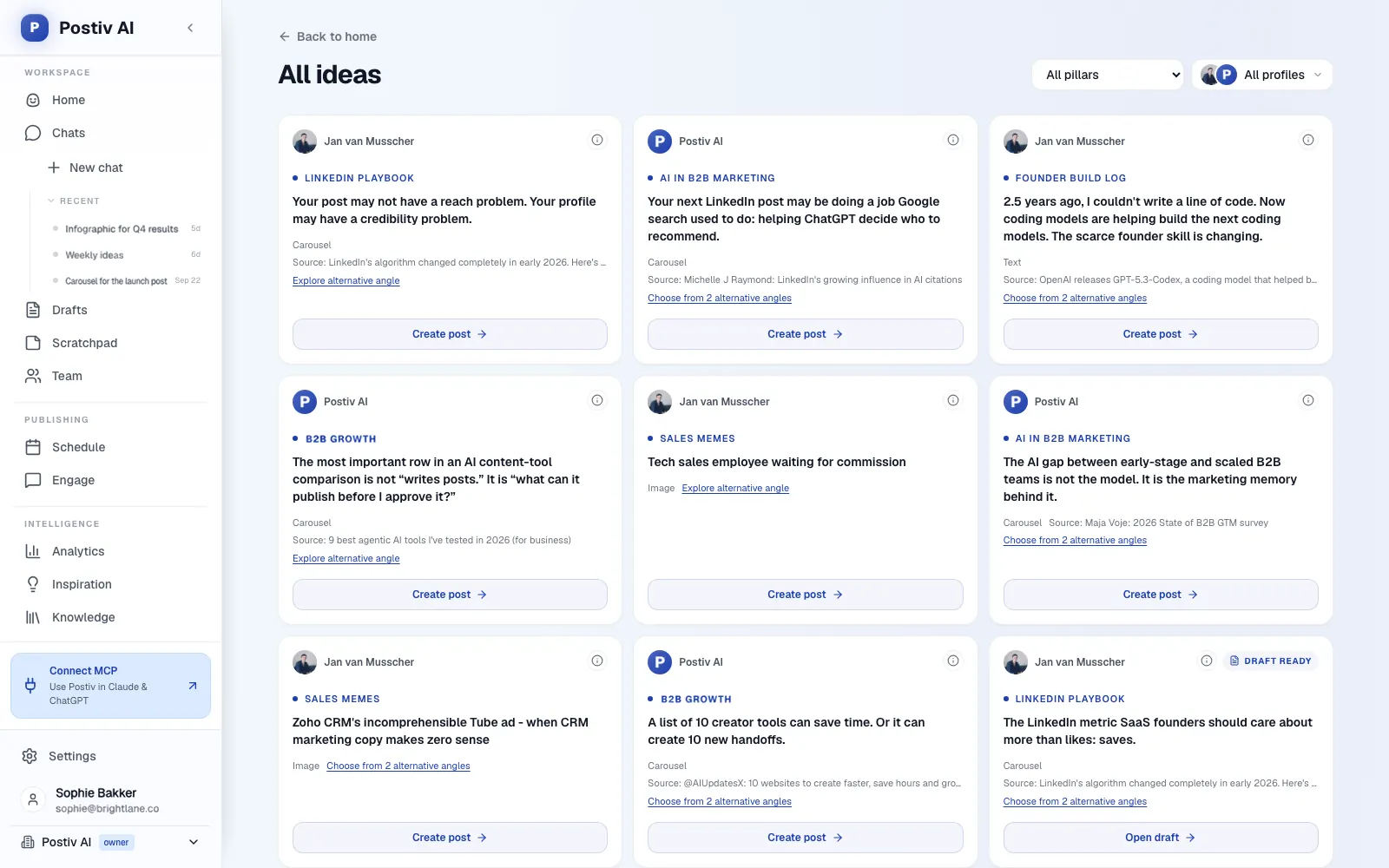
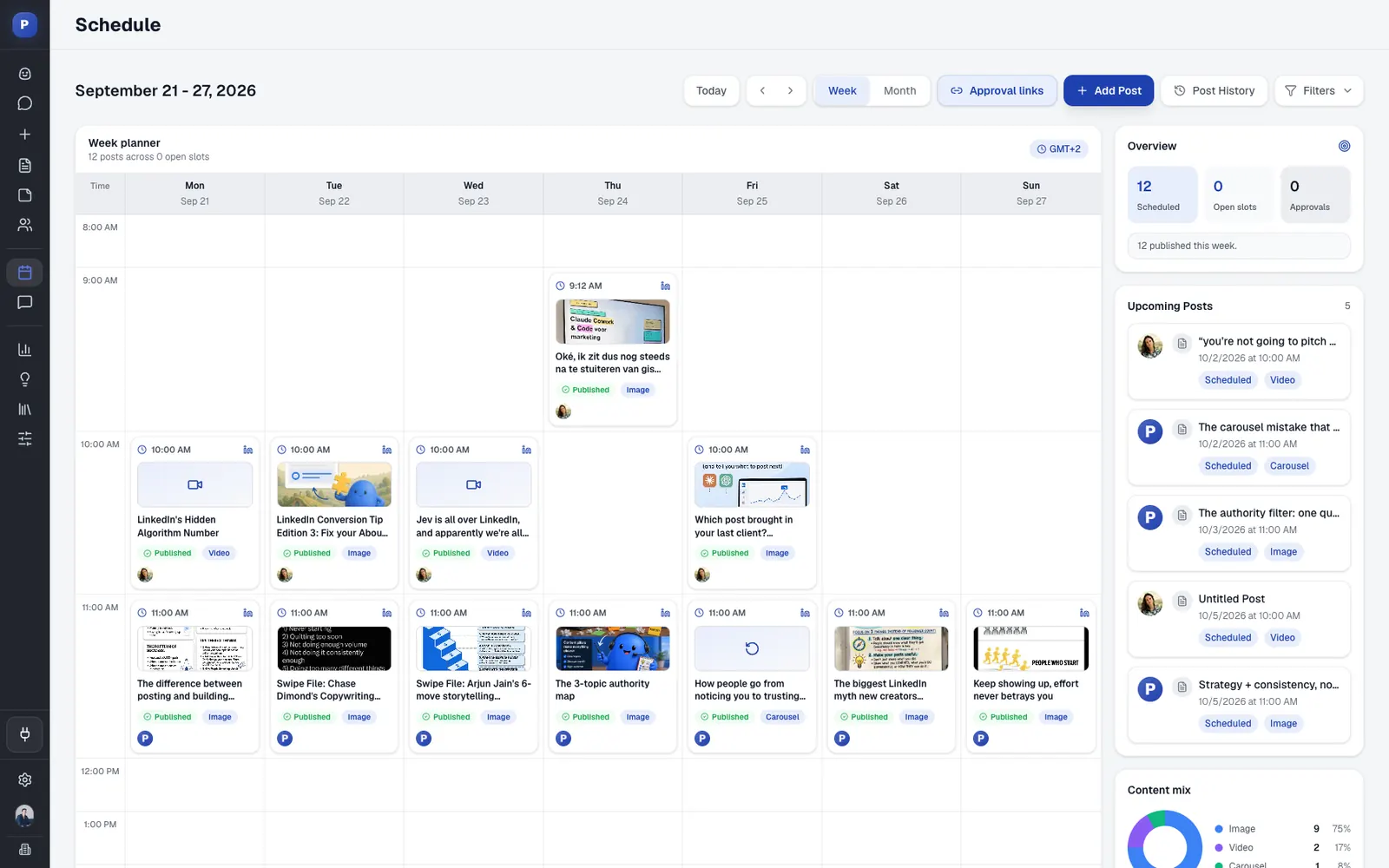
A week with Bob might run like this. Each posting week starts with a fresh plan, so the ideas are there when you sit down on Monday. You open Tuesday's idea, check the sources it is based on and click Create post. Bob drafts it with the brief attached, and you ask for a sharper hook or a shorter cut. For Thursday's slot you ask for a carousel and fine-tune the slides in the editor. You schedule what you like, and on a profile with approvers the posts go to the approver. The plan card moves from idea to draft to scheduled to published, and next week's plan starts from how this week did.
The plan is yours to change. Decline an idea, ask Bob for a different angle in chat, or start a post from an open slot. Change your posting days or pillars and the next plan follows the new setup.
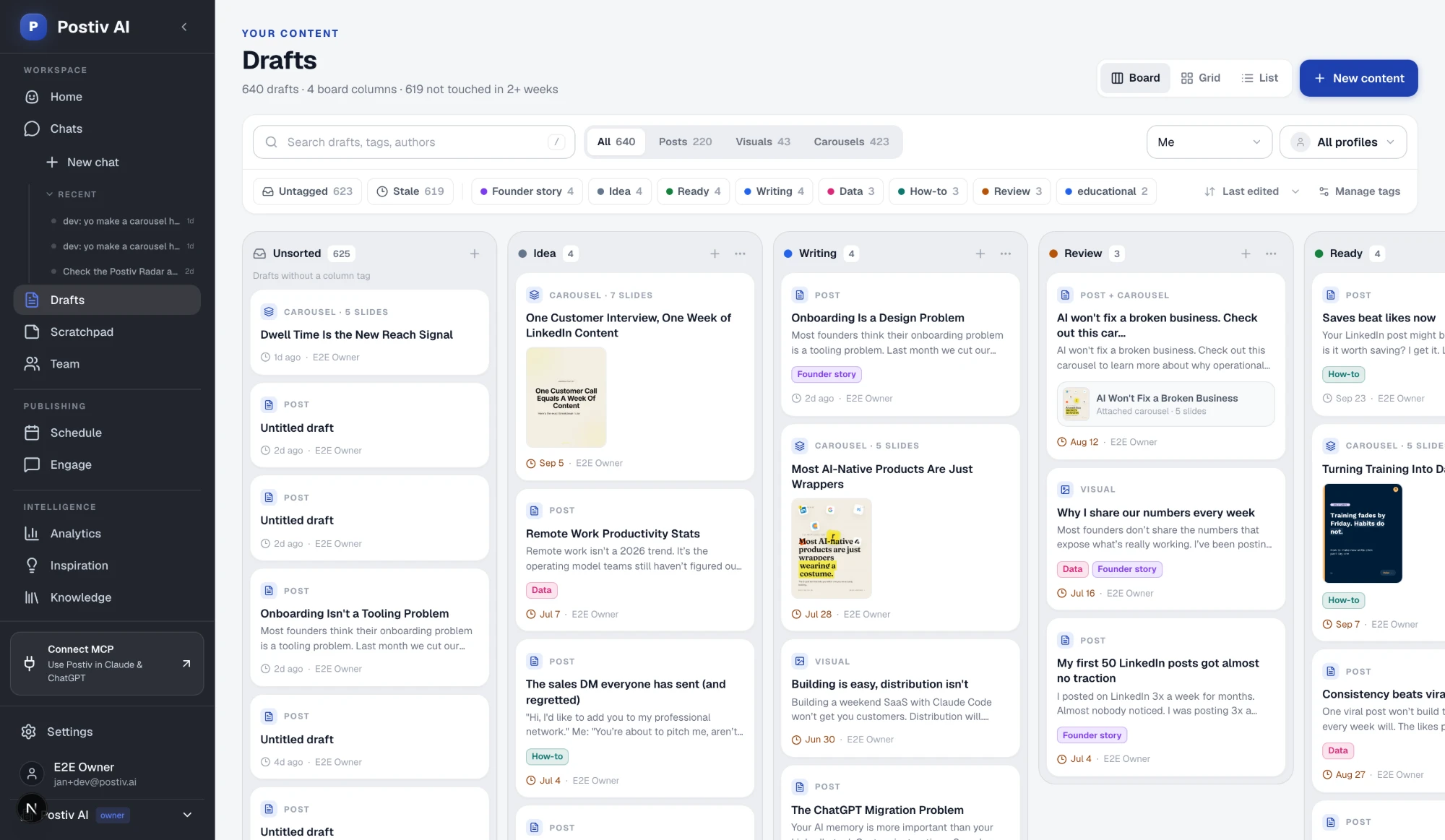
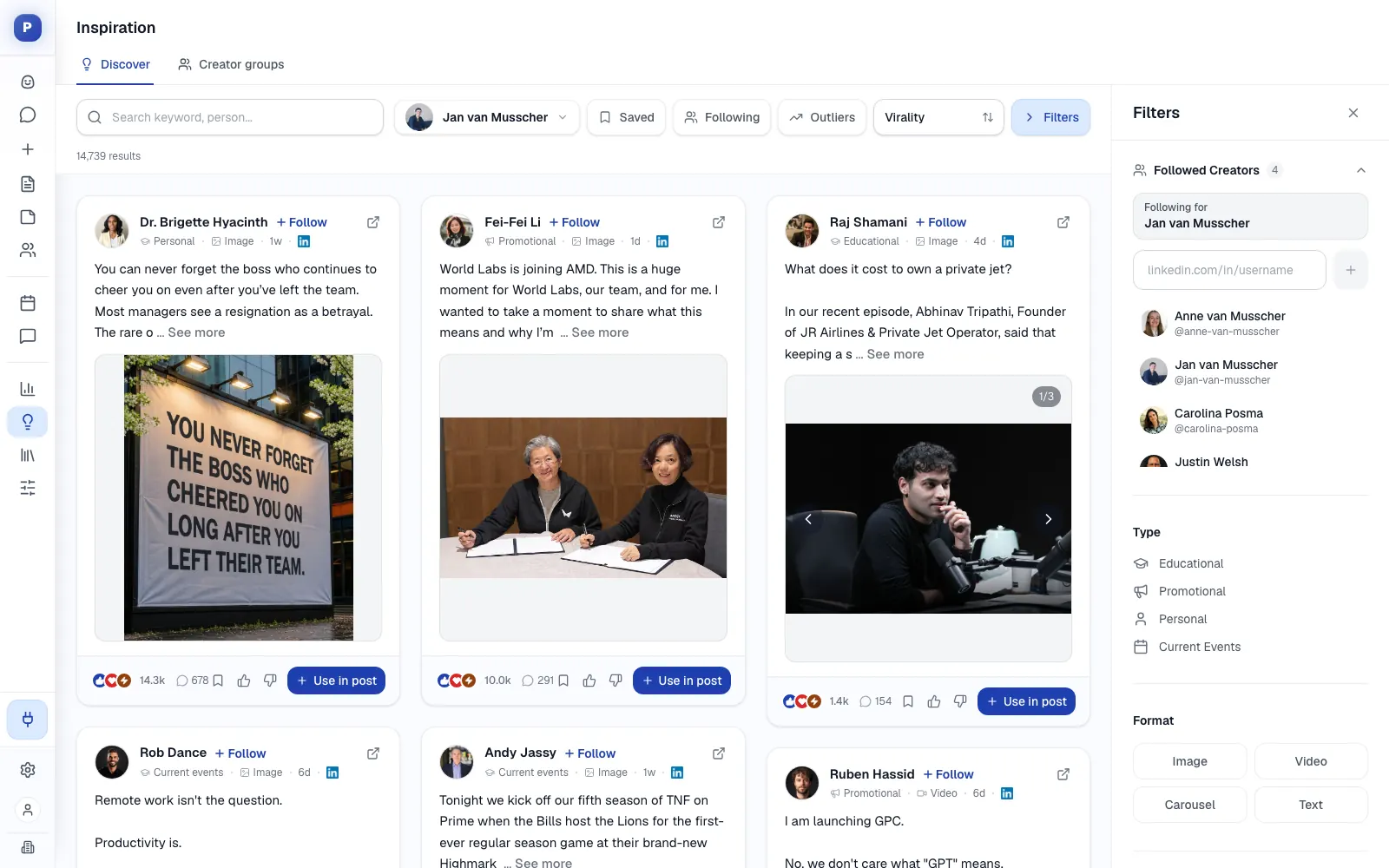
Bob works from material that is yours. Your knowledge base holds your website, documents, YouTube videos, Notion pages and newsletters in one library, so every idea starts from your own sources. The inspiration library shows which LinkedIn posts are taking off in your niche, including the outliers, and lets you turn the idea and format into your own post. On the first run, Bob looks at your analytics and knowledge base, proposes three to five content pillars and saves them only after you confirm.
What it does well for B2B teams:
- Plans each posting week per LinkedIn profile, so on a team every profile keeps its own pillars and voice.
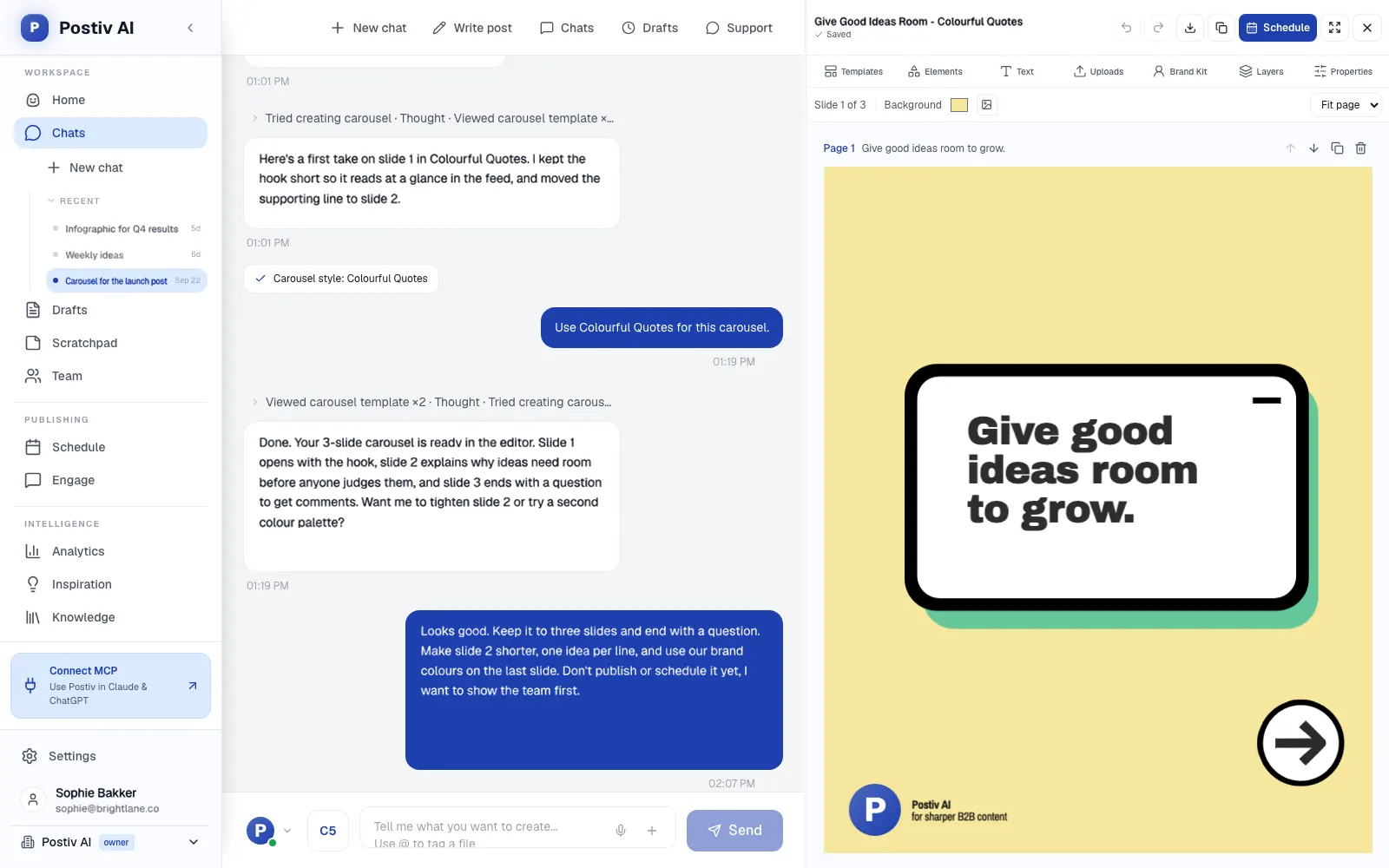
- Makes carousels, infographics and post images in the same chat, using your saved carousel style.
- Puts every profile, Company Page and channel on one calendar with posting slots and an automatic first comment.
- Collects every comment on every profile in one inbox, plus a feed of the people you want to reach.
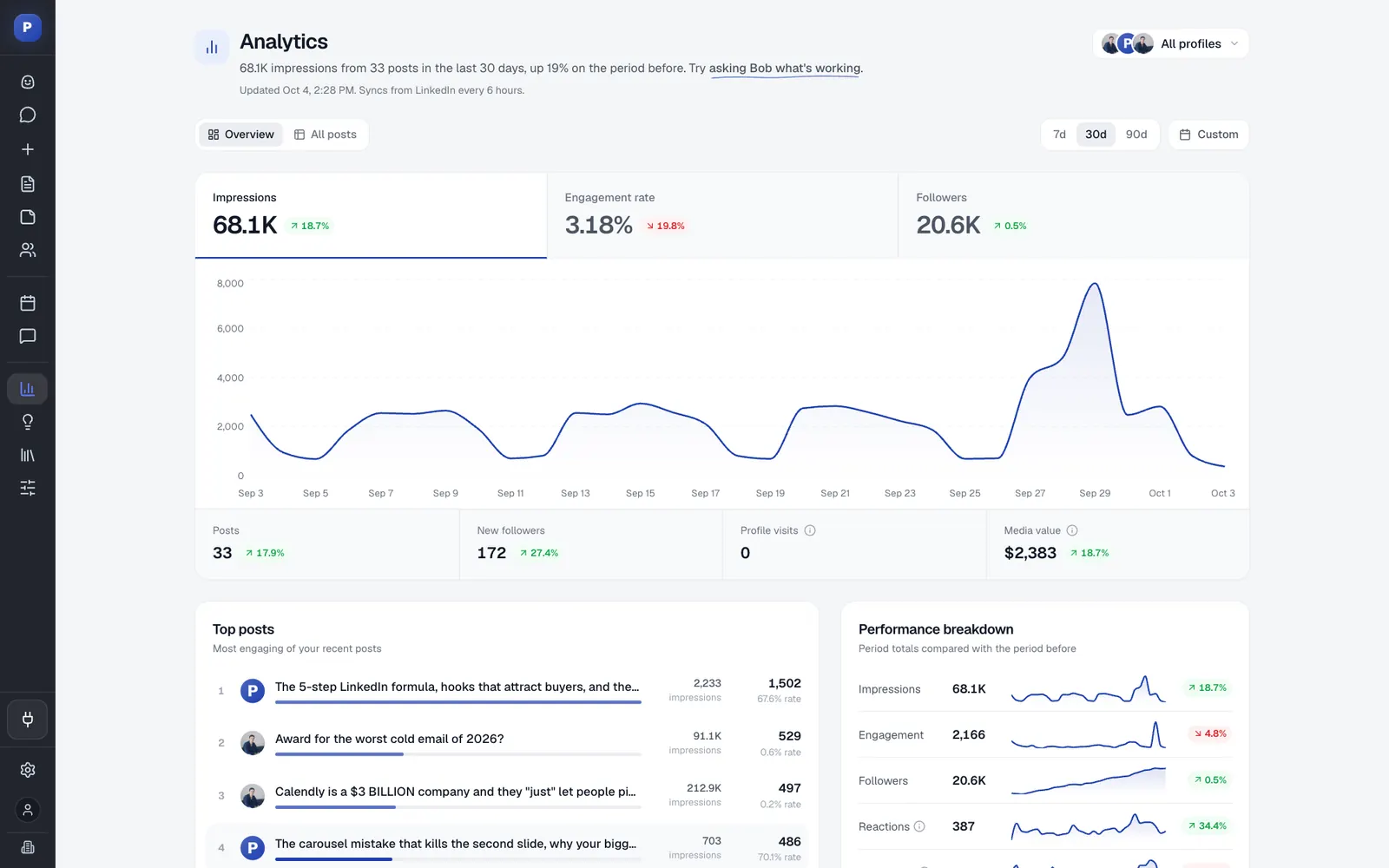
- Answers questions about your numbers, such as which posts did best this month, from your LinkedIn analytics.
- Keeps each client of an agency in its own workspace, with roles, approvers per profile and a Team Hub.
Approvals are part of the workflow. On a profile with approvers, a scheduled post waits for approval, and approvers can approve, request changes or deny. Postiv connects LinkedIn personal profiles, Company Pages and X accounts, and LinkedIn publishing goes through LinkedIn's official API, so there is no password, session cookie, scraping or browser automation.
Analytics show reach, engagement and followers per post and per profile, and they feed the next plan.
On a team, every profile and Company Page lives in one workspace, with roles, approvers per profile and a Team Hub. Each LinkedIn profile keeps its own plan, pillars and voice, and Bob does not mix them, so a founder and a Company Page can post on different rhythms and still share one calendar and one approval queue.
Prefer to stay in an AI app? You can use Postiv from Claude or ChatGPT through the hosted MCP server at https://postiv.ai/mcp, and the same approvers apply.
Example prompts:
Plan next week for my profile from my pillars and last month's results. Then draft Tuesday's post from the idea with the strongest source and leave it unscheduled.
Which of my pillars had the best engagement rate this month? Turn the top post into a carousel in my saved style and show it to me before anything goes on the calendar.
Setup and plan notes: Bob's weekly plan and AI writing are included in Creator Pro and Team. A new account starts with a 7-day free trial, and the first plan appears once a LinkedIn profile is connected and pillars are set. Roles and approvers are set per profile, and agencies add each client as its own workspace.
Strengths:
- Plans from your own pillars, sources and results, so ideas are not generic.
- Plan, drafts, visuals, calendar, approvals and analytics sit in one workspace.
- Approvers are set per profile, which suits agencies and teams.
Limits:
- It is a paid product, with a 7-day free trial.
- It is built for content, not outreach: no direct messages or connection requests.
- Analytics are scheduled imports, not live reads.
2. ContentStudio
Best for: agencies and teams that publish across many networks and want an AI agent that plans and creates from a brand profile.
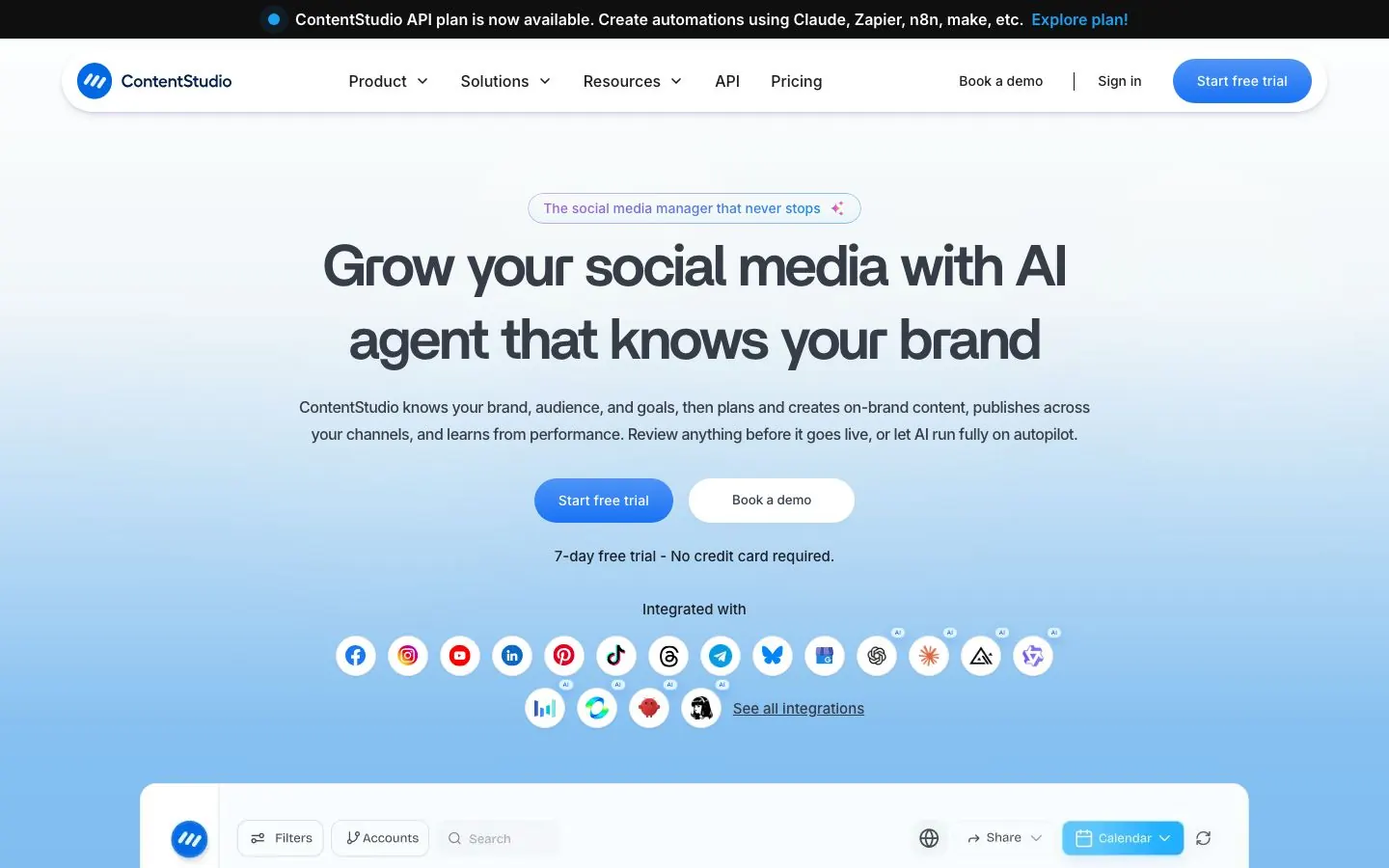
Level: Agent. Its homepage describes an AI agent that plans and creates on-brand content, publishes across your channels and learns from performance.
ContentStudio is a broad social media management platform with publishing, AI content, analytics, an inbox and agency workflows. The agent starts from a brand profile: you add your website, upload files, connect accounts or paste brand content, and its AI agents capture tone, voice and messaging. Posts it creates are saved in a shared AI Library. You also choose how much freedom it gets, because the homepage says you can review anything before it goes live or let the AI run fully on autopilot.
What it does well for B2B teams:
- AI Studio covers text, image and video, and the plan list includes AI brand knowledge and voice.
- LinkedIn carousels are in the plan list, alongside X threads and an automatic first comment.
- Workspaces and client management, with unlimited workspaces, clients and users on Agency Unlimited, plus approval workflows and an approver or client dashboard on higher tiers.
- AI auto replies (100 a month) start on Advanced, together with the social inbox.
- Calendar, best-time recommendations, recurring posts and RSS auto-posting.
- An MCP server lets Claude, ChatGPT, Cursor or another MCP client schedule posts, check analytics and manage accounts.
Good first workflow: Build the brand profile from your website and a few of your best past posts. Set the agent to review mode so every post waits for you, then let it fill one week. Compare the drafts with your own voice before you widen what it may do on its own.
Setup and plan notes: Tiers are Standard, Advanced, Agency Unlimited and Enterprise. There is a one-time 7-day free trial with no card and no free-forever plan. MCP Integration and API access are listed on Standard, and AI credits for text, image, video and clipping scale by plan.
Strengths:
- You pick review or autopilot instead of having it chosen for you.
- The brand profile builds from your site and files.
- Client workspaces and approval dashboards suit agencies.
Limits:
- LinkedIn carousels are designed through Canva or VistaCreate and scheduled as PDF posts. A native slide editor is not confirmed, so check their docs.
- Content discovery is RSS-based, not a library of LinkedIn posts taking off in your niche.
- LinkedIn is one of many networks.
3. FeedHive
Best for: brands and agencies that want one multi-platform scheduler with AI writing, automation and an agent they can reach from Claude.
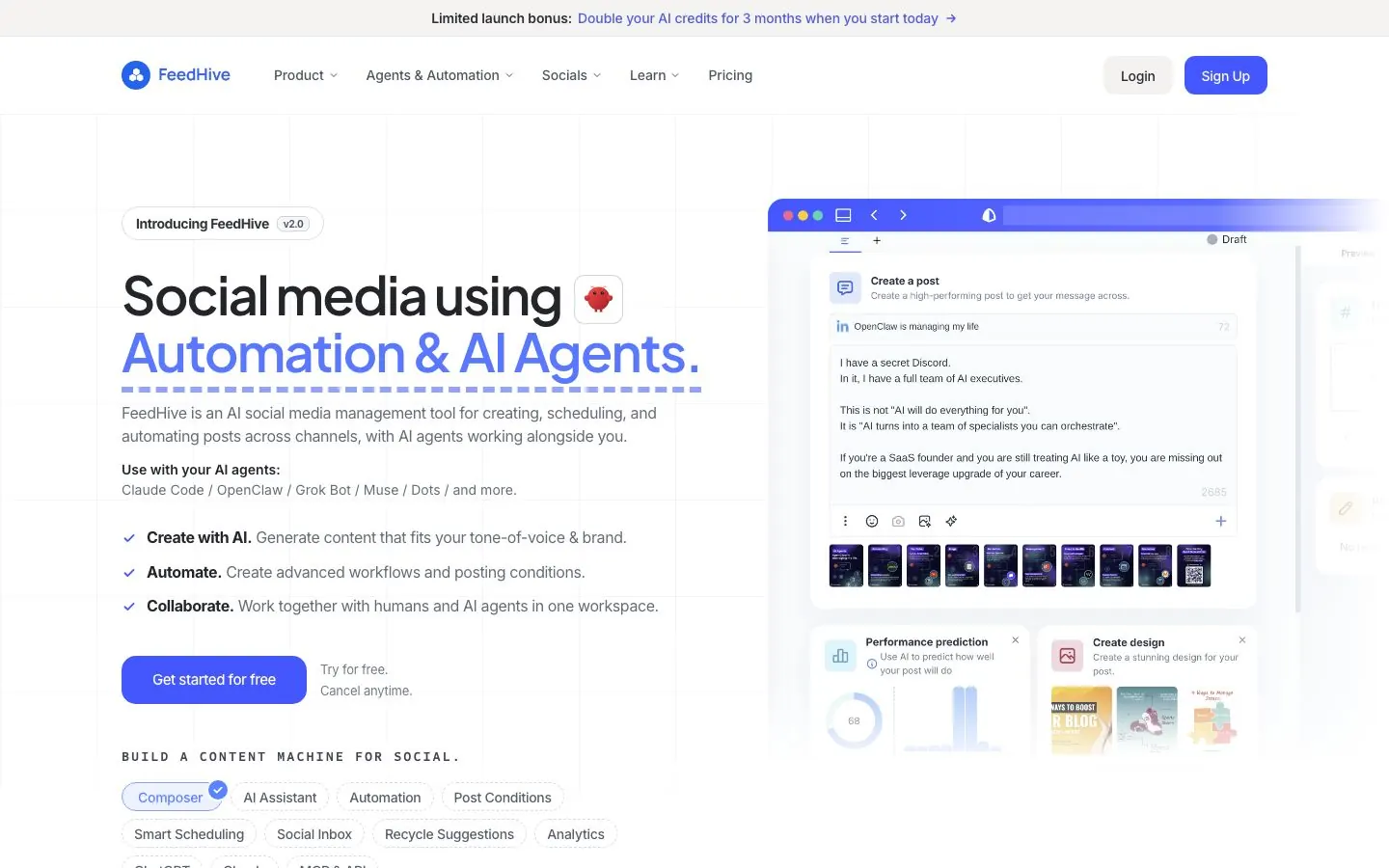
Level: Assistant, with an agent on the way. Its AI page lists writing, hashtags, image generation and performance prediction, plus Vibe Marketing, a built-in agent that turns rough thoughts into posts.
FeedHive covers Facebook, Instagram, LinkedIn, X, TikTok, YouTube, Pinterest and Google Business Profile, so LinkedIn is one of eight networks. It is a scheduler and automation engine first, and AI is metered by monthly credits per plan. Its pages describe the agent as helping you turn rough thoughts into posts, not as building a plan from your sources. Our FeedHive alternatives page compares it with similar tools.
What it does well for B2B teams:
- AI writing assistant, hashtag generation and image generation on all four plans.
- AI performance prediction, listed on the pricing page.
- Automation workflows, auto-repost, webhooks and post conditions.
- A social inbox, first comment and smart scheduling on every plan.
- Approval workflow on Brand, Business and Agency, with 5, 50 and 100 workspaces on those tiers.
- A dedicated MCP server page, a Claude directory listing from FeedHive marked Community, and an Agentic block with an OpenClaw skill, Claude Code setup, CLI and a REST API.
Example prompts:
Turn these rough notes from Monday's customer call into three LinkedIn post drafts with different opening lines. Save them as drafts only.
Write five variations of this post's first line and suggest hashtags for each.
Setup and plan notes: Tiers are Creator, Brand, Business and Agency. There is a 7-day free trial and no free plan. Creator has no workspaces or approval workflow. The CLI, API and agent tooling start at Brand according to the pricing page we read. Which tier includes the MCP is not confirmed.
Strengths:
- Broad network coverage with real automation.
- Prediction and AI writing on every tier.
- Several ways to reach it from an AI client.
Limits:
- No dedicated LinkedIn carousel designer on its pages.
- Brand-voice training or a knowledge base is not confirmed.
- LinkedIn is one network among eight.
4. SocialBee
Best for: freelancers and agencies that want an evergreen queue across many networks and clients, with an AI planner on top.
Level: Planner. Copilot is described as SocialBee's AI social media manager: it builds a content plan with pillars, a schedule and campaigns, recommends platforms and keeps the queue full.
SocialBee is a scheduler built around content categories and an evergreen queue. Copilot goes beyond a caption box. It picks posting times, turns old content into new posts and takes a post from idea to draft to schedule in one flow. Beyond planning it writes captions, changes tone, makes images and suggests hashtags and platform variants. Whether Copilot can publish without a person approving is not confirmed.
What it does well for B2B teams:
- Content categories with evergreen recycling and expiry dates, so strong posts return on a schedule.
- LinkedIn personal profiles and Company Pages publish directly.
- Separate workspaces per client with their own profiles, content, analytics and inbox.
- A post approval system with Owner, Manager, Publisher and Contributor roles.
- Best-time suggestions, a bulk editor and CSV uploads on Accelerate and above.
- Client-branded PDF analytics reports for agencies.
Good first workflow: Start with one client or one profile. Let Copilot draft a content plan around your pillars, set the posting slots and generate the first batch. Read every post before it enters the queue, and mark the ones that sound like you as evergreen so they recycle.
Setup and plan notes: Tiers are Bootstrap, Accelerate and Pro, with agency plans named Pro50, Pro100 and Pro150. Copilot and unlimited AI captions and images show on the Bootstrap, Accelerate and Pro columns. The trial is 14 days with full Pro access and no card. Approvals start at Accelerate, which, like Bootstrap, has one user and one workspace. Pro gives you five workspaces, and the agency plans give 10, 20 or 30.
Strengths:
- Copilot gives you a plan, not just a caption box.
- Client workspaces and evergreen recycling suit agency work.
- Unlimited AI generation of captions and images is listed on every plan.
Limits:
- No carousel or PDF builder is shown on its pages.
- The LinkedIn engagement inbox covers Company Pages only.
- No public API or MCP is shown: automation goes through Zapier, Pabbly and Make.
5. Buffer
Best for: solo marketers and small teams that want simple scheduling, a free plan and a light AI assistant.
Level: Assistant. Buffer's own AI page says "Buffer is not an AI tool", and what its pages show is an assistant for writing and replying.
Buffer is a multi-platform scheduler with a permanent free plan, a mature queue and calendar, and twelve channels that include LinkedIn profiles and pages. The AI Assistant helps you brainstorm ideas, rewrite content and craft platform-specific posts, repurposes a post for each network and changes tone or length in one click. It is included on Free, Essentials and Team with unlimited credits. Takeaways, AI observations about how your content performed, are on all three plans. Our Buffer alternatives page shows where it stops.
What it does well for B2B teams:
- AI replies that learn your voice for comments: five suggestions a week on Free, unlimited on Essentials and Team.
- An MCP on every plan, including Free, that works with Claude, ChatGPT, Cursor, Perplexity and others to draft, schedule, check the queue, save ideas and review performance.
- A Community connector in Claude's directory, added August 2026, with tools such as create_post and edit_post.
- Posts from an AI client land in your queue as drafts or scheduled posts.
- A shared inbox for comments, and first-comment scheduling on LinkedIn for paid plans.
- On Team: unlimited team members, approval workflows and custom access.
Example prompts:
Check my Buffer queue for next week, tell me which days have no post, and draft two LinkedIn posts for the gaps. Save them as drafts and do not schedule.
Review last month's performance in Buffer and save three post ideas based on what worked.
Setup and plan notes: Tiers are Free, Essentials and Team. Free allows up to three channels and one user. Paid plans come with a 14-day free trial. For LinkedIn, Buffer's channel table gives pages advanced analytics and profiles basic analytics only.
Strengths:
- A free plan that includes the AI Assistant and the MCP.
- A queue and calendar that stay simple.
- Approval workflows on Team.
Limits:
- No planning agent is shown, and Buffer calls its AI optional.
- It cannot ingest your own documents or transcripts, and has no native carousel builder (it imports from Canva and Unsplash).
- LinkedIn profiles get basic analytics only.
6. Hootsuite
Best for: larger teams that want AI inside a full social suite with publishing, inbox, listening and advocacy.
Level: Assistant moving toward agent. Hootsuite calls Wisdom its AI agent: it answers in plain language and can act, but its pages describe request-driven help, not a weekly plan built from your own sources.
Hootsuite's AI is called Wisdom, and every plan runs on it. You ask in plain language and get answers from your calendar and listening data, then act on them, for example drafting a post or sharing a report. Wisdom does not publish by itself: a person reviews, approves and publishes. The suite is now named by job: Perch for planning and publishing, Nest for the inbox, Lumen for listening, Parliament for employee advocacy. Wisdom works with Perch and Lumen today, and Hootsuite marks Nest and Parliament as coming soon. See our Hootsuite alternatives if the suite is more than you need.
What it does well for B2B teams:
- Writing help on all four plans: captions for every network, repurposing top posts, holiday content, caption clean-up for grammar, length and tone, and hashtag suggestions.
- Wisdom summaries in Lumen on all plans, and 90-day trend forecasting from Professional.
- Official MCP servers for Perch, Nest, Lumen and Parliament that connect to ChatGPT and Claude. The Perch server drafts posts, schedules at best times, uses the content library and reviews performance.
- Recommended times to publish, including LinkedIn, on all plans.
- Bulk scheduling by CSV, up to 350 posts, on all four plans.
- Approval workflows and internal comments on Advanced and Enterprise.
Example prompts:
Draft a LinkedIn post that repurposes our best-performing post from last quarter, and share a report on how last week's posts did.
Show me the gaps in next week's content calendar and draft one post idea for each gap.
Setup and plan notes: Tiers are Standard, Professional, Advanced and Enterprise. Each of the first three comes with 100 AI credits a month, and Enterprise has custom credits. The trial is 14 days with no card, and bulk scheduling is unavailable during it. Employee advocacy through Parliament is an Enterprise add-on, and the Lumen MCP connector is also an Enterprise add-on. Which plan includes the Perch MCP is not confirmed.
Strengths:
- One suite for planning, inbox, listening and advocacy, with AI across it.
- Wisdom can act, and a person approves and publishes.
- Official MCP servers for each product.
Limits:
- Approval workflows start at Advanced.
- Credits are capped each month.
- Two suite products are marked as coming soon for Wisdom.
7. Sprout Social
Best for: brand, communications and customer-care teams that want an AI agent for reading and reporting on social data.
Level: Agent for analysis, assistant for writing. Trellis answers questions about your social data, while AI Assist helps with post and reply copy.
Trellis is Sprout Social's AI agent: you ask a plain-language question and it queries your social data to return insights inside the platform. Trellis Studio builds custom skills for repeatable multi-step analysis. It is analysis-led, with trends, competitors, sentiment and spike alerts. On the publishing side, Sprout says Trellis can pull viral trends and competitor themes into content ideas, so it informs a plan more than it writes one.
What it does well for B2B teams:
- Plain-language questions about your social data, answered inside the platform.
- Custom skills in Trellis Studio for analysis you repeat each month.
- AI Assist: hashtag suggestions and alt text on all plans, Enhance Post from Professional and Enhance Reply from Advanced.
- A message approval workflow from Professional, and external approval for stakeholders who do not log in to Sprout from Advanced.
- LinkedIn personal profiles and Company Pages both supported, with a collaborative calendar and optimal send times.
- Sprout API for workflow automation and content scheduling on Advanced and Enterprise.
Example prompts:
Which of our posts drew the most engagement last month, and what do those posts have in common?
Summarize this month's sentiment shifts and spikes for our brand, then suggest content ideas that respond to them.
Setup and plan notes: Tiers are Essentials, Standard, Professional, Advanced and Enterprise. The pricing page shows the Trellis agent on the Standard card, with 100 monthly AI agent credits per seat. The trial is 30 days with no card. Premium Analytics, listening and employee advocacy are sold as add-ons.
Strengths:
- Analysis depth that other tools on this list do not show.
- A clear approval ladder, including approval without a login.
- A long trial with no card.
Limits:
- We found no first-party MCP server or Claude connector.
- No native carousel designer: Canva is the design path.
- Competitor reports cover Facebook, X and Instagram, and leave LinkedIn out.
- AI Assist is generic, not trained on your voice.
8. StoryChief
Best for: content teams that run blog, newsletter and social together and want an agent working across all of it.
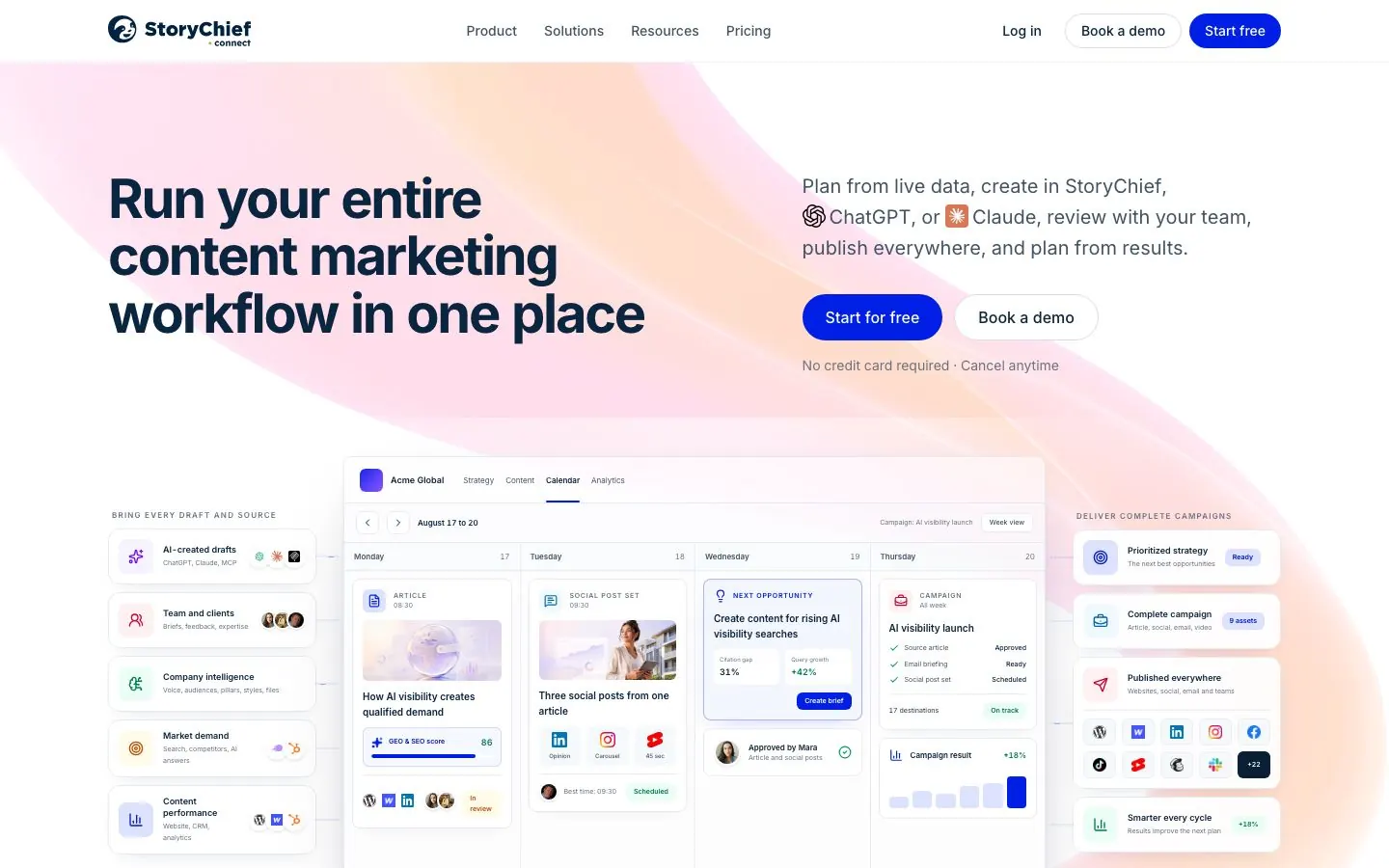
Level: Agent. StoryChief's AI marketing agent plans a task into steps, calls tools and hands back drafts, and publishing, scheduling and other sensitive actions wait for a person.
StoryChief calls itself a content marketing platform, so articles, SEO and campaigns come first and social is one output. The agent calls tools such as web search, keyword data, Search Console and a content audit, then builds assets on a canvas: articles, social posts, newsletters, video scripts, ebooks, landing pages and images. It grounds its work in Company Intelligence, which holds brand voice, content pillars, audiences and competitors built from your website, uploaded files, Search Console, HubSpot, Semrush and Canva.
What it does well for B2B teams:
- A strategy and calendar built from company intelligence, competitors and search performance.
- A social composer with tailored copy, mentions, hashtags, media and timing per network, an automatic first comment where the network allows it, and UTM parameters.
- LinkedIn profiles and company pages, with a PDF shared as a LinkedIn document carousel.
- Workspaces per brand, region or client, with a Client role, and client approvals on the Agency plan.
- AI visibility tracking, which follows brand mentions and citations in AI answers, from Growth.
- Employee advocacy broadcasts through Slack, Microsoft Teams or email, where recipients need no StoryChief account.
Example prompts:
Using our Company Intelligence and last month's Search Console data, plan next week's content across the blog and LinkedIn, then draft the social posts for the top two topics.
Draft a LinkedIn post and a newsletter paragraph from this article. Do not schedule either.
Setup and plan notes: Tiers are Starter, Growth, Scale, Agency (priced per workspace) and Enterprise. The free trial needs no card and includes all features. Content approval and approval workflows start at Growth. Image generation is included from Growth and video generation from Scale. AI is credit-metered per workspace. A StoryChief MCP server works with Claude, ChatGPT and Mistral Vibe, and Claude's directory lists it as a Community connector from Story Chief NV, added September 2026. Which tier includes the MCP is unclear.
Strengths:
- Company Intelligence gives the agent your voice, pillars and audiences.
- Sensitive actions wait for a person.
- Blog, newsletter and social share one workflow.
Limits:
- LinkedIn is one output, and the pages we read show no LinkedIn-specific strategy layer.
- Whether it designs carousel slides itself is not confirmed.
- Approvals are not on Starter, and its pages disagree on channel counts, so check the networks you need.
- Media generated in an AI chat cannot be pushed to StoryChief without a public download link.
9. Predis.ai
Best for: teams that want visual posts, carousels and short videos made from a prompt, especially if ad creative is on the list too.
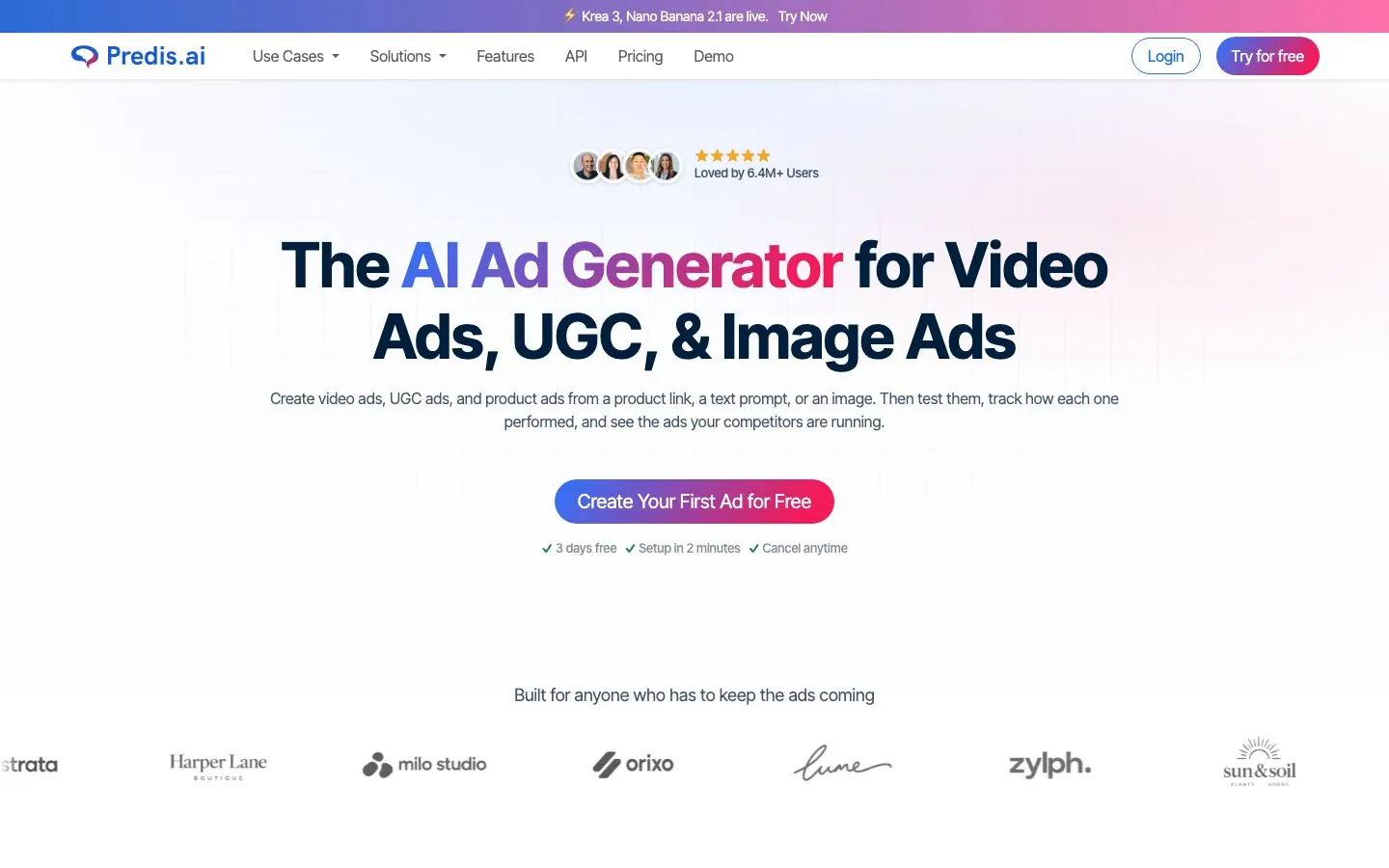
Level: Planner. You give it days, times, frequency and a few ideas, and Auto Post makes the posts and publishes them on that schedule.
Predis.ai now leads with ad generation, and organic social is the second product. Its AI Social Media Manager page promises posts, carousels and videos from a one-line prompt, edited in your brand and scheduled to the accounts you manage, with a calendar per client. For LinkedIn, you type a topic or paste a link, PDF or YouTube URL, and it writes the copy, picks a template and lays out the slides, adding your logo, colors, caption and hashtags. Carousels open in an editor and can be posted now, scheduled or downloaded.
What it does well for B2B teams:
- A brand kit with logo, colors, fonts and tone applied to every ad, video and post.
- Carousels in 19 or more languages.
- Auto Post: set days, times and frequency, add ideas, and it produces a week of posts that you can edit and approve before they go live.
- Send for Review emails a link, and the reviewer can accept, reject and comment. An accepted post is scheduled automatically.
- A workspace per brand or client, each with its own kit.
- Channels include LinkedIn personal and business pages.
Example prompts:
Turn this blog post URL into a LinkedIn carousel in our brand kit, with a caption and hashtags in a professional tone.
Make a week of posts from these three ideas for Monday, Wednesday and Friday.
Setup and plan notes: Tiers are Core, Rise and Enterprise+. The trial is 3 days and needs a card, charged when it ends. Core does not include auto-posting; Rise and Enterprise+ do. Social accounts run 10, 20 and 60 across the tiers, brands run 1, up to 4 and unlimited, and team members are unlimited on all three. Approval workflow tools are marked on every plan, and AI generation is credit-metered. Its MCP server works with Claude, ChatGPT and Claude Code and makes ads and carousels in the chat. It does not schedule or publish.
Strengths:
- Fast, branded visuals and carousels from a topic, link, PDF or video.
- A clear email review step before scheduling.
- Client workspaces with their own brand kits.
Limits:
- Ad creative comes first, and organic posting sits under features.
- LinkedIn-specific analytics are not confirmed, and competitor analysis covers Facebook and Instagram.
- We found no weekly plan built from your own sources and results.
10. Publer
Best for: freelancers and small teams that want a free plan and broad network coverage, with AI assist inside the scheduler.
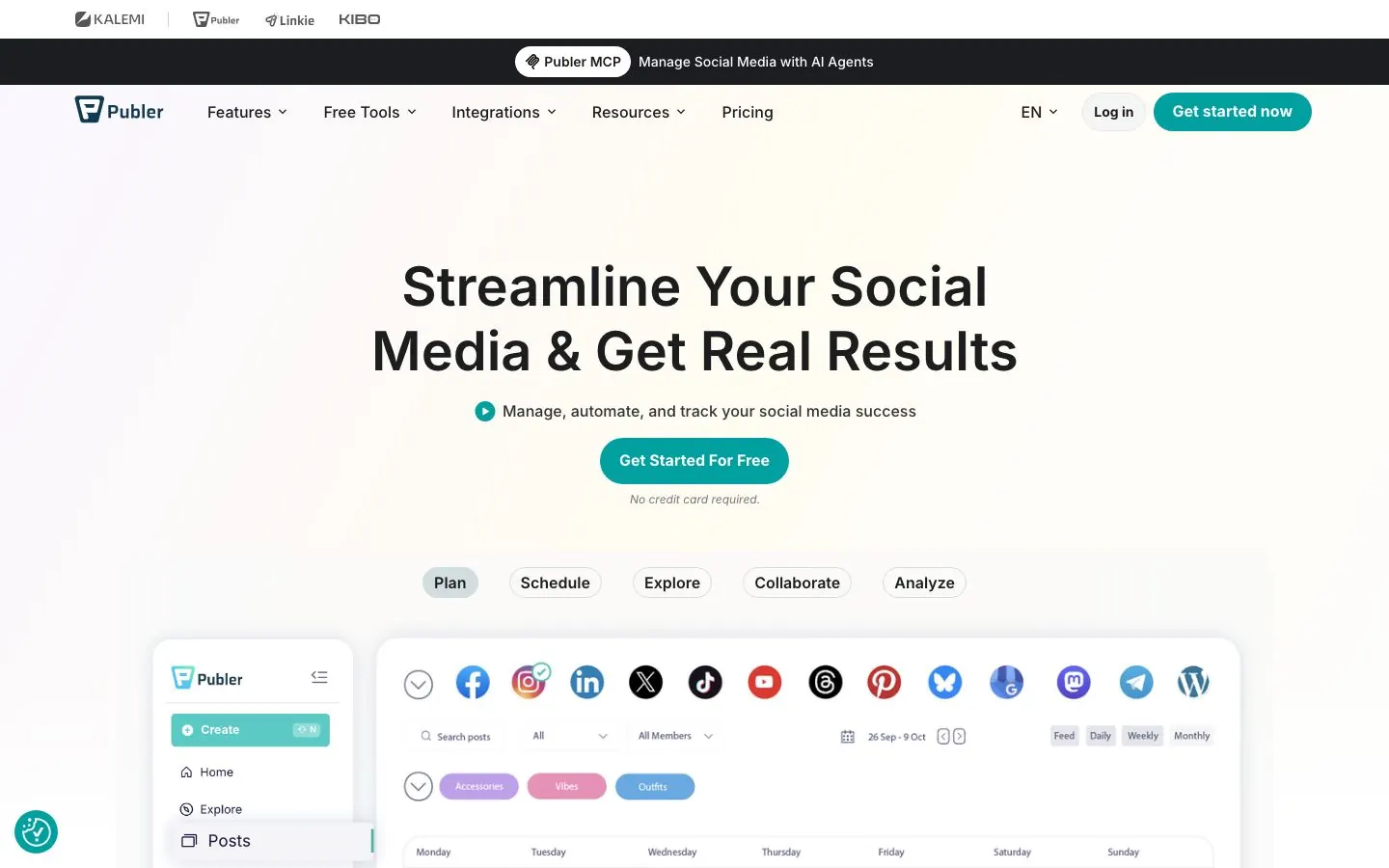
Level: Assistant. AI Assist generates content, completes text, creates images and responds to comments.
Publer is a scheduler with a free plan, a calendar planner and bulk scheduling. It supports LinkedIn profile and page posts and lists LinkedIn PDF carousels as a post type you upload and schedule. Its AI is prompt-based, and we found no knowledge base that takes in your own documents. The MCP announcement names ChatGPT, Claude and Cursor and says an assistant can draft in your saved tone of voice and turn drafts into scheduled posts.
What it does well for B2B teams:
- AI Assist for text, images and comment replies inside the composer.
- Workspaces for multiple brands, extra members, collaboration and approval workflows.
- First comments and threads from Professional.
- Business adds analytics insights and reports, best times to post, competitor analysis and hashtag suggestions.
- Calendar planner, bulk scheduling, RSS feeds and recycling.
- An MCP on Business for creating and scheduling content, managing posts and reading analytics insights.
Example prompts:
Write three different openings for a LinkedIn post about our new onboarding guide.
Draft a short, friendly reply to this comment on our launch post: "Does this work for agencies?"
Setup and plan notes: Tiers are Free, Professional, Business and Enterprise. The Free plan is permanent and allows one user, one workspace and three social accounts, with no X. Professional has a 7-day trial and Business a 14-day trial, and the page says paid features can be tried without a card. Unlimited AI prompts are listed on Business, and limits on Free and Professional are not stated.
Strengths:
- A free plan with AI Assist advertised.
- LinkedIn PDF posts and both profile and page publishing.
- Workspaces and approvals for small agencies.
Limits:
- The MCP and API access are on Business only.
- Whether a confirmation step appears before posts go out through the MCP is not confirmed.
- Its AI is generic, and there is no carousel designer, only support for uploaded PDFs.
AI social media manager vs a human social media manager
A human manager does the parts that depend on judgment and relationships. They know why a customer is upset and which launch the CEO will not want to talk about. They spot a story in a sales call, answer an awkward comment with tact and say no to a post that is fine on paper and wrong for the week. They also own the account. When something goes out under your name, a person is accountable for it.
An AI social media manager is better at volume and consistency. It never forgets Friday's post, it can turn one webinar into ten drafts, it reads a month of numbers in a minute and it does not mind reformatting for another network. The agents in this list also hold your pillars and sources in one place, so a draft starts from your material instead of a blank page.
Where it falls short is first-hand material. Your opinion, your numbers and your story have to come from you, and AI can shape them but not invent them. It also cannot take responsibility, which is why the approval step is not optional.
| Job | Better with a person | Better with AI |
|---|---|---|
| Choosing the angle on a sensitive topic | Yes | |
| Weekly planning from pillars and past results | Yes | |
| First drafts and variations | Yes | |
| Replying to a difficult comment | Yes | |
| Reformatting a post for each network | Yes | |
| Reporting on what worked | Yes | |
| Approving what goes out | Yes |
For most B2B teams the realistic answer is both: AI plans, drafts and reports, and a person approves, replies and builds relationships. If you are looking at the smaller helper role between the two, our guide to a social media marketing assistant covers it.
How to set up an AI social media manager in a week
Whichever tool you pick, the setup is the same, and it matters more than the tool.
- Day 1, pillars. Choose three to five recurring themes you want to be known for. Write one sentence on who each one is for.
- Day 2, voice. Collect five past posts that sound like you. Write a short list of phrases you use and phrases you never would, and put it where the tool can read it.
- Day 3, sources. Add the material the tool should draw from: your website, documents, newsletters and call notes. If the tool has no place to hold them, paste the best passage into each brief.
- Day 4, approval. Name one approver per profile and decide what always needs a second look, such as numbers, customer names and claims about results.
- Day 5, cadence. Pick the posting days. Fewer than you think is better, because one idea per slot is easier to review.
- Day 6, first batch. Generate one week. Edit every post and keep a note of what you changed, because the pattern shows what to add to your voice list.
- Day 7, review. Look at the notes, tighten the pillars and the voice list, and decide what the tool may do next. Read the numbers after two weeks, not after two days.
Approval and brand-safety rules for AI on social
The more a tool does, the more these rules matter.
A named person approves every post at the start. Tools differ here. Postiv holds scheduled posts for approvers on profiles that have them. Hootsuite's Wisdom and StoryChief's agent wait for a person. ContentStudio offers review or autopilot, and Predis.ai's Auto Post publishes on a schedule unless you approve first. Keep review on until you have read a lot of posts.
Check claims, numbers and names. AI writes fluent text that can be wrong. Anything with a statistic, a customer name or a product detail needs a human check against the source.
Keep AI replies as suggestions. Buffer's AI replies are suggestions. ContentStudio offers AI auto replies from Advanced. Decide whether a person reads those before they post, because a reply is public and fast.
Keep a do-not-say list. Competitor names, unreleased features, legal or compliance topics and anything a customer has not cleared. Give it to the tool and to the approver.
Use sanctioned connections. Prefer tools that publish through each network's official API with your own sign-in, and never share a password or session cookie with a tool.
Know where the off switch is. Before you connect a live profile, find out how to unschedule a post and how to pause a queue. Do this before you need it.
Review what the AI changed. For the first month, compare final posts with the AI's first drafts. If the same edit keeps appearing, add it to the voice list.
More quick answers
Can AI manage my social media?
Partly. AI can plan a week of posts, draft them, make visuals, schedule them and summarize results, and the agents in this list do several of those steps. It cannot own your opinions, your relationships or the accountability for what goes out. Keep a person approving every post, and use AI for planning, first drafts and reporting.
What is the 5:3:2 rule for social media posts?
It is a content-mix rule of thumb, not a platform rule. Out of every ten posts, five share useful content from other sources, three are your own content and two are personal, non-work posts that show the people behind the brand. It keeps a feed from turning into a stream of promotion. Treat it as a starting point.
How much does it cost to hire a social media manager?
It depends on whether you hire a freelancer, an employee or an agency, and on how many channels, how much design and how much community work the role covers. We leave money figures out because they vary by country and scope. Get quotes against a written scope, then compare that scope with what an AI social media manager can cover.
What is the best AI to use as a social media manager?
It depends on the level you need. For an agent that plans your week from your pillars and sources while you approve, Postiv is our top pick. Buffer and Publer fit caption help inside a scheduler, and Sprout Social's Trellis suits analysis. A general chatbot can draft text, but publishing needs a connector or a tool.
What is an AI social media agent?
An AI social media agent is software that takes several steps on social content with tools, instead of giving one answer. It plans the work, drafts posts, makes visuals, queues them and reports on results. The more steps it owns, the more a human approval step matters, so check whether it waits for you before anything is published.
Is there a free AI social media manager?
Some tools put AI on a free plan. Buffer's free plan includes its AI Assistant and its MCP, and Publer has a free plan with AI Assist advertised, though its limits on free are not stated. StoryChief and Postiv offer free trials instead. A free plan suits writing help, while planning agents sit behind a paid plan or a trial.
Can an AI social media manager post without my approval?
Only if the tool and your settings allow it. ContentStudio says its AI can run fully on autopilot, and Predis.ai's Auto Post publishes on a schedule with an option to approve first. Hootsuite's Wisdom and StoryChief's agent wait for a person, and Postiv schedules only what you approve. Check the setting before you connect a live profile.
Will an AI social media manager replace a human one?
Not for most B2B teams. AI is faster at planning, drafting and reporting, but a person still owns the angle, the relationships, the replies and the accountability. A common setup is a person approving an AI agent's work, which moves a social media manager's week from writing toward reviewing. Which tasks move depends on your team.
Try an AI social media manager that waits for your approval
If you want a weekly plan built from your pillars, sources and results, with drafts, visuals and a calendar that wait for your sign-off, start a 7-day free trial of Postiv and connect your first profile.