Best LinkedIn AI Agents for Content in 2026 (and How to Run One)
The best LinkedIn AI agents for content in 2026 are the ones that research, draft in your voice, create visuals, queue posts and read results, while a human still approves what goes live. Our pick is Postiv's Bob, with a general-purpose assistant like Claude or ChatGPT as a strong alternative once it is connected to your content tool. Below we compare eight options, explain how each one reaches LinkedIn, and show how to run a content agent with approvals.
If you want the mechanism behind most of this, read our guide to how you connect an assistant to LinkedIn over MCP. This post is about the agents themselves and which one fits your work. Facts about other vendors are taken from their own sites, checked October 2026.
What are LinkedIn AI agents? Outreach, content or recruiting
When people search for LinkedIn AI agents they mean one of three different things:
- Outreach and lead generation. Software that sends connection requests, DMs and InMails, views profiles and likes or comments on prospects' posts, often by automating the browser or a logged-in session.
- Content. Software that plans topics, drafts posts in your voice, creates carousels and images, schedules them, and reads the analytics to inform the next post.
- Recruiting. Hiring tools, such as LinkedIn's own Hiring Assistant, that source and screen candidates.
This guide covers the second group only. Outreach agents deserve their own caution. They act on your account in ways that look automated, and LinkedIn's User Agreement prohibits bots and other unauthorized automated methods, including automated actions such as sending messages or adding contacts. That puts your account at risk, and the risk is yours, not the vendor's. If outreach is what you came for, start with our comparison of LinkedIn automation tools, which sorts the safer options from the risky ones.
Quick picks
- Best managed content agent: Postiv. Bob plans the week and writes with you, and posts wait for approval.
- Best if you already use Claude or ChatGPT: an assistant connected through an MCP connector (Postiv, Buffer or others).
- Best for creator-style writing and engagement: Taplio or Supergrow.
- Best for a weekly drafts routine you review: ContentIn.
- Best for simple queue and review across many channels: Buffer with its MCP.
- Best to build your own agent: Relevance AI, or n8n and Make on LinkedIn's official API.
Comparison table
"Type" means: managed agent (the product has its own agent), assistant plus connector (a general assistant that reaches LinkedIn through a connector), or DIY workflow (you build it). Cells marked "check their docs" are details we could not confirm from the vendor's own pages.
| Agent | Type | What it does on LinkedIn | How it reaches LinkedIn | Human approval step | Best for |
|---|---|---|---|---|---|
| Postiv (Bob and hosted MCP) | Managed agent, plus assistant connector | Plans weekly posts, writes in your voice, carousels, scheduling, analytics | LinkedIn's official API (OAuth) | Yes, approvers on a profile; the assistant cannot bypass them | Founders, B2B teams, agencies |
| Claude or ChatGPT with an MCP connector | Assistant plus connector | Whatever the connector exposes (research, drafts, scheduling, analytics) | Through the connector you add | Depends on the connector | People who already work in an assistant |
| Taplio | Managed tool with an assistant and MCP | Post writing, ideas, scheduling, carousels, engagement | Taplio's own LinkedIn integration (no scraping, per Taplio) | Publishing and comments wait for your confirmation over its MCP | Creators who want ideas and engagement help |
| Supergrow | Managed tool with an MCP connection | Voice-based drafting, scheduling, engagement, analytics | Works with LinkedIn directly; page states LinkedIn Verified Partner | Team approval workflows | Individuals and teams |
| ContentIn | Managed tool with weekly planning and MCP | Drafts from your sources each week, scheduling, analytics | LinkedIn's official API with OAuth | You review weekly drafts; approval flows on its agency plan | Founders who want drafts prepared for review |
| Buffer (with MCP) | Assistant plus connector | Drafts, schedules and queues posts from Claude, ChatGPT and others | Buffer's connection to LinkedIn | Posts land in your queue to review | Multi-channel scheduling |
| Relevance AI | DIY agent builder with a marketplace | Content Publisher agent posts and adjusts timing | Check their docs | Not stated on its page | Teams building custom agents |
| n8n or Make | DIY workflow | Create posts (and in Make, read statistics) | LinkedIn's official API through OAuth | Whatever you build | Technical teams |
Prices are left out on purpose. They change often and vary by plan, so check each vendor's pricing page.
The 8 best LinkedIn AI agents for content
1. Postiv (Bob and the hosted MCP)
Type: managed agent plus assistant connector. Best for: founders, B2B teams and agencies running several profiles or client workspaces.
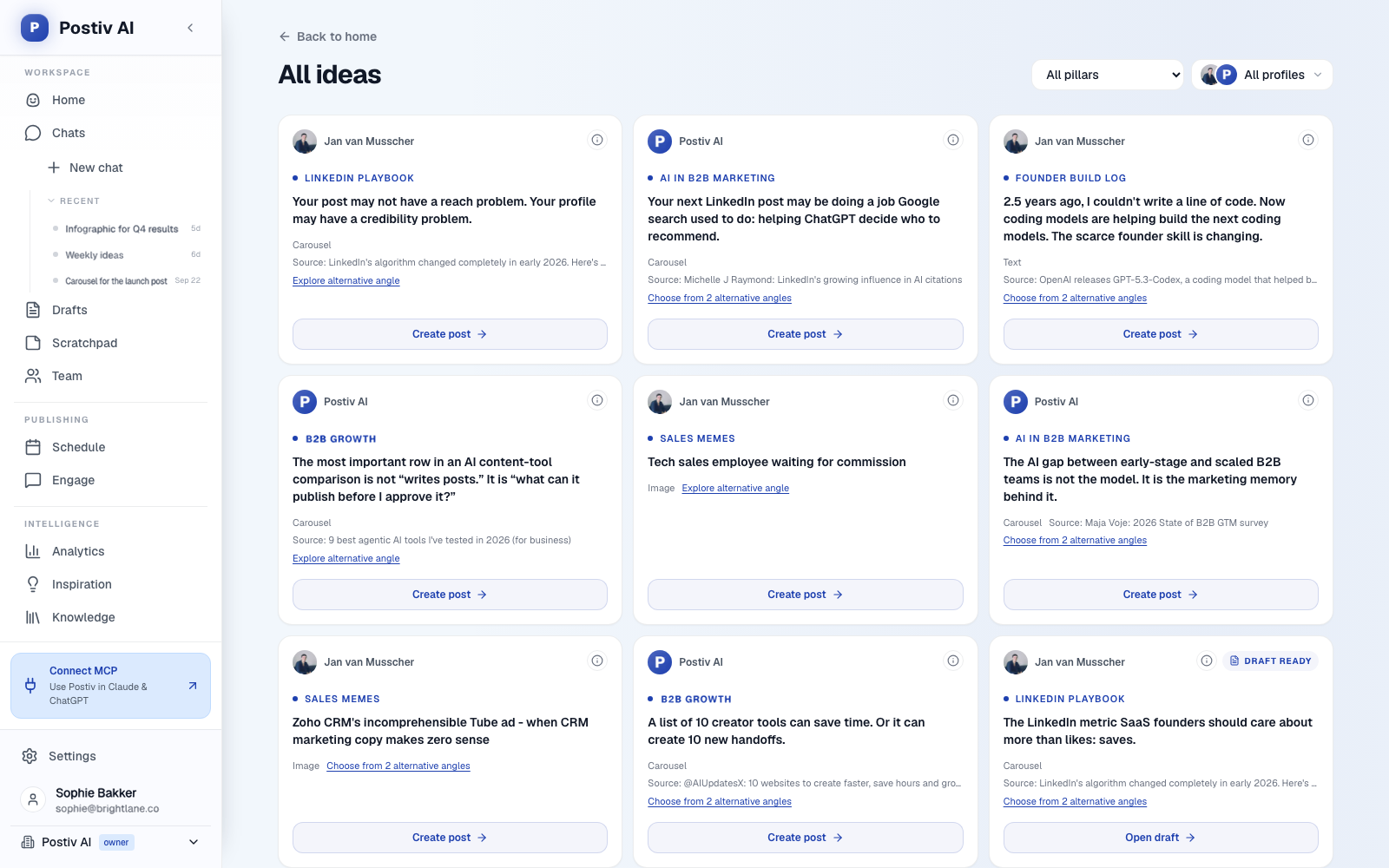
Postiv gives you two ways to work with an agent. The first is Bob, the built-in agent. Bob plans each week's posts from your content pillars, sources and past results, then writes each one with you. You stay in the loop on every post.
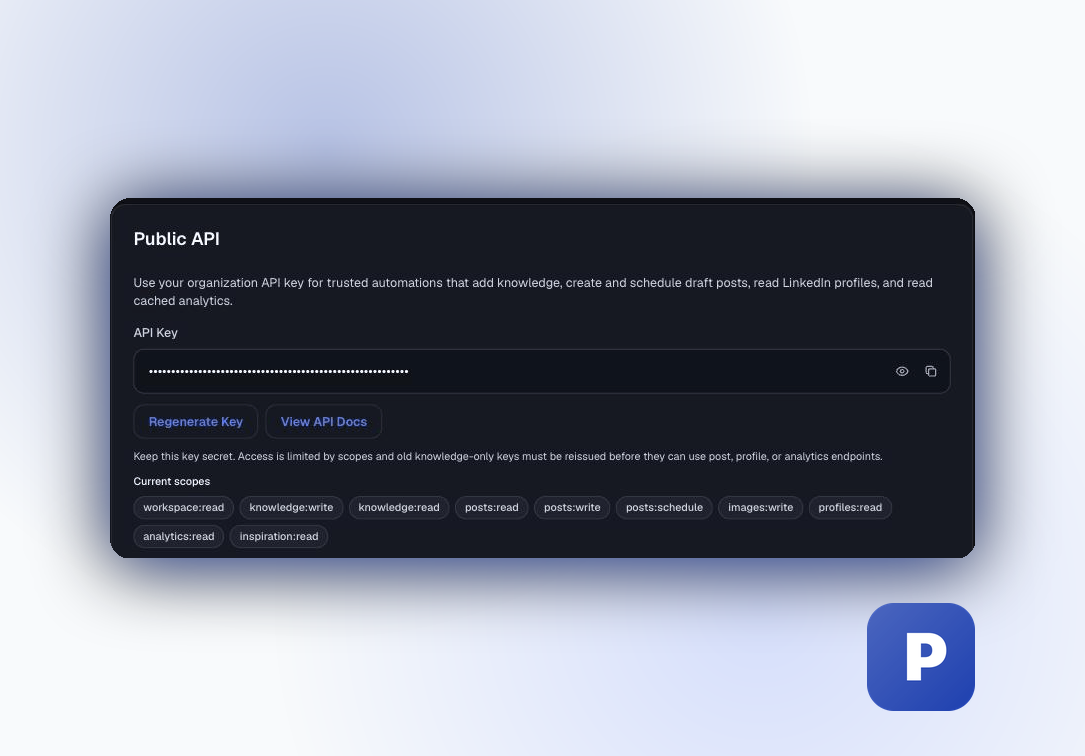
The second is the hosted MCP server at https://postiv.ai/mcp. It lets Claude, ChatGPT, Claude Code and other clients act as the agent with more than 80 tools across research, planning, writing, carousels and infographics, scheduling, approvals, analytics and comments. Postiv connects LinkedIn profiles and Company Pages through LinkedIn's official API, so there is no password, session cookie, scraping or browser automation. Direct messages, connection requests and job search are left out by design.
Strengths:
- Approvals are built in. If a profile has approvers,
schedule_postqueues the post and it waits for approval. The assistant cannot bypass the approvers. - Visuals live in the same place: carousels, infographics and images, then scheduling.
- Analytics from LinkedIn imports sit next to the drafts, so the agent can learn from your results.
- Client workspaces for agencies.
Limits:
- It is a paid product, with a 7-day free trial.
- It focuses on content, not outreach.
- Analytics are cached imports, not live scrapes.
2. Claude or ChatGPT with an MCP connector
Type: assistant plus connector. Best for: people who already think and draft in an assistant.
On their own, Claude and ChatGPT cannot see your LinkedIn account. A connector changes that. With an MCP server added, the assistant becomes the agent: it reasons and writes, and the connector supplies the hands (read data, create drafts, queue posts). The connector decides what it can do and which approvals apply, so choose it carefully. Our step-by-step guides cover connecting ChatGPT to LinkedIn and using Claude Code with LinkedIn, and if you are choosing a server, we have a comparison for comparing LinkedIn MCP servers.
Strengths:
- Works in the tool you already use, with your own instructions and context.
- Easy to swap models or connectors.
Limits:
- The assistant is only as safe as the connector and the permissions you grant.
- Setup differs per client, and ChatGPT's custom connector availability depends on plan and workspace policy.
- It works when you open a conversation. It is not a background worker unless you build that.
3. Taplio
Type: managed tool with an AI assistant and MCP. Best for: creators who want ideas, drafting and engagement help.
Per Taplio's own site, it drafts posts and rewrites in your voice, shows a daily feed of ideas, predicts reach, schedules and drips posts, generates carousel ideas and schedules carousels, and suggests comments. Its "Ask Taplio" assistant drafts from your past posts, and its hosted MCP (listed as a Claude connector) lets Claude, ChatGPT and Cursor draft, schedule and publish posts, read analytics and draft comments, with nothing posted until you confirm.
Strengths: strong on idea discovery and engagement. Limits: Taplio also lists lead-finding, connection requests and automated DMs, which are outreach features outside this guide and carry the account-risk questions above. Its MCP needs a Taplio plan that includes API access, so check their docs for what your plan covers.
4. Supergrow
Type: managed tool with an MCP connection. Best for: individuals and teams who want voice-based drafting.
Supergrow describes an AI interviewer that turns a 10 to 15 minute conversation into several post drafts. It also repurposes videos, blog posts, PDFs and voice notes, schedules posts and first comments, and offers dashboards. Its page says you can connect Claude or ChatGPT to draft posts, pull analytics and manage a team. Team features include approval workflows, a shared calendar and role-based permissions, and it states it is a LinkedIn Verified Partner.
Strengths: team approvals and voice capture. Limits: its page does not mention carousels or idea generation, so check their docs if you need those.
5. ContentIn
Type: managed tool with weekly planning and an MCP server. Best for: founders who want drafts ready for review.
ContentIn says it drafts posts in your voice from your past posts, a knowledge base and your own sources, and every Sunday drafts a set of posts for the coming week that you review before they go out. It publishes through LinkedIn's official API with OAuth, includes AI carousels and images, a Telegram bot for writing and scheduling, and an MCP server for tools like Claude and Cursor.
Strengths: the weekly review routine is close to a real agent loop. Limits: its page does not describe a separate agent, and approval and review flows for teams are listed on its custom agency plan. Company page posting is on its Pro plan, per its page.
6. Buffer with its MCP
Type: assistant plus connector. Best for: teams that schedule across many channels.
Buffer's MCP page says your assistant can draft posts in conversation, schedule them, show your queue, save ideas, and review recent posts and insights. Clients named include Claude, ChatGPT, Cursor and others, and everything lands in your Buffer queue where you can review and edit it before it goes live. Its example prompt is a LinkedIn post scheduled for a specific time. Buffer also lists a separate AI Assistant for creating and repurposing content.
Strengths: a simple review-in-the-queue flow across many channels. Limits: it is a scheduler first, and its MCP page does not list per-channel support, so check the developer docs for what LinkedIn specifically supports.
7. Relevance AI
Type: DIY agent builder with a marketplace. Best for: teams that want to build custom agents.
Relevance AI is a platform where you describe a task and it builds an agent. Its marketplace includes a LinkedIn Content Publisher agent, described as publishing thought leadership, commentary and brand content and adjusting timing, formats and topics from engagement patterns. Most of the other LinkedIn agents it lists are outreach-side.
Strengths: flexible, and good if you want agents across sales, marketing and research tools. Limits: the page does not explain how the connection to LinkedIn works or whether a human must approve posts, and the "autopilot" wording suggests you should check that before connecting. Its FAQ says its LinkedIn agents simulate human-like behavior, which is the pattern to be careful with.
8. n8n or Make with LinkedIn's official API
Type: DIY workflow. Best for: technical teams that want full control.
n8n's LinkedIn node supports one operation, creating a post as a person or an organization. Make's LinkedIn app can create text, image and video posts for users and companies, and read follower and share statistics. Both use LinkedIn's own authorization, so they sit on the official side of the line. You supply the rest: the model call, the topic list, the review step and the schedule.
Strengths: total control and low cost to start. Limits: you build and maintain everything, including the approval step. LinkedIn's Posts API does not support organic carousels, per its docs, and some permissions, such as reading a member's posts, are restricted to approved users.
Is there an AI agent for LinkedIn?
Yes, but the label covers three different jobs: outreach and lead generation, content, and recruiting. For content, there are managed agents such as Postiv's Bob, AI assistants like Claude or ChatGPT connected over MCP, and do-it-yourself workflows built on LinkedIn's official API. Outreach agents that automate DMs or connection requests carry account risk.
The useful question is which kind you need. Outreach agents message people, recruiting agents screen candidates, and content agents plan, draft and schedule posts. Pick by the job, then by how the agent reaches LinkedIn.
How to run a LinkedIn content agent with MCP and approvals
This is the setup we recommend. It uses Postiv, but the shape applies to any agent: official access, a human approval step, and narrow permissions at the start.
- Connect LinkedIn in Postiv. Connect your personal profile or Company Page. Postiv uses LinkedIn's official API (OAuth), so you never share a password.
- Set up approvers on the profile. Choose who approves posts for that profile. With approvers set, a scheduled post waits for approval, and the assistant cannot bypass them.
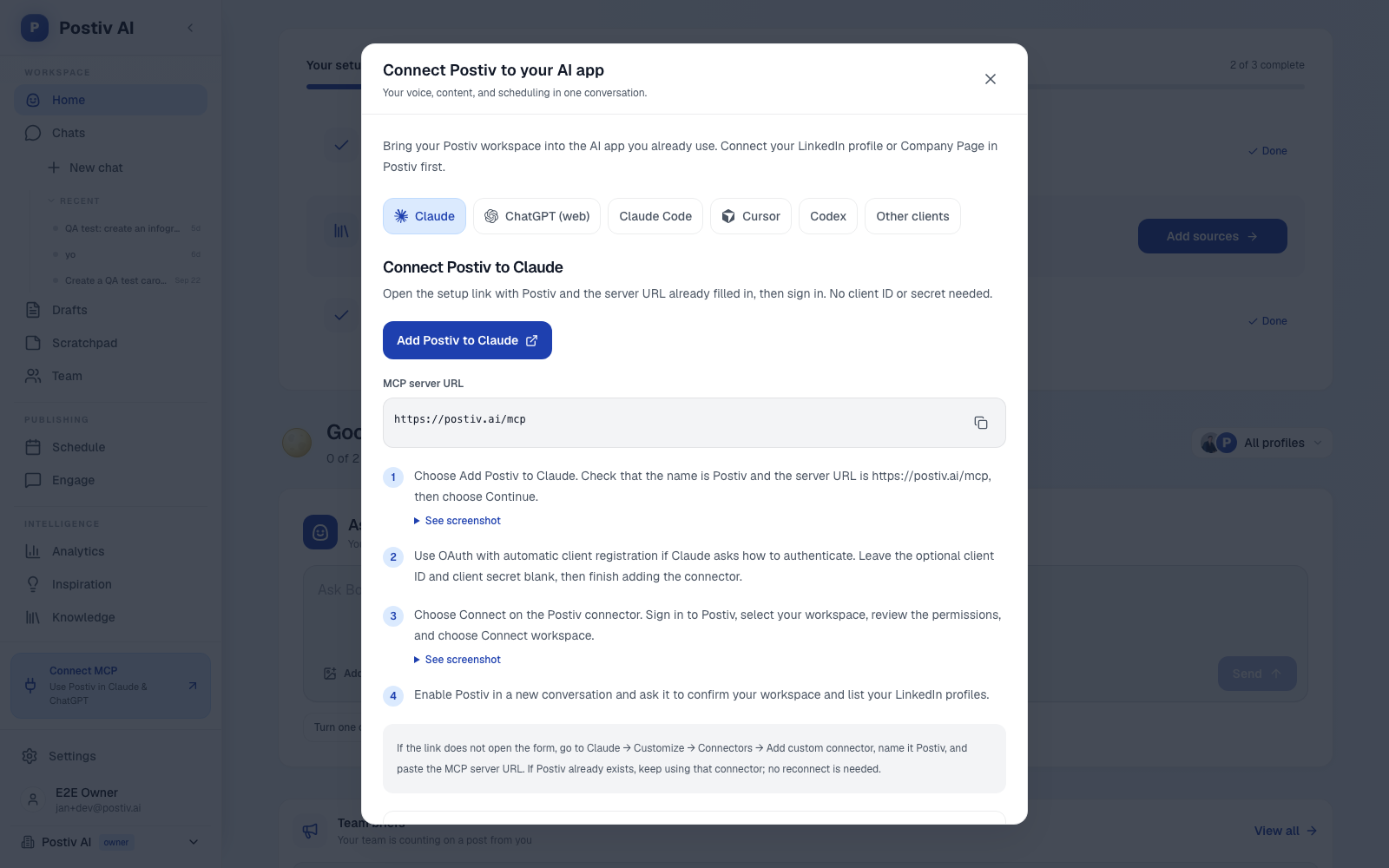
- Connect your assistant to
https://postiv.ai/mcp. In Claude, open Customize, then Connectors, then Add custom connector, name it Postiv and use the URL. In ChatGPT, open Plugins, choose Create MCP App and add the same URL. Choose Read only first. In Claude Code, add it with an API key:claude mcp add --transport http postiv https://postiv.ai/mcp --header "Authorization: Bearer pk_postiv_YOUR_KEY". Full setup is in the hosted MCP documentation. - Give it your pillars and writing style. Ask the agent to read your pillars (
list_pillars) and your writing style (get_writing_style), and add or refine pillars withcreate_pillar. This is what keeps drafts on topic and in your voice. - Let it draft and create carousels. Switch to Read & write when you are ready. The agent can write with
create_post, then build visuals withcreate_carouselandrender_carousel. Review the copy and outline before the final render. - Queue with
schedule_post. The post must be at least 2 minutes in the future. If the profile has approvers, it goes into approval instead of publishing. Approvers can approve, request changes or deny. - Review analytics weekly. Ask the agent for a performance overview and your top posts, and feed the lessons into next week's plan. These are cached imports from LinkedIn, so they refresh on a schedule.
Example prompts to try, in order:
Confirm my Postiv workspace and list my connected LinkedIn profiles. Do not create or change anything.
Read my content pillars and writing style. Then propose five post ideas for next week, one per pillar, with a one-line angle each. Do not create drafts yet.
Write a draft for idea 2 in my voice. Then create a carousel from it with 7 slides. Show me the outline before rendering.
Schedule the approved draft for Tuesday at 8:30 a.m. in my timezone. Tell me whether it is waiting for approval.
Pull my performance overview for the last 30 days and list my top three posts. Say what they have in common and suggest two ideas for next week.
Build your own vs a managed content agent
Build your own if you need a custom flow, such as a pipeline that pulls from your CRM or a very specific approval chain, and you have someone to maintain it. You get control, and you own the posting logic, the retries, the media upload, LinkedIn's version headers and the review step.
Use a managed agent if the goal is posts in your voice, not a software project. You get planning, a voice model, visuals, approvals and analytics already connected. The trade-off is that you work inside the product's rules.
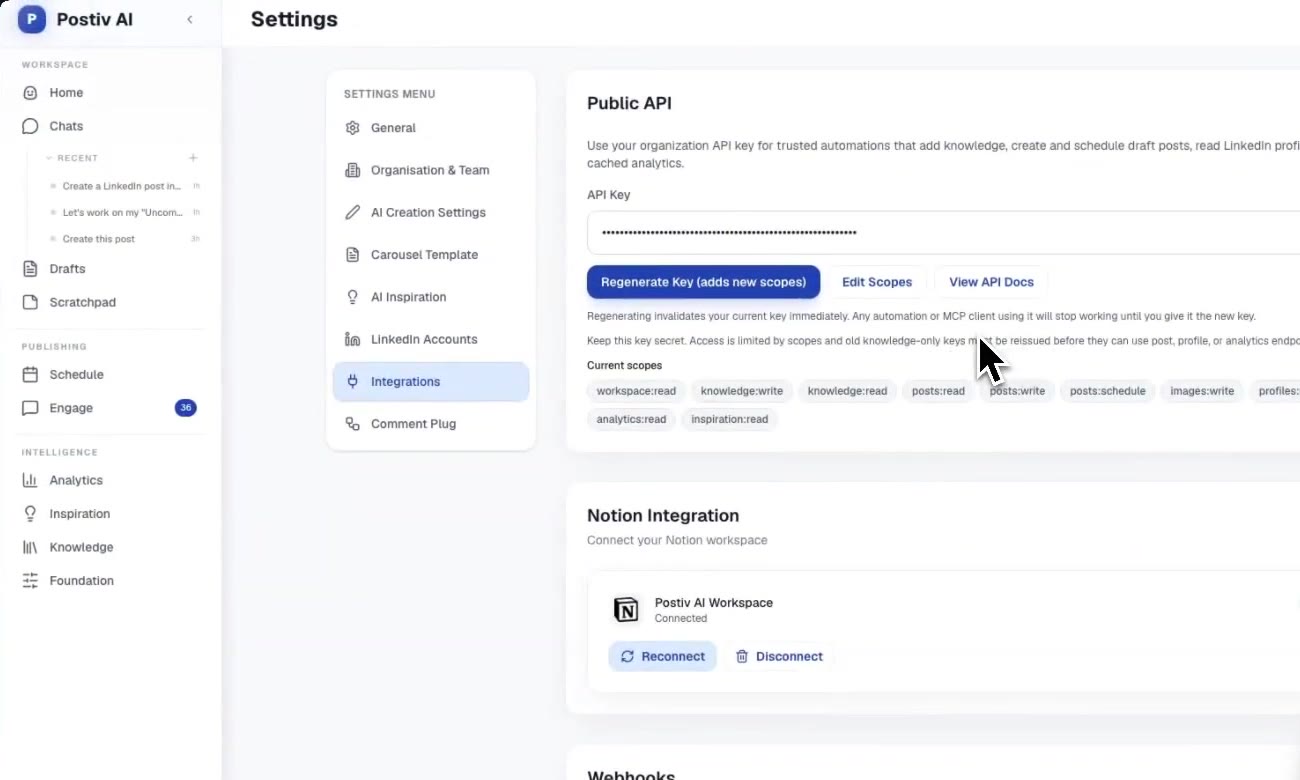
A middle route is an assistant connected over MCP. You keep your own instructions and a familiar interface, and the connector handles LinkedIn. With Postiv's REST API and an organization API key, an agent never handles LinkedIn tokens or media upload registration, because Postiv publishes through LinkedIn's official API. For that route, see our guide on the LinkedIn posting API for AI agents.
Is an AI agent allowed on LinkedIn?
An agent that works through LinkedIn's official API with your OAuth consent is the sanctioned route. An agent that logs into your account, automates the browser or scrapes pages is the risky one, because LinkedIn's User Agreement prohibits bots and unauthorized automated methods. Check the data source before you connect anything.
It depends on how the agent reaches LinkedIn, not on whether it uses AI.
The sanctioned route is the official API. LinkedIn's Posts API lets an approved app create, retrieve and manage posts on behalf of a member or an organization once the user authorizes it through OAuth, using permissions such as w_member_social and w_organization_social. Postiv, ContentIn, n8n and Make all use this route for posting.
The risky route is automation of your logged-in account. LinkedIn's User Agreement prohibits bots and other unauthorized automated methods, automated actions such as sending messages or adding contacts, and scripts or browser add-ons that copy data. Agents that drive a browser, reuse a session cookie or scrape pages fall on this side, even if a vendor says they simulate human behavior.
Practical rules: prefer official API access, keep a human approving public posts, avoid agents that log in as you, and read the current terms yourself. This is not legal advice. For our own safety notes, see our page on LinkedIn account safety.
How to keep your content mix healthy
An agent can produce a lot of posts quickly, so set the mix before it starts. A common rule of thumb is the 4-1-1 rule, described below. Give the agent your pillars, cap promotional posts, and ask it to flag weeks that lean too salesy. For team setups, see our overview of the best LinkedIn analytics tools to track whether the mix works.
More quick answers
What is the best LinkedIn AI agent for content?
It depends on how you work. If you want an agent that plans and writes with you and keeps a human approval step, Postiv's Bob is our pick. If you already live in Claude or ChatGPT, connect it to your content tool over MCP. If you want full control and can build, a workflow in n8n or Make on LinkedIn's official API fits.
Can Claude or ChatGPT act as a LinkedIn AI agent?
Yes, once you connect them to LinkedIn through an MCP server. Without a connector they can only draft text you paste in yourself. With one, they can research, write, create visuals, queue posts and read analytics, within the permissions and approval rules you set.
Can an AI agent post to LinkedIn without my approval?
Only if you let it. With Postiv, a scheduled post waits for approval when the profile has approvers, and the assistant cannot bypass them. Some tools are described as publishing on autopilot, so check whether a human review step exists before you connect one.
What is the 4-1-1 rule on LinkedIn?
It is a content-mix rule of thumb from content marketing, not a LinkedIn rule. Out of every six posts, four share useful content from other people, one reshares someone else's update and one promotes you. The point is to keep your feed mostly useful, not salesy.
What is the difference between a LinkedIn AI agent and a scheduler?
A scheduler publishes posts you already wrote at a set time. An agent also does the work before and after: it researches topics, drafts in your voice, creates visuals, queues the post and reads the results. The more steps it owns, the more the approval step matters.
Do I need to code to build a LinkedIn AI agent?
Not for a managed agent or an assistant with an MCP connector, which you set up in settings. You need some technical comfort for n8n or Make workflows, and real code if you call LinkedIn's API directly. The code only pays off if you need a custom flow a product does not offer.
Try a LinkedIn content agent with approvals
If you want an agent that plans your week, writes in your voice and waits for approval before anything goes live, start a 7-day free trial of Postiv and connect your first profile.