
Best AI Marketing Tools for B2B Teams in 2026
The best AI marketing tools for B2B teams each handle one job well, and Postiv is our #1 pick for social content, followed by ChatGPT, Claude, HubSpot, Jasper, Semrush, Canva, Clearscope, Zapier and Grammarly.
If LinkedIn is where your pipeline starts, begin with Postiv's AI features for social content; the rest of this page covers the stack you build around it. Facts about every other vendor come from that vendor's own pages, checked October 2026.
Each pick is labelled with its marketing job, shown with a screenshot of the vendor's own site or product, and followed by what it does well, how a team would start, plan notes, strengths and limits. Prices are left out on purpose, because they change and vary by plan. Tier names and trial terms are in.
Picks at a glance
| # | Tool | Best for | Why it made the list |
|---|---|---|---|
| 1 | Postiv | Social content | Bob plans the week from your pillars; posts wait for approval |
| 2 | ChatGPT | General assistant | Deep research, projects and image creation in one assistant |
| 3 | Claude | General assistant and agentic work | Projects, research, connectors and skills that can act in your apps |
| 4 | HubSpot | CRM, email and agents | Agents that draft and plan campaigns on your CRM data |
| 5 | Jasper | Brand-voice copy | Brand Voice turns briefs into on-brand campaign content |
| 6 | Semrush | SEO and AI visibility | Shows how AI answers mention your brand, plus classic SEO data |
| 7 | Canva | Design | Brand Kits and AI tools for on-brand visuals at volume |
| 8 | Clearscope | SEO content optimization | Grades a draft against top-ranking pages |
| 9 | Zapier | Automation and agents | Connects 9,000+ apps and runs agents on top |
| 10 | Grammarly | Writing quality and brand tones | Tone profiles keep every writer on-brand |
What is an AI marketing tool?
An AI marketing tool is software that uses generative AI to do part of a marketing job: research a market, write a draft, design a visual, score a page, route a lead or plan a week of posts. Some are AI-first, like ChatGPT, Claude and Jasper, where you start from a prompt or a goal. Others are existing products that added AI, like HubSpot's agents, Canva's AI tools and Semrush's AI Visibility Toolkit, where the AI works on data the product already holds.
For a B2B team, the useful question is where the tool sits in the work. What can it read? What can it change? Who approves the result, and which plan includes the feature you actually need? A tool that drafts and then waits for you is easy to adopt. A tool that publishes, emails or spends on its own needs written rules before anyone switches it on.
This page covers the broad stack, one tool per job. For a longer list on a single job, see a wider look at tools for creating content with AI and our guide to automation tools for content marketing teams.
Comparison table
Cells say "check their docs" where the vendor's pages did not confirm a detail. Prices are left out on purpose.
| Tool | Marketing job | Main AI features | Team and admin features | Free plan or trial |
|---|---|---|---|---|
| Postiv | Social content | Bob's weekly plan, drafts, carousels, infographics, hosted MCP | Roles, approvers per profile, Team Hub, client workspaces | 7-day free trial |
| ChatGPT | General assistant | Deep research, projects, images, apps, ChatGPT Work | Business workspace, admin controls, SSO | Free tier; Business trial: check their docs |
| Claude | General assistant, agentic work | Projects, Research, Artifacts, connectors, Skills | Team plan with SSO, central billing, connector controls | Free tier; paid-plan trial: check their docs |
| HubSpot | CRM, email and agents | Content, Campaign and Nurture Agents, social media AI agent (beta) | Super Admin AI settings, permissions, HubSpot Credits | Free Marketing Hub tier; 14-day trial of marketing tools |
| Jasper | Brand-voice copy | Agents, Brand IQ, Canvas, Studio, GEO Agent | Business adds Groups, admin controls, SSO, API access | No free plan; 7-day trial on Pro |
| Semrush | SEO and AI visibility | AI Visibility Toolkit, Content Toolkit | Semrush One bundles SEO and AI Visibility; Enterprise AIO for multi-market teams | Free plan; 7-day trial on some paid plans |
| Canva | Design | Canva AI, Magic Studio tools, brand voice for Magic Write | Brand Kits with approvals on Business, Org Admin controls | Free tier; trials on Pro and Business |
| Clearscope | SEO content optimization | Content Grade, AI Term Presence, AI Draft Builder, query tracking | Unlimited users and projects on every tier; SSO on Enterprise | 14-day free trial; no free plan |
| Zapier | Automation and agents | Agents, Copilot (open beta), MCP | Team adds shared workspace, SAML SSO, folder permissions | Free plan; 14-day trial of Professional |
| Grammarly | Writing quality and brand tones | Brand tones, style guide, agents such as Proofreader | Admin roles, centralized billing, training off by default on Business | Free plan; paid-plan trial: check their docs |
How to choose the best AI tools for marketing
Ten tools will not all fit your week. Before you add any of the best AI tools for marketing, run these checks.
Start with the job, not the tool. Write down the tasks that eat the most hours: for most B2B teams that is research, first drafts, and getting social posts planned and approved. Match each to the pick labelled for that job. A general assistant covers a lot, but a tool built for one job usually knows more about the surrounding steps, such as approvals or a calendar.
Check where the output goes. Some tools only draft. HubSpot says its Content Agent does not publish automatically, and its social media AI agent asks you to approve every post. Others can act: ChatGPT apps and Claude connectors can create or update records in the connected service. Decide who signs off before anything leaves your hands.
Count seats and admins. ChatGPT Business needs at least two seats. Claude's Team plan is described for teams of two to 150. Clearscope allows unlimited users and projects on every tier. HubSpot's AI settings need a Super Admin.
Read the data settings. Business tiers tend to switch model training off. OpenAI, Anthropic and Grammarly each say so for their business plans, and Canva ties it to your privacy controls. HubSpot's page did not say, so ask.
Understand how AI usage is metered. HubSpot runs many agents on HubSpot Credits. Canva shares one AI allowance across its tools. Zapier counts tasks, and agents are measured in activities. ChatGPT and Claude both have usage limits, and Claude says Research sessions can use them up faster than normal chats. A narrow request costs less than a vague one.
Keep the stack small. ChatGPT and Claude overlap, so pick one for the team. One SEO tool is usually enough. Add a tool only when a job has no owner yet.
The 10 best AI marketing tools for B2B teams
1. Postiv
Job: Social content. Best for: founders, in-house B2B teams and agencies that run social content for one person, a whole team or a roster of clients.
Postiv is a social workspace for you, your team and your AI agent. Bob, Postiv's planning and writing agent, builds each week's plan from your content pillars, sources and past results, then works through each post with you. He plans and drafts with you and never posts in the background, so every idea, draft and final say stays with a person.
What it does well for B2B teams:
- Plan the week. Bob proposes one idea per posting day you chose, each with a topic, a hook or angle, a format and the pillar it belongs to. He draws on your pillars, your knowledge base, saved inspiration, what people in your field are discussing right now, your recent posts and how each pillar performed over the last 30 days.
- Start from your own material. The knowledge base holds your website, documents, YouTube, Notion and newsletters in one library, so ideas and drafts begin with what you already know.
- Borrow what works. The inspiration library shows LinkedIn posts taking off in your niche and the outliers, and you turn the idea and format into your own post.
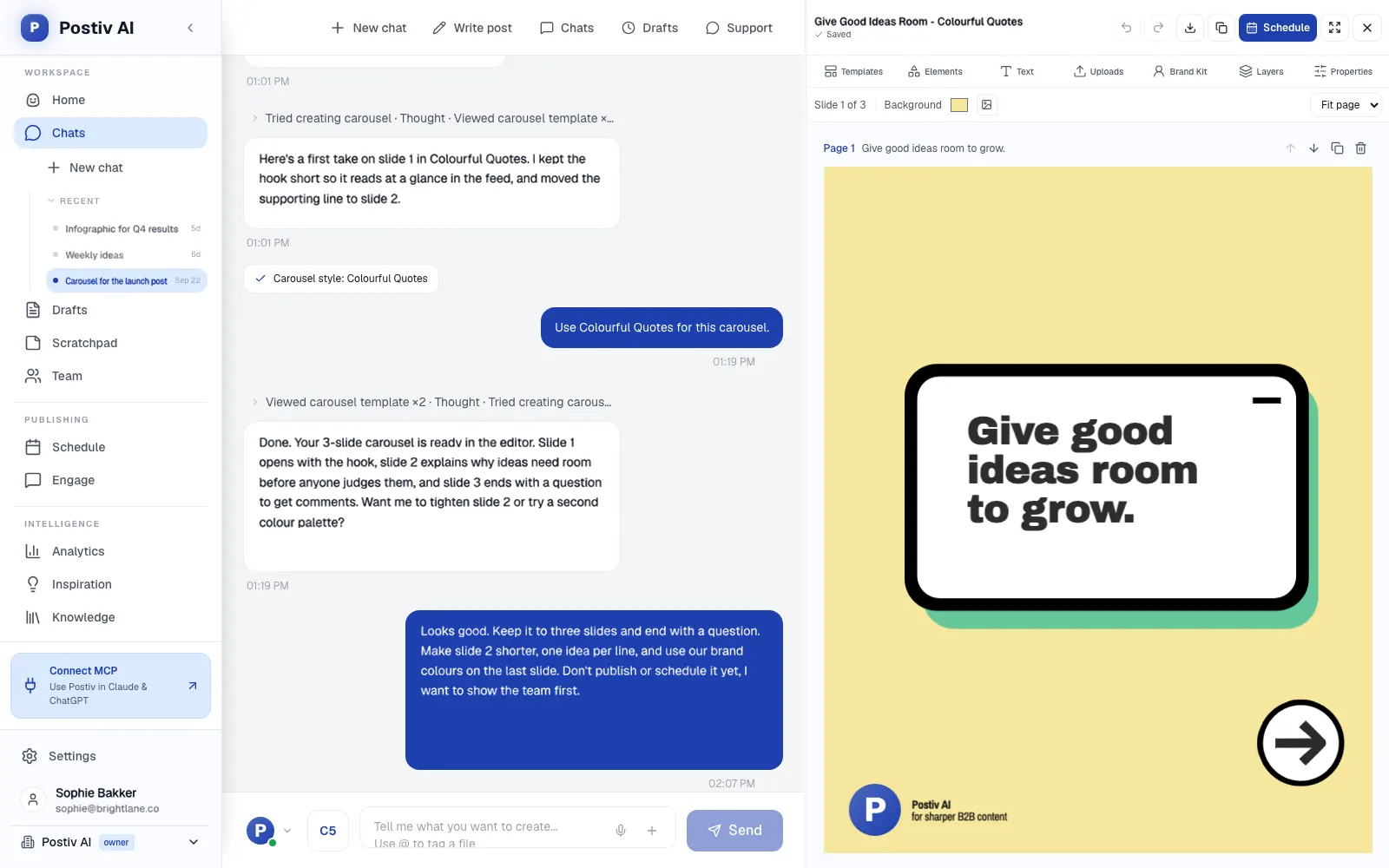
- Make the post and its visual. Posts, carousels, images and infographics on your brand, built in chat. Carousels use your saved carousel style.
- Run many profiles. Every profile and Company Page sits in one workspace with roles, approvers per profile and a Team Hub. Agencies keep each client in its own workspace.
- Schedule and approve. One calendar covers every profile, Company Page and channel, with posting slots and an automatic first comment. On a profile with approvers, a scheduled post waits for approval, and approvers can approve, request changes or deny.
- Answer the comments. Every comment on every profile lands in one inbox, next to a feed of the people you want to reach.
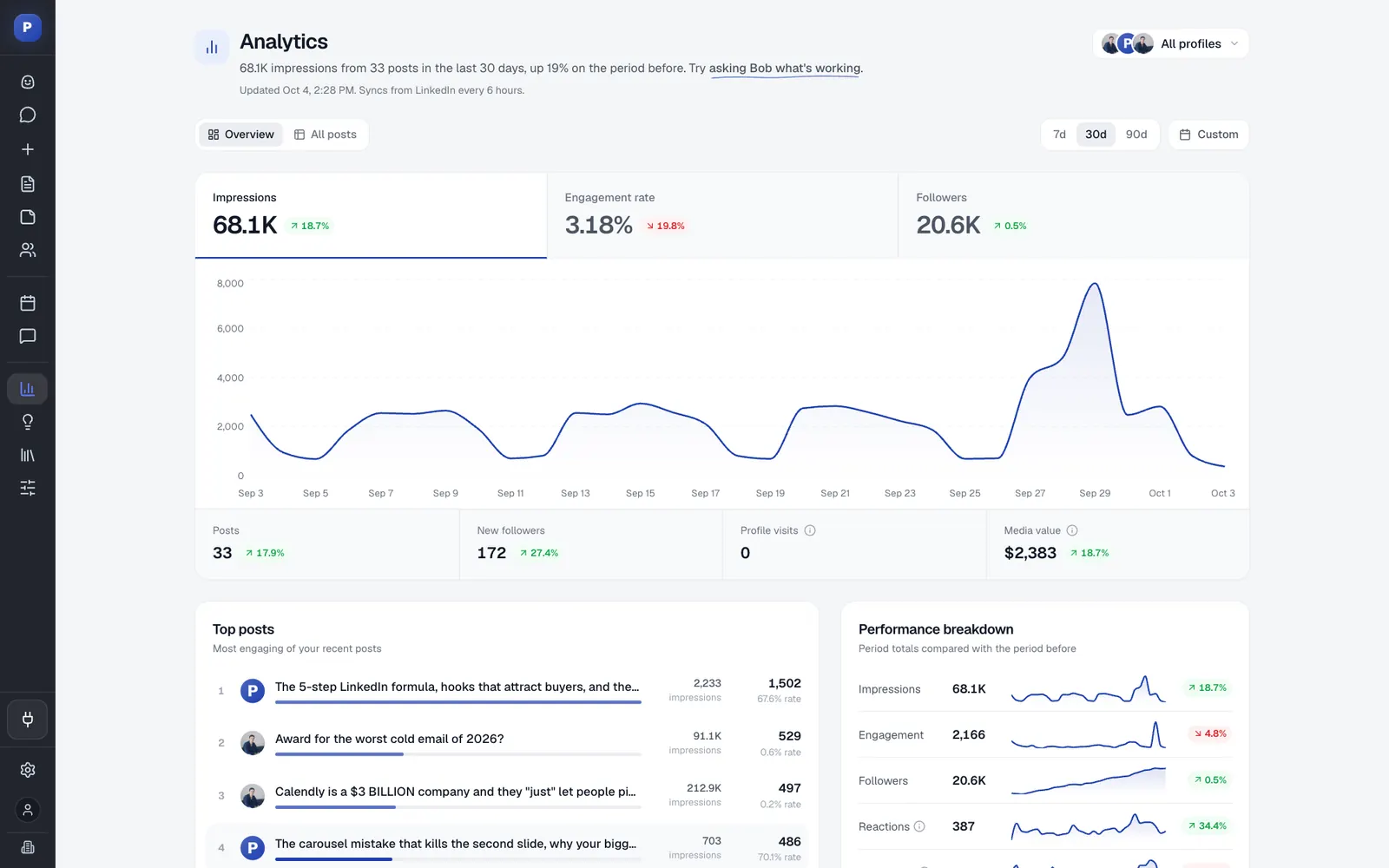
- Read the results. Reach, engagement and followers per post and per profile, so next week starts from what worked. Bob can answer questions such as which posts did best this month, and the full numbers live in Postiv's LinkedIn analytics.
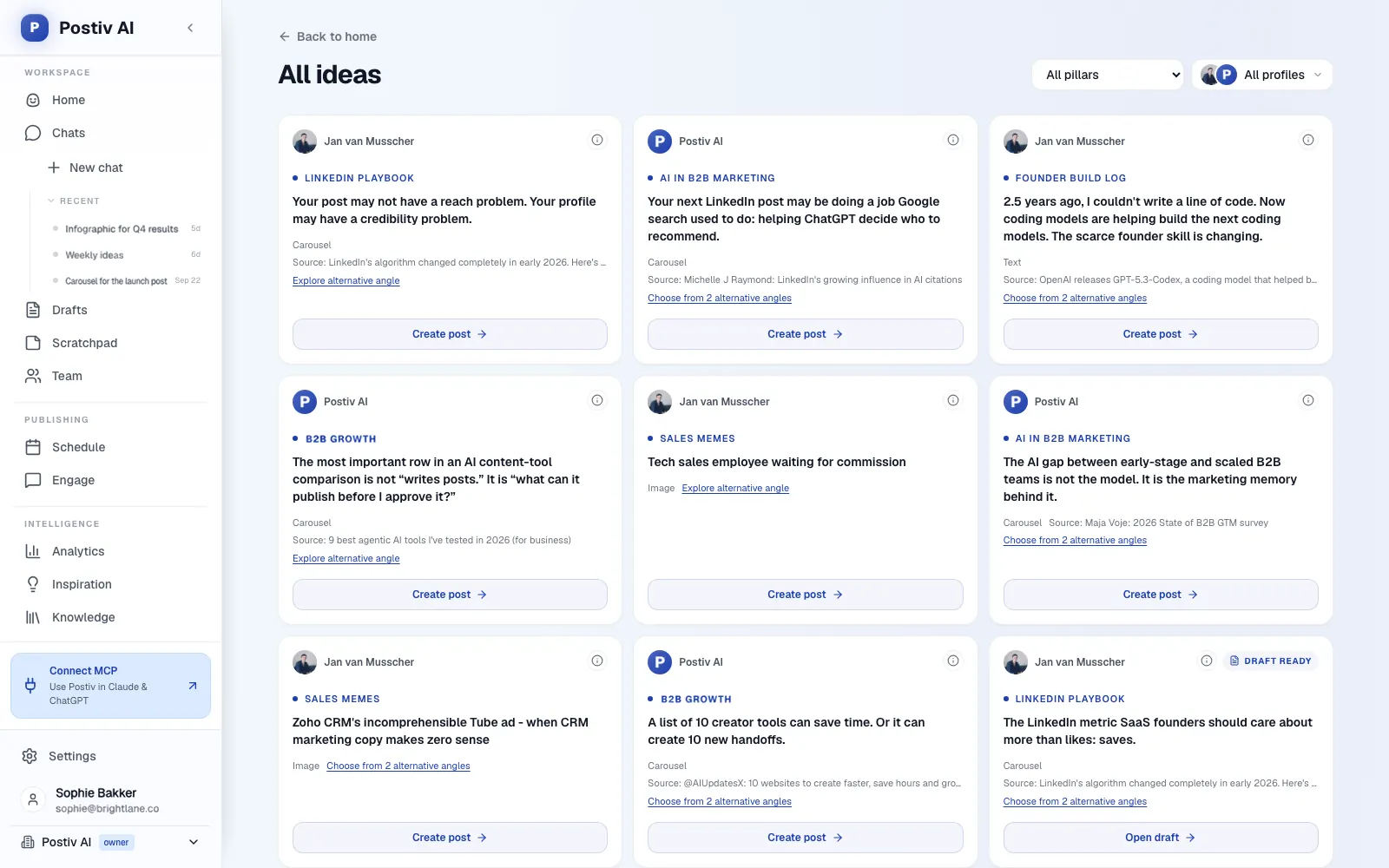
A week usually starts with Bob's plan for the profile. You decline an idea that does not fit, ask for a different angle on another, or start a post from an open slot on the calendar. Then you write the post yourself or ask Bob for a first draft in your voice, and ask for a carousel or an infographic from the strongest one. You schedule the batch, and on a profile with approvers it goes to the approver, who can approve, request changes or deny while you move on. At the end of the week you ask which posts did best, and that answer feeds the next plan. Posting days and pillars can change at any time.
Postiv publishes to LinkedIn personal profiles, Company Pages and X accounts. LinkedIn publishing goes through LinkedIn's official API with your OAuth consent: no password, no session cookie, no scraping and no browser automation.
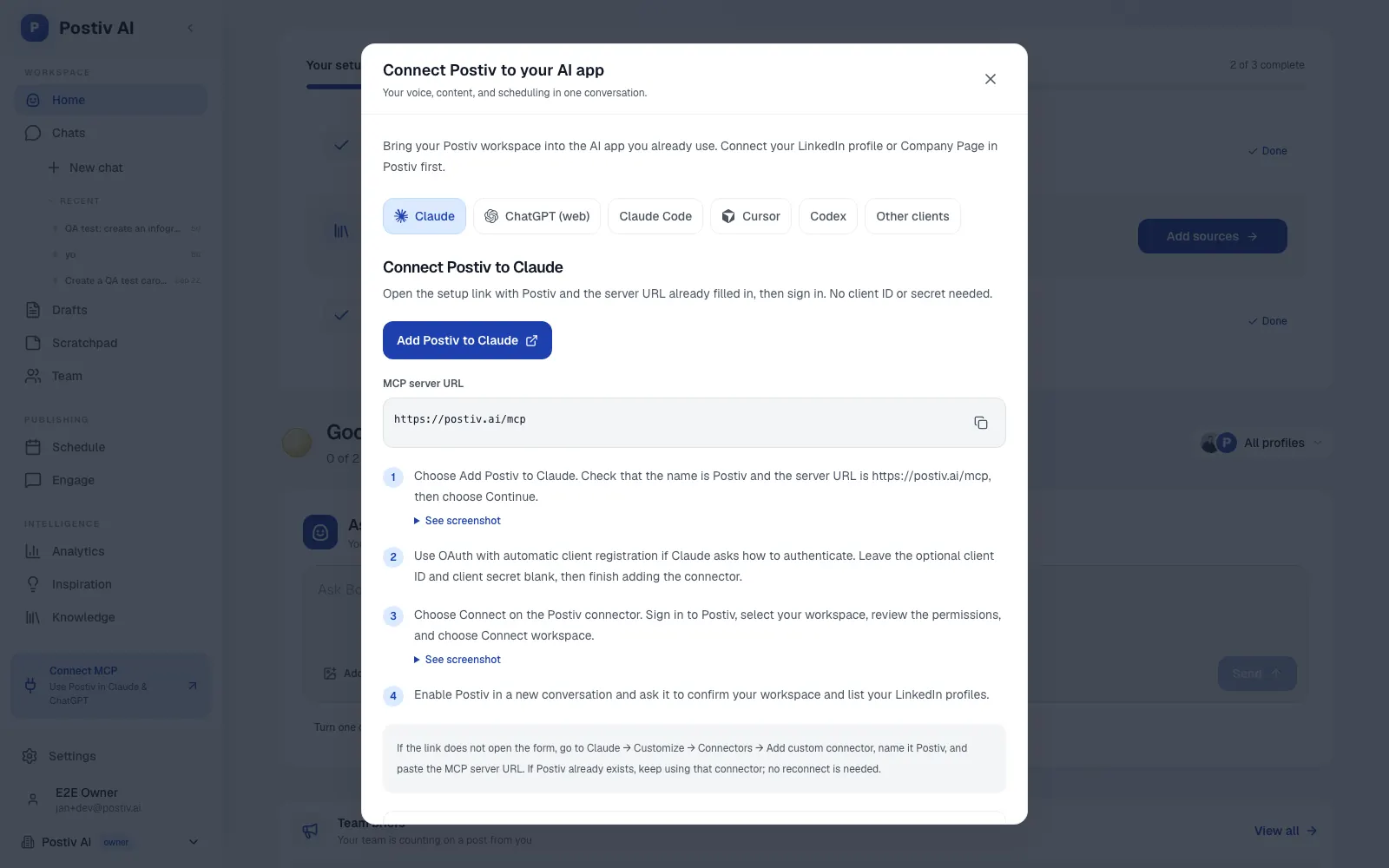
If your team already works inside an assistant, connect ChatGPT or Claude to Postiv. The hosted MCP server at https://postiv.ai/mcp lets Claude, ChatGPT and other AI apps work in the same workspace, reading plans and pillars, drafting, scheduling and reading analytics, with your approvers still in the loop.
Example prompts:
Plan next week for the founder's profile: three posts tied to our pillars and one carousel. Start from what performed best last month and show me the plan before you write anything.
Take the pricing objections page in our knowledge base and turn it into a post for the sales lead's profile. Give me two hooks first.
Setup and plan notes: Every new account starts with a 7-day free trial, cancel anytime. You connect LinkedIn profiles and Company Pages with LinkedIn's OAuth. On a first run, Bob looks at your analytics and knowledge base and proposes three to five content pillars, which are saved only after you confirm them. Bob's weekly plan and AI writing are included in Creator Pro and Team. On a team, each profile gets its own plan, pillars and voice, and an admin sets approvers per profile.
Strengths:
- Approvals are built in, and an assistant connected over MCP works within the same approver rules.
- Planning, writing, visuals, scheduling, engagement and analytics share one workspace.
- Agencies get one workspace per client, each with its own pillars and voice.
Limits:
- It is a paid product with a 7-day free trial.
- It is built for content work rather than outreach, so it runs beside your CRM and sales tools.
- Analytics arrive as scheduled imports rather than live reads.
2. ChatGPT
Job: General assistant. Best for: teams that want one assistant for research, drafting, analysis and quick images across every marketing job.
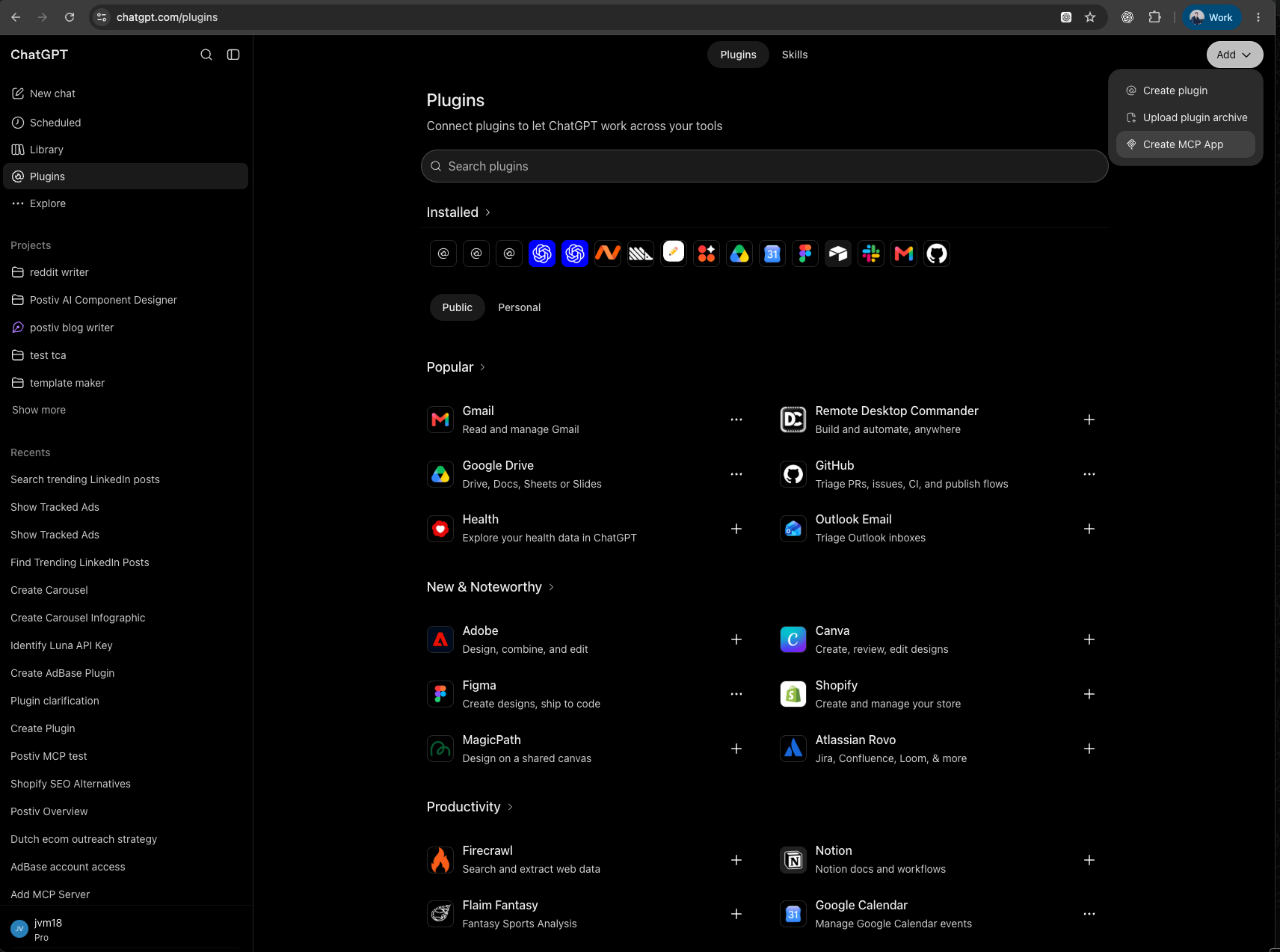
ChatGPT is OpenAI's general assistant, and for most marketing teams it is the tool already open in a browser tab. OpenAI's Business page lists marketing as a use case: turning campaign briefs, docs and ideas into launch-ready assets and watching campaign performance. That is OpenAI's claim, not a tested result, so judge it on your own briefs. OpenAI also describes ChatGPT Work, which takes a goal and checks in when it needs your input or approval.
Apps connect ChatGPT to services such as Google Drive, Slack and Gmail, and you manage them under Settings, then Plugins. Some can create or update information in the connected service, and ChatGPT may ask for approval first. Our guide to the best ChatGPT apps for marketing goes through the ones worth adding. Whether HubSpot, Canva or LinkedIn appear as ChatGPT apps was not confirmed on the pages we read, so check the app directory.
What it does well for B2B teams:
- Deep research builds a documented report with citations from uploaded files, the web and enabled apps, and downloads as Markdown, Word or PDF. It reads from connected apps and does not use their write actions.
- Projects keep chats, files and instructions together, so a campaign or a client gets its own context. Business users can invite workspace groups.
- Image creation is on all tiers, with text inside the image, transparent backgrounds and edits to an uploaded image.
- A Business workspace adds centralized billing, roles, usage visibility and spend controls.
Example prompts:
Read the attached Q4 launch brief and the customer call summaries in this project. List the five claims customers repeat most and say which call each one came from. Do not write copy yet.
Using those claims, draft one LinkedIn post, one customer email and one headline test for the founder. Mark every sentence that needs a fact check.
Setup and plan notes: Individual tiers are Free, Go, Plus and Pro, with Business and Enterprise for work. Business was called Team until August 2025. It needs at least two seats and offers Standard and Premium seats, with Premium carrying higher usage limits. OpenAI says it will not train on a Business workspace's data. SSO and multi-factor authentication are mentioned for Business, while SCIM, role-based access controls and data residency need Enterprise. Whether Business has a free trial was not stated, so check their docs.
Strengths:
- One assistant covers research, drafting, analysis and images.
- Per-app permissions include Always ask, Allow read actions and Allow low-risk actions.
Limits:
- Deep research is limited on Free and has usage counters on every plan we saw.
- App availability depends on the app, your plan, region, workspace and role.
3. Claude
Job: General assistant and agentic work. Best for: teams that want an assistant that reads their documents, acts in connected apps and follows written instructions for recurring jobs.
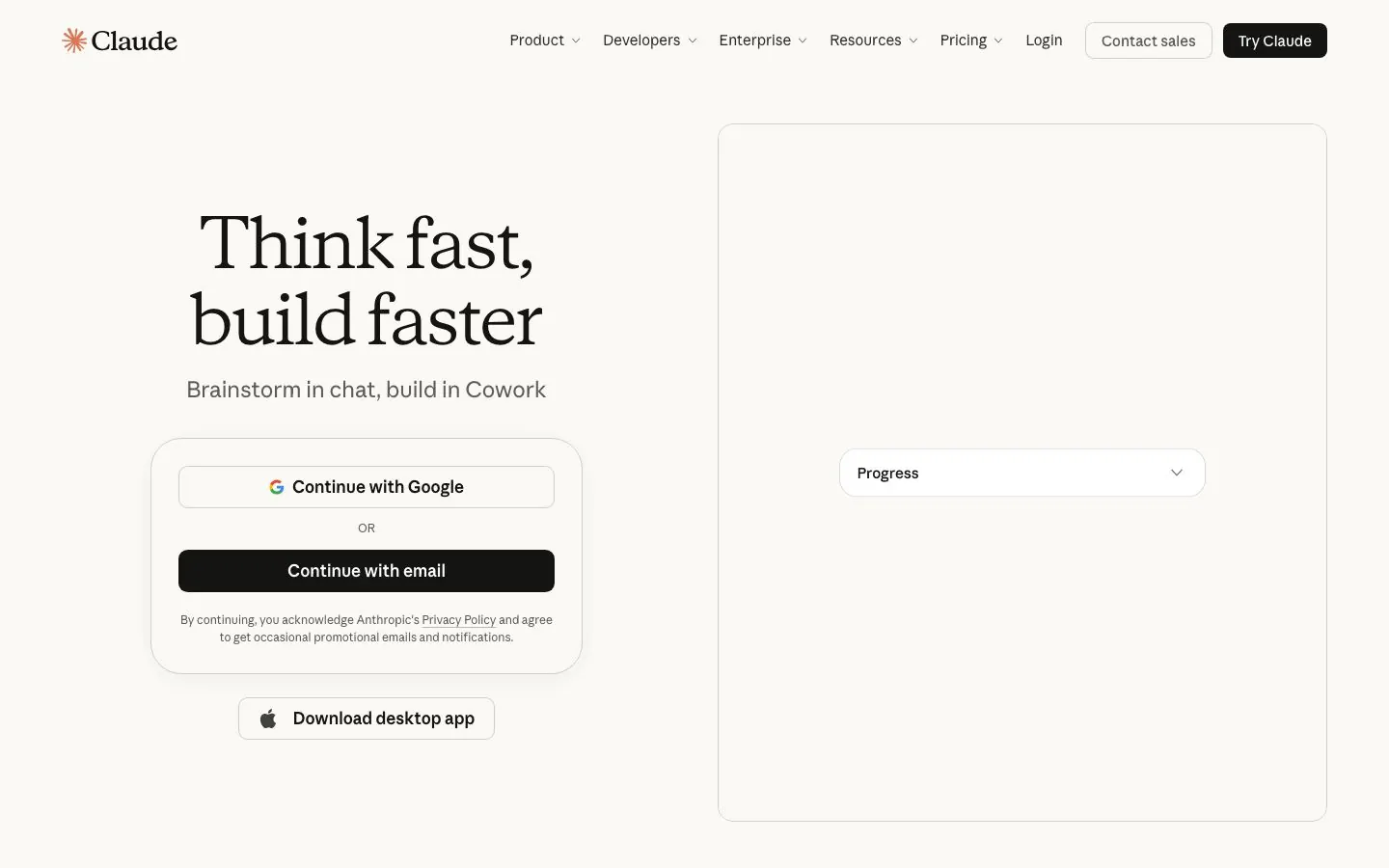
Claude is Anthropic's assistant. Its free tier already lists web search, file creation and running code, connecting your apps and tools, Artifacts, and Design, Slides and Docs templates. From Pro, Anthropic's plans page adds handing off and scheduling tasks, plus Claude in Chrome and Microsoft 365.
The agentic part comes from connectors and skills. A connector gives Claude access to an app such as your CRM or design tool, and each connector tool can be set to Always allow, Needs approval or Blocked. A skill is a folder with a SKILL.md file that teaches Claude a recurring job, such as your post structure or review checklist, and skills are available on Free through Enterprise. Our guide to Claude connectors for marketing covers ten connectors and the skills that go with them. Jasper's connector lets Claude pull your brand voice, and Postiv, the first pick, is added as a custom connector.
What it does well for B2B teams:
- Projects group chats around shared knowledge and custom instructions. Free users can create projects, and only Team and Enterprise can share them, with Can view or Can edit access.
- Research runs several searches that build on each other, on Pro and above, and can use enabled connectors.
- Artifacts are documents, single-page sites, diagrams and dashboards you can edit and share, with templates that export to Word, PDF, PowerPoint and Google Slides.
- Connectors reach tools such as your CRM, design app and documents, with permissions set per tool.
Example prompts:
Read the project files on our positioning and last quarter's webinar recap. Draft a one-page brief for a case-study campaign: audience, the proof points we can back up and what each asset should do. Flag any claim without a source.
Review this draft against the checklist in our post review skill. Change the opening line only if the hook is weak, and list what you changed.
Setup and plan notes: Tiers are Free, Pro, Max, Team and Enterprise. Anthropic describes Team as being for teams of two to 150, with central billing, SSO, admin controls for remote and local connectors, and no model training on your content by default. Enterprise adds role-based access, SCIM and audit logs. On Team and Enterprise, an Owner enables each connector and members still sign in individually. A free trial of a paid plan was not confirmed, so check their docs.
Strengths:
- Connectors and skills let Claude work inside your tools, within the permissions you set per tool.
- The Team plan covers B2B teams of up to 150 with SSO and no training on your content by default.
Limits:
- Anthropic's plans page does not list native image generation, so check their docs if you need visuals.
- We found no native LinkedIn publishing feature on Anthropic's pages, so posting goes through a connector.
- Anthropic's docs state no blanket default of asking before a write, so set Needs approval on write tools yourself.
4. HubSpot
Job: CRM, email and agents. Best for: B2B teams that already run their pipeline and email in HubSpot and want AI working on that data.
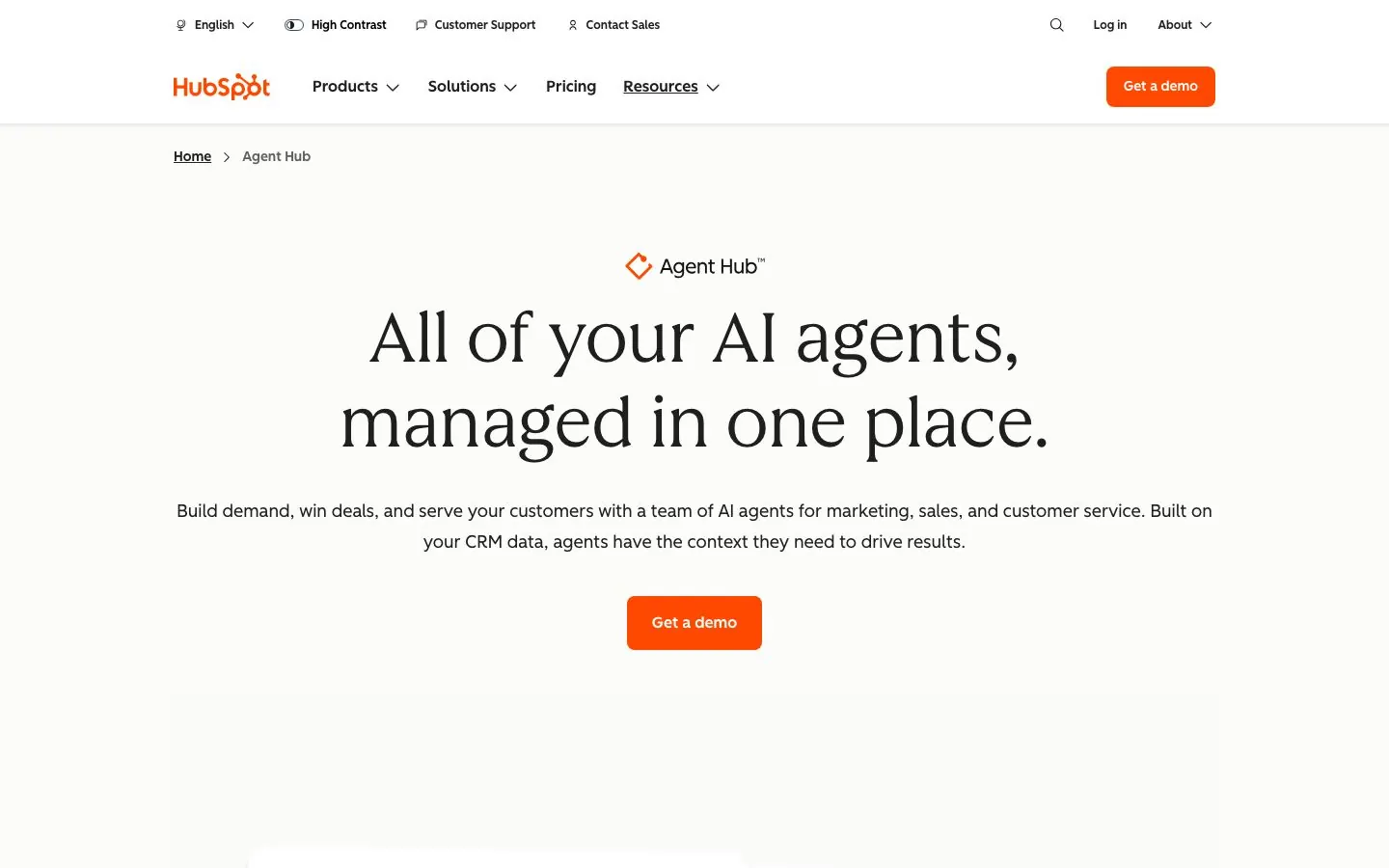
HubSpot packages its AI as agents under Agent Hub, reached through Breeze Assistant. The agents aimed at marketing are the Content Agent, which builds blog posts, social content and landing pages in your brand voice, the Campaign Agent, which plans multi-channel campaigns from your brand, audience and past performance, and the Nurture Agent, which sends personalized emails to leads. HubSpot's help pages say the Content Agent drafts LinkedIn posts in the social tool, blog posts and LinkedIn articles from answer engine optimization (AEO) recommendations, and campaign assets in Marketing Studio.
There is also a social media AI agent that suggests posts and when to publish them across Facebook, LinkedIn, X and Instagram. It is labelled Beta, works in English only, and you review and approve every post before it is published or scheduled. HubSpot AEO shows how your brand appears in answer engines and suggests next steps.
What it does well for B2B teams:
- Agents work from your CRM and brand data, so a campaign can start from real audience and past performance.
- Marketing Studio is where HubSpot says you can work on campaign assets from a single conversation.
- Agent Builder creates custom agents on one canvas using your customer data.
- Content Agent drafts are reviewed and edited by you, and HubSpot says it does not publish automatically.
Good first workflow: Ask a Super Admin to switch on the three AI settings the Content Agent needs: generative AI access, Files data and Breeze Assistant access. Give the agent one live campaign brief, let it draft a LinkedIn post and a blog post, and edit them as you would a junior writer's work. Note the HubSpot Credits the run used before you roll it out wider.
Setup and plan notes: Hub tiers are Free, Starter, Professional and Enterprise. Marketing Hub has a free tier with no credit card and a 14-day free trial of the marketing tools. Agent Hub is included in all Starter, Professional and Enterprise editions, but availability depends on the agent and the hub: the Content Agent features in other tools and Marketing Studio need Marketing Hub Professional or Enterprise, and the social media AI agent is included in Marketing Hub Pro and Enterprise. Many agents run on HubSpot Credits, and unused credits expire at month end. Custom agents need Super Admin or Agent Builder permission.
Strengths:
- AI sits on top of the CRM data and campaigns you already maintain.
- You approve content before it goes out, and testing a custom agent does not use credits.
Limits:
- Which agent needs which hub and tier takes some reading, and several are Beta.
- Content Agent use requires HubSpot Credits.
5. Jasper
Job: Brand-voice copy. Best for: marketing teams that turn briefs into many on-brand assets and want the voice stored in the tool.
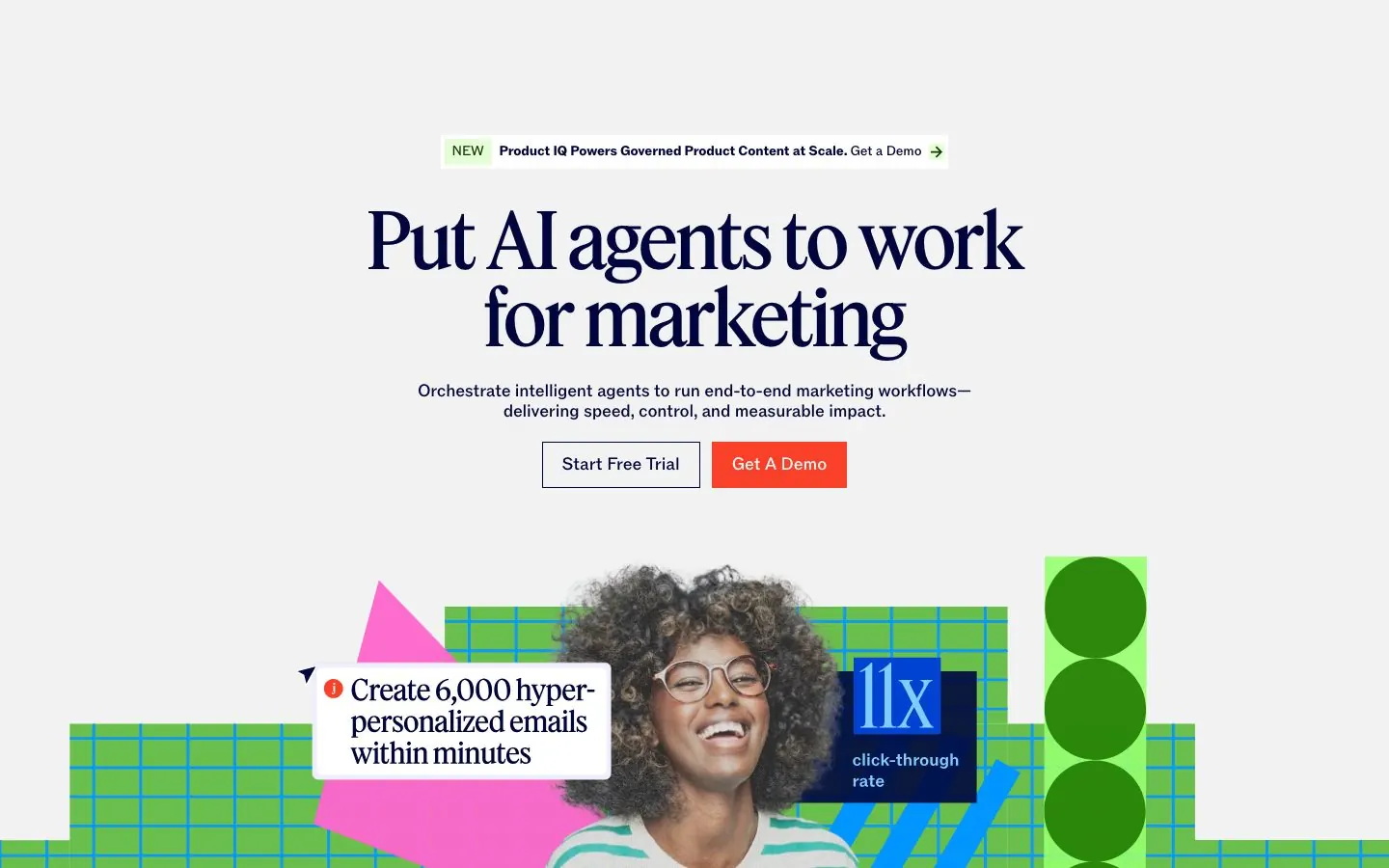
Jasper calls itself the agent workspace built for modern marketing teams. Its Campaigns feature turns briefs, insights and channel requirements into on-brand campaign content. Underneath sit Brand IQ (Brand Voice, Visual Guidelines and a Style Guide), a Knowledge Base, Audiences, Canvas as the marketing editor and Content Pipelines. Studio builds custom agents, Grid runs content at scale, and Jasper offers APIs and an MCP server.
It also offers the GEO Agent and GEO Hub, which monitor brand presence, citations, sentiment and share of voice across AI platforms, with ChatGPT, Gemini and Claude named. Jasper's August 2026 release notes say it joined the Claude connector marketplace, so Claude can pull your brand voice from Jasper.
What it does well for B2B teams:
- Brand Voice, Visual Guidelines and a Style Guide live in one place and apply across campaigns.
- Audiences and Knowledge assets keep copy tied to who you write for and what is true.
- Studio and Grid cover custom agents and content in volume on the Business tier.
- Canvas gives writers an editor, with a Chrome and Edge extension for other pages.
Example prompts:
Using our Brand Voice and the Q4 launch brief, write a LinkedIn post, a customer email and three headline options for the same message. Keep every claim to what is in the brief.
Translate the approved launch post for our German audience and keep the product names unchanged. List any phrase you adapted.
Setup and plan notes: Jasper has two tiers, Pro and Business. Pro includes one seat, two Brand Voices, a small set of Knowledge assets and Audiences, agents for core workflows, Canvas and a browser extension. Business adds unlimited Brand Voices, Knowledge assets and Audiences, agents for complex workflows, Studio, Grid, integrations and API access, admin controls with Groups, and SSO. There is no free plan. Pro has a 7-day free trial, and no trial is listed for Business. The pricing page names GEO under Business agents, but the launch post does not say which plan includes the GEO Agent, so check their docs. For a wider comparison of drafting tools, see our guide to writing and design tools with AI.
Strengths:
- Brand Voice, Visual Guidelines and a Style Guide are built in, and Business removes the cap on voices, which suits many brands or product lines.
- It connects to Claude, so the voice can travel into another assistant.
Limits:
- No free plan, and how many seats Pro can hold beyond the one included was not confirmed.
- Homepage results claims carry no stated method, so test it on your own briefs.
6. Semrush
Job: SEO and AI visibility. Best for: teams that need keyword and competitor data plus a view of how AI answers mention their brand.
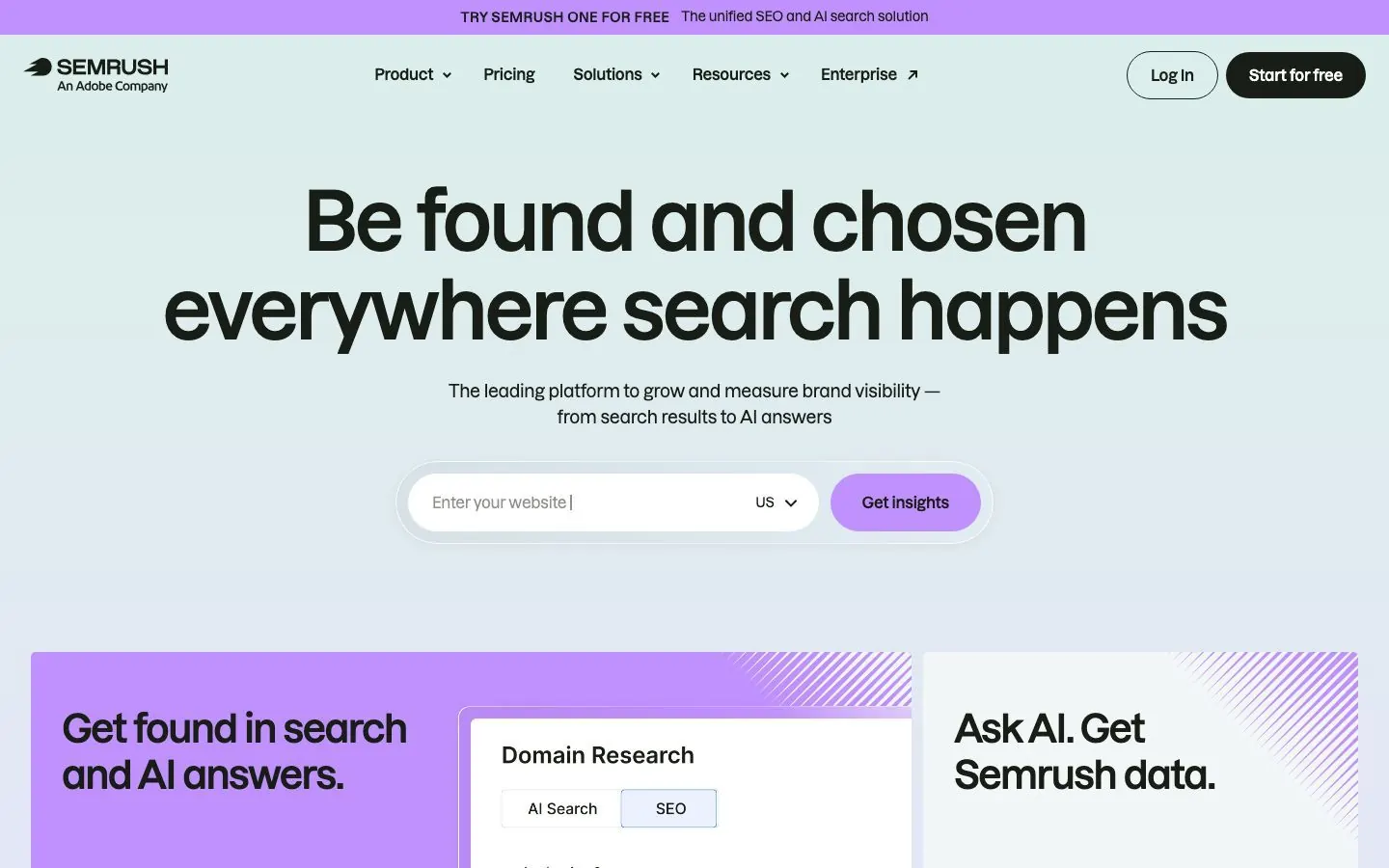
Semrush describes itself as a complete digital marketing platform with eight toolkits: SEO, Traffic and Market, Content, Local, AI Visibility, Social, Advertising and AI PR. Two matter most here. The AI Visibility Toolkit shows how often your brand is mentioned in AI answers, and the Content Toolkit helps you plan and produce search content.
The AI Visibility Toolkit includes a Visibility Overview, Brand Performance (share of voice and sentiment), Competitor Research for up to four competitors at once, Prompt Research, Position Tracking, an AI-Readiness Site Audit and an AI Traffic Dashboard. Brand Performance covers Google AI Overviews, AI Mode, ChatGPT, Perplexity and Gemini. The Content Toolkit has an AI Article Generator, a Content Optimizer, Content Repurposing, a Topic Finder and an SEO Brief Generator.
What it does well for B2B teams:
- Shows where your brand appears in AI answers next to the classic keyword, backlink and ranking data.
- Compares you with up to four competitors at once.
- Turns a keyword or topic into an SEO brief and a first draft, using Semrush's own keyword and topic data.
- Also offers an MCP connection to third-party assistants, which Semrush says is read-only.
Good first workflow: Run the AI Visibility Toolkit on your own domain and one or two competitors, and look at where they are mentioned and you are not. Pick one gap, generate an SEO brief for it, and have a writer draft the page with the Content Optimizer open. Read the result as a person before it goes live, because Semrush's own page says to add human review before publishing.
Setup and plan notes: Semrush One combines the SEO and AI Visibility toolkits in one subscription, in Starter, Pro+ and Advanced plans. Self-serve names are Free, SEO, Starter, Pro+ and Advanced, and Enterprise covers larger organizations. A Free plan exists with no credit card, including a limited set of AI checks, and Starter, Pro+ and SEO offer a seven-day free trial. The AI Visibility Toolkit is designed for monitoring one or a few domains, and Enterprise AIO is the option for larger multi-market teams. Users per plan and Content Toolkit plan inclusion were not confirmed, so check their docs.
Strengths:
- Classic SEO and AI visibility data in one subscription.
- A Free plan lets you test the AI checks first.
Limits:
- Brand Performance uses synthetic prompts Semrush generates from your domain and location, not real user queries, and updates weekly.
- AI traffic figures are estimates from clickstream data, and content recommendations are based on correlations that do not guarantee citations.
7. Canva
Job: Design. Best for: teams that publish many visuals and want AI help that stays inside a brand kit.
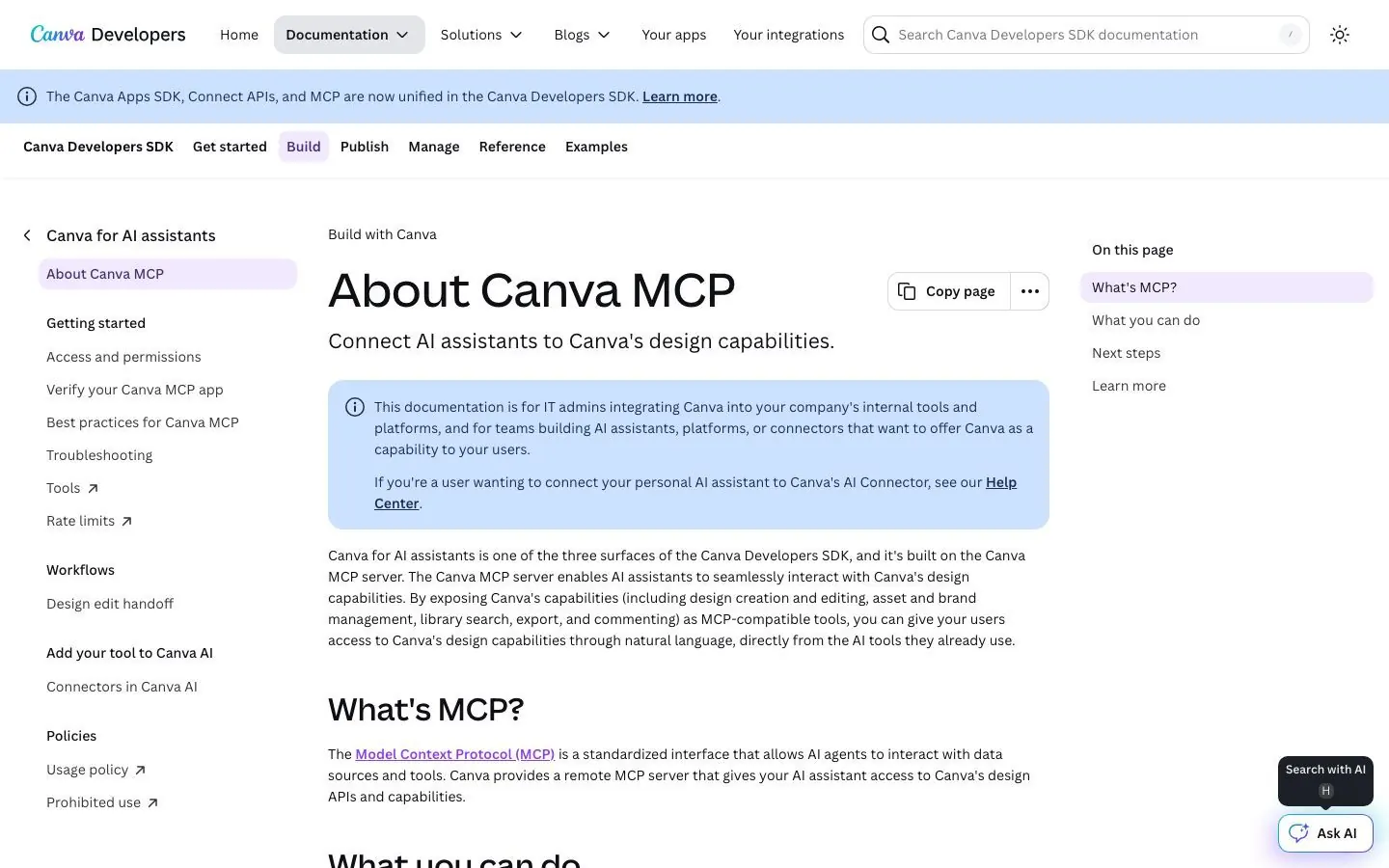
Canva describes Canva AI as a conversational creative partner that brings generative tools for design, docs and images into one experience. The older umbrella name is Magic Studio, which launched in 2023 and still names many tools, such as Magic Write, Magic Resize, Translate and Magic Edit. Canva says it can run at scale, generating campaigns from Canva Sheets and applying tools across many items.
The small-business pitch on Canva's AI page is that Canva AI applies your Brand Kit automatically. Canva's pricing page also lists social content scheduling on Pro and above, and ad insights and AI ad creation on all plans. Canva AI 2.0 appears under new features for Pro and Business, but Canva's AI page labels it coming soon, so do not plan around it yet.
What it does well for B2B teams:
- Brand Kits keep colors, fonts and logos in one place, with approvals on Business and tiered approvals plus multi-team management on Enterprise.
- Brand voice for Magic Write lets team admins or brand designers add short voice guidelines to the Brand Kit, and members apply them when they generate text.
- Magic Studio at scale produces many campaign variants from a sheet.
- Org Admin controls on Business and Enterprise manage access to Canva AI products.
Good first workflow: Load your logos, colors and fonts into a Brand Kit and add brand voice guidelines. Build one campaign template, such as a webinar promo. Then use Magic Studio at scale to produce the variants for different segments or languages, and have a designer review each before it goes out. Check generated content for third-party material before you publish.
Setup and plan notes: Tiers are Free, Pro, Business and Enterprise, plus Education. Canva's pricing groups AI tools as Standard, Premium and Ultra, and they draw on a shared AI allowance. Free includes a limited number of Standard or Premium AI uses, Pro and Business include more, and an AI Pass add-on exists for Pro and Business. Pro and Business offer a free trial. Canva says it does not use your content to improve AI-powered features unless that is consistent with your privacy controls. Brand voice availability on the current Business tier was not confirmed on the help page we read, and LinkedIn or carousel-specific publishing was not confirmed either, so check their docs.
Strengths:
- AI is spread across design, docs, images and campaign variants.
- Approvals on Brand Kits give larger teams a review step.
Limits:
- The shared AI allowance can run lower than expected on complex tasks, and fair use limits apply.
- Canva's own guidance says AI-created works may not receive copyright protection depending on where you live, and that you are responsible for checking for third-party material.
8. Clearscope
Job: SEO content optimization. Best for: content teams tuning blog posts and landing pages to be found in Google and in AI search tools.
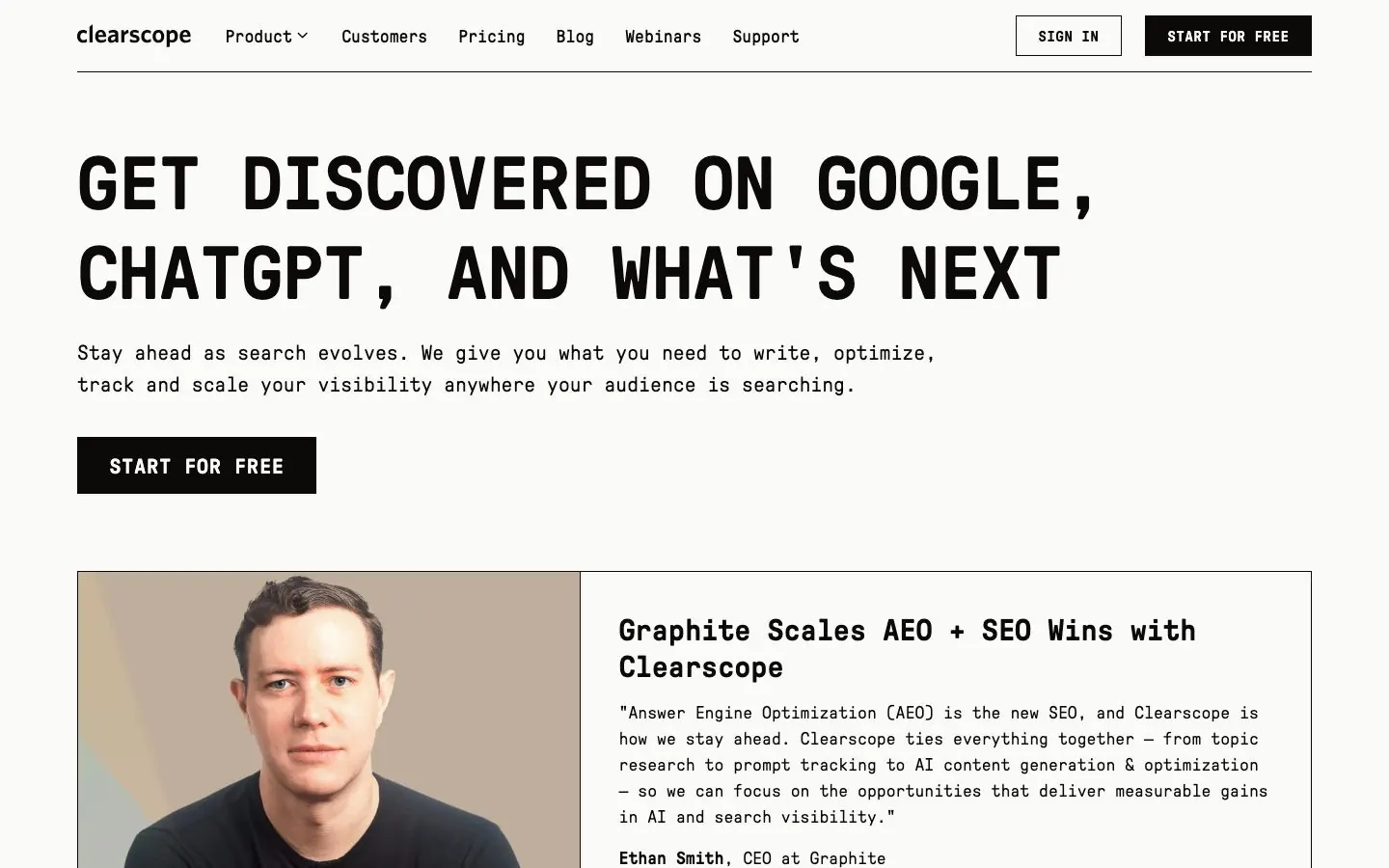
Clearscope is SEO content optimization, not a general assistant or a scheduler. It says it helps content teams get found in Google and in AI search tools such as ChatGPT, Gemini and Claude. You work in an editor that scores a draft as you write.
The editor includes a Content Grade with a real-time score, a word count range, readability, Terms, and AI Term Presence, which flags terms that appear in AI-generated responses to your target query. Tabs cover Research, an Outline built from the heading structures of the top 30 ranking pages, Competitors and a Term Map. An AI Draft Builder generates a first draft that you refine in the editor, and a Shared Draft Link lets someone view a draft in Guest Mode without logging in. The homepage also names Query Discovery and content analytics for a whole site or single pages.
What it does well for B2B teams:
- Grades a draft against top-ranking pages while writers work.
- Flags terms that show up in AI answers for the same query.
- Tracks your AI visibility for chosen queries across ChatGPT, Gemini and Claude.
- A Shared Draft Link lets a reviewer open a draft without an account.
Good first workflow: Pick one page that used to bring in traffic and has slipped. Open it in the editor, compare its Content Grade and Outline with the top results, and add the missing terms and sections a reader would expect. Share the draft link with the subject-matter expert for a quick review, then publish and watch the page in content analytics.
Setup and plan notes: Tiers are Essentials, Business and Enterprise, with unlimited users and projects on all three. Business adds a dedicated account manager, and Enterprise adds custom credits, custom agreements, crawler whitelisting and SSO. There is a 14-day free trial and no free plan. Tracked queries, pages, topic explorations and drafts are capped per month and differ by tier, so check their pricing page before you pick one. The editor works with Google Docs, WordPress and Microsoft Word, but which tier includes those integrations was not confirmed.
Strengths:
- Unlimited users make it easy to give every writer and reviewer access.
- Covers both classic search and AI search in one tool.
Limits:
- It optimizes content for search; it does not plan or schedule social posts.
- Query and draft allowances are capped per month, and the exact add-on rules were not confirmed.
9. Zapier
Job: Automation and agents. Best for: ops-minded marketing teams that need to connect the tools they already pay for.
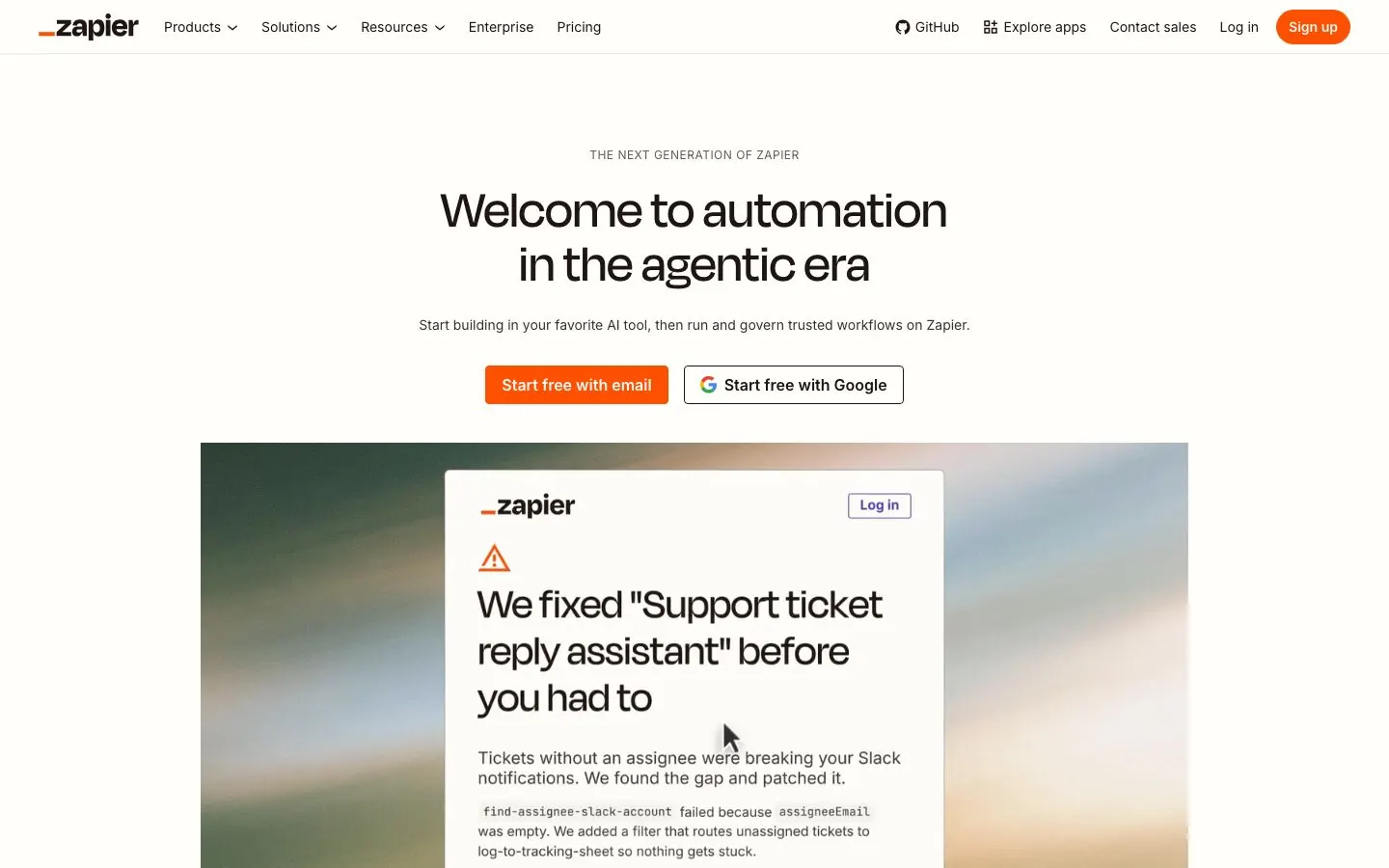
Zapier connects more than 9,000 apps and has put AI on top of that. Zapier Agents are AI assistants you can build and give work to: you give an agent business knowledge, it runs tasks across Zapier's integrations, you can monitor its activity and chat with it when needed. Zapier Copilot is an assistant that works across Zapier products, where you describe what you want in plain language. It is in open beta, and it is available in Zaps, Canvas, Tables, Agents, Forms and Functions. Zapier MCP is included in every plan, and it is also a listed Claude connector.
Zapier is plumbing, not a content tool. The pages we read claim no writing, design or LinkedIn scheduling feature. Marketing-specific agent templates were not confirmed. For more on this job, see our guide to content marketing automation workflows and tools.
What it does well for B2B teams:
- Moves data between the tools a marketing team already uses, such as form tools, a CRM and Slack.
- Lets a non-developer describe a workflow to Copilot in plain language.
- Building and testing with Copilot does not use your tasks. Tasks are charged when a workflow runs live.
- Lets you choose which apps and actions an MCP-connected assistant can use and review every action in History.
Good first workflow: Start with one repetitive handoff, such as new webinar registrants going into your CRM and a Slack alert for the sales owner. Describe it to Copilot, test it, and read the steps it built. Copilot may suggest workflows that need premium apps or a higher plan, and test them before going live to avoid unintended loops. Add a human step wherever a message goes to a customer.
Setup and plan notes: Tiers are Free, Professional, Team and Enterprise. Free includes a monthly task allowance, and new accounts get a 14-day free trial of Professional with no credit card required. Team adds a shared workspace, SAML SSO and folder permissions; Enterprise adds unlimited seats, super admin and advanced admin permissions. Agents have basic access on all plans with premium add-ons, and usage is measured in activities, separate from tasks. Each MCP tool call uses two tasks from your quota.
Strengths:
- Reaches a huge range of apps through one account, with MCP included in every plan.
- Safeguards you control: choose the apps and actions, review History, and keep credentials in Zapier's connection layer.
Limits:
- At the activity limit, agents stop running, though you can still chat with the agent.
- Per-write confirmation for MCP actions was not confirmed, so set your own checks in the assistant you connect.
10. Grammarly
Job: Writing quality and brand tones. Best for: teams with many writers who need one consistent voice across email, docs and posts.
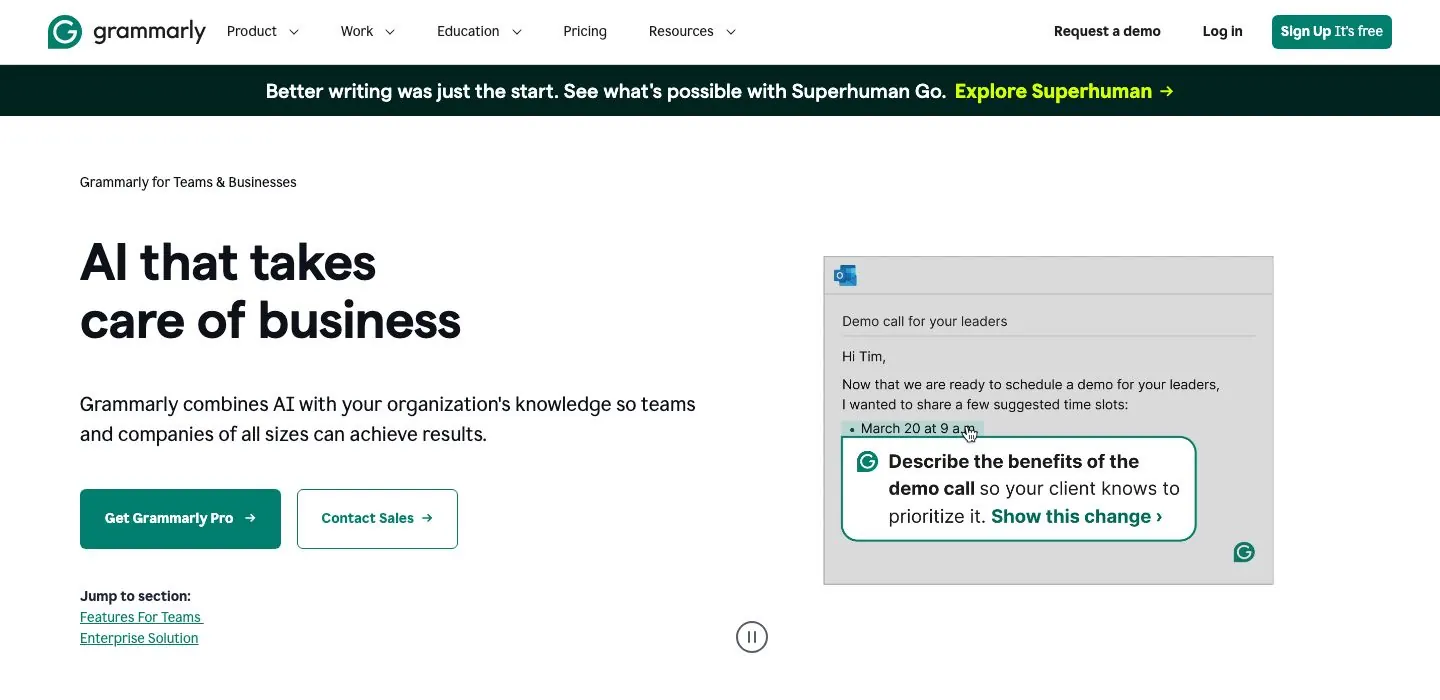
Grammarly is a writing assistant, not a planner or scheduler. For teams, Grammarly says its generative AI creates first drafts and outlines that reflect company needs and voice, and it adds a style guide, brand tones, knowledge share and strategic suggestions. Naming is changing: Grammarly's Enterprise page says Grammarly is now delivered through Superhuman Go, described as a proactive assistant plus agents across the tools teams already use, and the plans page sits under Superhuman.
Brand tones turn a company voice into a tone profile that customizes Grammarly's feedback to your organization. Tones are marked on-brand or off-brand, and team members see feedback in real time while they write. Superhuman's Grammarly page names agents such as Proofreader, Paraphraser, Humanizer and Reader Reactions, which shows how your writing might land with readers.
What it does well for B2B teams:
- Brand tones and a style guide keep sales, support and marketing writing on one voice.
- Team members see tone feedback in real time while they write.
- Admins can assign roles, manage permissions and use centralized billing groups.
- Reader Reactions shows how a message might land with readers.
Good first workflow: Take three emails or posts your team considers on-brand and use them to write the voice description for a brand tone. Upload your style guide. Ask a handful of writers from different teams to use it for two weeks, then compare how many edits reviewers still make.
Setup and plan notes: Superhuman's plans are Free, Pro, Business and Enterprise. A Free plan exists. Brand tones are included in paid plans, though the help article uses older plan names, so check the current ones. Admins and account managers manage tone profiles, and group managers and custom roles are Enterprise only. Grammarly says business customers always have data training off by default. Enterprise customers get unlimited monthly prompts for generative AI. Free-trial terms for paid plans and minimum seats were not confirmed, so check their docs.
Strengths:
- Gives every writer feedback against your own voice, not a generic one.
- Business plans have model training off by default.
Limits:
- Plan and product naming is in flux between Grammarly and Superhuman.
- The agents page does not say which plan includes each agent, and the number of brand tones per tier was not clear.
AI marketing stacks by team
Nobody needs all ten. These are the stacks we would start with, and Postiv sits in each one for the social side.
| Team | Stack | What the mix covers |
|---|---|---|
| Solo founder or consultant | Postiv, Claude or ChatGPT, Canva, Grammarly | Weekly plan and posts, research, the odd visual, cleaner writing |
| In-house B2B team (up to about 200 people) | Postiv, HubSpot, Semrush or Clearscope, ChatGPT or Claude on a team plan, Canva, Zapier | Social calendar, pipeline and email, search, shared research, design, handoffs |
| Agency running several clients | Postiv, ChatGPT or Claude, Canva, Jasper or Grammarly, Clearscope, Zapier | A workspace and voice per client, SEO writing, automation |
Solo founder or consultant. You are the whole marketing team, so the job is turning what you know into steady posts. Postiv holds the weekly plan, the drafts and the schedule. Claude or ChatGPT handles research and anything outside social, Canva covers a deck or a graphic, and Grammarly's free plan catches slips in email. A co-founder or trusted editor added as an approver on your profile is cheap insurance. If social is your main channel, our guide to the best AI social media managers compares the options in more depth.
In-house B2B team, up to about 200 people. HubSpot holds the pipeline and email, and its agents work on that data. Semrush covers search and AI visibility, and Clearscope suits writers who want an editor-based score; pick one unless you have a reason for both. Put the team on one assistant workspace so projects can be shared: ChatGPT Business, or Claude Team, which Anthropic describes for teams of up to 150, so a company near 200 should look at Enterprise. Postiv runs the social calendar with roles and approvers per profile, so the founder, the head of sales and the Company Page can each have their own plan, pillars and approver. Expect a few admin steps: a HubSpot Super Admin for AI settings, an admin for each assistant's apps, and approvers inside Postiv. Zapier fills the gaps between tools.
Agency running several clients. Keep each client in its own Postiv workspace, with its own pillars, voice and approvers, so Bob's plan for one client never mixes with another's. Use one ChatGPT or Claude project per client for the same reason. Jasper Business allows unlimited Brand Voices, Canva Business offers many Brand Kits with approvals, and Clearscope allows unlimited users and projects. Zapier needs the tightest rules: choose which apps and actions an agent may use, and check History after a run.
How to roll out AI tools without losing your voice
A tool that looks fine on day one is producing generic posts by week three, because nobody wrote down what good looks like.
Write the voice down once, then put it where each tool can read it. A one-page voice guide with a handful of before and after examples works across every tool here. Load it into Jasper's Brand Voice, Grammarly's brand tones and style guide, Canva's brand voice for Magic Write, the project instructions in ChatGPT or Claude, and the voice of each Postiv profile. When it changes, update all of them in the same week.
Decide who approves what. Anything that publishes, sends or spends needs a person. HubSpot's Content Agent does not publish automatically, and its social media AI agent waits for your approval. On a Postiv profile with approvers, a scheduled post waits for approval. In ChatGPT, keep apps on Always ask or Allow read actions until you trust them. In Claude, set write tools to Needs approval. In Zapier, choose which apps and actions an assistant may use and review History after each run.
Set the data and privacy options before the first prompt. OpenAI says it will not train on a ChatGPT Business workspace's data. Anthropic lists no model training on your content by default for Claude Team. Grammarly says business customers always have data training off by default. Canva says it does not use your content to improve AI-powered features unless that is consistent with your privacy controls. HubSpot's AI settings article does not say whether HubSpot trains AI models on customer data, so ask before you load sensitive account data. For Jasper, Semrush, Clearscope and Zapier, the pages we read did not state training terms, so check their docs. As a habit, keep customer names, unreleased numbers and contract details out of free or personal tiers.
Start with one team and one job for two weeks. Pick the job with the clearest before and after, such as first drafts for the weekly post. Keep a note of what reviewers change, and add any edit that repeats to the voice guide.
Say when AI was involved. Canva calls disclosing AI use best practice and notes that AI-created works may not receive copyright protection depending on where you live. Decide your own policy for customer-facing content, and review access every quarter by removing apps, connectors and seats nobody uses.
What AI marketing tools still need a human for
Every tool on this page is useful, and none of them is accountable. A person has to be.
Strategy and positioning. Tools can summarize competitors and propose angles. Deciding what you stand for and which customers you are not for is your job. On a first run Bob proposes three to five content pillars and saves them only after you confirm.
Facts and claims. Any of these tools can write a confident sentence that is wrong. Someone has to check the numbers, the customer names and the product claims. Semrush's own page says to add human review before publishing AI articles, and HubSpot says Content Agent drafts must be reviewed and edited.
Reading the data. Semrush's Brand Performance uses synthetic prompts, its AI Traffic Dashboard shows estimates from clickstream data, and Content Toolkit recommendations rest on correlations. Treat AI visibility numbers as direction for where to look, not as a scoreboard.
Conversations with real people. Comment replies, prospect questions and sales calls are relationships. A tool can draft a reply, and the person who knows the account sends it.
Taste and point of view. The post people remember carries an opinion and a story that only someone at your company has. Give the tools those raw materials and they do the shaping.
Final approval. Anything that publishes, sends or spends should pass a named person.
More quick answers
What are the top 5 AI marketing tools?
The first five on our list: Postiv for social content, ChatGPT as a general assistant, Claude for agentic work, HubSpot for CRM, email and agents, and Jasper for brand-voice copy. Add Semrush if search matters. Most teams need one tool per job, so start where you lose the most hours.
Which AI program is best for marketing?
No single program wins, because marketing is several jobs. A general assistant such as ChatGPT or Claude covers research and drafting, Postiv handles social content, HubSpot the CRM and email side, and Semrush search. Pick by job and start with the task that eats most of your week.
Which AI tool is best for advertising?
This list is not a ranking of ad platforms. Two picks touch advertising: Canva lists ad insights and AI ad creation on all plans, and HubSpot's Campaign Agent plans multi-channel campaigns. Semrush also has an Advertising toolkit. Keep a person on anything that spends money.
What are the best AI marketing tools for small business?
For a B2B company under about 200 people, start with one general assistant (ChatGPT or Claude), Postiv for social content, and the AI in the CRM you already use, such as HubSpot's agents. Add Canva for design and Semrush when search matters.
Are there free AI marketing tools?
Several have a free tier: ChatGPT, Claude, Canva, Grammarly, Semrush, Zapier and HubSpot's Marketing Hub. Free tiers cap AI use, so they suit testing. Postiv has a 7-day free trial, Jasper a 7-day trial on Pro, and Clearscope a 14-day trial. Check each vendor's page for current limits.
What is the best AI marketing tool for social media?
For B2B social content, Postiv is our pick. Bob plans the week from your pillars, sources and results, you write each post with him, and scheduling, approvals, engagement and analytics share one workspace. HubSpot also has a social media AI agent, in beta, on Marketing Hub Pro or Enterprise.
What are the best AI tools for digital marketing?
Pick one tool per job: an assistant (ChatGPT or Claude), social content (Postiv), CRM and email (HubSpot), SEO and AI visibility (Semrush or Clearscope), design (Canva), writing quality (Grammarly) and automation (Zapier). Choose by which job costs your team the most hours.
Is it safe to put customer data into AI marketing tools?
It depends on the plan and settings. OpenAI says it will not train on ChatGPT Business data, Claude Team has no training on your content by default, and Grammarly Business has training off by default. HubSpot's position was not stated on the page we read, so ask it, and keep customer details out of free tiers.
Start with Postiv
If you want Bob to plan your week, write with you and hold posts for approval, start a 7-day free trial of Postiv and see how the social side of your stack fits.




