

Choosing the right social media management software for small business can feel overwhelming. With so many options available, each promising to save you time and boost your engagement, it’s difficult to know which platform truly fits your specific needs and budget. This guide cuts through the marketing noise to give you a clear, honest breakdown of the top contenders. We're here to help you move beyond endless free trials and find a tool that genuinely works for your business.
This resource is built for founders, marketers, and agencies who need to manage their social media presence efficiently without a large team or enterprise-level budget. We'll explore 15 platforms, from established names like Buffer and Hootsuite to focused tools like Later and SocialBee. For each option, you'll find an overview of its core features, pricing structures, and trade-offs. We provide direct links and screenshots to give you a clear picture of the user experience.
Our goal is simple: to provide the information you need to make a confident decision. We'll examine key comparison points such as ease of use, scheduling capabilities, analytics depth, and team collaboration features. Once you've chosen your social media management software, the next crucial step is developing a solid content strategy. For instance, you can learn more about methods for effectively outlining and planning your approach to creating engaging social media content. By the end of this article, you will have a clear path to selecting, implementing, and mastering the ideal software to grow your small business. Let's find your perfect match.
How We Tested and Ranked These Tools
Transparency matters. We didn't just read feature pages and compile a list. Our team signed up for free trials or paid plans on more than 20 social media management platforms over the course of several weeks. For each tool, we ran a consistent evaluation covering five criteria:
- Ease of onboarding -- How long does it take to connect your social accounts, draft a post, and schedule it? We timed the setup process from first signup to first scheduled post.
- Core feature depth -- We assessed scheduling flexibility, content calendar UX, analytics reporting quality, and team collaboration workflows.
- Pricing fairness for small businesses -- We evaluated whether the free or starter plan delivers genuine value and how costs scale as you add accounts, users, or features.
- Platform coverage and reliability -- We checked which social networks each tool supports and verified that scheduled posts actually published on time without errors.
- AI and automation capabilities -- With AI reshaping the category in 2026, we tested each tool's AI writing, suggested posting times, and content recycling features.
The original 12 tools below were selected across these criteria for small businesses specifically. Enterprise-only platforms and tools with outdated interfaces or unreliable publishing were excluded. Statusbrew was added in August 2026 based on its published product and pricing documentation, not a hands-on test, and has no test score in the comparison table. Planable was added in September 2026 and PostEverywhere in October 2026 on the same basis.
What Is Social Media Management Software for Small Business?
Social media management software for small business is a centralized platform that lets you handle your entire social media presence from one dashboard. Instead of logging into Facebook, Instagram, LinkedIn, and X individually to post, reply, and check stats, these tools combine scheduling, engagement monitoring, analytics, and team collaboration into a single interface.
For small businesses specifically, the right tool eliminates the daily scramble of manual posting and helps maintain a consistent publishing cadence even when you are short on time or staff. The core functions you should expect include:
- Post scheduling and queuing across multiple platforms simultaneously
- A content calendar with a visual overview of your entire publishing plan
- Analytics and reporting to track reach, engagement, and follower growth, so you can calculate your engagement rate and see what's actually working
- A social inbox that consolidates comments, DMs, and mentions in one feed
- Team collaboration features such as approval workflows and role assignments
The key difference between tools aimed at small businesses versus enterprise suites is cost and complexity. Small business tools prioritize ease of use and affordable pricing over advanced features like social listening, sentiment analysis, or CRM integration that larger organizations require.
How to Choose the Right Social Media Management Software
Before diving into the tool reviews below, it helps to have a framework for evaluation. Choosing the wrong platform wastes both money and the time you spend learning a tool you will eventually abandon. Here is a practical checklist for making your decision:
1. Identify Your Primary Channel
Not all tools cover every network equally. If your audience lives on LinkedIn, a LinkedIn-specialized tool like Postiv AI will outperform a general scheduler. If Instagram and TikTok are your bread and butter, a visual-first platform like Later is a better fit. Start by ranking the social networks that actually drive results for your business.
2. Match Features to Your Biggest Pain Point
Are you struggling with content creation, or is scheduling the bottleneck? Do you need better analytics to prove ROI, or is team approval the headache? Prioritize the tool that solves your top problem rather than chasing the longest feature list.
3. Set a Realistic Budget
Free plans are a legitimate starting point for solopreneurs managing 1-3 accounts. Once you need team seats, more profiles, or advanced analytics, expect to spend $25-$100/month. The comparison table below shows exact pricing for each tool.
4. Always Run a Trial With Your Real Workflow
Nearly every tool on this list offers a free trial. Use it to test your actual workflow: connect your accounts, draft a post, schedule it, and review the analytics. A tool that feels clunky during the trial will not improve after you pay.
5. Check Integration Compatibility
Your social media tool should connect with your other software. Check for native integrations with your CRM, email platform, or project management tool, or at minimum, Zapier compatibility.
1. Postiv AI
For B2B small businesses where LinkedIn is the primary battleground for leads and authority, Postiv AI presents a powerful, specialized solution. It stands out as a premier choice for professionals who need to execute a high-level content strategy without a dedicated marketing team or extensive hours. This platform is less of a general social media scheduler and more of a complete LinkedIn content engine, designed to turn your existing knowledge into high-performing posts.
What makes Postiv AI a standout piece of social media management software for small business is its intelligent workflow. The AI doesn't just generate generic text; it ingests your specific content, such as blog posts, webinar recordings, PDFs, or even YouTube videos, to learn your unique voice and perspective. Its agent, "Bob," proposes weekly content plans based on your material and successful formats from top creators, allowing you to schedule a month of on-brand content in a single session. This process respects your brand's tone and can produce posts in over 15 European languages with local nuances.
A key benefit reported by users is the significant time savings-some claim over 10 hours per week-and a measurable impact on their sales pipeline, attributing new leads and meetings directly to content created with the platform.
Core Features & Use Cases
- Content Repurposing: Ideal for consultants or founders rich in ideas but poor in time. You can feed the AI a link to a webpage or upload a document, and it generates multiple post formats, including text and carousels.
- Carousel Designer: Creating engaging carousels, a top-performing format on LinkedIn, is often a design-heavy task. Postiv AI includes a 60-second carousel builder that transforms your text into a visually appealing, on-brand document post directly within the app.
- Team & Agency Collaboration: For small teams or agencies managing client accounts, the platform offers role-based access, approval workflows, and white-label reports. This structure ensures brand consistency and simplifies client management.
Pricing & Suitability
- Pro Plan: Starts at €99/month, targeting solo professionals with AI-powered post creation, carousels, and scheduling.
- Team Plan: Priced at €229/month for up to 3 users, adding collaborative features.
- Enterprise & Agency: Custom plans are available for larger needs.
A 7-day free trial is available, so you can test its capabilities before you commit.
Pros & Cons
| Pros | Cons |
|---|---|
| All-in-one LinkedIn workflow reduces the need for separate writing, design, and scheduling tools. | LinkedIn-exclusive focus means it's not a fit if you need to manage multiple platforms like Instagram or X (Twitter). |
| Voice-preserving AI creates authentic, native-quality content from your existing materials. | Higher price point may be a barrier for early-stage startups or solopreneurs with minimal budgets. |
| Proven pipeline impact with users reporting direct lead and meeting generation. | |
| Safe and compliant with LinkedIn's policies, using modern OAuth and secure data practices. |
Best For: B2B founders, consultants, and sales teams who need to scale their thought leadership and generate demand specifically on LinkedIn while maintaining a high standard of quality and brand safety. To better understand how this tool fits into a broader strategy, you can explore insights on developing a content marketing strategy for a small business.
Website: https://postiv.ai
2. Buffer
Buffer has earned its reputation as a reliable and user-friendly pillar in the world of social media management software for small business. Its core strength lies in its simplicity and clean interface, making it an excellent starting point for solopreneurs or small teams who feel overwhelmed by more complex, feature-heavy platforms. The visual content calendar is a standout, allowing users to see their entire schedule at a glance and easily drag and drop posts to new time slots.
Buffer’s modular pricing is a key differentiator. Instead of forcing users into expensive, all-inclusive tiers, it allows you to purchase access to publishing, analytics, and engagement tools separately. This "build-your-own-plan" approach is perfect for controlling costs, as you only pay for the features you actively use. The permanent free plan, while limited to three channels, provides genuine value for those just starting out.
Key Features & Ideal Use Case
- Ideal User: Solopreneurs and small marketing teams needing a straightforward, no-fuss scheduler with basic analytics.
- Core Functionality: Visual scheduling calendar, content drafting and approvals, a unified inbox for comments and DMs (on supported networks), and performance analytics.
- Pricing: Starts with a free plan. Paid plans begin at $6 per month per channel for essentials, with separate pricing for Analytics and Engagement tools.
While Buffer excels at scheduling and provides solid analytics, it's lighter on advanced social listening and competitor analysis compared to enterprise suites. Its analytics reports are exportable, which is helpful for demonstrating campaign results and understanding your social media ROI. To get the most out of these reports, you can dive deeper into how to measure social media ROI with a structured approach. If LinkedIn is your primary channel and Buffer's lack of carousel support is a problem, see our Buffer alternative for LinkedIn comparison.
3. Statusbrew
Statusbrew brings publishing, customer replies, and reporting into one workspace. If you need to plan posts and keep up with comments and messages across several networks, its shared calendar and unified inbox let you handle both without switching between apps.
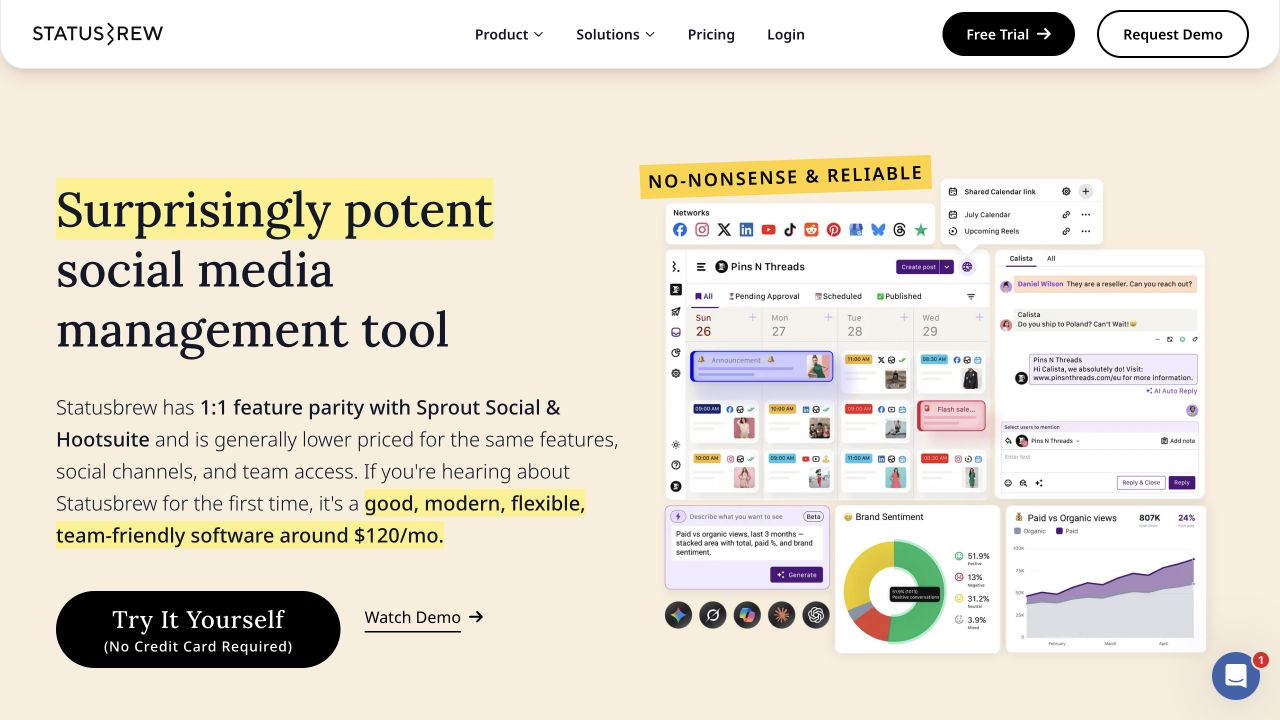
You can share calendars with clients, route posts for approval, and build reports for your team. Its comment moderation tools can also help when you manage a busy Facebook or Instagram page. Feature access varies by plan, so check which tier includes the workflows you need.
Key Features & Ideal Use Case
- Ideal User: Small businesses and agencies that need scheduling, a shared inbox, and team or client approvals.
- Core Functionality: Multi-network publishing, bulk scheduling, a unified social inbox, approval workflows, comment moderation, and customizable reports.
- Pricing: The Lite plan includes 1 user and 5 social profiles. A 14-day free trial is available with no credit card required. Check the current plans and pricing for billing options and feature limits.
Trade-off: If you only need to queue a few posts, a free scheduler may be enough. Statusbrew is worth considering when replies and approvals are also part of your daily work.
4. PostEverywhere
PostEverywhere is a cross-posting scheduler for small businesses that publish on more than the usual four networks. You upload a post once and it goes out to Instagram, LinkedIn, TikTok, Facebook, X, YouTube, Threads, Bluesky, Pinterest, Telegram, Discord, and even WordPress, formatted for each platform and laid out on one drag-and-drop calendar.
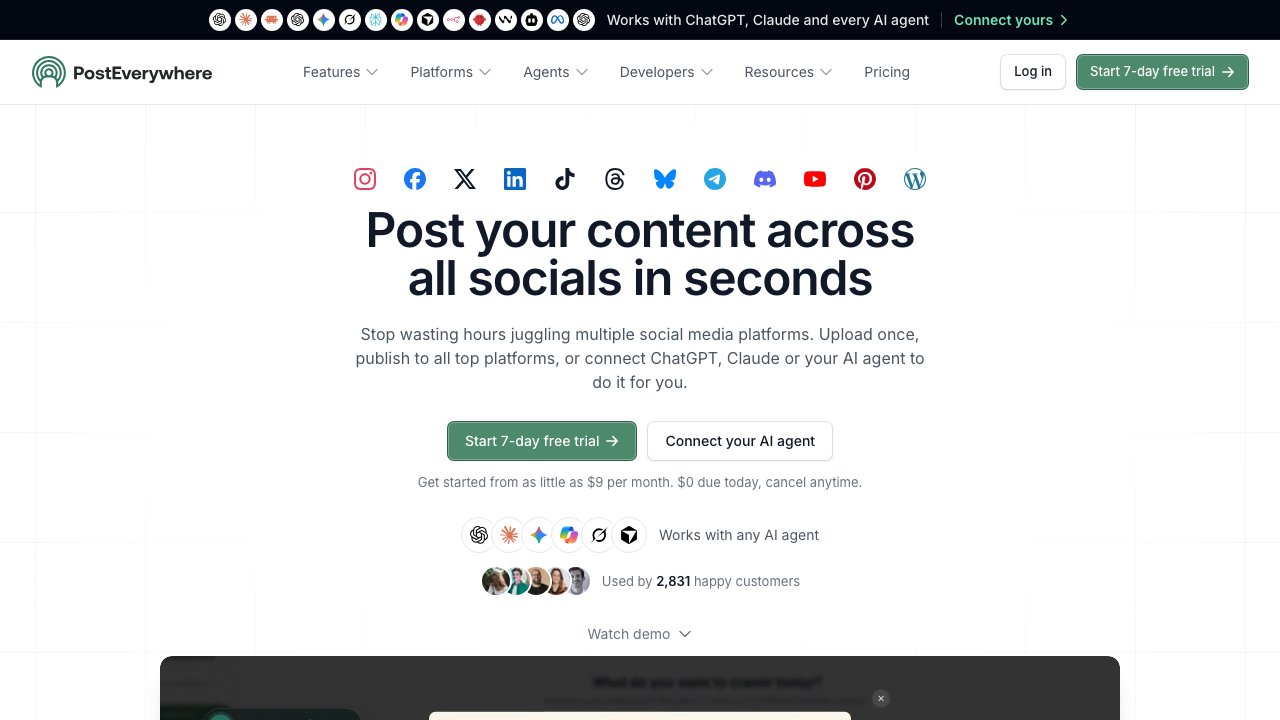
What sets it apart is how open it is to automation. Every plan includes the full REST API, a Node.js SDK, a command-line tool, and a hosted MCP server, so you can connect ChatGPT, Claude, or another AI agent and ask it to plan and schedule next week's posts. Everything your agent schedules lands in the same calendar. When you would rather stay in the app, the built-in AI Studio writes captions and creates images and short videos.
Key Features & Ideal Use Case
- Ideal User: Small businesses, creators, and lean teams that post across many networks, especially if they want an AI agent or their own scripts to handle scheduling.
- Core Functionality: Cross-posting to 12 platforms, a content calendar and posting queue, bulk scheduling via CSV, approvals and team workspaces, AI Studio for captions, images, and video, analytics, and API, SDK, CLI, and MCP access on every plan.
- Pricing: Lite starts at $9 per month for 2 social accounts. Starter is $19 per month for 5 accounts, Growth $29 for 10, and Scale $39 for 20 accounts and 5 workspaces. Every plan starts with a 7-day free trial (card required). Check the current plans and pricing for AI credits and add-ons.
Trade-off: Plans are sized by social account count, and AI credits are metered per tier, so map out how many profiles you run before picking one. If your brand spans many networks, one plan can replace several single-network schedulers.
5. Zoho Social
Zoho Social stands out in the crowded field of social media management software for small business by offering a powerful suite of tools that integrates directly into the wider Zoho ecosystem. It’s an ideal choice for businesses already using or considering Zoho CRM or Zoho Desk, as it creates a seamless workflow from social media engagement to lead management and customer support. The platform provides a full-featured experience, balancing robust scheduling and monitoring with an approachable, clean interface.

The platform’s SmartQ feature suggests optimal times to post for maximum engagement, taking guesswork out of your content strategy. One of its most valuable functions is the ability to create custom monitoring streams to track brand mentions, keywords, and reviews. This focus on monitoring and direct integration for sales and support pipelines makes Zoho Social more than just a content scheduler; it’s a central hub for customer interaction.
Key Features & Ideal Use Case
- Ideal User: Small to mid-sized businesses that use or plan to use Zoho CRM/Desk and need a cost-effective platform that connects social activity to sales and support.
- Core Functionality: Content scheduler with SmartQ, bulk scheduling, unified social inbox, keyword monitoring streams, and rich analytics with customizable reports.
- Pricing: A limited free plan is available. Paid plans start at $10 per month (billed annually) for one brand and 7 social channels.
While Zoho Social offers immense value, especially for its price point, its brand-based pricing can mean costs increase as you add more brands, potentially requiring higher-tier plans or add-ons. Nonetheless, for a small business looking to turn social conversations into tangible business outcomes like leads and support tickets, its unique CRM and Desk integrations are a major advantage.
6. Planable
Planable is a collaboration-first social media tool built around visual approvals. Small teams use it when the bottleneck is getting a post reviewed, not writing or scheduling it. Posts show up as platform previews, and comments sit on the mockup instead of in a separate thread.
Pricing is per workspace, and every paid plan includes unlimited users, so adding a teammate or a client reviewer does not add a seat fee. The first 50 posts are free, with no time limit and no credit card. After that, Basic is $33 per workspace per month (4 social pages, feed and calendar views) and Pro is $49 per workspace per month (10 social pages, plus a grid view). Analytics and a social inbox are paid add-ons.
Key Features & Ideal Use Case
- Ideal User: Small businesses and lean teams that need clients or teammates to approve posts before they go live.
- Core Functionality: Visual post previews, in-context comments, approval workflows, a drag-and-drop calendar, and direct publishing to the major networks, including LinkedIn, Instagram, Facebook, TikTok, and YouTube.
- Pricing: First 50 posts free. Paid plans start at $33 per workspace per month. Check the current plans and pricing for workspace limits and add-ons.
Trade-off: Planable is strongest when several people need to review the same post. If you publish alone and only need a queue, a simpler scheduler is enough. Analytics and inbox features sit on paid add-ons rather than in the base plan.
7. Agorapulse
Agorapulse positions itself as a robust, all-in-one social media management software for small business, particularly shining with its powerful engagement and reporting features. Its unified social inbox is a major highlight, pulling comments, mentions, and direct messages from across your networks-including ad comments-into a single, manageable feed. This makes it an exceptional tool for teams focused on community management and responsive customer service.

Beyond the inbox, Agorapulse offers detailed, client-ready analytics reports that can be white-labeled, a critical feature for small agencies or freelancers. The platform's Social ROI tracking helps connect social media activity directly to business objectives like website traffic and conversions. While its per-user pricing can become costly for larger teams, the feature set provides significant value, especially for those who need strong workflow and reporting capabilities without the enterprise-level price tag. The generous 30-day free trial, with no credit card required, allows for a thorough evaluation.
Key Features & Ideal Use Case
- Ideal User: Small to mid-sized businesses and agencies that prioritize community engagement, team collaboration, and demonstrating ROI through detailed reports.
- Core Functionality: Unified social inbox with ad comment monitoring, publishing calendar with approval workflows, team assignments and roles, and in-depth analytics with Social ROI measurement.
- Pricing: Starts with a limited free plan. Paid plans begin at $49 per user per month (billed annually), with features scaling across higher tiers.
Agorapulse excels as a complete command center, especially for teams that manage high volumes of incoming messages. Its reporting is strong enough to present to stakeholders or clients, clearly showing the impact of your social strategy. While some of its more advanced listening tools are reserved for pricier plans, the core offering is a solid foundation for any business serious about engagement and measurement.
8. Sprout Social
Sprout Social is a premium, all-in-one suite that delivers enterprise-grade tools to businesses of all sizes. It stands out by combining powerful publishing and engagement features with some of the most robust analytics in the industry, making it an excellent choice for data-driven teams that need to prove social media ROI and scale their operations effectively. Its platform is polished, professional, and built around efficient team collaboration.

The Smart Inbox is a core component, consolidating messages and mentions from all connected profiles into a single, actionable stream where tasks can be assigned and tracked. Unlike simpler tools, Sprout Social also includes advanced social listening and trend analysis, allowing teams to monitor brand health and identify new opportunities. While it sits at a higher price point, the depth of its feature set and extensive integration ecosystem justify the investment for teams serious about growth.
Key Features & Ideal Use Case
- Ideal User: Growing small businesses, agencies, and marketing teams that need deep reporting, strong collaboration workflows, and a platform that can scale with them.
- Core Functionality: Smart Inbox for unified engagement, advanced publishing and approval workflows, social listening, and industry-leading analytics and reporting.
- Pricing: Starts at $249 per month for the Standard plan (includes one user), with a 30-day free trial available.
Sprout’s strength in reporting makes it a top-tier social media management software for small business teams focused on performance. The analytics are not only detailed but also presented in clear, presentation-ready formats. For those who want to compare its capabilities, exploring some of the other best social media analytics tools can provide context on where Sprout truly excels. The main drawback is the cost, as the per-user pricing model can become expensive for larger teams.
9. Hootsuite
Hootsuite is one of the most mature and widely recognized names in the social media management space, making it a reliable choice for small businesses with an eye on future growth. Its strength lies in a robust, all-in-one dashboard that centralizes scheduling, engagement, and reporting across a wide array of networks. The platform's ability to manage conversations, schedule content, and monitor mentions from a single view is a significant workflow improvement for busy teams.

A key advantage of Hootsuite is its extensive App Directory, which allows for integrations with tools like CRMs and advanced analytics platforms, creating a more connected marketing stack. Its tiered pricing can feel premium, and the free plan has been discontinued, which means there's no long-term free option. However, for teams that need solid governance features like approval workflows and team permissions, Hootsuite provides the structure necessary to scale social media operations effectively and is a top contender for social media management software for small business.
Key Features & Ideal Use Case
- Ideal User: Growing small businesses and small agencies that require strong team governance, multi-network management, and extensive third-party app integrations.
- Core Functionality: Calendar publishing (Facebook, Instagram, X, LinkedIn, TikTok, etc.), unified engagement streams, team permissions and approval workflows, and post boosting.
- Pricing: Paid plans start at $99 per month for one user and seven social accounts. A 30-day free trial is available for the Professional and Team plans.
While Hootsuite covers all the core needs for scheduling and engagement, its true value emerges for teams that will use its collaboration features and integrations. The platform’s analytics are solid, providing the data needed to track performance across channels. This makes it easier to report on campaign success and demonstrate the value of your social media efforts to stakeholders.
10. Later
Later has carved out a distinct niche as a visually-focused scheduler, making it a top choice for brands where aesthetics are paramount. It originally gained popularity as an Instagram-first tool, and its DNA is still rooted in visual content planning. The platform excels with its drag-and-drop visual calendar and a robust media library, which allows you to store, edit, and organize your photos and videos before scheduling them across multiple networks.

Its expansion to include TikTok, Pinterest, LinkedIn, Threads, and Facebook makes it more versatile, but its core strength remains in its workflows for Instagram and TikTok. Features like planning your Instagram grid preview, finding the best times to post, and its built-in Link in Bio tool (Linkin.bio) demonstrate its deep understanding of the visual social ecosystem. This focus makes it an exceptional piece of social media management software for small businesses in e-commerce, fashion, food, and travel.
Key Features & Ideal Use Case
- Ideal User: Product-based businesses, creators, and brands that rely heavily on high-quality visuals for Instagram, TikTok, and Pinterest.
- Core Functionality: Visual planning calendar with grid preview, media library with basic editing, Linkin.bio tool for creating a clickable landing page from your Instagram feed, and analytics with post-performance data.
- Pricing: A free plan is available. Paid plans begin at $25 per month for the Starter tier, with Growth and Advanced tiers offering more features and user seats.
While Later offers powerful visual scheduling, some of its deeper analytics, hashtag suggestions, and social listening capabilities are reserved for higher-priced plans. Its strength is less in all-encompassing community management and more in perfecting the art of a visually cohesive and well-timed social media feed.
11. Loomly
Loomly positions itself as a brand success platform, going beyond simple scheduling to focus on collaborative content creation and approval. It is built for teams that require structure and oversight in their content workflow, making it an excellent choice for small agencies or businesses with multiple stakeholders. The platform guides you from post idea to published content with a clear, step-by-step process, complete with post mockups and optimization tips.
A major advantage of Loomly is its granular approach to team collaboration and organization. It allows for multiple calendars, which can be grouped together, a perfect setup for agencies managing several clients or businesses handling distinct product lines. The role-based approval workflows are a core component, enabling you to assign specific permissions to team members, clients, or legal reviewers, ensuring every post gets the right sign-offs before going live. This structured system helps prevent errors and maintain brand consistency across all channels.
Key Features & Ideal Use Case
- Ideal User: Small agencies, marketing teams, and businesses needing structured content approval workflows and multi-brand management.
- Core Functionality: Multi-calendar organization, role-based approval flows, post ideas and optimization tips, a unified content library, and performance analytics.
- Pricing: Starts at $32 per month for the Base plan, which includes 2 users and 10 social accounts.
While Loomly’s collaboration tools are top-notch, it is not a heavy-duty social listening or competitor analysis suite. Its strength is in the pre-publishing phase, offering robust features like an asset library and automated publishing to a wide network of platforms, including Threads and Bluesky. This focus on content crafting and internal process makes it a strong contender for any team that values a well-organized and error-free content pipeline.
12. Sendible
Sendible is a powerful social media management software for small business that is particularly well-suited for agencies or companies managing multiple brands. It strikes a balance between an extensive feature set and practical usability, offering many agency-centric tools like client dashboards and white-label reporting without the steep price tag of enterprise-level platforms. Its "Priority Inbox" is a key feature, centralizing all important mentions, messages, and comments that require a response into a single, manageable stream.

The platform’s strength lies in its blend of broad network support and deep reporting capabilities. You can schedule content to a wide array of platforms, including Google Business Profile and TikTok, and then build detailed reports that integrate Google Analytics data. This allows you to directly connect social media activity to website traffic and conversions, providing a clearer picture of your ROI. The content creation and approval workflows are also robust, making it a reliable choice for teams that need oversight before posts go live.
Key Features & Ideal Use Case
- Ideal User: Marketing agencies and small businesses managing multiple client or brand accounts that need strong reporting and collaboration tools.
- Core Functionality: Centralized priority inbox, content scheduling with smart queues and approval workflows, pre-built and custom reporting with Google Analytics integration, and client management dashboards.
- Pricing: Starts at $29 per month for the Creator plan. Agency-focused plans start at $99 per month. A 14-day free trial is available.
While Sendible’s reporting and scheduling are top-notch for its price point, its social listening and competitor analysis tools are not as deep as more expensive suites. It’s important to check the user and profile limits on each plan to ensure it fits your business needs, as scaling can require a tier upgrade. Overall, it’s a workhorse platform designed for getting results across multiple accounts efficiently.
13. SocialBee
SocialBee has carved out a niche as an affordable and powerful social media management software for small business, particularly for users focused on efficiency and content automation. Its main differentiator is the category-based content queue system. This allows you to organize posts by topic (e.g., Blog Posts, Quotes, Promotions) and set a schedule for when each category should be published, creating a balanced and consistent content mix with minimal ongoing effort.
The platform is especially known for its evergreen content recycling feature, which re-shares your best-performing posts over time to maximize their reach and keep your feeds active. This is a huge time-saver for solopreneurs and small teams who can't create new content daily. Combined with its AI-powered caption generator and a straightforward user interface, SocialBee helps maintain a strong social presence on a budget.

Key Features & Ideal Use Case
- Ideal User: Solopreneurs, freelancers, and small businesses needing an affordable tool to automate content scheduling and maintain an active presence.
- Core Functionality: Category-based scheduling, evergreen content recycling, AI caption assistance, bulk content importing, and basic performance analytics.
- Pricing: Starts at $29 per month for the Bootstrap plan, which includes 5 social accounts. All plans come with a 14-day free trial.
While SocialBee excels at smart scheduling and content automation, its native analytics and social listening capabilities are more basic compared to higher-priced competitors. The interface is highly functional for planning your content calendar but is less focused on real-time engagement or deep competitor tracking. For teams that want to be completely hands-off, the platform also offers add-on concierge services for content creation and account management.
14. Metricool
Metricool positions itself as a central analytics hub for small businesses that need to see the bigger picture beyond just social media metrics. It successfully combines social media scheduling with analytics for your website, blog, and even online ad campaigns (Google and Facebook Ads). This integrated view is its major draw, allowing a business owner or marketer to connect the dots between social efforts and website traffic or ad performance without juggling multiple subscriptions.

This platform is a strong contender for the data-driven small business that wants a broader diagnostic tool. Its reports are highly visual and customizable, making it easy to see performance across different channels in one place. The "brand" based pricing model is great for a single business, but agencies managing multiple clients will need to account for the cost scaling with each brand they add.
Key Features & Ideal Use Case
- Ideal User: Small businesses, freelancers, and agencies wanting a single dashboard for social media, website, and ad analytics.
- Core Functionality: Multi-network scheduler with best-time-to-post suggestions, unified analytics dashboard (social, web, ads), competitor analysis, hashtag tracking, and a smart link-in-bio tool.
- Pricing: Starts with a generous free plan. Paid plans begin at $22 per month for one brand, with costs increasing for additional brands and advanced features.
While Metricool's scheduling tools are solid, its main strength is the breadth of its analytics. It’s one of the most accessible pieces of social media management software for small business that also pulls in Google Business Profile and ad data. The interface can feel busy at first due to the amount of data presented, but it offers a powerful, consolidated perspective for those willing to explore its capabilities.
15. MeetEdgar
MeetEdgar operates on a powerful and distinct principle: automation built around evergreen content. This platform is designed for businesses that want to maintain a consistent, active social media presence without the daily grind of manual posting. Its unique strength is its content library system, where you categorize posts (e.g., blog posts, quotes, questions) into libraries. Edgar then automatically pulls from these libraries, publishes the content, and recycles older posts back into the queue, ensuring your feed never runs dry.

The platform stands out with its “auto-variations” feature, which automatically generates different phrasings for the same link or piece of content, preventing your feed from looking repetitive. This "set it and forget it" approach is a game-changer for solopreneurs and small teams focused on efficiency. Its simple, flat-rate pricing with no per-user fees makes it a predictable and budget-friendly choice, positioning it as excellent social media management software for small business owners who value consistency over complex campaign features.
Key Features & Ideal Use Case
- Ideal User: Solo founders, consultants, and lean SMBs needing to maintain a steady posting cadence with minimal hands-on effort.
- Core Functionality: Category-based evergreen content libraries, automated post recycling and scheduling, AI-powered post variations, and a unified content calendar.
- Pricing: Starts at $29.99/month for the "Eddie" plan (5 social accounts) and $49.99/month for the "Edgar" plan (25 social accounts), both with unlimited scheduled posts.
While MeetEdgar excels at automated, evergreen scheduling, its analytics and social listening capabilities are more basic compared to all-in-one suites. It's less suited for teams that require intricate, multi-stage approval workflows or deep competitor analysis. However, for the business owner whose primary goal is to keep their social channels consistently populated with quality content, Edgar's automation is hard to beat.
15 Social Media Management Tools Compared
| Product | Core features | UX / Quality | Price & Value | Target audience | Unique selling points |
|---|---|---|---|---|---|
| Postiv AI 🏆 | AI writer, 60s carousel designer, scheduler, analytics, content ingestion (PDF/video/web) | ★★★★★ — fast, brand-accurate | 💰 Pro €99/mo · Team €229/mo · 7‑day trial | 👥 B2B pros, agencies, enterprise | ✨ Brand-trained AI, multi‑lang (15+ EU), LinkedIn-compliant scheduling |
| Buffer | Scheduler, visual calendar, engagement inbox, basic analytics | ★★★★☆ — simple & reliable | 💰 Free → modular paid plans | 👥 Solopreneurs, small teams | ✨ Gentle learning curve, per‑channel control |
| Statusbrew | Publishing calendar, unified inbox, approvals, moderation, reports | Documentation review; not hands-on tested | Paid plans · 14-day trial · Lite: 1 user, 5 profiles | Small businesses and agencies managing publishing and replies | Shared calendars, comment moderation, customizable reports |
| PostEverywhere | Cross-posting to 12 platforms, calendar and queue, CSV bulk scheduling, AI Studio, API, CLI, and MCP server | Documentation review; not hands-on tested | From $9/mo (Lite, 2 accounts) · 7-day trial | Creators and small teams posting across many networks | Schedule from ChatGPT, Claude, or any AI agent; covers Bluesky, Telegram, Discord, and WordPress |
| Zoho Social | Scheduler, SmartQ, unified inbox, Zoho CRM/Desk integrations | ★★★★ — value-focused UX | 💰 Competitive tiers · free plan | 👥 SMBs needing CRM workflows | ✨ Tight CRM integration, SmartQ time suggestions |
| Planable | Visual approvals, in-context comments, calendar, direct publishing | Documentation review; not hands-on tested | $33/workspace/mo Basic · $49 Pro · 50 posts free · unlimited users | Small teams that need posts approved before publishing | Workspace pricing, visual mockups, unlimited users |
| Agorapulse | Central inbox, approval workflows, detailed analytics, white‑label reports | ★★★★☆ — robust inbox & reporting | 💰 Mid-tier, per-user pricing | 👥 Agencies, client teams | ✨ Strong client-ready reports & Social ROI tracking |
| Sprout Social | Smart Inbox, listening, advanced analytics, asset mgmt | ★★★★★ — enterprise-grade | 💰 Premium, per-user · add-ons | 👥 Mid → enterprise teams | ✨ Industry-leading analytics & integrations |
| Hootsuite | Multi-network calendar, engagement, app marketplace, approvals | ★★★★ — mature, extensible | 💰 Tiered, region-based pricing | 👥 Growing SMBs, integrators | ✨ Large integration ecosystem & governance |
| Later | Visual calendar, media library, Smart Scheduling, link-in-bio | ★★★★ — visual-first UX | 💰 Freemium → paid growth plans | 👥 Visual brands, Instagram/TikTok teams | ✨ Strong media management & visual planning |
| Loomly | Multi-brand calendars, role-based approvals, commenting | ★★★★ — collaboration-focused | 💰 Mid-priced, agency options | 👥 Agencies, client-facing teams | ✨ Granular approval flows & calendar groups |
| Sendible | Priority inbox, client dashboards, Google Analytics reports | ★★★★ — agency-oriented | 💰 Agency-focused tiers | 👥 Agencies & SMBs needing client reports | ✨ Client dashboards + practical reporting mix |
| SocialBee | Category queues, evergreen recycling, AI captions | ★★★☆ — pragmatic & budget | 💰 Budget-friendly plans · concierge option | 👥 Freelancers, small teams | ✨ Evergreen automation & affordable value |
| Metricool | Scheduler, social+web analytics, competitor tracking, ads data | ★★★★ — analytics-rich | 💰 Competitive pricing by brand | 👥 SMBs wanting unified social+web insights | ✨ Combines social, site & ads metrics in one view |
| MeetEdgar | Evergreen libraries, auto-variation, flat pricing | ★★★ — simple & automated | 💰 Flat-rate plans, no per-user fees | 👥 Solo founders, lean SMBs | ✨ Persistent evergreen queues & automated variations |
Free vs Paid Social Media Management Software: What Small Businesses Actually Need
One of the most common questions we hear is whether free social media management software is enough for a small business. The honest answer: it depends on your growth stage.
Free plans work well when you:
- Manage 1-3 social accounts for a single brand
- Only need basic scheduling (no analytics or team features)
- Are a solopreneur or side-project owner testing the waters
You should upgrade to a paid plan when you:
- Need to manage more than 3 accounts or multiple brands
- Want detailed analytics to track ROI and optimize your strategy
- Have team members who need access, approvals, or role-based permissions
- Require content recycling, AI-powered writing, or advanced scheduling features
Pricing Breakdown by Budget Tier
| Budget Tier | Monthly Cost | Best Options | What You Get |
|---|---|---|---|
| Free | $0 | Buffer, Metricool, Later, Zoho Social | Basic scheduling, 1-3 accounts, limited analytics |
| Budget | $6-$33/mo | Buffer Essentials, PostEverywhere Starter, SocialBee, Sendible Creator, Loomly Base, Planable Basic | Multi-account scheduling, basic analytics, some AI features |
| Mid-Range | $49-$99/mo | Agorapulse, Postiv AI Pro, Hootsuite Professional, Planable Pro | Advanced analytics, team features, AI content creation |
| Premium | $99-$249/mo | Sprout Social, Hootsuite Team, Postiv AI Team | Enterprise analytics, social listening, full team collaboration |
The sweet spot for most small businesses falls in the $25-$99/month range. At this tier, you get meaningful analytics, multi-account support, and enough team features to keep your workflow organized. If you are building a content marketing strategy for your small business, having proper scheduling and analytics tools becomes essential rather than optional.
Top Social Media Management Trends for Small Businesses in 2026
The landscape is shifting fast. Here are the trends shaping which social media management software for small business delivers the most value right now:
AI-Powered Content Creation and Repurposing
The biggest shift in 2026 is the integration of AI directly into scheduling platforms. Tools like Postiv AI, Buffer, and SocialBee now offer built-in AI writing assistants that generate post drafts, suggest hashtags, and even repurpose long-form content into platform-specific formats. For time-strapped small business owners, this means creating a week of content in minutes rather than hours. The most advanced platforms go beyond generic text generation: they learn your brand voice from past content, adapt tone for different platforms, and produce carousel designs, not just captions.
AI for Audience Targeting and Smart Scheduling
Beyond content creation, AI is transforming when and how you reach your audience. Several tools now analyze your followers' activity patterns and automatically schedule posts at optimal times for maximum engagement. Metricool's SmartQ, Buffer's AI-suggested times, and Zoho Social's best-time recommendations are examples of this shift. For small businesses without a dedicated social media analyst, this automated intelligence eliminates guesswork and can meaningfully boost reach without additional effort.
Short-Form Video Scheduling
With TikTok, Instagram Reels, and LinkedIn video gaining traction, the tools that support native video scheduling and preview have a major advantage. Later, Hootsuite, and Metricool have all expanded their video scheduling capabilities significantly. If video is a core part of your strategy, make sure your chosen tool supports direct video upload and preview across your target platforms.
LinkedIn as a B2B Growth Channel
LinkedIn's organic reach continues to outperform other platforms for B2B businesses. This has driven demand for LinkedIn-specialized tools that go beyond basic text post scheduling to support carousels, document posts, and newsletter integration. If LinkedIn is your primary channel, exploring the best practices for posting on LinkedIn can help maximize your results, and learning how to automate LinkedIn posts safely can save several hours a week without risking your account.
Mobile App Access for On-the-Go Management
Small business owners rarely sit at a desk all day. The best social media management tools in 2026 offer full-featured mobile apps that let you approve posts, respond to comments, and check analytics from your phone. Buffer, Hootsuite, Agorapulse, and Later all provide iOS and Android apps with push notifications for time-sensitive engagement. If you manage your business on the go, mobile app quality should be a key factor in your decision.
Is Hootsuite Really Free?
This is one of the most frequently searched questions about social media management tools. The short answer: no, not anymore. Hootsuite discontinued its free plan in 2023, which is why many small businesses now compare Hootsuite alternatives before committing. The cheapest Hootsuite option is now the Professional plan at $99/month for one user and 10 social accounts, which includes a 30-day free trial.
If you need a genuinely free social media management tool, your best options are Buffer (free for 3 channels), Metricool (free with limited analytics), Later (free with basic scheduling), and Zoho Social (limited free plan). Each of these offers a permanent free tier, not just a trial period.
How Many Social Media Accounts Can You Manage With Free Tools?
The account limits on free plans vary by tool. Here is a quick reference:
| Tool | Free Plan Account Limit | Key Limitation |
|---|---|---|
| Buffer | 3 channels | No analytics, no team features |
| Metricool | 1 brand (multiple channels) | Limited historical data |
| Later | 1 social set (up to 6 profiles) | 5 posts per profile/month |
| Zoho Social | 1 brand, 7 channels | Basic features only |
| Agorapulse | 3 social profiles | Limited inbox and reporting |
For most small businesses managing 3-5 accounts, Buffer's free plan provides the most flexibility. If you need analytics alongside scheduling, Metricool's free tier is more generous in that regard. Once you outgrow these limits, paid plans from SocialBee or Sendible offer excellent value at the $29/month price point.
Can You Schedule Posts in Advance Using Free Tools?
Yes, all of the free plans mentioned above support advance scheduling. However, the depth of scheduling features varies:
- Buffer (Free): Schedule up to 10 posts per channel in the queue at any time. Simple, reliable, and sufficient for a light posting cadence.
- Metricool (Free): Schedule posts across connected channels with best-time-to-post suggestions, though the number of scheduled posts may be limited.
- Later (Free): Schedule 5 posts per month per profile with visual calendar planning. Best for Instagram-centric brands.
- Zoho Social (Free): Basic scheduling with content calendar for one brand.
If scheduling is your main need and you want to keep costs at zero, Buffer is the strongest free option. For a more comprehensive approach to planning your content pipeline, our guide on how to create a content calendar walks through the full process from ideation to automated publishing.
Social Media Management Software vs Native Platform Schedulers: Which Should a Small Business Use?
Before paying for third-party software, many small business owners ask a fair question: why not just use the free scheduler built into Meta Business Suite, LinkedIn, or X? Native schedulers have improved a lot, and for single-channel, single-user operations they are often enough. Here is when each approach wins.
Native schedulers (free) are enough when you:
- Post to only one or two platforms and do not plan to expand
- Are a solo operator with no team or clients involved
- Do not need cross-channel analytics, approval workflows, or content recycling
- Are comfortable logging into multiple tools throughout the day
You need third-party social media management software when you:
- Post across three or more networks and want a single content calendar
- Need approval flows, role-based permissions, or client-ready reports
- Want unified analytics that compare performance across platforms
- Require advanced features like content libraries, evergreen recycling, or AI-assisted writing
In practice, most small businesses outgrow native schedulers within the first six months of serious posting. The hidden cost is time: context-switching between Meta Business Suite, LinkedIn's scheduler, and a spreadsheet eats far more hours than a $25/month tool would save. If you are building a repeatable content workflow, a guide like how to create a content strategy pairs well with a dedicated scheduler to keep your pipeline consistent.
Which Social Media Management Software Has the Best AI Features?
AI has become the single biggest differentiator in 2026, but not every tool delivers equal value. Here is how the leading platforms compare on AI capability depth for small businesses:
| Tool | AI Writing | Brand-Voice Training | Visual/Carousel AI | Best Posting Times |
|---|---|---|---|---|
| Postiv AI | Yes (long-form, carousels) | Yes (ingests your content) | Yes (60s carousel designer) | Yes |
| Buffer | Yes (captions, repurpose) | Limited | No | Yes |
| Hootsuite | Yes (OwlyWriter AI) | Limited | No | Yes |
| SocialBee | Yes (captions) | No | No | No |
| Metricool | Yes (captions) | No | No | Yes (SmartQ) |
| Sprout Social | Yes (assist) | No | No | Yes |
| Zoho Social | Basic | No | No | Yes (SmartQ) |
If AI-generated content is a core part of your workflow, two things matter most: brand-voice accuracy (does the output actually sound like you?) and format coverage (can it write captions and design carousels?). Most tools handle captions; very few handle brand-trained voice or visual formats. For B2B small businesses where LinkedIn carousels and long-form posts drive the most engagement, Postiv AI's ingestion-based approach is currently the deepest implementation on the market. For a broader view of how to scale AI-assisted content production without losing quality, see our guide on how to scale content creation.
Frequently Asked Questions
What is social media management software for small business?
Social media management software for small business is a platform that lets you schedule posts, monitor engagement, and track analytics across multiple social networks from a single dashboard. It replaces the need to log into each platform individually, saving hours of manual work every week. Core features typically include a content calendar, post scheduling, a unified social inbox, analytics, and team collaboration tools.
Is there free social media management software for small business?
Yes. Buffer, Metricool, Zoho Social, and Later all offer permanent free plans that include basic scheduling and limited analytics. These free tiers typically support 1-3 social accounts and are a solid starting point before upgrading to a paid plan. Agorapulse also offers a limited free plan for up to 3 social profiles.
How much does social media management software cost?
Pricing ranges widely. Free plans exist for basic needs. Paid plans start at $6/month per channel (Buffer) and scale to $249/month (Sprout Social). Most small businesses spend between $25 and $99 per month depending on the number of accounts and features needed. Annual billing typically saves 10-20% compared to monthly plans.
How do I choose the right social media management tool for my business?
Start by identifying your primary goal: scheduling, analytics, engagement, or team collaboration. Then match your budget to tools that excel in that area. Consider which social networks matter most to your business, since some tools specialize in specific platforms. Always run a free trial with your actual workflow before committing to an annual plan.
Can social media management tools post to LinkedIn?
Most tools support LinkedIn company pages and personal profiles, including scheduling text posts and images. However, LinkedIn-specific features like carousel creation, document posts, and newsletter integration are only available in specialized tools like Postiv AI, whose LinkedIn post scheduler publishes carousels and PDF document posts to both personal profiles and company pages. If LinkedIn is central to your strategy, a platform built specifically for it will deliver better results than a general-purpose scheduler. For more on automating your LinkedIn presence, see our guide on content marketing automation tools.
How often should a small business post on social media?
Consistency matters more than frequency. Most small businesses see strong results posting 3-5 times per week on their primary platform. Use your tool's built-in analytics to find when your audience is most active, then build a repeatable cadence around those windows. It is better to publish three high-quality, engaging posts per week than ten mediocre ones. Start with a manageable schedule and increase frequency only when you can maintain content quality.
What is the difference between a social media manager and social media management software?
A social media manager is a person who creates strategy, engages with your audience, and interprets analytics to make decisions. Social media management software is the technology that manager uses to schedule posts, track performance, and automate repetitive tasks. Think of the software as the hammer and nails, and the manager as the carpenter building the house. Many small businesses start with just the software before hiring a dedicated manager, using built-in AI features to handle content creation and scheduling.
Which social media platforms should a small business focus on?
Focus on the one or two platforms where your ideal customers spend the most time. B2B service businesses typically get the best results on LinkedIn. Visual product brands thrive on Instagram and TikTok. Local businesses benefit most from Facebook and Google Business Profile. Start small, master one channel, then expand. Spreading yourself across five platforms with mediocre content is less effective than dominating one or two with high-quality, consistent posts.
Should a small business use paid social media ads or stick with organic posting?
Organic posting builds brand awareness and community trust over time, but growth is slower. Paid ads let you reach a targeted audience quickly with a guaranteed number of impressions. Most successful small businesses use a mix of both: organic content to nurture existing followers and paid campaigns to attract new leads and drive conversions. Even a small budget of $5-10/day on Facebook or LinkedIn can amplify your best-performing organic content to a wider, relevant audience. For guidance on tracking the return on both approaches, see our guide on how to measure social media ROI.
Which Social Media Management Tool Is Best for Your Business?
Choosing the right tool depends on your specific situation. Use this quick-reference decision framework to match your business type to the platform that fits best:
- Solopreneurs on a tight budget: Start with Buffer (free for 3 channels) or Metricool (free with analytics). Both are simple to learn and provide genuine value at zero cost.
- B2B founders and consultants focused on LinkedIn: Postiv AI is purpose-built for LinkedIn content, offering AI-powered writing, carousel creation, and scheduling in one workflow.
- Brands posting across many networks, or through AI agents: PostEverywhere publishes one upload to 12 platforms and lets ChatGPT, Claude, or any AI agent schedule posts through its MCP server.
- Visual brands (e-commerce, food, fashion): Later excels at Instagram and TikTok scheduling with visual grid preview and a media library designed for image-heavy content.
- Small teams needing collaboration and approvals: Planable for visual client approvals with unlimited users, or Loomly and Agorapulse for structured workflows and client-ready reporting.
- Agencies managing multiple client accounts: Sendible or Hootsuite offer multi-brand dashboards, white-label reports, and scalable pricing for agency workflows.
- Data-driven marketers who want unified analytics: Metricool or Sprout Social combine social media analytics with website and ad performance tracking in a single dashboard.
- Businesses already using Zoho CRM: Zoho Social integrates directly with your existing Zoho ecosystem, connecting social engagement to leads and support tickets.
- Set-it-and-forget-it automation: MeetEdgar or SocialBee specialize in evergreen content recycling, keeping your feed active with minimal daily effort.
No single tool is perfect for everyone. The best social media management software for your small business is the one that solves your biggest pain point, fits your budget, and works with your actual daily workflow.
Final Thoughts
Navigating the crowded market of social media management software for small business can feel overwhelming, but making an informed choice is a powerful step toward reclaiming your time and amplifying your impact. We've explored 15 distinct platforms, from the robust, all-in-one solutions like Sprout Social and Agorapulse to the budget-friendly and user-centric options like Buffer and Zoho Social. Each tool offers a unique approach to solving the same core problem: how to manage social media effectively without it consuming your entire workday.
The key takeaway is that there is no single "best" platform for everyone. The ideal choice hinges entirely on your specific business context. A solopreneur focused on building a personal brand on LinkedIn and X will have vastly different needs than a small e-commerce business managing customer service on Facebook and Instagram, or a B2B agency juggling multiple client accounts.
How to Make Your Final Decision
As you move from evaluation to selection, circle back to the fundamental questions that guided our analysis. Don't get distracted by a long list of features you'll never use. Instead, focus on what truly matters for your operations.
-
Revisit Your Core Needs: What is your primary goal? Is it scheduling content, analyzing performance, engaging with your community, or managing paid ads? Prioritize software that excels in your most critical area. For example, if detailed analytics are paramount, Sprout Social or Agorapulse might be worth the investment. If simple, fire-and-forget scheduling is your main concern, Buffer or Later could be perfect.
-
Factor in Your Budget and Growth: Your budget is a hard constraint, but also consider the total cost of ownership. A cheaper tool that requires hours of manual workarounds isn't a good deal. Conversely, think about scalability. Will a platform like Sendible or SocialBee grow with you as you add team members or clients?
-
Always Start with a Trial: Never commit to an annual plan without first taking the software for a thorough test drive. Use the trial period to replicate your real-world workflow. Can you easily connect your accounts? Is the content calendar intuitive? Do the reports give you the data you need? This hands-on experience is the single best way to validate your choice.
Implementation and Beyond
Once you've selected your tool, the work isn't over. Proper implementation is crucial for seeing a return on your investment. Dedicate time to set up your content libraries, create post templates, and build your first few analytics reports. Onboard any team members with clear guidelines on how to use the platform, ensuring consistency in your brand's voice and workflow.
Remember, social media management software for small business is a force multiplier, not a replacement for strategy. It automates the mechanics of posting and reporting, freeing you up to focus on what really moves the needle: creating valuable content and building genuine relationships with your audience. As you consider implementing this new software, it's beneficial to also explore broader resources, such as guides on the best social media scheduling tools, which can provide additional perspectives on the creator economy and content workflows. The right tool, paired with a solid strategy, is the combination that will drive measurable results.
Ready to simplify your social media without sacrificing quality? If you’re a busy professional who needs a consistent, high-value presence on LinkedIn but lacks the time, Postiv AI is your solution. We turn your ideas and expertise into polished, ready-to-publish LinkedIn posts, helping you build authority and connect with your audience effortlessly. Visit Postiv AI to see how it works.
More Questions
What is the best social media management tool for a small business?
For most small businesses, Buffer offers the best combination of ease of use, reliable scheduling, and affordable pricing. If LinkedIn is your primary channel, Postiv AI is purpose-built for B2B content. Agorapulse wins for teams that prioritize engagement and client reporting, while Metricool is best if unified social, web, and ad analytics matter most.
Do small business social media tools charge per user or per account?
Many small business tools price per user or per brand, so costs can scale unexpectedly. Buffer charges per channel, Agorapulse and Sprout Social charge per user, and Metricool and Zoho Social use brand-based pricing. Before committing, map out how many brands, channels, and teammates you actually need so you do not pay for unused seats.
When does a small business actually need social media management software?
Most small businesses find a dedicated tool becomes essential once they manage more than two social accounts, post three or more times per week, or need to share approvals with a teammate or client. Below that threshold, native platform schedulers like Meta Business Suite or LinkedIn's native scheduler are usually enough.
Can social media management software track ROI for a small business?
Yes, most small business tools include built-in analytics covering reach, engagement, follower growth, and best posting times. Metricool and Sprout Social go further by tying social performance to website and ad data. To turn those dashboards into a real ROI number, pair the tool with a reporting framework that maps posts to pipeline or revenue outcomes.



