Best AI Ghostwriters for LinkedIn in 2026
The best AI ghostwriter for LinkedIn in 2026 is Postiv, our #1 pick, followed by ContentIn, Taplio, Supergrow, Kleo, Scripe, Oiti, MagicPost, LinkGenie and Virio, which is a managed service rather than software. An AI ghostwriter drafts LinkedIn posts from your ideas, notes and past writing in your voice, and you review and publish them.
If you want the case for software over a retainer, start with our page on the AI LinkedIn ghostwriter. This post compares the tools one by one. Facts about the other vendors come from each vendor's own pages, checked October 2026.
Every pick comes with a screenshot, how it learns your voice, what it writes, a good first workflow, plan notes, and its strengths and limits. Prices are left out on purpose, because they change and vary by plan.
Picks at a glance
| # | Tool | Best for | Why it made the list |
|---|---|---|---|
| 1 | Postiv | Teams and agencies that want planning, writing, approvals and analytics in one place | Bob plans the week and writes with you in your style, and posts wait for approval |
| 2 | ContentIn | Founders who want a week of drafts ready on Sunday | Voice model, onboarding interview and a planned week from your own material |
| 3 | Taplio | Creators who want ideas, engagement and lead tools | Large viral-post library, but the automation features need a risk check |
| 4 | Supergrow | Executives who would rather talk than type | AI interviews turn a short talk into posts, with approvals on its team tier |
| 5 | Kleo | Solo creators who want a knowledge base and coaching | Writing-style training, memory and a template library |
| 6 | Scripe | Teams that collect ideas by voice note | A new agent builds carousels and infographics in your brand kit |
| 7 | Oiti | Consultants and small agencies | Memory of your edits, cited research and separate clones per client |
| 8 | MagicPost | LinkedIn-only users who care about analytics | Style import, carousels, a hosted MCP and a client approval link |
| 9 | LinkGenie | Solo professionals who want to try before paying | A free tier and a short voice setup |
| 10 | Virio | B2B SaaS companies that want it done for them | A managed service with a human content engineer |
What is an AI ghostwriter for LinkedIn?
An AI ghostwriter for LinkedIn is software that writes posts for you to publish under your own name. You give it raw material: past posts, a website, call notes, a rough idea. It returns drafts in your voice, and you edit, approve and schedule them. The drafting is automated. The byline, the opinions and the final say stay with you.
It helps to separate it from its neighbors. A human ghostwriter is a person who interviews you and writes. A general chatbot starts from whatever you paste into the chat. A managed service sits between the two: people and software, run for you. Nine of the tools here are self-serve products you operate yourself, and Virio is the managed one.
The term also covers other things. Search results for "AI ghostwriter" mix in tools for books, songs and rap lyrics. This guide covers LinkedIn posts for professionals only.
What the better tools share: they learn your voice from your own writing, they hold your knowledge somewhere the drafts can use it, they write more than plain text (carousels, images), and they schedule and report on what they wrote. For teams they also add approvals. None of the ten needs to message strangers on your behalf, although Taplio offers outreach features alongside its writing tools.
Comparison table
Cells say "not stated" or "check their docs" where the vendor's pages did not confirm a detail. Prices are left out on purpose.
| Tool | How it learns your voice | What it drafts | Scheduling and LinkedIn connection | Teams and approvals | Free plan or trial |
|---|---|---|---|---|---|
| Postiv | Your posts, comments and writing patterns, a voice per profile, a knowledge base | Posts, carousels, images, infographics | One calendar for every profile, Company Page and X account; LinkedIn official API | Approvers per profile, a workspace per client | 7-day free trial |
| ContentIn | Profile URL, at least 20 past posts, a 10-minute interview | Posts, carousels, images, quote cards | Yes, official API; company pages on Pro | Custom agency plan with approval flows | 7-day free trial |
| Taplio | Says it learns from your posts and edits | Posts, carousels and images (AI from Growth) | Yes on all plans; official API not claimed | Writer collaboration; team and agency roles | 7-day free trial |
| Supergrow | Content DNA plus Postcast AI interviews | Posts, carousels | Yes; says official API | Approvals on Teams and Enterprise | 7-day free trial |
| Kleo | Style training, identity memory and a knowledge base | Posts, single graphics (no carousel designer listed) | LinkedIn only; official API where appropriate | Extra profiles for clients; approvals not listed | No trial, refund window |
| Scripe | Voice and knowledge base per profile, voice-note questions to colleagues | Posts, carousels, infographics, quote cards | Yes, official interface via OAuth | Approvals on Advanced and up | 7-day trial, card required |
| Oiti | An AI clone from your posts and website, plus memory of edits | Posts, infographics (carousels not stated) | Personal and company pages, official APIs | Several clones; approvals not stated | 7-day trial |
| MagicPost | Style import from a LinkedIn profile | Posts, carousels, AI visuals (Creator) | Posts and comments; says official API | Agency plan with client approval from a link | Free trial, no card |
| LinkGenie | A few pasted posts or a short questionnaire | Text posts (carousels not stated) | From Pro, official API | Not stated | Free tier (2 AI posts), no card |
| Virio | A human content engineer plus AI agents | Executive-led posts, done for you | Check their docs | Weekly review with a person | None found; starts with a call |
How to choose the best AI ghostwriter
These are the questions we would ask before starting a trial.
How does it learn your voice? Some tools need your past posts: LinkGenie works from a handful, ContentIn builds its model from at least 20. Supergrow adds an AI interview, ContentIn an onboarding interview, and Scripe sends voice-note questions to colleagues or clients. Postiv, Kleo and Oiti also hold a knowledge base the drafts draw on. If you have few posts, pick a tool with another input.
Where do the ideas come from? A ghostwriter is only as good as its raw material. Postiv and ContentIn plan a week for you, Taplio, Kleo, Oiti, MagicPost and LinkGenie lean on inspiration libraries, and Virio works from your sales calls and pipeline. If you can already name five topics, any of them will do. If you cannot, choose a tool that plans.
Which formats do you need? Carousels are in ContentIn, Taplio (Growth and up), Supergrow, Scripe, MagicPost (Creator) and Postiv. Kleo lists single graphics and no carousel designer, and Oiti states infographics but not carousels.
How does it reach LinkedIn? The sanctioned route is LinkedIn's official API with your OAuth consent. Postiv, ContentIn, Oiti, LinkGenie, Supergrow, Scripe and MagicPost each say they publish that way, and Kleo says it does where appropriate. Taplio's FAQ says it behaves like a real LinkedIn user, and Virio's pages do not say, so ask.
Who approves? A solo founder is the approver. A company with a marketing lead, or an agency with clients, needs a step where someone else says yes. Postiv has approvers per profile, Supergrow has approvals on Teams, Scripe on Advanced, MagicPost sends clients an approval link, and ContentIn lists review flows on its custom agency plan.
One profile or many? Agencies need a separate voice per client. Postiv gives each client its own workspace, Oiti keeps separate clones, Scripe has multiple workspaces on Business, and Kleo sells extra profiles.
Is it open to new customers? EasyGen turned up on older lists, but its own site now says it has been acquired and is not taking new signups, so it is not in this ranking. AuthoredUp's core is formatting, previews and drafts, it schedules through a Chrome extension, and its AI assistant, Coauthor, is still labelled a closed beta.
If you are weighing whole agents rather than writers, see our comparison of LinkedIn AI agents.
The 10 best AI ghostwriters for LinkedIn
1. Postiv
Best for: freelancers, founders, in-house teams and agencies that want planning, writing, approvals, scheduling and analytics in one workspace.
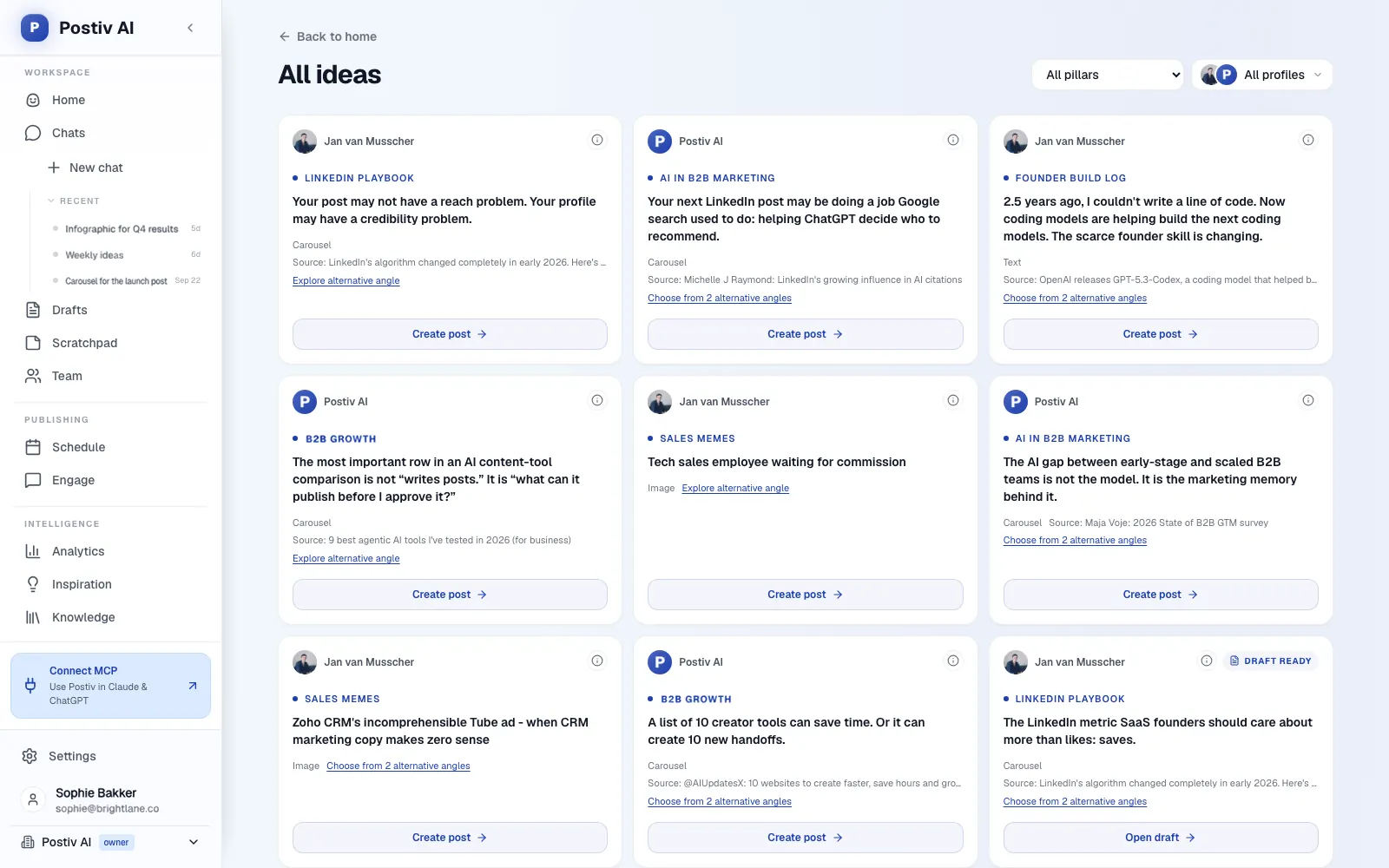
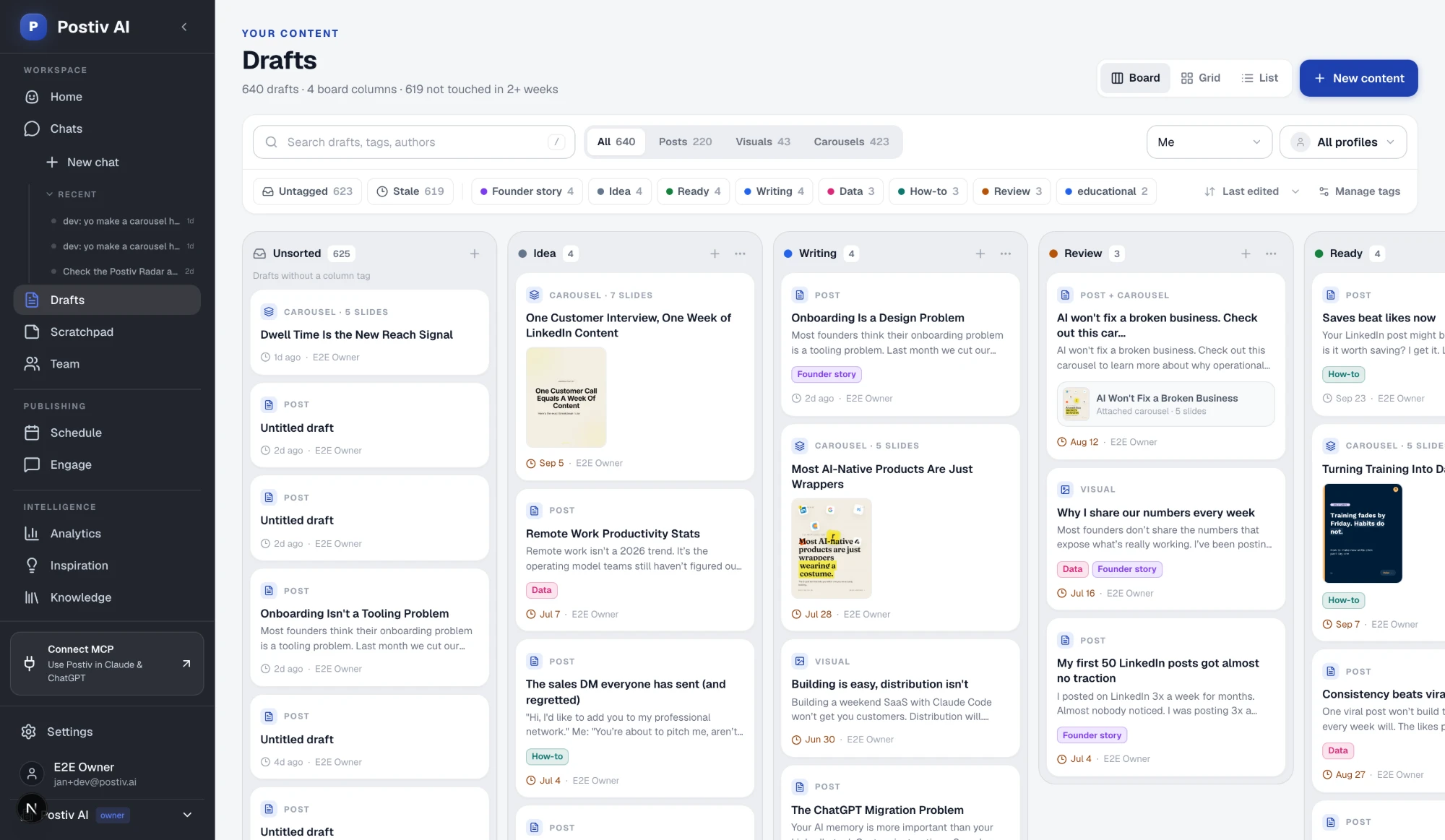
Postiv is a social workspace for you, your team and your AI agent. Bob, its planning and writing agent, builds each connected profile's weekly plan from your content pillars, the sources in your knowledge base, saved inspiration, your recent posts and how each pillar performed over the last 30 days. You get one idea per posting day. Open an idea and Bob drafts it with the brief and sources attached, you refine it in chat or in the editor, and then you schedule it.
That is a different shape from a tool that starts at a blank prompt. The ghostwriting sits on top of a plan and a library of your own material. When you connect your LinkedIn profile, Postiv analyzes your existing posts, comments and writing patterns: tone, vocabulary, sentence structure and the topics you come back to. Bob starts every draft from your pillars, your voice, your sources and your numbers, and he matches the tone of your past posts. Drafts get closer to you the more you use it. On a team, every profile has its own plan, pillars and voice, and Bob does not mix them.
What Postiv does as your AI ghostwriter:
Plan
- On the first run, Bob proposes three to five content pillars and saves them only after you confirm.
- Each week he turns the pillars, sources and recent results into a plan for every connected profile, so Monday starts with ideas instead of a blank page.
Source material
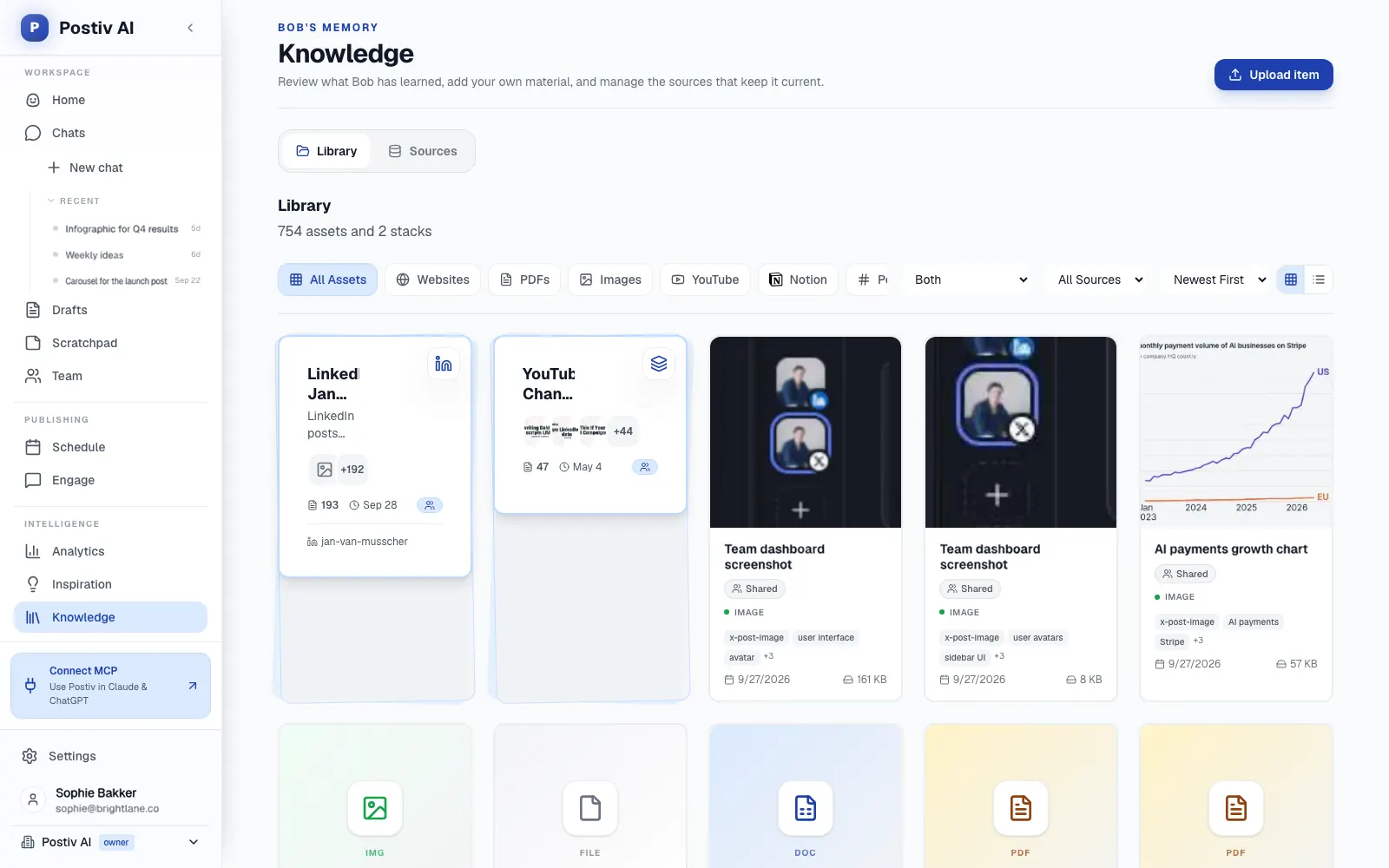
- The knowledge base holds your website, documents, YouTube videos, Notion pages and newsletters in one library, so drafts can use your real material.
- The inspiration library shows LinkedIn posts taking off in your niche, and you can turn the idea and the format into your own post.
Write and design
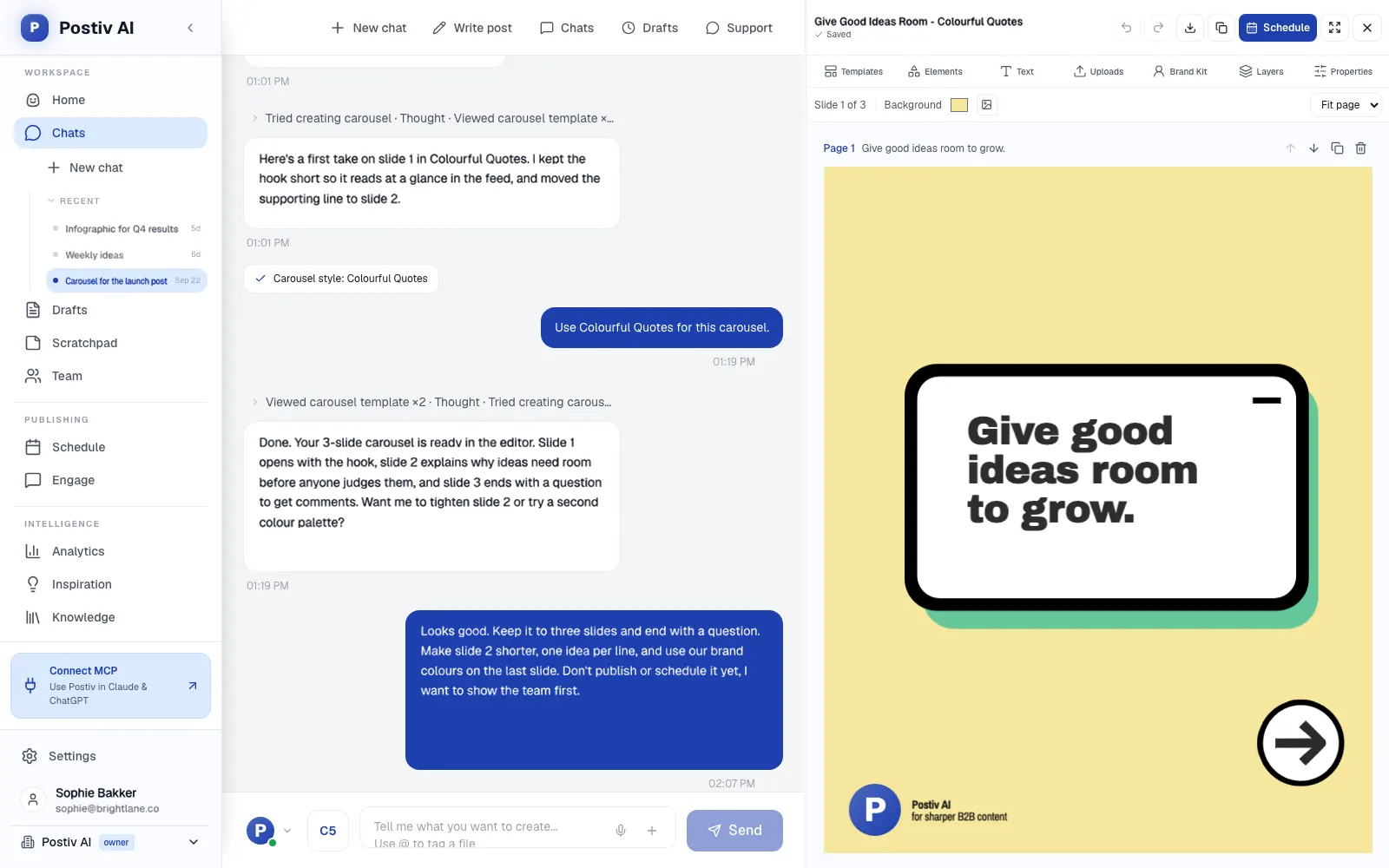
- Draft text posts in your style for a LinkedIn profile, a Company Page or an X account, and carousels for LinkedIn.
- In Bob's chat, make infographics and post images too, and edit them in the same chat with your saved carousel style. The carousel generator covers the slide side in detail.
- Ask for revisions at any time in the chat, from a sharper opening to a shorter version.
Review, schedule and approve
- The drafts board moves each post through Idea, Writing, Review and Ready.
- One calendar covers every profile, Company Page and channel, with posting slots and an automatic first comment.
- On a profile with approvers, a scheduled post waits for approval, and approvers can approve, request changes or deny. Agencies can route posts through client approval.
Measure and engage
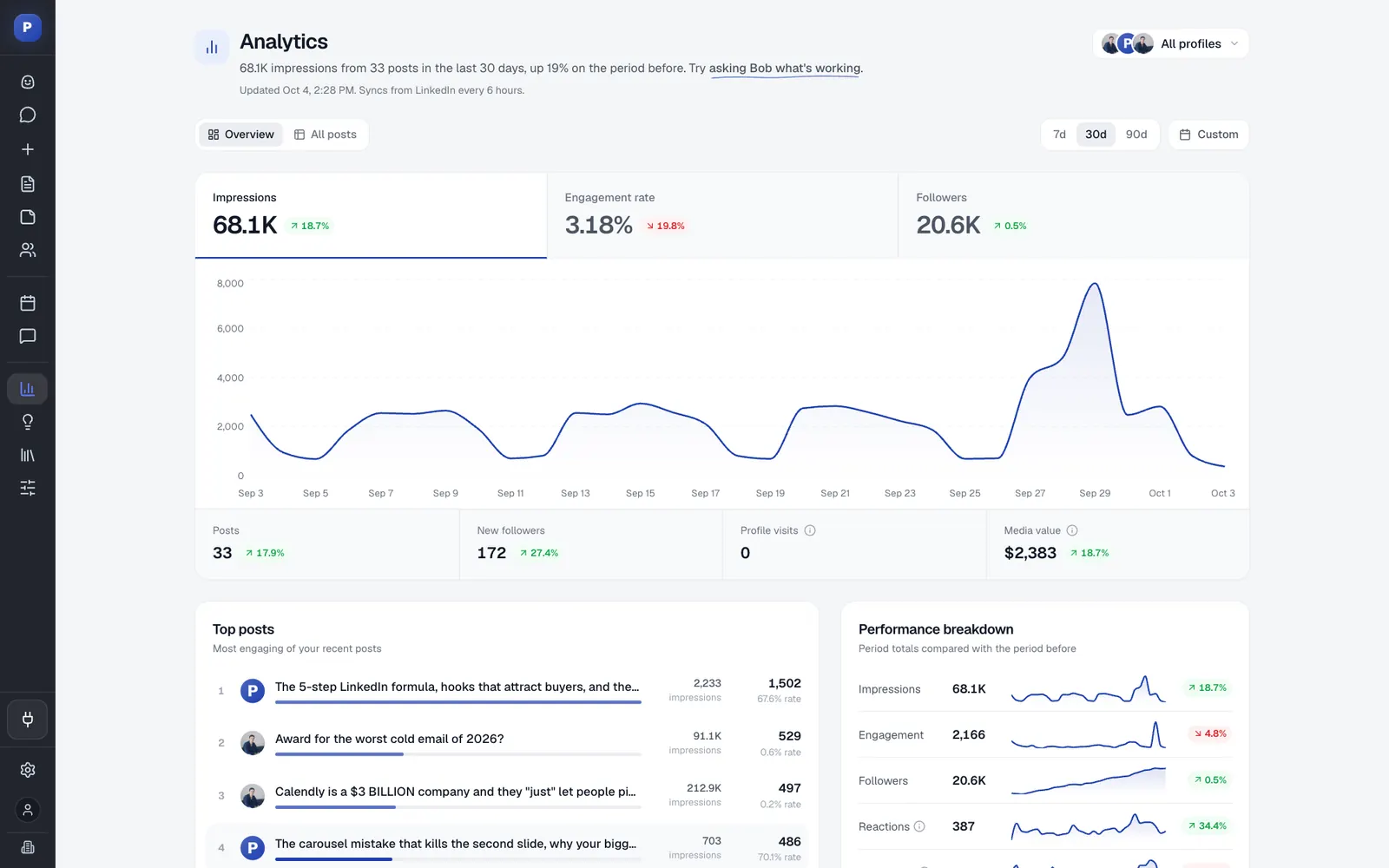
- Analytics show reach, engagement and followers per post and per profile. They are scheduled imports, not live reads, and what performed feeds the next plan.
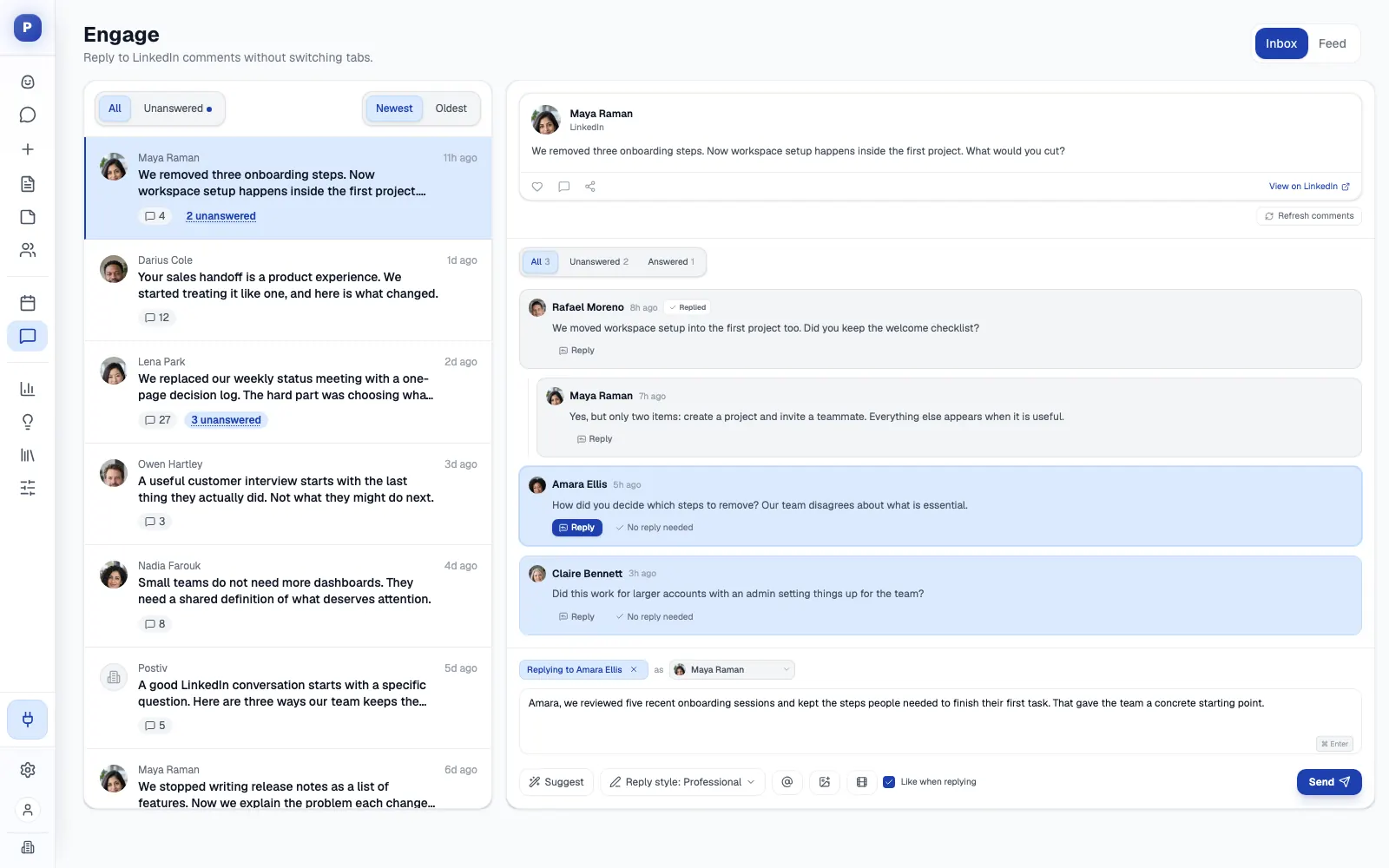
- Every comment on every profile lands in one inbox, next to a feed of the people you want to reach.
Agencies keep each client in its own workspace, with a separate voice, knowledge base and brand assets, so a draft for one client never borrows from another. LinkedIn publishing goes through LinkedIn's official API: no password, no session cookie, no scraping and no browser automation. Postiv also runs a hosted MCP server at https://postiv.ai/mcp, so Claude, ChatGPT and other AI apps can work in the same workspace.
A week with Postiv: on Monday you open the plan, and Bob drafts the first idea from the brief. You rewrite the opening in your own words and move it to Review. On Tuesday you ask for a carousel from the strongest draft. By Wednesday the batch is on the calendar, waiting for the approver if the profile has one. On Friday you check which pillars did well, and that feeds next week's plan.
Good first workflow: connect your LinkedIn profile, let Bob propose pillars and confirm the ones you recognize, then add your website and one or two documents to the knowledge base. Open the first idea on the plan and draft it. If you work for several clients, create one workspace per client before you add anything else.
Setup and plan notes: there is a 7-day free trial. Bob's weekly plan and AI writing are on the Creator Pro and Team plans. Creator Light is for people who write their own posts and has the calendar, scheduling and analytics but not Bob.
Strengths:
- Planning, writing, visuals, scheduling, approvals and analytics sit in one workspace.
- Voice, pillars and knowledge are kept per profile, which suits teams and agencies.
- Approvers per profile give clients and managers a real sign-off step.
Limits:
- It is a paid product with a 7-day free trial, and Bob and AI writing need Creator Pro or Team.
- Bob never writes or publishes in the background. Every post is one you opened, edited and scheduled. If you want interviews and strategy handled for you, a human ghostwriter is still the better fit.
- It is built for content, not outreach: no direct messages or connection requests. Analytics are scheduled imports.
2. ContentIn
Best for: founders and executives who want a week of drafts prepared from their own material and ready to review.
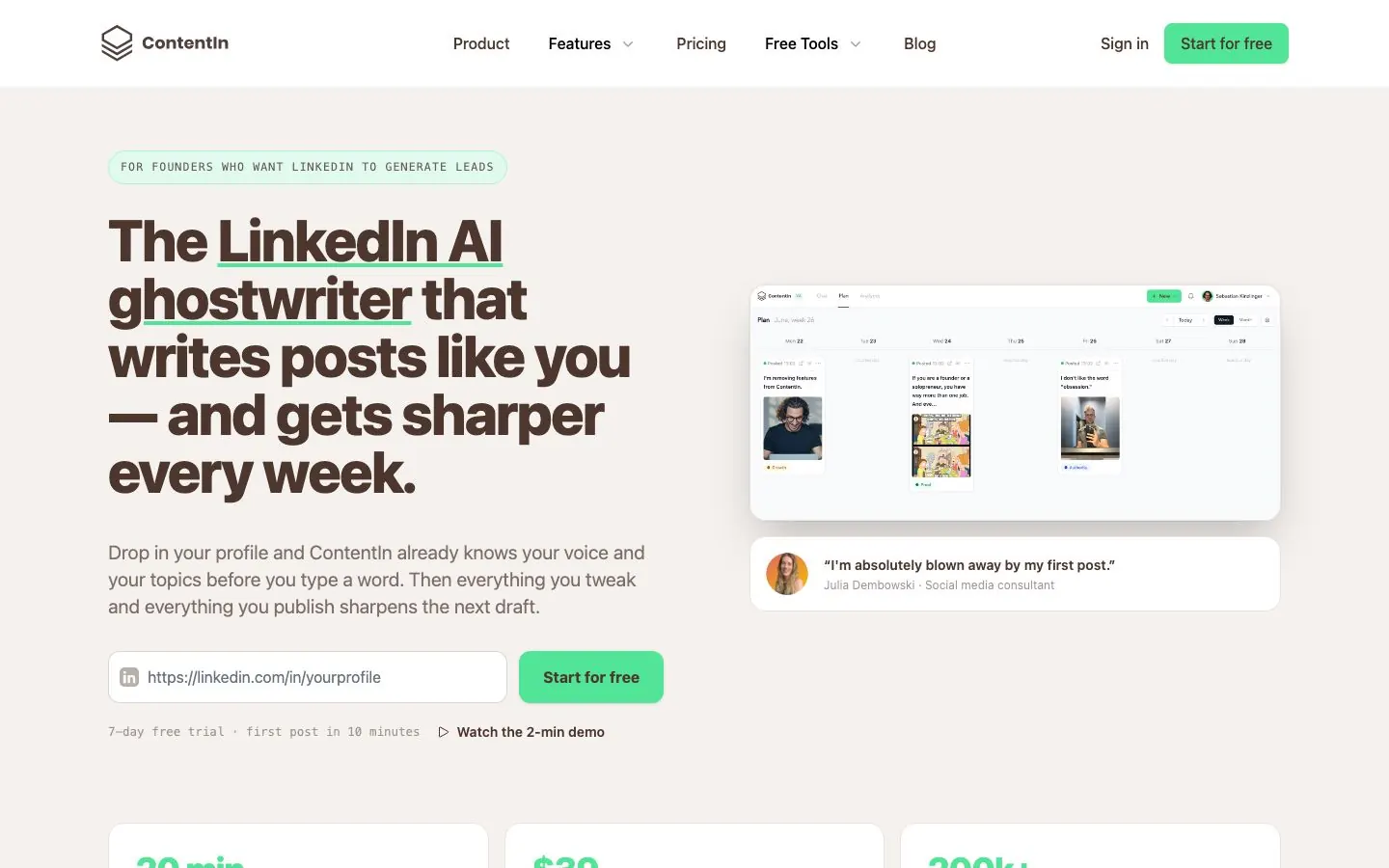
ContentIn starts from your LinkedIn profile URL. It reads your profile and past posts, builds a personal writing model from at least 20 of them, and keeps learning from every draft you keep, edit or publish. It calls the system Voice DNA, which tracks sentence length, vocabulary and how you open a post. Onboarding adds a 10-minute interview that fills a knowledge base with what you build, who you talk to and your stories. You can add documents, links and voice notes later. Its pages do not say whether the interview is typed or spoken.
The habit it sells is the planned week. Every Sunday ContentIn drafts next week's posts from your own material, two on Growth and three on Pro, each with one question for you to answer. A Monday recap shows what went out and how it did.
What it does well for B2B teams:
- Drafts text posts, AI carousels and AI images, plus quote cards and GIFs, suggests comments you tweak and post yourself, and can turn a URL into ideas or repurpose your best posts.
- Schedules through LinkedIn's official API as a verified LinkedIn app, with OAuth and no password. Growth schedules for one profile, company pages are managed on Pro, and first comments can be scheduled on your own posts.
- An analytics dashboard for your profile, with leads analytics (ICP fit, audience conversions, CSV export) on Pro.
- Pro includes a LinkedIn MCP server for Claude, Claude Code, Cursor and ChatGPT, with 11 tools. Scheduling and publishing show the exact text and wait for your confirmation.
- A custom Ghostwriter / Agency plan lists multiple profiles, team seats and approval and review flows.
Good first workflow: paste your profile URL, run the 10-minute interview and let the model build. On the first Sunday, read the planned posts, answer the questions and edit before anything is scheduled. If a manager or client must sign off, ask about the Ghostwriter / Agency plan from the start.
Setup and plan notes: the tiers are Growth, Pro and the custom Ghostwriter / Agency plan. There is no free plan. Every plan starts with a 7-day free trial, and the first payment carries a 30-day refund. Its pages disagree on whether the trial asks for a card, so check their docs. A free generator drafts three posts from your profile with no login and no card.
Strengths:
- A planned week drafted from your own material, with a recap on Monday.
- Official-API publishing and an agency plan with approval flows.
Limits:
- Growth caps carousels, images and ideas each month, and Pro lifts the carousel and idea caps but still caps images.
- Company pages and the MCP server are on Pro, and team approvals sit on the custom plan.
- Its feature pages and home page differ on small details, so confirm what you get during the trial.
3. Taplio
Best for: creators and founders who want a viral-post library, AI writing, engagement tools and lead tools in one place.
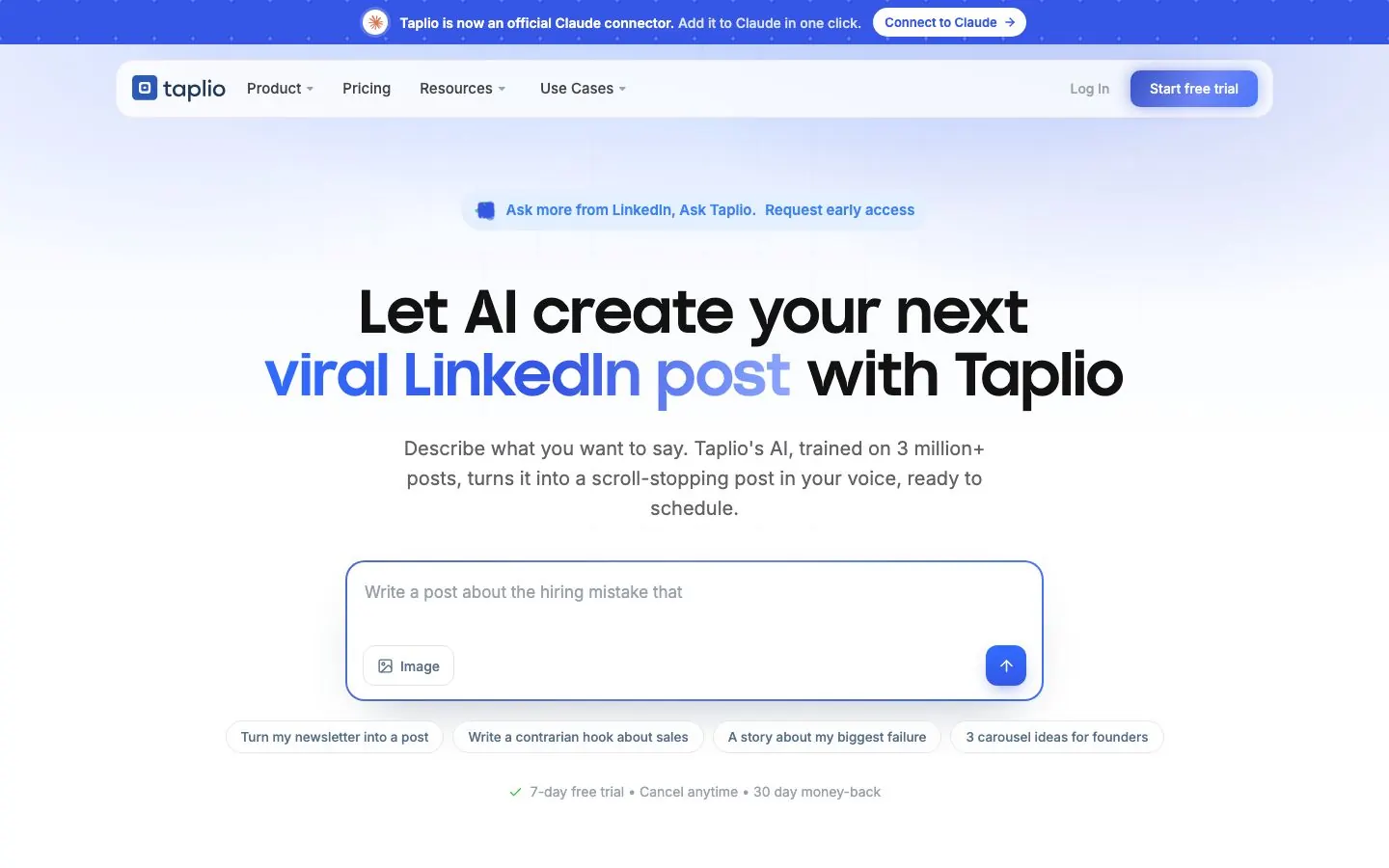
Taplio is a broad LinkedIn growth suite and part of the lemlist family. Its AI writing starts on the Growth tier: a post generator, a help-me-write tool, an improve-my-draft tool, idea finding and repurposing. The Starter tier has no AI. On voice, Taplio says it learns from your posts and edits. AI actions run on credits on Growth and are unlimited on Pro. A viral-post library, which Taplio advertises in the millions, lets you save posts into collections for later.
The part to read carefully is automation. Taplio sells auto-comments and auto-replies, and on Pro it adds a lead database, auto-DMs, bulk DMs and connection requests. Its FAQ says it behaves like a real LinkedIn user, with DMs and connection requests held to human-paced limits, and its pages do not claim official-API publishing. That is a different risk profile from the tools that say they publish through the official API, so decide on it deliberately. For the wider picture, see our list of Taplio alternatives.
What it does well for B2B teams:
- AI post generator, help-me-write and improve-my-draft tools on Growth and up.
- A carousel generator that turns a post into a swipeable carousel, plus an AI image generator, both on Growth and up.
- The viral-post library and saved collections for finding formats that work in your niche.
- Scheduling on every plan, with a custom posting schedule, a calendar and Kanban drafts.
- Collaboration with writers on every plan, organization management from Growth, and admin, content-writer and client roles in its team and agency box.
- A Taplio API and a LinkedIn MCP on every plan, with an expanded MCP and an official Claude connector announced on its site.
Good first workflow: start on Growth, since Starter has no AI. Save a handful of posts from your niche, ask the generator for three drafts, edit them in your own words and schedule them from the calendar. Leave the DM and connection tools alone until you have decided how you want to use them.
Setup and plan notes: the tiers are Starter, Growth and Pro. There is no permanent free plan. A 7-day free trial starts after you create an account and pick a plan, and the card wording differs between the home FAQ and the pricing FAQ, so check their docs.
Strengths:
- A wide toolset across ideas, writing, scheduling and engagement.
- Carousels and AI images in the same tool, with writer collaboration from the entry tier.
Limits:
- AI starts on Growth and is metered by credits there.
- Official-API publishing is not claimed, and the automation features raise account-risk questions.
- No knowledge base is listed on its pricing page.
4. Supergrow
Best for: executives and thought leaders who would rather talk through an idea than type it, and marketing teams that want several leaders posting.
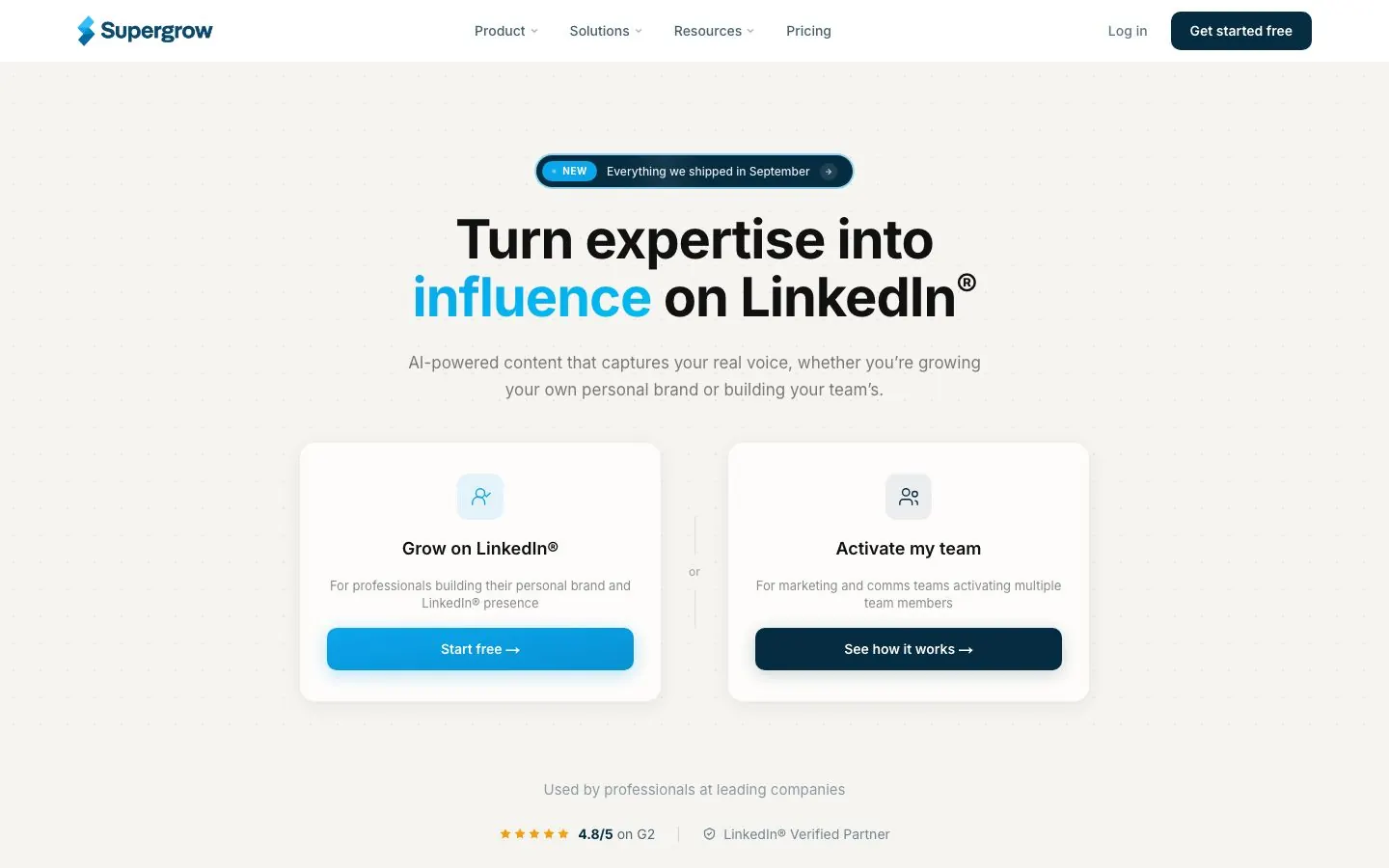
Supergrow learns your voice with Content DNA and adds Postcast, an AI interview: a 10-minute session yields three to five posts. Both come with every plan, along with repurposing from YouTube, articles and PDFs, a carousel maker, Engage (a focus mode with AI comments) and the Supergrow MCP for working from Claude or ChatGPT. Scheduling, a calendar, a Kanban queue and an automatic first comment are on every plan too. Supergrow says it connects through LinkedIn's official API, with no cookies.
The Teams tier adds feedback and approval workflows, an organization dashboard, publishing on behalf of members, team-wide analytics, challenges with a leaderboard, and Slack notifications. It covers a small group of executives, and Enterprise handles more. Agencies appear in Supergrow's navigation as a place to manage several client voices from one workspace, but the pricing page lists no separate agency plan, so check their docs. See also our Supergrow alternatives.
What it does well for B2B teams:
- Postcast interviews suit people who find talking easier than writing.
- Content DNA voice training is on every plan, with no credit metering shown.
- Posts can be repurposed from YouTube videos, articles and PDFs.
- Carousels, scheduling, Kanban and the automatic first comment are included from the entry plan.
- Profile analytics and a weekly report come with Pro, team analytics with Teams.
Good first workflow: run one Postcast session on a topic you would normally explain on a call. Read the drafts, rewrite the openings and queue them on the calendar. For a team, trial Teams with two executives and set up the approval flow before you add the rest.
Setup and plan notes: the tiers are Pro, Teams and Enterprise. Every plan starts with a 7-day free trial, and the account pauses afterward until you pick a plan. There is no permanent free plan. Public API access sits on Enterprise.
Strengths:
- AI interview capture is on every plan.
- A real team layer with approvals and a dashboard, on top of an official-API connection.
Limits:
- Approvals and the organization dashboard are for Teams and Enterprise only.
- API access is Enterprise only, and the tool is LinkedIn only.
- The pricing page lists no inspiration library.
5. Kleo
Best for: solo creators and founders who want a voice-trained writing assistant with a knowledge base and a coaching community.
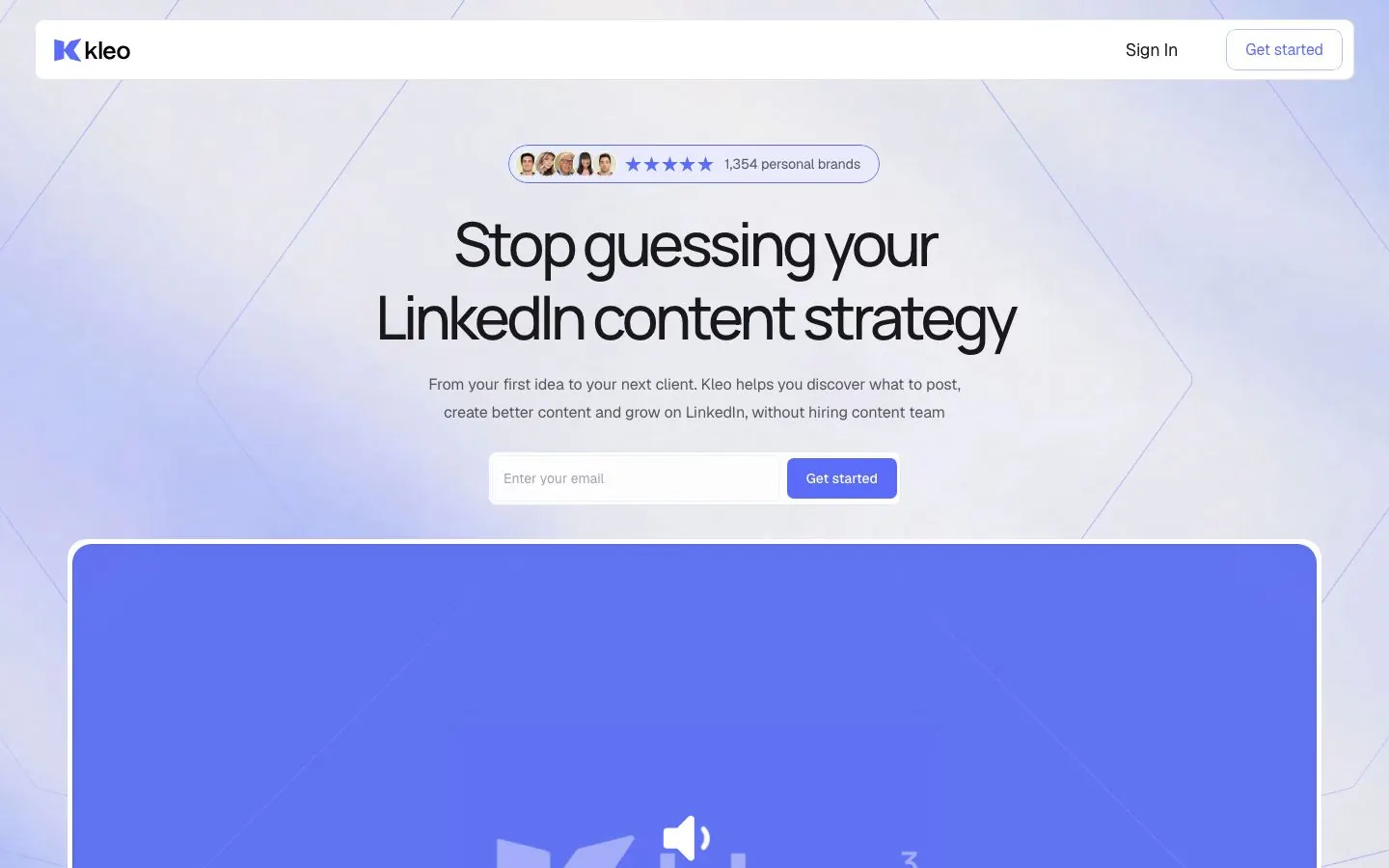
Kleo today is a paid web app, not the free Chrome extension that older lists describe. It builds around three things: stored knowledge, a trained writing style and a defined identity. It keeps personal voice and identity memory, adds memories that learn from every post, and lets you chat to draft with unlimited post generation. Single on-brand graphics are capped each month. A library of hook templates, post templates and swipes sits alongside, and a browser extension saves inspiration to your swipe file. The subscription also bundles live weekly calls with the Kleo team and a private community.
Kleo says it does not automate posting or perform actions on your LinkedIn account, and that it uses LinkedIn's official API where appropriate. Scheduling works for LinkedIn only: Kleo can generate X posts, but it does not schedule them. Performance insights with analytics are listed. For more context, read our Kleo alternatives post.
What it does well for B2B teams:
- Writing-style training and identity memory, so drafts reflect how you talk.
- A knowledge base for your ideas that drafts can draw on.
- Conversational drafting with preview and edit, and unlimited post generation.
- Hook, post and swipe libraries, plus ready prompts for viral and lead-gen posts.
- A single on-brand graphic matched to a post.
- Analytics insights and live weekly calls with the team.
Good first workflow: store the notes you keep about your offer and a few of your best posts, define your identity, and draft one post a day for a week in the chat. Save the graphics for the two posts you care about most, because they are capped. Schedule from inside the app.
Setup and plan notes: Kleo sells one plan, Standard, and extra profiles for a team or clients are added per profile. There is no free trial. A money-back window applies instead.
Strengths:
- A real knowledge base and memory behind the drafts.
- By its own account, it takes no automated actions on your LinkedIn account.
Limits:
- No carousel designer is listed, only capped single graphics.
- Scheduling is LinkedIn only, and no approvals or shared team workflow are listed.
- No free trial, and extra profiles are sold separately.
6. Scripe
Best for: teams and agencies that collect ideas from colleagues or clients by voice note and want drafts, carousels and approvals in one workspace.
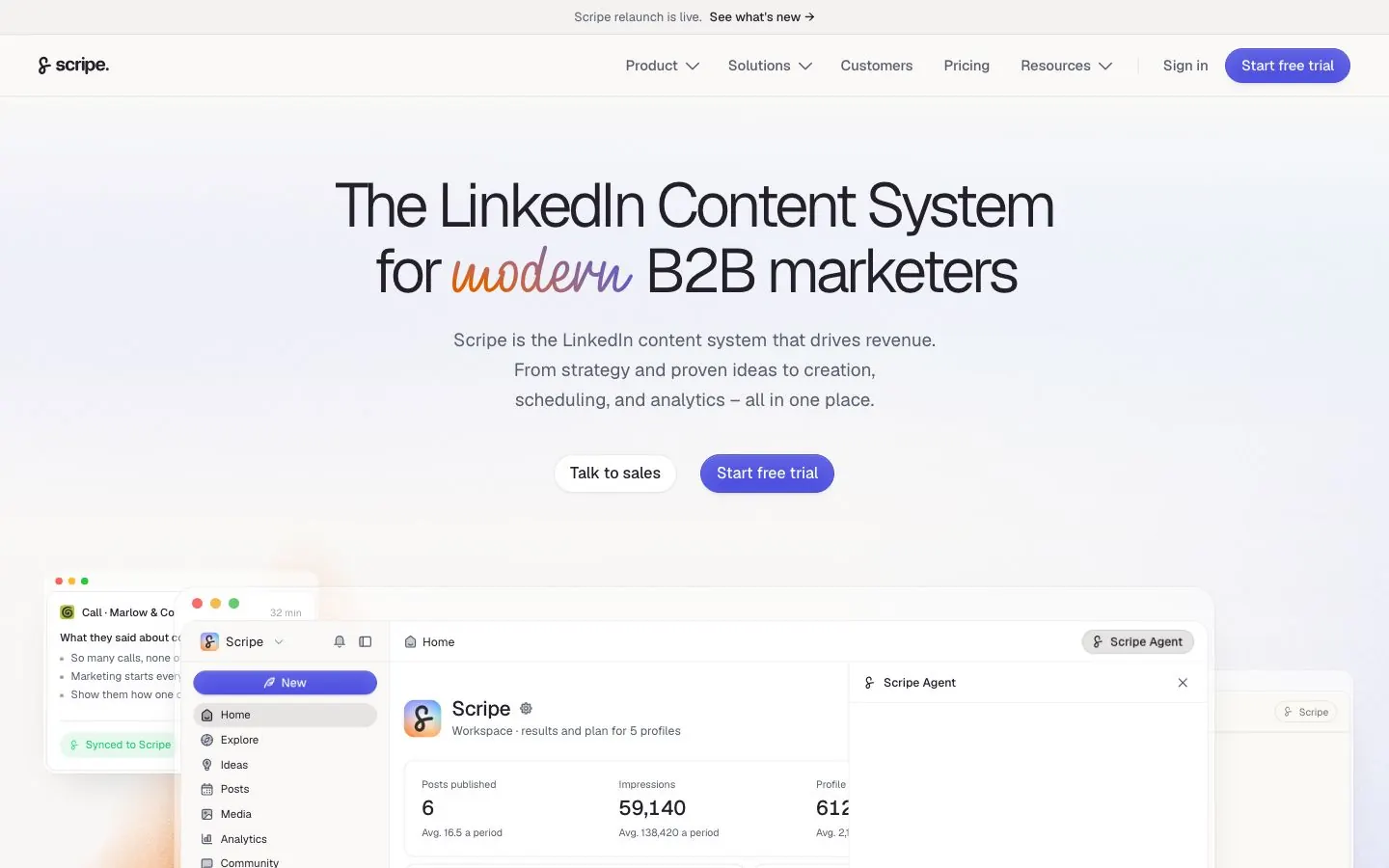
Scripe relaunched on 8 October 2026 around a new Scripe Agent. The agent writes posts and builds carousels, infographics and quote cards in your brand kit, and it connects to Claude and ChatGPT. Two older features, Sources and AI Photos, exist only in the old interface for now. Each profile has its own voice and knowledge base. Scripe frames its content interview as voice-note questions it sends to colleagues or clients by WhatsApp or email, with the answers landing on your ideas board.
Scripe posts through LinkedIn's official interface with OAuth, and posts start as drafts. It has a native carousel editor, AI transcription of audio and video into posts, people tagging, Kanban post management and a shared calendar, and analytics that include history from before you joined. See also our Scripe alternatives.
What it does well for B2B teams:
- Voice-note questions go to the people with the expertise, so they answer instead of writing.
- Each profile has its own voice and knowledge base, and Advanced and up add a workspace-wide knowledge base.
- Carousels, infographics and quote cards come out in your brand kit.
- Advanced adds unlimited users, company page support, a shared content calendar, approval workflows, team analytics and an automatic first like and comment.
- Business adds multiple workspaces, link tracking for revenue attribution, custom workflows and content campaigns.
Good first workflow: pick three colleagues or clients whose expertise belongs on the page, and send each a short set of voice-note questions. Draft from the answers on the ideas board, add a carousel for the strongest one, and send the batch through approval before it is scheduled.
Setup and plan notes: the tiers are Solo, Advanced and Business. Every paid plan starts with a 7-day trial that needs a card, and there is no permanent free plan. Each plan includes one full seat, and extra full seats are added on top, even though Advanced allows unlimited users.
Strengths:
- Voice-note capture from other people is built into the idea flow.
- Approval workflows from Advanced, with posting through the official interface.
Limits:
- A seat model that starts with one full seat, so a team's cost depends on how many people write.
- The relaunch is new, and some features still live in the old interface.
- LinkedIn only, and the trial needs a card.
7. Oiti
Best for: consultants, founders and small agencies who want a knowledge-driven clone with memory.
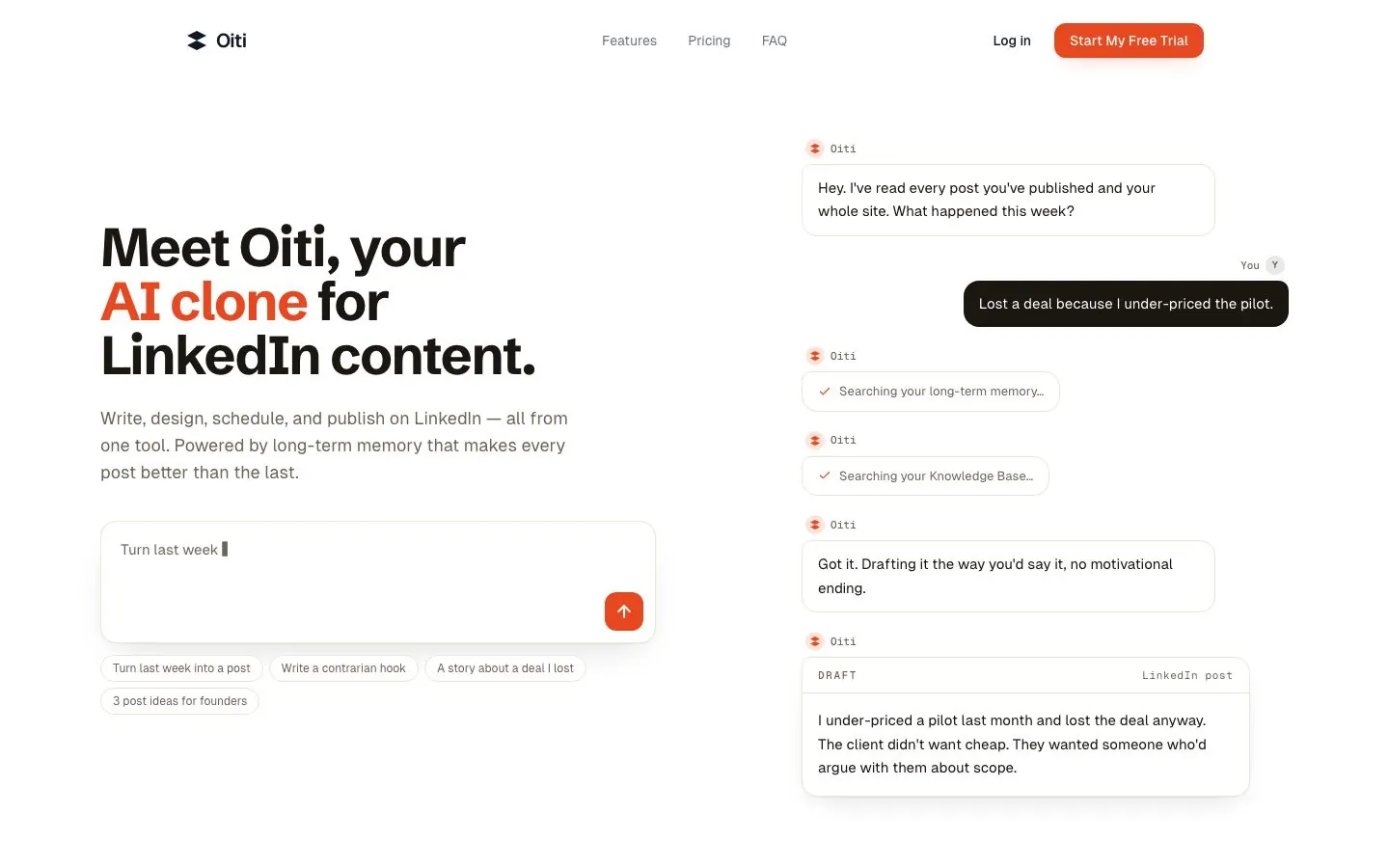
Oiti reads your past LinkedIn posts and your website and builds what it calls an AI clone: a voice profile, brand pillars, a content strategy and ICP pain points researched across X, Reddit and the web. Long-term memory stores your edits, corrections and standing instructions, such as a rule against em dashes, and applies them to later drafts. A knowledge base takes YouTube videos, articles, meetings, PDFs and competitor posts, and Oiti's research agents search it, and the web, before writing and cite their sources.
Drafting happens in a chat and composer with inline editing. Oiti adds one-click infographics, an ideation agent that scans trending news for angles from your point of view, an inspiration library and a swipe file. A content calendar plans months of content, and Pro adds creating a plan and writing several posts at once. It schedules and publishes to personal and company pages through LinkedIn's official, approved APIs, and its FAQ says it does not automate likes, comments or connections.
What it does well for B2B teams:
- Memory that keeps your corrections from one draft to the next.
- Several writing styles from a single LinkedIn URL, unlimited on Pro.
- Research agents that search your knowledge base and the web, and cite their sources.
- Pro allows up to three clones, three personal accounts and ten or more company accounts, and agencies can keep clients apart with separate clones, knowledge bases and memory.
- An analytics dashboard with impressions, reach, followers, engagement, link clicks and saves.
Good first workflow: connect your profile and website, add two or three documents or meeting recordings, and let Oiti build the clone. Ask for a week of posts from the content calendar, correct them in chat, and check whether the corrections hold in the next batch.
Setup and plan notes: the tiers are Creator and Pro, both with a 7-day free trial and no free plan. Whether the trial asks for a card is not stated. Which plan includes analytics is unclear on the site, so check their docs.
Strengths:
- Memory and cited research are the core of the product.
- Separate clones make it workable for agencies.
Limits:
- Carousels, AI comment writing and approval workflows are not stated.
- An automatic weekly draft plan is not stated either.
- Analytics plan gating is unclear.
8. MagicPost
Best for: LinkedIn-only users and agencies who want analytics, lead detection and a template library next to their drafting.
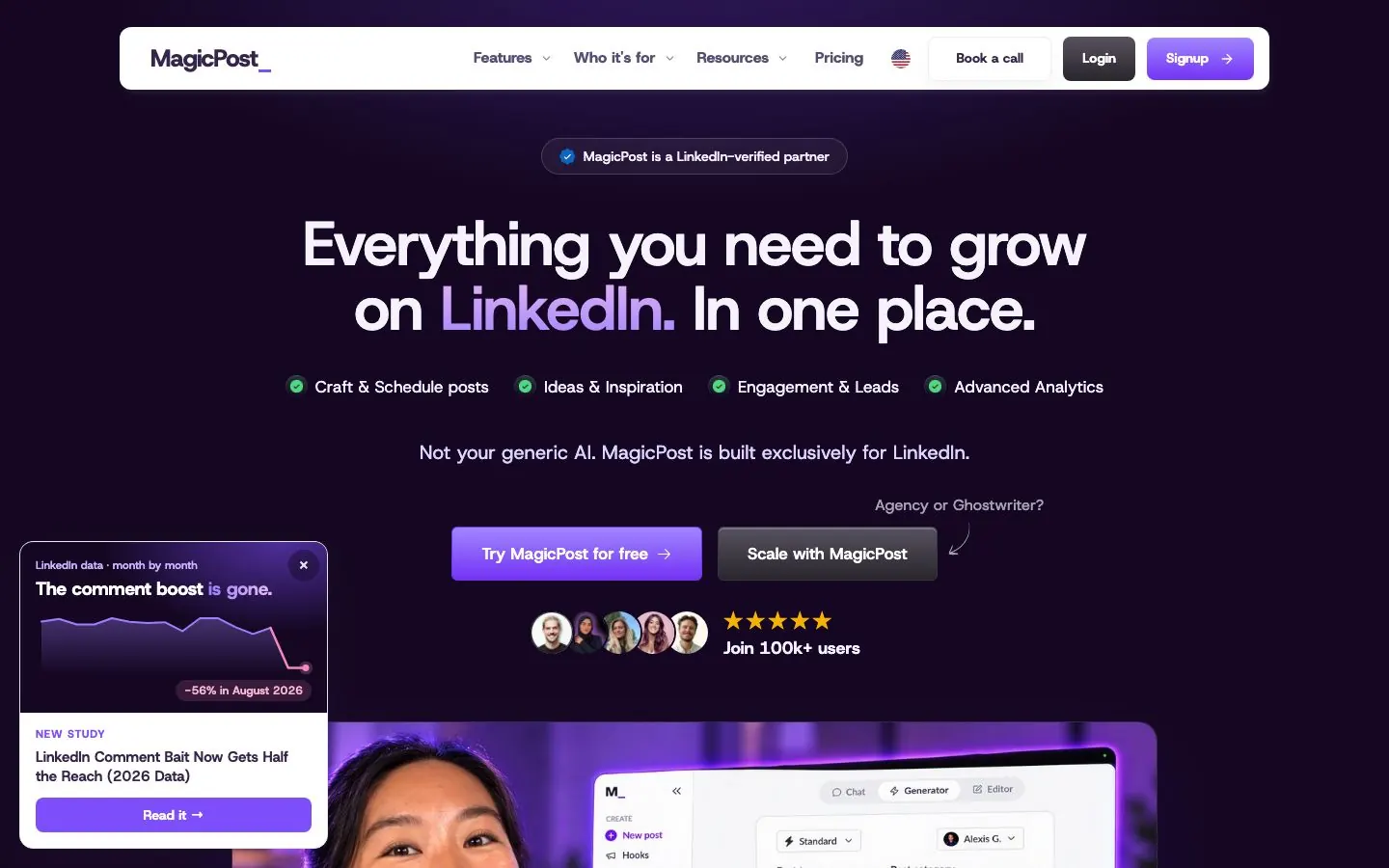
MagicPost is built only for LinkedIn. You can import a writing style from a LinkedIn profile, yours or another creator's, and on the Agency plan each client seat has its own AI settings and a style that sharpens from published posts. AI generation starts on the Creator tier, which also adds carousel creation, AI visuals, an idea generator, an inspiration library, scheduled comments and an API and MCP. The Growth tier is manual write and schedule, with no AI generation listed.
The carousel builder starts from a topic, an article URL or an uploaded file, runs to 20 slides, and applies a brand kit with colors, fonts, a headshot and a logo. MagicPost markets itself as a LinkedIn-verified app on the official API with no extension. Its hosted MCP server, with 29 tools, works with Claude, ChatGPT, Gemini and Perplexity.
What it does well for B2B teams:
- Style import from a profile, plus AI settings per client seat on Agency.
- Carousels, fill-in cards and AI-drawn visuals on Creator.
- Scheduling for posts and comments, and advanced LinkedIn metrics, including other creators' metrics on Creator.
- Lead detection scored against an ideal customer profile, with connections to HubSpot, Pipedrive, lemlist and webhooks.
- On Agency, clients approve posts from a link without needing an account, and white-label reports are included.
Good first workflow: import the style of your own profile, generate a week of posts from the idea generator and build one carousel from a blog post URL. Schedule the batch and add a scheduled comment under each post. Agencies can send each client the approval link before anything goes out.
Setup and plan notes: the tiers are Growth, Creator, Agency and Team. A free trial needs no card, and its length varies by country. One seat covers one LinkedIn profile or company page. Team adds collaborator invites and team reports.
Strengths:
- Deep LinkedIn analytics, including other creators' metrics.
- A client approval link that works without an account, and a hosted MCP.
Limits:
- LinkedIn only, with no weekly content plan listed on its pricing page.
- AI writing starts at Creator, and seats are counted per profile.
- No broad knowledge base is listed beyond style import and YouTube-to-text.
9. LinkGenie
Best for: solo professionals who want to try an AI ghostwriter with no card and almost no setup.
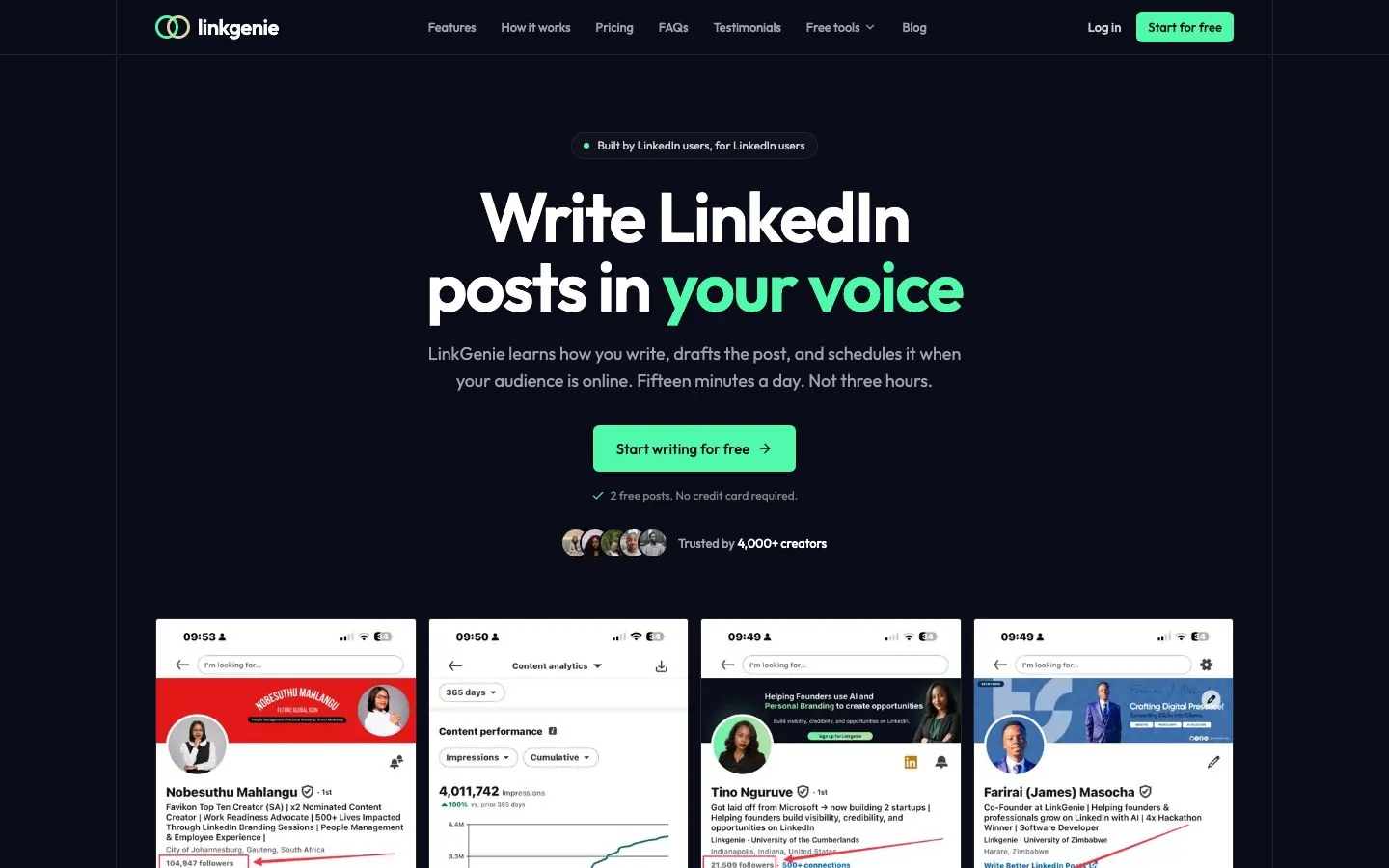
LinkGenie builds a voice profile from a handful of posts you paste in, or from your answers to a few questions about how you talk. The edits you make feed into the next draft. It drafts text posts from a one-line idea, a voice memo, a screenshot or an image, and adds a hook and idea generator with more than 30 ideas, an inspiration library, and AI rewriting and repurposing. From Pro up, a LinkGenie assistant chats to write, schedule and manage posts. The pages describe queueing a week of posts in one sitting, not an automatic weekly plan.
Scheduling and publishing start at Pro and go through LinkedIn's official API, which LinkGenie describes as a verified integration. Without the connection you can still draft and schedule, then publish by hand. The generator page says tools that log in with your session cookie break LinkedIn's rules.
What it does well for B2B teams:
- A voice setup that takes a few pasted posts or a short questionnaire.
- Drafts from rough inputs: a line, a voice memo, a screenshot or an image.
- A hook and idea generator and an inspiration library for the days you have nothing.
- Pro shows impressions, likes and comments per post, and Premium adds weekly and monthly digests, with format and timing breakdowns described on its analytics page.
- A Chrome extension for writing anywhere comes with Pro.
Good first workflow: stay on the Free tier to see whether the voice matches. Paste a few posts, give it a one-line idea and compare the draft with how you would write it. If it holds up, move to Pro for scheduling.
Setup and plan notes: the tiers are Free, Starter, Pro and Premium. The Free tier gives two AI posts to try, with no card, and there is no separate trial. Scheduling and the assistant start at Pro.
Strengths:
- A free tier with no card and a short voice setup.
- Official-API publishing from Pro, with a manual fallback.
Limits:
- Team, multi-account and agency features are not stated.
- Carousels and AI comment writing are not stated.
- Scheduling and publishing do not start until Pro.
10. Virio
Best for: B2B SaaS companies that want executive-led LinkedIn content delivered as a service rather than software to run.
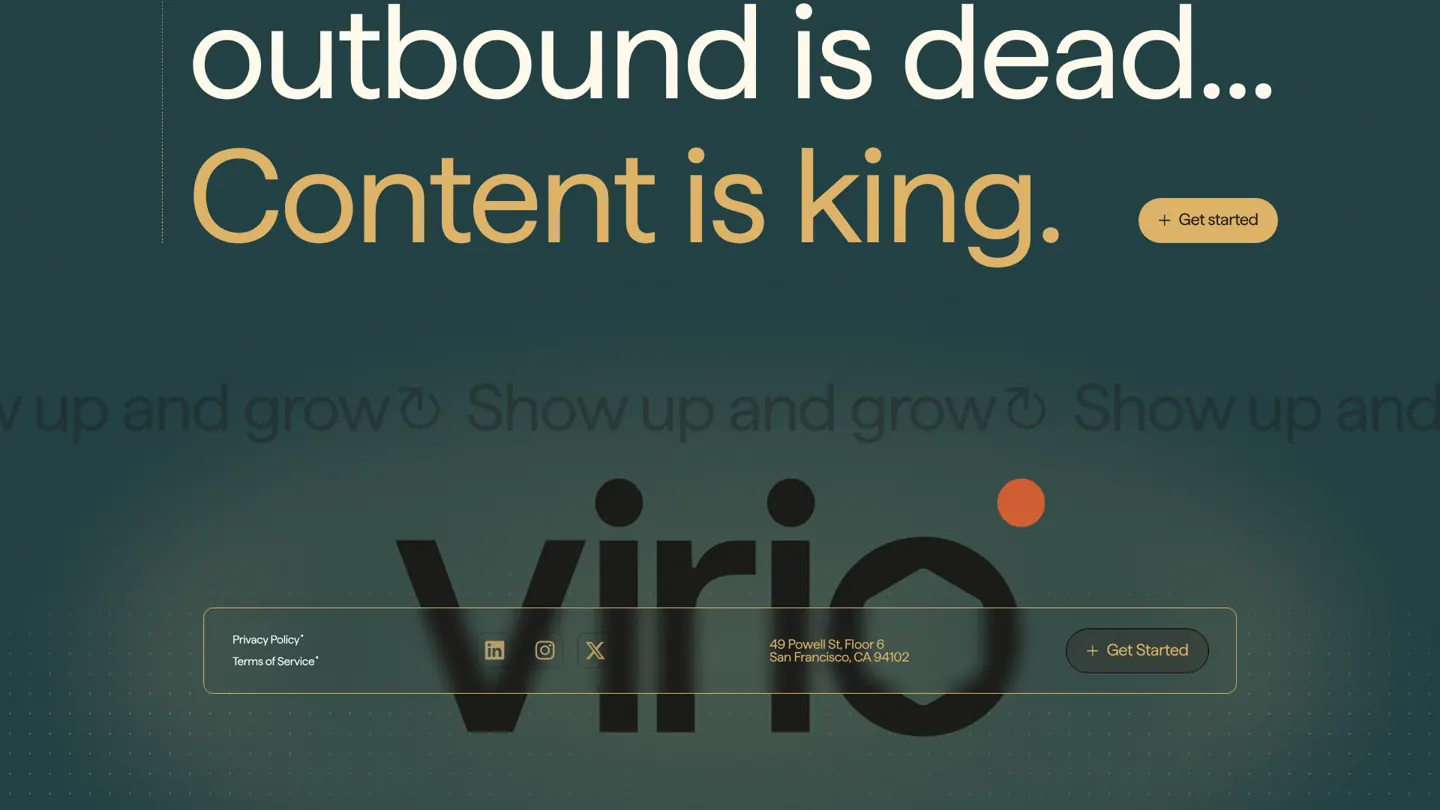
Virio is a managed service, so it works differently from the other nine. A human content engineer works alongside AI agents that research and draft. Virio says it learns your initiatives, sales targets, ICP, sales calls and pipeline data, tailors a month of executive-led content to your ICP, and reviews it with you each week. It says every post reflects the executive's voice. Its pages show no self-serve editor and no self-serve voice training, and it is LinkedIn only.
There is no public pricing, no plan list, no trial and no signup. The way in is booking a call. How posts reach LinkedIn is not stated on its pages, so ask that on the call. If you want a tool your team operates, pick one of the nine above. If you want to hand the work over, Virio is the one here built for that.
What it does well for B2B teams:
- Hands the writing to a person, with AI agents doing the research and first drafts.
- Ties content to your go-to-market: sales calls, pipeline data and ICP targeting.
- Reviews the work with you on a weekly rhythm.
- Serves whole companies with several executives or employees, not only one profile.
- Focuses on vertical SaaS and B2B.
Good first workflow: book a call and bring your ICP, your current sales priorities and notes from a few recent sales calls. Ask who writes and edits, what the weekly review looks like, how posts reach LinkedIn and what reporting you receive.
Setup and plan notes: no free plan, no trial and no published pricing. The first step is the call, so expect a sales conversation before you see the work.
Strengths:
- Nothing to learn or operate on your side.
- Content is built around pipeline and sales conversations.
Limits:
- Not software you control: its pages show no self-serve editor or scheduler.
- No public pricing or plan details.
- How publishing and approvals work in practice is not stated on its pages.
AI ghostwriter vs a human ghostwriter
A human ghostwriter is a person who interviews you, pushes on your thinking and writes. An AI ghostwriter drafts fast from the material you supply. They fix different problems, so the useful question is which gap you have.
| AI ghostwriter | Human ghostwriter | |
|---|---|---|
| Where the ideas come from | You, your notes and sources, or the tool's plan | The ghostwriter interviews you and shapes them |
| Turnaround | Drafts in minutes, revisions in chat | Days per round, depending on the person |
| Voice | Learns from your posts, knowledge and edits, and drifts if you stop feeding it | Learns by listening to you, and depends on the writer |
| Strategy | Pillars, plans and analytics, but you decide | Positioning, judgment and sensitive topics |
| Scheduling and analytics | Often built in | Usually a separate tool |
A human fits when you want someone to run the interviews and own the strategy, when you have little raw material and need it pulled out of you, or when the topic is sensitive enough that you want an experienced writer's judgment on every line.
An AI ghostwriter fits when you already know what you want to say and need a steady cadence, when you run several profiles, or when you would rather edit than be interviewed.
Many teams combine them, with software for first drafts and structure and a human editor for judgment. If you ghostwrite for clients yourself, our guide on how to become a LinkedIn ghostwriter covers the business side. For what a person costs and how to hire one, see our LinkedIn ghostwriting guide.
On disclosure, the question is the same for both. The account is yours, the ideas and experiences are yours, and you read and approve every post before it goes out. LinkedIn's Professional Community Policies center on real identity and not sharing false or misleading content. That is a standard, not legal advice, so check any contract or employer rules that apply to you.
How to train an AI ghostwriter on your voice
These steps work in any of the tools above. No vendor page we read explains how to check a voice over time, so step 7 is our own routine.
- Start with your best posts, not all of them. Tools differ on the minimum: LinkGenie works from a handful, ContentIn builds its model from at least 20. Pick the posts you would write again, the ones that sound like you, not only the ones that got reach.
- Add the material behind the posts. Website pages, call notes, newsletters, transcripts and documents. Postiv, Kleo, Oiti, ContentIn and Scripe all hold a knowledge base, and that is where the specifics come from.
- Write your rules down. A short style note: words you never use, how you open a post, how long your sentences run, how you format, what you never claim. Put it wherever the tool stores instructions, such as custom instructions on ContentIn Pro or memory in Oiti.
- Run a blind test. Give the tool the idea behind a post you already wrote and compare the two. Mark where it differs: the opening, the length, the vocabulary. Repeat with three ideas before you trust it.
- Edit inside the tool. ContentIn, Oiti, LinkGenie and Kleo say they learn from your edits, and Postiv gets closer to you the more you use it. Edits made in a separate document teach nothing.
- Feed it real stories. A tool cannot supply your experience. Give it names you can share, what happened and what you did. Never let it invent an anecdote or a client result.
- Check for drift once a month. Put the last ten drafts next to ten older posts. Look for pet phrases, generic openers and opinions that have gone soft. If it has drifted, add your recent best posts and tighten the style note.
- Keep one voice per person. On a team or in an agency, give each person or client a separate profile, clone or workspace so voices do not blend.
Here is the kind of edit that teaches a tool. It is an illustration, not output from any product. A generic draft says: "Consistency is key to building your brand on LinkedIn. Here are five tips to show up every week." After your edit it says: "I went quiet on LinkedIn for a few weeks last spring. A prospect asked on a call whether we were still in business. Now I draft on Mondays and post twice a week."
Can ChatGPT or Claude be your ghostwriter?
For drafts, yes. Paste your best posts and your notes, ask for a post in the same voice, and you will get something to edit. It is flexible and good at rewrites and brainstorming.
What it lacks is the workflow around the draft. On its own it has no calendar, no scheduler, no analytics and no approval step, and each chat starts from whatever you paste unless you have saved instructions somewhere. Voice drift becomes your job. That is fine if you post now and then, and tiring if you post weekly for several people.
A connector closes most of the gap. When you connect Claude or ChatGPT to your workspace, the assistant can read your pillars and writing style, search your knowledge base, draft, and schedule, while the workspace keeps the calendar, the analytics and the approvals. With Postiv, a scheduled post on a profile with approvers waits for approval and the assistant cannot bypass the approvers. ContentIn (on Pro), Supergrow, Taplio and MagicPost also offer MCP access, and Scripe's agent connects to Claude and ChatGPT. For a broader comparison of agents, see our guide to LinkedIn AI agents.
Two prompts to try, one for a plain chat and one for a connected workspace:
Here are my five best LinkedIn posts and my notes from Tuesday's customer call. Write one post in my voice about the objection the customer raised. Keep my sentence length, and do not invent any numbers or names.
Read my writing style and pillars, then draft three posts for next week, one per pillar. Do not schedule anything.
Use plain chat if you want to experiment. Use a dedicated tool or a connected workspace once you need a cadence, a team or an approval step.
More quick answers
Can I use AI as a ghost writer?
Yes. Give the tool your past posts, your notes and the ideas you want to publish, then edit its drafts and approve them yourself. The ideas and experiences should be yours, while the tool handles the first draft and the formatting. A human ghostwriter is still the better fit if you want someone to run interviews and own your strategy.
What is the best AI ghostwriter?
It depends on how you work. For a weekly plan, a voice learned from your posts and knowledge, carousels, approvals and analytics in one workspace, Postiv is our pick. ContentIn suits a weekly drafts routine, Supergrow suits people who would rather talk than type, and LinkGenie is easy to try without a card. Virio is a managed service instead.
Is it okay to use AI as a ghostwriter?
Generally yes, when the account is yours and you stand behind what it says. Executives have long used speechwriters and ghostwriters, and readers object to generic or made-up posts whoever wrote them. Read every draft, add your own examples and opinions, and keep claims true. LinkedIn's Professional Community Policies ask for real identity and content that is not misleading.
Can I use AI to write my LinkedIn?
Yes, for posts and carousels. Bring the idea or the story yourself and let the tool produce the first draft and the structure, then change anything that is inaccurate or not how you would say it. Tools that learn from your past posts and edits start closer to your voice, but you should still approve every post.
How to ghostwrite for LinkedIn?
Collect the client's best posts, a short positioning brief and a few stories, then interview them regularly to find new material. Draft in their voice, send each post for approval and schedule only what they sign off. AI tools with separate client voices and approvals can handle the first drafts, while you add judgment and edit.
Is having a ghostwriter illegal?
As a general rule, no. Executives have long used speechwriters and ghostwriters, and this is not legal advice. What causes trouble is content that misleads, such as false claims or invented credentials. Check LinkedIn's Professional Community Policies and any rules in your contract, employer policy or industry before you publish under your name.
Is there a free AI ghostwriter for LinkedIn?
Partly. LinkGenie has a Free tier with two AI posts and no card, ContentIn offers a free generator that drafts three posts from your profile with no login, and MagicPost has a free trial with no card. Several others, including Postiv, start with a 7-day free trial. None of the ten offers a full-featured permanent free plan.
Can an AI ghostwriter post to LinkedIn for me?
Some can, but check how. The sanctioned route is LinkedIn's official API with your OAuth consent, which ContentIn, Oiti, LinkGenie, Supergrow, Scripe and MagicPost each say they use. Taplio's pages do not claim it. In Postiv, Bob never writes or publishes in the background, and scheduled posts on a profile with approvers wait for approval.
Try Postiv as your AI ghostwriter
If you want an AI ghostwriter that plans your week, drafts in your style from your own material and sends posts through approval before they go out, start a 7-day free trial of Postiv. Bob's weekly plan and AI writing are on the Creator Pro and Team plans.