Taplio pricing in 2026 comes down to three plans: Starter at $39 a month, Growth at $69 and Pro at $199, or $32, $49 and $149 a month when you pay yearly. Every plan starts with a 7-day free trial that gives you full Pro access, and Taplio promises a 30-day money-back guarantee. The catch is that Starter has no AI at all, so most people who want Taplio for writing end up on Growth.
We checked Taplio's live pricing page on October 19, 2026, and every price and feature below comes from it. If you are weighing other LinkedIn tools before you pay, see our Taplio alternatives guide. This page sticks to what Taplio costs, what each plan includes and whether it is worth it.
How Much Does Taplio Cost?
Taplio is priced per month, per account, in US dollars. There is a yearly toggle on the pricing page, labelled "Yearly-25%".
Taplio pricing plans compared
| Plan | Monthly | Yearly (per month) | Billed yearly | AI credits | Comment credits | Key features |
|---|---|---|---|---|---|---|
| Starter | $39 | $32 | $384 | None | None | Scheduling, analytics, viral post library, API and MCP, collaboration with writers |
| Growth | $69 | $49 | $588 | 250 per month | 500 per month | AI writing, carousel generator, image generation, Zapier, multiple accounts |
| Pro | $199 | $149 | $1,788 | Unlimited | Unlimited | Lead database, auto-DM, connection requests, priority support |
Two details on the yearly toggle. The label says 25%, but the card prices work out differently by plan: about 18% off on Starter, 29% off on Growth and 25% off on Pro. And paying yearly saves real money if you plan to stay: $84 a year on Starter, $240 on Growth and $600 on Pro compared with paying monthly.
Starter ($39 a month): scheduling and analytics, no AI
Starter gives you the basics of a LinkedIn scheduler plus a few extras. You get post scheduling with a custom queue, a monthly and daily calendar, drafts in a Kanban view, unicode text formatting, polls, analytics with a monthly stats email, and access to the 5M+ viral post library and saved collections. It also lists the Taplio API, the Taplio LinkedIn MCP, collaboration with writers and a few light engagement tools (auto-comment on your post from a keyword, auto-like when replying, reply on comments).
What is missing is everything AI. No post generator, no "help me write", no image generation and no carousel generator. Starter fits you if you write your own posts and want a scheduler with a swipe file attached. It does not fit if the reason you looked at Taplio was AI writing.
Growth ($69 a month): where the AI starts
Growth is marked "Top choice" on the pricing page, and it is the plan most buyers need. On top of Starter you get 250 AI credits and 500 comment credits per month, the post generator, Help me write a post, Improve my draft, idea generation, content repurposing, AI image generation and the carousel generator. You also get Zapier, the option to manage your organization and multiple accounts, contact lists and the AI smart-replies.
Growth also opens up some engagement features with limits: auto-reply to comments with a 2-day monitoring window, auto-adding likers and commenters to a list (20 per post), and comments on curated feeds and on your leads' posts using comment credits.
It fits creators and founders who want AI drafts and a steady posting rhythm. It falls short for anyone who writes a lot, because 250 credits is a ceiling, and for anyone who wants to design carousels by hand rather than auto-generate them.
Pro ($199 a month): unlimited credits and lead outreach
Pro removes the credit limits and adds the outreach side of Taplio: the lead database, auto-DM, bulk DMs, auto connection requests and bulk connection requests. It also extends auto-reply monitoring to 90 days, lets you auto-add unlimited likers and commenters, adds engaging with comments by URL and importing likers and repliers from a post, and includes priority support.
It fits sales-led users who want content and outreach in one tool. It is a big step up from Growth ($130 more a month), and if you only wanted unlimited AI, you are paying mostly for features you may not use.
What Do Taplio's AI Credits Actually Buy?
Credits are the part of Taplio pricing that surprises people, so here is the plain version.
- Starter has no AI credits and no comment credits. The AI features are not available.
- Growth has 250 AI credits and 500 comment credits per month. They reset monthly, and you spend them as you use features.
- Pro has unlimited AI and unlimited comment credits.
On Growth, one pool of 250 AI credits covers nine different features: idea generation, content repurposing, the post generator, Help me write a post, Improve my draft, image generation, the carousel generator, smart-replies in the Taplio app and smart-replies from LinkedIn. The 500 comment credits cover commenting on curated feeds and engaging with your leads' posts.
What the pricing page does not say is how many credits each action costs. So we cannot tell you how many posts 250 credits cover, and anyone who gives you a number is guessing. The practical advice is to use the 7-day trial, which has unlimited credits, to learn how you actually write, then judge whether a monthly pool would be enough for your posting rate. A trial on unlimited credits will not show you what the cap feels like in week three of a real month.
What Does Taplio Really Cost for Your Situation?
The headline price depends on what you need, so here is the real entry point for each type of user.
- Solo creator who writes their own posts: Starter, $39 a month or $32 billed yearly ($384 a year).
- Creator or consultant who wants AI drafts, images or carousels: Growth, $69 a month or $49 billed yearly ($588 a year). This is the real entry price for AI.
- Founder or sales-led user who wants lead outreach: Pro, $199 a month or $149 billed yearly ($1,788 a year).
- Agency or team: Taplio prices per account, so several profiles means several plans before any team discount. As a ceiling, three profiles on Growth at list price would be $207 a month before the discount. Ask Taplio for a quote, since it publishes no seat price.
Is Taplio Free?
No. Taplio has no permanent free plan. There are two free ways in:
- The 7-day free trial. You get full Pro access, including unlimited credits, so you can test everything, even features your chosen plan will not include afterwards.
- The Taplio X Chrome extension. It is free and works without a paid plan. It shows quick stats, your best posts, trending content and lets you save posts from LinkedIn.
How the Taplio Free Trial, Billing and Refund Work
Here is the order of events on Taplio's pricing page:
- You create an account and pick a plan.
- You get 7 days of Pro access.
- After the trial, you switch to the plan you picked.
You can cancel any time from Settings, then the Billing tab, where you can also upgrade or downgrade. Taplio promises a 30-day money-back guarantee. The wording differs slightly between pages. The pricing FAQ says that if you forget to cancel the trial, you can ask for a refund within 30 days following payment. The homepage says the 30-day policy applies to your first payment if you contact support from the app. If you are on a renewal rather than a first payment, read Taplio's terms or ask support before assuming a refund.
On cards, the pricing page does not say whether a card is collected at signup. The homepage FAQ says "No credit card to start." Since the two pages differ, check the signup screen and put a reminder in your calendar for day 6 regardless. Some public reviews mention billing and cancellation issues, so keep your cancellation confirmation.
Taplio Pricing for Teams and Agencies
Under the three plans, Taplio shows an "Are you a team or agency?" box with these points:
- Save up to 30% with a multi seat discount
- Manage multiple accounts
- Shared analytics across accounts
- Admin, content writer and client roles
There are no seat prices, no minimums and no discount tiers published, so the real number comes from a conversation with Taplio. A few things are on the plans themselves: collaboration with writers is on every plan, including Starter, and managing your organization and multiple accounts starts on Growth.
If you run an agency, check two things before you commit: how a client's profile is separated from the others, and whether your clients can review posts without you sharing a login.
Taplio's Automation Features and Account Safety
Taplio's pricing page lists several automation features. Here is what is on which plan:
- All plans: auto-comment on your post from a keyword, auto-like when replying, reply on comments on your posts.
- Growth and up: auto-reply to comments, auto-add likers and commenters to a list, AI smart-replies, comments on curated feeds and leads' posts.
- Pro only: auto-DM, bulk DMs, auto connection requests, bulk connection requests, engage with comments by URL.
Taplio's own FAQ answers "Is Taplio safe?" with yes, saying the tool behaves like a real LinkedIn user and engages naturally on your behalf. It does not claim to run on LinkedIn's official API.
Why do some teams avoid this kind of tooling? LinkedIn's terms restrict automated activity on member accounts, and a tool that acts as you on your account carries that risk back to you. How much risk depends on volume and patterns, and we cannot measure it from the outside, so we are not going to quote ban numbers. The sensible approach is to decide how much of your account activity you are comfortable automating. If you represent a company or clients, that comfort level is usually lower. Our guide to LinkedIn automation tools goes through the trade-offs in more detail.
Taplio Review: What It Does Well
What is Taplio?
Taplio is an all-in-one AI tool for growing a personal brand on LinkedIn. It is part of the lemlist family (the footer reads "Taplio by lempire") and covers writing, scheduling, engagement, analytics and lead outreach. It is LinkedIn-only.
Real strengths:
- The 5M+ viral post library. Taplio's database of high-performing posts is on every plan, including Starter. If your process is studying what works and remixing angles, this is its signature feature.
- Scheduling on every plan. A custom queue, calendar views and Kanban drafts, even at $39.
- Connectivity. The Taplio API and LinkedIn MCP are ticked on every plan, and Taplio has announced MCP V2 with an Engage toolset (27 tools) and an official Claude connector. Its banner says nothing posts until you confirm.
- Broad feature set. One tool covers inspiration, writing, scheduling, analytics, engagement and a lead database, which is why it is popular with solo creators.
- LinkedIn Benchmark. Included on every plan, built from the 60,000+ posts Taplio says it analyzes each month.
Taplio Review: Where It Falls Short
- AI starts at $69. The $39 headline price gets you no AI, no image generation and no carousel generator. For most buyers who want writing help, the real price is $69.
- Credits are metered. 250 AI credits per month across nine features, and Taplio does not say what each action costs. Heavy writers can find the limit.
- The carousel generator is auto-generation. It builds carousels from your posts using AI credits. It is not a design studio where you adjust layouts, fonts and brand styling slide by slide.
- No advertised knowledge base. The pricing page does not list a way to feed it your own documents, case studies or past writing, which is what keeps drafts sounding like you instead of like a viral template.
- A big jump to Pro. Growth to Pro is $69 to $199, and the extra money buys unlimited credits and outreach automation.
- LinkedIn-only. Fine if that is all you need.
- Billing complaints. Some public reviews mention billing and cancellation issues. That is worth knowing before you start a trial, and it is a good reason to cancel the trial in time if you decide against it.
Is Taplio Worth It in 2026?
It depends on who you are.
- Solo creator posting under your own name: Worth it if you value the viral library and want a scheduler and AI drafts in one place. Growth is the plan to evaluate. Skip Starter unless you only want scheduling and the library.
- Founder who wants AI writing: Worth testing on Growth, as long as you are happy with a credit pool and with drafts that need editing into your own voice.
- Sales-led user who wants a lead database: Pro is the plan Taplio built for you. Decide whether you are comfortable with auto-DMs and auto connection requests on your own account, and read the safety section above first.
- Agency: Ask for the team quote, and test how client separation and approvals work before you commit. Per-account pricing adds up, and engagement automation across client accounts is a call your clients should make with you.
Run the 7-day trial like a test, not a tour. Write and schedule real posts, use the AI on your actual topics, check how fast you burn through credits, and cancel before day 7 if it does not earn its place.
When Postiv Is the Better Fit
Taplio is built around growing one personal brand with a big swipe file and outreach tools. Postiv is built for LinkedIn-first teams and agencies that need content made in each person's own voice, with the workflow around it.
- Writing in each person's voice. Bob, Postiv's AI content partner, drafts posts and carousels using each LinkedIn profile's own writing style, knowledge and content pillars, and prepares a weekly plan per profile.
- A carousel editor, not just a generator. Carousels and infographics are built in, with an editor, so there is no round trip to Canva. See the LinkedIn carousel generator.
- Client workspaces and approval links. Each client gets a separate workspace with their own profiles, company pages, brand kit and writing styles. Clients review each post as it will look on LinkedIn through an approval link, with no Postiv account needed. See client workspaces for agencies.
- Official API, no engagement automation. Postiv publishes to personal profiles and company pages through LinkedIn's official API. There is no Chrome extension, no browser automation and no automated connection requests or DMs.
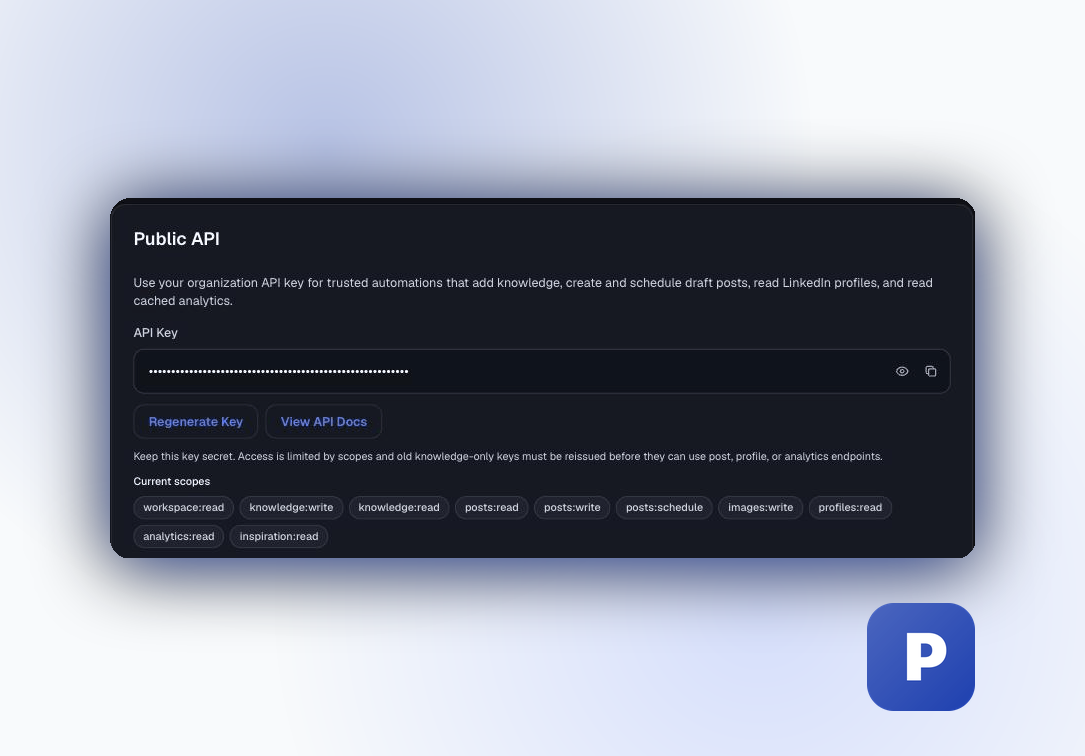
- MCP and API. The hosted LinkedIn MCP server works with Claude, ChatGPT, Cursor and Claude Code, and there is a public REST API.
If that is closer to what you need, Start your 7-day free trial.
Related Taplio Comparisons
- Kleo vs Taplio puts the two tools side by side on features and cost.
- Buffer vs Taplio is the better read if you are choosing between a general scheduler and a LinkedIn growth tool.
- Supergrow alternatives is useful if Supergrow is also on your shortlist.
- For the full list of other tools, go back to our Taplio alternatives guide.
More Questions
Does Taplio have a free trial?
Yes, there is a 7-day free trial with full Pro access, including unlimited credits. You create an account and pick a plan first, and after the trial you switch to that plan. Taplio's pricing page does not say whether a card is collected at signup, while its homepage says no credit card is needed to start, so check the signup screen yourself.
Does Taplio offer refunds?
Taplio offers a 30-day money-back guarantee. Its pricing FAQ says that if you forget to cancel the trial, you can ask for a refund within 30 days of payment, and its homepage says the policy covers your first payment when you contact support from the app. Cancel from Settings, then the Billing tab, before the trial ends.
How do Taplio credits work?
Starter has no AI and no AI credits. Growth includes 250 AI credits and 500 comment credits per month, shared across features like the post generator, Help me write, Improve my draft, image generation, the carousel generator and smart-replies. Pro has unlimited AI and comment credits. Taplio does not publish how many credits each action uses.
What is the cheapest Taplio plan with AI?
Taplio's AI writing starts on the Growth plan at $69 a month ($49 a month billed yearly). The $39 Starter plan covers scheduling, analytics, the viral post library and basic engagement tools, but it has no AI writing, no AI image generation and no carousel generator.
How much does Taplio cost for teams and agencies?
Taplio lists a team and agency option with savings of up to 30%, a multi seat discount, multiple accounts, shared analytics and admin, content writer and client roles. It publishes no seat prices, so you need to ask Taplio for a quote. Individual plans are priced per account.