LinkedIn Posting API for AI Agents: Access, Scopes, Limits and a Faster Route
If you are wiring an AI agent to publish on LinkedIn, the LinkedIn posting API is the only sanctioned way to do it. It works, but it comes with an access process, expiring tokens, versioned headers and a media upload flow.
This guide covers the LinkedIn API post endpoint, the scopes and access you need, token lifetimes, limits, and the agent-specific traps (consent, duplicate posts, approval). Every LinkedIn fact is from LinkedIn's own documentation on Microsoft Learn, checked October 2026.
If you would rather skip the API work with a hosted LinkedIn MCP or Postiv's REST API, jump to the decision table. If you only need Claude Code, see how to use Claude Code with LinkedIn.
How the LinkedIn posting API works
Per LinkedIn's Posts API documentation, you create a post with one request:
- Endpoint:
POST https://api.linkedin.com/rest/posts - Required headers:
Authorization: Bearer {token},Linkedin-Version: {YYYYMM}andX-Restli-Protocol-Version: 2.0.0 - Success: a
201response. The new post's URN comes back in thex-restli-idresponse header (for exampleurn:li:share:...).
LinkedIn does not apply a default version. Its versioning documentation says every call must send a Linkedin-Version header, that a missing or deprecated version returns an error, and that each monthly version is supported for a minimum of one year. At the time of writing the latest version is 202610.
Posts API vs ugcPosts: what changes before November 2026
The Posts API replaces the older ugcPosts API. If you copied a tutorial that calls https://api.linkedin.com/v2/ugcPosts, you are on the legacy path. LinkedIn's migration guide lists the main differences:
- The
commentaryfield is a single string, instead of the nestedspecificContentandshareCommentaryobjects. - Media uses typed URNs (
urn:li:image,urn:li:video,urn:li:document) from the Images, Videos and Documents APIs, instead of the genericdigitalmediaAssetURN from the old Assets API. - Every call carries
Linkedin-Version.
The Posts API page also carries a deprecation notice: Marketing version 202511 is sunset on November 16, 2026. If your agent pins 202511, move the header to a newer version before then.
Which scopes and access do you need?
Scopes decide what your token can do. Access decides whether LinkedIn will give you the scope at all.
| What the agent does | Scope | How you get it |
|---|---|---|
| Post as a member (personal profile) | w_member_social | Add the "Share on LinkedIn" product to your app in the Developer Portal |
| Post for a company page | w_organization_social | Community Management API access (application and review). The member also needs a page role such as ADMINISTRATOR, DIRECT_SPONSORED_CONTENT_POSTER or CONTENT_ADMIN |
| Read a member's posts back | r_member_social | Restricted. LinkedIn's Community Management FAQ says it is a closed permission and not accepting requests |
| Read a page's posts back | r_organization_social | Same page roles as above |
Share on LinkedIn is the simple path. Per LinkedIn's Share on LinkedIn page, you add the product on the Products tab of your app and it grants w_member_social.
The Community Management API is the gated path. LinkedIn's app review page says every developer completes an access request form that LinkedIn reviews. It is available only to registered legal organizations for commercial use cases, and you need a verified business email and a company page that verifies your app. There are two tiers: Development (initial approval, limited call volume) and Standard (full access, with a screen recording of your app as part of the upgrade). LinkedIn's docs do not give a review timeline, so plan for it as an unknown.
How to get a LinkedIn access token (and when it expires)
Your app sends the member through LinkedIn's OAuth 2.0 authorization code flow, requests the scope (for example w_member_social) and exchanges the code for an access token. LinkedIn's refresh token page states the defaults: access tokens are valid for 60 days, and programmatic refresh tokens (valid for a year) are available to approved Marketing Developer Platform partners.
In plain terms, if you are not in that partner group, your agent will hit a wall around day 60 and the member has to re-authorize. Build for it: store the expiry date, warn the user before it lapses, and treat a 401 as "ask the human to reconnect", not as a transient error. LinkedIn also reserves the right to revoke access or refresh tokens at any time.
Your first request: a text post with curl
This is the text-only sample from LinkedIn's Posts API documentation. The documentation sample uses a company page as author. For a member post, use the member's person URN (urn:li:person:{id}) as the author and a token with w_member_social.
curl -X POST 'https://api.linkedin.com/rest/posts' \
-H 'Authorization: Bearer {INSERT_TOKEN}' \
-H 'X-Restli-Protocol-Version: 2.0.0' \
-H 'Linkedin-Version: 202610' \
-H 'Content-Type: application/json' \
--data '{
  "author": "urn:li:person:{PERSON_ID}",
  "commentary": "Sample text Post",
  "visibility": "PUBLIC",
  "distribution": {
    "feedDistribution": "MAIN_FEED",
    "targetEntities": [],
    "thirdPartyDistributionChannels": []
  },
  "lifecycleState": "PUBLISHED",
  "isReshareDisabledByAuthor": false
}'
Three details that trip up agents:
commentaryis "little" text, not plain text. LinkedIn's little text format page says reserved characters must be escaped with a backslash:|,{,},@,[,],(,),<,>,#,\,*,_and~. An LLM that writes(brackets)orsnake_caseinto a post will produce a wrong or rejected request unless you escape it. Mentions and hashtags use their own syntax.lifecycleStatemust bePUBLISHEDat creation. LinkedIn's documentation saysPUBLISHEDis the only accepted value when you create a post. There is no draft-then-approve step inside the Posts API. The post goes live.- Article links are not scraped. For link posts you supply the thumbnail, title and description yourself.
How to post images, video and documents (and what about carousels)
Media is a two-step flow. Per the Posts API documentation, you first upload the file to get a URN, then reference that URN in the post:
- Images: Images API, returns
urn:li:image:{id} - Videos: Videos API, returns
urn:li:video:{id} - Documents: Documents API, returns
urn:li:document:{id}
The Documents API flow is POST /rest/documents?action=initializeUpload with the owner URN, upload the file to the returned uploadUrl, then publish with content.media.id set to the document URN. LinkedIn lists PDF, PPT, PPTX, DOC and DOCX as supported, up to 100 MB and 300 pages.
Carousels are where agents get stuck. The Posts API content table marks carousels as sponsored only, and the same page says organic carousels are currently not supported. If your agent produces swipeable slides, render them to a PDF and publish that as a document post. Postiv's LinkedIn carousel generator does that rendering step for you.
How much does a LinkedIn API cost?
LinkedIn does not publish a price list for the Share on LinkedIn or Community Management APIs in its developer documentation. Access is granted by adding a product to your app (member posting) or by passing an application review (company pages), not by buying a plan. The real cost is engineering time: OAuth, token renewal, versioned headers, media uploads and review work. Check LinkedIn's current terms before you commit.
What you can count on is approval risk and ongoing work: a business-entity review for company-page access, token renewal every 60 days, version bumps at least once a year, and media handling. Treat the build as a maintenance commitment, not a weekend script.
Does LinkedIn have an API for job postings?
Yes, but it is a separate product. LinkedIn lists Job Posting under its Talent products, for posting jobs through an applicant tracking system or a job distribution tool. It is unrelated to the Posts API used to publish feed content, and you cannot use one to do the job of the other.
If your agent needs to publish a job ad, that is a Talent product with its own access path. If it needs to publish a post about hiring, use the Posts API like any other post.
Is LinkedIn scraping allowed?
No. LinkedIn's User Agreement prohibits scraping or copying data from the Services and using bots or other unauthorized automated methods to access them. An AI agent that drives a logged-in browser or reads pages with scripts is automated access. The sanctioned route to publish is the official API with the member's own OAuth consent.
LinkedIn's User Agreement, section 8.2, lists "Use bots or other unauthorized automated methods to access the Services" among the things members must not do. Browser-driving agents and cookie-based "LinkedIn automation" tools sit on the wrong side of that line, and they put the member's real account at risk. For how Postiv handles this, see LinkedIn safety.
What changes when an AI agent holds the pen
A human using a scheduler sees every post before it goes out. An agent calling the API does not, unless you build that in. These are the five things to design before you ship.
Consent
Publish only under a member's own OAuth consent, scoped to what the agent needs. Do not reuse one person's token for other people's profiles. LinkedIn's own review process for company-page access asks you to demonstrate the full OAuth flow and a user posting through your app, which tells you what it expects.
Token storage
Treat tokens as passwords. Encrypt them at rest, never put them in a prompt, a tool description or a log line, and keep them out of the model's context window. The agent should call a function that uses the token, not receive the token. Store the 60-day expiry next to each token.
Human approval before publish
Because the Posts API publishes on creation, the approval gate belongs in front of the API. Keep drafts in your own store, let a human approve, and only then send the request. In n8n that is a wait step before the HTTP node. In Claude or ChatGPT the agent saves a draft and asks you in chat. This is the point where a generic API wrapper and a content platform differ most: Postiv builds approval into scheduling.
Duplicate posts and idempotency
LinkedIn's Posts API documentation describes no idempotency key for creating a post. If a request times out, you cannot tell whether the post exists. Retrying blindly can publish it twice. Keep your own ledger: generate a unique ID per intended post, record it before the call, record the returned x-restli-id after, and on an ambiguous failure check before you retry. LinkedIn does document that deleting an already-deleted post returns 204, so cleanup is safe to repeat.
Rate limits and retries
LinkedIn's rate limit page says limits are counted per application and per member over a 24 hour period that resets at midnight UTC. Standard limits are not published in the documentation. You read them in the Developer Portal, on your app's Analytics tab, after making at least one call to the endpoint. For Community Management Development tier, LinkedIn's FAQ gives default limits of 500 requests per app and 100 per member. The older Share on LinkedIn page lists 150 member requests and 100,000 application requests per day.
On a 429, LinkedIn says to retry after a delay. Back off, and cap retries for post creation so a loop cannot flood a profile. On 409, 500 or 503, LinkedIn's guidance is to retry, but for creates combine that with the duplicate check above.
The faster route: Postiv's REST API
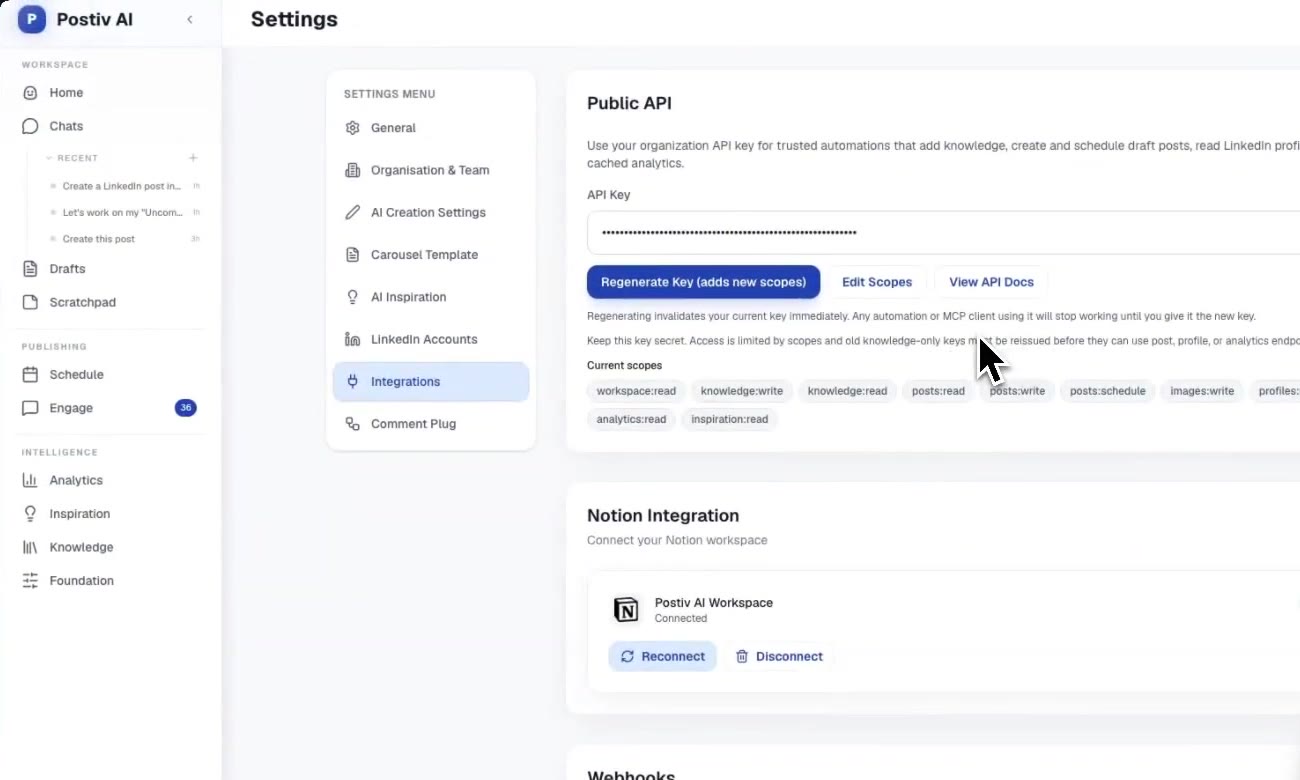
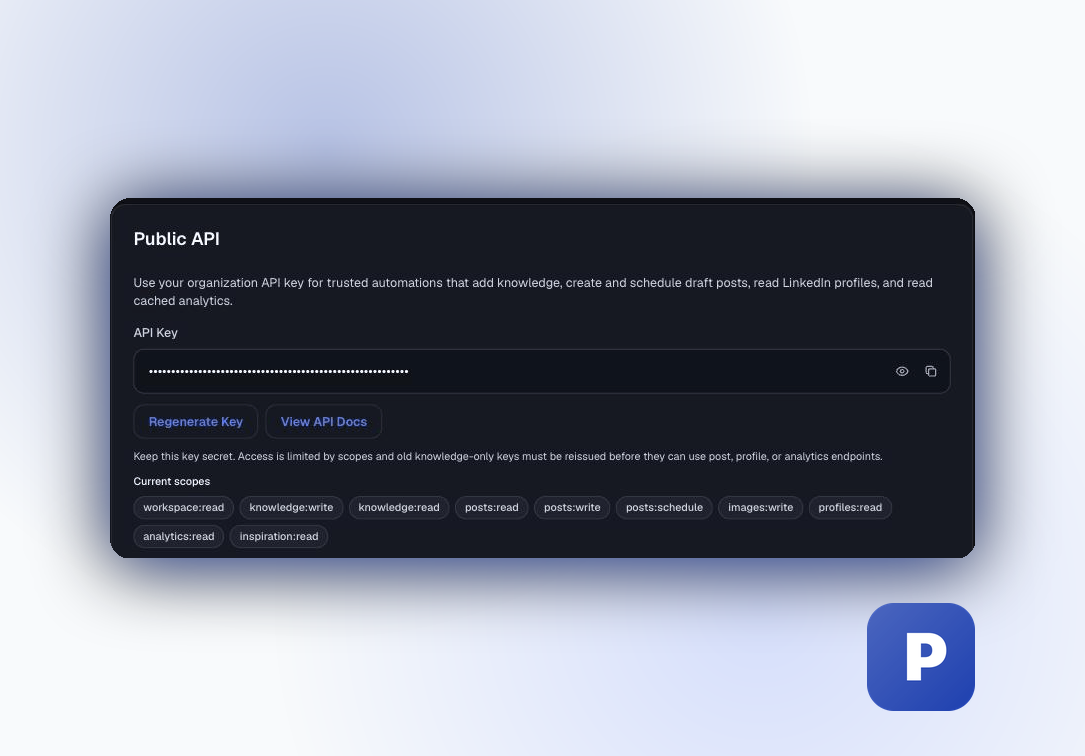
Postiv already holds the LinkedIn connection, so your agent never touches LinkedIn OAuth tokens, Linkedin-Version headers or media upload registration. Postiv publishes through LinkedIn's official API. You authenticate with an organization API key (starts with pk_postiv_, created by an org admin in Settings, Integrations, Public API). Keys are scoped, for example posts:write and posts:schedule. See the Postiv REST API docs for the full endpoint list.
The equivalent of the flow above is three calls. First, list the connected profiles to get the integrationId:
curl https://postiv.ai/api/public/linkedin-profiles \
  -H "Authorization: Bearer pk_postiv_YOUR_KEY"
Second, create a draft. This never publishes by itself:
curl -X POST https://postiv.ai/api/public/posts \
  -H "Authorization: Bearer pk_postiv_YOUR_KEY" \
  -H "Content-Type: application/json" \
  -d '{"content": "Sample text post", "integrationId": 1234}'
The response contains post.id and status: "draft". Third, schedule it:
curl -X POST https://postiv.ai/api/public/posts/POST_ID/schedule \
  -H "Authorization: Bearer pk_postiv_YOUR_KEY" \
  -H "Content-Type: application/json" \
  -d '{"scheduledTime": "2026-10-21T09:00:00.000Z", "integrationId": 1234}'
scheduledTime must be at least two minutes in the future, so Postiv never publishes instantly. The response includes requiresApproval: if the profile has approvers configured, the post waits for them. Scheduling a post that already has a live queue entry returns 409 post_already_scheduled, a built-in guard against duplicate scheduling.
For visuals, the same API has carousel and infographic endpoints. A carousel is rendered to a PDF first (POST /api/public/carousels/:id/render), then scheduled with mediaType: "carousel" and its carouselId. Postiv's analytics come from cached LinkedIn imports, not live scrapes. Postiv is a paid product with a 7-day free trial, and it focuses on content, not outreach or direct messages. For automation context, see how to automate LinkedIn posts.
Build vs Postiv REST API vs Postiv MCP
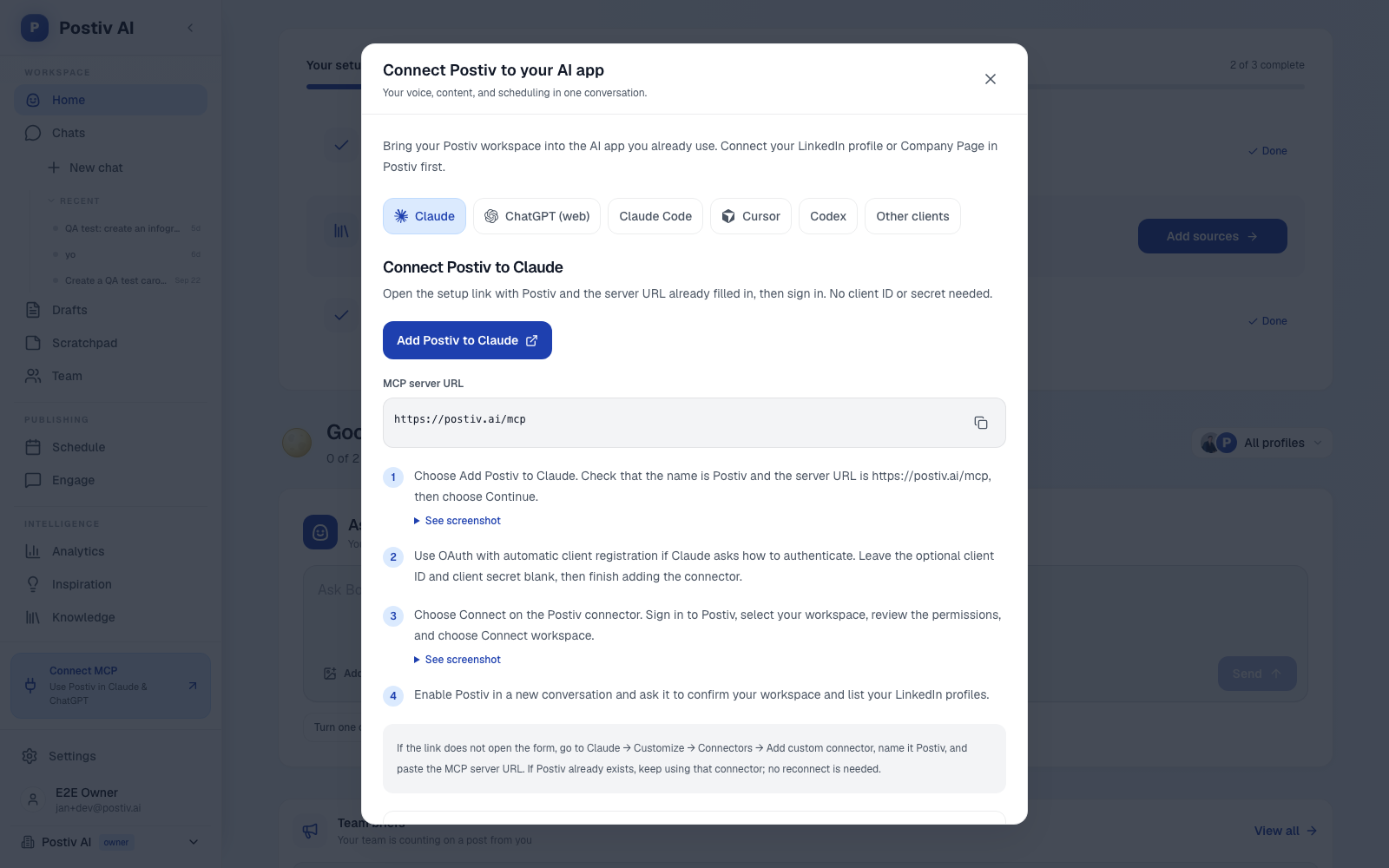
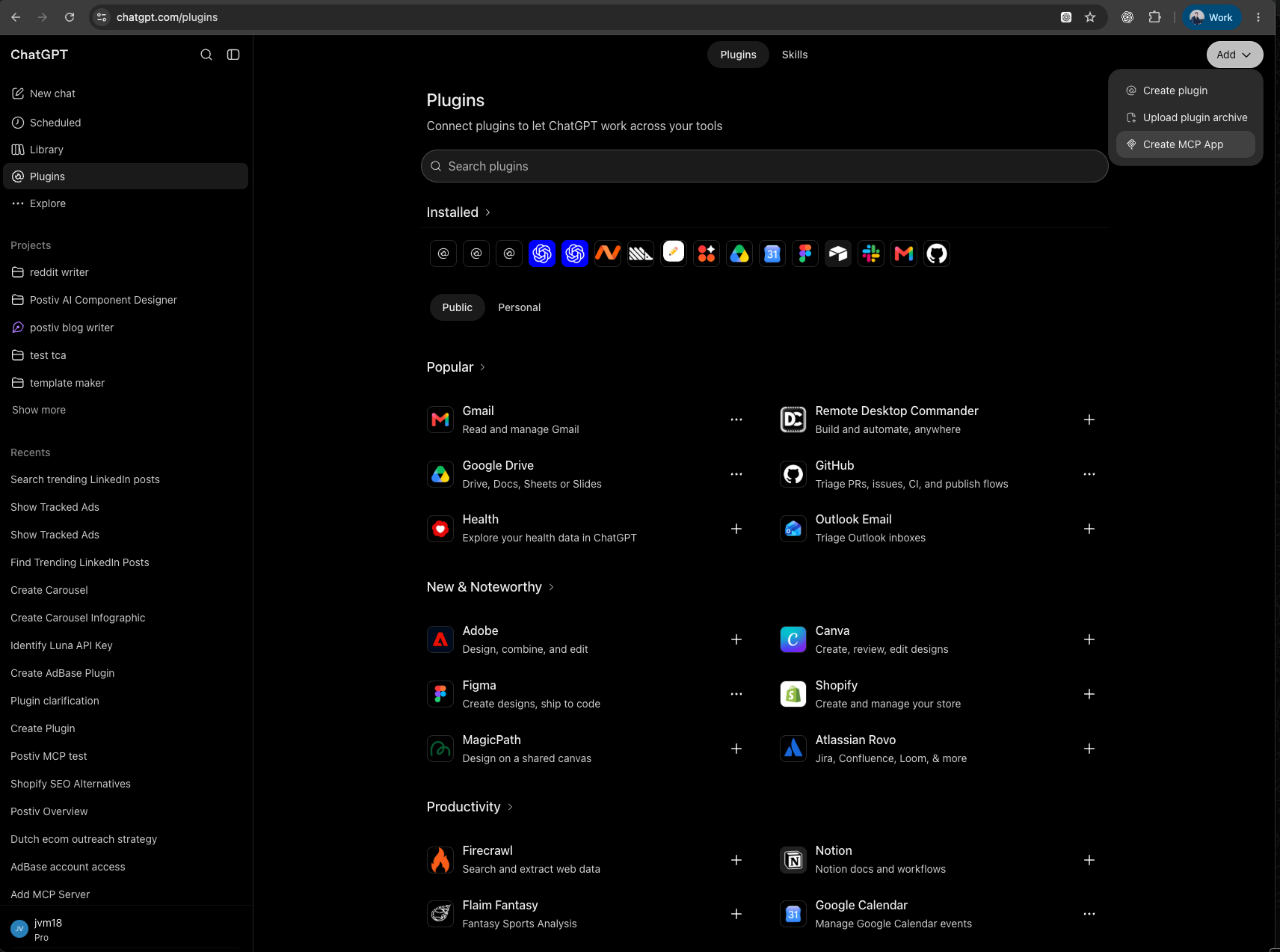
Postiv's hosted MCP server (https://postiv.ai/mcp) gives MCP clients such as Claude, ChatGPT, Claude Code and Cursor tools like create_post, schedule_post and render_carousel, with no code. Claude and ChatGPT connect through OAuth with your Postiv account. Setup is in the hosted MCP documentation.
| Build on LinkedIn's API | Postiv REST API | Postiv MCP | |
|---|---|---|---|
| LinkedIn app review and access | You apply and maintain | Handled by Postiv | Handled by Postiv |
| OAuth tokens and 60-day renewal | You build and store | Postiv holds the connection | Postiv holds the connection |
Linkedin-Version and header upgrades | You track and bump yearly | Not your concern | Not your concern |
| Media upload (Images, Videos, Documents) | You implement two-step uploads | Attach media via the API | Tools for images, carousels and infographics |
| Carousels as PDF documents | Render the PDF yourself, upload as a document | Carousel render endpoint, scheduled as a carousel | Carousel tools in chat |
| Approvals before publish | Build your own | Built in when approvers are set | Built in, the assistant cannot bypass approvers |
| Analytics | Separate APIs and access | Analytics endpoints (cached imports) | Analytics tools (cached imports) |
| Best for | Custom product, full control | Agents, n8n, scripts | Claude, ChatGPT, Cursor, Claude Code |
| Time to first post | Depends on LinkedIn's review | After you create an API key | After you connect the workspace |
Which route fits your agent
- You are building a product that publishes on behalf of many strangers. Build on LinkedIn's API. You need your own app, review, and the compliance work that comes with it.
- You run an agent, n8n workflow or script for your own profile, your team or your clients. Use the Postiv REST API and skip the LinkedIn review and token plumbing.
- You work inside Claude, ChatGPT or Cursor. Use the MCP and keep the human in the chat. See Claude Code with LinkedIn, the roundup of LinkedIn AI agents for content and MCP servers compared to choose.
- You need DMs, connection requests or job search. Postiv does not do those. Its MCP is built for content workflows, not outreach.
More quick answers
Can AI agents post to LinkedIn?
Yes, through LinkedIn's official API, with the member's OAuth consent. The agent calls the Posts API with a token that holds the right scope, or calls an intermediary such as Postiv's REST API or hosted MCP server that already holds the connection. Browser automation and scraping are not an allowed route.
Does the LinkedIn Posts API support carousels?
Not for organic posts. LinkedIn's Posts API documentation lists carousels as sponsored only and says organic carousels are currently not supported. The supported route for swipeable slides is a PDF: upload it through the Documents API, then publish it as a document post.
How long does a LinkedIn access token last?
By default, 60 days, according to LinkedIn's refresh token documentation. Programmatic refresh tokens (valid for a year) are offered to approved Marketing Developer Platform partners, so many apps must send the member through the OAuth flow again when the token expires. LinkedIn can also revoke tokens at any time.
What is the difference between the Posts API and ugcPosts?
The Posts API (POST /rest/posts) replaces the older ugcPosts API (POST /v2/ugcPosts). It needs the Linkedin-Version header, uses a flatter request body with a commentary string, and uses typed media URNs such as urn:li:image, urn:li:video and urn:li:document instead of the older asset URNs.
Can an AI agent publish to LinkedIn without a human approving the post?
Technically yes: the Posts API publishes immediately and does not accept a draft state at creation. That is why approval has to live in your own layer, before the API call. Postiv's REST API and MCP server queue posts and hold them for approval when the profile has approvers configured.
Start posting without the API work
Connect a LinkedIn profile, create an API key or add the MCP, and have your agent draft, schedule and track posts with approvals built in. Start your 7-day free trial.