Postwise is a simple, established AI ghostwriter for people who write for X, and it covers LinkedIn and Threads as well. If you are a solo creator who posts mostly on X and wants AI-drafted text posts plus a queue, it does that job and you may not need to leave. Everyone else weighing Postwise alternatives should read on.
This guide is for founders, consultants, creators and B2B teams who write for LinkedIn (and X) and want drafts in their own voice, plus approvals, a workspace per client or an MCP. If you are comparing the whole field of LinkedIn post creator tools, that guide covers it. Every competitor price and feature below was checked in October 2026.
Quick picks by need:
- LinkedIn and X posts in your own voice, plus approvals, client workspaces and MCP: Postiv
- Viral-post inspiration and lead tools for LinkedIn creators: Taplio
- Voice-trained writing and AI interviews for executives: Supergrow
- A LinkedIn-only writer with style import and an agency plan: MagicPost
- Scheduling across X, LinkedIn and more channels, with a free plan: Buffer
- LinkedIn and X posting attached to a sales and lead-gen suite: Highperformr
Postwise pricing in 2026
Postwise is an AI post writer and scheduler for X, LinkedIn and Threads. Its own pages show three different price sheets, so the table lists each page separately and keeps to the two prices that repeat everywhere.
| Where on its site | Entry plan | Top plan | What differs |
|---|---|---|---|
| Pricing page | Basic, $37 a month | Unlimited, $97 a month | Lists a third plan in between |
| Homepage | Basic, $37 a month | Unlimited, $97 a month, "paid annually" | No middle plan shown |
| LinkedIn scheduler page | Pro, $37 a month | Enterprise, $97 a month | Different plan names |
What else to know before you budget:
- Plan details conflict. The $37 and $97 prices repeat on all three pages. The middle tier, account limits, AI post allowances and scheduling windows do not, so confirm them in the signup flow.
- Trial and card. Every plan has a 7-day trial and a 30-day refund policy in its FAQ. The pricing page footer and the LinkedIn page say no credit card is required, while the pricing FAQ says you are subscribed automatically to your chosen plan after the trial.
- Annual billing. The FAQ mentions a 20% discount on all plans for annual billing but shows no per-month annual price.
- Price unit. Flat per month per workspace, with no per-seat charge. "Team Collaboration" appears only as a heading, with no detail.
If you came searching for a Postwise review, the short version is that it is a live, low-cost writer for solo creators, X first, with LinkedIn as a full second platform. The gaps below start to matter once you run a team or clients.
Is Postwise free?
No, none of the pages we checked shows a free plan. You get a 7-day trial and then pick a paid plan.
What Postwise does well
Postwise has a clear job and does it plainly, with no workspaces or roles to set up.
- One dashboard for X, LinkedIn and Threads. It lists all three, with X first in its navigation.
- AI writing is the core product. Its GhostWriter assistant drafts posts trained on high-performing posts, with content suggestions and viral-post repurposing. Custom AI voices are listed on the pricing page, and custom AI training on the top plan.
- LinkedIn company pages. Its LinkedIn scheduler page says it supports company page scheduling and performance analysis.
- Carousel scheduling. You can schedule carousels according to its FAQ, though that means a finished file you upload.
- An established name. Its site cites 9,000+ creators and a Justin Welsh testimonial (its own marketing claims).
For one person who wants AI-drafted text posts for X and LinkedIn from a single queue, that is a fair deal.
Why people look for Postwise alternatives
These come from what the Postwise site shows and does not show.
- X first, LinkedIn second. X leads its navigation and calls to action, and its help center is almost entirely about tweets. LinkedIn has its own scheduler page, but it is the second platform.
- Plan details differ from page to page. Three live price sheets mean a team cannot budget from what it reads.
- No approvals shown. We found no approval workflow on the pages we checked, so if a client or a boss has to say yes before a post goes live, you would handle that by hand.
- No client workspaces or roles. Multi-account management appears only as a heading, with no seat or role model behind it.
- No carousel designer shown. It schedules carousels you upload but does not show a way to design them. If carousels are the gap, our Contentdrips alternatives guide covers carousel-first tools.
- No API or MCP shown. Nothing on its pages explains how to connect Claude or ChatGPT to it.
- Analytics are a label. The tiers are called Basic, Advanced and "Enterprise-grade", and no LinkedIn metrics are named.
None of these are flaws for the audience Postwise is built for, a solo creator writing mostly for X.
How to stop your posts sounding generic
Generic posts usually come from a tool writing out of general knowledge with a tone setting on top. In any tool the fix is to feed it your own material and keep one voice per person. Postiv does it like this.
- A writing style per profile. Each LinkedIn profile has its own tone, structure, vocabulary, hooks and rules. A founder and a client each sound like themselves.
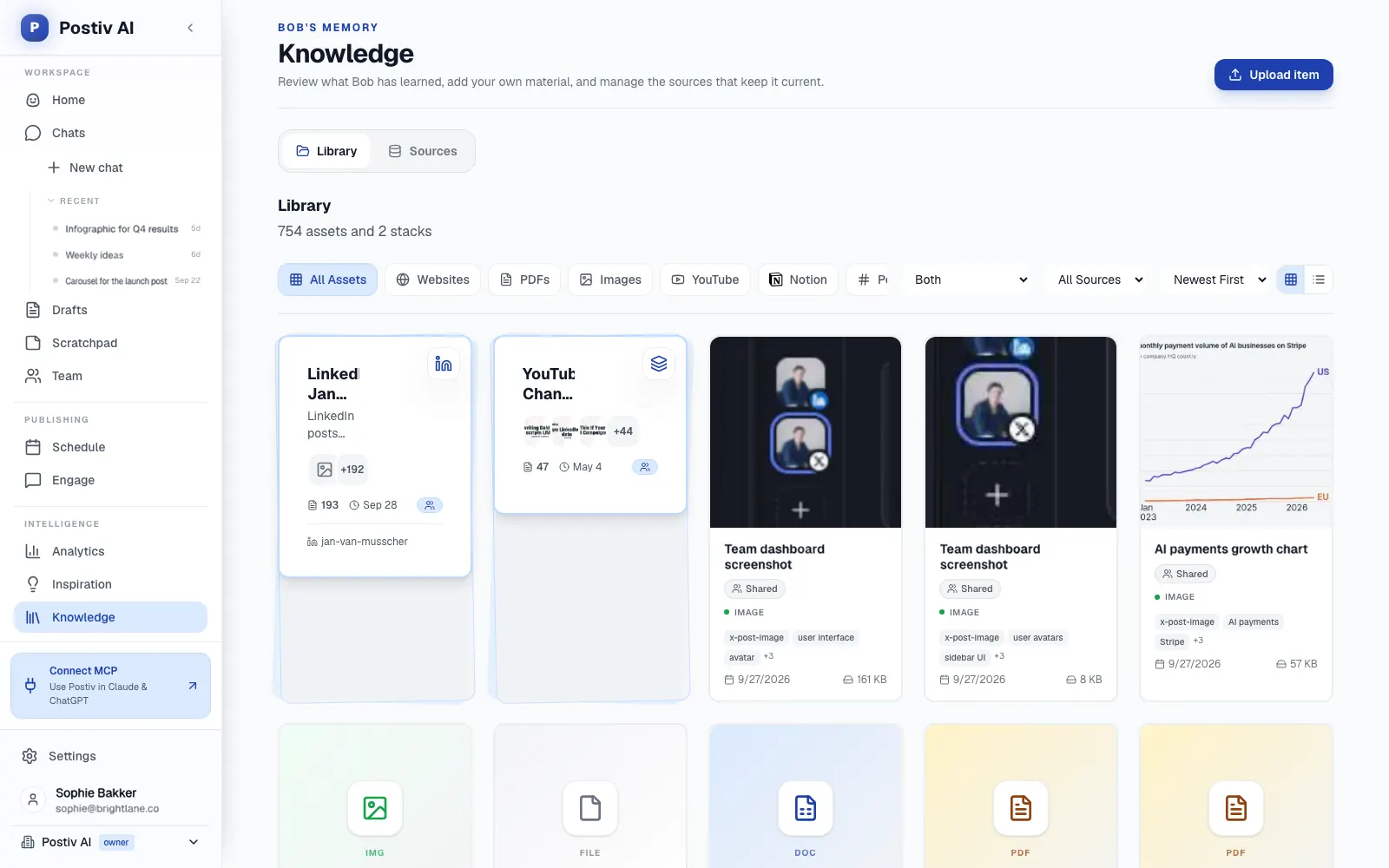
- A knowledge base of your own material. Sources are your company website (crawled, with paths you can include or exclude), PDF, Word, PowerPoint and Excel files, YouTube videos, selected Notion pages that stay in sync, and newsletters forwarded to a private email address. Text documents can also be sent in through the REST API.
- Drafts that quote it. Bob, Postiv's AI content partner, pulls quotes from the knowledge base, so the examples in a draft come from your material.
- Several ways in. Type an idea or send a voice note, and a screenshot works too.
- Quick edits. Highlight any sentence and ask for a sharper version, and step back through post history.
- A plan with sources behind it. Bob plans a week per profile, one idea per slot, tied to content pillars, your sources and last week's results.
Say you run a small consulting firm and have a webinar on YouTube. A generic draft tells your audience that consistency wins. A draft built from that webinar can quote what you said in it, and you start editing from your own material. You still read and edit either way.
Postwise alternatives at a glance
"Not shown" means the pages we checked do not list it.
| Tool | Channels | Voice | Approvals and client workspaces | MCP or API | Best for |
|---|---|---|---|---|---|
| Postwise (baseline) | X, LinkedIn (profiles and company pages), Threads | Custom AI voices, custom AI training on the top plan | Not shown | Not shown | Solo creators on X who also post on LinkedIn |
| Postiv | LinkedIn (profiles and company pages) and X | Writing style per profile plus a knowledge base the drafts quote | Approvers per profile, client approval link, separate workspace per client | MCP and public REST API | Founders, agencies and B2B teams |
| Taplio | LinkedIn-trained AI assistant, from the Growth plan | Collaboration with writers on all plans, roles and multiple accounts on higher plans | API and MCP on all plans | Creators who want an inspiration library plus lead tools | |
| Supergrow | Content DNA voice training, AI interviews | Approvals on the Teams plan only | MCP on every plan, API on Enterprise | Executives and small leadership teams | |
| MagicPost | Style import from a LinkedIn profile | Agency plan with client approval, Team plan | API and MCP from the Creator plan | Solo LinkedIn creators, small agencies | |
| Buffer | 12 channels including X and LinkedIn | Generic AI assistant | Approval workflows on Team, no client-isolated workspaces | AI integrations for Claude, ChatGPT and Cursor on every plan | Simple scheduling across many networks |
| Highperformr | LinkedIn and X | Profile-specific AI settings | Roles and approvals, built for one organization's team | MCP mentioned for contact data, not for publishing | Sales teams that want posting attached to lead tools |
The main Postwise competitors split into LinkedIn-native writers (Taplio, Supergrow, MagicPost), cross-network schedulers (Buffer, Highperformr) and Postiv, which is a LinkedIn-first workspace. Several ship an MCP, so what matters is what an assistant can actually do with it, and our roundup of the best LinkedIn AI agents looks at that.
The 6 best Postwise alternatives
1. Postiv
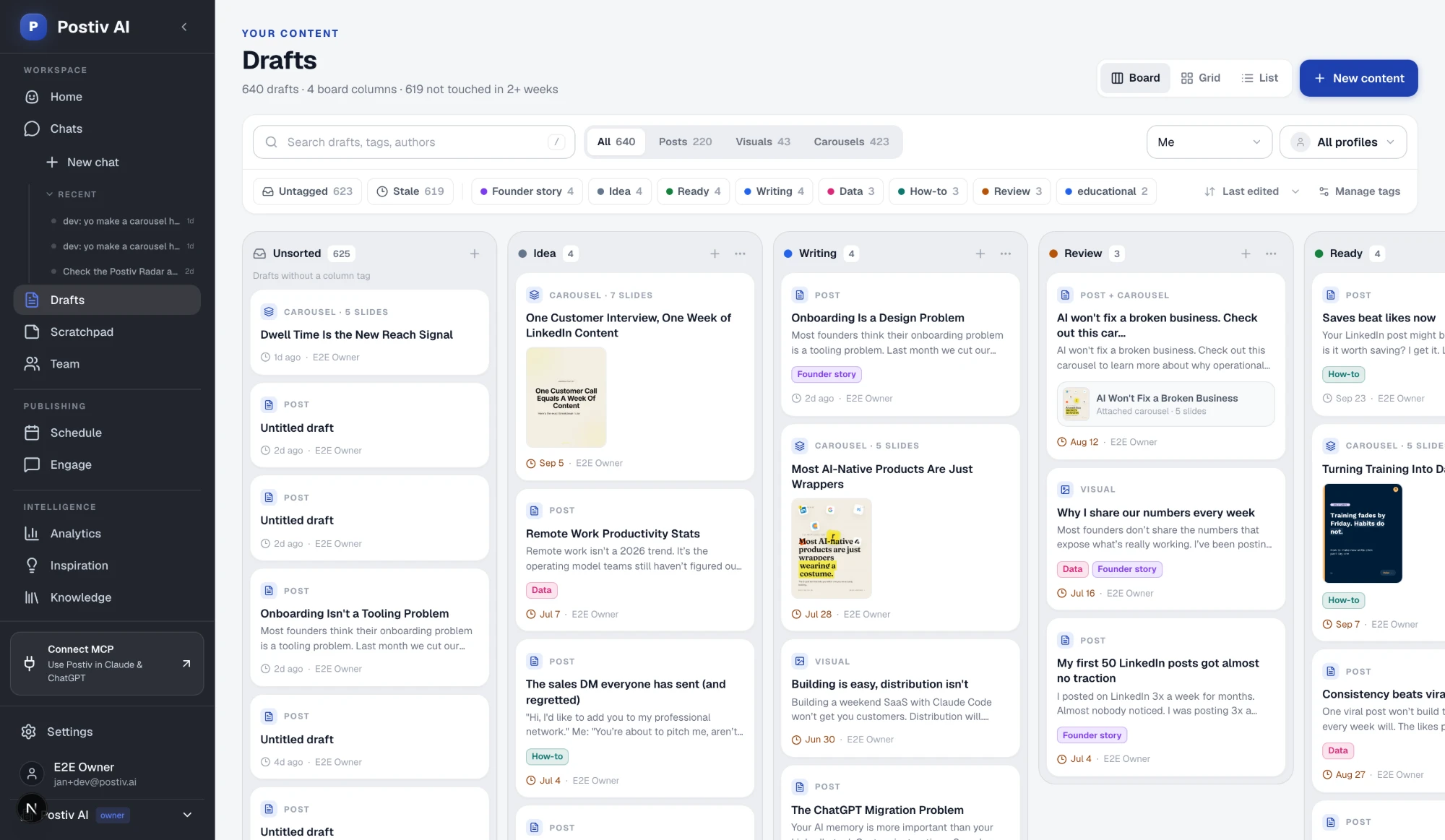
Postiv is a LinkedIn-first content workspace for founders, freelancers, agencies and B2B teams. It writes, designs, schedules, engages and measures, and publishes to LinkedIn profiles, company pages and X. Bob drafts posts and carousels in each person's own voice and plans a posting week per profile.
Best for: founders, consultants and B2B teams who write for LinkedIn and X, and agencies running client accounts, from a few clients up to hundreds.
What it does well:
- Content in each person's voice. Content creation covers posts, carousels, infographics and post images with your brand kit applied, and a draft can start from typing, a voice note or a screenshot.
- Drafts built on your own material. The section above on generic posts explains how writing styles and sources combine.
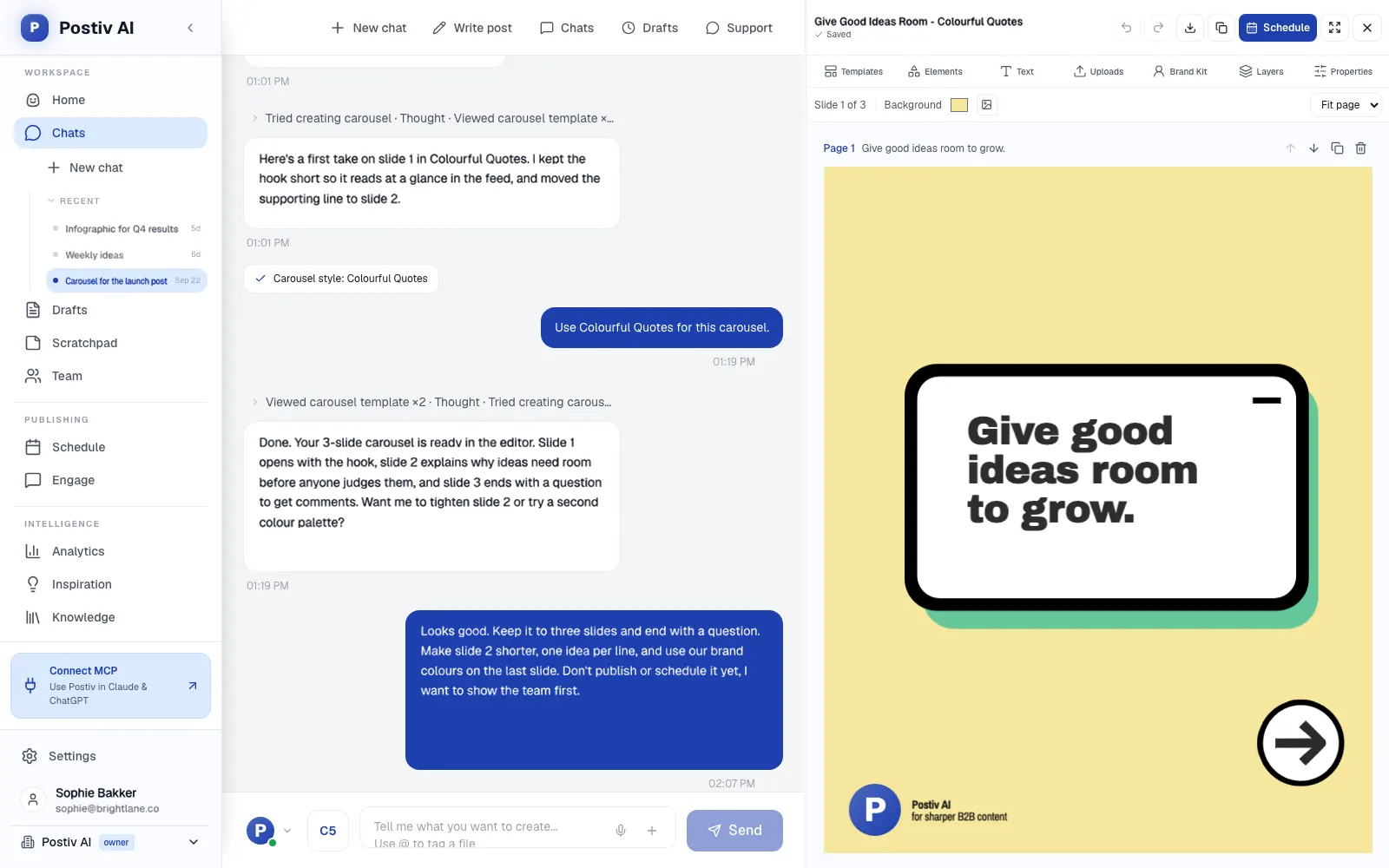
- A carousel editor. It has templates, a brand kit, a 1080 by 1350 canvas and up to 30 slides, and it exports to PDF, which publishes as a LinkedIn document post. Ask Bob to change a slide, or try the LinkedIn carousel generator.
- LinkedIn and X from one calendar. You can schedule LinkedIn text, image, carousel and native video posts, plus X single posts, threads, images and X Articles. Comment Plug adds an automatic first comment, 2 minutes or more after publishing.
- Approvals. Set approvers per profile or company page. Every approver must approve, one deny stops the post, and "request changes" sends it back with feedback.
- A workspace per client. Each client has their own profiles, company pages, knowledge, brand kit and writing styles. Agency teammates reach every client workspace from the agency account, and clients can approve through a link without a Postiv account. See client workspaces for agencies.
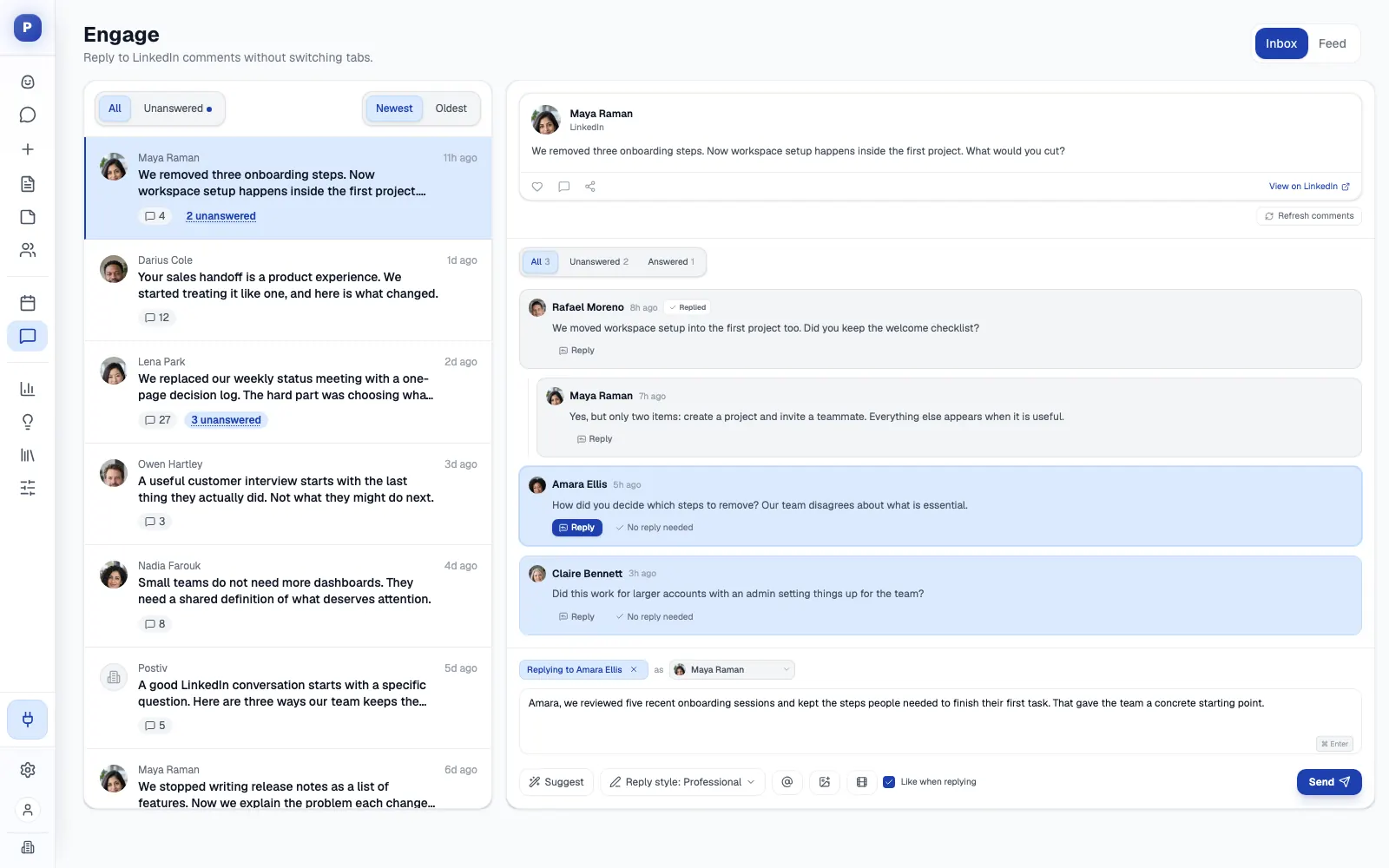
- More than a scheduler. It also has an engage inbox for comments on every connected profile and an engage feed whose comment drafts wait for your approval. On the Team plan, Team Hub adds briefs, challenges, a leaderboard and team likes.
- Analytics. They cover impressions, followers, engagement rate and profile visits for personal profiles and company pages, and up to 12 months of history is imported through LinkedIn's official analytics access.
- MCP and API. The LinkedIn MCP works with Claude and ChatGPT (sign-in, no API key) and with Cursor, Claude Code and Codex (workspace API key). An assistant can search the knowledge base, create and edit posts, generate carousels, schedule content and read analytics, with approvals still applied. A public REST API is available too.
- Official API publishing. Postiv publishes through LinkedIn's official API, with no browser extension and no automated connection requests.
Where it is not the fit: if you write only for X from one solo account and want a single simple AI writer, an X-first tool like Postwise is the more direct fit.
2. Taplio
Taplio covers LinkedIn only. Plans on its pricing page are Starter $39, Growth $69 and Pro $199 a month, or $32, $49 and $149 a month billed yearly. Starter has no AI, AI writing starts on Growth and is metered by 250 AI credits a month, and Pro is unlimited. There is a 7-day trial with full Pro access and no permanent free plan.
Best for: creators and founders who want inspiration, AI writing and lead tools in one LinkedIn suite.
Strengths: a library it advertises as 5M+ inspiration and viral posts, scheduling and analytics on every plan, a carousel generator from Growth, and a Taplio API and MCP on all plans. It also lists an MCP V2 with a 27-tool Engage toolset. Higher plans add multiple accounts and admin, content-writer and client roles.
Weaknesses: AI writing is gated to the $69 plan and metered. Carousels are auto-generated from your posts, with no full editor to design them in. It is not described as learning from your own documents. It also leans into engagement automation, including auto-replies and, on Pro, auto-DMs and bulk connection requests. Its pricing FAQ says it behaves like a real LinkedIn user, and we did not find an official-API claim. If you still post on X, you need a second tool. Our Taplio alternatives guide goes deeper.
3. Supergrow
Supergrow covers LinkedIn only. Pro is $39 a month for one account ($31 a month billed yearly). Teams is $199 a month for five accounts ($189 yearly), and Enterprise is custom. There is a 7-day trial on every plan and no permanent free plan.
Best for: executives and thought leaders, and marketing teams activating up to five of them.
Strengths: Content DNA, which trains generation on your voice, and Postcast, which turns a roughly 10-minute AI interview into several posts. The carousel maker, Engage, scheduling with a calendar and Kanban, an auto first comment and an MCP are on every plan. It says it connects through LinkedIn's official API.
Weaknesses: feedback and approval workflows and the organization dashboard are on Teams but not on Pro. The public API is Enterprise only. The entry price covers a single account, and there is no agency plan on the pricing page. Our Supergrow alternatives guide covers the trade-offs.
4. MagicPost
MagicPost is built only for LinkedIn. Plans, billed yearly and monthly: Growth $29 or $49 (manual writing and scheduling, no AI generation listed), Creator $39 or $69 (unlimited post generation, carousel creation, AI visuals, an inspiration library, scheduled comments, API and MCP) and Agency $47 or $59 per client seat, with five client seats included. One seat is one LinkedIn profile or company page. There is a free trial with no card and no permanent free plan.
Best for: solo LinkedIn creators and founders, and small agencies that want client approval and white-label reports.
Strengths: it can import a writing style from a LinkedIn profile, yours or another creator's, and its carousel builder goes up to 20 slides with a brand kit. The hosted MCP has 29 tools, and analytics can include other creators' metrics. It says it is a LinkedIn-verified partner using the official API. The Agency plan lists multi-account management, a secure LinkedIn connect link, client post approval and white-label reports.
Weaknesses: LinkedIn only, so no X. Pricing is per seat, and AI generation starts at Creator. Its knowledge features look limited to style import and YouTube-to-text, with no broad document ingestion stated. Our MagicPost alternatives guide has more.
5. Buffer
Buffer is a general multi-platform scheduler with 12 channels, including X and LinkedIn profiles and pages. The Free plan covers 3 channels with 10 scheduled posts each. Essentials is $5 per channel a month billed yearly ($6 monthly) and Team is $10 ($12 monthly). Paid plans have a 14-day trial.
Best for: people and teams who post across many networks and want simple scheduling with a free plan.
Strengths: a mature queue and calendar, an AI assistant and a community inbox on all plans, and AI integrations for Claude, ChatGPT, Cursor and Perplexity on every plan including Free. Team adds unlimited members, approval workflows and branded reports.
Weaknesses: no carousel designer and no knowledge base. Its AI is a general assistant, not a LinkedIn-trained writer, and no client-isolated workspaces are listed. LinkedIn profiles get basic analytics only, while pages get advanced analytics. Our Buffer alternatives guide goes deeper.
6. Highperformr
Highperformr has repositioned as an AI platform for B2B sales and revenue teams. Its social product, Publishing AI, covers LinkedIn and X. It is free for one profile and paid from $20 a month or $204 a year, priced by number of social accounts. The wider platform starts at $97 a month on credits for contact data.
Best for: sales and RevOps teams that want social posting attached to lead tools.
Strengths: LinkedIn and X in one tool, a Kanban planner, unlimited users with roles and permissions, one-click approvals, auto first comment on LinkedIn, and analytics on top posts and follower trends. Its Social AI Copilot suggests ideas from news, Reddit and X trends.
Weaknesses: the company's focus is now sales, so content craft is secondary. Its publishing product lists no carousel maker, infographics, brand kit or knowledge base, and it is built for one organization's team, with no separate client organizations. Our Highperformr alternatives guide has the details.
Postwise vs Postiv for founders and B2B teams
Postwise is a fair choice for a solo X writer, and nothing in this table changes that. It compares the two need by need for people who write for LinkedIn.
| If you need | Postwise | Postiv |
|---|---|---|
| Mostly X from one solo account | X-first, plus LinkedIn and Threads | Publishes to X and LinkedIn, with LinkedIn as the focus |
| Posts that sound like the person | Custom AI voices, custom AI training on the top plan | A writing style per profile plus a knowledge base the drafts quote |
| Carousels | Schedules carousels you upload, no designer shown | Built-in editor, AI carousels and infographics |
| Sign-off before posting | Not shown | Approvers per profile, plus a client approval link with no Postiv account |
| Several clients or profiles | Multi-account management listed, no client workspaces shown | A separate workspace per client behind one switcher |
| An assistant working on your content | No API or MCP shown | MCP for Claude, ChatGPT, Cursor, Claude Code and Codex, plus a REST API |
| Trial | 7-day trial, no free plan | 7-day free trial, plans on the pricing page |
Which Postwise alternative should you pick?
- You are a solo creator writing mostly for X: stay with Postwise.
- You want an inspiration library and lead tools on LinkedIn: Taplio.
- You are an executive who would rather talk through ideas than type them: Supergrow.
- You are a solo LinkedIn writer, or a small agency that wants client approval and white-label reports: MagicPost.
- You post across many networks and want simple scheduling with a free plan: Buffer.
- You sell for a living and want posting attached to lead tools: Highperformr.
- You write for LinkedIn and X, serve clients or a team, and need sign-off: Postiv. It has approvals and a workspace per client, plus voice, carousels and an MCP, all in one tool.
More Questions
How much does Postwise cost?
Postwise lists $37 a month as its entry price and $97 a month as its top price, and both figures repeat on its pricing page, homepage and LinkedIn scheduler page. The middle plan, account limits, AI post allowances and scheduling windows differ from page to page. Its FAQ mentions a 20% discount for annual billing but shows no per-month annual price, so confirm the plan in the signup flow before you commit. Checked in October 2026.
Is Postwise worth it for LinkedIn in 2026?
For a solo creator who writes mostly for X and wants AI-drafted posts and a queue, yes. It is live, it is simple, and it schedules to LinkedIn profiles and company pages too. It is X-first by heritage, though, and its pages show no approvals, client workspaces, carousel designer, API or MCP. Teams and agencies that write for LinkedIn tend to need more than that.
What is the best Postwise alternative for LinkedIn and X?
Postiv is the best Postwise alternative if you write for LinkedIn and X and want posts in your own voice along with carousels, approvals, client workspaces and an MCP, all in one tool. Taplio, Supergrow and MagicPost are LinkedIn-only writers for individuals, while Buffer and Highperformr cover both X and LinkedIn. Solo X-first creators can reasonably stay with Postwise.
Is LinkedIn automation safe?
It depends on how the tool connects to your account. Postiv publishes through LinkedIn's official API, with no browser extension and no automated connection requests. Before you connect any tool, check whether it uses the official API or a browser extension, and whether it automates actions such as auto-DMs. Then read LinkedIn's user agreement for what it allows on your account.
Can I move my posts over without losing reach?
Posts you have already published live on LinkedIn and X, so they stay where they are when you switch tools. You only need to move your queue and your source material. Reschedule upcoming posts in the new tool and upload your best past posts and documents to its knowledge base. In Postiv, connecting a LinkedIn profile imports up to 12 months of analytics history through LinkedIn's official analytics access. Check what your current tool lets you export before you cancel.
Which tool suits agencies with several LinkedIn accounts?
Postiv is built for it. Each client gets a separate workspace with its own profiles, company pages, knowledge, brand kit and writing styles, and everything sits behind one workspace switcher. Agency teammates reach every client workspace from the agency account, and clients approve through a link without a Postiv account. MagicPost has an Agency plan with client approval and white-label reports, priced per client seat. Postwise lists multi-account management as a heading but shows no client workspaces or approvals.
How do I stop AI posts sounding generic?
Give the tool your own material and keep one voice per person. In Postiv, every LinkedIn profile has its own writing style, and the knowledge base can hold your website, PDFs, YouTube videos, Notion pages and newsletters, so Bob quotes your material in drafts and does not make up examples. To test any tool, upload one of your documents and check that the draft uses a detail only you would know.