Let's be real—most of what you see on LinkedIn is just noise. If your strategy is simply to "post more," you're on a fast track to burnout, and your feed will be full of self-promotional updates that everyone just scrolls past.
This is where I've seen countless professionals get stuck. The secret weapon isn't posting more; it's having a proven framework. LinkedIn post templates are that framework, helping you cut through creative blocks, deliver real value, and actually connect with people.
Why Most LinkedIn Content Fails to Connect

Does scrolling your LinkedIn feed ever feel like wading through a sea of sameness? It's one self-promotional announcement after another, mixed with dense paragraphs that talk at you instead of with you. It’s no surprise so many people feel like they’re shouting into the void, getting zero traction despite putting in the hours.
The problem isn't usually a lack of effort. It's the absence of a smart strategy. The old "post and pray" method, where you just throw something out there and hope it sticks, is a recipe for inconsistent results and creative exhaustion.
The Downfall of Unstructured Content
When you post without a plan, a few things almost always go wrong. Your brilliant idea gets buried in a huge wall of text that’s impossible to read on a phone—which is where most people are scrolling. The posts often come off as overly promotional because they don't offer the reader anything tangible.
This approach also lacks a clear goal. Are you trying to start a conversation? Build your authority? Get a qualified lead? Without a structure, you often miss the mark completely, and your content becomes aimless and forgettable.
The real reason most content fails isn't bad ideas, but poor delivery. A brilliant insight hidden in a wall of text is just as invisible as no insight at all.
This is exactly where LinkedIn post templates come in. They give your ideas a proven structure, ensuring your message lands with maximum impact. Think of them less as a restrictive box and more as a trellis that helps your ideas grow in a way that captures your audience's attention.
The Strategic Advantage of Templates
Using a structured framework is all about working smarter, not harder. Instead of staring at a blank cursor, you have a reliable starting point that guides you toward creating a post that actually performs.
This approach gives you a serious edge:
- Breaks Through Creative Blocks: Templates provide a repeatable format. This removes the pressure of having to reinvent the wheel every single time you want to share something.
- Keeps Your Brand Voice Consistent: Using a set of templates helps you maintain a coherent and recognizable voice, which is crucial for building a strong personal brand.
- Strategically Nurtures Your Audience: Different templates serve different goals. You can use them to guide your audience from being silent followers to engaged community members and, eventually, to becoming clients or customers.
Modern AI tools can give you an even bigger boost. Platforms like Postiv AI combine intelligent drafting with a library of high-performance templates. An AI trained on your unique voice can produce a solid first draft based on a proven framework, freeing you up to focus on what matters: adding your personal stories and expert insights. You can try a free LinkedIn post generator to feel the difference between starting from a blank page and starting from a templated AI draft. For a full comparison of the platforms available, see our review of the best LinkedIn post creator tools.
This blend of human expertise and AI-powered structure is the key to producing expert-level content consistently. It turns content creation from a frustrating chore into a predictable system for building authority and driving real business growth. If you want to see these templates in action first, our collection of high-performing LinkedIn post examples breaks down 13 real post types with strategic analysis of why each one works. The following sections will give you the exact templates to make it happen.
The Anatomy of a High-Performing LinkedIn Post
Ever wonder what separates a LinkedIn post that gets 10 likes from one that gets 10,000? It’s not luck. The difference is a deliberate structure, built to grab attention and hold it from the first word to the last.
Think of your post like a three-act play. You need a killer opening scene (the hook), a compelling story that builds momentum (the body), and a finale that tells the audience what to do next (the call to action). When you master these three parts, you stop posting into the void and start creating content that actually works.
The Hook: Your First Two Lines are Everything
LinkedIn automatically cuts off your post after the first two or three lines. That gives you a tiny window—maybe 250 characters—to convince someone to stop their scroll and tap "see more." This is your hook.
If your hook is weak, the rest of your post might as well be invisible. It doesn't matter how brilliant your insights are if no one ever sees them. A great hook's only job is to create an itch the reader has to scratch, whether by sparking curiosity, making a bold claim, or hitting on a shared frustration.
Here are a few hook formulas I’ve seen work time and time again:
- The Contrarian Take: "I just dropped $200 at a store that breaks every rule of marketing. Here's why it works."
- The Bold Claim: "We used a new AI tool to achieve in 10 days what used to take us 6 months. I documented every step."
- The Relatable Struggle: "I used to think being 'busy' was a badge of honor. Now I know it's a symptom of a broken system."
See how each one opens an "information gap"? They present an interesting puzzle but hold back the solution, making it almost impossible not to click for the rest of the story.
The Body: Crafting a Compelling Narrative
Once you've earned that click, the body of your post has to deliver on the hook's promise. This is where you share your expertise and build your case. But the single biggest mistake people make here is creating a dense "wall of text."
The best LinkedIn posts aren't just written; they're designed. They use formatting and storytelling to guide the reader's eye down the page, making the content feel effortless to read on a phone.
To keep people engaged, focus on making your content scannable and easy to follow.
- Short Paragraphs: Stick to one or two sentences per paragraph. This creates white space, which is crucial for readability on mobile.
- Bulleted and Numbered Lists: Use lists to break down complex ideas, steps, or takeaways into bite-sized points.
- Personal Stories: Weave in your own experiences. Stories are 22x more memorable than facts alone and are the fastest way to build a real human connection with your audience.
Remember, individual posts are powerful, but they become a true growth engine when they fit into a comprehensive LinkedIn content strategy that builds your authority over time.
The CTA: Sparking Conversation and Driving Action
The final piece of the puzzle is your Call to Action (CTA). You have to tell your audience what you want them to do next. A post without a CTA is a wasted opportunity—it’s like giving a great presentation and then just walking off the stage.
The problem is, generic prompts like "What do you think?" or "Thoughts?" are completely overused and rarely get a response. A strong CTA is specific, low-friction, and feels like a natural next step in the conversation.
Instead of asking a question anyone could ignore, try these more effective approaches:
- Ask a Specific, Experience-Based Question: Instead of "Thoughts?", try "What's one myth in your industry you'd love to bust?"
- Prompt a Simple Action: "If you found this helpful, a repost would be appreciated."
- Offer Further Value: "I created a one-page checklist with all these tips. Comment 'Checklist' below and I'll send it over."
This final element turns a monologue into a conversation and a simple post into a tool for engagement. To go even deeper, check out our full guide on how to write LinkedIn posts that consistently drive results.
Post Element Breakdown and Best Practices
To make this even more practical, I've put together a quick-reference table that summarizes the key components of a successful LinkedIn post. Think of this as your pre-flight checklist before you hit "Post."
| Post Element | What to Do | What to Avoid |
|---|---|---|
| The Hook | Spark curiosity, state a bold claim, or share a relatable pain point in the first 2-3 lines. | Starting with a generic greeting or a boring summary of the post. |
| The Body | Use short paragraphs, bullet points, and personal anecdotes to tell a story and provide value. | Writing long, dense "walls of text" that are hard to read on mobile. |
| Visuals | Include a relevant image, chart, or short video to stop the scroll and add context. | Using low-quality stock photos or visuals that don't relate to the content. |
| Hashtags | Use 3-5 relevant, niche hashtags to increase discoverability with the right audience. | "Hashtag stuffing" with 10+ broad, generic tags like #business or #marketing. |
| The CTA | Ask a specific question or prompt a clear, low-friction action related to the post's content. | Using vague prompts like "Thoughts?" or having no call to action at all. |
By keeping these do's and don'ts in mind, you can systematically improve the performance of every piece of content you create. It's about being intentional with each element to maximize your impact.
Carousel Templates: The Ultimate Engagement Driver
Let's talk about the one post format that consistently punches above its weight on LinkedIn: the carousel. You might know them as "document posts" or sliders, but whatever you call them, they are absolute gold for engagement. If you're not using them, you're leaving a ton of reach and engagement on the table.
Their effectiveness isn't magic; it's rooted in a simple metric the LinkedIn algorithm loves: dwell time. When someone stops scrolling to swipe through your slides, they're spending way more time on your post than they would on a simple image or text update. That extended interaction tells the algorithm your content is valuable, and in return, it shows it to more people.
The data backs this up completely. In 2026, carousels are dominating LinkedIn engagement with an incredible 24.42% engagement rate. For perspective, that’s nearly four times higher than text-only posts, which sit at just 6.67%. It’s easy to see why the sharpest B2B founders and marketers have made carousels a cornerstone of their strategy. This analysis of high-performing LinkedIn posts dives even deeper into why they work so well.
Every great post, especially a carousel, follows a simple but powerful flow.

Think of it like this: the hook grabs their attention, the body delivers the value, and the call to action tells them what to do next. Carousels are the perfect vehicle to guide your audience through this journey, one slide at a time.
Crafting a Compelling Carousel From Scratch
The good news? You don't need to be a graphic designer to create a high-impact carousel. With a solid structure, you can turn any single idea into an engaging, multi-slide story. The trick is to treat it like a mini-presentation with a clear beginning, middle, and end.
A simple, universal structure I’ve seen work time and time again looks like this:
- The Cover Slide: This is your hook. It needs a powerful headline and a design that stops the scroll. Make them curious enough to swipe.
- The Problem/Context Slide: Set the stage quickly. What common frustration or pain point are you about to solve? This makes your content instantly relatable.
- The Educational Slides (The Body): Here's where you deliver the goods. Use 3-8 slides to break down your topic into digestible tips, steps, or insights. Keep the text minimal and let strong visuals do the heavy lifting.
- The Summary Slide: Wrap it up with a quick recap. What's the one thing you absolutely want your audience to remember from your post?
- The Call-to-Action (CTA) Slide: Don't leave them hanging! End with a clear next step. Ask a question, encourage a comment, or invite them to follow you for more.
A great carousel feels like a gift. It takes a complex topic and makes it simple, scannable, and valuable, all without asking the user to leave the LinkedIn feed.
Using this framework as your foundation, you can adapt it to any topic. If your carousel is data-driven or stat-heavy, an infographic-style carousel will outperform a plain text layout. And if you want to speed things up, an AI-powered LinkedIn carousel generator can help you create these on-brand in just a few minutes. To see how these structures play out in published posts, browse these real LinkedIn carousel examples.
Plug-and-Play Carousel Templates for Any Goal
Here are four of my personal, battle-tested carousel templates you can steal today. They’re designed to be flexible—just plug your own expertise into these proven frameworks.
The "How-To Guide" Template
This is your go-to for establishing expertise by teaching your audience something genuinely useful.
- Cover: "How to [Achieve a Specific Outcome] in 5 Simple Steps"
- Slide 2: "Struggling with [Common Problem]? You're not alone."
- Slides 3-7: Dedicate one slide to each step with a clear heading and a short, punchy explanation.
- Slide 8: "Recap: The 5 Steps to [Achieve Outcome]"
- Slide 9 (CTA): "Which step will you try first? Let me know in the comments!"
The "Myth-Buster" Template
Challenge a common industry misconception to position yourself as a forward-thinker.
- Cover: "The Biggest Myth About [Your Industry] That's Holding You Back"
- Slide 2: "Myth: [State the Common Misconception]"
- Slide 3: "Reality: Why that's completely wrong."
- Slides 4-6: Back it up. Present data, share a personal experience, or show evidence to support your claim.
- Slide 7: "What to Do Instead: Focus on [Your Better Approach]."
- Slide 8 (CTA): "Do you agree? Repost if this changed your perspective."
The "Case Study" Template
Nothing builds trust like tangible results. This template is perfect for showcasing social proof.
- Cover: "How We Helped a Client Achieve [Impressive Result] in [Timeframe]"
- Slide 2: "The Challenge: They were struggling with [Specific Pain Point]."
- Slide 3: "Our Solution: We implemented [Your Strategy/Method]."
- Slides 4-5: Detail 2-3 of the most critical actions you took.
- Slide 6: "The Result: A XX% increase in [Key Metric]!"
- Slide 7 (CTA): "Want to see results like this? Follow me for more marketing insights."
The "Listicle" Template
Listicles are perfect for sharing high-value, snackable tips that people love to save and share.
- Cover: "7 Underrated Tools for [Your Audience] in 2026"
- Slide 2: "Tired of using the same old tools? Here are some fresh ideas."
- Slides 3-9: Give each tool its own slide, featuring its name and a one-sentence benefit.
- Slide 10 (CTA): "Which tools did I miss? Add your favorite in the comments below!"
Mix Up Your Feed With Text and Rich Media Posts

Carousels are fantastic for engagement, but a great LinkedIn strategy needs variety. Let's be honest, not every idea makes sense as a 10-slide presentation. Sometimes you just need to share a quick thought, tell a personal story, or make a bold statement with a single, eye-catching image. For a wider mix to keep your feed fresh, browse these 21 LinkedIn post ideas that drive engagement.
Knowing how to execute these simpler formats gives you incredible agility. You can match the perfect format to your message, keeping your feed fresh and preventing your audience (and you!) from getting bored.
Let's break down some of my favorite LinkedIn post templates for text-only and single-media posts.
Templates for Text-Only Posts
The beauty of a text-only post is its raw, direct feel. To make it work, you need two things: a killer hook and formatting that's easy on the eyes. I’m talking single-line paragraphs, plenty of white space, and maybe some emojis for bullet points. The goal is to make it so scannable that someone scrolling on their phone can’t help but read the whole thing.
Here are a few frameworks I use all the time:
1. The Contrarian Take This one is all about sparking a conversation by pushing back on a common piece of industry advice.
- The Hook: Start with something like, "I just did something that goes against all conventional wisdom in [your industry]. Here's why it worked."
- The Body: First, state the common advice everyone follows. Then, explain why you think it’s flawed, using a personal experience as proof. Break your alternative approach down into 3-4 simple points.
- The Ask: End with a question to get people talking. "What's one piece of 'best practice' advice in your field that you completely disagree with?"
2. The Personal Story Nothing builds a connection faster than a little vulnerability. This post uses a real-life struggle to share a valuable lesson.
- The Hook: "X years ago, I made a huge mistake that cost me [time, money, or a big opportunity]."
- The Body: Tell the story. What happened? What went wrong? The most critical part is revealing what you learned from it. Frame that failure as a hard-won insight that can help others.
- The Ask: Invite others to share their own experiences. "Have you ever learned more from a failure than a success? I'd love to hear your story."
3. The Quick Tip Deliver immediate value by solving a common problem for your audience in just a few lines.
- The Hook: "Stop doing [common, inefficient action]. Do this instead."
- The Body: Get straight to it. State the problem, then present your tip as the clear solution. Briefly explain why your method is better. Keep it short and sweet.
- The Ask: A simple call-to-action works best here. "Was this helpful? Repost and share it with your network."
Using Rich Media for Visual Punch
Adding a visual to your post is one of the easiest ways to boost its performance. It's a well-known fact among LinkedIn pros: posts with images and rich media get 2x higher engagement than those without. This effect is even more dramatic with carousels. As B2B marketing experts point out, document posts get massive reach because they increase dwell time and encourage saves and reposts. If you want to dig into the numbers, these LinkedIn statistics and benchmarks offer some great insights.
A great visual doesn't just decorate your post; it communicates. It can be a diagram that simplifies a complex idea, a photo that adds personal context, or a short video that demonstrates a process.
Here’s how I think about framing different media types for the best results.
Structuring Single-Image Posts
Don't underestimate the power of a single, striking image. When paired with compelling text, it can be a major scroll-stopper.
- The "Behind-the-Scenes" Shot: Use a real photo from your workspace, a team gathering, or an event. The text can then tell the story behind the image, which makes your brand feel much more human.
- The Quote Graphic: Put a powerful quote (yours or someone else's) on a simple, on-brand graphic. In the post text, elaborate on why that quote resonates with you and what it means for your audience.
- The Mini-Infographic: A simple chart or diagram can illustrate a key statistic or process beautifully. Use the text to explain what the data means and why your audience should care.
Framing Video Posts for Silent Viewing
Most people are scrolling on mobile with the sound off, so you have to optimize your videos for silent viewing. That means clear, burned-in captions are an absolute must.
- Hook with Motion: Catch their eye with immediate movement in the first three seconds.
- Use a Headline: Add a text overlay at the top of the video that clearly states what it's about.
- Keep it Short: Aim for under 60 seconds. Deliver your value quickly and get straight to the point.
- Text Summary: Your post copy should summarize the video's main takeaway and include a clear call-to-action, just in case people don't watch the whole thing.
Building a Sustainable Content Workflow
Let's be honest. You can have the best LinkedIn post templates in the world, but they're useless if you're too burnt out to even think about posting. The real key to winning on LinkedIn isn't just quality—it's consistency. And consistency only comes from a workflow that doesn't feel like a second job.
It's time to stop the frantic, last-minute posting cycle. We need to build a predictable process that turns your LinkedIn activity from a source of anxiety into a genuine growth asset.
Stop Staring at a Blank Page
Your best content ideas aren't going to come from a brainstorming session; you already have them. Your expertise—every article you’ve written, video you’ve filmed, or client problem you’ve solved—is a goldmine. This is your personal content library, and it's the foundation of everything.
When you start from your own proven ideas instead of a blank page, you slash your content creation time.
Here are a few practical ways I’ve seen people organize this:
- Create a "Knowledge Vault": A simple Notion page or Google Doc works perfectly. Just drop links to your best articles, webinar recordings, and podcast episodes. It’s your single source of truth.
- Capture Your Off-the-Cuff Thoughts: Use a voice-to-text app on your phone to capture ideas as they come to you. You can even transcribe your existing videos. This creates a searchable database of your unique insights, in your own words.
- Repurpose with a Plan: Don't just post a link to your new blog. For every long-form piece you create, aim to pull 3-5 smaller posts from it. That single article can easily become a carousel, a text-only story, and a quick-tip post.
With this approach, you're never "coming up with" ideas again. You're just finding new ways to package the value you already own.
The Magic of Batching and Scheduling
Once you have a library of ideas, it's time to get ahead of the game. The real secret weapon of prolific creators is batching. Instead of the daily scramble, you block off a few hours once a week or once a month to create all your content at once.
Burnout doesn't come from creating content; it comes from the constant pressure of needing to create content. Batching removes that daily pressure and frees up your mental energy for more important tasks.
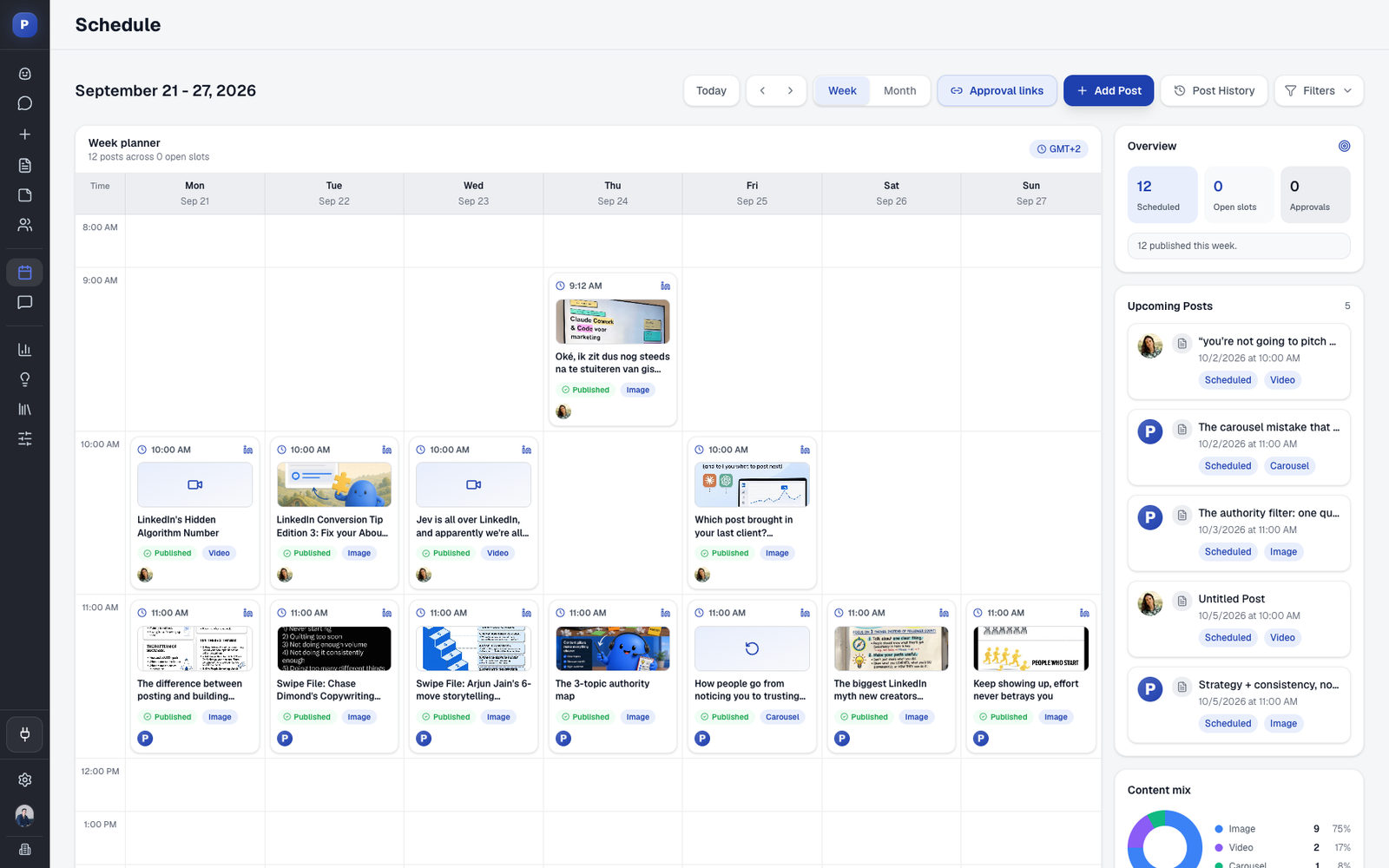
Of course, this only works if you have a plan. This is where creating a content calendar becomes essential. It’s how you map out your themes, pick your templates, and schedule everything in advance so you can set it and forget it.
Bringing in an AI Co-Pilot
This is where you can really accelerate the whole process. Modern AI tools like Postiv AI can act as your assistant, trained on your specific voice and expertise. You feed it your articles and videos, and it helps you draft posts that actually sound like you, using the templates we've already covered.
This isn't about replacing your voice with a robot's. It's about smart delegation. Let the AI handle the heavy lifting—the initial drafting and structuring. That frees you up to do what only you can: add the authentic stories, personal opinions, and nuance that make people connect.
By combining your library of expertise with smart batching and an AI co-pilot, you create a system that truly lasts. This is how you show up consistently, provide massive value, and build a powerful asset for your business without the grind. For a deeper look at organizing your schedule, check out our guide on how to create a content calendar.
Common Questions About LinkedIn Templates
Once you start using templates, a few common questions usually surface. It's completely normal. Let's tackle them head-on so you can move forward with confidence.
How Often Should I Post on LinkedIn?
It's the classic question: what’s the magic number for posting on LinkedIn? The truth is, consistency beats sheer frequency every time.
I've found the sweet spot for most professionals is somewhere between 2-4 high-quality posts per week. This keeps you on your audience's radar and satisfies the algorithm without leading to the dreaded content burnout.
Trying to post less than once a week makes it tough to build any real momentum. On the flip side, daily posting can be a recipe for rushed, low-quality content. A good content scheduler is your best friend here—it helps you plan ahead and maintain a steady, manageable rhythm.
Can I Reuse the Same LinkedIn Post Template?
Yes, and you absolutely should! This is where templates really start to pay off. The trick isn't to copy and paste the same content, but to reuse the structure of a template that works.
Think of it this way: you could have a "Myth-Busting" carousel template that you use once a month. The format is the same, but each time you tackle a different industry misconception. The hook, the insights, and the story are all fresh. Your audience won't notice the repeated format; they'll just appreciate the consistent value you're delivering.
The secret to creating content long-term isn't having endless ideas. It's having a handful of proven frameworks you can fill with your endless expertise.
This is how you start working smarter. You lean on proven structures that you already know connect with your audience, which frees you up to focus on the message itself.
How Do I Know if My LinkedIn Posts Are Successful?
Success on LinkedIn is so much more than just likes. You need to look for the metrics that signal real interest and are actually tied to your business goals.
Here are the signs I always look for:
- Thoughtful Comments: Are people asking questions or sharing their own take? Comments that spark a real conversation are far more valuable than a simple "great post."
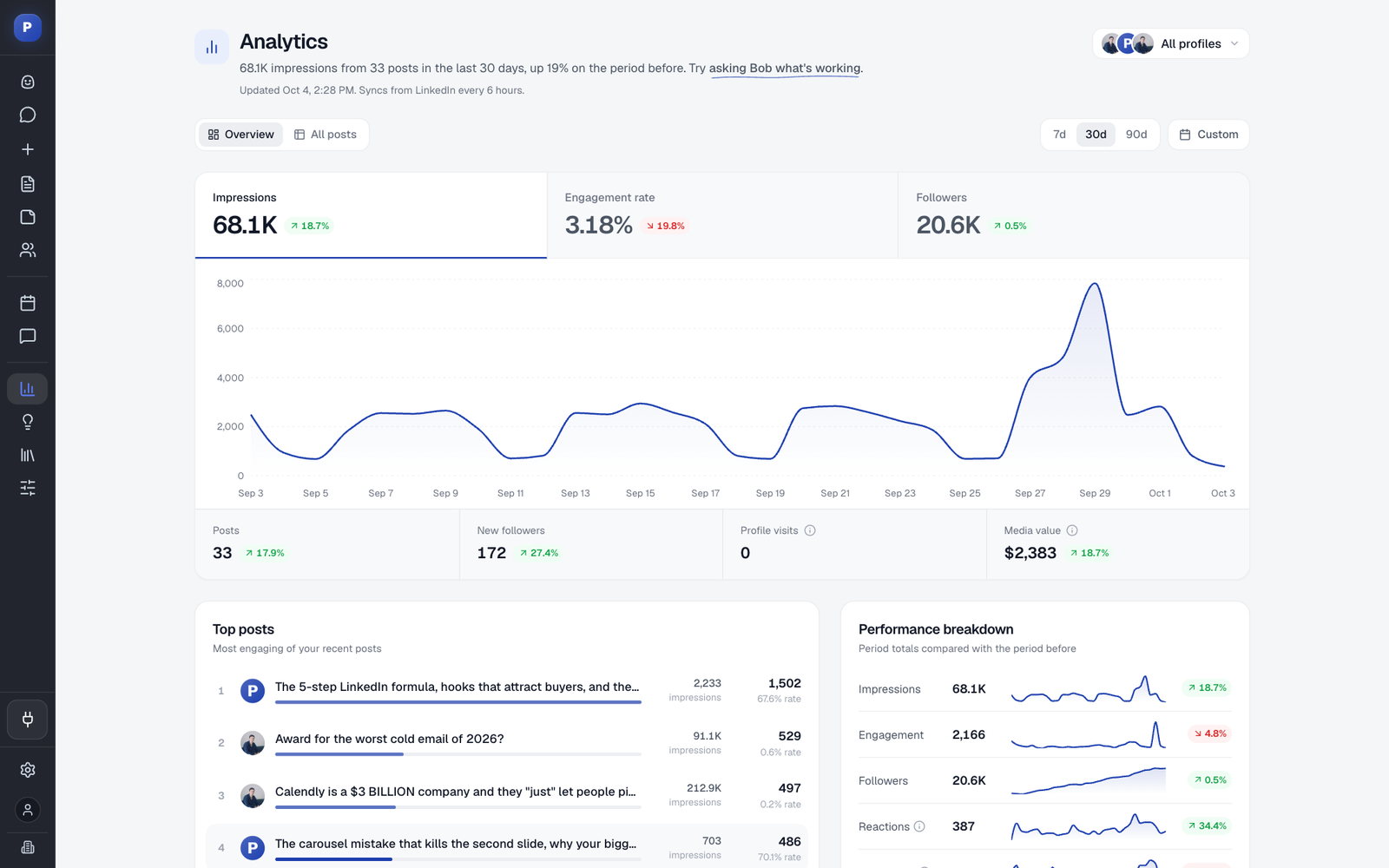
- Engagement Rate: This is your post's pulse. Calculating (likes + comments + reposts) / views shows you how well your content actually resonated with the people who saw it.
- Saves and Reposts: These are huge compliments. When someone saves or reposts your content, they're telling the algorithm it’s highly valuable, which gives it a major boost.
- Profile Views and Connection Requests: Did you see a spike right after you posted? That's a clear sign your content did its job and prompted people to learn more about you.
Will Using AI for LinkedIn Make My Content Sound Robotic?
That’s a fair question, but the answer is a hard no—but only if you use AI as a collaborator, not a ghostwriter. The goal isn't to have AI replace you.
A smart workflow looks like this: Use an AI tool to generate a first draft based on one of your trusted templates. It does the heavy lifting. Then, it's your turn. You step in to weave in your unique voice, share a personal story, and add those expert insights that only you have.
Think of AI as the architect that builds the solid frame of a house. You’re the interior designer who comes in to add the furniture, art, and personal touches that make it a home.
Ready to stop staring at a blank screen and start building your authority on LinkedIn? Postiv AI brings a brand-trained AI writer, a smart scheduler, and powerful analytics together in one place. You can turn your expertise into high-performing posts in just a few minutes. Get started with Postiv AI today.