LinkedIn has evolved beyond a digital resume into a powerful engine for brand authority, lead generation, and career growth. But standing out requires more than just posting. It demands a strategic understanding of what resonates with a professional audience and drives them to act. The difference between a post that gets scrolled past and one that builds your pipeline often comes down to its underlying structure and psychological hooks.
This guide moves past generic advice to provide a deep, tactical analysis of 17 proven LinkedIn post examples that consistently deliver results in 2026. We will dissect the anatomy of high-performing content, breaking down exactly why specific posts work and how you can replicate their success. And since every one of these posts appears in the feed right beside your name and headline, it pays to sharpen that line first with our free LinkedIn headline generator. Forget vague tips; we’re offering a blueprint.
You will gain access to actionable templates, ready-to-use AI prompts, and a strategic framework for each post format, covering everything from thought leadership and personal stories to data-driven insights, case studies, behind-the-scenes content, and creative engagement formats. Whether you need LinkedIn post examples for business pages, personal brands, or lead generation, this guide has you covered.
Whether you are a founder building a personal brand, a marketer launching a product, or a sales professional driving leads, these LinkedIn post examples will equip you with a replicable system for turning your ideas into impactful content. If you want to pair these examples with ready-made frameworks, explore our proven LinkedIn post templates as a companion resource. For the fundamentals of best practices for posting on LinkedIn, that guide covers timing, formatting, and algorithm basics. Let’s transform your profile from a static page into a dynamic, results-oriented conversation starter.
Hook Formulas That Make LinkedIn Posts Work
Before diving into the 17 post types, it helps to understand the hook formulas that make all of them effective. LinkedIn truncates posts at roughly 210 characters, so your first two lines determine whether anyone reads the rest. Here are the four hook structures that consistently stop the scroll in 2026:
The Contrarian Statement challenges a widely held belief to create instant curiosity. Template: "[Conventional wisdom] is wrong. Here is what actually works:" This works because it triggers cognitive dissonance, forcing the reader to click "see more" to resolve the tension.
The Specific Number uses data to signal credibility. Template: "I analyzed [specific number] [things]. Here is what [audience] needs to know:" Numbers promise concrete, scannable insights and immediately separate your post from opinion-based content.
The Pain Point Confession builds trust through vulnerability. Template: "For [time period], [struggle statement]. Then I discovered [solution]:" Readers see themselves in the struggle, and the promised transformation creates anticipation that drives engagement.
The Unexpected Comparison makes abstract ideas concrete and memorable. Template: "[Unusual thing] taught me more about [professional topic] than [expected thing] ever did." These hooks work because the surprising parallel stands out in a feed full of predictable content.
Every LinkedIn post example below can be paired with one of these hook formulas. Master them, and you will have a reliable system for grabbing attention regardless of the post format you choose. For a deeper look at structuring your posts after the hook, see our guide on LinkedIn posts best practices.
Try one of these hooks right now
Plug a topic into our free LinkedIn post generator and get a ready-to-publish draft built on the hook formulas above, in seconds.
Try the free LinkedIn post generator → Free. No signup required.LinkedIn Post Captions: Examples and What Makes Them Work
A LinkedIn caption is the text that sits above an image, video, carousel, or document post, and its job is different from a text-only post: it has to earn the tap on the visual rather than carry the whole idea itself. Good captions are short, lead with the payoff, and end with a reason to open the attachment.
- Carousel caption. "Most onboarding decks lose people by slide 3. Here are the 7 slides we kept after cutting ours in half." The caption states the problem and promises a specific number, so the swipe is the obvious next action.
- Image or chart caption. "We tracked 40 B2B posts for 90 days. One format beat everything else, and it was not video." A single data claim plus a withheld answer works because the image resolves the tension.
- Video caption. "I asked 12 founders what they would cut from their pitch. Three said the same slide. 90-second clip below." Naming the length lowers the cost of watching.
The rule that separates a caption from a post: if your text already delivers the full insight, the visual is decorative and engagement drops. Write the caption so the post is incomplete without opening the attachment.
What makes a good LinkedIn caption?
A good LinkedIn caption does three things within its first 210 characters, which is where LinkedIn truncates with "see more": it names who the post is for, states one specific claim, and leaves the payoff inside the visual. Skip the hashtag stack at the top, keep it to two or three tags at the end, and put any external link in the first comment rather than the caption. Before you publish, run the caption and visual through our free LinkedIn post mockup generator to see exactly how the pairing will look in the feed, right down to your profile photo and headline.
1. Thought Leadership: Industry Insights & Perspectives
Thought leadership posts are the cornerstone of building a powerful professional brand on LinkedIn. This type of content goes beyond simple updates; it involves sharing original insights, data-backed analysis, or even contrarian viewpoints on industry trends. The primary goal is to position yourself as a subject matter expert, leveraging your unique experience and expertise to spark meaningful conversations and establish authority within your field.

This linkedin post example format is a favorite among C-suite executives like Satya Nadella, who shares Microsoft's strategic shifts, and influential entrepreneurs like Gary Vaynerchuk, known for his bold takes on marketing. They don't just report the news; they interpret it, providing a "why" that others may miss.
Why This Post Type Works
Strategic Insight: Thought leadership posts succeed because they offer genuine value, not a sales pitch. They build trust and credibility by demonstrating deep industry knowledge, making your profile a go-to resource for insights rather than just another connection.
These posts tap into the core reason professionals use LinkedIn: to learn and grow. By offering a fresh perspective, you invite engagement from peers who are eager to discuss the future of their industry. For those aiming to establish authority, understanding how to write an article on LinkedIn is a vital step, allowing for deeper exploration of these complex topics.
Actionable Takeaways & Tips
- Go Beyond the Obvious: Don't just state a trend. Explain its second-order effects or offer a perspective that challenges the popular opinion.
- Incorporate Data: Strengthen your claims with specific numbers, statistics, or data points from recent reports. This adds instant credibility to your analysis.
- Ask an Engaging Question: End your post with an open-ended question related to your insight. For example, "What's one industry trend you believe is overrated? Let me know below."
- Leverage AI for Research: Use tools like Postiv AI's knowledge library to quickly ingest and summarize industry reports, helping you identify unique angles and data points for your content.
This strategy is highly effective for consultants, executives, and founders who want to build a reputation that attracts inbound opportunities. If you're committed to this path, you can build your thought leadership strategy to create a consistent and impactful presence.
It's not just a solo move either. Some of the best examples come from entire teams doing this together, not just one founder. We pulled apart how companies like beehiiv and Clay turn thought leadership into a company-wide habit in our LinkedIn team strategy breakdowns.
2. Value-Driven How-To & Educational Posts
Educational posts are the workhorses of a value-first LinkedIn strategy. They focus on teaching your audience something practical and immediately applicable, such as a step-by-step process, a useful framework, or a hard-won lesson. The goal is to provide tangible value that helps professionals improve their skills or solve a specific problem, establishing you as a generous and knowledgeable resource.

This linkedin post example format is heavily used by sales trainers sharing prospecting tips, marketing educators like Neil Patel breaking down complex strategies, and product managers explaining SaaS onboarding best practices. They empower their audience by sharing "how-to" knowledge freely, which builds a loyal following that trusts their expertise.
Why This Post Type Works
Practical Generosity: How-to posts succeed because they directly address a reader's need for actionable solutions. Instead of just discussing a problem, you provide the answer, creating an immediate sense of gratitude and positioning yourself as a helpful expert.
These posts are highly shareable because they act as mini-resources. Professionals save them for later or share them with colleagues, amplifying your reach far beyond your immediate network. Mastering the fundamentals of how to write compelling LinkedIn posts is key to structuring these educational pieces for maximum clarity and impact.
Actionable Takeaways & Tips
- Lead with the Benefit: Start your post by clearly stating the problem you solve or the outcome the reader will achieve. For example, "Struggling with low email open rates? Here are 3 subject line frameworks to fix that."
- Use Lists & Frameworks: Structure your advice into easy-to-digest formats like numbered lists, bullet points, or simple acronyms. This makes complex information scannable and memorable.
- Create a Carousel: Break down a step-by-step process into a carousel with one key action per slide. This format is highly engaging and encourages users to swipe through, boosting your post's performance in the algorithm.
- Repurpose Existing Content: Use tools like Postiv AI to transform longer content like webinar recordings, blog posts, or PDFs into structured, value-driven how-to posts, saving you time while maximizing your content's reach.
3. Personal Story & Vulnerability Posts
Sharing personal stories and embracing vulnerability can be one of the most powerful ways to build an authentic brand on LinkedIn. This type of content moves beyond professional achievements to reveal the human side of your journey, including failures, pivots, and hard-won lessons. The goal is to create a genuine emotional connection that builds deep-rooted trust and relatability with your audience.
This linkedin post example format has been masterfully used by leaders like Sheryl Sandberg, who has shared openly about grief and resilience, and countless entrepreneurs detailing startup failures. It’s a strategy popularized by vulnerability researcher Brené Brown, whose work has encouraged executives to practice authentic leadership by sharing their real experiences, not just their highlight reels.
Why This Post Type Works
Strategic Insight: Vulnerability posts succeed because they short-circuit the polished, corporate facade often found on LinkedIn. They fulfill a fundamental human need for connection and authenticity, making your profile a source of genuine inspiration and relatability rather than just a resume.
These posts work by tapping into universal experiences like overcoming challenges, dealing with uncertainty, or learning from mistakes. By sharing your story, you give others permission to acknowledge their own struggles, creating a powerful sense of community and loyalty around your personal brand. This approach humanizes you and makes your professional successes seem more attainable and real.
Actionable Takeaways & Tips
- Anchor Your Story: Start with a specific moment, date, or feeling to make the story more tangible. For example, "Three years ago today, I was laid off..."
- Focus on the Lesson: Frame the narrative around a single, clear takeaway. Avoid a victim mentality; instead, highlight your agency, what you learned, and how you grew.
- Use a Conversational Tone: Write as if you’re speaking to a friend. Use Postiv AI to help draft a conversational version, then refine it with your unique voice and details.
- Invite Shared Experiences: End with a question that encourages others to share their own journey. For example, "What's a failure that taught you an invaluable lesson?"
4. Data-Driven Research & Insights Posts
Data-driven posts are a powerful way to establish immediate authority by sharing original research, survey results, or in-depth data analysis. This content moves beyond opinion and into evidence, revealing surprising trends or actionable patterns. The primary goal is to become a source of truth, providing your network with credible information that can inform their own strategies and decision-making.
This linkedin post example format is a staple for B2B giants like HubSpot with their "State of Marketing" reports and LinkedIn's own "Workplace Learning Report." They don't just share content; they create the data that fuels industry conversations for months. This positions them as indispensable resources.
Why This Post Type Works
Credibility Through Evidence: Data-driven posts work because they are built on a foundation of proof. In a world full of opinions, verifiable data cuts through the noise, builds immense trust, and makes your content highly shareable, often getting picked up by industry media and other influencers.
These posts appeal to the analytical nature of a professional audience. By presenting hard numbers and clear findings, you provide tangible value that helps others do their jobs better. It's an advanced strategy that separates you from commentators and establishes you as a primary source of information.
Actionable Takeaways & Tips
- Lead with the 'Wow' Finding: Start your post with the single most surprising or counterintuitive statistic from your research. Hook them immediately.
- Show Your Work: Briefly mention your methodology or sample size (e.g., "Based on a survey of 500+ marketing VPs..."). This transparency builds trust in your findings.
- Visualize the Data: Use a carousel post to break down key findings into individual, visually appealing slides. Each slide can highlight one statistic with a simple chart or graphic.
- Use AI for Synthesis: Upload research papers or reports into Postiv AI using the PDF feature. Ask it to "identify the 3 most surprising statistics" or "summarize the key takeaways for a B2B SaaS audience" to quickly generate content angles.
This approach is highly effective for B2B companies, consulting firms, and market researchers aiming to generate high-quality leads and earn media attention.
5. Carousel & Multi-Slide Educational Series
Carousel posts are one of LinkedIn's most powerful formats for delivering educational content and maximizing engagement. This approach breaks down complex topics into a series of digestible, visually appealing slides. Each slide builds on the last, guiding the audience through a step-by-step process, framework, or narrative, which keeps them swiping and boosts the post's visibility in the feed.
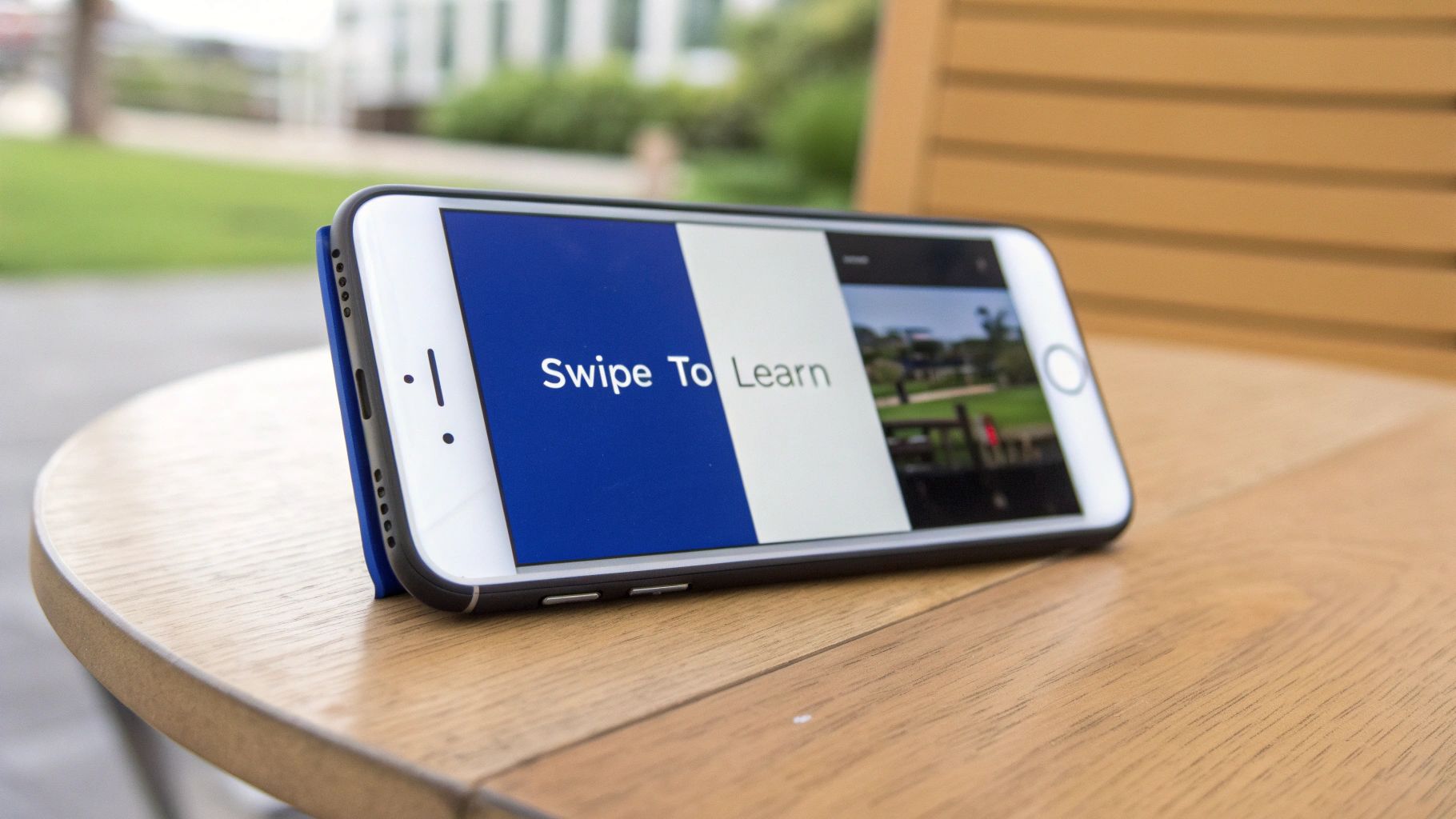
This linkedin post example format has been popularized by growth marketers, personal branding experts, and design-forward companies like HubSpot and Canva. They use carousels to transform dense information, like marketing frameworks or leadership skill guides, into an interactive learning experience that is easy to consume on both desktop and mobile devices. An AI carousel maker can produce this kind of slide-by-slide breakdown from a single prompt or URL, so you don't have to design each card by hand.
Why This Post Type Works
Strategic Insight: Carousels succeed because they leverage LinkedIn's algorithm, which rewards "dwell time." The more time a user spends interacting with a post by swiping through slides, the more the platform interprets the content as valuable and shows it to a wider audience.
This format transforms passive scrolling into an active learning session. By presenting information in a structured, visual story, you capture and hold attention far more effectively than a standard text post. This makes complex ideas accessible and memorable, positioning you as a helpful educator and an expert in your field.
Actionable Takeaways & Tips
- Create a Compelling Hook: The first slide is crucial. Use a bold title, a provocative question, or a promise like, "Swipe to learn the 5 steps to..." to grab attention immediately.
- One Idea Per Slide: Avoid overwhelming your audience. Keep each slide focused on a single, clear point with minimal text and strong visuals.
- Maintain Brand Consistency: Use a consistent color scheme, typography, and logo placement across all slides to reinforce your brand identity.
- End with a Strong CTA: The final slide should tell your audience exactly what to do next. Ask them to follow you, comment with their thoughts, or visit a link in the comments for more details. For inspiration, check out these high-performing LinkedIn carousel examples to see how the pros do it. If you need topics to fill the slides, our list of LinkedIn carousel ideas has 32 hooks grouped by goal.
This strategy is perfect for anyone looking to teach, share frameworks, or break down processes in a visually engaging way, making it a favorite for consultants, coaches, and content-heavy brands.
6. Provocative Questions & Polls
Provocative questions and polls are designed to stop the scroll and immediately draw your audience into a conversation. This content type leverages curiosity and the natural human desire to share an opinion by posing a strategic question, launching a poll on a hot-button topic, or issuing a challenge that taps into the reader's professional perspective. The primary goal is to generate high levels of engagement through comments and poll votes, which signals to the LinkedIn algorithm that your content is valuable and worth showing to a wider audience.
This linkedin post example format is a favorite among engagement-focused creators, HR leaders debating remote vs. office work, and sales professionals seeking to understand customer pain points. They don't just state a fact; they open the floor for debate, turning their post into a mini-forum for industry discussion.
Why This Post Type Works
Strategic Insight: Questions and polls succeed because they are low-friction engagement mechanisms. They invite participation without requiring the audience to create original content, making it easy for anyone to contribute their two cents. This immediate interaction boosts your post's visibility and generates valuable community feedback.
These posts capitalize on LinkedIn's interactive features to create a two-way dialogue. By asking a question you genuinely want answered, you transform a monologue into a dynamic conversation, gathering real-time market research while building a community around your profile.
Actionable Takeaways & Tips
- Balance Controversy with Professionalism: Frame your question to be thought-provoking, not just inflammatory. Aim for healthy debate, not toxic arguments. For example, instead of "Is the 9-to-5 dead?", try "What's one aspect of the traditional 9-to-5 schedule you think we should keep?"
- Use Native LinkedIn Polls: For clear-cut, multiple-choice questions, use LinkedIn's built-in poll feature. The platform prioritizes its native tools, often resulting in higher initial reach and engagement.
- Engage with Every Comment: The conversation doesn't end once you hit "post." Reply to comments, ask follow-up questions, and tag others to keep the momentum going. This shows you value the input.
- Leverage AI for Creative Angles: Use a tool like Postiv AI to generate a list of provocative questions or poll ideas relevant to your industry. You can prompt it to create angles that are controversial yet aligned with your professional brand voice.
This strategy is highly effective for community builders, marketers, and anyone looking to quickly increase their visibility and understand their audience's mindset. It’s a powerful way to spark conversations that lead to connections and opportunities.
7. Case Study & Results-Driven Posts
Case study posts are powerful social proof, transforming abstract claims into concrete, measurable success stories. This format details a specific client or project success, focusing on the challenges faced, the solution implemented, and most importantly, the tangible results achieved. The primary goal is to build trust and credibility by demonstrating your real-world impact, making it an invaluable tool for B2B service providers, agencies, and consultants.
This linkedin post example is a favorite of marketing agencies showcasing campaign ROI, SaaS companies highlighting customer implementation success, and management consultants proving their strategic value. Instead of just saying they can deliver, they present undeniable evidence. This approach shifts the conversation from "What can you do?" to "How did you do that?"
Why This Post Type Works
Strategic Insight: Results-driven posts succeed by directly addressing the prospect's core question: "Will this work for me?" They bypass marketing fluff and offer hard evidence of value, building instant credibility and making your service a less risky investment in the buyer's mind.
These posts work because they are built on a foundation of proof. By transparently sharing the process and the outcome, you educate your audience on your methodology while simultaneously proving its effectiveness. This combination of education and validation is highly persuasive for professionals looking for proven solutions to their problems.
Actionable Takeaways & Tips
- Lead with the "Hook": Start your post with the most impressive result. For example, "How we helped a B2B client increase their sales pipeline by 40% in 90 days."
- Structure as a Mini-Story: Briefly outline the Client, the Challenge, the Solution, and the Results. Use emojis or bullet points to make this structure clear and scannable.
- Quantify Everything: Use specific metrics like percentages, dollar amounts, time saved, or efficiency gains. Numbers are more compelling than general statements.
- Get Client Permission: Always ask for permission before naming a client. If they prefer anonymity, you can describe them by industry and size, such as "a mid-size SaaS company."
- Use AI to Summarize: Leverage tools like Postiv AI to ingest a full case study document or PDF and automatically generate a concise, LinkedIn-ready post that highlights the key metrics and takeaways.
8. Industry News Reaction & Commentary
Timely posts that react to breaking industry news, major announcements, or sudden market shifts are a powerful way to demonstrate relevance and expertise. This approach involves more than just sharing an article; it requires you to add your unique commentary, interpret the implications, and connect the news directly to the challenges and opportunities your audience faces. The goal is to become a trusted source for timely analysis, capitalizing on trending topics to boost visibility.
This linkedin post example format is heavily used by tech leaders reacting to AI developments, HR professionals dissecting new employment laws, and financial analysts breaking down economic reports. They act as rapid-response interpreters, adding a layer of "what this means for you" that a standard news report often lacks.
Why This Post Type Works
Strategic Insight: Speed and relevance are the twin engines of this post type. By reacting quickly to trending news, you insert your voice into a conversation that is already happening, capturing attention and engagement from a highly interested audience. This positions you as being at the forefront of your industry.
These posts succeed because they tap into the natural curiosity people have about current events. When major news breaks, professionals turn to LinkedIn to see how their peers are reacting. Providing a thoughtful, concise take makes you a valuable part of that discovery process and builds your authority.
Actionable Takeaways & Tips
- Act with Urgency: The window of opportunity is small. Aim to draft and publish your reaction within 24 hours of the news breaking to maximize its impact on the LinkedIn feed.
- Add Your Unique Spin: Don't just summarize the news. State the facts, link to the source for credibility, and then add 2-3 sentences of your unique perspective. How does this impact your audience specifically?
- Set Up Alerts: Use tools like Google Alerts or industry-specific newsletters to be the first to know about important developments, giving you a head start on drafting your commentary.
- Use AI for a Head Start: Leverage AI tools like Postiv to quickly catch trending topics or draft an initial angle in a conversational tone. This can significantly speed up your response time.
This strategy is ideal for consultants, analysts, and industry experts who want to be seen as informed and authoritative voices. It proves you are not just an observer but an active and insightful participant in your field's ongoing conversation.
9. Behind-the-Scenes & Transparency Posts
Behind-the-scenes posts pull back the curtain on your business, team, or creative process. This LinkedIn post example format shares the unpolished reality: product development decisions, team celebrations, office setups, hiring processes, or the messy middle of building something. The goal is to humanize your brand and create a connection that polished marketing materials simply cannot achieve.
Companies like Notion and Figma have used behind-the-scenes content to build cult-like followings on LinkedIn, sharing everything from design sprint recaps to candid team photos. Individual founders documenting their journey, including revenue numbers, hiring decisions, and product pivots, consistently see some of the highest engagement rates on the platform.
Why This Post Type Works
Authenticity in Action: Behind-the-scenes posts succeed because they satisfy curiosity and build trust simultaneously. People are naturally drawn to see how things work, and sharing your process creates a sense of insider access that fosters loyalty and community.
This format works particularly well in 2026 because LinkedIn audiences have grown tired of overly polished corporate content. Authentic glimpses into real operations, challenges, and team dynamics feel refreshing and create a parasocial connection that drives long-term engagement and brand advocacy.
Actionable Takeaways & Tips
- Document, Don't Create: Take photos and notes throughout your workday. The best behind-the-scenes content captures real moments rather than staged ones.
- Show the Process, Not Just the Result: Instead of sharing a finished product launch, share the whiteboard session, the late-night debugging, or the team's reaction when something finally works.
- Be Selectively Transparent: Share enough to be authentic without revealing sensitive information. Revenue milestones, hiring learnings, and product decisions make great topics.
- Use Postiv AI for Framing: Feed your raw notes or bullet points from a project into Postiv AI and ask it to frame them as a compelling behind-the-scenes narrative with a clear takeaway.
10. Relatable Humor & Industry Memes
Not every LinkedIn post needs to be serious. Humor, when executed well, can be one of the most effective ways to stop the scroll, boost shares, and make your brand memorable. This LinkedIn post example format uses relatable industry jokes, memes, or lighthearted observations to connect with your audience on a human level while still reinforcing your professional expertise.
Think of creators who post relatable "every marketer knows this feeling" content or founders sharing the absurdity of startup life. When the humor is industry-specific and genuinely clever, it resonates deeply because it makes people feel understood by someone who clearly operates in their world.
Why This Post Type Works
The Pattern Interrupt: Humor posts succeed because they break the pattern of corporate seriousness that dominates most LinkedIn feeds. They create a positive emotional association with your brand and are among the most likely content types to be shared, expanding your reach organically.
The key is that the humor must be relevant to your professional niche. Generic jokes fall flat, but industry-specific humor signals insider knowledge, which paradoxically builds more credibility than many "serious" posts. A well-timed meme that captures a universal professional frustration can outperform a detailed thought leadership piece in terms of reach and shares.
Actionable Takeaways & Tips
- Know Your Audience's Pain Points: The best humor comes from shared frustrations. What does your audience collectively struggle with or find absurd about your industry?
- Keep It Professional: LinkedIn humor should be clever and relatable, not offensive or controversial. The goal is to make people smile and nod, not cringe.
- Pair Humor with a Takeaway: After the joke lands, add a brief insight or lesson. This keeps the post valuable and prevents it from feeling like pure entertainment.
- Test Sparingly: Use humor posts as part of your content mix (roughly 10-15% of your output), not as your entire strategy.
11. Collaborative & Recognition Posts
Collaborative posts celebrate others in your network: clients, partners, team members, or industry peers. This LinkedIn post example format involves tagging and recognizing people who have contributed to your journey, collaborated on a project, or produced exceptional work. It shifts the focus from self-promotion to community building, which paradoxically increases your own visibility and authority.
This approach is a favorite of agency leaders highlighting client wins, managers celebrating team promotions, and event organizers showcasing speakers. The simple act of publicly recognizing someone else's contribution creates goodwill and often triggers reciprocal engagement.
Why This Post Type Works
The Reciprocity Effect: Recognition posts leverage a core principle of social psychology: when you publicly celebrate someone, they are highly likely to engage with, share, and amplify your content. This creates a multiplier effect on your reach.
Beyond the algorithmic benefits of cross-network engagement, these posts build genuine relationships. They demonstrate that you are a connector and a generous professional, traits that attract high-quality connections, referrals, and partnership opportunities.
Actionable Takeaways & Tips
- Be Specific with Your Praise: Instead of "Great working with @person," explain exactly what impressed you: "The way @person structured the onboarding flow reduced our churn by 15%."
- Tag Thoughtfully: Only tag people who are genuinely involved. Gratuitous tagging feels manipulative and can damage relationships.
- Tell the Story Behind the Collaboration: Give context about the project, the challenge, and the outcome. This makes the post valuable for your broader audience, not just the person you are recognizing.
- Use This Format Weekly: Make recognition a regular habit in your content calendar. It builds a reputation as someone who lifts others up.
12. Fill-in-the-Blank & Engagement Bait (Done Right)
Fill-in-the-blank posts are a specific engagement format that asks your audience to complete a sentence or answer a constrained prompt. This LinkedIn post example style has exploded in popularity because it offers the lowest possible barrier to participation: anyone can answer in just a few words, which drives comment volume through the roof.
Examples include prompts like "The best career advice I ever received was ___," "One tool I can't live without in 2026 is ___," or "The biggest myth in [your industry] is ___." When the prompt is relevant to your niche, the responses create a crowdsourced knowledge base in your comments section.
Why This Post Type Works
Minimum Effort, Maximum Engagement: These posts succeed because they ask for a micro-commitment. Typing a few words takes seconds, but each comment signals value to the algorithm, boosting the post's reach exponentially. The growing comment thread also creates social proof that draws even more participation.
The strategic advantage goes beyond vanity metrics. By analyzing the responses, you gain genuine market intelligence about your audience's preferences, tools, challenges, and opinions. This data is invaluable for shaping future content, products, and services.
Actionable Takeaways & Tips
- Make the Prompt Niche-Specific: "The best advice I ever got" is too broad. "The best advice I got about managing a remote engineering team" targets a specific audience and generates more valuable responses.
- Lead by Example: Share your own answer first in the post body. This sets the tone and lowers the barrier further.
- Engage with Responses: Like and reply to every comment, especially in the first hour. This keeps the momentum building.
- Avoid Pure Engagement Bait: The prompt should be genuinely interesting and relevant to your brand. If it feels like a cheap trick, your audience will notice.
13. Soft Product Showcase & Use-Case Posts
The soft product showcase is a subtle but effective LinkedIn post example that demonstrates your product or service in action without resorting to a hard sell. Instead of announcing features, you show real use cases, share customer workflows, or walk through a specific problem your product solves. The emphasis is on the outcome and the value delivered, not on the product itself.
This format is used by SaaS companies showing a screenshot of a dashboard with impressive results, consultants sharing a framework they created for a client engagement, and agencies walking through a campaign strategy step by step. The product is present but secondary to the story of impact.
Why This Post Type Works
Show, Don't Sell: Soft showcases succeed because they educate while they promote. By leading with the problem and the result, you let the audience draw their own conclusion about the value of your solution. This is far more persuasive than a feature list because it removes the defensive posture people adopt when they sense a sales pitch.
In 2026, LinkedIn audiences are highly attuned to promotional content. The soft showcase respects their intelligence by providing genuine value first. When done well, it generates comments like "How did you do that?" and "Can you tell me more?", which are exactly the kind of inbound interest that converts to pipeline.
Actionable Takeaways & Tips
- Lead with the Problem or Result: Start with a challenge your audience recognizes, then show how it was solved. The product reveal should feel natural, not forced.
- Use Screenshots and Real Data: Showing a real dashboard, a real workflow, or real metrics is far more compelling than abstract descriptions.
- Include a Soft CTA: Instead of "Buy now," try "If you want to see how this works for your team, drop a comment or DM me." This keeps the tone consultative.
- Follow the 4-1-1 Rule: For every self-promotional post, share one update from another source and four pieces of educational or value-driven content. This ratio keeps your feed valuable and avoids coming across as a constant advertisement.
14. Before-and-After Transformation Posts
Before-and-after posts showcase a clear transformation, whether it is a client result, a personal growth journey, or a process improvement. This LinkedIn post example format works by placing two contrasting states side by side, making the impact of the change immediately obvious and compelling. The structure is simple: describe where things started, what changed, and where things ended up.
This format has become increasingly popular among coaches, consultants, and SaaS founders who want to demonstrate results without writing a full case study. A founder might share "6 months ago, our cold outreach had a 2% reply rate. Today it is 14%. Here is what changed." The before-and-after framing makes abstract improvements feel concrete and real.
Why This Post Type Works
Visual Contrast Creates Impact: Before-and-after posts succeed because the human brain is wired to notice contrast. By placing the "before" state next to the "after" state, you create an instant visual or narrative gap that communicates value faster than any feature list or testimonial ever could.
This format is especially powerful because it naturally implies a process. Readers do not just see the result; they want to know the journey. This curiosity drives comments like "How did you do that?" which are exactly the kind of inbound engagement that builds pipeline and authority.
Actionable Takeaways & Tips
- Lead with the Contrast: Open with both states in your hook. For example: "Last January: 200 LinkedIn impressions per post. This May: 15,000. Same account, different approach."
- Be Specific with Metrics: Vague transformations ("things got better") fall flat. Use exact numbers, timeframes, and percentages to make the contrast credible.
- Structure as a Carousel: Create a multi-slide carousel with "Before" on the first slides and "After" on the later ones. This builds suspense and increases dwell time.
- Include the Key Insight: Always share at least one specific change that drove the transformation. This is where the educational value lives and what makes people save the post.
15. Myth-Buster & Contrarian Take Posts
Myth-buster posts take a commonly held belief in your industry and systematically dismantle it with evidence, experience, or data. This LinkedIn post example format positions you as someone who thinks critically rather than echoing conventional wisdom. Instead of adding to the noise, you cut through it.
This approach is used effectively by experienced professionals who have seen enough cycles to know which "best practices" are actually holding people back. A marketing leader might post "3 LinkedIn growth myths I believed for years that turned out to be wrong," or a recruiter could challenge "The resume gap stigma is outdated. Here is why." The key is that your contrarian position must be defensible and backed by reasoning.
Why This Post Type Works
Cognitive Dissonance Drives Engagement: When you challenge a belief someone holds, their brain needs to resolve the dissonance. They click "see more" to understand your reasoning, and they comment to either agree or push back. Both actions boost your post's visibility significantly.
Myth-buster posts generate exceptionally high comment rates because they invite debate. Unlike a standard educational post where people passively learn, a contrarian take demands a response. The resulting discussion thread signals massive value to the LinkedIn algorithm, pushing your post to a wider audience.
Actionable Takeaways & Tips
- Pick Myths You Have Personal Evidence Against: Do not just be contrarian for attention. Share myths you have genuinely disproven through your own experience or data.
- Use the "Myth vs. Reality" Structure: Format your post with clear "Myth:" and "Reality:" pairs. This makes the content scannable and each point shareable on its own.
- Acknowledge the Other Side: Briefly explain why the myth persists before debunking it. This shows intellectual honesty and prevents your post from feeling dismissive.
- Limit to 3-5 Myths: Keep the post focused. A single, well-argued debunking is more powerful than a long list of surface-level hot takes.
16. Prediction & Industry Forecast Posts
Prediction posts share your informed forecast about where your industry is heading, backed by reasoning and evidence. This LinkedIn post example format establishes you as a forward-thinking leader who does not just react to trends but anticipates them. The structure typically presents 3-5 predictions, each with a brief explanation of the logic behind it.
This format works well at any time of year, not just in January. A product leader might share "3 predictions for how AI will change B2B sales by Q4," or an HR executive could post their forecast for hiring trends in the next 12 months. The specificity of the predictions, including timeframes and measurable outcomes, is what separates genuine thought leadership from vague speculation.
Why This Post Type Works
Stakes Create Engagement: When you make a specific prediction, you are putting your credibility on the line. This signals confidence and expertise, and it invites your audience to agree, disagree, or add their own predictions. The result is a highly engaged comment section that drives algorithmic distribution.
Prediction posts also have a built-in follow-up mechanism. You can revisit your predictions months later, reporting on which ones came true and which ones surprised you. This creates a content loop that demonstrates accountability and reinforces your authority over time.
Actionable Takeaways & Tips
- Make Predictions Specific and Testable: "AI will change marketing" is too vague. "By Q4 2026, 60% of B2B companies will use AI for first-draft content" gives readers something concrete to evaluate.
- Include One Bold Prediction: Mix safe, consensus predictions with one that is genuinely bold or counterintuitive. This is the one people will debate in the comments.
- Explain Your Reasoning: For each prediction, include 1-2 sentences about the evidence or trend that supports it. This builds credibility and separates you from speculation.
- Set a Reminder to Follow Up: Revisiting your predictions 6-12 months later creates a natural piece of follow-up content that demonstrates intellectual honesty.
17. Long-Form LinkedIn Articles (Native Post)
For creators who want to go beyond the feed post, the native LinkedIn Article is one of the most under-used LinkedIn post example formats available. Unlike a text post or a link to an external blog, Articles publish long-form content directly on the platform, with your own headline, cover image, and full formatting control. That signals a level of commitment a 1,500-character post cannot match, and it starts building a body of work instead of a single moment in the feed.
This format is a favorite of consultants, executives, and agencies who want a permanent, searchable home for an original framework, a detailed teardown, or the kind of comprehensive guide that would otherwise live on a company blog. Because LinkedIn keeps readers on-platform to finish it, articles tend to get more algorithmic support than a post carrying an outbound link, and they stay attached to your profile long after a normal post has scrolled out of everyone's feed.
Why This Post Type Works
Strategic Insight: Long-form articles succeed because they trade reach-per-post for depth-per-piece. Instead of competing for a few seconds of scroll attention, you build a permanent, searchable asset that keeps proving your expertise to anyone who visits your profile weeks or months later.
This format rewards patience over virality. A single well-built article can keep earning profile visits and shares long after publication, because it surfaces in search and in your profile's Articles tab instead of disappearing down the feed. For professionals playing a longer authority game, that compounding value matters more than any single day's engagement number.
Actionable Takeaways & Tips
- Write the Headline Like a Hook: Treat the article title with the same care as a post's first line. A vague title like "My Thoughts on Marketing" gets skipped; "The Marketing Framework That Cut Our CAC in Half" gets clicked.
- Structure for Skimming: Use short paragraphs, subheadings every few hundred words, and bold text to mark the key takeaways. Readers should be able to scan the article and still walk away with the core argument.
- Reserve It for Content That Earns the Length: Not every idea needs an article. Save the format for frameworks, in-depth breakdowns, or guides that genuinely need more room than a post allows. For a deeper walkthrough of the format, see our guide on writing LinkedIn articles.
- Drive Traffic to It With a Regular Post: An article published in isolation gets little visibility. Publish a short post that teases the core insight and links to the full article, so your existing audience becomes the first wave of readers.
17 LinkedIn Post Types Comparison
| Title | 🔄 Implementation Complexity | ⚡ Resource Requirements | ⭐ Expected Outcomes | 💡 Ideal Use Cases & Tips | 📊 Key Advantages |
|---|---|---|---|---|---|
| Thought Leadership: Industry Insights & Perspectives | High — deep expertise, careful research and nuance | Moderate time; data sources and credibility markers required | ⭐⭐⭐⭐ — Builds long-term authority and high peer engagement | Best for B2B founders, execs, consultants. Tip: cite data, ask a closing question, schedule for peak hours | Positions creator as go-to expert; attracts speaking & inbound opportunities |
| Value-Driven How-To & Educational Posts | Moderate — requires clear structure and concise writing | Moderate — time to format steps; visuals/carousels boost reach | ⭐⭐⭐⭐ — High saves, shares and trust-building | Best for marketers, sales teams, consultants. Tip: lead with benefit; use one tip per slide | Actionable, high engagement and educational value that converts over time |
| Personal Story & Vulnerability Posts | Moderate — craft narrative with balanced vulnerability | Low–Moderate — mostly writing + editing and comment moderation | ⭐⭐⭐⭐⭐ — Exceptional emotional engagement and community growth | Best for personal brands, founders, executives. Tip: include a specific moment and one clear lesson | Strong parasocial connection; highly memorable and shareable |
| Data-Driven Research & Insights Posts | High — rigorous methodology and defensible analysis needed | High — research investment, data collection and visualization | ⭐⭐⭐⭐⭐ — Exceptional reach, media pickup and institutional credibility | Best for B2B companies, agencies, consultants. Tip: lead with surprising finding; show sample size/method | Highly shareable, quotable proof points; drives backlinks and thought leadership |
| Carousel & Multi-Slide Educational Series | Moderate–High — requires narrative + consistent visual design | Moderate–High — design tools or templates and time per slide | ⭐⭐⭐⭐ — Superior algorithmic performance and swipe-through engagement | Best for agencies, marketing teams, solopreneurs with design tools. Tip: hook on slide 1; one idea per slide | Strong reach, brand consistency, and repurposable lead magnets |
| Provocative Questions & Polls | Low — quick to create but needs moderation and tone control | Low — minimal production; requires active comment management | ⭐⭐⭐⭐ — Very high comment and participation rates (lower direct conversions) | Best for community builders, sales teams, HR. Tip: use native polls; balance controversy and moderate | Fast engagement and feedback; boosts visibility through conversation |
| Case Study & Results-Driven Posts | Moderate — needs accurate metrics and client permissions | Moderate — data gathering, anonymization, visuals | ⭐⭐⭐⭐ — High credibility and attracts qualified leads | Best for consultants, agencies, B2B service providers. Tip: start with outcome hook and include specific metrics | Demonstrates real-world impact and builds social proof without overt selling |
| Industry News Reaction & Commentary | Low–Moderate — speed and credible angle are essential | Low — timely monitoring and quick drafting required | ⭐⭐⭐ — Short-term reach spike when timely; relevance dependent on timing | Best for execs, consultants, market commentators. Tip: post within 24h, link sources, add unique implications | Leverages trends for visibility; positions author as plugged-in and topical |
| Behind-the-Scenes & Transparency Posts | Low — capture real moments, no scripting needed | Low — phone camera, raw notes, and honest writing | ⭐⭐⭐⭐ — High trust-building and community engagement | Best for founders, startups, agencies. Tip: document daily, share the messy middle | Humanizes brand; builds loyalty through authentic connection |
| Relatable Humor & Industry Memes | Moderate — requires taste and audience awareness | Low — quick to create but hard to do well consistently | ⭐⭐⭐ — High shares and reach, but lower direct conversions | Best for personal brands, agencies, marketers. Tip: keep it niche-specific and professional | Pattern-breaking virality; memorable brand association |
| Collaborative & Recognition Posts | Low — generous tagging and genuine praise | Low — minimal production; sincere effort is the main investment | ⭐⭐⭐⭐ — Cross-network amplification and relationship building | Best for agency leaders, managers, community builders. Tip: be specific with praise | Multiplied reach through reciprocal engagement |
| Fill-in-the-Blank & Engagement Posts | Low — one sentence prompt with a clear niche focus | Low — minimal effort to create; requires active moderation | ⭐⭐⭐⭐ — Very high comment counts and algorithmic boost | Best for community builders, marketers, anyone growing an audience. Tip: lead with your own answer | Fast engagement; generates market intelligence from responses |
| Soft Product Showcase & Use-Case Posts | Moderate — requires real results and genuine value framing | Moderate — screenshots, data, and storytelling needed | ⭐⭐⭐⭐ — Generates inbound interest and pipeline | Best for SaaS, agencies, consultants. Tip: lead with the problem, not the product | Educates while promoting; drives "How did you do that?" responses |
| Before-and-After Transformation Posts | Low–Moderate — needs real metrics and a clear narrative | Low — mostly writing with optional visuals | ⭐⭐⭐⭐ — Strong social proof and high save rates | Best for coaches, consultants, SaaS founders. Tip: lead with both states in the hook | Concrete proof of impact; naturally generates "How did you do that?" questions |
| Myth-Buster & Contrarian Take Posts | Moderate — requires defensible reasoning and evidence | Low — text-based, quick to draft | ⭐⭐⭐⭐⭐ — Exceptional comment rates and debate | Best for experienced professionals and industry veterans. Tip: use Myth vs. Reality format | Drives high-quality debate; positions you as a critical thinker |
| Prediction & Industry Forecast Posts | Moderate — requires industry knowledge and confidence | Low–Moderate — research and thoughtful analysis | ⭐⭐⭐⭐ — Generates debate and establishes authority | Best for executives, analysts, product leaders. Tip: include one bold prediction | Built-in follow-up content; demonstrates forward thinking |
| Long-Form LinkedIn Articles (Native Post) | High: in-depth research, structure, and editing | High: significant writing time and editing skill | ⭐⭐⭐⭐ Highest long-term authority and evergreen value | Best for consultants, executives, agencies. Tip: tease it with a short post that links to the full article | Permanent, searchable asset; builds a portfolio of expertise over time |
From Example to Execution: Activating Your LinkedIn Strategy
We've journeyed through 17 proven LinkedIn post examples, dissecting everything from thought leadership deep dives and value-packed carousels to vulnerable personal stories, before-and-after transformations, myth-busters, and prediction posts. Seeing a great LinkedIn post example is one thing; translating that inspiration into consistent, impactful content for your own brand is the real challenge. The goal of this article wasn't just to show you what works, but to hand you the strategic blueprint behind why it works.
The common thread weaving through every successful example is a commitment to providing value, sparking conversation, and building authority. It's about moving beyond simply broadcasting information and instead becoming a trusted resource and a central voice within your industry's community. For a deeper look at the full range of content types available to you, our guide to the types of LinkedIn posts provides additional frameworks and strategies.
Synthesizing the Strategy: Your Key Takeaways
As you move from inspiration to implementation, remember these core principles that underpin the most effective LinkedIn strategies:
-
The Power of the Content Mix: Relying on a single post type is a recipe for stagnation. The most engaging profiles blend different formats. Pair a data-driven research post with a personal story later in the week. Follow up a provocative question with an in-depth carousel that provides the answer. This variety keeps your audience engaged and showcases the multifaceted nature of your brand.
-
Structure is Not a Straitjacket: Notice how every effective linkedin post example followed a deliberate structure. A powerful hook to stop the scroll, a value-driven body to educate or inform, and a clear call to action to guide the reader's next step. This isn't about being robotic; it's about respecting your audience's time and making your content easy to consume and act upon.
-
Authenticity Over Everything: Whether you're sharing a client's win in a case study or a personal lesson learned, authenticity is your greatest asset. Audiences on LinkedIn are more sophisticated than ever; they can spot inauthentic content from a mile away. The examples that truly resonate are those where a genuine perspective, opinion, or experience shines through.
Your Actionable Roadmap to LinkedIn Mastery
Understanding these concepts is the first step. Consistent execution is what will ultimately drive results, build your pipeline, and establish your authority. If you'd rather compare the tools that can help you execute this system, our guide to the AI LinkedIn post creator tools breaks down 12 options side by side. Here is a simple, actionable plan to get started today:
-
Select Your Starting Trio: Don't try to master all seventeen post types at once. Choose three formats from our list that feel most aligned with your current business goals and personal style. A great starting mix could be one thought leadership piece, one value-driven how-to post, and one personal story or industry reaction per week.
-
Commit to a Schedule: Consistency is the engine of the LinkedIn algorithm. Decide on a realistic posting schedule, whether it's three times a week or five. Use a content calendar to plan your posts in advance, which removes the daily pressure of "what do I post today?"
-
Analyze and Adapt: Your first month is a data-gathering mission. Pay close attention to your analytics. Which hooks generated the most "see more" clicks? Did carousels outperform single-image posts? Which topics sparked the most comments? Use these insights not as judgment, but as valuable feedback to refine your strategy for the next month. Every post is a learning opportunity.
Mastering LinkedIn is a marathon, not a sprint. The examples we've explored are not just templates to be copied but are strategic frameworks to be adapted. By combining a diverse content mix with a structured approach and a commitment to authenticity, you will transform your LinkedIn presence from a passive profile into an active, lead-generating, and authority-building powerhouse. The journey begins with your very next post.
Frequently Asked Questions About LinkedIn Post Examples
What should I write in a LinkedIn post?
Start with a strong hook in the first two lines, since LinkedIn truncates content after about 250 characters. Then deliver value through a personal story, actionable tip, data insight, or industry opinion. Structure your post with short paragraphs and line breaks for mobile readability, and always end with a clear call to action or open-ended question that invites comments. The 17 LinkedIn post examples above give you proven frameworks for every situation. If you need help with the mechanics, our guide on formatting LinkedIn posts covers readability, hashtags, and multimedia best practices.
What is the 4-1-1 rule on LinkedIn?
The 4-1-1 rule is a content ratio guideline: for every one self-promotional post you share, you should share one update from another source and four pieces of content created by others. This ratio ensures your feed stays valuable and avoids the overly promotional tone that causes audiences to disengage. In practice, this means the majority of your LinkedIn content should educate, inspire, or entertain without directly selling, which is exactly why formats like thought leadership posts, educational how-tos, and behind-the-scenes content perform so well.
How do I write LinkedIn posts that get meaningful comments?
The secret to generating real comments is creating posts that make people feel something. Ask open-ended questions that require thoughtful responses, share vulnerable stories that invite others to share their own experiences, or present a controversial but defensible opinion and ask for different perspectives. Avoid yes-or-no questions and overly generic prompts. The fill-in-the-blank format (example 12 above) is particularly effective because it lowers the barrier to participation while still generating valuable engagement.
What is the best LinkedIn post format for 2026?
The best format depends entirely on your goal. Carousels deliver the highest engagement rates in 2026 (over 20% engagement), making them ideal for educational content and frameworks. Text-only posts remain the strongest format for thought leadership, personal stories, and vulnerability-driven content. Polls drive fast interaction and market research. Video is growing but still underused. The most effective strategy combines multiple formats, as our LinkedIn carousel examples guide shows how to leverage the visual format specifically.
How often should I post on LinkedIn for maximum engagement?
Post 3 to 5 times per week for optimal LinkedIn engagement. Quality always trumps quantity: one well-crafted carousel post outperforms five generic text updates. Maintain at least 12 to 18 hours between posts to avoid cannibalizing your own reach. Tuesday, Wednesday, and Thursday consistently see the highest engagement rates. For a detailed posting cadence and timing strategy, see our guide on how often to post on LinkedIn.
How long should a LinkedIn post be for maximum engagement?
LinkedIn posts truncate at roughly 210 characters, so your hook must land before the "See more" cutoff. For text posts, 1,300 to 2,000 characters tends to perform best in 2026, giving you enough room to deliver real value without losing readers mid-scroll. Carousels have no character limit per slide, but keep each slide focused on one idea with minimal text for maximum swipe-through rates. The sweet spot is long enough to provide genuine value, but concise enough that every sentence earns its place.
What makes a good LinkedIn hook in 2026?
Effective hooks are under 200 characters, create tension or curiosity, and promise specific value. The four highest-performing hook types in 2026 are contrarian statements that challenge conventional wisdom, specific numbers that add instant credibility, pain point confessions that build trust through vulnerability, and unexpected comparisons that make abstract ideas concrete. Your hook determines whether anyone reads the rest of your post, so spend more time on those first two lines than on any other part of the content.
What content performs best on LinkedIn in 2026?
Document and carousel posts still get the most dwell time, personal-story text posts get the most comments, and native video gets the most reach among people who do not already follow you. The format matters less than the pattern behind all three: posts that resolve inside the feed outperform posts that ask people to leave it.
- Carousels and documents win on dwell time because each swipe counts as engagement, which is why they suit frameworks, teardowns, and step-by-step guides.
- Personal-story text posts win on comments, because a specific, first-hand experience gives readers something to respond to rather than agree with.
- External-link posts consistently underperform all of the above. Put the link in the first comment and keep the post itself self-contained.
What are good LinkedIn post examples for students?
Students should lead with learning experiences, internship takeaways, and fresh perspectives on their field. Share a lesson from a class project, document your job search journey openly, or offer a contrarian take on industry trends from a newcomer's viewpoint. The personal story and vulnerability format (example 3 above) works especially well for students because authenticity stands out in a sea of polished corporate content. Even without years of experience, students can create compelling LinkedIn post examples by focusing on what they are learning rather than what they have achieved.
What are some creative LinkedIn post examples?
The most creative LinkedIn posts break expected patterns in the feed. Try a before-and-after transformation post (example 14) showing measurable results, a myth-buster (example 15) that debunks common industry beliefs with evidence, or a prediction post (example 16) that forecasts where your field is heading. Pairing a strong narrative hook with a carousel format consistently produces the most creative and shareable content on the platform. For visual inspiration, see our collection of LinkedIn carousel examples that demonstrate how design and storytelling combine.
Ready to turn these examples into a repeatable system without the creative burnout? Postiv AI is designed to help you operationalize your entire LinkedIn strategy, from writing brand-aligned content with a trained AI to designing beautiful carousels in minutes. Stop staring at a blank page and start building your authority by visiting Postiv AI to see how you can streamline your content creation today.