Best ChatGPT Apps and Plugins for Marketing in 2026
The best ChatGPT apps for marketing connect ChatGPT to the tools where the work already happens, and Postiv is our #1 pick for LinkedIn and social content. The rest of the list is HubSpot, Canva, Adobe, Semrush, Ahrefs, Notion, Webflow, Gamma and Clay.
If you want the detail behind the first pick, start with Postiv's LinkedIn MCP app for ChatGPT; this post covers the marketing stack you build around it. Facts about ChatGPT and the other vendors come from OpenAI's help articles and each vendor's own pages, checked October 2026. OpenAI edits those pages often, so a button label may read differently by the time you open it.
This page covers apps that run inside ChatGPT, the kind you connect from its Plugins page, not other AI chatbots. If you are looking for AI tools outside ChatGPT, our guide to the best AI marketing tools is the better place to start.
Every pick has a screenshot of the vendor's own website, what ChatGPT can do with it, two example prompts, plan and setup notes, and the actions we would keep behind approval. Prices are left out on purpose, because they change and vary by plan.
Picks at a glance
| # | App or plugin | Best for | Why it made the list |
|---|---|---|---|
| 1 | Postiv | LinkedIn and social content | Plans, writes, designs and schedules posts, with approvals ChatGPT cannot skip |
| 2 | HubSpot | CRM and campaigns | Campaign performance plus the pages and emails behind it, no deletes |
| 3 | Canva | Social graphics and decks | A brief becomes a design that opens in Canva |
| 4 | Adobe | Photos, PDFs and short video | One plugin for Express, Photoshop, Acrobat and more |
| 5 | Semrush | SEO research | Read-only keyword, backlink and traffic data |
| 6 | Ahrefs | SEO and AI visibility | AI search visibility next to classic rankings |
| 7 | Notion | Team knowledge | Briefs and call notes ChatGPT can search |
| 8 | Webflow | Website | Pages and CMS content, with approval by default |
| 9 | Gamma | Decks and docs | Presentations, documents and webpages from a prompt |
| 10 | Clay | Prospect research | Finds people and enriches contacts before a campaign |
What are ChatGPT apps and plugins?
A ChatGPT app connects ChatGPT to an outside service, such as Google Drive or Slack, so it can look things up or act inside that service instead of working only from what you paste into the chat. MCP (Model Context Protocol) is the standard that lets an AI assistant call a defined set of tools in another product, and it is how custom apps such as Postiv connect.
The naming changed this summer. On July 9, 2026, OpenAI replaced its App Directory with the Plugin Directory. A plugin is a package, and an app is one thing it can contain: OpenAI says a plugin can include one or more apps, skills or both, and some plugins hold only skills and connect to nothing. Existing app connections were not affected. Older guides and release notes still say "connectors".
| Term | What it means |
|---|---|
| Plugin | A package from the Plugin Directory, or one you create, that can hold apps, skills or both |
| App | The part that connects ChatGPT to an outside service |
| Custom MCP app | An app you add yourself with a server URL when no directory listing exists |
Two rules hold for every app. ChatGPT only accesses information you could already see in that service, and installing a plugin does not skip any sign-in or workspace approval its apps need. The directory is open across ChatGPT plans, but whether you can install or use a given plugin depends on your plan, workspace, role and region.
ChatGPT plugins for marketing: comparison table
Cells say "check their docs" where a vendor's pages did not confirm a detail. Prices are left out on purpose.
| Plugin | Marketing job | What ChatGPT can read | What ChatGPT can do or change | Made by | Plan notes |
|---|---|---|---|---|---|
| Postiv | Social publishing | Pillars, style, knowledge base, posts, analytics imports | Drafts, carousels, infographics, scheduling, comments; Read only available | Postiv (custom MCP app) | MCP on every Postiv plan; needs a ChatGPT plan with custom MCP; 7-day free trial |
| HubSpot | CRM and campaigns | Contacts, deals, campaign attribution | Create and update records, pages and emails; no delete | HubSpot | All HubSpot tiers |
| Canva | Creative | Designs, Brand Kits | Create, edit, resize, bulk create | Canva Pty Ltd. | All Canva accounts; Brand Templates need a paid or Enterprise plan |
| Adobe | Photos, PDFs, video | Creative Cloud assets | Edit photos, create PDFs, reformat video | Adobe Inc | No account needed to start; paid tools: check their docs |
| Semrush | SEO | Domains, keywords, backlinks | Nothing, read-only | Semrush Holdings, Inc. | Select Semrush One and SEO Classic plans |
| Ahrefs | SEO and AI visibility | Keywords, rankings, brand visibility | Check their docs | Ahrefs Pte. Ltd. | Lite and higher |
| Notion | Team knowledge | Pages your account can open | Search; writes not confirmed | Notion AI | No tier stated |
| Webflow | Website | Site activity, CMS | Build pages, edit CMS; approval by default | Webflow | Any site role except Reviewer |
| Gamma | Decks and docs | Gammas, comments, analytics | Create, edit, export | Gamma Tech, Inc. | All Gamma plans |
| Clay | Prospect research | People and accounts | Find, enrich, draft outreach | Clay Inc | Credits from a Clay plan |
How to choose ChatGPT apps for marketing
Ten apps will not all fit your week. These are the checks we run before adding one.
Who made it? Nine of the ten are directory plugins whose listing names the developer, and each of those nine is made by the vendor itself. Some listings carry an OpenAI Verified badge, which OpenAI says does not replace your organization's own privacy, security or vendor review. Postiv is added as a custom MCP app at https://postiv.ai/mcp: you sign in on Postiv's own page, pick the workspace and choose Read only or Read & write.
Does it read, write or both? Semrush says its connection is read-only, which makes it an easy first install. OpenAI's help article describes Notion as search and read. Postiv, HubSpot, Canva, Adobe, Webflow, Gamma and Clay can create or change things, so each needs a rule about who approves. Whether Ahrefs can change anything is not stated.
How does the vendor meter usage? Semrush and Ahrefs count API units. Canva uses AI credits for design and image generation, and Clay uses credits for each interaction. ChatGPT use can also count toward your plan limits. A narrow question costs less than a vague one.
Which ChatGPT plan are you on? The directory is open across plans, but a custom MCP app is a different matter: OpenAI lists full support for Business and Enterprise/Edu only. On Business, apps are enabled by default and an admin can change that. On Enterprise and Edu, new plugins are generally off until an admin turns them on. If you need an admin's approval, ask early.
Does it do the job, or only report on it? Semrush and Ahrefs tell you where to aim. Postiv, HubSpot, Webflow, Canva, Adobe and Gamma produce the post, the page, the design or the deck. A stack needs both kinds.
The 10 best ChatGPT apps for marketing
1. Postiv
Best for: founders, B2B teams, freelancers and agencies who want to run their LinkedIn and social content from ChatGPT.
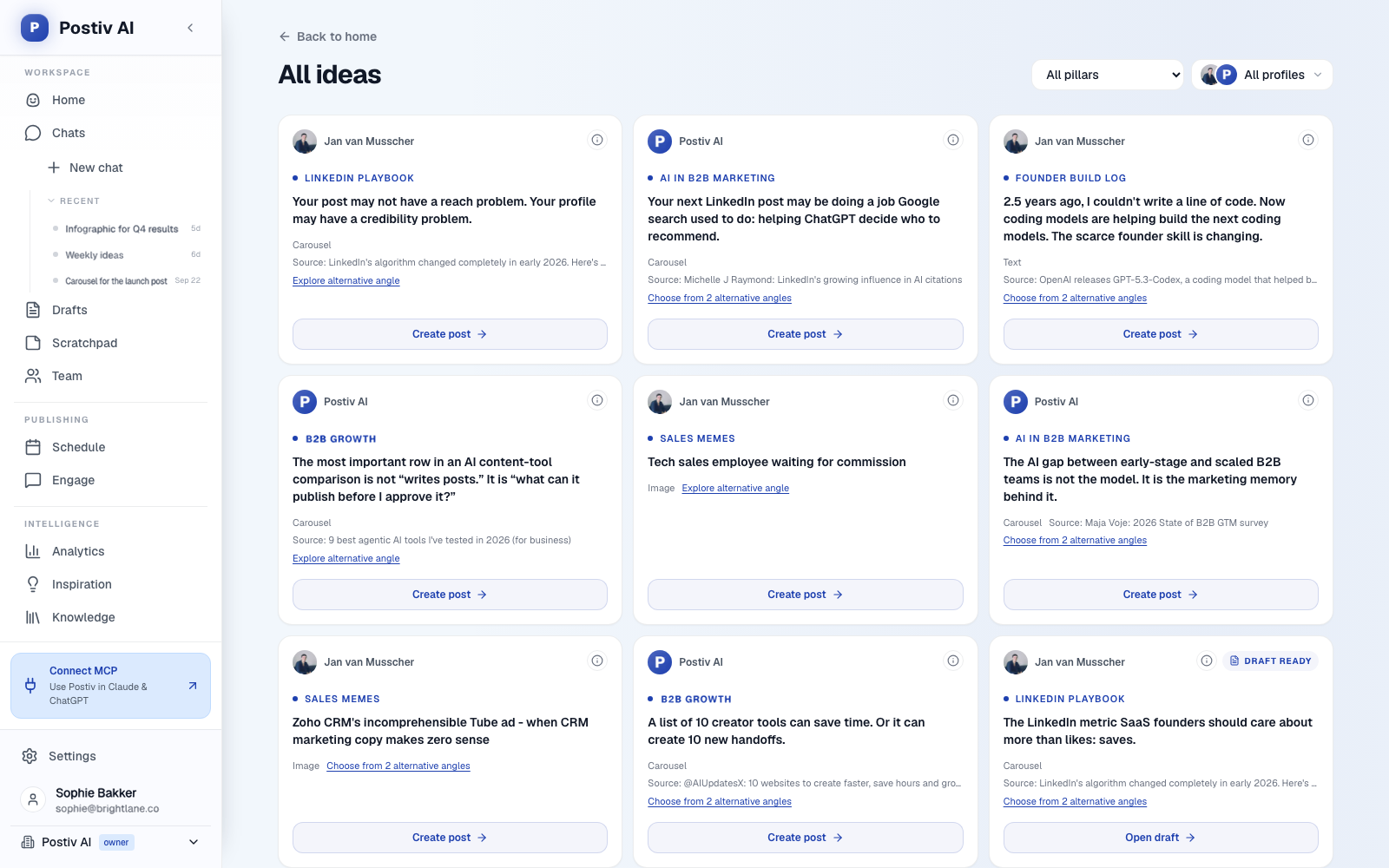
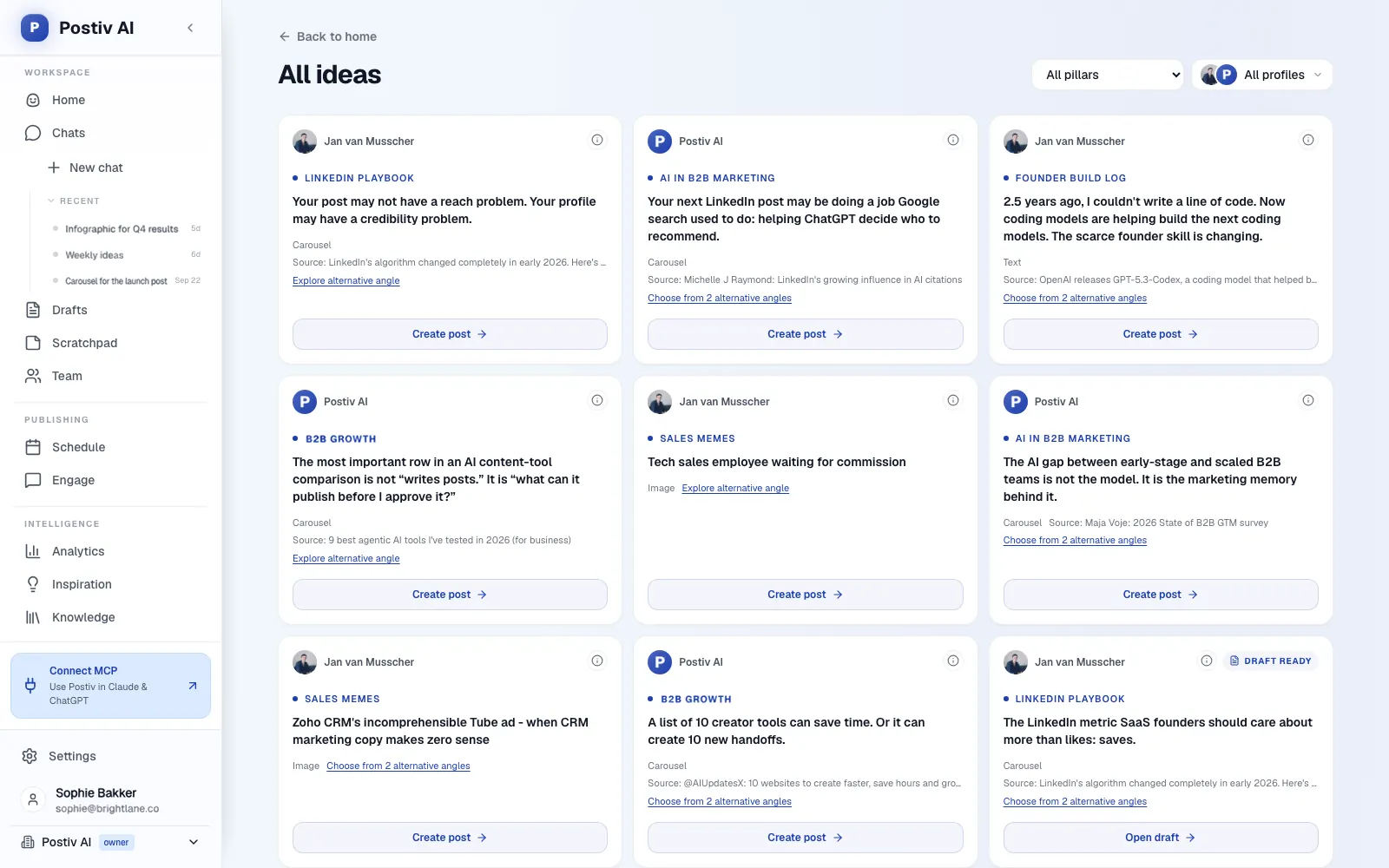
Postiv is a social workspace for you, your team and your AI agent. Bob, Postiv's planning and writing agent, builds each week's plan from your content pillars, sources and past results, and the same workspace holds the drafts, carousels, calendar, approvals and analytics. The hosted server at https://postiv.ai/mcp gives ChatGPT all of it, with more than 80 tools across research, planning, writing, visuals, scheduling, approvals, analytics and comments. When ChatGPT reads Bob's plan and your pillars first, a request like "draft Tuesday's post" starts from a real plan instead of a blank prompt.
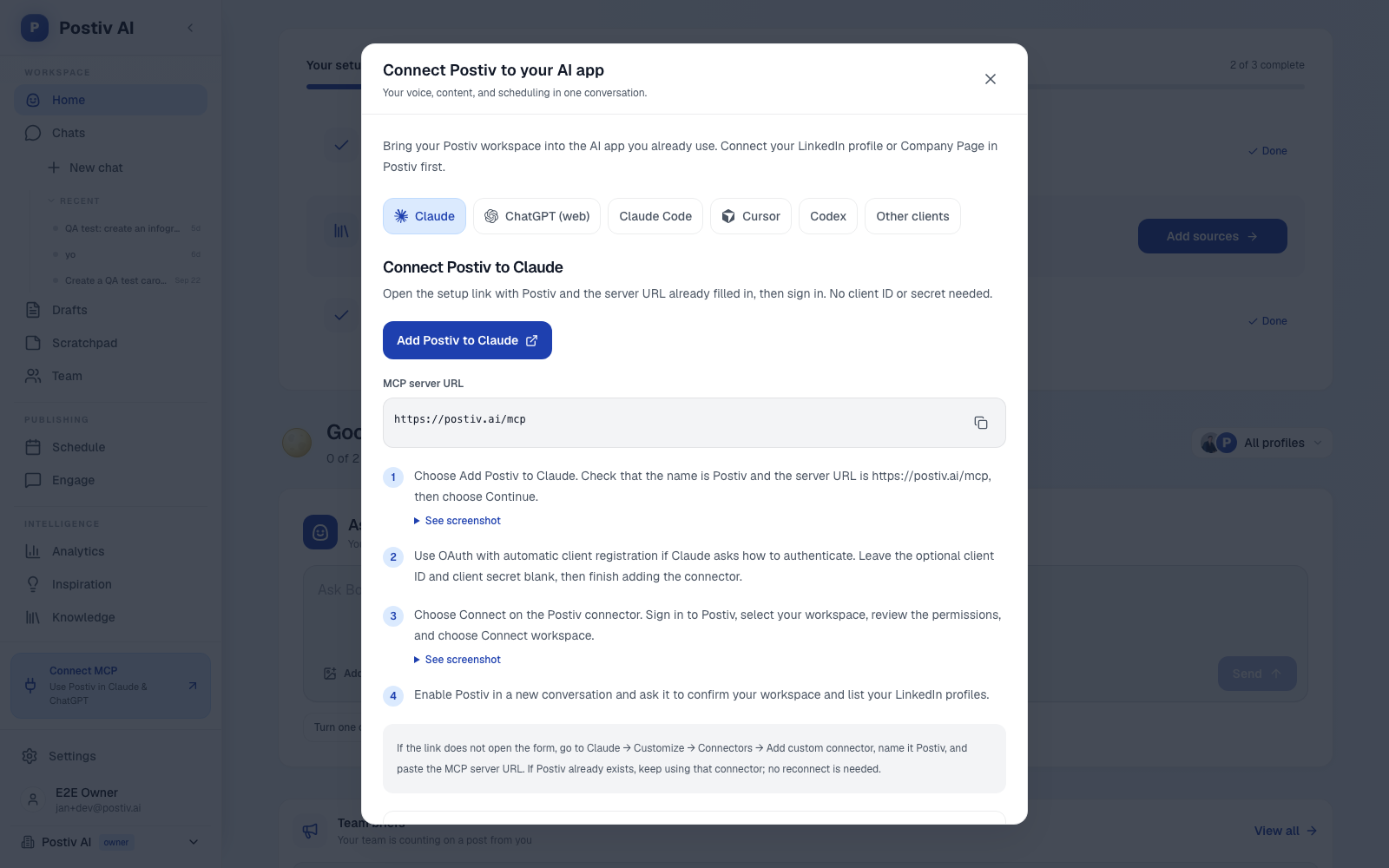
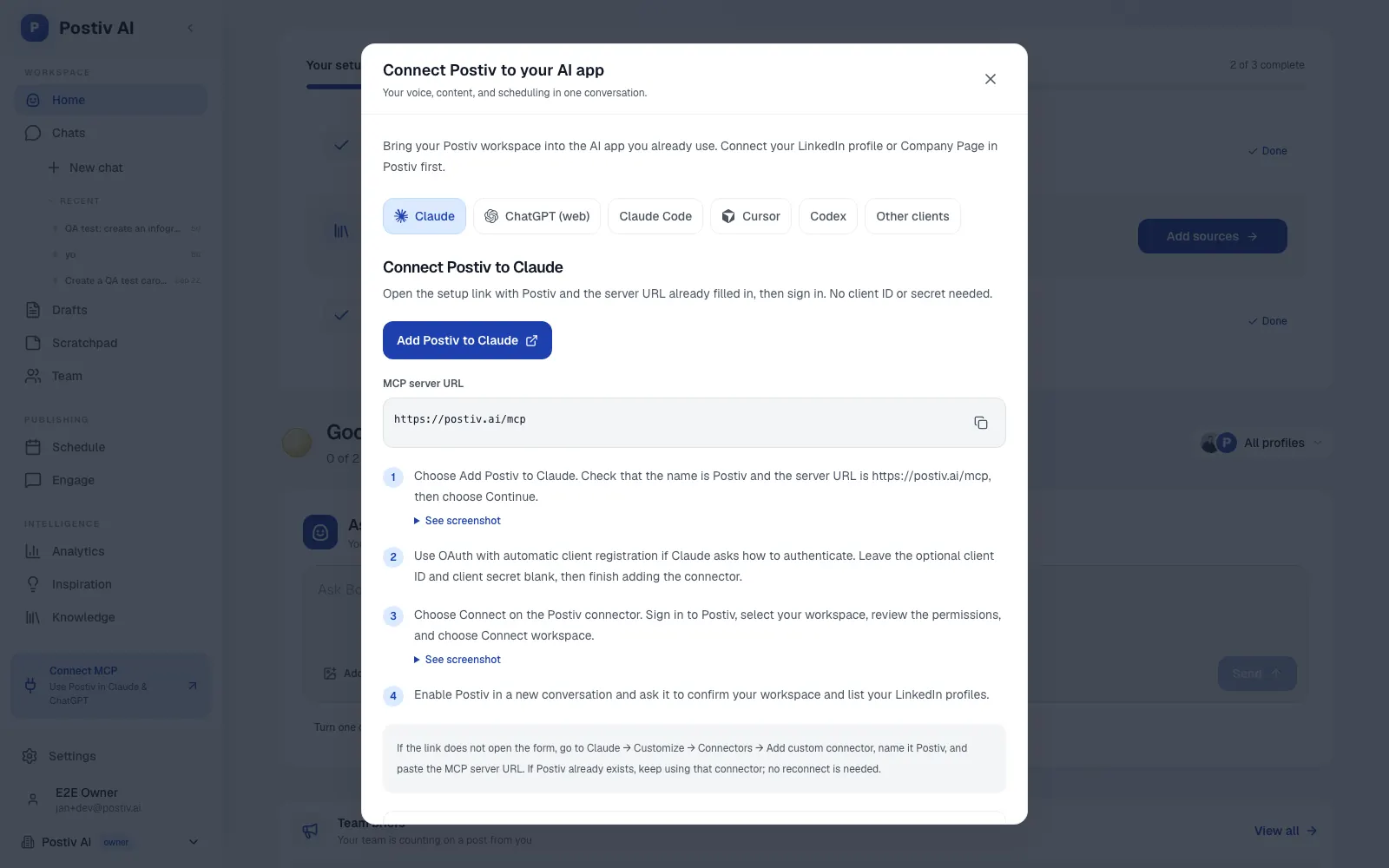
Postiv is not a listing in the Plugin Directory. You add it yourself as a custom MCP app. Open Plugins in ChatGPT, use the plus or Add button to add a custom MCP server, name it Postiv, paste https://postiv.ai/mcp as the server URL and keep authentication on OAuth. Read and accept the custom-server notice, create it, then sign in to Postiv, choose the workspace and pick Read & write or Read only. Open a new chat, enable Postiv and ask ChatGPT to confirm the workspace and list your profiles. There is no API key to paste. OpenAI's own pages label these buttons differently, so follow the sequence rather than the exact names, and use the current steps for ChatGPT in Postiv's docs.
On Developer mode, OpenAI's current help article says that in the current Plugins experience you do not need to turn it on first. Instead you review and acknowledge a risk warning for each server you add, and account and workspace policies still apply. Older guides, including some vendor setup pages, still mention Developer mode.
On plans, OpenAI lists full custom MCP support for ChatGPT Business and Enterprise/Edu on the web. Pro users can connect custom MCP servers with read and fetch permissions only, and the article does not state support for other plans. Write actions such as creating drafts and scheduling need a plan with full support, and Pro's read and fetch permissions stop at reading. You add the server on the web, not in the mobile app.
What ChatGPT can do with Postiv:
Plan and research
- Read your pillars and your writing style, so a draft starts from how you actually write.
- Search your knowledge base, which can hold your website, documents, YouTube videos, Notion pages and newsletters.
- Search the inspiration library for posts taking off in your niche.
- Read Bob's content plans for the weeks ahead.
Write and design
- Create and edit drafts in your voice for a LinkedIn profile, a Company Page or an X account, working from the pillars, style and sources above.
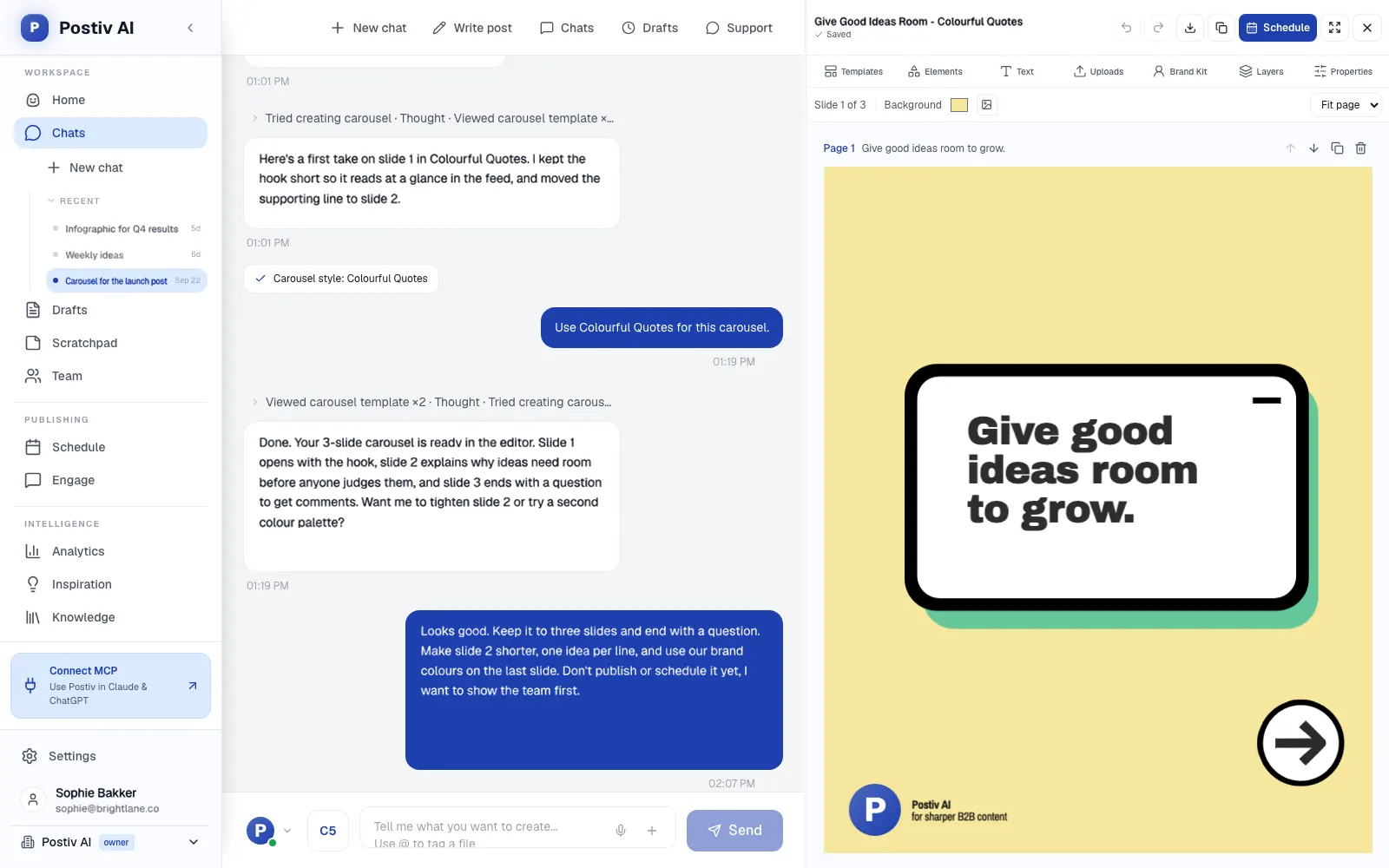
- Turn a draft into a LinkedIn carousel and review the outline before it renders.
- Create infographics and images for a LinkedIn post.
Schedule and approve
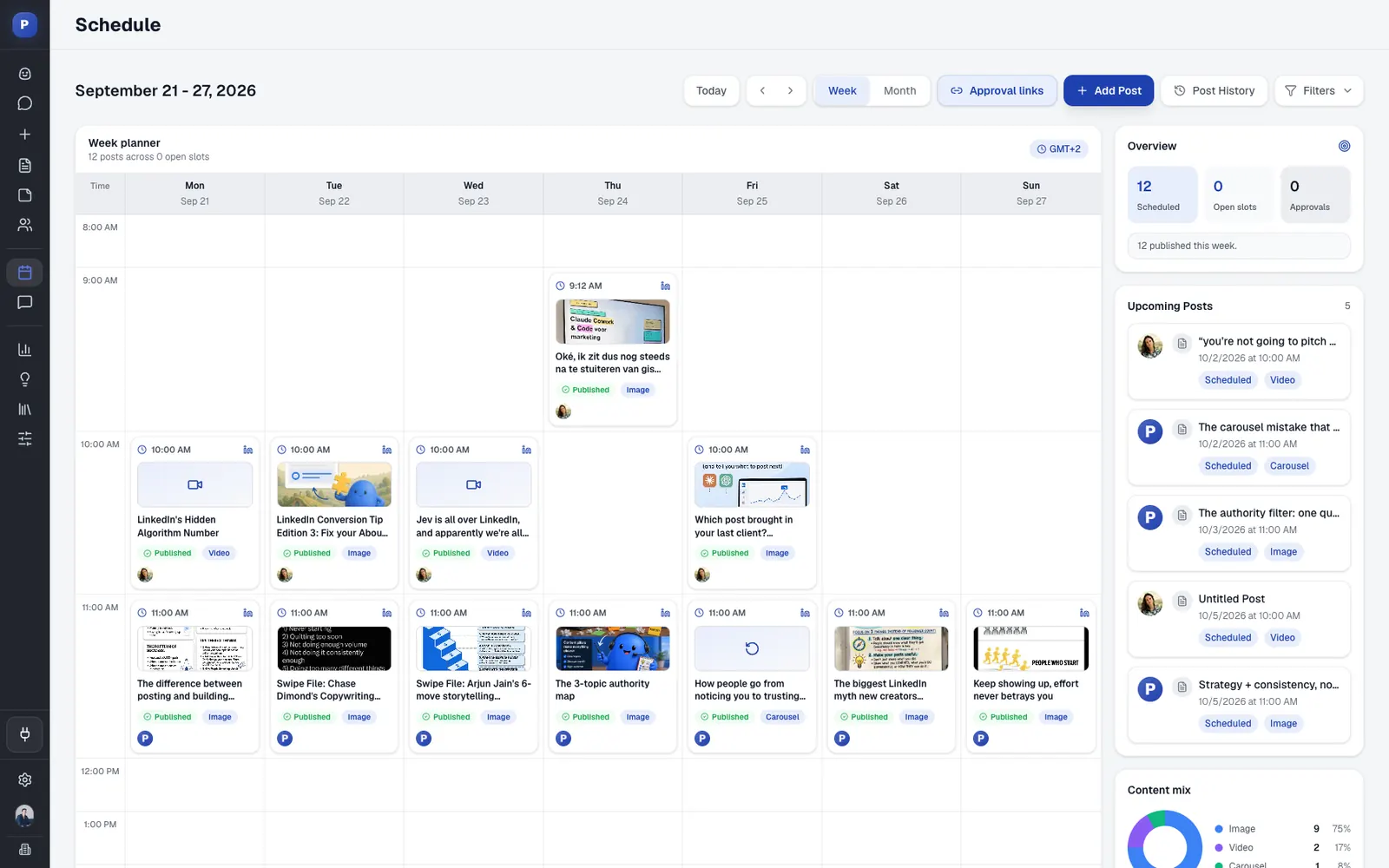
- Schedule, reschedule or unschedule a post on the calendar.
- On a profile with approvers, a scheduled post waits for approval and the assistant cannot bypass the approvers. Approvers can approve, request changes or deny.
Analytics and engagement
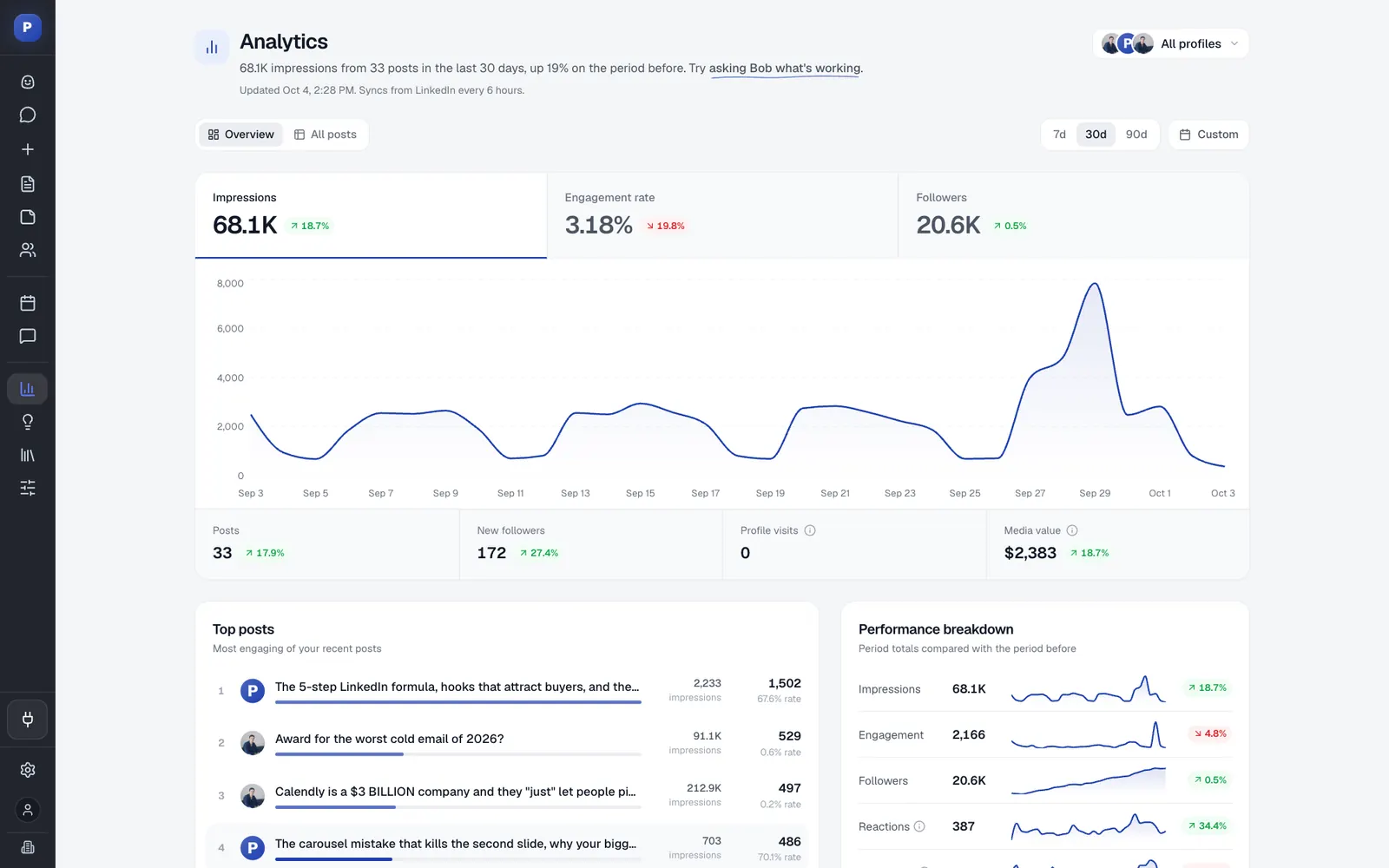
- Read a performance overview, your top posts and the numbers for a single post. These are your LinkedIn analytics, imports refreshed on a schedule rather than live reads.
- Read the comments on your team's posts and reply to them.
Agencies can keep each client in its own workspace and pick the one ChatGPT works in when they sign in, so the pillars, writing style and drafts it reads belong to that client. LinkedIn publishing goes through LinkedIn's official API with OAuth: no password, session cookie, scraping or browser automation. For the longer walkthrough, see how to connect ChatGPT to LinkedIn. Other social tools offer MCP servers too, and here is how the options compare.
Example prompts:
List my connected Postiv profiles, read my pillars and writing style, then draft three posts for next week, one per pillar. Do not schedule anything.
Search my knowledge base and the inspiration library for what is taking off in my niche, then propose five post ideas tied to my pillars. Do not create drafts yet.
Schedule the approved draft for Tuesday at 8:30 a.m. in my timezone and tell me whether it is waiting for approval.
Strengths:
- Approvals are built in. If a profile has approvers, a scheduled post waits for them and the assistant cannot bypass the approvers.
- Planning, drafting, visuals, scheduling and analytics sit in one workspace, so ChatGPT reads and writes in the same place.
- Pillars and Bob's plans keep drafts tied to topics you chose.
Limits:
- It is a custom MCP app, not a directory listing, and write actions need a ChatGPT plan with full custom MCP support.
- It is a paid product with a 7-day free trial, built for content, not outreach: no direct messages or connection requests.
- Analytics are scheduled imports, not live reads.
Keep approval on for: scheduling and publishing. Set the permission to Always ask for those.
2. HubSpot
Best for: campaign and pipeline context inside ChatGPT.
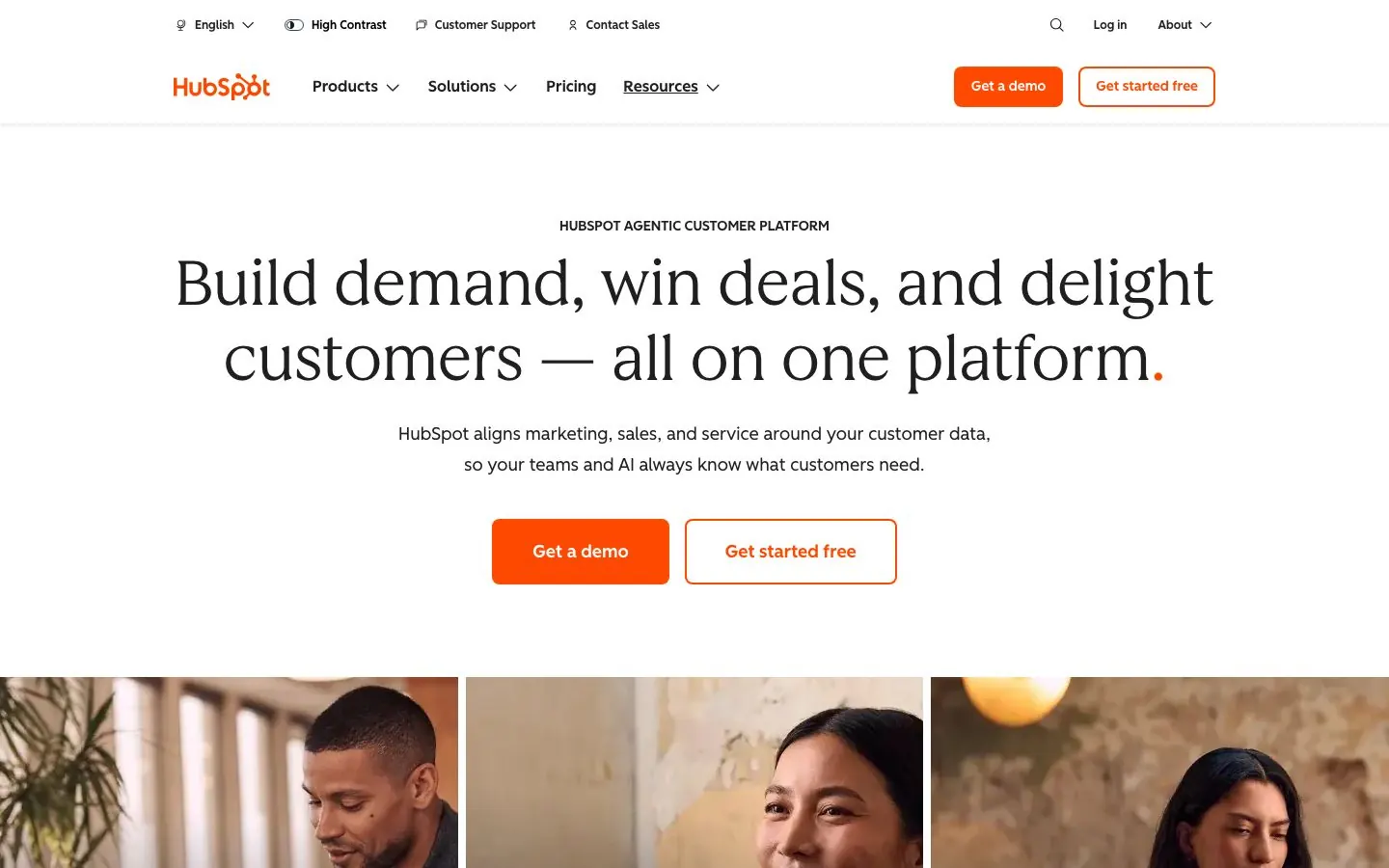
HubSpot has a plugin in the directory made by HubSpot. The listing says ChatGPT can read from and write to deals, contacts, companies, tickets, engagements and other objects you have permission to access. HubSpot's knowledge base adds that campaigns, landing pages, website pages, blog posts, marketing emails and segments can be read, created and updated, while campaign attribution data is read only. Delete is not supported anywhere. For a marketer that means ChatGPT sees the numbers you would open in HubSpot and can draft the pages and emails behind them.
What ChatGPT can do with it:
- Analyze campaign performance and see how blog posts, landing pages and website pages did.
- Draft a landing page, blog post or marketing email, or update an existing one.
- Create or update a campaign record or a segment for a launch.
- Look up contacts, companies, deals and tickets before you write, so the copy fits your real pipeline.
Example prompts:
For the campaign named Q3 Webinar, between July 1 and September 30, show how its landing pages and blog posts performed. Change nothing.
Draft a marketing email that follows up on the October webinar, in the tone of the last two emails you can read. Do not save or send it.
Setup and plan notes: HubSpot says the plugin is available to all HubSpot customers across all tiers with an OpenAI account. Super Admins and users with App Marketplace Access can connect without prior approval, and everyone else needs a Super Admin to approve the connector and choose data permissions. If Sensitive Data is on in your HubSpot account, ChatGPT cannot access engagement data.
Strengths:
- One plugin covers CRM records and marketing assets.
- Delete is not supported, so ChatGPT cannot remove records.
Limits:
- Bulk create and update works 10 records at a time, and custom validation rules are not applied to what ChatGPT writes.
- Performance data covers published pages and posts only, and per-page numbers need a campaign name and a date range.
Keep approval on for: CRM writes, landing pages, blog posts and marketing emails.
3. Canva
Best for: turning a brief into social graphics and decks without leaving the chat.
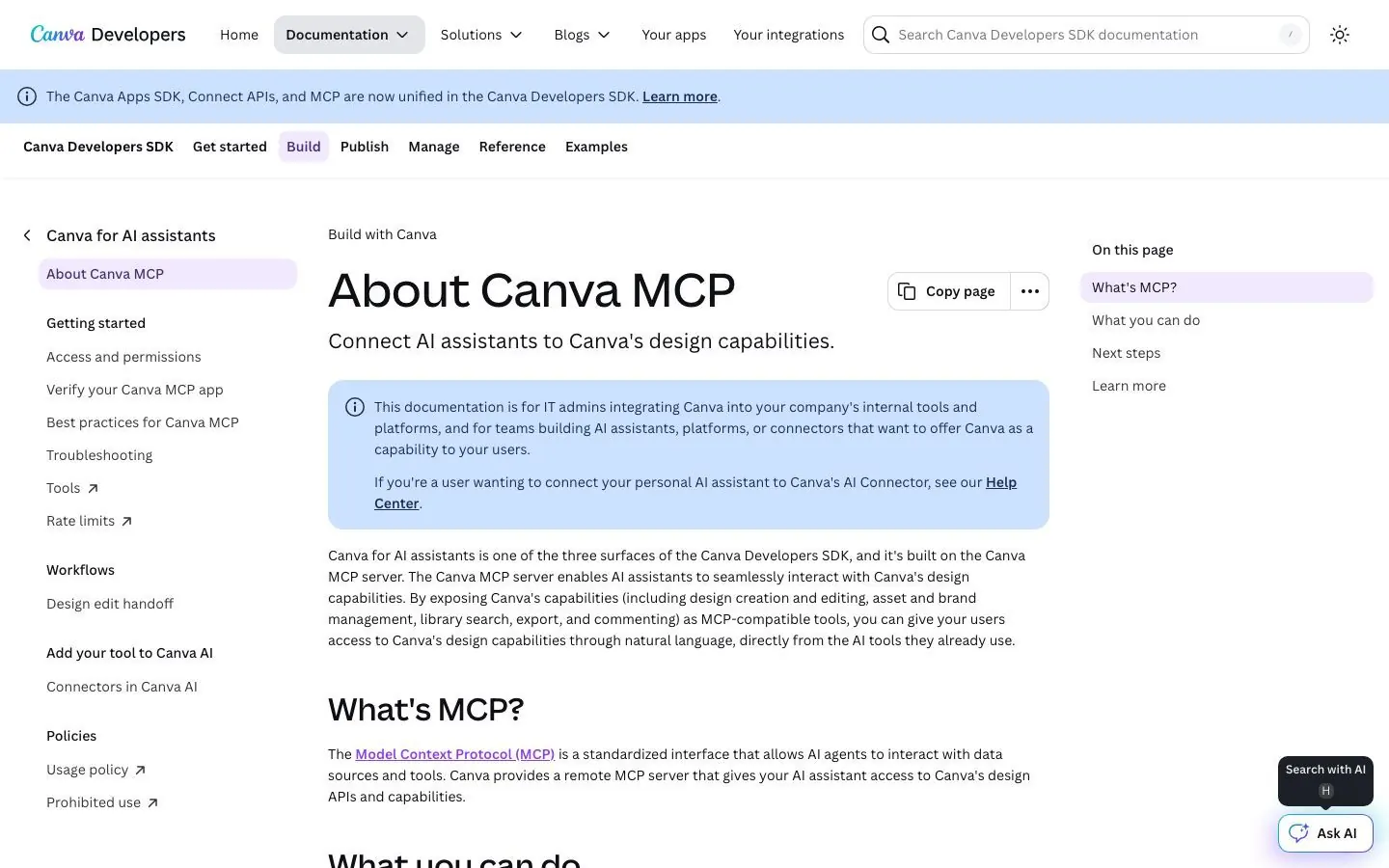
Canva's plugin sits in the directory's Creativity category, made by Canva Pty Ltd. and built on Canva's AI Connector. The listing says ChatGPT can create designs from a brief (presentations, documents, posters, flyers and social posts), generate images, remove backgrounds, upload files and resize a design for Facebook, Instagram and LinkedIn. It can edit existing designs, give structured feedback on one, work through comment-thread feedback and check a design against a Brand Kit. The result opens in Canva's editor for the final polish. For a marketer the gain is speed on first drafts: describe the post, get a design, finish it in Canva.
What ChatGPT can do with it:
- Create a social post, deck or flyer from a brief.
- Resize a design for Facebook, Instagram and LinkedIn.
- Check a design against a Brand Kit before it goes out.
- Apply feedback left in a comment thread.
- Bulk create designs from spreadsheet data with a brand template (see the plan note).
Example prompts:
Create a LinkedIn-sized social post design that announces our October webinar, using this outline. Give me two variations.
Check this design against our Brand Kit and list what is off-brand. Do not change anything yet.
Setup and plan notes: Canva says the plugin is available for all Canva accounts, including Canva Free and Canva Education. Brand Templates and autofill from your own data need a paid or Enterprise Canva plan, and Canva's own pages state the tiers slightly differently, so check which applies to you. Bulk Create needs an eligible Canva Enterprise plan, and design and image generation use Canva AI credits. On a Canva team an admin may need to allow AI assistants to connect, and on ChatGPT Business or Enterprise your workspace admin must enable the app first.
Strengths:
- Works with every Canva account, Free included.
- Output opens in Canva's editor, so a person finishes it.
Limits:
- Brand-template features depend on your Canva plan.
- Generation uses Canva AI credits.
Keep approval on for: uploads and edits to existing designs.
4. Adobe
Best for: photos, PDFs and short video clips for campaigns.
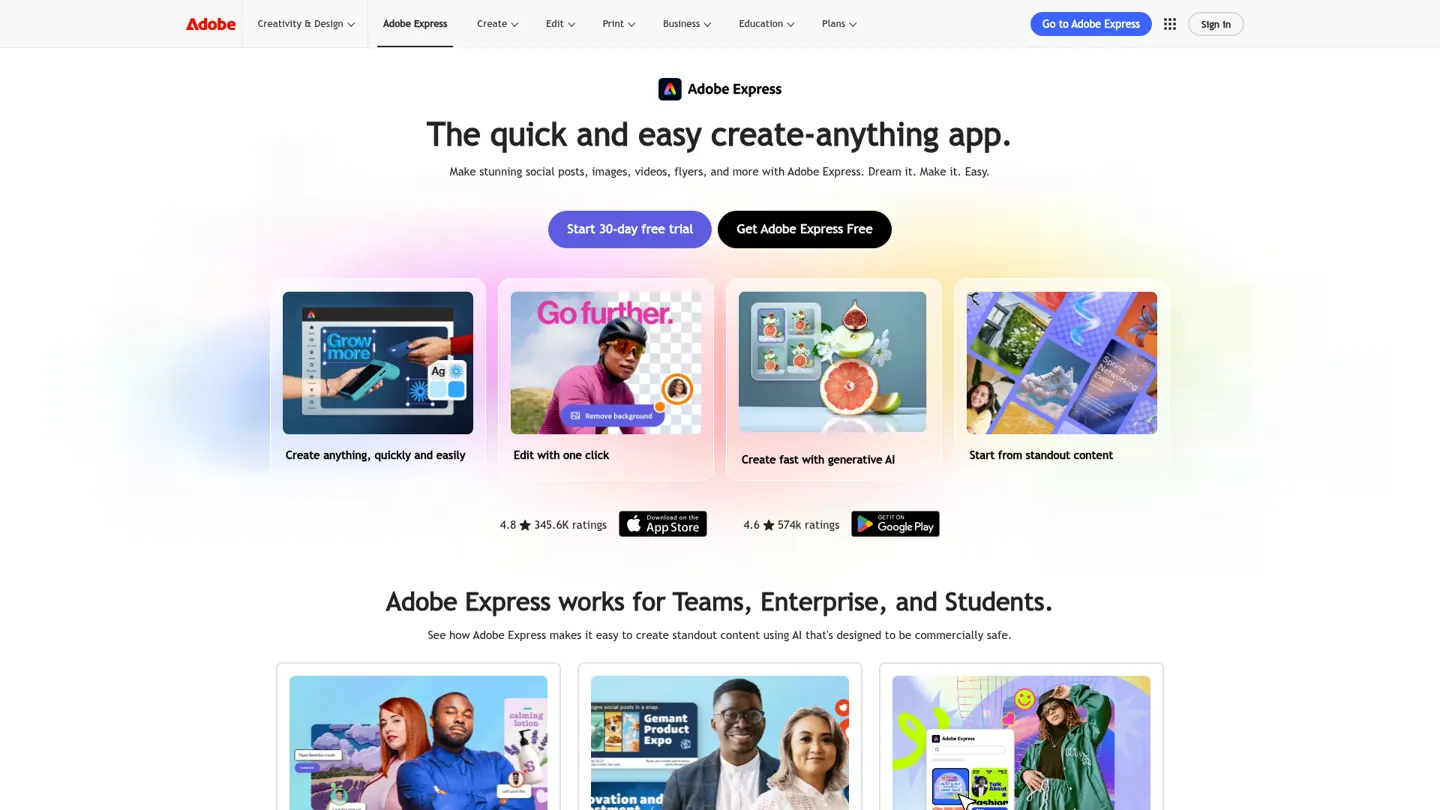
Adobe has one unified plugin in the directory, made by Adobe Inc. It replaced the earlier separate Photoshop, Adobe Express and Acrobat apps, and Adobe's help page says the Photoshop plugin has been replaced by the Adobe plugin. Adobe's August 2026 announcement describes more than 70 tools across Express, Photoshop, Firefly, Premiere, Acrobat, Lightroom, Illustrator, InDesign and Stock, available globally on ChatGPT web and app. Listed skills include batch edit photos, create mockups, create social variations, design from template, fonts, retouch portraits and edit quick cut.
What ChatGPT can do with it:
- Retouch and batch edit photos, remove backgrounds, resize and crop.
- Design from an Express template, then animate it or convert it to PDF.
- Reformat video for Shorts or Reels and stitch clips together.
- Search your Creative Cloud assets.
- Create and convert PDFs, including data-driven ones such as badges, cards and catalogs.
Example prompts:
Take these five product photos, remove the backgrounds and resize them for LinkedIn and Instagram. Show me the results before you save anything.
Turn this campaign one-pager into a PDF, then make three social variations of its headline graphic.
Setup and plan notes: Adobe says an Adobe account is not required to get started, and signing in or creating a free account adds more skills, generative AI tool calls, storage for your assets and continuity across sessions. Whether specific tools need a paid Adobe plan is not stated on the pages we read, so check their docs. The feature supports English only and is available globally except in regions restricted by Adobe trade compliance. If you used the old Photoshop app, reconnect through the Adobe plugin.
Strengths:
- One plugin spans photo, design, video and PDF work.
- You can start without an Adobe account.
Limits:
- English only.
- Paid-plan requirements for individual tools are not stated.
- Old Photoshop connections need a reconnect.
Keep approval on for: saving over Creative Cloud assets and batch edits.
5. Semrush
Best for: keyword and competitor research in conversation.
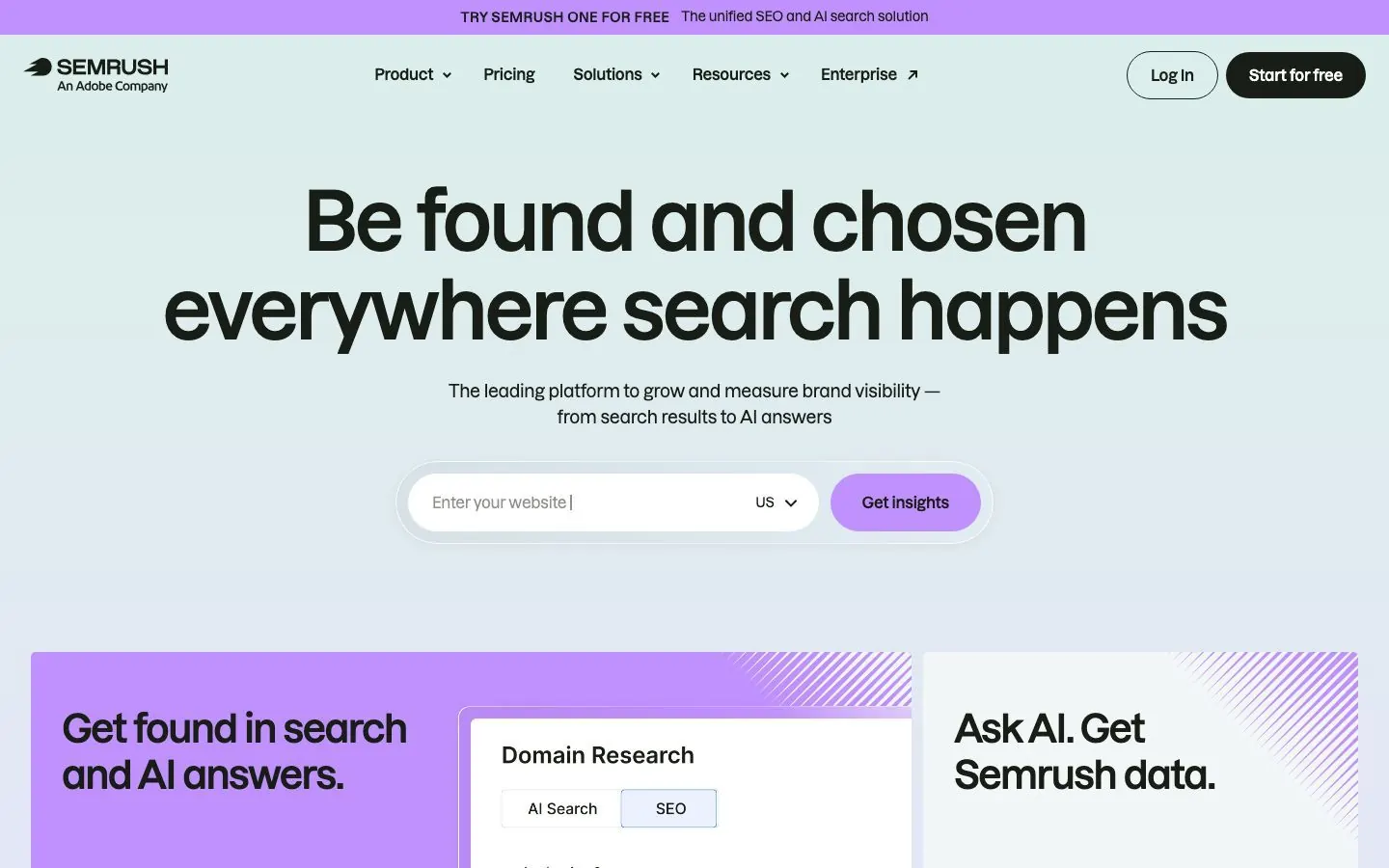
Semrush's plugin is in the directory, made by Semrush Holdings, Inc., and Semrush announced its official app in ChatGPT on December 17, 2025. It returns structured SEO and traffic data for domains, keywords, backlinks and market-level audience insights: domain analytics, keyword metrics, backlink profiles, traffic by period and channel, geographic and demographic distributions and competitive indicators. Semrush says the connection is read-only, so assistants can retrieve data but cannot modify or delete it. That makes it a safe first install. The limit you will notice is API units.
What ChatGPT can do with it:
- Pull keyword metrics for a topic and turn them into a content brief.
- Compare your domain with a competitor's using domain analytics and competitive indicators.
- Look at backlink profiles for your site and for a competitor's.
- Read traffic by period and channel, and audience splits by geography and demographics.
Example prompts:
Pull keyword metrics for these ten post topics and tell me which three deserve a post first. Keep the query narrow.
Compare our backlink profile with two competitors and tell me what stands out.
Setup and plan notes: Semrush One Starter, Semrush One Pro+, SEO Classic Pro and SEO Classic Guru include MCP access with 50,000 API units per renewal. Semrush One Advanced and SEO Classic Business need an API units package, and Traffic Analytics and market data need a Trends API plan. Semrush's December 2025 announcement lists Enterprise, EDU, Business, Pro and Plus as the ChatGPT plans, with availability varying by region, and the Free plan was not on that list.
Strengths:
- Read-only per Semrush, so there is little to approve.
- Wide coverage, from keyword metrics to backlinks and traffic.
Limits:
- Every query uses API units, so vague requests burn through them.
- Traffic Analytics and market data need a Trends API plan.
Keep approval on for: nothing, since it is read-only. Allow read actions is enough.
6. Ahrefs
Best for: backlinks, rankings and AI search visibility.
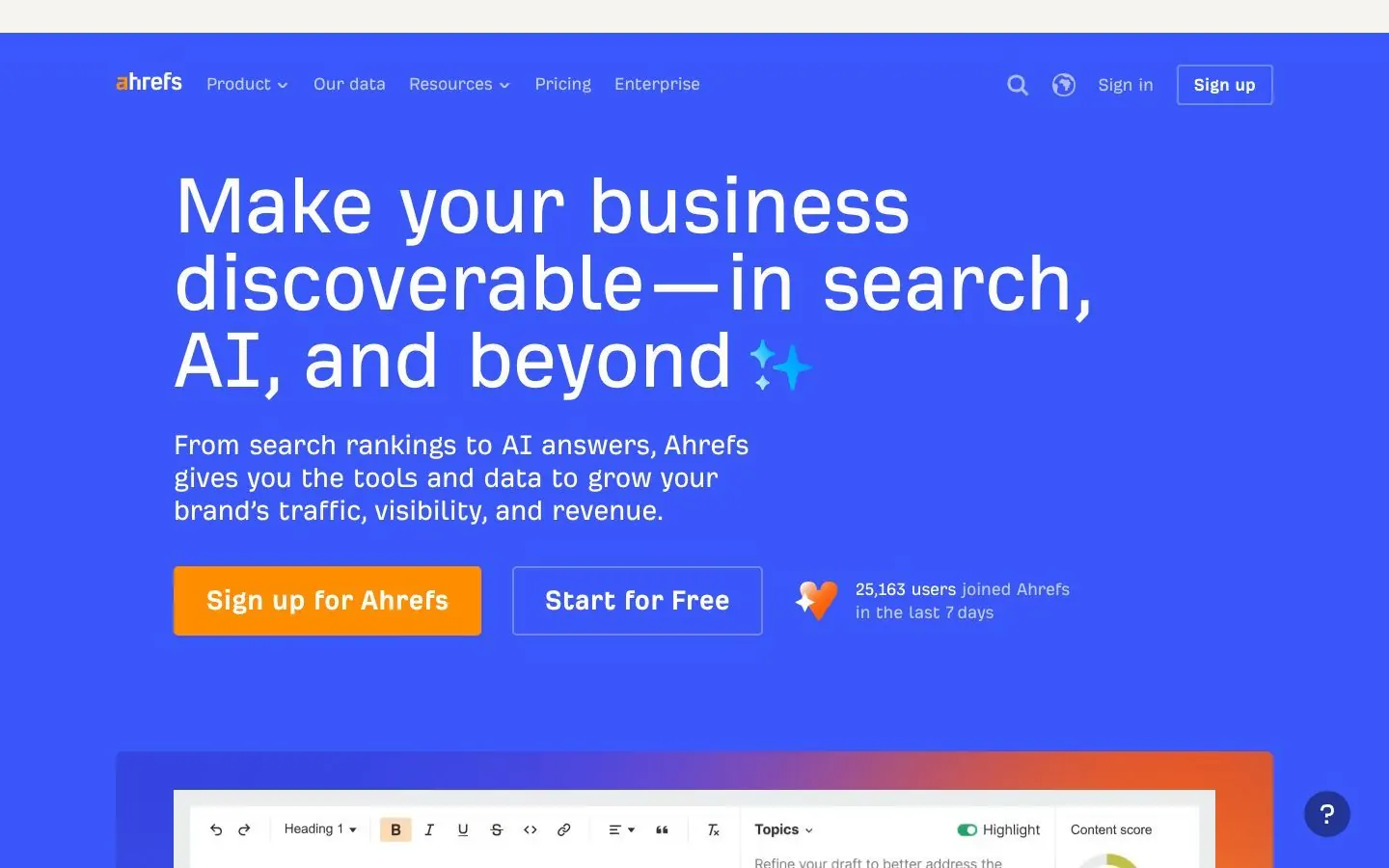
OpenAI lists Ahrefs in its plugin directory, made by Ahrefs Pte. Ltd. Ahrefs' changelog says its MCP is now in the official ChatGPT apps directory and that the manual setup it needed before is no longer required. The listing describes analysis of keywords, rankings, traffic trends, backlinks, competitor performance, share of voice and brand visibility, including AI search and LLM mentions. That last part is why a marketer looks twice at Ahrefs: it shows where AI answers mention you and where they mention someone else.
What ChatGPT can do with it:
- Run keyword research and read rankings for the keywords you care about.
- Analyze backlinks for your site or a competitor's.
- Read traffic trends and compare competitor performance and share of voice.
- Check brand visibility across AI search and LLM mentions.
Example prompts:
Show how our brand is mentioned in AI search compared with two competitors, and which topics they appear for that we do not.
List the keywords where our rankings dropped this month and suggest which existing posts to refresh. Do not change anything in Ahrefs.
Setup and plan notes: Ahrefs says its MCP is available on Lite and higher plans, with a monthly allowance of API units that depends on the plan and is shared with Ahrefs Connect and API v3. One API call costs at least 50 units. Ahrefs' older ChatGPT setup page still describes a manual Developer mode route and calls full MCP support in ChatGPT a beta, but the changelog says that route is no longer needed, so use the directory.
Strengths:
- Covers AI search visibility next to classic SEO data.
- A broad set of research tools in one plugin.
Limits:
- Write access is not stated, so do not assume it is read-only.
- API units are shared with other Ahrefs products, and Ahrefs' own setup pages disagree.
Keep approval on for: any change to projects or lists, since Ahrefs does not say whether ChatGPT can make them.
7. Notion
Best for: giving ChatGPT your briefs, interview notes and editorial calendar.
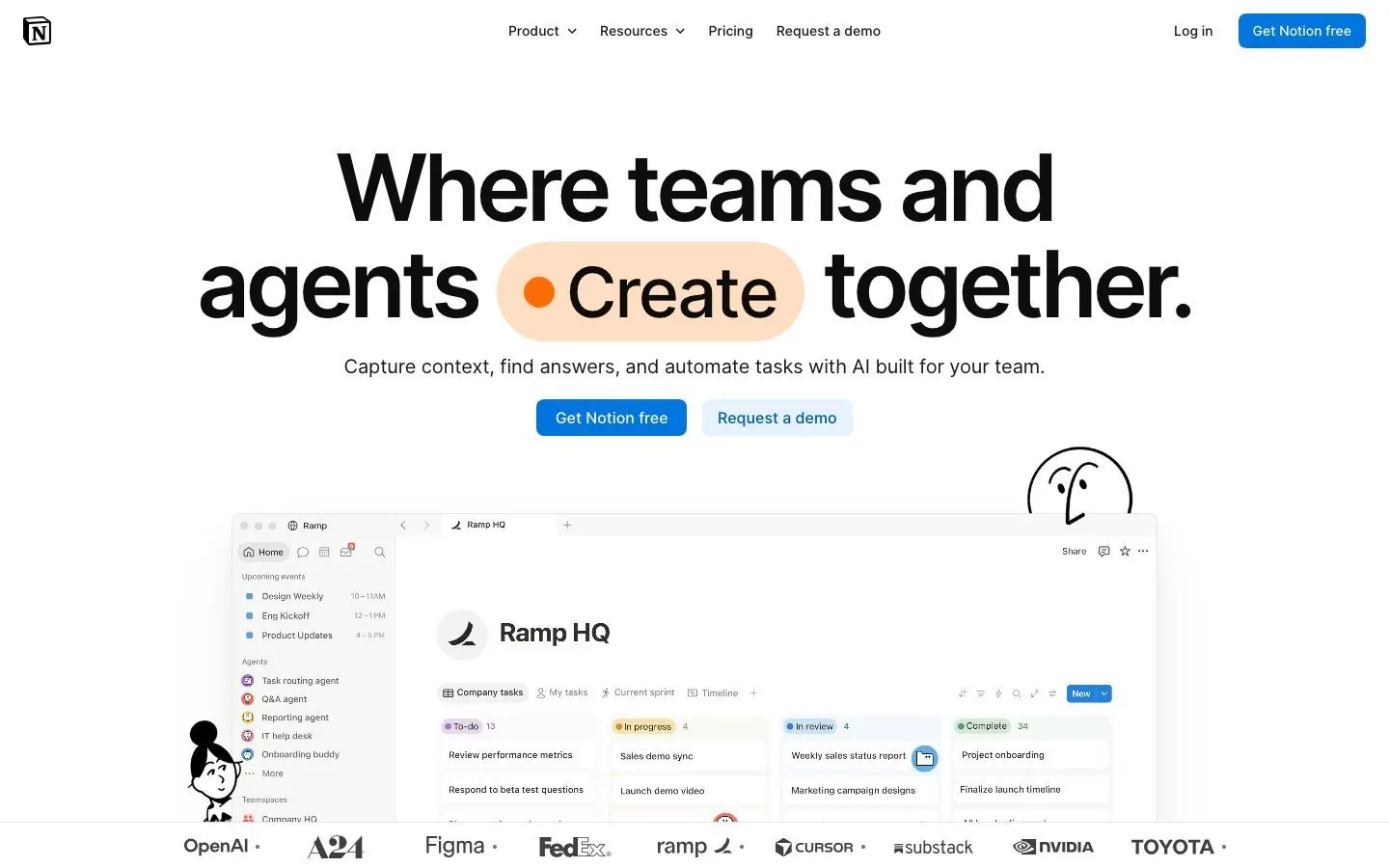
Notion's plugin is in the directory's Productivity category, made by Notion AI. OpenAI's help article says the Notion app lets ChatGPT search and read content from Notion pages your connected account is allowed to access. One shelf card mentions creating docs, tasks and databases, while the plugin page says search and reference, so treat write access as unconfirmed and check Notion's docs. Access follows the account you connect, which means pages not shared with that account stay invisible. That makes Notion a good home for what ChatGPT should know, such as positioning, interview notes and the editorial calendar, because one search reaches all of it.
What ChatGPT can do with it:
- Search the workspace for a brief, a call note or a content calendar.
- Reference a page inside a prompt, for example a customer quote for a post.
- Summarize a set of pages, such as a quarter of interview notes.
- Supply a positioning page as context for a draft you write with another plugin.
- Check a claim in a draft against the call notes it came from.
Example prompts:
Search Notion for the Q4 campaign brief and the customer interview notes. Which key messages do the interviews support? Edit and create nothing.
Find the editorial calendar page and list what is planned for November. Summarize only what is on the page.
Setup and plan notes: OpenAI says availability depends on your ChatGPT plan, workspace configuration and Notion account permissions, and no Notion plan tier is stated. You sign in to the Notion account you want ChatGPT to read, so use the one that already has the briefs and notes in it.
Strengths:
- Follows each person's own page access.
- Reading is the documented use, so nothing changes in your workspace.
Limits:
- Write access is not confirmed.
- Pages not shared with the connected account are invisible to ChatGPT.
- Plan requirements beyond OpenAI's general note are not stated.
Keep approval on for: any create or update, if your listing offers them.
8. Webflow
Best for: marketers who build and update their site in Webflow.
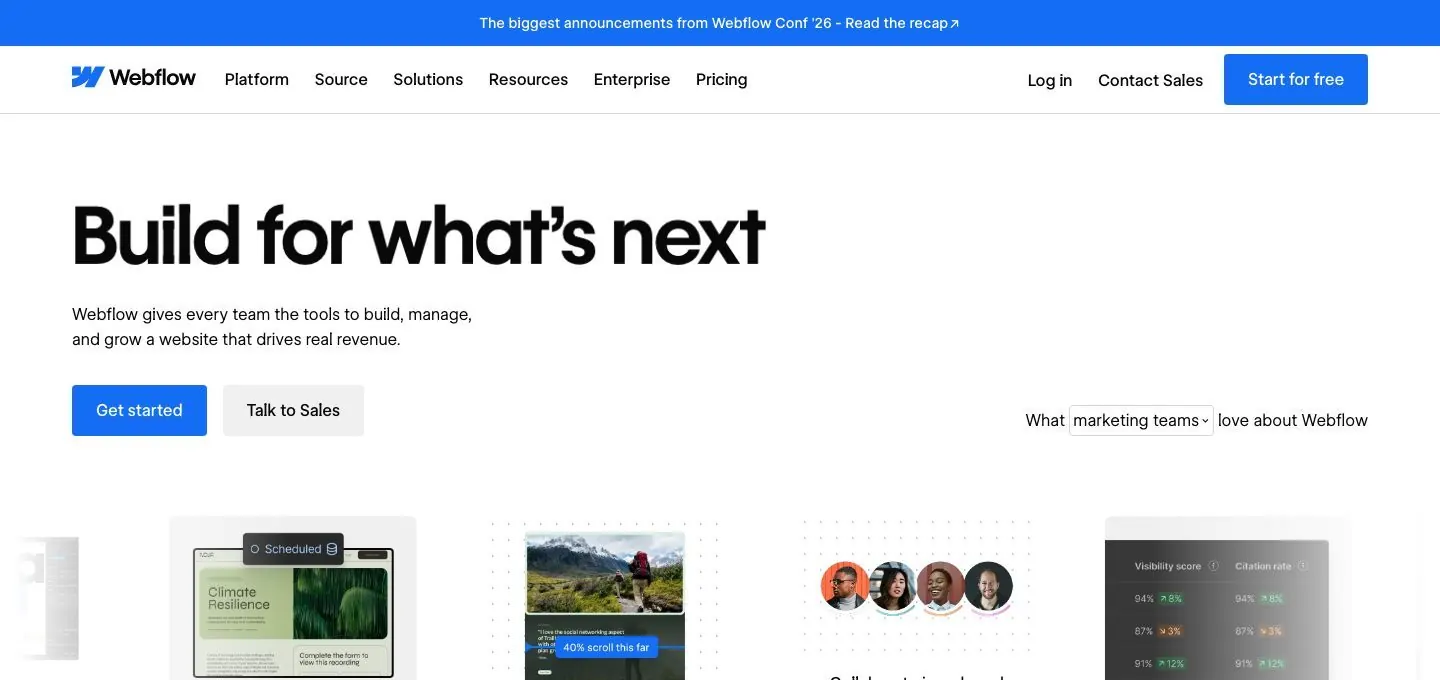
OpenAI lists Webflow in the Operations category, made by Webflow, and Webflow's developer docs say it provides an app that gives ChatGPT direct access to the Webflow MCP server. The listing says ChatGPT can design, build and manage sites, author, edit and localize CMS content, analyze site activity, performance and AEO, and ship custom code and deploy web apps on Webflow Cloud. Webflow says ChatGPT asks you to approve the actions it wants to take by default, and edits are not live until you publish. For a marketing team that is a sensible default for a live website.
What ChatGPT can do with it:
- Build a landing page layout in your Webflow site.
- Write or edit CMS content, such as blog entries.
- Localize CMS content.
- Answer questions about site activity and performance, if the Analyze add-on is on.
- Ship custom code and deploy web apps on Webflow Cloud.
Example prompts:
List the CMS collections on our site and the fields in the blog collection. Then propose a new section for the pricing page. Do not publish anything.
Create three blog CMS items from this outline and leave them unpublished. Tell me which fields you filled in.
Setup and plan notes: Anyone with a site role other than Reviewer can connect. Page branches need a Team or Enterprise plan, and analyzing site data needs the Webflow Analyze add-on on a paid Site plan. Webflow names some limits: creating new localized CMS items is not supported, GSAP interactions are supported and Classic interactions are not, and agents cannot change access settings such as adding users.
Strengths:
- Asks for approval by default, and nothing is live until published.
- Covers design, CMS content and site analysis in one plugin.
Limits:
- Creating new localized CMS items is not supported.
- Classic interactions are not supported, though GSAP interactions are.
- Analysis needs the Analyze add-on on a paid Site plan.
Keep approval on for: publishing and CMS edits.
9. Gamma
Best for: decks, documents and webpages made from a prompt.
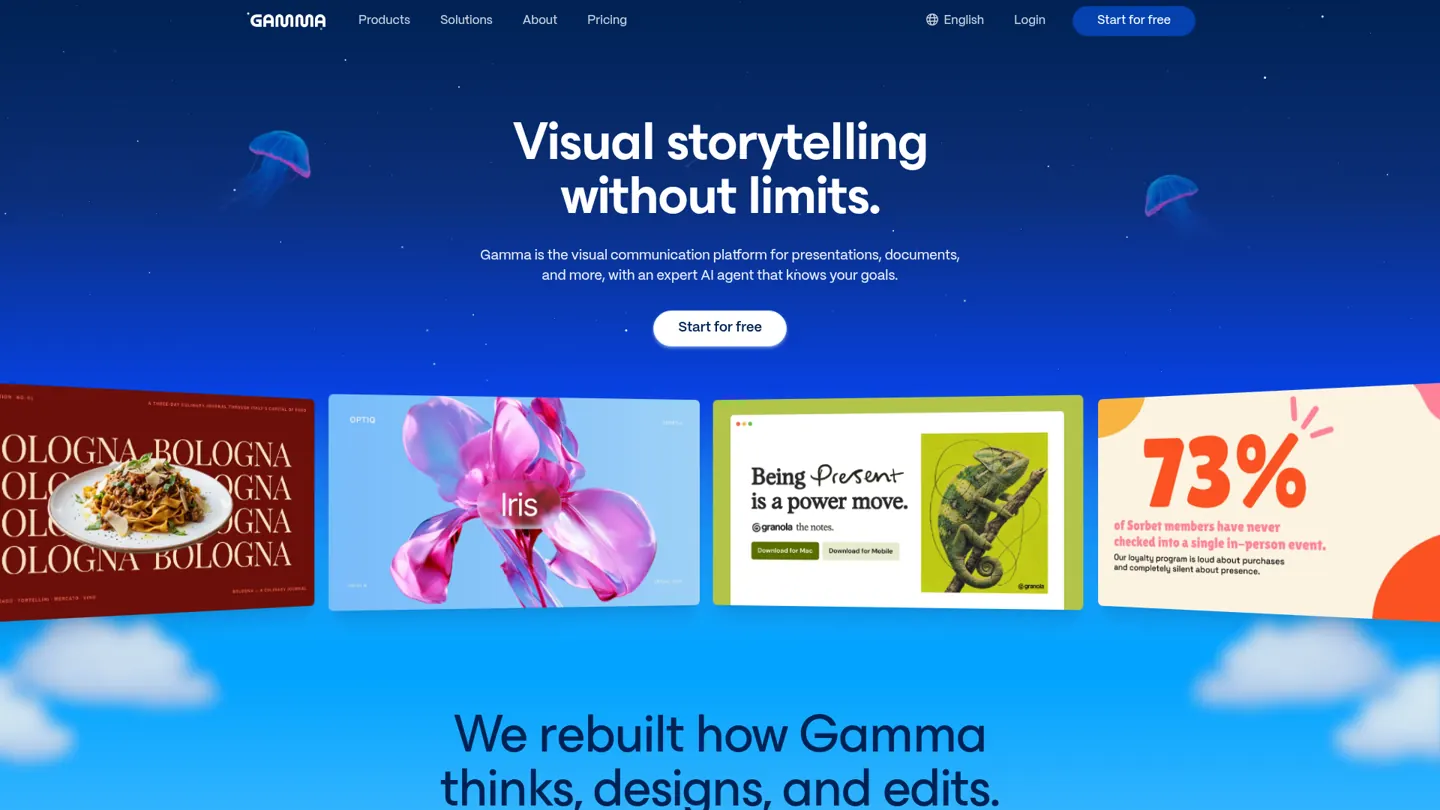
OpenAI lists Gamma in the Design and Creative category, made by Gamma Tech, Inc. The listing says ChatGPT can create presentations, documents, social posts and webpages from a prompt. Gamma's developer docs add that assistants such as ChatGPT can also generate from templates, read existing gammas, read their comments and analytics, export them and edit them. For a B2B team the practical use is the deck nobody wants to build by hand, such as a campaign recap or a sales one-pager. A good first job is one you repeat every month: paste the brief, ask for an outline first, approve it, then have ChatGPT build the full deck and read the comments back in a second pass.
What ChatGPT can do with it:
- Turn a campaign brief into a deck.
- Generate from a template so the format stays consistent.
- Read the comments and analytics on an existing gamma before a revision.
- Edit an existing gamma and export a finished one.
Example prompts:
Turn this campaign brief into a ten-slide deck for the sales team, one message per slide, and tell me which slides need numbers from me.
Read the comments on our Q4 webinar deck and apply the feedback. Show me what you changed.
Setup and plan notes: Gamma says ChatGPT, Claude, Slack, Superhuman Go and Atlassian Rovo work on all Gamma plans and do not need an API key. Gamma also notes that some platforms review app updates, so newer Gamma features may not appear in ChatGPT yet. The read and write split by action is not listed on the pages we read, so check their docs.
Strengths:
- Works on all Gamma plans without an API key.
- Reads comments and analytics, not only generates new files.
Limits:
- Newer Gamma features can lag in ChatGPT.
- A per-action permission split is not stated.
Keep approval on for: edits to existing gammas and exports you share outside the team.
10. Clay
Best for: prospect research and account lists before a campaign.
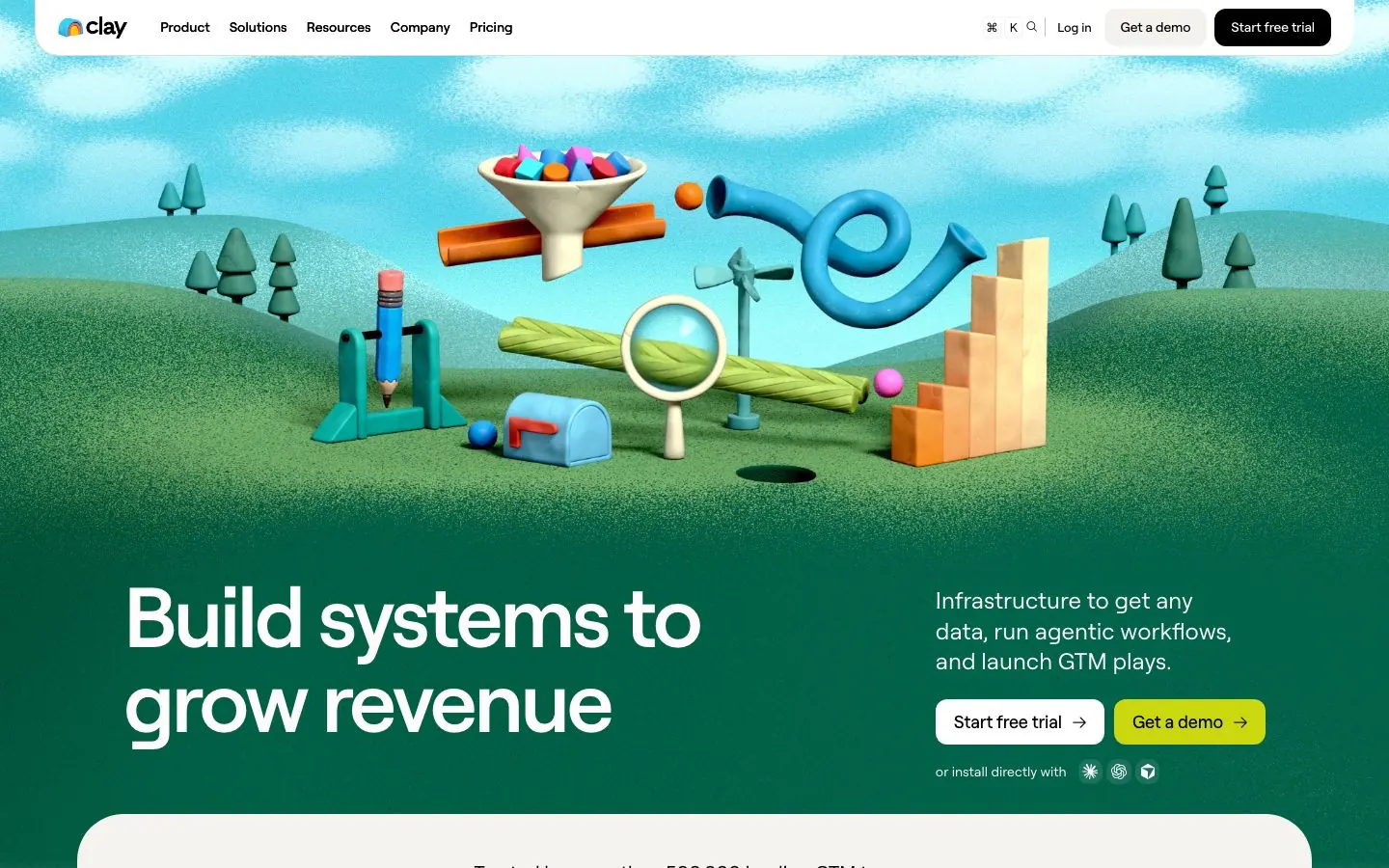
OpenAI lists Clay in the Operations category, made by Clay Inc, and Clay's own docs call it Clay in ChatGPT. It is a go-to-market tool, so it fits B2B demand generation and outreach prep more than content work, and it does a different job from Postiv: Clay helps you decide who to reach, while Postiv is where the content they see gets planned, written and posted. ChatGPT can find people, enrich contacts, research accounts and draft personalized outreach. Results come in groups of 20, up to 100, and an email has to be found and enriched before Clay drafts outreach to that person. A good first job is a short list: ask for 20 people in one role, check who came back, then choose which ones to enrich.
What ChatGPT can do with it:
- Find people who match a role and company profile.
- Enrich contacts with the details you need before a campaign.
- Research a target account ahead of a call.
- Draft personalized outreach once an email is enriched.
Example prompts:
Find 20 heads of marketing at B2B software companies in Europe and tell me what you would enrich before drafting anything. Do not draft outreach yet.
Research these three target accounts and summarize what each does and who owns marketing. Do not enrich any emails.
Setup and plan notes: Clay says a free ChatGPT account is enough to connect. New Clay users get 500 test credits, after that credits come from a paid Clay plan, and each ChatGPT interaction typically uses 20 to 100 credits. Admins set credit limits in Settings, under MCP users.
Strengths:
- Connects from a free ChatGPT account.
- Admins can cap credit use.
Limits:
- Interactions spend credits.
- Results arrive in batches, and outreach drafts wait for an enriched email.
- It is built for sales and go-to-market work, so it adds little to content planning.
Keep approval on for: any request that spends credits, and every outreach draft before it leaves ChatGPT.
What about Google Drive, Gmail, Slack and LinkedIn?
A few names people expect on a list like this are not separate picks.
Google Drive and Gmail are built into ChatGPT by OpenAI itself, so there is nothing to install from a vendor. Docs, Sheets and Slides actions run through the Google Drive app, and ChatGPT may ask you to confirm an action that changes a file. Gmail can find and summarize emails and prepare replies, and since June 11, 2026 ChatGPT can draft and send email from the same conversation on the web for Plus, Pro, Business and Enterprise plans. A Google Workspace administrator separately controls whether the ChatGPT app is trusted for those permissions. Keep sending and sharing behind approval.
Slack has a directory plugin made by Slack. It searches the messages, threads and channels you already have access to and summarizes discussions, and where an admin has enabled it, it can take actions such as joining a channel or creating a reminder. Posting channel messages is not named as an action.
LinkedIn has its own plugin, and it is lookup only: OpenAI's page describes seeing a professional's title, company, location and follower count, then opening their profile. Neither OpenAI page lists posting, scheduling or analytics for your own account, which is the gap Postiv fills. A separate LinkedIn Ads plugin is in beta with read-only access to ad set performance. The longer version is in how to connect ChatGPT to LinkedIn.
Zapier is not a confirmed directory plugin, because we found no listing for it. Zapier's docs describe connecting through Zapier MCP as a custom MCP connection, and each successful tool call uses two tasks from your Zapier plan. Rolling it out to a ChatGPT workspace needs a Business, Enterprise or Edu workspace, the Owner role and a Zapier Enterprise account.
How to add an app or plugin to ChatGPT
There are two routes, and the plugin directory covers most of this list.
Directory route. Open Plugins from the sidebar on ChatGPT web, desktop or mobile. Tabs separate Public, Your workspace, Personal and Installed plugins. Select a plugin and review the apps it includes, select Install plugin, then select Connect if an app needs account authorization and sign in to the provider account. Use it by typing @ and its name, by choosing the plus button and then the plugin, or by picking Plugins in the composer. ChatGPT also uses installed plugins on its own when they look relevant.
Custom MCP route. For anything outside the directory, such as Postiv, go to Plugins and use the plus button to add a custom MCP server. Enter a name, an optional description and the public HTTPS server URL (a local server needs a Secure MCP Tunnel, because ChatGPT connects to remote servers only). Choose the authentication method, tick the box that accepts the risk warning, create it as a plugin and review the tools it found. This works on the web only. Button names differ between OpenAI's help article, its developer docs and vendor guides, so go by the sequence. The Postiv version of this route is spelled out in its section above.
Admins on Business and Enterprise. Plugin controls live in the Admin Console under Plugins. On Business, apps are enabled by default and admins can change workspace-wide availability. On Enterprise and Edu, new plugins and apps are generally off by default, and role-based access control sets who can install a plugin and who can use its apps, evaluated separately. Admins can change availability for up to 25 plugins at a time and limit which email domains members connect with.
Creating a plugin from a custom MCP server needs the Create plugins with MCPs permission. On Business only admins and owners can create and publish. On Enterprise and Edu, admins, owners and members an admin authorizes can create, and only admins and owners publish. A published custom server is a frozen snapshot of its tools, so later changes wait until an admin reviews and publishes an update, and new actions start off. Enterprise and Edu admins can also switch individual actions on or off per app and review events in compliance logs.
Are ChatGPT apps safe for marketing work?
Mostly, if you set the permissions with some care. ChatGPT only accesses what you could already see in the connected plugin, so the settings you choose decide how much it can do without asking you. What we do:
Choose the permission level. OpenAI's permissions article offers four: Always ask, Allow read actions, Allow low-risk actions and Allow all actions. The last is not offered in the standard account-wide or workspace-wide selectors, and OpenAI marks it as elevated risk. The pages we read do not name the factory default, so open the setting and check it. In managed workspaces members do not get a persistent Always allow, and admins set workspace and per-app defaults.
Do not assume ChatGPT will ask. OpenAI says ChatGPT may ask for approval before reading information or completing an action. For custom MCP servers it depends on app permissions, the action's context and its potential impact, and some especially risky actions may be blocked instead. Set Always ask for anything that publishes, sends or spends. OpenAI names these as higher risk: sending an email, message, comment or invitation, creating, editing or deleting a file or record, changing sharing or security settings, and purchases.
Start narrow. Where an app is read-only, begin there. Semrush says its connection is read-only, and Postiv has a Read only mode.
Know what the app can see. Once enabled, an app may access information from ChatGPT for context, such as the conversation and, if Memory is on, your memories, plus basic web-visit data like IP address, device type, language and approximate location. The vendor handles that data under its own terms. On Business, Enterprise and Edu, OpenAI says it does not use information accessed from connectors to train models by default. On Free, Plus, Go and Pro it may, if the "Improve the model for everyone" setting is on.
Check who made it. Directory listings name the developer. OpenAI warns that connecting to unsafe or untrusted MCP servers can increase exposure to security risks, including prompt injection. With Postiv you sign in with OAuth, choose the workspace and can pick Read only, and a scheduled post on a profile with approvers waits for approval that ChatGPT cannot bypass.
Remove plugins you stopped using, so old access does not sit around.
App stacks by team
Nobody needs all ten. These are the stacks we would start with, and Postiv sits in each one for the social side.
| Team | Stack | What the mix covers |
|---|---|---|
| Solo founder or consultant | Postiv, Notion, Canva, Google Drive and Gmail | Your own notes, drafts, visuals and inbox |
| In-house B2B marketing team (up to about 200 people) | Postiv, HubSpot, Semrush or Ahrefs, Webflow, Notion | Pipeline, search data, the website and briefs around the content |
| Agency running several clients | Postiv, Canva or Adobe, Gamma, Notion, Semrush or Ahrefs | Client workspaces, creative, decks, briefs and reporting |
Solo founder or consultant. You are the whole team, so the job is turning what you know into posts. Notion holds interview notes and ideas, Drive and Gmail hold briefs and reader replies, and Canva makes the visual for a post that Postiv schedules. Check your plan first: if ChatGPT offers you custom MCP at read and fetch level only, it can read your Postiv workspace but not write to it, so schedule in Postiv itself. Postiv also works from Claude, which our list of the best Claude connectors for marketing covers. If you are the only person on a profile, your ChatGPT permission level may be the only check before something goes out, so leave Gmail send and Postiv scheduling on Always ask.
In-house B2B marketing team, up to about 200 people. HubSpot supplies campaign performance, Semrush or Ahrefs covers search and AI visibility (one is enough unless you already use both), Webflow handles site updates and Notion holds the briefs. On Business, an admin or owner creates and publishes the Postiv plugin once for the workspace. Expect one vendor approval: a HubSpot Super Admin for people without App Marketplace Access. Postiv approvers cover the social side, since scheduled posts on a profile with approvers wait for them.
Agency running several clients. Each client gets its own Postiv workspace, and you pick which one ChatGPT works in when you sign in. Canva or Adobe produces creative, Gamma builds client decks, Notion holds briefs and Semrush or Ahrefs feeds the monthly report. Every app acts with your permissions in that service, so connect only the folders, boards and workspaces that belong to the client in front of you.
A weekly marketing workflow in ChatGPT
Here is one Monday routine for a B2B team, using only what the apps above can do.
- Read the context. ChatGPT searches Notion for the campaign brief and reads HubSpot campaign performance. Both are reads.
- Check search demand. ChatGPT pulls keyword metrics from Semrush, or AI search visibility from Ahrefs, for the topics in the brief.
- Draft in your voice. ChatGPT reads Bob's plan and your pillars in Postiv and drafts three LinkedIn posts, one at a time.
- Add a visual. ChatGPT builds a carousel from the strongest draft and shows the outline before rendering. For a deck, hand the brief to Gamma or Canva.
- Queue for approval. ChatGPT schedules the posts in Postiv, and with approvers set they wait for sign-off.
- Tell the team. ChatGPT drafts a summary email through Gmail, and you read it before you approve sending.
The apps do not talk to each other, so ChatGPT joins the sources in the conversation; ask it to name the source of every figure. Allow read actions covers steps one and two. Keep steps five and six on Always ask. OpenAI's ChatGPT Work, launched July 9, 2026 as an agent for longer tasks, runs plugins too if you want the routine as one job. For the agent side, see the best LinkedIn AI agents.
A prompt to start it:
Search Notion for the Q4 campaign brief and read last month's HubSpot campaign performance. Then read my Postiv pillars and Bob's plan, and draft three LinkedIn posts for next week, one per pillar. Show me each one before you save it and do not schedule anything.
More quick answers
What is the best ChatGPT app to have?
It depends on the job. For LinkedIn and social content, Postiv is our pick, added as a custom MCP app. For CRM and campaigns it is HubSpot, for visuals Canva or Adobe, for search data Semrush or Ahrefs, and for briefs Notion. Start with the one that matches the work you repeat every week, then add a second.
Which is the best app then ChatGPT?
This page covers apps that run inside ChatGPT, not other AI chatbots. If you mean AI tools outside ChatGPT, our guide to the best AI marketing tools covers those. Inside ChatGPT, the list above ranks ten marketing apps and plugins, led by Postiv for LinkedIn and social content.
Which ChatGPT is best to use?
For marketing apps, the plan matters more than the model. OpenAI says the plugin directory is open across plans, but each plugin depends on plan, workspace, role and region. Custom MCP apps such as Postiv need ChatGPT Business or Enterprise/Edu for full read and write support, and Pro gets read and fetch only. Check your own Plugins page.
What are the top 3 AI apps right now?
We rank only apps inside ChatGPT. For marketing, our top three are Postiv for LinkedIn and social content, HubSpot for CRM and campaigns, and Canva for visuals. The full list continues with Adobe, Semrush, Ahrefs, Notion, Webflow, Gamma and Clay.
Are there free ChatGPT apps for marketing?
Some, within limits. Canva says its plugin works with all Canva accounts, including Free. Adobe says an account is not required to get started, and Clay says a free ChatGPT account is enough to connect. Semrush and Ahrefs need paid plans from the vendor, and OpenAI says availability depends on your plan and workspace.
What is the difference between a ChatGPT app and a plugin?
An app connects ChatGPT to an outside service. A plugin is a package that can include one or more apps, skills or both, and some plugins hold only skills. On July 9, 2026, OpenAI replaced its App Directory with the Plugin Directory, and existing app connections were not affected. Older guides may still say connectors.
How do I add an app to ChatGPT?
Open Plugins from the sidebar, choose a plugin, select Install plugin and connect your account if the app asks. For an app that is not in the directory, such as Postiv, use the plus button to add a custom MCP server with its URL and sign in. Admins may need to enable it first on Business, Enterprise and Edu.
Can ChatGPT post to LinkedIn?
Not through LinkedIn's own plugin, which is lookup only. OpenAI's pages for it do not list posting, scheduling or analytics for your own account. With Postiv added as a custom MCP app, ChatGPT can draft and schedule LinkedIn posts, and posts on a profile with approvers wait for approval. That needs a ChatGPT plan with full custom MCP support.
Are ChatGPT apps safe to use for marketing?
They can be, with the right settings. OpenAI says ChatGPT may ask for approval before an action, not that it always does, so set the permission level to Always ask for anything that publishes, sends or spends. Apps can see context from your chats, and training use depends on your plan. Remove apps you stop using.
Add Postiv to ChatGPT
If you want ChatGPT to plan your week, write in your voice and queue posts that wait for approval, start a 7-day free trial of Postiv and add it as a custom MCP app. MCP access is included on every Postiv plan, and write actions from ChatGPT need a ChatGPT plan with full custom MCP support.