The rapid expansion of generative AI has created a crowded, and often confusing, market. It's becoming increasingly difficult to separate genuine productivity boosters from overhyped novelties, especially when your goal is to produce high-quality, consistent content for platforms like LinkedIn. This guide cuts through the noise to provide a detailed analysis of 12 of the most effective ai content creation tools available today. We're moving beyond generic feature lists to give you a strategic roadmap for your specific workflow.
This isn't just a list; it's a practical resource designed to help you make an informed decision. For each tool, we provide a hands-on assessment covering:
- Core Features: What it actually does and how well it does it.
- Best-For Scenarios: Specific use cases, such as crafting expert LinkedIn posts, designing carousels, or managing team content workflows.
- Pricing & Privacy: A clear breakdown of costs and important data safety considerations.
- Honest Limitations: Where the tool falls short so you can anticipate potential roadblocks.
We'll examine a curated selection of platforms, including specialized tools like Postiv AI and Descript, alongside major players like OpenAI's ChatGPT, Jasper, and Adobe Firefly. Each review includes screenshots and direct links to help you evaluate the user experience firsthand. Our goal is to equip B2B founders, marketing managers, and sales teams with the insights needed to select, integrate, and master the tools that will genuinely save time and elevate their content. For a deeper dive into the market, explore a comprehensive overview of AI content creation tools that covers a broader landscape of options. If you're specifically evaluating LinkedIn-focused AI tools, our Supergrow alternatives guide compares 10 platforms with pricing and feature breakdowns. You can also check our Taplio alternatives comparison for an in-depth look at how the most popular LinkedIn tools stack up on pricing, safety, and AI quality. Let's find the right fit for your needs.
1. Postiv AI
Best All-in-One AI Content Creation Tool for LinkedIn
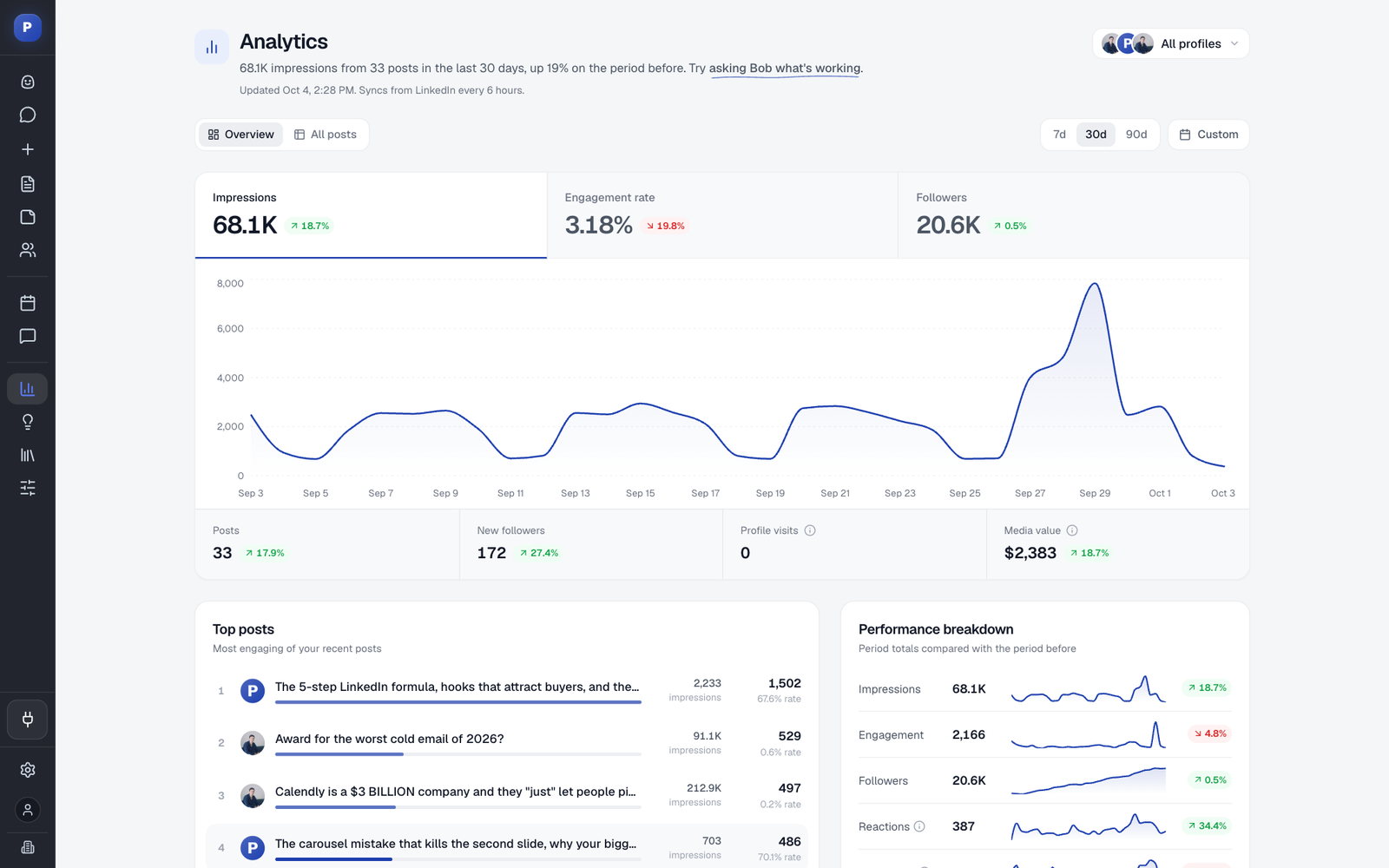
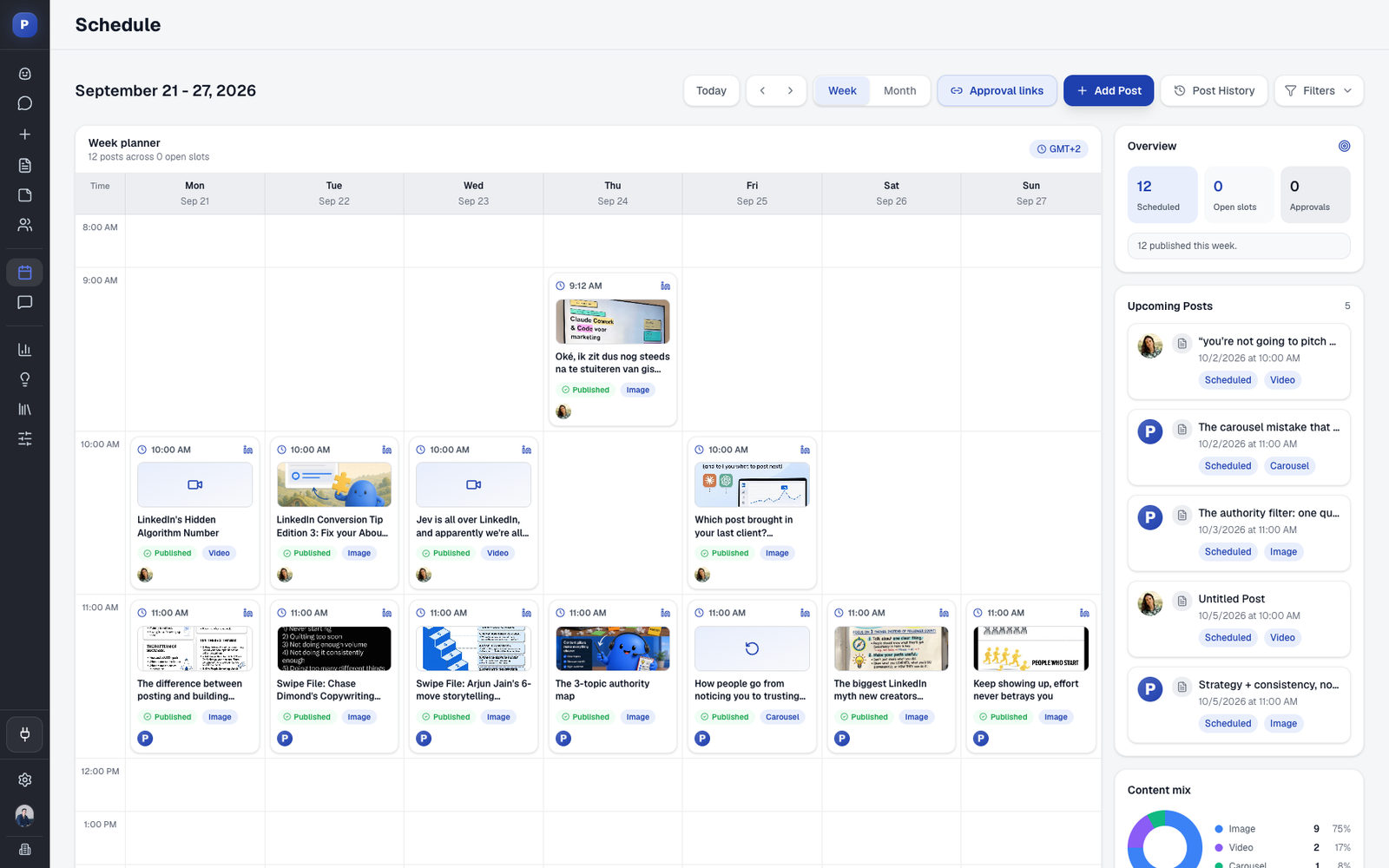
Postiv AI solidifies its position as a premier choice by integrating a complete LinkedIn content workflow into a single, cohesive platform. It's an end-to-end solution designed for professionals who need to move from a raw idea to a high-performing, published post with maximum efficiency. This platform distinguishes itself from other AI content creation tools by combining a brand-trained AI writer, a native carousel designer, a robust scheduler, and insightful analytics, eliminating the need to juggle multiple subscriptions.
Its standout feature is the AI's deep personalization. By ingesting your unique knowledge base-including PDFs, video transcripts, and web content-the AI generates posts that genuinely reflect your expertise and distinct voice, not just generic industry talking points. This makes it an ideal content repurposing tool for turning existing assets into LinkedIn content. You can also use it from Claude or ChatGPT through Postiv's LinkedIn MCP. If you want an assistant that plans, drafts and schedules with approvals, our roundup of LinkedIn AI agents for content compares the options.

Core Features & Use Cases
- Brand-Trained AI & Knowledge Ingestion: Feed the system with your content (case studies, webinars, articles) to train it on your tone and expertise. This is ideal for consultants and founders looking to establish authority with posts that capture their unique insights.
- Integrated Carousel Maker: Design professional, on-brand carousels directly within the platform using customizable templates. This feature saves significant time for marketers who previously relied on separate design tools like Canva or Figma.
- LinkedIn-Compliant Scheduling & Analytics: Postiv AI uses modern OAuth and focuses on content creation rather than risky account automation, ensuring account safety. For a deeper understanding of this approach, explore their breakdown of LinkedIn automation best practices. The analytics then highlight top-performing content and suggest optimal posting times.
- Team & Agency Capabilities: With features like multi-profile management, role-based access, and client approval workflows, it's built to scale. Agencies can efficiently manage multiple client accounts while maintaining brand consistency and control.
Our Take: Postiv AI is a powerhouse for any individual or team with a LinkedIn-first strategy. The ability to chat with your own knowledge base to draft authentic posts and then immediately design a matching carousel without leaving the app is a game-changer, reportedly saving users over 10 hours a week.
Pricing and Key Considerations
- Pricing: A 7-day free trial is available for the Professional plan, which then costs $99 per seat per month. Custom pricing is offered for Team and Agency tiers.
- Pros: The all-in-one workflow is a massive time-saver, the brand-trained AI produces uniquely authentic content, and its emphasis on account safety is crucial for professional users.
- Cons: The primary focus is squarely on LinkedIn, making it less suitable for those needing a broad, multi-platform social media tool. The price point may also be a significant investment for solo creators just starting.
Learn more at Postiv.ai
2. OpenAI – ChatGPT
As the flagship general-purpose AI, ChatGPT excels as a versatile starting point for nearly any content creation task. It's not just a text generator; it's a comprehensive platform for ideation, drafting, research, and even creating visuals, making it one of the most foundational ai content creation tools available today. Its strength lies in the power of its underlying models (like GPT-4o), which provide nuanced, high-quality outputs for complex requests.
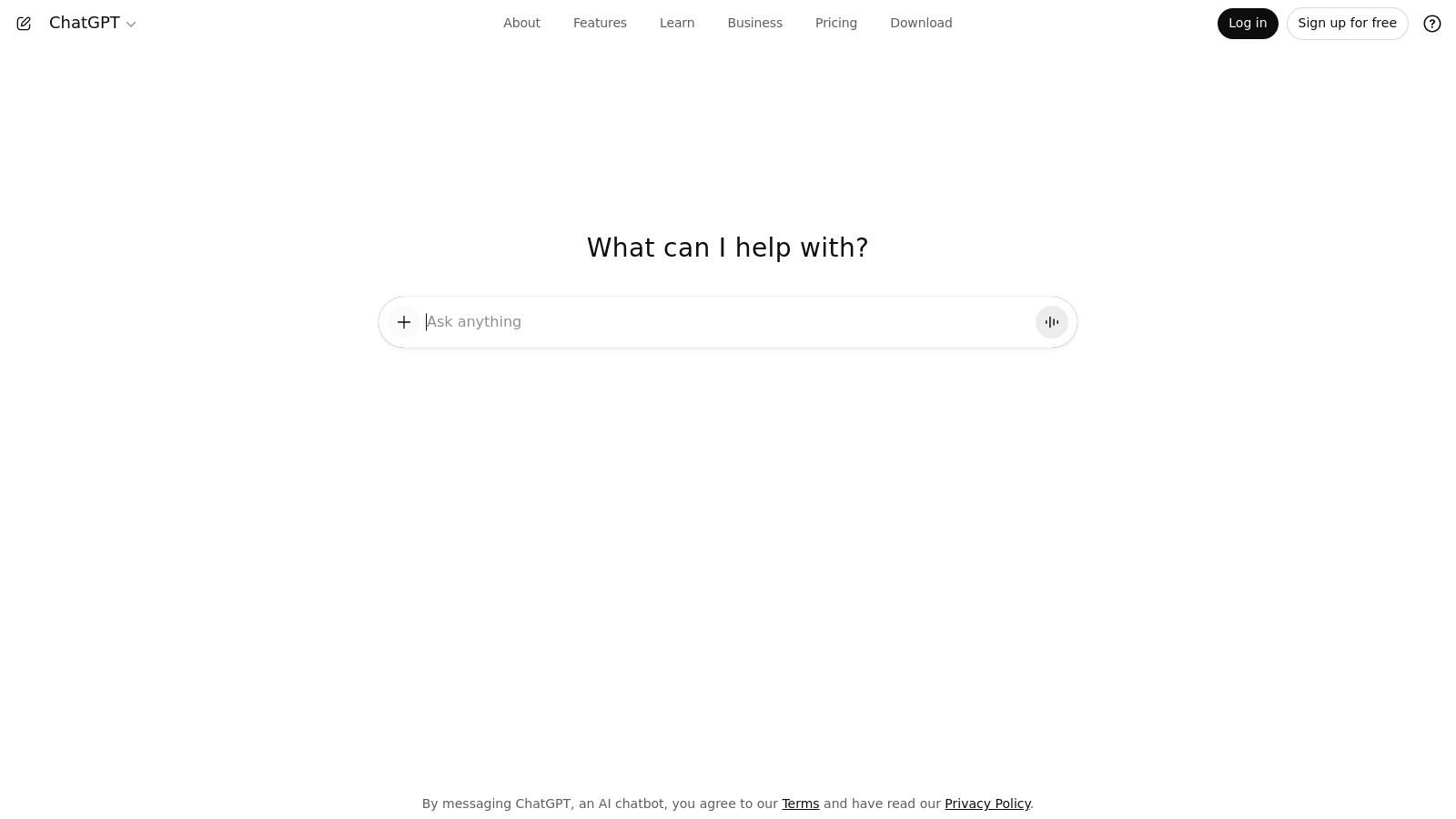
For LinkedIn, this translates into a powerful brainstorming partner. You can upload a research paper and ask it to generate five unique post hooks, draft a carousel outline based on a blog post, or refine a clunky paragraph to sound more authoritative. The ability to create Custom GPTs allows you to build a specialized assistant trained on your specific voice, style guide, or company data, ensuring brand consistency. These specialized GPTs are invaluable for executives looking to maintain a consistent online presence; you can explore expert strategies on personal branding for executives to see how this fits into a larger framework.
Key Features & Considerations
| Feature | Details |
|---|---|
| Best For | Brainstorming, drafting initial posts, summarizing research, and creating custom, reusable workflows. |
| Pricing | Starts with a robust Free tier. Plus ($20/mo) and Team ($25/user/mo) add advanced models & features. |
| Pros | Best-in-class reasoning, frequent updates, and a massive ecosystem of third-party integrations. |
| Cons | Usage limits apply even on paid tiers, and API access is billed separately. |
| Implementation Tip | Create a Custom GPT for your "LinkedIn Content Assistant." Upload examples of your best-performing posts, your company's tone of voice guidelines, and a list of core topics you discuss. This trains it to generate on-brand content consistently, saving significant editing time. |
Website: https://chat.openai.com
Which AI Tool Is Better Than ChatGPT?
ChatGPT is a generalist powerhouse, but specialized tools outperform it in focused workflows. If ChatGPT is the Swiss Army knife, these are the chef's knives — sharper for specific cuts:
- Postiv AI for LinkedIn content: ChatGPT can draft a LinkedIn post, but it can't design a branded carousel, schedule it for optimal engagement, or track analytics. Postiv AI handles the entire end-to-end workflow — from ideation to publishing — in one platform, trained on your brand voice and knowledge base.
- Jasper for campaign-scale marketing: While ChatGPT requires you to manually enforce brand guidelines, Jasper bakes Brand Voice profiles and campaign templates directly into the workflow. For teams producing dozens of marketing assets weekly, this consistency is a major advantage.
- Descript for audio and video: ChatGPT can write a script, but editing a recorded webinar into polished social clips is a completely different task. Descript's transcript-based editing, Studio Sound noise removal, and Overdub voice correction solve problems ChatGPT simply cannot address.
- Midjourney for visual art: ChatGPT's DALL-E integration produces functional images, but Midjourney consistently delivers more artistic, stylistically distinctive visuals that give brands a memorable look on platforms like LinkedIn.
- Canva for rapid design: Need a finished LinkedIn carousel with branded templates in under five minutes? Canva's Magic Studio handles the visual execution that ChatGPT's text-only output cannot.
The takeaway: ChatGPT is unbeatable for versatility and raw reasoning power, but purpose-built tools win when speed, brand consistency, or a specific media format matters more than generalist capability.
3. Jasper
Jasper is an AI content platform built specifically for marketing and brand teams, distinguishing itself with a strong focus on structured campaign workflows. Where general-purpose tools offer a blank slate, Jasper provides a guided experience for creating cohesive marketing assets, from ad copy and social media posts to full-length articles, making it one of the more business-oriented ai content creation tools for scaling content production. Its core strength is its ability to learn and apply a specific brand voice across all generated content, ensuring consistency for teams.
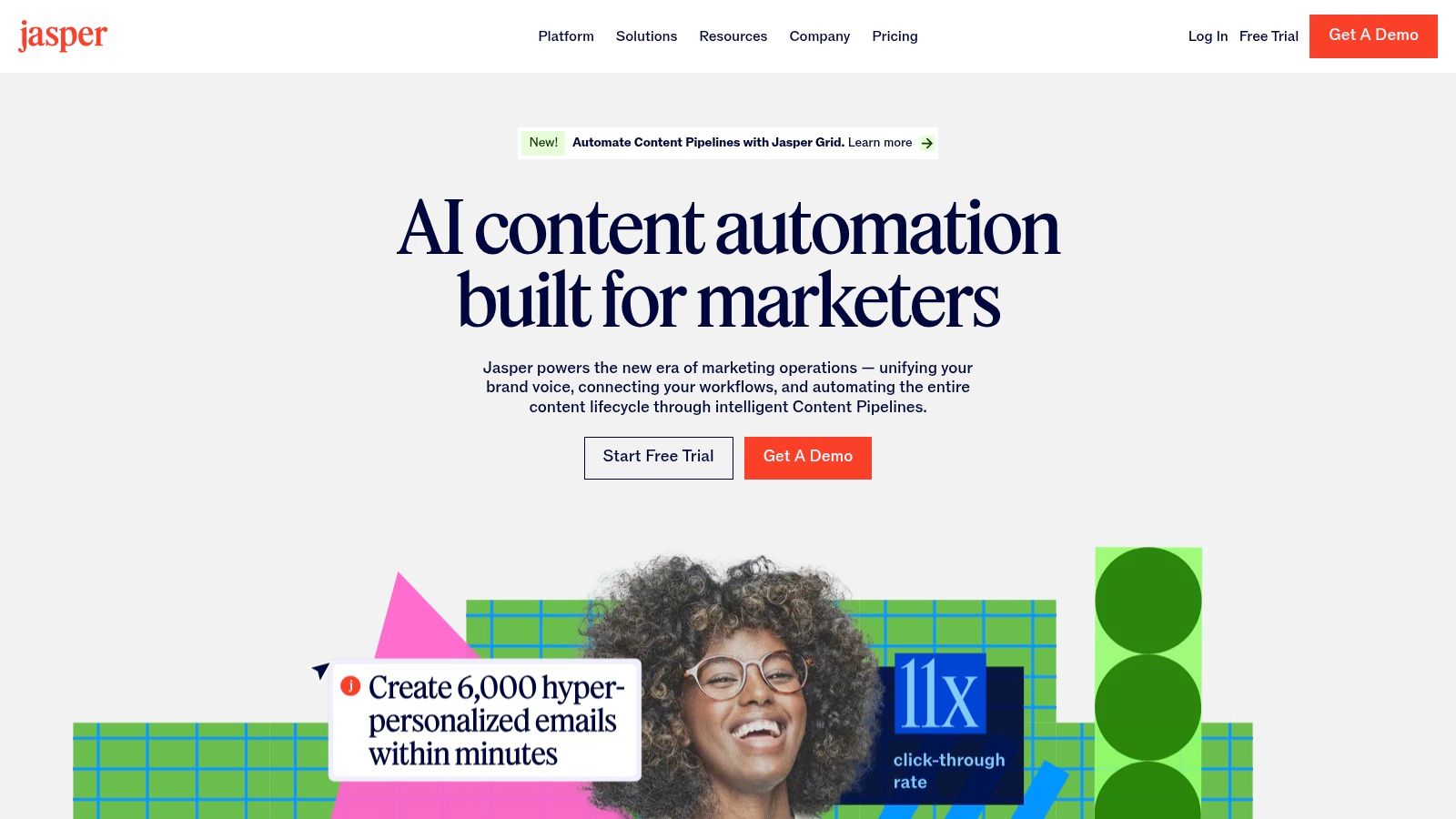
For LinkedIn content, this translates into a highly efficient system for multi-person teams or agencies managing several client accounts. You can create a distinct Brand Voice profile for an executive or a company, then use Jasper’s templates to quickly generate on-brand LinkedIn posts, article drafts, or carousel ideas. The platform’s collaboration features allow managers to review, edit, and approve content within a single workflow, streamlining the entire process from ideation to publication. This is particularly useful for maintaining a consistent and professional brand presence across multiple stakeholders.
Key Features & Considerations
| Feature | Details |
|---|---|
| Best For | Marketing teams managing multiple brands, creating cohesive campaigns, and requiring strong admin controls. |
| Pricing | Starts with Creator ($39/seat/mo). Teams ($99/seat/mo) adds collaboration and brand voices. Custom Business plans are available. |
| Pros | Excellent marketing-specific templates, strong multi-brand management, and robust collaboration features for teams. |
| Cons | Per-seat pricing can become costly for larger teams, and its image generation tools are less advanced than dedicated AI image platforms. |
| Implementation Tip | Dedicate time to thoroughly build out your Brand Voice profile. Upload brand guidelines, high-performing content examples, and product one-pagers. The more context you provide, the less editing will be required, allowing your team to generate near-final drafts for LinkedIn that are consistently on-brand. |
Website: https://www.jasper.ai
4. Canva
Canva has evolved from a simple design tool into an all-in-one visual communication platform, integrating powerful AI to streamline the creation process. Its "Magic Studio" suite offers tools that take you from a simple text prompt to a finished design in seconds, making it one of the most accessible ai content creation tools for non-designers. The platform excels at generating on-brand social media graphics, carousels, presentations, and short videos with minimal effort.
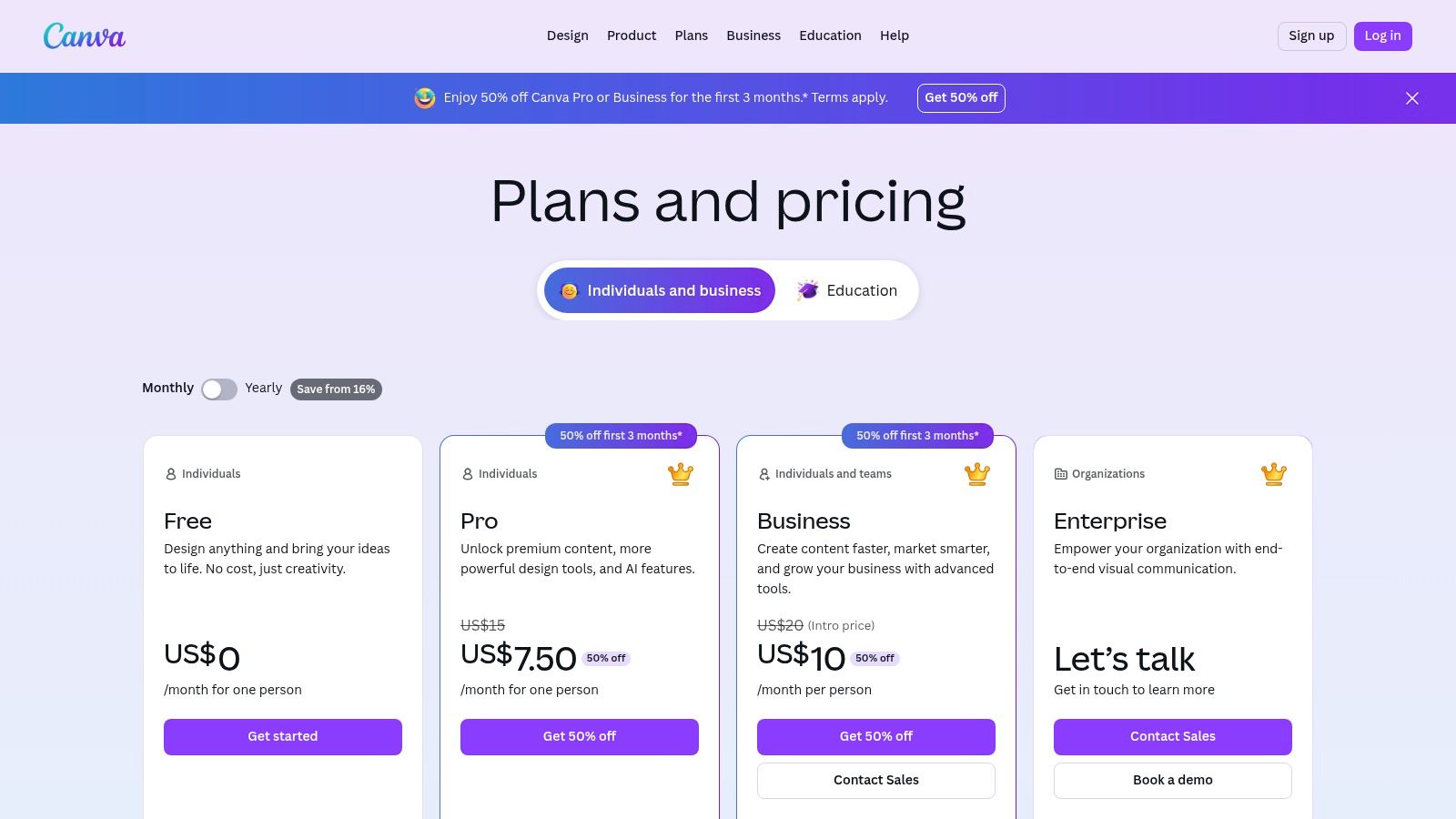
For LinkedIn content, this means you can instantly generate a set of carousel slides from a document, create a branded banner for an event, or produce a short animated video to accompany a text post. Its strength is speed and consistency; you can set up a Brand Kit with your logos, fonts, and colors, and Canva’s AI will apply them to any new design it generates. This ensures every visual asset aligns with your professional identity. For those seeking different visual creation options, you can explore detailed information on a Canva alternative to compare capabilities.
Key Features & Considerations
| Feature | Details |
|---|---|
| Best For | Quickly creating branded visual assets like carousels, banners, and short videos for LinkedIn. |
| Pricing | Free plan with limited AI credits. Pro ($14.99/mo) and Teams (from $29.99/mo for 5 users) offer more credits and features. |
| Pros | Extremely fast from prompt-to-post, massive template and stock asset libraries, and strong team collaboration features. |
| Cons | Advanced design and animation capabilities are limited compared to professional suites like Adobe. |
| Implementation Tip | Use the "Magic Design" feature by uploading your company's latest one-pager or blog post. Ask it to "create a 5-slide LinkedIn carousel" to instantly get a head start on a high-engagement post, complete with branded visuals and extracted key points. |
Website: https://www.canva.com/pricing/
5. Adobe – Firefly and Adobe Express
Adobe has seamlessly woven its Firefly generative AI across the Creative Cloud ecosystem, creating a powerful suite for visually-driven content. Rather than a standalone tool, Firefly acts as an intelligent layer within familiar applications like Photoshop and the user-friendly Adobe Express. This integration is its greatest strength, allowing creators to generate commercially safe images, apply text effects, or expand backgrounds without ever leaving their primary workflow.
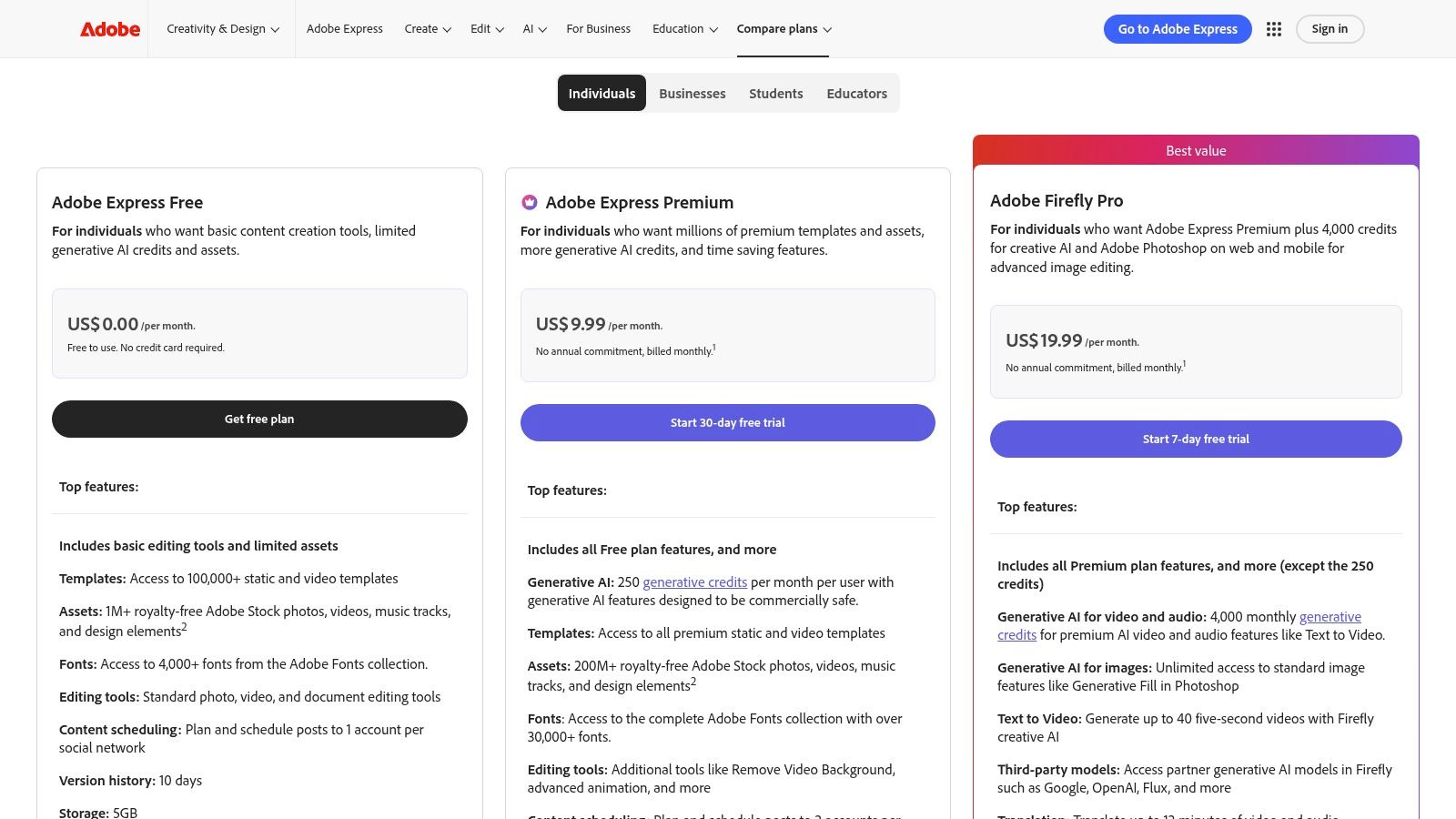
For LinkedIn, this means you can rapidly create on-brand carousel slides, event banners, or post images using Adobe Express templates powered by Firefly. The "Generative Fill" feature in Photoshop is a game-changer for repurposing existing assets, letting you instantly change the aspect ratio of an image to fit a LinkedIn post by generating new, context-aware content. As one of the most integrated ai content creation tools for visual design, Adobe provides a robust, legally sound solution for producing high-quality graphics.
Key Features & Considerations
| Feature | Details |
|---|---|
| Best For | Creating on-brand social graphics, designing custom visuals for carousels, and modifying existing images. |
| Pricing | Free plan with monthly generative credits. Premium ($9.99/mo) and Creative Cloud plans offer more credits and features. |
| Pros | Tight integration with the Creative Cloud suite and clear intellectual property/licensing safeguards. |
| Cons | The generative credit system can be confusing, and advanced video features are still rolling out. |
| Implementation Tip | Use Adobe Express's "Text to Template" feature for quick carousel creation. Simply input a prompt like "5-slide carousel for a post about leadership tips," and Firefly will generate multiple editable template options complete with text and image placeholders, dramatically speeding up your design process. |
Website: https://www.adobe.com/express/pricing
6. Microsoft 365 with Copilot
For professionals deeply embedded in the Microsoft ecosystem, Copilot for Microsoft 365 brings AI directly into the familiar interfaces of Word, PowerPoint, and Outlook. This integration is its core strength, transforming everyday productivity apps into powerful ai content creation tools. Instead of context-switching to a separate platform, you can generate content ideas, draft documents, and summarize information right where you work, making it exceptionally efficient for a streamlined workflow.
This tight integration is ideal for creating LinkedIn content from existing business materials. For instance, you can ask Copilot in Word to draft a series of LinkedIn posts based on an internal strategy document or use it in PowerPoint to generate speaker notes that can be repurposed into an insightful text post. The ability to ground its responses in your company's data via Microsoft Graph provides a secure way to create highly relevant, on-brand content. This ensures that the AI’s output is not just generic, but tailored to your specific organizational context and knowledge base.
Key Features & Considerations
| Feature | Details |
|---|---|
| Best For | Professionals and teams already using Microsoft 365 who want to create content from existing documents and data. |
| Pricing | Available as an add-on to Microsoft 365 Business plans (approx. $30/user/mo) or included in consumer Copilot Pro plans. |
| Pros | Seamless integration with Office files, strong organizational security controls, and the ability to ground AI in your own data. |
| Cons | Can be costly for individuals not on enterprise plans; feature availability can vary by app and platform. |
| Implementation Tip | Use Copilot in Word to analyze a recent case study or white paper. Prompt it with: "Create a 5-part LinkedIn carousel outline from this document, focusing on the key challenges, our solution, and the final results. Provide a hook for the first slide." This leverages your existing long-form content for quick, high-value social media assets. |
Website: https://www.microsoft.com/en-us/microsoft-365/buy/microsoft-365
7. Google Workspace with Gemini features
For teams deeply embedded in Google's ecosystem, the integration of Gemini AI directly into Workspace apps like Docs, Gmail, and Sheets is a game-changer. Rather than switching between tools, AI assistance is available right where the work happens. This makes it one of the most convenient ai content creation tools for collaborative environments, streamlining everything from initial drafts to final reviews without ever leaving the familiar Google interface. Its core strength is its seamless, contextual assistance.
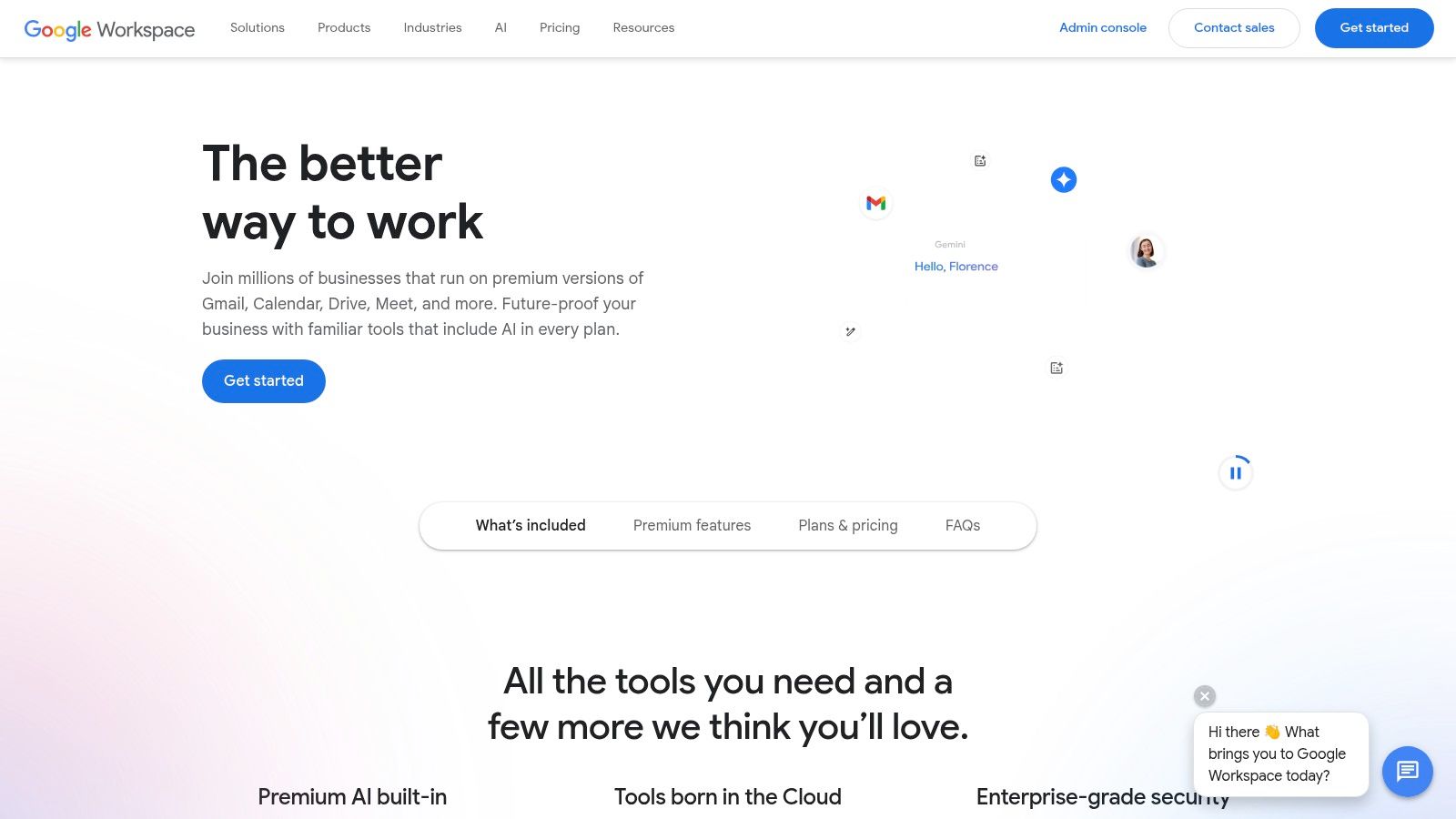
For a LinkedIn workflow, this means you can draft a post in Google Docs using the "Help me write" feature, get feedback from colleagues via comments, and then use the Gemini side panel in Gmail to craft an email sharing the new post with your network. This native integration is especially powerful for marketing teams that rely on shared documents for content calendars and approvals. The AI becomes a natural extension of the collaborative process, rather than a separate step that requires exporting and importing content between different platforms.
Key Features & Considerations
| Feature | Details |
|---|---|
| Best For | Teams already using Google Workspace for content collaboration, drafting in Google Docs, and managing approvals. |
| Pricing | Included with various Google Workspace for Business and Enterprise plans. Specific Gemini features vary by tier. |
| Pros | Seamless native integration, no need for separate add-ons, and strong real-time collaboration with AI assistance. |
| Cons | AI feature availability varies significantly between Workspace editions, and the pricing structure can be complex. |
| Implementation Tip | Use the Gemini side panel in Google Docs to act as a research assistant. While drafting a thought leadership post, ask it to summarize complex articles or find supporting statistics without leaving your document, keeping your workflow focused and efficient. |
Website: https://workspace.google.com
8. Notion with Notion AI
Notion evolves from a beloved all-in-one workspace into a powerful content engine with the integration of Notion AI. It’s ideal for teams that need to connect their content planning, drafting, and knowledge management in one place. Instead of being just a text generator, Notion AI is embedded directly into the editorial workflow, allowing you to draft a LinkedIn post from meeting notes, summarize research for a carousel, or autofill a content calendar with AI-generated ideas, making it one of the most integrated ai content creation tools for collaborative teams.
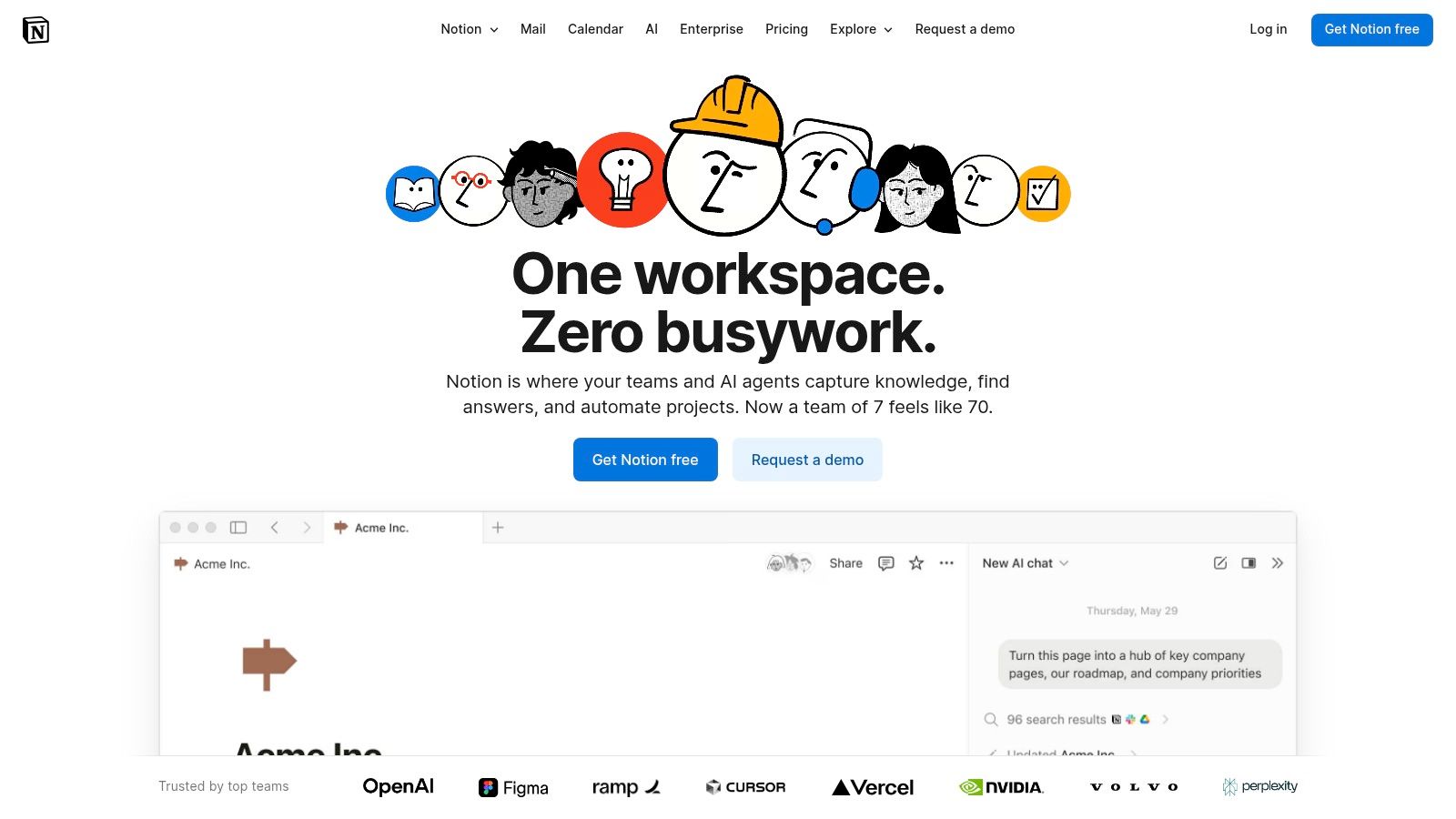
For a LinkedIn content strategy, Notion serves as the central command center. You can create a database for content ideas, use AI Autofill to populate columns with potential hooks or formats, and then draft the full post in a Notion page using the AI assistant to refine the tone or expand on bullet points. This seamless transition from idea to final draft within a single platform minimizes context switching and keeps the entire team aligned. The platform's strength is its structure; you can build a complete content pipeline, from brainstorming to final approval, all enhanced by AI.
Key Features & Considerations
| Feature | Details |
|---|---|
| Best For | Editorial teams, content planning, collaborative drafting, and managing a content calendar with AI assistance. |
| Pricing | Plans with Notion AI start at $8/user/mo (billed annually). A limited number of AI responses are available on the Free plan. |
| Pros | Combines project management, documentation, and AI writing in one platform. Strong templates and community resources for editorial workflows. |
| Cons | Notion AI is no longer a standalone add-on for new users; its full potential is unlocked on paid Business or Enterprise plans. |
| Implementation Tip | Create a "LinkedIn Content Calendar" database. Add properties for Topic, Status, Author, and Publish Date. Use the "AI custom autofill" feature on a Draft Hook property to automatically generate three engaging opening lines based on the Topic field, speeding up your initial brainstorming. |
Website: https://www.notion.so
9. Descript
Descript revolutionizes video and audio production by treating it like a word document. Instead of wrestling with complex timelines, you edit the auto-generated transcript, and the media edits itself. This text-based approach is a game-changer for podcasters, course creators, and anyone turning long-form recordings into polished content, positioning it as one of the most innovative ai content creation tools for media-heavy workflows.
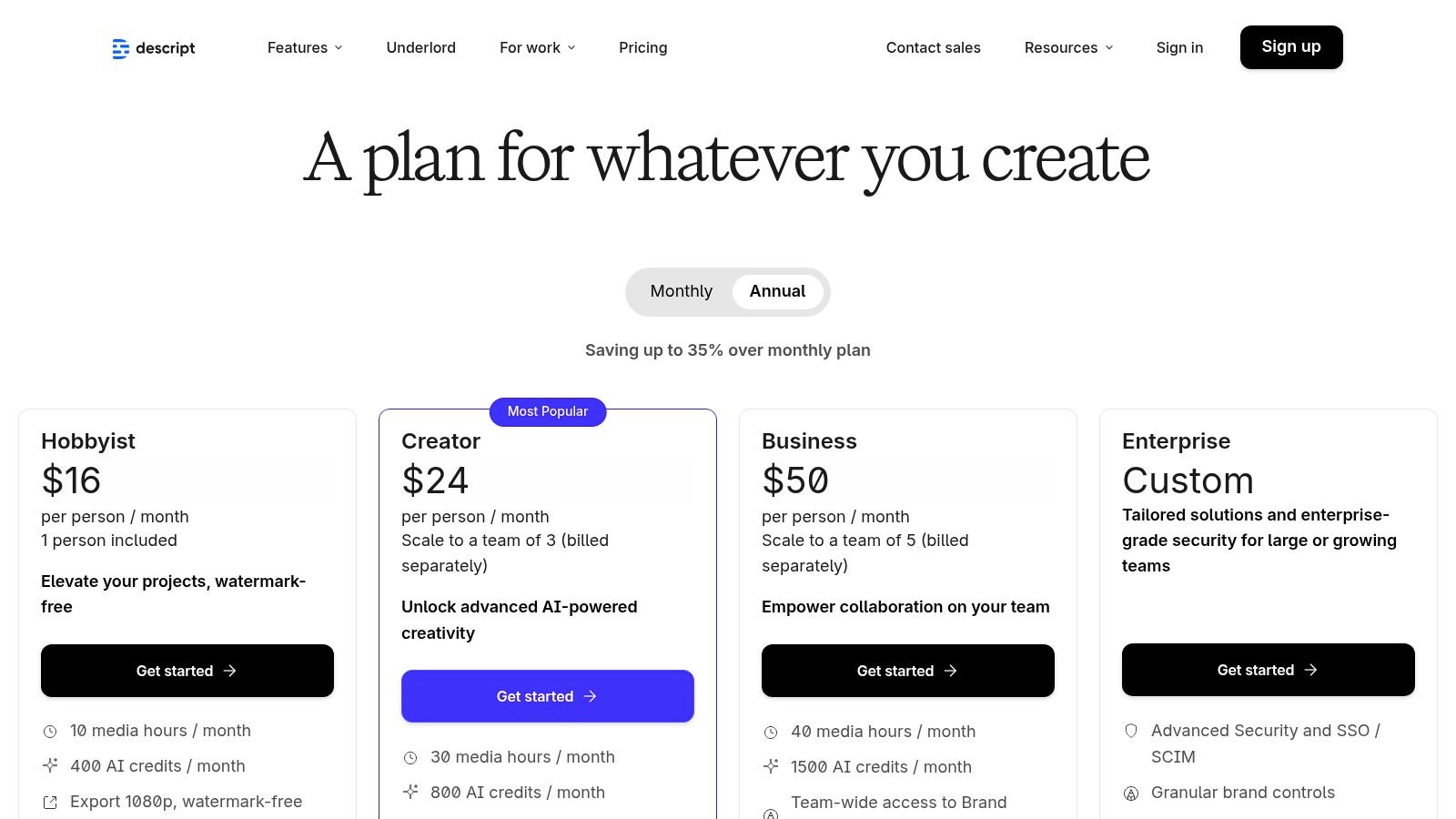
For LinkedIn, Descript makes it incredibly efficient to pull short, impactful video clips from longer webinars or interviews. You can find a key quote in the transcript, highlight it, and instantly export it as a social-ready clip with captions. Features like Studio Sound remove background noise with one click, while Overdub allows you to correct misspoken words by simply typing the correction, saving hours of re-recording. This transforms raw footage into professional assets with minimal effort.
Key Features & Considerations
| Feature | Details |
|---|---|
| Best For | Editing podcasts, creating video clips from webinars, and cleaning up interview audio for social media. |
| Pricing | Includes a Free plan with limited features. Paid plans start at Creator ($12/user/mo) and scale to Pro ($24/user/mo) with more transcription hours and AI features. |
| Pros | Extremely fast cleanup of long recordings, powerful text-based editing, and a great balance of manual control with AI assistance. |
| Cons | The resource model based on media minutes and AI credits can be confusing to manage and budget for. |
| Implementation Tip | Record your next webinar or client interview. Upload the recording to Descript and use the "Find good clips" AI feature to identify potential social media moments. Select the best one, remove filler words ("ums" and "ahs") automatically, and apply Studio Sound for a professional finish before exporting. |
Website: https://www.descript.com/pricing
10. Runway
Runway is pioneering the frontier of AI video, positioning itself as a comprehensive suite for generating and editing dynamic visual content from simple text prompts. While many ai content creation tools focus on static images or text, Runway provides the toolset to bring ideas to life with motion. Its advanced models, like Gen-3 Alpha, transform descriptions into compelling video clips, making it ideal for creating short-form video ads, animated social media posts, or dynamic storyboards without needing complex software.

For a platform like LinkedIn, this opens up new possibilities for engagement. You can create eye-catching video snippets to accompany a product launch announcement, generate a conceptual animation to explain a complex service, or produce a short, stylized clip to enhance a personal branding post. The platform's clear, credit-based system and rapid Turbo modes allow for quick experimentation, enabling users to prototype video concepts and find the perfect visual hook to stop the scroll in a crowded feed.
Key Features & Considerations
| Feature | Details |
|---|---|
| Best For | Creating short video ads, conceptual animations, motion graphics, and rapid video prototyping. |
| Pricing | Starts with a Free plan. Paid tiers like Standard ($12/user/mo) and Pro ($28/user/mo) offer more credits. |
| Pros | Fast iteration with Turbo modes, access to the latest video models, and transparent credit pricing. |
| Cons | Default outputs are standard definition; 4K upscaling uses more credits. Costs can accumulate on longer video projects. |
| Implementation Tip | Use the Image to Video feature to animate your existing brand assets. Upload a high-quality product image or a chart from a recent report and apply subtle motion to create a more engaging visual for your next LinkedIn update, turning static content into a dynamic asset. |
Website: https://runwayml.com
11. Midjourney
Midjourney is a premier AI image generator renowned for producing highly artistic and stylized visuals. While other platforms aim for photorealism or utility, Midjourney excels at creating evocative, concept-driven art that can stop the scroll. This makes it one of the most powerful visual ai content creation tools for brands looking to establish a unique and memorable aesthetic on platforms like LinkedIn, moving beyond generic stock photography.
For LinkedIn, this translates into creating stunning custom hero images for articles, abstract backgrounds for carousels, or conceptual visuals that represent complex business ideas. The platform operates primarily through Discord, which fosters a vibrant community for inspiration but introduces a learning curve. Its recent addition of short animation features also opens new possibilities for creating subtle, eye-catching video clips to enhance text-based posts or share as standalone content.
Key Features & Considerations
| Feature | Details |
|---|---|
| Best For | Creating unique brand visuals, concept art, abstract backgrounds, and custom illustrations for posts. |
| Pricing | Subscription-based, starting at Basic ($10/mo) with limited GPU time. Pro ($60/mo) offers more hours and "Stealth Mode." |
| Pros | Consistently high-quality and artistically distinct outputs, active community for prompt inspiration. |
| Cons | Primarily Discord-based interface can be unintuitive; requires managing GPU credits and understanding prompt nuances. |
| Implementation Tip | Develop a "prompt library" for your brand. Create and save 5-10 core prompts that consistently generate images in your desired style, color palette, and subject matter. This ensures visual consistency across all LinkedIn content without starting from scratch each time. |
Website: https://www.midjourney.com
12. Copy.ai
Copy.ai positions itself as an AI-powered writing and automation platform designed for marketing and sales teams. It excels at streamlining repetitive content tasks, moving beyond simple generation to offer workflow automation. For those looking to scale their output, especially with SEO articles, marketing copy, or content briefs, Copy.ai provides a structured environment that can significantly boost efficiency, making it one of the most practical ai content creation tools for teams with predictable content needs.
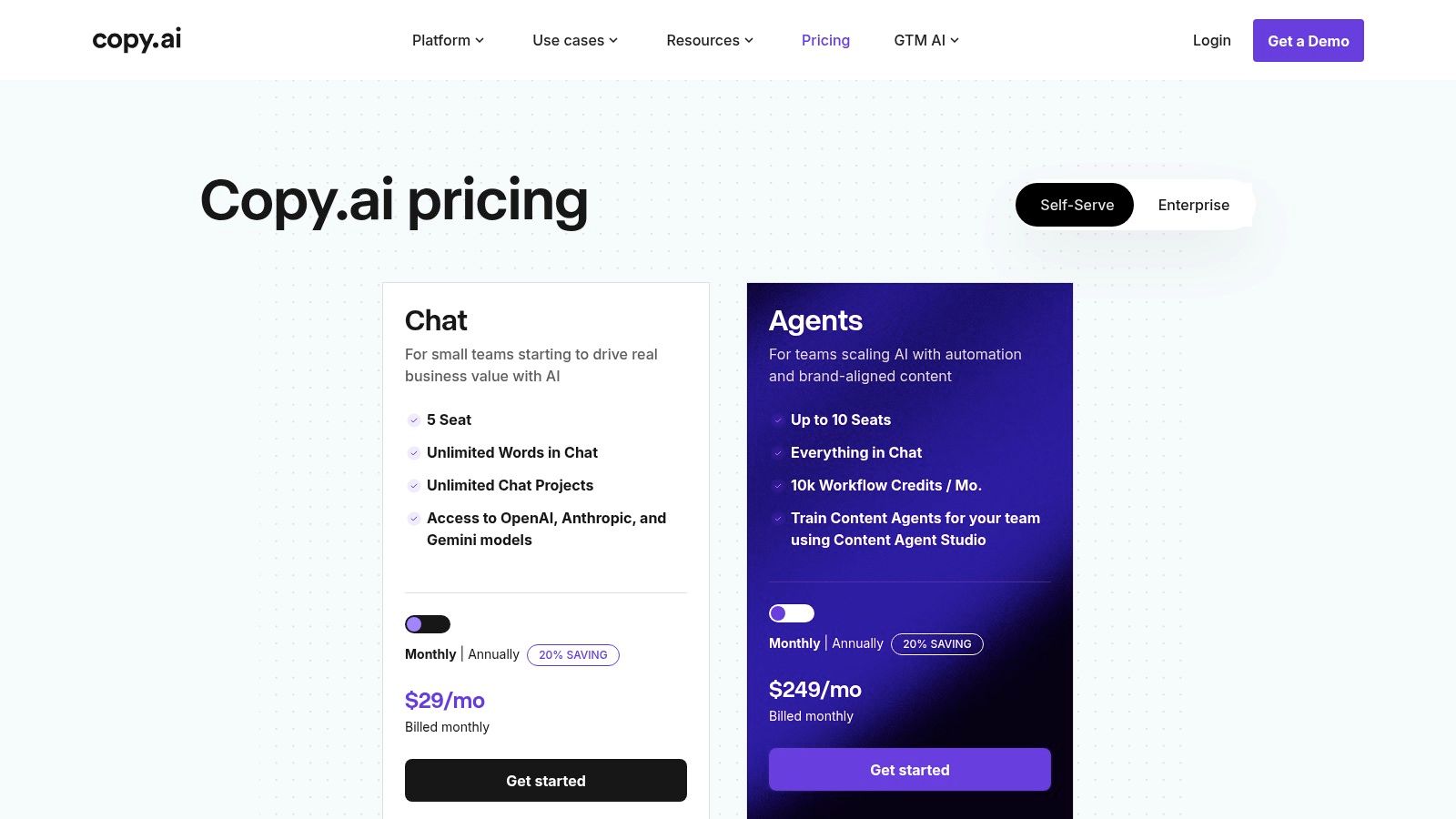
Its core strength lies in the "Agents" feature, which allows you to build custom workflows that automate multi-step content processes. For LinkedIn, you could create an agent that takes a raw data point, enriches it with industry context, drafts three distinct post variations (e.g., a question, a statistic, and a story), and then formats them for a carousel. This level of automation is ideal for agencies or marketing managers handling a high volume of content, allowing them to maintain a consistent presence with less manual effort.
Key Features & Considerations
| Feature | Details |
|---|---|
| Best For | Automating repetitive content tasks, scaling marketing copy production, and creating templated workflows. |
| Pricing | Offers a Free tier with 2,000 words. Paid plans like Pro ($36/mo) and Team ($188/mo) add more features, users, and workflow credits. |
| Pros | Affordable entry-level plans, powerful workflow automation for scalable content, and unlimited chat words on some tiers. |
| Cons | Pricing has changed over time, so verify plan inclusions. Automation features can become costly at higher usage levels. |
| Implementation Tip | Build a "LinkedIn Repurposing Agent." Set up a workflow that ingests the URL of a new company blog post, extracts key takeaways, writes five unique LinkedIn post hooks based on those points, and suggests relevant hashtags. This automates the initial, time-consuming steps of content distribution. |
Website: https://www.copy.ai/prices
Which AI Tool Is Best for Content Creation?
The honest answer: it depends on what you're creating and where you're publishing. Rather than crowning a single winner, here's a quick breakdown by use case to help you find your match:
- For LinkedIn posts and carousels: Postiv AI is purpose-built for this workflow. It combines a brand-trained AI writer, carousel designer, and scheduler in one platform — no tool-hopping required. If you're coming from a research-only tool like Kleo, see our Kleo alternatives comparison for a detailed breakdown of creation-focused tools.
- For general-purpose writing and research: ChatGPT remains the most versatile option. Its ability to handle everything from brainstorming to code generation makes it the Swiss Army knife of AI tools.
- For marketing teams managing brand voice: Jasper provides structured campaign workflows and multi-brand voice profiles that keep large teams consistent across dozens of assets.
- For visual content and social graphics: Canva with its Magic Studio AI lets non-designers go from prompt to polished graphic in seconds, with a massive template library to match. For infographic-specific tools, see our LinkedIn infographic maker comparison.
- For video and podcast editing: Descript turns editing into a word-processing experience — just edit the transcript and the media follows. It's unmatched for repurposing long-form recordings into social clips.
- For artistic image generation: Midjourney produces the most visually distinctive results, ideal for brands that want a unique aesthetic beyond stock photography.
The real power move? Combine two or three of these tools into a stack that covers your entire workflow. For a detailed head-to-head comparison, see the full feature table below.
Top 12 AI Content Creation Tools — Feature Comparison
| Tool | Core features | UX / Quality ★ | Value & Price 💰 | Target audience 👥 | Unique selling points ✨ |
|---|---|---|---|---|---|
| Postiv AI 🏆 | Brand-trained AI writer, carousel designer, scheduler, analytics, knowledge ingestion (PDF/video/web) | ★★★★☆ — LinkedIn-native, 15+ EU langs, example high-engagement stat | 💰 7-day free trial → $99/seat/mo; Team/Agency custom; saves 10+ hrs/wk | 👥 LinkedIn-first professionals, personal brands, agencies & teams | ✨ On‑brand carousels, tone‑preserving knowledge feed, LinkedIn‑compliant scheduling, role‑based access |
| OpenAI – ChatGPT | General-purpose chat, custom GPTs, web/file uploads, API & integrations | ★★★★★ — best-in-class reasoning, frequent feature updates | 💰 Free → Plus/Business/Enterprise; API billed separately | 👥 Creators, developers, researchers, teams | ✨ Versatile models, custom GPTs, large third‑party ecosystem |
| Jasper | Marketing templates, Brand Voice, campaign workflows, SEO tools | ★★★★☆ — strong marketing outputs, multi-brand support | 💰 Tiered per-seat pricing; can scale costly for large teams | 👥 Marketing teams, agencies, multi-brand brands | ✨ Campaign workflows, Brand Voice, enterprise governance |
| Canva | Templates, Magic AI (Write/Design/Expand), brand kit, social scheduler | ★★★★☆ — very fast creation, huge asset library | 💰 Freemium → Pro/Teams; recent price changes for Teams/Biz | 👥 Non-designers, marketers, SMBs, social teams | ✨ Massive templates + Magic tools, quick social-ready creatives |
| Adobe – Firefly & Express | Firefly generative models, Photoshop Generative Fill, Express templates, stock integration | ★★★★☆ — pro-grade creative, clear commercial licensing | 💰 CC + Express plans with generative credits; tiered costs | 👥 Designers, agencies, creative pros | ✨ Creative Cloud integration, licensing/IP safeguards, broad media support |
| Microsoft 365 with Copilot | Copilot in Word/Excel/PPT/Outlook, Designer, Copilot Chat | ★★★★☆ — deep Office integration; feature/region variance | 💰 Included in some M365 bundles; separate Copilot tiers | 👥 Enterprise & Office-centric organizations | ✨ Embedded AI in everyday productivity apps, enterprise security & admin controls |
| Google Workspace with Gemini | Gemini side panels in Docs/Gmail/Slides/Sheets, Drive assistance | ★★★★☆ — native collaboration, feature set varies by edition | 💰 Included in Workspace plans; verify 2025 changes | 👥 Google Workspace users, collaboration-first teams | ✨ Real-time AI assistants inside Workspace apps, seamless collaboration |
| Notion with Notion AI | Drafting, summarization, autofill, meeting notes, templates | ★★★☆☆ — strong editorial/workflow support; AI often needs Business plan | 💰 Freemium → Business/Enterprise for full AI access | 👥 Editorial teams, knowledge managers, product teams | ✨ Integrated docs + AI planning, templates and research mode |
| Descript | Text-based multitrack audio/video editor, overdub, studio sound, auto-edits | ★★★★☆ — extremely fast long-form cleanup & editing | 💰 Tiered plans with media minutes / AI credits | 👥 Podcasters, YouTubers, course creators | ✨ Overdub voice cloning, text-based editing, fast export to socials |
| Runway | Text-to-video, image/video tools, upscaling, API, credit model | ★★★☆☆ — fast iteration (Turbo), quality costs extra | 💰 Credit-based pricing; costs scale with length/quality | 👥 Video creators, advertisers, prototypers | ✨ Modern video models, Turbo modes, transparent credit tables & API |
| Midjourney | High-quality image generation, Animate short video, Discord/web workflows | ★★★★☆ — distinctive aesthetics, active community | 💰 Subscription tiers with GPU-hours/credits; Stealth mode on higher tiers | 👥 Artists, designers, concept creators | ✨ Strong stylistic outputs, active community, private work options |
| Copy.ai | Chat-based writing, multi-model access, agents & workflow automation | ★★★☆☆ — affordable chat + workflow tools for repetitive tasks | 💰 Free tier; affordable entry; higher-tier automation can add cost | 👥 Marketers, sales teams, small teams | ✨ Multi-model access, Content Agent Studio, workflow automation |
What Is the Best Tool to Check for AI Generated Content?
As AI-written content becomes more common, many professionals want to verify whether text was generated by a machine. Several dedicated detection tools have emerged:
- Originality.ai — Designed for publishers and content marketers, it scans text and assigns a probability score for AI generation. It also checks for plagiarism in the same scan.
- GPTZero — Popular in educational settings, it analyzes "perplexity" and "burstiness" patterns to flag AI-written passages.
- Copyleaks — Offers enterprise-grade detection with support for multiple languages and integration options.
However, it's important to understand the limitations. No current detector is 100% accurate. False positives (flagging human-written text as AI) are common, especially with technical or formulaic writing. And as AI models improve, detection becomes increasingly unreliable.
A better approach than detection: Instead of obsessing over whether content "passes" a detector, focus on making your content authentically valuable. Add personal anecdotes, reference proprietary data, include specific client examples, and inject your unique perspective. These elements are nearly impossible for generic AI to replicate and are what truly builds trust with your audience. Tools like Postiv AI help bridge this gap by training the AI on your knowledge base, producing drafts that capture your expertise and voice rather than generic outputs.
Are There Free AI Content Creation Tools Worth Using?
Absolutely. Several of the tools on this list offer genuinely useful free tiers that go beyond a limited trial:
- ChatGPT (Free tier): Access to GPT-4o for brainstorming, drafting, research, and even basic image generation. The free plan handles most individual content creation tasks without a subscription.
- Canva (Free plan): Thousands of templates, basic Magic Studio AI features, and a drag-and-drop editor. You can create social graphics, presentations, and simple carousels without paying a cent.
- Google Gemini: Free access to Google's AI models for brainstorming, research, and drafting directly in the browser or within Google Workspace apps.
- Copy.ai (Free tier): 2,000 words per month with access to multiple AI models and basic chat-based writing assistance.
- Notion AI: Limited free AI responses on the free plan, useful for note-taking and basic content organization.
For individuals and small businesses on a tight budget, starting with ChatGPT plus Canva covers most text and visual creation needs at zero cost. As your volume grows or you need platform-specific workflows (like LinkedIn carousels and scheduling), upgrading to a paid all-in-one tool like Postiv AI typically pays for itself in time saved.
Can AI Tools Fully Replace Human Content Creators?
No, and that is unlikely to change anytime soon. AI excels at the mechanical parts of content creation: generating first drafts, reformatting existing content, brainstorming headline variations, and handling repetitive tasks at scale. These capabilities save creators hours of manual work every week.
However, the content that actually builds trust and drives engagement on platforms like LinkedIn requires elements AI cannot produce on its own:
- Personal stories and lived experience that make a post relatable
- Proprietary data and original research that provide unique value
- Strong opinions and contrarian takes that spark real conversation
- Strategic judgment about what to publish, when, and for whom
The professionals seeing the best results treat AI as an intelligent assistant, not a replacement. They use tools to eliminate busywork and accelerate production, then invest the time saved into higher-level strategy, audience engagement, and relationship building. For a practical look at how AI fits into a broader publishing system, see our guide to content creation best practices on LinkedIn.
How Do I Choose the Right AI Content Creation Tool?
With dozens of options available, choosing the right tool starts with a simple question: where is my biggest content bottleneck?
- If writing is your bottleneck: Start with ChatGPT (free) or Jasper (for marketing teams needing brand voice controls).
- If design slows you down: Canva or Adobe Express will save the most time with template-based visual creation.
- If LinkedIn is your primary channel: An all-in-one tool like Postiv AI eliminates the need to switch between a writing tool, a design tool, and a scheduling tool.
- If you produce video or podcasts: Descript's transcript-based editing is the fastest path from raw recording to polished clips.
- If you need enterprise integration: Microsoft Copilot or Google Gemini embed AI directly into the productivity tools your team already uses.
Before committing, take advantage of free trials. Test two or three tools on a real piece of content, not a toy example. Pay attention to how much editing the output requires, whether the tool fits your existing workflow, and whether it genuinely saves time after the learning curve.
If you also need scheduling, multi-channel distribution, and approval workflows on top of AI drafting, broaden your shortlist with our guide to the best content marketing automation tools, which covers the full creation-to-reporting stack.
What Is the Best AI Tool Stack for Content Creators in 2026?
Rather than adopting a dozen tools, most content creators get the best results from a focused stack of two or three platforms that cover their core workflow:
| Workflow Need | Recommended Tool | Cost |
|---|---|---|
| Writing & Research | ChatGPT (Free or Plus at $20/mo) | $0-20/mo |
| Visual Design | Canva (Free or Pro at $15/mo) | $0-15/mo |
| Video & Audio Editing | Descript (Free or Creator at $12/mo) | $0-12/mo |
| LinkedIn All-in-One | Postiv AI ($99/mo) | $99/mo |
| Brand Marketing at Scale | Jasper (from $39/mo) | $39+/mo |
For solopreneurs and small teams focused on LinkedIn, Postiv AI can replace the writing, design, and scheduling layers in a single subscription. For broader multi-platform needs, ChatGPT + Canva + a scheduling tool remains the most cost-effective combination. The key is to avoid paying for overlapping features across multiple tools.
Can AI Do Content Creation?
Yes. AI handles a much wider range of content tasks than most people realize. The tools above can draft blog posts, ship social posts, write ad copy and product descriptions, build email newsletters, generate video scripts, and create images and short video clips on demand.
What AI cannot do well is replace the human inputs that actually make content perform: lived experience, proprietary data, contrarian opinions, and the judgment to decide what is worth publishing in the first place. The professionals seeing the biggest gains treat AI as a first-draft engine. They use it to crush busywork, then spend the saved hours on strategy, editing, and audience engagement. For a deeper look at where AI fits in a real publishing system, see our guide on content creation best practices.
What Is the 10-20-70 Rule for AI?
The 10-20-70 rule, popularized by BCG, says successful AI transformation is 10 percent algorithms, 20 percent technology and data, and 70 percent people and processes. The lesson for content teams: tool selection is the easy part. The hard, decisive work is training your team on prompts, building review steps that catch hallucinations, and integrating AI into how content actually gets briefed, approved, and shipped.
In practice, this means a smaller stack used well will beat a larger stack used poorly. Pick one or two ai content creation tools that remove your single biggest bottleneck, document the prompts and workflows that produce on-brand output, and only expand once those processes are running cleanly. Teams who skip this step end up with subscriptions they barely use and content that still reads generic.
Which AI Content Creation Tool Should You Pick First?
If you are starting from scratch, pick the tool that removes your single biggest bottleneck first:
- Stuck on writing? Start with ChatGPT free or Jasper if you need brand voice controls.
- Stuck on design? Canva covers 90 percent of social and carousel needs in minutes.
- Stuck on LinkedIn specifically? Postiv AI handles writing, carousel design, and scheduling in one platform, so you stop tool-hopping. Compare it directly against research-only tools in our Kleo alternatives guide, or against post-only tools in our LinkedIn post creator breakdown.
- Stuck on video or podcasts? Descript turns transcript editing into a word-processor experience.
Skip the temptation to buy three tools at once. One tool used well on a real piece of content beats five tools you barely log into.
Integrating AI Tools into a Cohesive Content Strategy
Navigating the expansive landscape of ai content creation tools can feel overwhelming, but the journey from selection to successful integration is a strategic process, not a race to adopt every new platform. As we've explored, the market offers a diverse toolkit, from specialized LinkedIn content assistants like Postiv AI to broad-spectrum powerhouses like ChatGPT and Jasper, and from visual creation suites like Canva and Adobe Firefly to integrated ecosystem solutions within Microsoft 365 and Google Workspace. The key takeaway is that there is no single "best" tool, only the right tool for a specific job within your unique workflow.
The true power of these platforms is unlocked not in isolation, but when they are thoughtfully combined into a cohesive content engine. Your goal should be to build a personalized tech stack that addresses your most significant bottlenecks, freeing up your valuable time to focus on high-level strategy, audience engagement, and building genuine connections. For tools beyond content, from CRM agents to SEO and automation, see our list of AI marketing tools for B2B teams.
Building Your Personalized AI Content Stack
Choosing the right combination of tools starts with a clear-eyed assessment of your needs and workflow. Rather than trying to adopt a dozen new platforms at once, begin by identifying the single biggest point of friction in your content creation process.
- For the B2B Founder or Solopreneur: Your primary challenge is likely time. A specialized tool like Postiv AI is designed to streamline the entire LinkedIn content process from ideation to scheduling, while a versatile assistant like ChatGPT can help with research and drafting. Pairing these provides a focused yet flexible foundation.
- For the Marketing Manager: You need efficiency, collaboration, and brand consistency. Integrating Notion AI for planning and knowledge management, Canva for on-brand visuals, and a generative text tool like Copy.ai for campaign assets creates a powerful, collaborative ecosystem.
- For the Creative Professional: Your focus is on quality and innovation. A stack combining Adobe Firefly for ethically sourced image generation, Runway for experimental video, and Descript for polishing audio and video content can significantly accelerate your creative output without compromising quality.
From Implementation to Mastery
Once you've selected your initial tools, the focus shifts to effective implementation. Treat AI not as a replacement for human creativity but as an intelligent assistant. Start by delegating repetitive, time-consuming tasks. Use these tools to generate first drafts, brainstorm a dozen headline variations in seconds, create visual templates, or transcribe and summarize meeting notes.
It is also crucial to maintain a critical perspective. Before diving deep into integrating these tools, gaining a solid understanding what AI-generated content truly is can provide valuable foundational context. This knowledge helps you use AI responsibly, ensuring that your final output is authentic, adds real value, and reflects your unique brand voice. Remember that your expertise, your stories, and your strategic insights are what make your content compelling. AI is the amplifier, not the artist.
The future of content creation is a symbiotic relationship between human ingenuity and artificial intelligence. The professionals and brands who will thrive are not those who resist this shift, but those who learn to harness these remarkable ai content creation tools to work smarter, create more consistently, and ultimately, build deeper connections with their audience. Your journey starts now, not with adopting everything, but with choosing the right one or two tools that will make the biggest impact on your workflow today.
Ready to transform your LinkedIn presence from a chore into a strategic asset? Postiv AI is the all-in-one platform built specifically for professionals who need to create high-impact, authority-building content efficiently and securely. Stop juggling multiple tools and start building a cohesive, powerful content engine by exploring Postiv AI today.
More Questions
What is the best AI content creation tool in 2025-2026?
The best AI content creation tool depends on your needs. For LinkedIn-focused content, Postiv AI offers an all-in-one solution. For general writing, ChatGPT leads with versatility. Jasper excels for marketing teams, while Canva and Adobe Firefly dominate visual content creation.
Are AI content creation tools worth the investment?
Yes, AI content creation tools can save 10+ hours per week on content production. They help with ideation, drafting, editing, and design. Most offer free tiers to test before committing, with paid plans starting around $10-40/month for individuals.
Which AI tools are best for creating marketing content?
For marketing content, Jasper offers dedicated campaign workflows and brand voice features. Copy.ai provides automation for repetitive tasks. Canva and Adobe Express excel at visual marketing assets. Postiv AI specializes in LinkedIn marketing content with carousel creation and scheduling.
How do I choose the right AI content creation tool for my business?
Start by identifying your biggest content bottleneck. If you struggle with writing, try ChatGPT or Jasper. If design is the bottleneck, Canva or Adobe Express will save the most time. For LinkedIn-specific workflows that include writing, carousel design, and scheduling, an all-in-one platform like Postiv AI eliminates tool-hopping. Most tools offer free trials, so test two or three before committing.
Which AI tool is the best for content creators?
For most content creators in 2026, the strongest pick is Postiv AI for LinkedIn-focused workflows, ChatGPT for general writing and research, and Canva for fast visual design. Video creators add Descript, and marketing teams running multi-brand campaigns lean on Jasper. Pick the tool that removes your biggest bottleneck first, then layer in a second only when it genuinely saves more time than it costs.
What are the best free AI content creation tools?
Yes, several genuinely useful tools are free. ChatGPT's free tier covers brainstorming, drafting, and research with GPT-4o. Canva's free plan includes basic Magic Studio AI and thousands of templates. Google Gemini is free in the browser and inside Google Workspace. Copy.ai offers 2,000 free words per month. For most solo creators, ChatGPT plus Canva is a complete free starter stack.