

Buffer alternative
The Buffer Alternative for LinkedIn Creators.
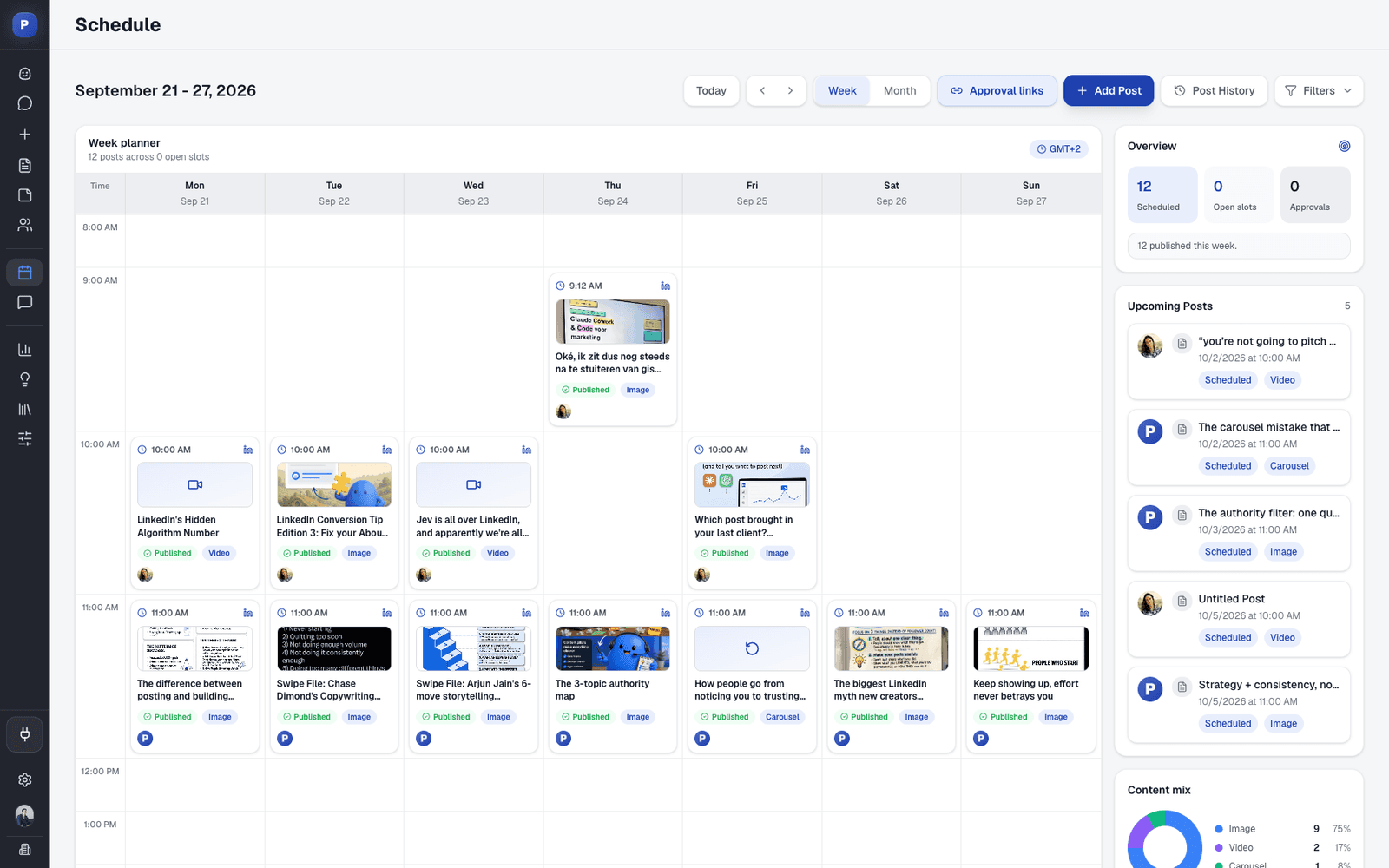
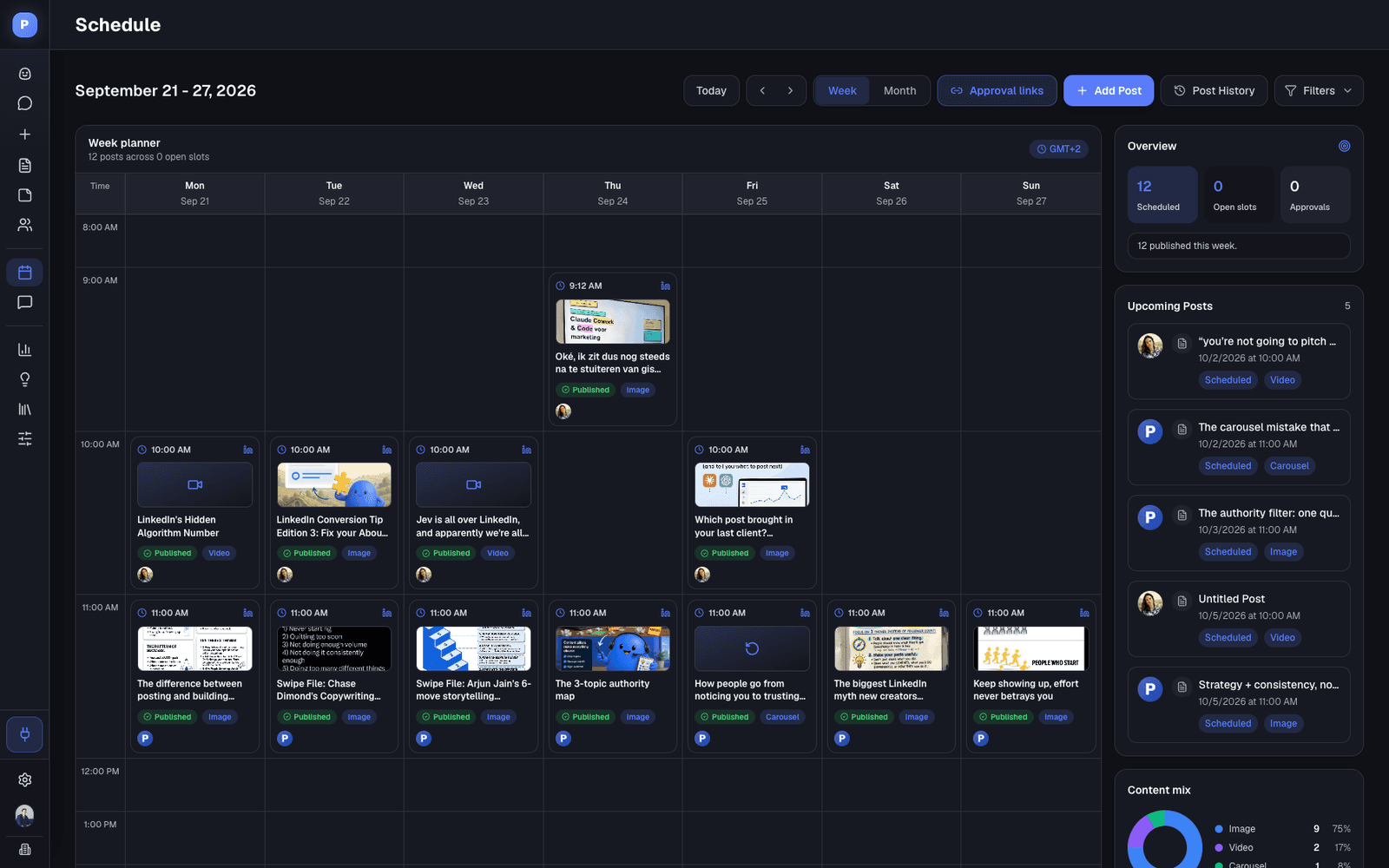
Buffer schedules posts to 12 networks for a low price per channel. Postiv is built for LinkedIn: ideas from what's working in your niche, a weekly plan, drafts in your voice, on-brand carousels, approvals and scheduling for profiles and company pages, with X next to it.
7-day free trial. Buffer facts from buffer.com/pricing, checked October 1, 2026.
The Short Answer
Buffer or Postiv? It Depends Where You Post.
Pick Buffer if you post across many networks and mostly need a cheap, reliable scheduler. Pick Postiv if LinkedIn is the channel that matters and you want ideas, a weekly plan, carousels and approvals in the same workspace as the calendar.
Stay with Buffer if
- You post on Instagram, TikTok, Facebook, Pinterest or other networks. Buffer connects 12 networks, and Postiv covers LinkedIn and X.
- You want the lowest price. Essentials is $5 per channel a month billed yearly, and the free plan covers 3 channels.
- A scheduler is all you need. You already know what to post and you make your carousels elsewhere.
- You save content from around the web with Buffer's browser extension, which comes on every plan.
Switch to Postiv if
- LinkedIn drives your results and you want carousels built in, not imported from Canva.
- You want ideas from what's working in your niche and a weekly plan, not an empty queue to fill.
- You want drafts that sound like you, learned from your posts and your documents.
- Several people or profiles post, and you'd rather pay one flat Team price than a price per channel.
Why Switch
Why People Look for a Buffer Alternative
Buffer is a reliable scheduler with a real free plan, and most people don't leave over the scheduling. These are the limits LinkedIn-focused users run into, taken from Buffer's own pricing page.
- 01
It schedules, it doesn't create
Buffer has no native carousel or infographic designer. It imports finished designs from Canva, so one carousel takes an AI writer, a design tool and Buffer to publish.
- 02
Pricing follows every channel
Each LinkedIn profile or company page is a channel. Team costs $10 per channel a month billed yearly, and it's the only plan with approvals and more than one user. Ten LinkedIn profiles on Team come to $100/mo billed yearly.
- 03
LinkedIn profile analytics stay basic
Buffer's own channel table lists advanced analytics for LinkedIn pages but only basic analytics for LinkedIn profiles. On the Free plan, history reaches back 30 days.
- 04
The AI refines, it doesn't plan
Buffer's AI Assistant refines and repurposes content you already have, and its AI replies learn your voice for comments. Ideas are an inbox you fill yourself, and no knowledge base is listed, so the planning and the source material stay with you.
Compare
Postiv vs Buffer, Feature by Feature.
Facts from buffer.com/pricing, checked October 1, 2026. Postiv features and prices from postiv.ai/pricing.
Buffer
Postiv
Pricing
Buffer vs Postiv Pricing.
Buffer is the cheaper scheduler at every size here, and it charges per channel. Postiv costs more because the price also covers ideas, planning, carousels and approvals, and it stays flat as profiles are added.
Buffer
MonthlyYearlyFree
3 channels, 10 scheduled posts per channel, 1 user, AI Assistant
$0
$0
Essentials
Per channel. Unlimited scheduled posts, advanced analytics, first comments, 1 user
$6
$5
Team
Per channel. Adds unlimited members, approvals, access levels, branded reports
$12
$10
Postiv
MonthlyYearlyCreator Pro
Ideas, weekly plan, writing in your voice, carousels, analytics, LinkedIn and X
$99
$49.50
Team
Everything in Creator Pro, unlimited members and profiles, approvals
$229
$159
Both plans: LinkedIn and X on one calendar, the Postiv MCP, and a 7-day free trial.
Prices per month in USD. Yearly is the monthly cost when billed annually.
What You Would Pay
1 LinkedIn profile
- Buffer
- Essentials, $6/mo ($5 yearly)
- Postiv
- Creator Pro, $99/mo ($49.50 yearly)
1 profile and 1 company page
- Buffer
- 2 channels, $12/mo ($10 yearly)
- Postiv
- Creator Pro, $99/mo ($49.50 yearly)
5 profiles, with approvals
- Buffer
- Team, $60/mo ($50 yearly)
- Postiv
- Team, $229/mo ($159 yearly)
10 profiles, with approvals
- Buffer
- Team, $120/mo ($100 yearly)
- Postiv
- Team, $229/mo ($159 yearly)
With Postiv
What Changes When You Switch.
One workspace for the whole loop: ideas, drafts in your voice, design, approvals, scheduling and results.
Start from what's working
Browse top posts in your niche, sort by outliers and turn one into a draft. Borrow the idea and the format, never the words.
Inspiration libraryA week that plans itself
Bob, the planning agent, turns your content pillars and past results into next week's plan. You pick, edit and approve.
Ideation agentDrafts in your voice
Postiv learns your voice from your post history and drafts from the documents you add, so the AI isn't starting from a blank prompt.
Knowledge baseCarousels without the Canva trip
Your colors, fonts and logo on every slide, plus infographics and images. Change any slide by asking, then schedule it as a PDF document.
Carousel generatorEvery voice in one workspace
Personal profiles and company pages together, with approvals, shared assets and one flat price instead of one per channel.
Team managementLinkedIn and X together
Give any post an X version: threads, images or an X Article. Same calendar, same approvers.
Postiv for X
Switching
Switch From Buffer in 3 Steps.
No migration project. Connect your accounts, set up your voice and brand, and plan a week.
- 1
Connect your accounts
Connect your LinkedIn profile and company pages through the official LinkedIn API. Add X if you post there too. Keep Buffer for any other networks.
- 2
Bring your voice and brand
Postiv learns your voice from your post history. Set your carousel colors, fonts and logo, and add the documents you write from.
- 3
Plan your first week
Pick ideas from your niche, let Bob draft the plan, then approve and schedule. Move any LinkedIn posts still queued in Buffer before you cancel.
FAQ
Questions About Leaving Buffer.
What is the best Buffer alternative for LinkedIn?
It depends on why you're leaving. Buffer is a cross-platform scheduler, so for LinkedIn creators who want ideas from what's working in their niche, drafts in your voice, carousels you design in the same place, approvals and scheduling for LinkedIn and X, Postiv is built for that. If you only want another scheduler, our list of the best Buffer alternatives compares more options.
Is there a free alternative to Buffer for LinkedIn?
Buffer's own Free plan is hard to beat: 3 channels, 10 scheduled posts per channel, the AI Assistant and 30 days of analytics history. Publer also has a free plan. Postiv has no free plan, but its 7-day free trial includes the full product, so you can plan, design and schedule a week of LinkedIn content before you pay.
What can I use instead of Buffer for LinkedIn carousels?
Buffer has no native carousel designer. It imports finished designs from Canva, so most people write in one tool, design in another and publish from Buffer. Postiv writes the slide copy, designs the carousel on your brand kit, lets you change any slide by asking, and schedules it as a PDF document on LinkedIn.
Why are people leaving Buffer for LinkedIn?
Usually for one of four reasons: Buffer has no carousel designer, pricing is per channel so it grows with every profile and page, LinkedIn profiles get only basic analytics, and its AI refines content instead of planning your week or drafting from your documents. Teams that treat LinkedIn as their main channel move to a LinkedIn-first tool, and people who post on many networks usually stay.
Is Postiv cheaper than Buffer?
No. Buffer Essentials is $5 per channel a month billed yearly ($6 billed monthly), and its Free plan covers 3 channels. Postiv Creator Pro is $99/mo, or $49.50/mo billed yearly. The difference is what the price covers: Buffer prices the scheduler, while Postiv also includes ideas, a weekly plan, drafts in your voice and carousels, so you may not need a separate design tool or AI writer. For teams, Buffer Team is $10 per channel billed yearly, so 10 LinkedIn profiles cost $100/mo, while Postiv Team is $229/mo with unlimited members and profiles.
Does Postiv schedule posts the way Buffer does?
For LinkedIn, yes. Postiv connects through the official LinkedIn API and gives you a visual calendar with posting slots, drag-and-drop rescheduling, an automatic first comment, personal profiles and company pages together, and approvals on the Team plan. Nothing goes live without your OK.
Does Postiv post to Instagram, TikTok or the other networks Buffer does?
No. Buffer connects 12 networks, including Instagram, TikTok, Facebook and Pinterest. Postiv covers LinkedIn and X. If you post on the other networks too, keep Buffer, for example on its free plan, and move only your LinkedIn work to Postiv.
Can I use Claude or ChatGPT with Postiv like I can with Buffer?
Yes. Buffer lists Claude, ChatGPT and Cursor integrations on every plan, and the Postiv MCP works with Claude, ChatGPT, Claude Code, Cursor and Codex on every Postiv plan. The difference is what's loaded: Postiv gives your AI your ideas, brand and analytics for LinkedIn and X.
Can I manage several LinkedIn profiles and company pages in Postiv?
Yes, on Team. It includes unlimited members and LinkedIn profiles, with approvers per profile, for a flat $229/mo. Creator Pro covers one connected LinkedIn profile, with its company pages. Agencies can run separate client workspaces, while Buffer manages every channel from one dashboard.
How do I switch from Buffer to Postiv?
Start a free trial, connect LinkedIn and let Postiv learn your voice from your post history. Postiv doesn't import from Buffer, so copy any LinkedIn posts still queued there into Postiv and reschedule them before you cancel. You can keep Buffer for the other networks while you trial.
Is Postiv safe for my LinkedIn account?
Postiv connects through the official LinkedIn API, and nothing goes live without your OK. It runs through the API, not a browser extension.
Still Comparing?
- Best Buffer Alternatives in 2026More Buffer alternatives for LinkedIn, side by side, with pricing.
- Postiv pricingPlans, trial and what each one includes.
- All Postiv alternativesPostiv compared with 30 LinkedIn and social tools.
- Hootsuite alternativeHow Postiv compares with Hootsuite.
- Publer alternativeHow Postiv compares with Publer.
- Vista Social alternativeHow Postiv compares with Vista Social.
Last updated . Buffer facts from buffer.com/pricing.
Try Postiv Next to Buffer for a Week.
Keep Buffer running while you trial Postiv. Connect LinkedIn, plan a week from what's working in your niche, and compare. 7-day free trial.

