Most social media tools were built for one in-house team and then given an "agencies" page. That works until you have fifteen clients, three teammates on the same accounts, and a client who has never logged into anything in their life and is not going to start now. If you are choosing a tool for social media management for agencies, the questions that matter are different: how cleanly each client is separated, how a client approves a post, and whether the tool also helps you create the content.
This guide compares the 11 best social media management tools for agencies on exactly that: Postiv, Planable, Sprout Social, Hootsuite, Agorapulse, SocialPilot, Pallyy, Sendible, Cloud Campaign, HeyOrca and Buffer. For each one you get who it is built for, how it handles client workspaces, whether clients can approve without an account, what it offers for MCP and API, and who should skip it. We left prices out on purpose. Plans and prices change often, and they are rarely what makes or breaks an agency setup. The workflow is.
All competitor details below come from each vendor's own site and help docs, checked in October 2026. Where we could not confirm something, we say so instead of guessing.
Prefer to watch? Jan walks through the full agency system, from client workspaces to approvals by link and client reporting, in this video:
The short answer: the best tool for each type of agency
| If your agency is... | Look at |
|---|---|
| A B2B agency that also creates the content (posts, carousels, visuals), from a few clients to hundreds | Postiv |
| Focused on visual, multi-round client approvals | Planable |
| Serving enterprise clients that need listening and heavy reporting | Sprout Social |
| Built around community management and a shared inbox | Agorapulse |
| Posting to many networks for small and mid-size clients | SocialPilot or Pallyy |
| Looking for a white-label platform from day one | Cloud Campaign |
| Mostly Instagram and brand clients who approve from an email link | HeyOrca |
If one sentence has to decide it: pick the tool that was built around client workspaces and approval links, not the one with the longest feature list.
What an agency needs that an in-house team does not
An in-house team has one brand, one voice and one approver. An agency has all of that multiplied by the number of clients, plus teammates who move between accounts. Five things separate a tool that works for an agency from one that merely lets you add a second brand.
1. Clean separation per client. Every client needs their own workspace: their own profiles, calendar, drafts, approvers and analytics. When one workspace holds everything, a post lands on the wrong calendar sooner or later. At the other extreme, a setup so split that you juggle a login per client is just as painful.
2. Approval by link, with no client account. Clients are busy and they do not want another tool. A tool that makes them create an account, remember a password and learn an interface adds days to every approval cycle.
3. Clients connect their own accounts from a link. Asking a client for their password is a bad start and a security risk. The better tools send the client an invite link: they open it, connect their own profiles, and you can start. No shared passwords, no screen-share session to get set up.
4. Several teammates on the same accounts. Roles, drafts that stay hidden from the client until they are ready, and a calendar that shows what is queued for every client in one view.
5. A tool that grows with you. Going from 3 clients to 50 should mean adding workspaces, not changing tools.
Jan van Musscher, co-founder of Postiv, who ran a B2B agency with 50+ clients, on the first one:
One workspace where everything is mixed gets messy fast, especially when several teammates are on the same accounts and your team is waiting on approvals.
And on the second:
Clients hate logging into things. They hired you so they don't have to. An email with a link they can revisit is so much easier.
There is a sixth question that is easy to miss: how the tool fits the way you already work. More agencies now run part of their content workflow through an AI assistant, so it is worth knowing whether a tool has an MCP server, a public API, or neither. We cover that for every tool below.
Comparison table: 11 social media management tools for agencies
| Tool | Built for | Client workspaces | Approval without login | MCP / API |
|---|---|---|---|---|
| Postiv | B2B agencies, from a few clients to hundreds of client workspaces | Yes, one workspace per client | Yes, approval link, no login | Full MCP server and public API |
| Planable | Mid-market and agencies, with an enterprise tier | Yes, one workspace per client | No. Guest link is view and comment only, approvers need a free account | Official MCP on all plans, public API on Pro and Enterprise |
| Sprout Social | Enterprise-leaning | Yes, client groups with separate permissions | Yes, but only on the Advanced plan, up to 3 external approvers | No official MCP found, API on Advanced and up |
| Hootsuite | Enterprise-leaning | Organizations and permission groups, accounts organized by client | Not found | Official MCP servers, developer APIs |
| Agorapulse | Mid-market | Profile-level access and shared calendars per client | Yes, via Shared Calendar on Advanced and up | Official MCP (beta), reports API on the Custom plan |
| SocialPilot | SMB and agencies | Yes, client management with unlimited client seats on higher plans | Yes, approval link works without logging in | Official MCP, API on the Enterprise plan |
| Pallyy | SMB and agencies | Yes, one social set per client | Yes, shared link, no account | Official MCP and API on every plan |
| Sendible | SMB and agencies | Yes, one workspace per client | No. Client approves inside a client dashboard | No MCP found, no official API docs found |
| Cloud Campaign | Agencies | Yes, one brand workspace per client | Yes, tokenized link, no login | No MCP found, API workflows on the Agency plan |
| HeyOrca | Agencies and SMB brands | Yes, one calendar per brand | Yes, clients approve without logging in | No MCP or API docs found |
| Buffer | SMBs and creators | Single account with per-channel permissions | No. Invited users have their own login | Official MCP and API on every plan |
The 11 best social media management tools for agencies in 2026
1. Postiv: best for B2B agencies that create the content
Built for: B2B agencies, from a freelancer with a few clients to agencies running hundreds of client workspaces. The clients it fits best are B2B companies up to about 200 employees. It is not an enterprise suite.
Ghostwriting for founders and executives? The LinkedIn ghostwriter page shows how that workflow runs.
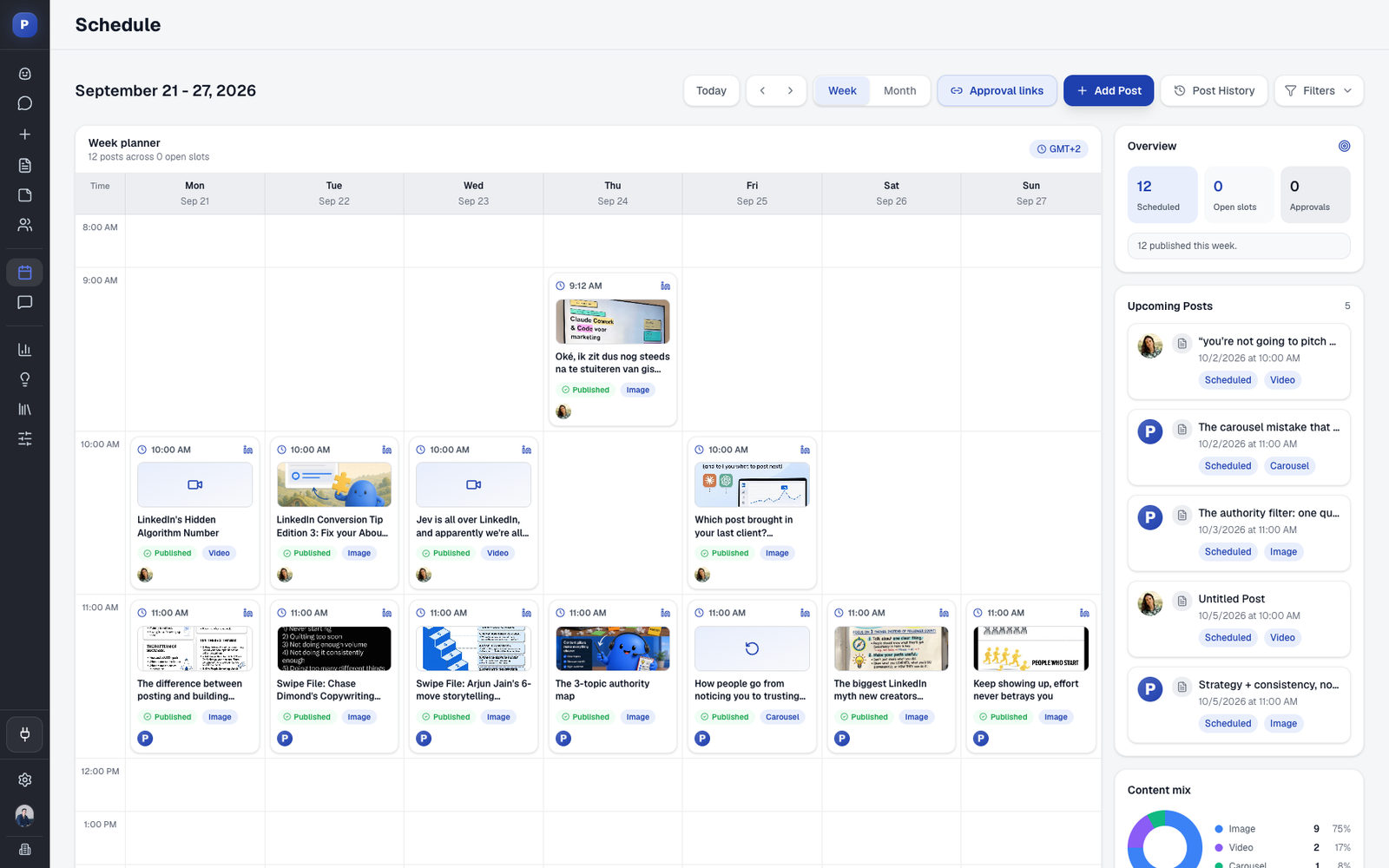
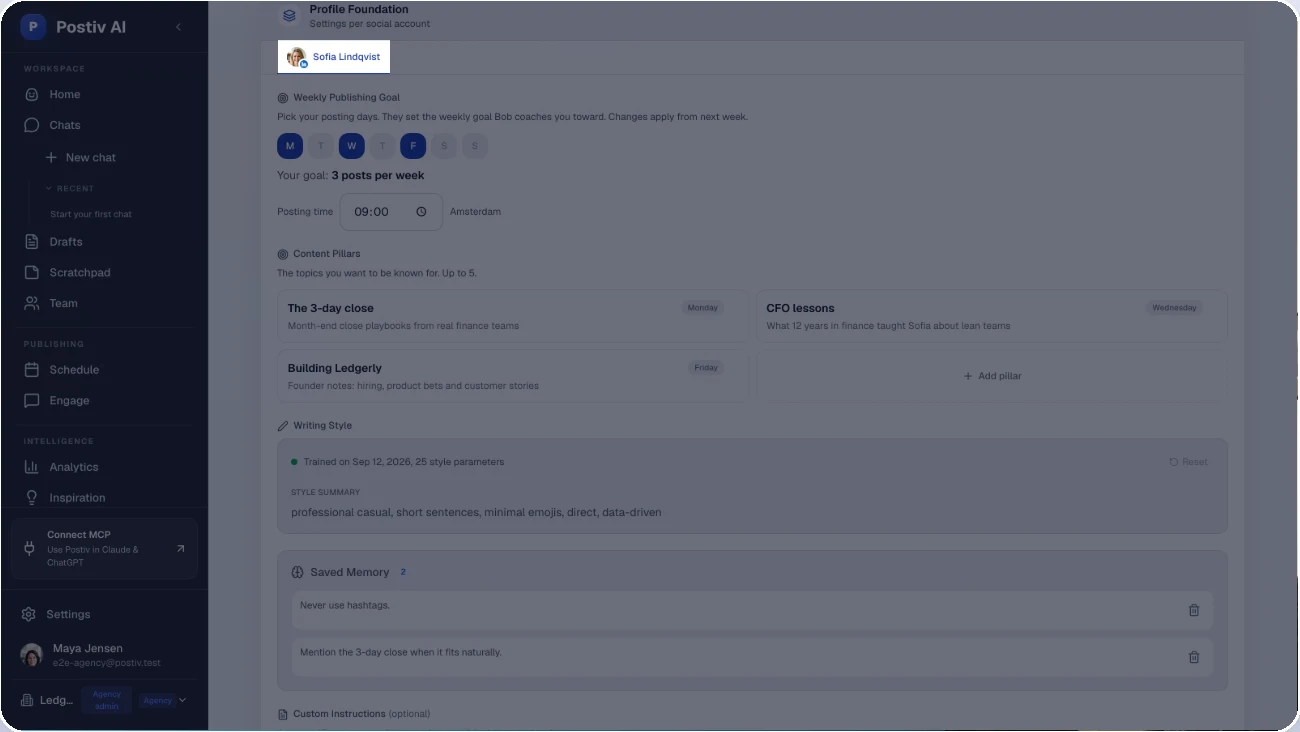
Client workspaces: yes. Every client has their own clean workspace, so profiles, calendars, drafts and approvers never mix. Each workspace holds that client's voice, brand kit, knowledge and content pillars. Your teammates can work across clients, and the agency calendar shows everything that is queued.
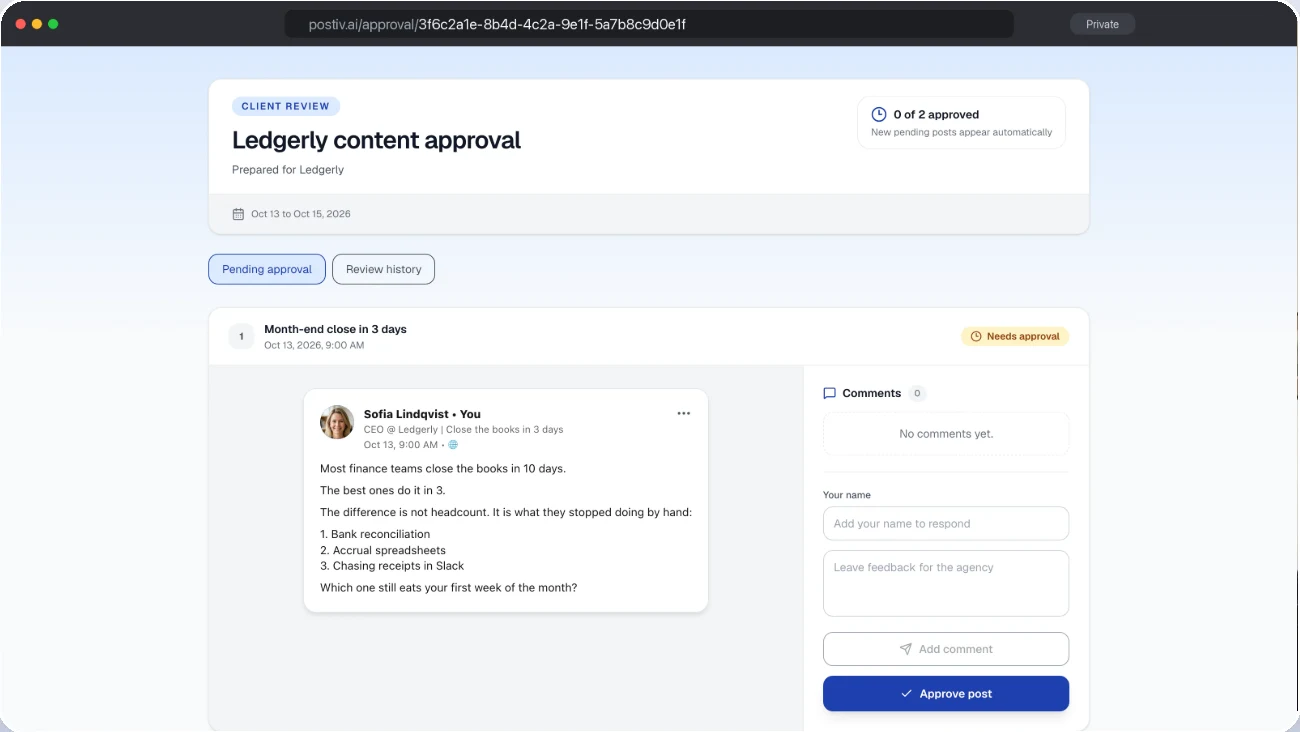
Approval without login: yes. You create a reusable approval link for the client's profiles. The client sees each post as it will look on LinkedIn, comments or approves, and an approved post is released at its scheduled time. No account, no seat. If you change a post after approval, the client reviews it again.
MCP and API: a full MCP server that works with Claude, ChatGPT and Cursor, and a public API. Other tools on this list have MCP servers too, but most expose scheduling, drafts and post status. Postiv's runs the whole content workflow. More on that in the LinkedIn MCP guide.
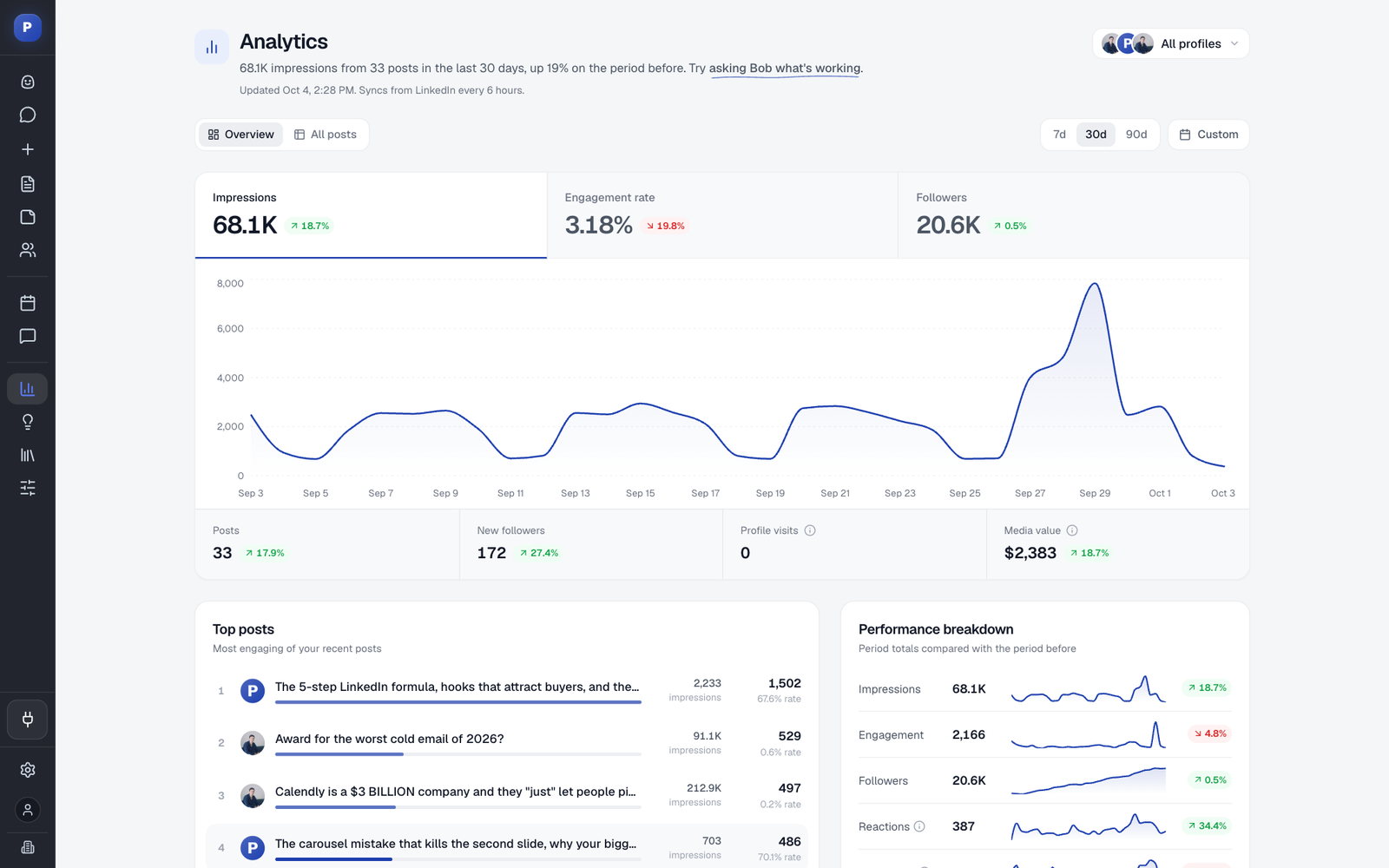
Beyond scheduling: content creation in each client's voice is built in: posts, carousels, infographics and weekly content plans. Plus an engage feed, team engagements, quote posts and reposts, and analytics.
Not ideal for: e-commerce and retail brands. If you run social for an e-commerce brand, pick something else from this list. If your clients are B2B, keep reading.
2. Planable: best for visual, multi-round client approvals
Built for: mid-market teams and agencies, with an enterprise tier that adds SSO and multi-level approvals.
Client workspaces: yes. Planable describes dedicated workspaces for each client, with internal notes and posts kept hidden until you are ready for client review.
Approval without login: not fully. Clients can view and comment through a public share link, but approving requires a Planable account with approver rights. Those accounts are free, and the client is invited into the workspace.
MCP and API: an official MCP connector on all plans and a public API on Pro and Enterprise. It also has AI post writing.
Beyond scheduling: analytics, social inbox and listening are add-ons per workspace. It supports LinkedIn personal profiles and company pages.
Not ideal for: agencies whose clients refuse to create any account, even a free one. Also keep in mind that inbox and analytics are sold as add-ons if you need them on every client.
3. Sprout Social: best for enterprise reporting and listening
Built for: enterprise. Its enterprise page and plan structure lead with large brands, SSO and white-glove onboarding.
Client workspaces: yes. Sprout organizes profiles into client-specific groups with their own permissions and separate environments.
Approval without login: yes, with conditions. External approvers can approve by email without a Sprout account, but only on the Advanced plan, with up to three external approvers, and Link Sharing has to be switched on first.
MCP and API: the public API sits on the Advanced plan. We did not find an official MCP server; the ones that exist are community projects that wrap the API. Sprout also has an AI agent called Trellis.
Beyond scheduling: this is where Sprout is strongest. Smart Inbox, listening, review management and competitor reports are all there, and Employee Advocacy is a separate product.
Not ideal for: freelancers and small agencies that mainly need to create content, schedule and get approval. Much of the enterprise depth will go unused.
4. Hootsuite: best for enterprise teams with many channels
Built for: enterprise. Its enterprise page cites 600+ Fortune 1000 brands, and its agency page names WPP-scale agencies.
Client workspaces: organizations and permission groups, with accounts organized by client and one dashboard for all client channels.
Approval without login: we did not find one. Approvals are tied to Hootsuite users and sit on the Advanced plan. The "External Approvals" feature records approvals that happened outside the tool, which is bookkeeping rather than a client-facing link.
MCP and API: four official MCP servers (publishing, inbox, listening and advocacy) for ChatGPT, Claude, Copilot and Gemini, plus developer APIs. We could not confirm which plans include them.
Beyond scheduling: unified inbox, listening, competitor benchmarking and ROI reports, plus an advocacy product that supports LinkedIn reposting.
Not ideal for: agencies that want clients to approve from an email link, and small teams that do not need listening and enterprise controls.
5. Agorapulse: best for community management and a shared inbox
Built for: mid-market agencies and brands, with a Custom tier for large teams and enterprises.
Client workspaces: Agorapulse has an agencies page and organizes its API by organization and workspace. In the interface, client separation is shown through profile-level access and per-client shared calendars. The agencies page does not say "one workspace per client", so check how that works in a trial.
Approval without login: yes, through Shared Calendar. Clients or external collaborators can approve or reject posts without an Agorapulse account. It needs the Advanced plan or higher.
MCP and API: an official MCP connector for ChatGPT, Claude and Copilot, currently in beta. The documented API is a reports API on the Custom plan.
Beyond scheduling: a shared inbox with assignments and saved replies, ROI reports, and add-ons for listening and advocacy.
Not ideal for: agencies that want the approval link on an entry plan, or a public API for content workflows rather than reports.
Already on Agorapulse and running mostly LinkedIn clients? See how other agency tools compare to Agorapulse.
6. SocialPilot: best for small agencies posting to many networks
Built for: SMBs and agencies. Its plans run from independent professionals to established agencies, with enterprise by quote.
Client workspaces: yes. It has client management and client approval workflows, with unlimited client seats on the higher plans.
Approval without login: yes. A client who has not logged in can approve through a link in the email.
MCP and API: an official MCP server for Claude, Claude Code, ChatGPT and Cursor, covering creating posts, creating drafts and checking status. API access is listed on the Enterprise plan.
Beyond scheduling: inbox on higher plans, analytics, white-label reports and bulk scheduling. It connects LinkedIn profiles and pages.
Not ideal for: agencies that want content creation to be the core of the tool. SocialPilot is a scheduler first, with AI credits on top.
7. Pallyy: best for simple planning and link approvals
Built for: SMBs and agencies. Pallyy states on its own site that it is not an ads manager, a listening suite or an enterprise governance platform, and sign-up is self-serve.
Client workspaces: yes. Each client brand is a social set with its own calendar, inbox and analytics, and teammates only see the sets assigned to them.
Approval without login: yes. Clients and teammates review and approve from a shared link, no account needed.
MCP and API: a remote MCP server with 17 tools, available on every plan including Free, and a REST API on every plan. The API supports drafts and approval states but cannot read analytics.
Beyond scheduling: shared inbox, analytics, client PDF reports and link in bio.
Not ideal for: agencies that want AI content creation in the client's voice, or enterprise governance. It is a planning, approving and publishing tool. We also did not find team engagement or reposting features.
8. Sendible: best for agencies that want a client dashboard
Built for: SMBs and agencies. Its agencies page is headlined "built for growing agencies", with an enterprise tier booked through a demo.
Client workspaces: yes. Every client gets their own workspace, with unlimited users. Client Connect lets clients link their profiles without sharing passwords.
Approval without login: not that we found. The help article describes the client approving inside a client dashboard, so the client has a Sendible user.
MCP and API: we found no MCP server. A REST API is described by third parties, but we found no official documentation.
Beyond scheduling: a priority inbox, social feeds and pre-built reports. White label is an add-on.
Not ideal for: agencies that want a no-login approval link or an MCP connection to an AI assistant.
9. Cloud Campaign: best for white-label from day one
Built for: agencies. Its homepage calls it "agency-friendly social media management" and it is built around white-labeling for the agency's own brand.
Client workspaces: yes. Each client gets a brand workspace, a siloed dashboard for that client's accounts, content, approvals, analytics and team members.
Approval without login: yes. Cloud Campaign says every plan includes tokenized approval links that need no login. That is the vendor's own claim, so test it in a trial.
MCP and API: we found no MCP server. API Workflows are listed on the Agency plan.
Beyond scheduling: an AI inbox with suggested replies, branded reports, paid social reporting and a done-for-you content add-on.
Not ideal for: agencies that want an MCP connection, or a tool where content is created in each client's voice from the start rather than added on.
10. HeyOrca: best for Instagram-heavy brand clients
Built for: agencies and SMB brands. It has a dedicated agencies program, and its plans are structured around the number of brands you manage.
Client workspaces: yes, one calendar or workspace per brand, with unlimited users and approvals on the paid plans.
Approval without login: yes. HeyOrca says clients can approve, reject and leave feedback without ever logging in. For a pure approval flow, this is one of its main selling points.
MCP and API: we found neither an MCP server nor public API documentation.
Beyond scheduling: inbox, reports and listening as add-ons on the lower tier, plus Instagram auto DMs and link in bio. It publishes to LinkedIn personal and company pages.
Not ideal for: agencies that want to automate their workflow through an AI assistant or an API.
11. Buffer: best for creators and small portfolios
Built for: SMBs and creators. Buffer counts agencies among its users, but the agency offering is one page on a broad site.
Client workspaces: not described as separate client workspaces. You run the portfolio from one account, with per-channel permissions to keep each client's work apart.
Approval without login: no. Invited users each have their own Buffer login, and we found no link-based client approval in Buffer's own docs.
MCP and API: an official MCP that works with Claude, ChatGPT and Cursor, and a public API, both on every plan including Free.
Beyond scheduling: Community for replying to comments, plus Insights and a built-in AI assistant.
Not ideal for: agencies with several teammates and many clients, where one account with channel permissions gets messy. That is the situation Jan's first quote above is about.
Why B2B agencies pick Postiv
Postiv is the agency-first social workspace for B2B. Jan ran a B2B agency before building it, so the product follows how agency work actually goes, not how a feature checklist says it should.
Every client gets a workspace. Clean separation per client, with a calendar, drafts, approvers and analytics of their own. Teammates move between clients without anything leaking across, and one agency calendar shows what is queued for every client. This is the core of the team management setup.
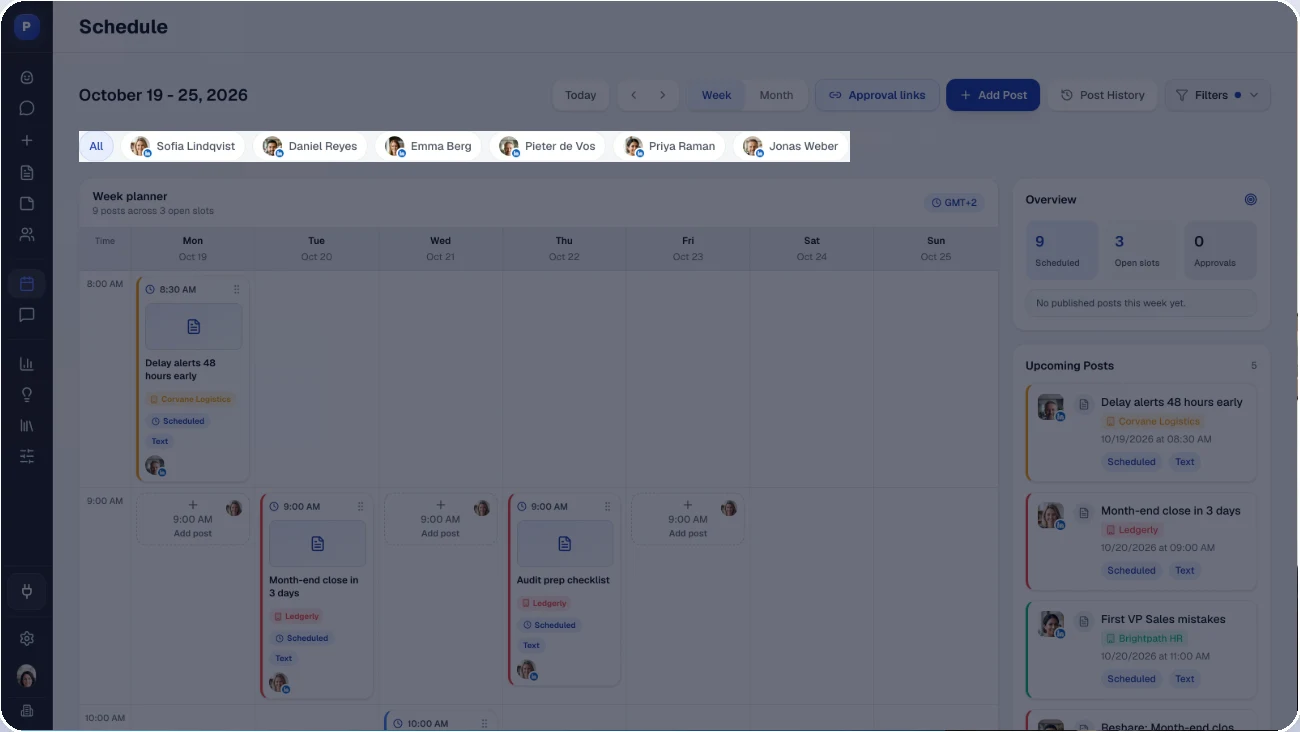
Content creation is built in. Most tools on this list are schedulers with an AI caption helper added on. In Postiv, creating the content is the core: posts in each client's voice, carousels, infographics and other visuals, and weekly content plans, all in the same workspace where you approve and schedule. See content creation for how it works.
Approvals go by link. The client gets an email with a link they can revisit. They do not make an account, so there is nothing to forget and nothing to bill.
A strong MCP and a public API. Your own AI setup can run the real workflow, not just push a draft. If you already work in Claude or Cursor, the LinkedIn MCP lets you draft, plan and schedule from there. If you build your own automations, the API is documented.
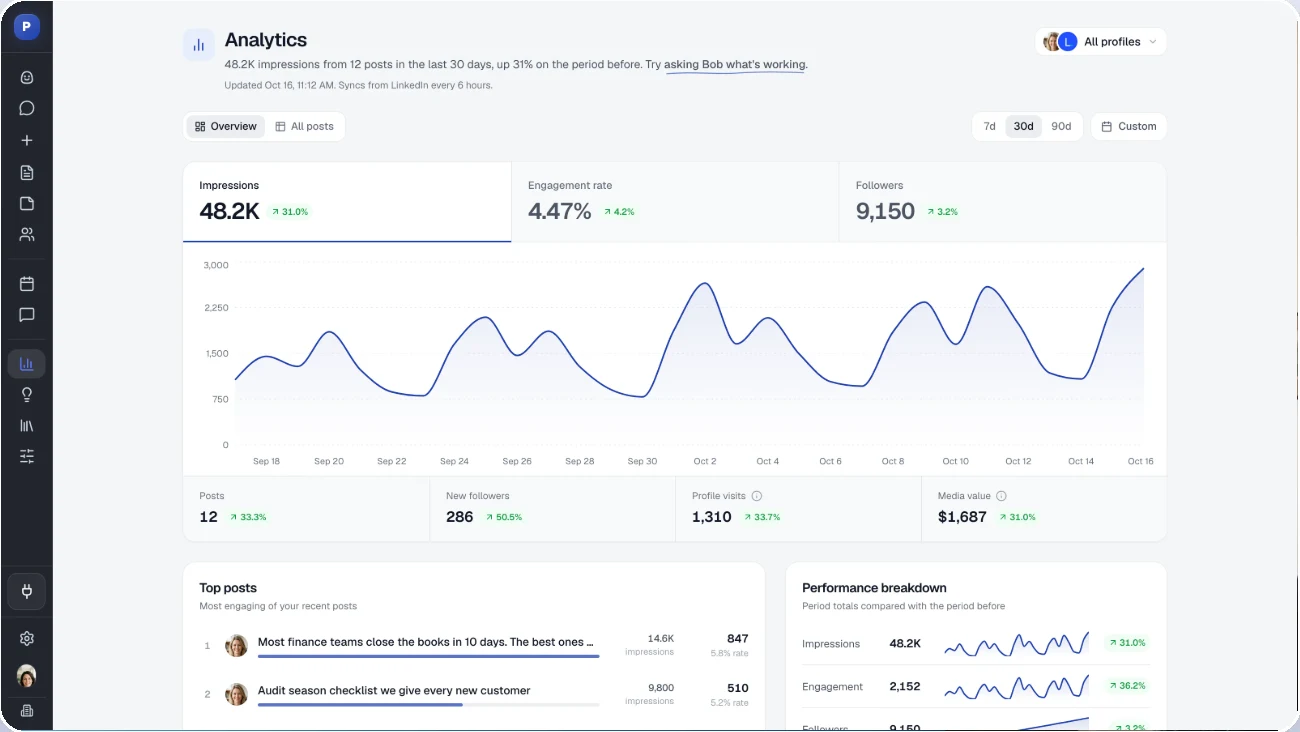
More than a scheduler. An engage feed, team engagements where teammates engage on each other's posts, quote posts and reposts, and analytics that show which client content works, ready to share in a monthly client report. See the engagement features, and the LinkedIn post scheduler for the calendar side.
A small team that ships feedback fast. When an agency tells us something is in the way, it tends to get built, not logged.
Postiv is built for B2B agencies of any size, from a freelancer with a handful of clients to agencies running hundreds, serving B2B companies up to about 200 employees. Running social for an e-commerce brand? Pick something else. B2B? Try Postiv with a 7-day free trial. If you are weighing Postiv against one specific tool, our alternative pages compare them one on one.
How much do agencies charge for social media management?
Most agencies charge somewhere between $1,000 and $15,000 a month for social media management. The spread is wide because three things move the number:
- Scope. One channel and four posts a week is a different job from three channels with carousels, community management and monthly reporting.
- Company size. A 10-person startup and a 200-person company with several stakeholders to please do not pay the same, because the approval chain and the reporting load are different.
- How professional your systems are. An agency with a clean workflow, approvals that do not drag, and reporting that does not take a day to build can do the same work in fewer hours, and clients notice it.
The third one is the one you control. Social media management for a client is roughly 40% content creation and 60% management and reporting: approvals, back-and-forth, scheduling and reports. It is easy to plan for the 40% and forget the 60%. Write the approvals and reporting into your social media proposal before you start, so the 60% is agreed and not discovered. A tool that handles both halves, creating content in the client's voice and also running the approval and scheduling loop, protects your time on the part that eats it. That is why Postiv does all of it in one workspace.
The mistake to avoid when you choose a tool
The most common mistake is picking a tool that is not agency-first. It looks fine with 3 clients. Then you hit 10 and find out that either everything lives in one mixed workspace, where posts get confused and every teammate sees every client, or the setup is split so far that you juggle a login per client and your clients juggle one too.
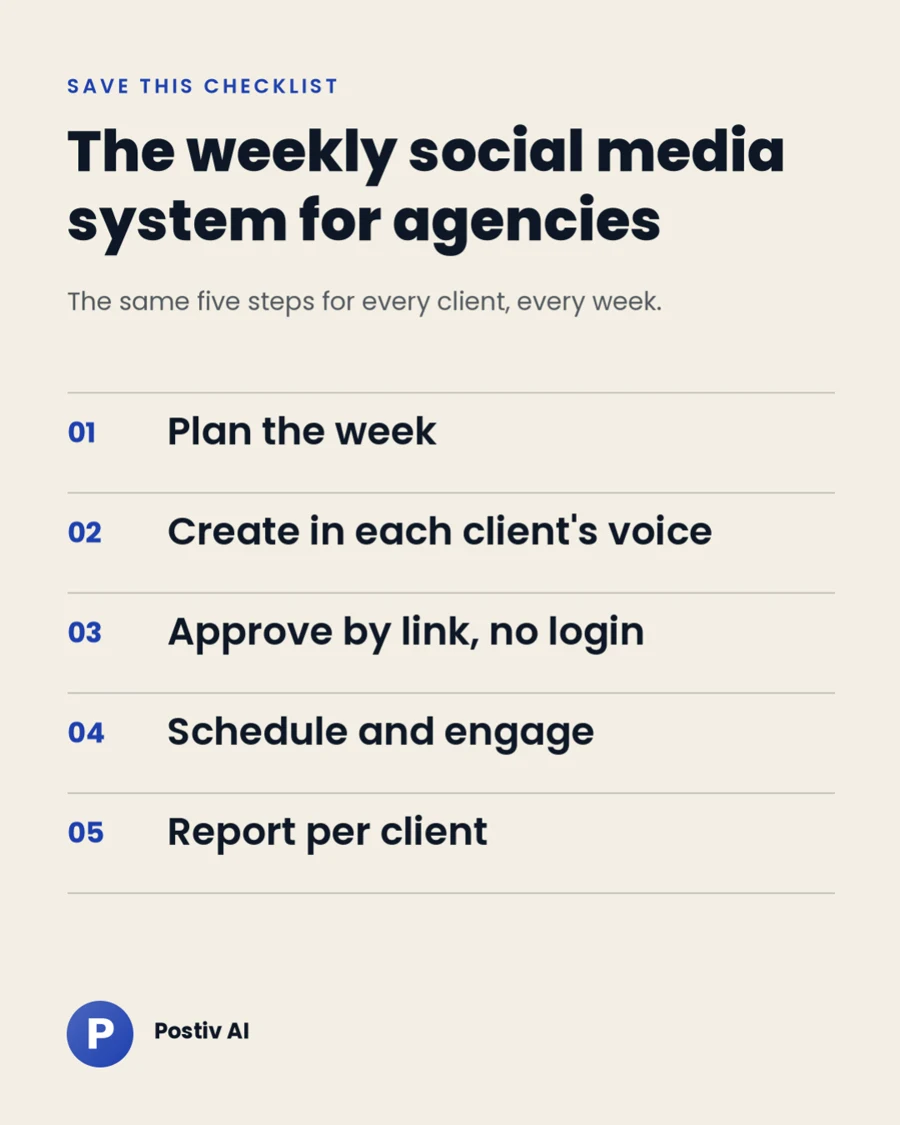
Both versions break in the same place, which is the approval loop. The fix is to choose a tool with a workspace per client, approvals by link, and room to grow, before you have the clients that make it painful to switch. Before you commit, run one real client through a trial: connect their profiles, draft a week of posts, send an approval link and see what the client has to do. If they have to create an account, you have your answer.
If you are still shortlisting, our guide to social media management software for small business covers the lighter end of the market.
Frequently asked questions
What is the best social media management tool for agencies?
It depends on the agency. For B2B agencies that also create the content, from posts to carousels and other visuals, Postiv is built for that job. Planable is strong for visual, multi-round approvals, Sprout Social and Hootsuite suit enterprise reporting and listening, Agorapulse fits community-heavy work, and SocialPilot and Pallyy cover many networks for small agencies. Whatever you choose, check how it separates clients and how clients approve.
Does a client need an account to approve a post?
It depends on the tool. SocialPilot, Pallyy, Cloud Campaign, HeyOrca and Postiv let clients approve from a link without an account. Agorapulse allows it on its Advanced plan and above, and Sprout Social on its Advanced plan with up to three external approvers. Planable and Sendible need the client to have an account.
Can a freelancer with 3 clients use an agency tool?
Yes, and it is often the best time to switch. A tool with a workspace per client and approval links makes 3 clients easy to run and 50 clients possible with the same setup. Postiv runs the same setup for a freelancer with a few clients and an agency with hundreds.
How much do agencies charge for social media management?
Typically $1,000 to $15,000 per month. The range depends on scope, the size of the client's company, and how professional your own systems are.
How do I manage multiple LinkedIn accounts for clients safely?
Use a tool that connects each client's LinkedIn profile through the official LinkedIn API and keeps every client in a separate workspace. Avoid shared logins and multilogin browsers, which can trigger LinkedIn's security checks and put client accounts at risk. In Postiv, each client workspace holds that client's voice, knowledge and brand kit, and your team works across all client workspaces without anyone passing around a password.
Are there free social media management tools for agencies?
Yes, for small workloads. Buffer and Pallyy have free plans, and Planable gives you 50 free posts with no time limit. Postiv offers a 7-day free trial. Free tiers suit testing a tool or running one small client; a growing client roster usually needs a paid plan with a workspace per client.