Let’s start with the basics. On LinkedIn, an impression is counted every single time your post shows up in someone's feed. That’s it.
Think of it like a billboard on a busy highway. Every car that drives by and has the billboard in its line of sight counts as a single viewing. It doesn’t mean the driver read the message, memorized the phone number, or even really noticed it. It just means the billboard was there, and they passed it.
What Are LinkedIn Impressions a Simple Analogy
To really get a feel for this, let's stick with that billboard idea. You've just put up a shiny new billboard—your LinkedIn post—on the superhighway of the LinkedIn feed.
Every time a user scrolls past and your post appears on their screen, that’s one impression.
Now, one person might drive by your billboard multiple times. Maybe they see your post in their feed in the morning. Later, they see it again because a colleague shared it. And a third time when it pops up in a group they're in. That single person just gave your post three impressions. They are one unique viewer, but their activity generated multiple impressions.
This is the key difference. Impressions track the total number of times your content was delivered, not the number of individual people who saw it.
The Technical Definition of an Impression
LinkedIn doesn't just count every fleeting glimpse. There's a technical standard for what actually qualifies as an impression.
For an impression to be officially logged, at least 50% of your post must be visible on a user's screen for at least 300 milliseconds. This rule is in place to make sure the metric reflects genuine visibility, not just posts that someone zips past while scrolling at lightning speed.
This number is the bedrock for many other metrics you’ll see, most notably your engagement rate. The classic formula for engagement rate is your total engagement (likes, comments, shares) divided by your total impressions. This shows how impressions are the starting point for everything else. You can learn more about LinkedIn post performance metrics and how they stack up.
In short: An impression isn't a measure of attention or action. It’s purely a measure of exposure—the very first step in getting your content seen.
Getting this right helps you set realistic expectations. A high number of impressions is a great sign; it means the algorithm is putting your content out there and giving it a chance to do its job.
Impressions vs. Reach vs. Views: What's the Real Difference?
Diving into LinkedIn analytics can feel a bit like learning a new language. You see terms like impressions, reach, and views thrown around, and they all sound pretty similar. But they measure completely different aspects of your content's performance, and getting the distinction right is the first step to truly understanding your impact.
Let’s break it down with a simple analogy.
Imagine you’re speaking at a conference. Reach is the total number of unique people in the audience. If 100 different people are in the room, your reach is 100. It’s about the size of your potential audience.
Impressions, however, count the total number of times your message is heard. What if some of those 100 people walk past the room a few times and hear you speak again? Or maybe a colleague tells them about a great point you made, and they pop back in. If those 100 people hear your message an average of three times each, you’d have 300 impressions.
Impressions track the frequency of exposure, not the number of unique individuals.
This concept map helps visualize the journey. An impression is the fundamental unit of visibility—it’s the moment your post is successfully delivered and appears on someone's screen.

As the map shows, an impression simply means your content was there. It's the starting point for everything else.
And What About Views?
So where do views fit into this picture? On LinkedIn, "views" are a more specific metric, typically tied to content that requires a user to take an action—a deliberate click.
- Article Views: A "view" is counted only when someone actually clicks to open and load your LinkedIn article.
- Video Views: For video, a "view" is triggered after someone watches for at least three seconds.
This makes a view a much stronger signal of genuine interest than a passive impression. To dig deeper into how these metrics work together, check out our guide on what a post impression is on LinkedIn.
The Bottom Line: Impressions measure total exposure (how many times your post was seen). Reach measures unique audience size (how many people saw it). Views measure intentional action (how many people chose to watch or read).
Understanding this hierarchy is crucial. For instance, a post with high impressions but low reach tells you it's being shown over and over to a small, dedicated group. On the other hand, high reach with impressions that are only slightly higher means you're getting broad, one-time exposure. Each scenario paints a very different picture of how your content is traveling through the LinkedIn ecosystem.
So, Are Impressions Just a Vanity Metric?
It's tempting to write off LinkedIn impressions as a pure "vanity metric"—a number that feels good to look at but doesn't actually move the needle for your business. But that's a mistake. Thinking that way misses the entire point of how people build relationships and make buying decisions.
Impressions are the very first handshake. They're the foundational layer of your entire LinkedIn strategy, the starting point for warming up a cold audience and, eventually, building a healthy sales pipeline.
Think of it like this: before you can have a meaningful conversation, you have to walk into the room and be seen. Impressions are just that—a measure of how many times you've successfully walked into the room. Without that initial visibility, your best ideas, insights, and solutions are invisible. Nothing else—no clicks, no comments, no leads—can happen until you get those first impressions.
A Barometer for Your Top-of-Funnel Health
Your sales funnel can't survive without a steady stream of new people entering at the top. Impressions are your most direct, real-time indicator of how well you're doing at feeding that funnel.
A high and steady impression count means your content is casting a wide net and keeping your brand visible. When a prospect eventually realizes they have a problem you can solve, your consistent presence—fueled by all those impressions—makes you the first person they think of. That's the core of effective social selling.
Impressions Fuel the LinkedIn Algorithm
The LinkedIn algorithm is always trying to figure out what content is worth showing to more people. One of its earliest clues comes from initial visibility. When your post gets a quick burst of impressions right after you hit "publish," it's a strong signal to the algorithm that people are interested.
That initial boost is critical. It tells LinkedIn to push your post beyond your immediate network, creating a powerful feedback loop:
- More impressions create more opportunities for likes, comments, and reposts.
- More engagement tells the algorithm your content is high-quality.
- The algorithm rewards that quality with... you guessed it, even more impressions.
This is how posts pick up steam and sometimes go viral. Each impression acts like a small vote of confidence, helping your content travel further than it ever could on its own.
Impressions aren't just about being seen; they're about earning the right to be seen by more people. They are the currency you spend to gain the algorithm's favor and expand your organic reach.
The Most Cost-Effective Brand Awareness You Can Get
Finally, let’s talk money. Organic impressions are an incredibly powerful way to build brand awareness without spending a dime on ads. Every single impression you earn is free exposure for you and your business.
For B2B professionals, founders, and small teams, this is a huge advantage. It allows you to build mindshare and compete with much larger companies, all without a massive marketing budget. By consistently showing up in your target audience's feed, you build the kind of familiarity and trust that advertising just can't buy. You go from being a stranger to a recognized authority, one impression at a time.
And here's something worth noting: content from personal profiles gets 2.75x more impressions and an incredible 5x more engagement compared to the exact same content shared from a Company Page. That statistic alone shows just how powerful personal branding is on LinkedIn, and it means every organic impression you earn from your personal account carries even more weight.
So, what’s a “good” number of impressions on LinkedIn?
That’s a bit like asking, “How long is a piece of string?” There’s no single magic number. What’s considered fantastic for a niche B2B consultant might be a total flop for a major consumer brand. It all comes down to your context—your goals, your industry, and the size of your audience.
For individual professionals, consultants, and founders building their personal brand, hitting 1,000 to 5,000 impressions on a solid, thoughtful post is a great sign. It means your content is breaking out of your immediate circle and finding its way to new, relevant people. Company pages, on the other hand, often face a tougher climb for organic eyeballs. For them, even 500 to 1,000 impressions can be a respectable result for a standard update.
But remember, these are just ballpark figures. What you can realistically expect is shaped by a few key ingredients.
What Shapes Your Impression Count?
Your potential for impressions isn't a fixed target. It’s a moving one, influenced by a few core realities of the platform.
- Your Follower Count: This one’s the most obvious. More followers means a larger built-in audience to kickstart your post's journey. Simple as that.
- Your Industry and Niche: Let's be real. A marketing expert talking about the latest social media trends has a much broader potential audience than a chemical engineer dissecting a highly specific industrial process. The size of your pond matters.
- The Format of Your Content: Not all content is created equal in the eyes of the LinkedIn algorithm. Carousels (uploaded as PDF documents) and native videos often get more love because they keep people on the platform longer. A simple text-only post has a much higher bar to clear to get the same kind of traction.
How Do You Stack Up? Benchmarking Your Performance
While it's easy to get caught in the comparison trap, looking at industry benchmarks can give you a useful compass. It helps you know if you're in the right neighborhood and lets you set more realistic goals for yourself.
The numbers out there show a pretty wide range. For instance, recent industry data from late 2023 showed the median organic impressions for LinkedIn Pages was 3.72K across all industries. On average, a brand post gets about 8.63 impressions per 100 followers. But here’s the kicker: a shocking one in five brands only reaches about 4% of their own followers.
That stat alone shows just how tough organic visibility can be. If you want to dive deeper, you can explore the full 2023 LinkedIn Benchmark Report for more granular data.
The only benchmark that truly matters is your own progress. Forget chasing someone else's viral hit. The real win is steadily growing your own average impression count over time.
At the end of the day, a "good" number of impressions is one that's trending up. Look at your own analytics month over month. If that number is climbing, you’re doing something right. That’s the most meaningful metric of all because it’s tied directly to what works for your audience and your goals.
Seven Actionable Strategies to Increase Your Impressions
Alright, so you know what impressions are. The next logical question is, "How do I get more of them?" Growing your impression count isn't about getting lucky with a one-hit-wonder post. It’s about building a repeatable system that consistently signals to the LinkedIn algorithm that your content is worth showing to more people.
Think of these seven strategies as your playbook. They're practical, you can start using them today, and they’ll help you get more eyes on everything you create.

1. Post Consistently at Optimal Times
The LinkedIn algorithm has a soft spot for users who show up consistently. If you only post once in a blue moon, you’re not building any momentum. Aiming for 3 to 5 high-quality posts per week is a solid rhythm that keeps you visible without burning out your audience.
Timing matters, too. While most people see a bump mid-morning on weekdays, your audience is unique. Dive into your own LinkedIn Analytics to pinpoint when your followers are most active. Scheduling your posts for those peak windows gives your content the best possible launchpad.
2. Use Rich Media like Carousels and Video
Let's be honest: a wall of text is easy to scroll past. To stop people in their tracks, you need visuals. Formats that hold a user's attention send a powerful "dwell time" signal to the algorithm, telling it this content is interesting.
- Carousels (PDFs): These are a game-changer. By turning a simple idea into a multi-slide document, you invite people to click through, which massively increases the time they spend on your post. They're perfect for step-by-step guides, sharing data, or telling a short story.
- Native Video: Don't just link to YouTube. Uploading your video directly to LinkedIn means it will autoplay in the feed, instantly grabbing attention. Native video feels more personal and is fantastic for quick tips, behind-the-scenes looks, or sharing a quick thought.
By folding these formats into your content mix, you're not just making your posts more interesting for people—you're making them more attractive to the algorithm. For a deeper dive, you can explore strategies for maximizing content reach and engagement that lean heavily on repurposing content into these formats.
3. Write Irresistible Opening Hooks
On LinkedIn, you only get two or three lines before the dreaded "...see more" link. If your opening sentence doesn't immediately hook the reader, they're gone. You've lost that view, that impression, and any chance of engagement.
Kick things off with a contrarian take, a relatable pain point, or a question that piques curiosity. Your only job in that first line is to earn the click. Once you get good at this, you'll notice a direct impact on both your impressions and engagement. For more pointers, check out these content creation best practices.
4. Engage Proactively with Others
LinkedIn isn't a megaphone; it's a conversation. The algorithm absolutely favors users who are active community members, not just people broadcasting their own messages.
Carve out 15 minutes a day to leave thoughtful, insightful comments on posts from other people in your industry. This is a double win: you get your name and profile in front of a new, highly relevant audience, and you signal to the algorithm that you’re an engaged member of the platform, which can give your own posts a nice little boost.
Don't just broadcast; participate. Your engagement on other people's content is one of the most underrated strategies for boosting your own visibility and impression count.
5. Use Hashtags Strategically
Think of hashtags as signposts that help LinkedIn understand what your content is about and who might want to see it. The key is to use a balanced mix.
Pair one or two broad, high-volume hashtags (like #marketing or #leadership) with a few niche, community-focused ones (like #b2bcontentstrategy). This approach helps you reach a wider audience while still connecting with the people who will find your content most valuable. Sticking to 3 to 5 relevant hashtags is the sweet spot.
6. Tag Relevant People and Companies
Need to give your post an initial burst of visibility? Tagging a relevant person or company page is a great way to do it. When you tag an account, your post has a chance of being shown to people in their network, not just yours.
Just be smart about it. Only tag people or companies that are genuinely connected to what you're posting about. Tagging random influencers is spammy and will hurt your reputation more than it helps.
7. Encourage Genuine Conversation
At the end of the day, a post's real job is to start a discussion. The best way to do that is to explicitly ask for it. End your posts with an open-ended question that invites people to share their own opinions or experiences.
When those comments start rolling in, the algorithm takes notice. It sees your post is creating a valuable exchange and rewards it with—you guessed it—more impressions. Make sure to reply to every single comment to keep the conversation alive and amplify that effect.
How to Analyze and Interpret Your Impression Data
It’s one thing to track your impression data; it's another thing entirely to understand the story it's telling you. Raw numbers are just that—numbers. The real magic happens when you connect those impressions to your goals and start looking at the bigger picture.
First things first, you need to know where to find the data. LinkedIn gives you built-in tools for both personal profiles and Company Pages, but you need to know exactly where to look.
Step-by-Step: Finding Your Impression Data
For a Single Post on Your Personal Profile:
- Head over to your profile and scroll to the post you're curious about.
- Right underneath the post, you'll see a little analytics summary. It usually says "Impressions" or shows a small graph icon.
- Click on that number. A detailed dashboard will pop up, showing you a breakdown of who saw your post by their company, job title, and even location.
This is incredibly useful. It's one thing to get impressions, but it's another to know you're reaching the right professionals. This view confirms it.
For Your Company Page:
- Go to your company's LinkedIn Page.
- Look for the "Analytics" tab in the main menu at the top.
- From there, choose "Updates". You'll get a full report of your posts, including impressions, over any time frame you choose.
Consider this dashboard your command center. It gives you that bird's-eye view, letting you spot trends over weeks or months instead of getting lost in the performance of just one post.
Leveling Up with Third-Party Tools
LinkedIn's own tools are fantastic for a quick look, but dedicated social media platforms like Sprout Social or Hootsuite take things to the next level. These tools can pull all your social data into one place, making it much easier to spot long-term trends and see how you stack up against competitors.
For teams that want to build custom dashboards or pipe LinkedIn data into their own systems, there's another layer. A guide on Mastering the LinkedIn Analytics API can show you how to pull this information programmatically—perfect for integrating LinkedIn performance directly into your larger business intelligence setup.
Ever see a sudden spike in impressions? That's a huge clue. It means you’ve hit on a topic, format, or opening line that really grabbed people—and caught the algorithm's attention. Conversely, a sudden drop might mean your content didn't land right, or maybe LinkedIn tweaked its algorithm again, impacting your visibility.
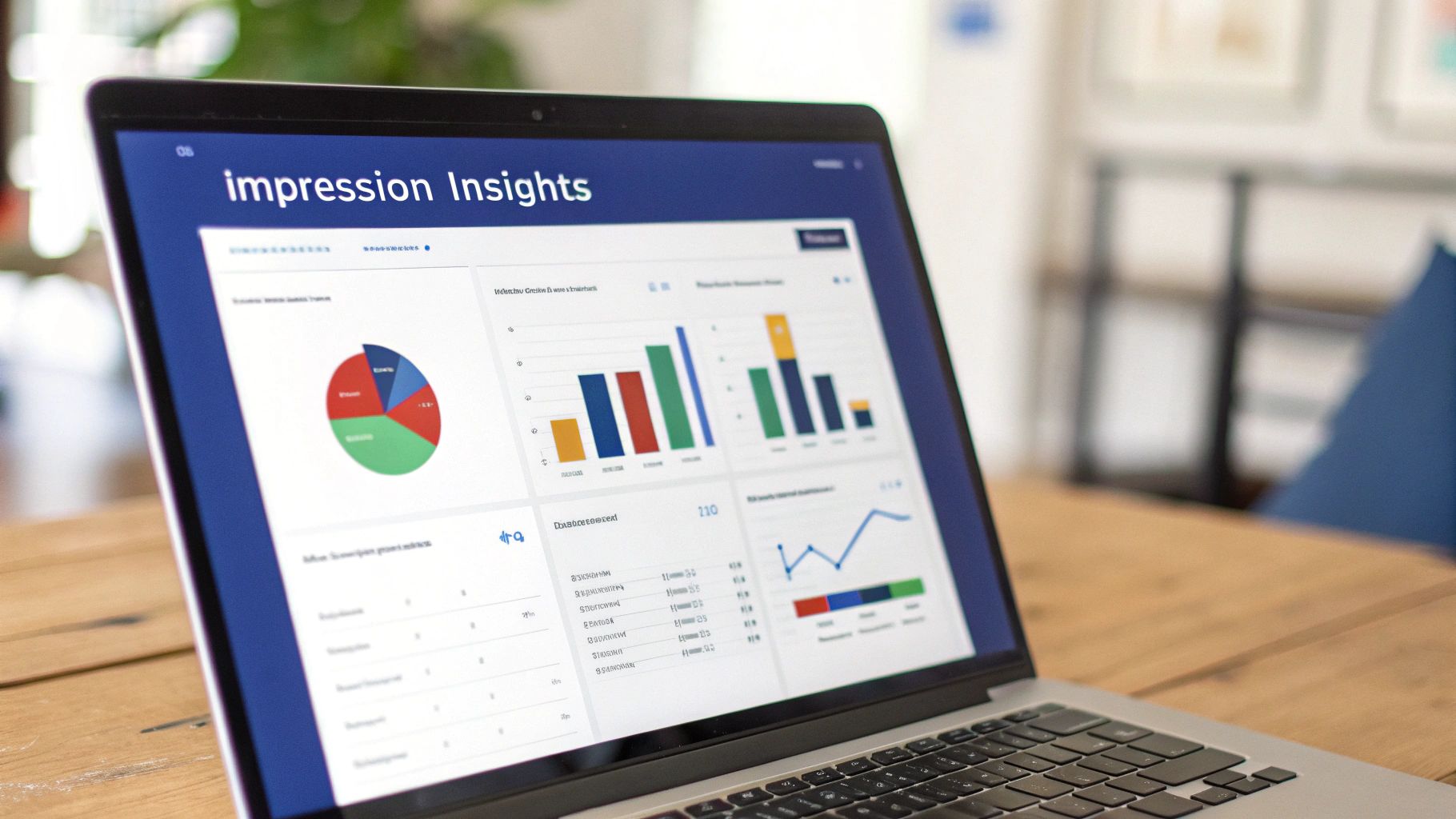
Connecting Impressions to Performance
Impressions should never be looked at in a vacuum. To get the full story, you have to pair them with other crucial metrics. This holistic view is the only way to truly analyze your content performance and make smart decisions.
Think about these common scenarios:
- High Impressions, Low Engagement: This is a classic sign that your content was seen by a lot of people but didn't hook them. Your headline and visual might have been strong enough for a scroll-stop, but the actual message didn't inspire a click, comment, or share.
- Low Impressions, High Engagement: This tells you that your content is resonating deeply, but only with a small, niche audience. The post itself is working; now your job is to figure out how to get it in front of more of the right people.
The sweet spot we're all aiming for is simple: consistently high impressions and a strong engagement rate. This is the hallmark of content that has both broad visibility and a genuine connection with its audience.
The value of organic reach becomes even clearer when you look at paid ads. The average cost-per-mille (CPM), or cost per 1,000 impressions, is a hefty $26.91 USD, and it often climbs past $30 in competitive B2B spaces. For comparison, organic posts averaged 811 impressions in early 2024—a 16% jump from the year before, showing that there's still plenty of opportunity for organic visibility. If you're curious about industry benchmarks, you can discover more insights about LinkedIn impression stats.
Calculate Your Impression-to-Engagement Ratio
One of the best ways to put your impressions into context is to compare them directly to your engagement. A quick way to do this is by calculating a simple impression-to-engagement ratio.
Just take the total number of engagements (likes, comments, and shares) and divide it by the total impressions. Then, multiply by 100 to get a percentage. For instance, if a post gets 50 engagements from 5,000 impressions, your ratio is 1%.
This little number tells a big story. A post with tons of impressions but a tiny engagement ratio isn't the win you think it is. It means your content was served up to a lot of people, but it didn't truly connect. Tracking this ratio over time helps you measure content quality, not just visibility, so you can focus on creating posts that don't just get seen—they get people to act.
Understanding Impression Velocity
Beyond the total impression count, one of the most powerful concepts to master is impression velocity—how fast you accumulate impressions right after hitting "post."
A piece of content that racks up thousands of impressions in its first hour has a much better shot at going viral than one that takes a whole day to hit the same number. That initial surge of activity is a major signal to the LinkedIn algorithm that your content is immediately interesting and valuable. This prompts the algorithm to show it to an even wider audience, creating a snowball effect.
Keeping an eye on this early momentum is a great way to predict a post's potential. If you notice a post gaining traction quickly, jump in and respond to every comment to keep the conversation alive and amplify that initial velocity.
Still Have Questions About LinkedIn Impressions?
Even with the basics down, a few common questions always seem to come up when people start digging into their LinkedIn analytics. Let's clear up some of the most frequent ones so you can read your data with more confidence.
Do My Own Views Count As Impressions?
Nope. LinkedIn is smart enough not to count your own activity. An impression is only registered when your content actually shows up on another user's screen.
This is a good thing—it means the metric is a true reflection of your audience's exposure, not just you admiring your own handiwork.
Why Did My Impressions Suddenly Tank?
Seeing a sudden drop in your impressions can be jarring, but don't panic. There's usually a logical reason behind it.
Most of the time, it comes down to one of these culprits:
- The LinkedIn algorithm shifted: What worked last week might not work this week. It happens.
- Your content missed the mark: The post just didn't connect with your audience this time.
- You posted at a bad time: Maybe you switched your schedule and posted when your network was offline.
- You've been less active: If you aren't engaging with others, the algorithm is less likely to show your content.
This is exactly why tracking your impressions over time is so valuable. One post dipping isn't a catastrophe. But if you see a steady decline over a few weeks, it’s a clear signal that you need to rethink your strategy.
What's the Magic Number for Posting to Maximize Impressions?
There's no single magic number, but consistency is far more important than sheer volume. Most people in the know agree that posting 3 to 5 times per week hits the sweet spot.
This keeps you top-of-mind with your network without flooding their feeds. The real secret isn't just posting often; it's posting high-quality, genuinely helpful content on a schedule you can actually stick to.
Does Editing a Post After I Publish It Hurt My Impressions?
Yes, it absolutely can. When you first publish a post, the LinkedIn algorithm gives it a little boost to see how people respond. If you jump in and edit it, especially within that first critical hour, you can interrupt or even completely reset that initial push. It's like hitting the brakes right as you're trying to merge onto the highway.
The best approach is to triple-check your posts before you hit publish. If you spot a typo and absolutely must fix it, a small correction is less disruptive than a major overhaul.
Are All Impressions Good Impressions?
Not necessarily. It's easy to get fixated on that big impression number, but not all impressions hold the same weight. The most valuable impressions come from your ideal audience—the potential clients, key decision-makers, or industry peers you actually want to reach.
The real win isn't just getting seen; it's getting seen by the right people. This is why a tightly focused content strategy that speaks directly to a specific audience will always outperform a scattergun approach that tries to please everyone. Always prioritize high-quality impressions over a high quantity of random ones. Use LinkedIn's built-in demographic breakdowns (which show who viewed your post by job title, company, and location) to confirm that your content is landing in front of the audience that matters most.
Ready to turn these insights into authority-building content without all the guesswork? Postiv AI brings a brand-trained AI writer, carousel designer, and scheduler together in one place, helping you create posts that get noticed in minutes. Start your free trial at Postiv.ai.