
Blogging on LinkedIn isn't just about sharing a quick update. It's about using the platform’s own publishing tools—LinkedIn Articles and long-form posts—to share what you know, build real authority, and genuinely connect with the right people in your industry. Think of it as transforming your profile from a static resume into a living, breathing hub for valuable insights. Before your first article goes live, it's worth rewriting your About section to match that shift; a free LinkedIn bio generator makes that a five-minute job instead of a blank-page struggle.
Why Blogging on LinkedIn Is Your Biggest Untapped Opportunity
If you still see LinkedIn as just a place to list your job history, you're missing the biggest opportunity on the platform. It has evolved into a powerful content engine where professional expertise is the most valuable currency. For consultants, founders, and marketers, this isn't about chasing vanity metrics; it's about driving real business results.
This isn't just a hypothetical idea. I’ve seen it firsthand. Consultants have built six-figure pipelines and founders have landed major clients, all from the simple act of consistently sharing their knowledge. The trick is to understand how your content can directly fuel audience growth, generate qualified leads, and establish you as the go-to expert in your field.
The Power of Consistency on the Platform
Showing up consistently creates a powerful compounding effect. Every article or post you publish reinforces your expertise and keeps you top-of-mind. It's not about posting randomly; it’s about building momentum that the platform's algorithm rewards.
The data backs this up. A deep dive into over 41,000 professional accounts found that profiles with 50,000+ followers post around 0.80 times daily. Even medium-sized accounts (2,000-10,000 followers) that posted just 0.36 times per day saw an average of 612.9 engagements per post. The message is clear: consistent, valuable contributions get noticed.
The real magic of LinkedIn isn't in one viral post. It’s in the cumulative impact of showing up week after week, building trust one insightful piece of content at a time. This sustained effort is what separates fleeting attention from lasting authority.
This visual really nails down the core benefits of a steady LinkedIn blogging strategy.
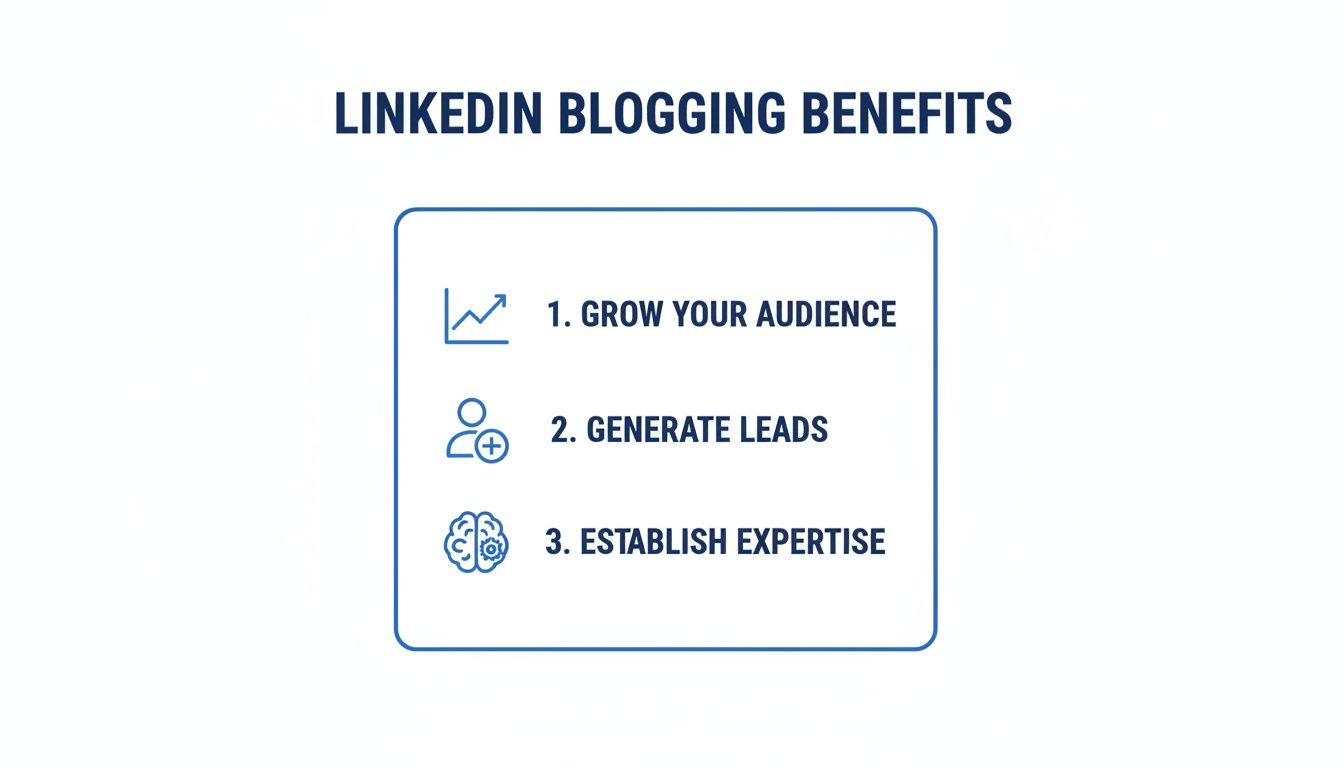
Ultimately, every single piece of content you create should serve a strategic purpose, whether that's growing your network, generating leads, or cementing your status as an expert.
Articles vs. Posts: When to Use Each
Knowing when to write an Article versus a long-form post is a game-changer. They look similar, but they serve very different strategic purposes.
You can use this quick comparison to decide which format best aligns with your content goals for any given piece.
Choosing Your Format: LinkedIn Articles vs. Posts
| Feature | LinkedIn Articles | Long-Form Posts |
|---|---|---|
| Best For | Evergreen, foundational content. Deep dives and definitive guides. | Timely insights, personal stories, and quick takes that spark conversation. |
| Discoverability | Indexed by Google and searchable on LinkedIn for long-term visibility. | Primarily visible in the feed for a shorter, more immediate lifespan. |
| Length | Up to 125,000 characters. Ideal for detailed, comprehensive topics. | Up to 3,000 characters. Perfect for scannable, attention-grabbing content. |
| Call-to-Action | Can include embedded links, videos, and stronger, more direct CTAs. | Links perform best in the comments; the focus is on engagement within the post. |
| Placement | Lives permanently in the "Articles" section of your profile. | Appears in your profile's "Activity" feed alongside your other interactions. |
Mastering both formats is key. Long-form posts are perfect for grabbing immediate attention and driving conversation in the feed, while Articles become the cornerstone content that builds your authority over time.
To truly make this work, you need a sustainable approach. It's crucial to understand how to grow fast on LinkedIn without burning out. By strategically choosing the right format for your message, you'll maximize your content's reach and turn your professional knowledge into a powerful business asset.
Building Your LinkedIn Content Strategy and Calendar
A powerful LinkedIn presence doesn't just happen. It's built on a deliberate, well-planned strategy that keeps you consistent and relevant. A solid content plan takes the guesswork out of your daily posting and gives you a clear roadmap to follow, making the whole process feel sustainable instead of overwhelming.

First things first: you have to get inside your audience's head. Your goal isn't to guess what they care about, but to know. LinkedIn’s own search bar is a goldmine for this. Just type in keywords from your industry, filter by "Posts," and you'll see the exact conversations people are having right now.
Pay close attention to the questions they're asking and the frustrations they're venting about. Joining relevant LinkedIn Groups is another fantastic way to listen in. These are the digital watercoolers where your ideal clients and peers talk shop, revealing their real-world challenges and giving you an endless stream of topic ideas.
Define Your Core Content Pillars
Once you have a good feel for your audience's pain points, it's time to establish your content pillars. These are the 3-5 main themes you’ll talk about consistently. Think of them as the foundational subjects that your personal brand or company will be known for.
Let's say you're a marketing consultant. Your pillars might look something like this:
- Lead Generation Tactics: Sharing practical, no-fluff tips for finding new clients.
- Content Marketing ROI: Breaking down how to actually measure the business impact of content.
- B2B Storytelling: Teaching others how to craft compelling brand narratives for a professional audience.
These pillars act as guardrails. They make sure every piece of content you create is on-brand and reinforces your expertise. For a deeper dive, our guide on how to create a content strategy lays out the whole framework.
Map Out Your Editorial Calendar
With your pillars in place, an editorial calendar becomes your command center. It doesn't need to be some complex software—a simple spreadsheet is often all you need to get started. The point is to plan your content in advance so you can maintain a consistent publishing rhythm.
For each piece of content, your calendar should track a few key things:
- Publish Date: When it’s scheduled to go live.
- Topic/Headline: The specific idea you're writing about.
- Content Pillar: Which of your core themes it ties back to.
- Format: Is it a long post? An Article? A carousel or a video?
- Call-to-Action (CTA): What do you want the reader to do next? (e.g., "Comment with your thoughts," "DM me for the template," "Visit our website.")
Planning content even a few weeks ahead shifts your process from reactive to strategic. It lets you build narrative arcs, create multi-part series, and sync your posts with launches or industry events, which dramatically increases the impact of every post.
This forward-thinking approach is a huge piece of the puzzle for long-term success and is a core part of a strong LinkedIn lead generation strategy.
Master the Art of Content Repurposing
Here's a secret from the pros: the key to a sustainable LinkedIn strategy isn't always creating more content. It's getting more mileage out of the content you already have. Repurposing is your best friend for saving time while maximizing reach. Seriously, one great idea can fuel an entire week's worth of content.
Imagine you write a detailed LinkedIn Article on "The Future of B2B Sales."
From that one article, you could easily spin off:
- A long-form post that summarizes the three most critical takeaways.
- A carousel that visually breaks down a key framework or statistic from the piece.
- A text-only post sharing a personal story that connects to the article's theme.
- A poll asking your network which trend from your article they think is the most significant.
This approach ensures you're constantly providing value without burning yourself out. By building a solid strategy, defining your pillars, and planning ahead, you create a powerful and efficient system for blogging on LinkedIn that builds your authority and drives real results.
Crafting LinkedIn Content That People Actually Read
Knowing what to write is only half the battle. The real trick is presenting it in a way that respects the fast-paced, scroll-heavy nature of the LinkedIn feed. Let's be honest, blogging on LinkedIn isn't just about sharing great ideas; it's about making those ideas incredibly easy to consume on a tiny screen.
The structure of your content can either invite readers in or immediately push them away. Walls of text are the fastest way to get someone to keep scrolling. You have to think like a designer, using formatting to create a clear, scannable path through your writing.
Start With a Powerful Hook
You have about three seconds to stop the scroll. No pressure, right?
The first line of your post is your most valuable real estate, so it needs to pack a punch. A great hook doesn't just state your topic; it sparks immediate curiosity or makes someone nod in recognition.
Here are a few of my go-to approaches for an opening line:
- A contrarian take: "Everyone thinks X is the key to success. They're wrong."
- A relatable question: "Ever feel like you're creating content that no one sees?"
- A surprising statistic: "95% of buyers choose a solution provider that gave them plenty of helpful content along the way."
- A mini-story: "Last week, a client asked me a question that completely changed how I see my business."
The goal is to make the reader pause and think, "Okay, I need to know more." Once you've got their attention, the rest of the intro should quickly set the stage and promise a clear takeaway, pulling them deeper into your content.
Embrace Scannable Formatting
Readability is everything on LinkedIn. Your audience is often reading in short bursts—between meetings, in line for coffee, or during their commute. Your formatting absolutely must cater to this.
Short paragraphs are non-negotiable. I personally aim for one to three sentences maximum per paragraph. This creates the white space your content needs to feel less intimidating and much easier to skim on a phone.
You should also use lists and bullet points to break down complex ideas. Instead of writing a dense paragraph about three industry trends, list them out with a quick explanation for each. This simple change transforms a block of text into a digestible piece of information.
My Battle-Tested Post Template: Hook (1-2 lines): Kick things off with a bold claim, a relatable question, or a surprising stat. Context (2-3 lines): Briefly explain the problem or situation. Why does this matter right now? Main Points (Bulleted or Numbered List): Break down your core advice into 3-5 scannable points. Personal Story/Example: Add a brief, real-world anecdote that shows your point in action. Insightful Conclusion: Sum up the key takeaway or offer a final thought-provoking insight. Call-to-Action: Ask a specific question to get people talking in the comments.
This structure gives your content a logical flow while keeping it super skimmable.
Write a Call-to-Action That Actually Works
Every piece of content you create should have a purpose. The Call-to-Action (CTA) is where you guide your reader toward that purpose. A generic "learn more" or "visit our website" just doesn't cut it anymore—it feels lazy and often falls flat. Your CTA needs to feel like a natural extension of the conversation you just started.
A deeper look at how structure and CTAs fit into a larger strategy is covered in our guide on content creation best practices, which provides some great context.
The most effective CTAs on LinkedIn are almost always focused on engagement. Instead of asking for a click, ask for an opinion. This approach not only feeds the algorithm but also helps build a real community around your content.
Here are a few examples of CTAs I use, tailored for different goals:
- To start a conversation: "What’s one piece of advice you’d add to this list? Share it in the comments."
- To generate leads: "If you want the full checklist I use for this, just comment 'checklist' below and I'll send it over."
- To drive traffic (subtly): "I broke down the entire case study in my latest LinkedIn Article. You can find it featured on my profile."
- To show expertise: "Agree or disagree with this take? I'm genuinely curious to hear your perspective."
By focusing on a strong hook, clean formatting, and a clear CTA, you can write content that not only gets seen but also gets read and acted upon. This is how you turn your LinkedIn profile into a powerful engine for your business.
Writing LinkedIn Articles That Get Read
Posts win the feed, but Articles are where your cornerstone thinking lives. Three things decide whether an Article earns its extra effort: the headline, the length, and whether anyone can find it later.
Headlines That Earn the Click
You have roughly three seconds to convince a busy professional to open an Article. The headline is a promise: read this and you will get better at your job. Make it specific enough to show a clear benefit and just curious enough to make people want the rest. "My Thoughts on Marketing" gets ignored. "Our Company Grew 20% With One Tactic" can give away so much that nobody clicks.
| Formula | Example | Best For |
|---|---|---|
| How-To | How to Turn a 30-Minute Client Call into a Month of Content | Step-by-step guides that solve one problem |
| Numbered List | 5 Unconventional Ways B2B Founders Close Deals on LinkedIn | Making a complex topic scannable |
| Provocative Question | Is Your Content Strategy Hurting Your Sales Pipeline? | Challenging a common assumption |
| Mistake Angle | The Biggest Mistake Marketers Make When Writing LinkedIn Articles | Tapping into loss aversion |
Write five or six versions, then ask yourself: would I stop scrolling for this? If not, keep going.
How Long Should a LinkedIn Article Be?
The sweet spot is around 1,000 to 2,000 words. That is long enough to solve a real problem and prove you know the topic, and short enough for an executive to finish over lunch. For most professionals, one strong Article every two to four weeks is a sustainable rhythm, with regular posts filling the gaps in between.
Make Articles Searchable
LinkedIn has its own search engine, and Articles are indexed by Google too. Before you publish, pick two or three phrases your ideal reader would actually type. Put the main one in the headline, use them in a subheading or two, and mention them early in the body. Keep it natural: keyword stuffing makes the writing clunky and helps nobody. Save your hashtags for the post you use to announce the Article, since that is where they do their work.
How to Use AI Tools to Streamline Your LinkedIn Workflow
Let’s be honest. The biggest hurdle to creating great content on LinkedIn isn't a lack of good ideas—it's the clock. For most of us, juggling content creation with our actual jobs feels like a constant battle. This is where AI tools stop being a buzzword and start being your most valuable assistant, helping you create better content, faster.
Forget the idea of generic, robotic text. The AI platforms we have today are designed to be your creative partner. They can learn your voice, understand what you're an expert in, and help you execute your content strategy with surprising efficiency.
When you integrate AI with scheduling and design, you’re not just saving time. You're building a content machine that can take a rough idea and turn it into a polished, ready-to-go post in a fraction of the time it used to take.
Go From Writer's Block to a First Draft in Minutes
Picture this: you just wrapped up a fantastic webinar. The transcript is packed with gold, but you have zero time to sit down and turn those insights into a coherent LinkedIn post. This is the perfect use case for AI.
You can feed that raw transcript to an AI tool that’s been trained on your company's brand voice. In just a few minutes, it can pull out the most important talking points and whip up a long-form post that nails the core message of your webinar.
This isn't about letting AI take over. It’s about letting it handle the grunt work. It gives you a solid first draft, and from there, you step in to add your personal stories, tweak the call-to-action, and inject your unique perspective. You've just saved hours of staring at a blank screen.
AI’s real magic is its ability to kill the blank page. It does the heavy lifting of organizing information and structuring your thoughts, which frees you up to focus on the high-level strategy and personal touches that no machine can replicate.
Supercharge Your Content Repurposing
The "create once, distribute many times" strategy is the key to not burning out on LinkedIn. AI makes this almost laughably easy. That same webinar transcript can be so much more than a single post.
With a little AI help, you can instantly spin it into:
- A killer carousel: Ask the AI to generate a script with one key takeaway per slide. Then, you can use an integrated design tool to create on-brand visuals to match.
- Multiple post variations: Prompt the AI to come up with five different hooks or headlines for the same piece of content, letting you test what grabs your audience’s attention.
- An in-depth article outline: Turn the main themes into a fully structured outline for a LinkedIn Article, complete with section headers and key data points ready for you to flesh out.
This is exactly how to scale content creation by squeezing every last drop of value out of the content you’ve already produced.
Streamline Your Team's Workflow and Scheduling
If you work in an agency or marketing team, you know the pain of endless email chains and version control nightmares in shared docs. AI-powered platforms can put an end to that chaos.
Team members can collaborate, review, and approve content all within a single dashboard. This cleans up the entire process and makes sure everyone is on the same page.
Plus, with integrated scheduling, you can finally maintain a consistent posting schedule. Many of these tools will even analyze your past performance to suggest the best times to post for maximum reach, taking all the guesswork out of it. It’s a data-driven way to make sure your content lands in front of the right people at the right time.
There’s a reason AI adoption for content creation is exploding. In just one year, the number of bloggers using AI jumped from 65% to 80%. Bloggers are now using it for:
- Brainstorming ideas (54%)
- Writing headlines (41%)
- Creating outlines and editing drafts (40%)
This is especially critical when 85% of B2B marketers say LinkedIn is their top channel for generating ROI. By bringing these smart tools into your workflow, you can reclaim your time, smash through creative blocks, and publish high-impact LinkedIn content with consistency.
Promoting Your Content and Measuring What Matters
Hitting “Publish” is just the beginning. The real work starts now. Even the best article will vanish into the digital void if you don't have a smart plan to get it in front of the right people.
Think of it this way: your goal is to give your content a strong initial push. This kickstarts engagement, signaling to the LinkedIn algorithm that your post is valuable and worth showing to a much wider audience. Don't be timid about promoting your own work—it’s an essential part of blogging on LinkedIn.
Amplify Your Reach With Smart Promotion
Effective promotion isn’t about just dropping links and hoping for the best. It’s a more thoughtful process of tapping into your existing network and relevant communities to build some real momentum.
Here are a few proven ways I get more eyes on my content:
- Tag relevant people and companies: If you mentioned a person or company in your article, give them a shout-out by tagging them in your post. This sends them a notification and often encourages a share. Just be sure it’s genuine—nobody likes being tagged for no reason.
- Share in niche LinkedIn Groups: Find 2-3 active, relevant groups where your target audience actually participates. Don’t just post a link and leave. Frame it with a custom introduction that tees up a discussion and explains why that specific group would find it useful.
- Cross-promote on other channels: Your email list is one of your most powerful assets. Share your new LinkedIn article with your subscribers. They’re already warmed up to your content and are far more likely to jump over and leave a comment, giving your post that crucial early traction.
Demystify Your LinkedIn Analytics
Once your content is live, you need to figure out what's hitting the mark and what's falling flat. LinkedIn gives you a dashboard of analytics for every post, and learning to interpret this data is how you get better over time.
It's easy to get fixated on vanity metrics. A huge impression number might feel great, but it doesn't mean your content actually connected with anyone. You have to look deeper at the numbers that signal real interest.
Here are the core metrics I always focus on:
- Engagement Rate: This is your total engagements (reactions, comments, shares) divided by your impressions. A high engagement rate is a direct signal to the algorithm that people find your content compelling.
- Click-Through Rate (CTR): For any post that includes a link, this tells you the percentage of viewers who actually clicked it. This is your best measure of how well your hook and call-to-action performed.
- Comments: Comments are the holy grail of LinkedIn engagement. They show that you made someone stop scrolling and think deeply enough to type out a response. This is an incredibly powerful signal to the algorithm.
Think of your analytics as a direct feedback loop from your audience. They're not just numbers; they're telling you exactly what topics, formats, and hooks resonate most deeply. Use this data to double down on what works and move away from what doesn't.
By keeping a close eye on these key performance indicators, you can stop guessing and start making strategic, data-backed decisions. This is how you turn your content efforts into a reliable system for building authority and connecting with the right people on LinkedIn.
Got Questions About LinkedIn Blogging? Let’s Clear Things Up.
Even the best-laid plans run into real-world questions. When it comes to the day-to-day work of blogging on LinkedIn, a few common hurdles pop up time and time again. Let's tackle the most frequent questions I hear from marketers and professionals.
Think of this as your go-to guide for making smarter, more confident content decisions.
How Often Should I Actually Post to See Results?
This is the big one, isn't it? But the answer isn't a magic number. The real key is consistency over raw frequency. Sure, you'll see some top accounts posting daily, but a sustainable schedule that you can actually stick to is far more valuable.
For most professionals, aiming for 2-3 high-quality posts or one in-depth Article per week is a fantastic, achievable goal. This builds a reliable rhythm your audience can learn to expect.
It's so much better to publish one amazing piece of content that genuinely starts a conversation than to churn out five mediocre posts that nobody notices. Quality always wins the engagement game on LinkedIn.
Don't forget to peek at your analytics. See when your audience is most active and schedule your content to hit those peak times. It’s a small tweak that can make a huge difference in your initial reach.
What’s the Real Difference Between an Article and a Post?
This is a critical distinction, and getting it right is the foundation of a smart content strategy. While both are ways of "blogging" on LinkedIn, they serve completely different functions.
Here’s the simplest way to think about it: Posts are for conversations, and Articles are for your cornerstone content.
A long-form post (up to 3,000 characters) is perfect for sharing timely insights, telling a quick story, or sparking immediate discussion right there in the feed. Its lifespan is shorter, but its initial impact can be much higher.
An Article, on the other hand, is a full-length blog post that lives permanently on your profile. It can be massive (up to 125,000 characters) and gets indexed by Google, making it discoverable for months or even years.
- Use Posts for: Quick takes, personal stories, industry news, and asking questions.
- Use Articles for: Evergreen guides, deep-dive case studies, and definitive thought leadership pieces.
By mastering both, you can capture immediate attention with your posts while building a lasting library of expertise with your articles.
Can I Just Repurpose Content From My Company Blog?
Absolutely! But you have to be smart about it. The single biggest mistake I see is people just dropping a link to their blog and hoping for the best. That approach almost always fails because it pulls people off the platform, and the algorithm really doesn't like that.
The trick is to adapt your content so it feels native to LinkedIn.
Here’s a simple, practical way to do it:
- Pull Out the Core Ideas: Don't just share the link. Find the 3-5 most important takeaways from your original blog post.
- Reformat for the Feed: Turn those takeaways into a bulleted or numbered list for a scannable long-form post.
- Add a Personal Touch: Frame the insights with a quick personal story. How have you seen this concept play out in your own work?
- Make it Visual: Could you turn a key statistic or framework from the blog into a simple, eye-catching carousel?
If you want to republish the entire piece as a LinkedIn Article, at least rewrite the headline and introduction. Give it a fresh, more conversational angle that feels tailored specifically for the LinkedIn community.
How Should I Be Using Hashtags?
Hashtags aren't just an afterthought—they are a core tool for content discovery on LinkedIn. Using them correctly helps your content break out of your immediate network and get seen by others who are interested in your topics.
The best practice is to stick to 3 to 5 highly relevant hashtags for each post. Any more than that starts to look spammy and can actually dilute your reach.
Your goal is to use a strategic mix of different tag types:
| Hashtag Type | Purpose | Example (for an SEO post) |
|---|---|---|
| Broad | Reaches a large, general audience interested in the overall industry. | #DigitalMarketing |
| Niche | Targets a more specific audience looking for expertise on a sub-topic. | #SEOStrategy |
| Branded | Builds brand recognition and lets you track conversations about you. | #YourAgencyName |
To find the right tags, just look at what influencers and competitors in your space are using. Pay close attention to the tags on high-performing posts in your niche. Just be careful to avoid super generic tags like #business—your content will get buried in seconds.
Ready to turn your ideas into authority-building LinkedIn content in minutes? Postiv AI combines a brand-trained AI writer, carousel designer, and scheduler in one seamless workflow, helping you create high-quality posts without the creative block. Start your free trial at Postiv AI and see the difference for yourself.



