Think of a LinkedIn post impression like this: your content is a digital billboard on a super busy highway. Every single time someone scrolls past it in their feed, that's one impression. It doesn't matter if they stop to read it, slow down, or just fly right by. It was seen.
Your Quick Guide to LinkedIn Post Impressions
When you first peek into your LinkedIn analytics, it's easy to get lost in the jargon. You'll see terms like impressions, reach, views, and engagement—and they all seem to mean the same thing. They don't. Mixing them up can lead you to chase the wrong goals and misjudge how your content is actually doing.
For anyone serious about building their professional brand on LinkedIn, getting a handle on post impressions is non-negotiable. An impression is simply counted each time your post shows up in someone's feed. That's it. It’s the very first step in the journey of your content. For more on this, check out some insights from industry experts on building your LinkedIn presence.
At its core, an impression is a measure of visibility. If people don't see your post, they can't possibly like it, share it, learn from it, or become a potential client. It all starts here.
To really get this straight from the get-go, it helps to see how these key metrics compare. Each one tells a different part of the story, from how many eyeballs saw your post to how many people actually interacted with it.
LinkedIn Metrics at a Glance: Impression vs Reach vs View vs Engagement
Let's quickly break down the most common terms you'll run into. This table gives you a simple side-by-side comparison to clear up any confusion.
| Metric | What It Measures | Simple Analogy |
|---|---|---|
| Impression | The total number of times your post is displayed in a user's feed. One person can generate multiple impressions. | A billboard seen multiple times by the same driver on their daily commute. |
| Reach | The number of unique individuals who have seen your post. Each person is only counted once. | The total number of unique drivers who passed the billboard in a day. |
| View | An action that requires a click (for an article) or a specific duration of watch time (for a video). | A driver who not only sees the billboard but pulls over to read the entire message. |
| Engagement | Any direct interaction with your post, such as likes, comments, shares, or clicks on a link. | A driver who calls the phone number listed on the billboard. |
Seeing them laid out like this makes it much clearer. Impressions are about exposure, reach is about audience size, views are about attention, and engagement is about interaction. Each one is a piece of the puzzle.
Impressions vs. Reach vs. Engagement: What Really Matters
It’s one thing to know the dictionary definition of a LinkedIn metric, but the real magic happens when you understand how they all fit together. Think of impressions, reach, and engagement as a team—they don't work in isolation. Each one tells you something different, and confusing them is like mixing up the number of flyers you printed with the number of people who actually showed up to your event.
They each paint a piece of the bigger picture. Impressions tell you about exposure, reach tells you about the size of your audience, and engagement tells you about the action people took. To really get a handle on your content strategy, you need to see how these numbers play off one another.
The Speaker Analogy: Impressions vs. Reach
Picture this: you're on stage giving a keynote at a big industry conference. The total number of individuals in the audience—let's say 200 people—is your reach. Simple enough.
Now, think about how many times those attendees actually look up at you. The person in the front row might glance up ten times, while someone near the back who's checking emails only looks up twice. If you could count every single one of those glances, that total number would be your impressions. You could easily have 200 people in the room (reach) but rack up 1,000 separate moments of visibility (impressions).
This is a great way to visualize the relationship between these two metrics.
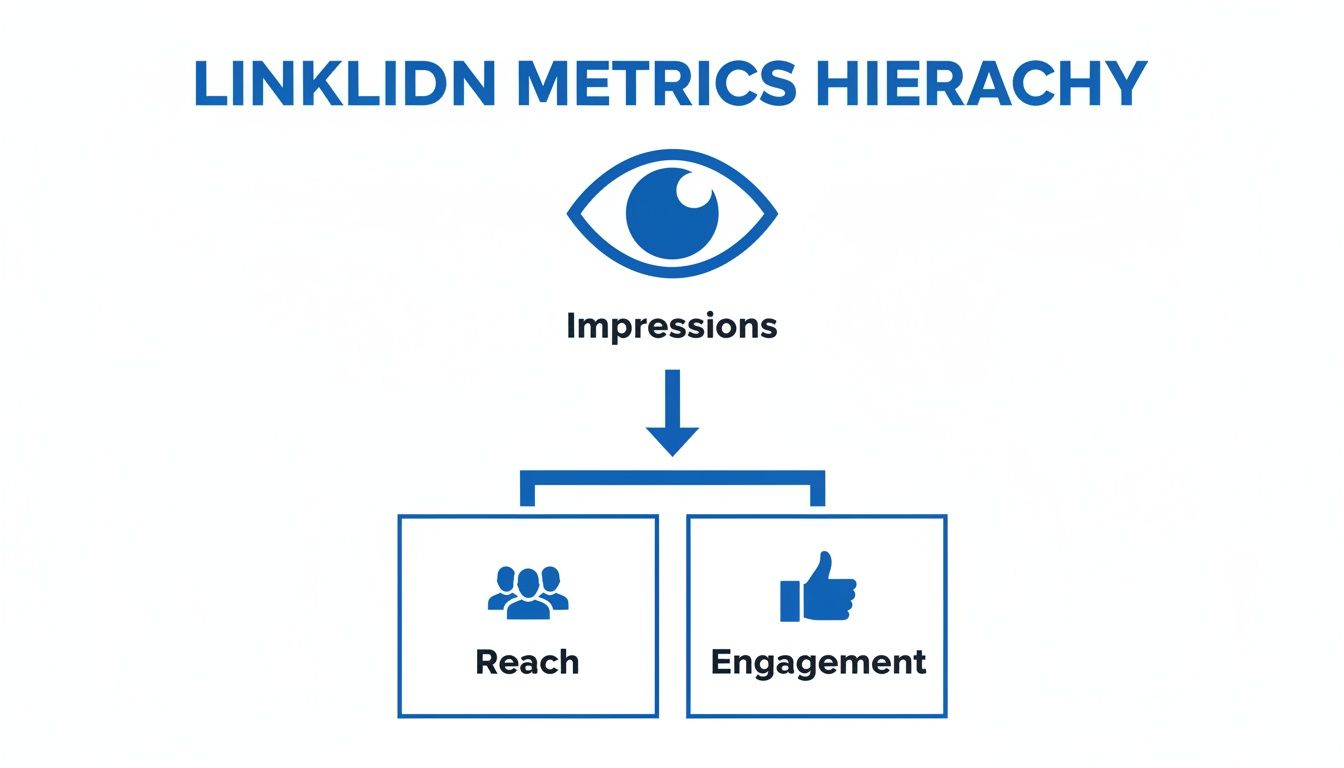
As you can see, impressions are the foundation. Everything else—reach, and especially engagement—can't happen until someone sees your post first.
Why does this matter? Well, a really high impression count with low reach could signal that a small, dedicated group of people saw your post over and over again. On the flip side, high reach with impressions that aren't much higher might mean your post got into a lot of feeds but wasn't compelling enough to get reshared or revisited.
The Storefront Analogy: Impressions vs. Engagement
Let’s switch gears and imagine your LinkedIn post is a new shop on a bustling street. You’ve created an amazing window display to catch people's attention. Every single person who walks by and glances at that display is an impression. They’ve been exposed to your brand, even if it was just for a fleeting moment.
But seeing isn't buying. Engagement is what happens when someone stops, pushes open the door, and actually comes inside. They might browse the racks, ask a question, or chat with the staff. It’s an active choice, not just a passive glance. On LinkedIn, that's your likes, comments, shares, and clicks.
An impression is passive awareness; engagement is active interest. You need impressions to create the opportunity for engagement, but engagement is what signals that your message truly landed.
Getting this relationship right is crucial for figuring out what's working. Are you getting thousands of impressions but crickets in the comments? That’s a sign your "window display" is visible, but it isn't tempting enough to make people stop scrolling and come inside. This is where you can start to refine your content—turning those passive viewers into people who are genuinely part of the conversation.
How to Find and Analyze Your Post Impressions
Alright, so you know what a LinkedIn impression is. That's a great start, but the real magic happens when you dive into your own analytics and start making sense of the numbers. Thankfully, LinkedIn doesn't hide this data; it’s right there, waiting to give you a clearer picture of what’s working.
Finding your impression count is the first step. For any post you share, this data is just a click away, showing you exactly how many eyeballs your content is reaching.
Finding Impressions on a Personal Post
For anything you've shared from your personal profile, LinkedIn gives you a quick snapshot of its performance right on the post itself.
- Head over to your profile and find a recent post.
- Just beneath the post content, right above the like and comment buttons, you'll see a small analytics bar.
- Click the number next to the little graph icon. That's your gateway to the post's analytics.
Once you click, a dashboard pops up showing your total impressions. But it's more than just that one number—you'll also see engagement details and even demographic information about your audience, like their job titles and where they work. It’s a treasure trove for figuring out who you’re actually talking to.
Analyzing Company Page Impressions
If you're running a Company Page, the process is a bit different, but it offers a far more powerful, big-picture view of your content's performance.
- Navigate to your LinkedIn Company Page.
- Look for the "Analytics" tab in the main navigation bar at the top and give it a click.
- In the dropdown menu, choose "Updates". This is where the performance data for all your page's posts lives.
Here, you can see the impression data for all your posts over specific timeframes. This is perfect for spotting trends. You can easily see which posts blew up, which ones fell flat, and whether certain formats, like videos or carousels, are consistently getting you more visibility.
The goal isn’t just to collect numbers; it’s to understand the story they tell. Did a post about a trending topic cause a huge spike in impressions? Are your numbers consistently low? That might be a sign that your content isn't quite hitting the mark with your audience.
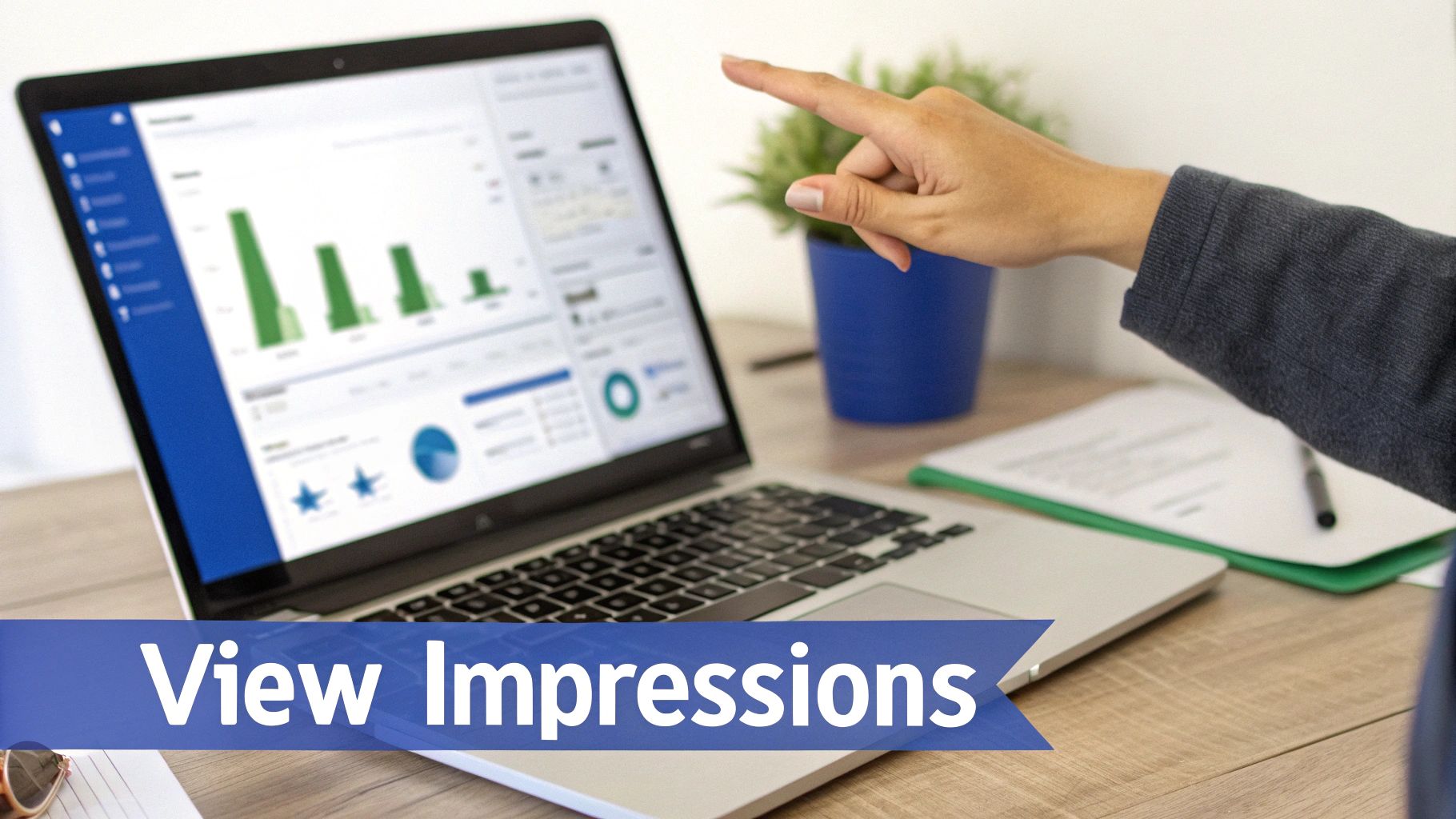
The analytics dashboard lets you filter by date and track how your impressions change over time. Making a habit of checking this data is fundamental to a solid LinkedIn strategy. It helps you stop guessing and start making decisions based on what the numbers are telling you. By learning how to analyze content performance, you can fine-tune your messaging, double down on what resonates, and make sure every post moves you closer to your goals. It’s all about turning simple visibility into real, tangible impact.
Why Impressions Are the Foundation of Your LinkedIn Strategy
It’s tempting to glance at your analytics and write off impressions as a simple "vanity metric." I get it. An impression doesn't directly translate to a sale or a new follower, so why should you care?
But here’s the thing: that mindset misses the entire point. Impressions are the absolute starting line for everything else you want to achieve on LinkedIn. Without that first moment of visibility, nothing else can happen. No one can like, comment on, or share a post they never saw in the first place.
Think of it like planting a garden. Impressions are you scattering the seeds. The more ground you cover, the better your chances are of seeing something grow—whether that's new leads, valuable connections, or real business opportunities.
When you consistently get high impressions, you’re also sending a strong, positive signal to the LinkedIn algorithm. It starts to recognize that people find your content relevant and begins pushing it to a wider audience, helping you break free from the bubble of your immediate network. This is how visibility starts to build on itself, creating real momentum.
From Visibility to Credibility
Every single expert, thought leader, or industry influencer you follow started with just one impression. They built their reputation one post at a time, slowly but surely expanding their visibility until their name became a familiar sight. High impression numbers are the very first indicator that you're successfully grabbing people's attention.
This kind of visibility is absolutely essential for building brand awareness, whether it's for you personally or for your company. When people see your content pop up in their feeds again and again, it creates a sense of familiarity and, eventually, trust. That's how thought leadership is built from the ground up.
Impressions are the currency of awareness. You can't establish authority or generate leads in a vacuum. You must first earn the attention of your audience, and impressions are the purest measure of that attention.
Over time, this consistent presence turns into tangible business results. A steady stream of impressions keeps your sales pipeline warm. It ensures that when a potential client finally realizes they need the solution you offer, you’re the first person that comes to mind.
Connecting Impressions to Your Audience
Here’s the crucial part, though: impressions are only truly powerful when they're reaching the right people. A million impressions from an irrelevant audience won't do you any good. This is why paying attention to your visibility forces you to ask the most important question: who is seeing my content?
This makes learning how to identify your target audience the critical next step. It’s how you turn raw visibility into meaningful results.
By tracking which topics and formats earn the most impressions, you get direct feedback on what your ideal customers actually care about. This feedback loop helps you sharpen your content strategy, making every post more effective than the last. Ultimately, focusing on impressions isn't about stroking your ego; it's about strategically building the foundation for every other goal you have on LinkedIn.
Actionable Strategies to Boost Your LinkedIn Visibility
Knowing what a post impression on LinkedIn is is one thing. But the real game is figuring out how to get more of them—and in front of the right people. This isn't about luck; it's about having a smart, repeatable playbook that combines great content, sharp timing, and real community interaction.
Let's dig into the practical methods you can use to consistently get your work seen. Success on LinkedIn isn't about a single viral hit. It’s about building momentum with consistent, quality efforts that signal value to both the algorithm and your audience.
Optimize Your Content for Maximum Impact
Before you even think about the "post" button, you have to make sure your content is built to stop the scroll. The LinkedIn feed is a noisy place, and generic updates get ignored. Your content needs to be visually interesting and dead simple to digest.
Here’s how to make your posts pop:
- Vary Your Formats: Don't get stuck in a text-only rut. Mix it up! Research shows that posts with multiple images can hit engagement rates over 6%. Carousels, native documents (like PDFs), and polls are all fantastic ways to break the pattern and catch someone's eye.
- Use Strategic Hashtags: Think of hashtags as search keywords for your post. A good rule of thumb is to use 3-5 relevant tags. Blend broad industry terms with more specific, niche topics to pull in a targeted crowd. This helps LinkedIn know exactly who to show your content to.
- Craft a Strong Hook: The first sentence or two is everything. It's the gatekeeper that decides if someone clicks "see more" or just keeps on scrolling. Kick things off with a provocative question, a bold claim, or a surprising statistic to hook them in immediately.
And if you're using video, don't forget that most people watch with the sound off. Using tools to add subtitles to your videos is a no-brainer. It makes your content way more accessible and can seriously improve how long people watch.
Master Your Posting Cadence and Timing
Timing is everything. Posting when your network is asleep is like telling a joke to an empty room. You need that initial wave of engagement to show the algorithm your post is worth sharing, and that means posting when people are actually online.
General wisdom points to mid-morning on weekdays (9–11 am, Tuesday–Thursday) as prime time. But your audience is unique. Dive into your own analytics to see when your followers are most active, and then build your schedule around that data.
Consistency over frequency. It's far better to share three high-quality, thoughtful posts a week than it is to spam your network with seven mediocre ones. The algorithm rewards a predictable rhythm of value, not just raw volume.
Create Powerful Engagement Loops
LinkedIn is a social network, remember? The algorithm is literally designed to amplify content that gets people talking. Hitting "post" isn't the finish line—it's the starting gun. Your real work begins in the comments.
Here’s how to get the conversation going:
- Ask Engaging Questions: End your posts with an open-ended question that begs for a response. Steer clear of simple "yes/no" prompts and ask for opinions, stories, or advice instead.
- Respond to Every Comment: When someone takes the time to comment, acknowledge it. This does more than just build goodwill; it tells the algorithm your post is a hub of active discussion, which can easily double or triple your impressions.
- Engage with Others' Content: Don’t just post and ghost. Set aside 15 minutes a day to thoughtfully comment on posts from people in your network. This keeps your profile active and visible, which pays dividends for your own content's reach.
By focusing on these strategies, you can stop guessing and start systematically growing your LinkedIn impressions. This spike in visibility is the most direct path to building your professional brand and is a crucial first step if you want to learn how to get LinkedIn followers and truly own your niche.
Got Questions About LinkedIn Impressions? Let's Clear Things Up.
As you start paying more attention to your LinkedIn analytics, you're bound to run into a few tricky questions. It happens to everyone. Let's tackle some of the most common ones so you can read your data confidently and make better content decisions.
Getting these details right is the difference between guessing and knowing what's actually working.
Are More Impressions Always a Good Thing?
Not really. It's easy to get fixated on a big impression number, but the real story is in who is seeing your content. Think about it: would you rather have 1,000 impressions from key decision-makers in your industry or 10,000 impressions from a random, uninterested audience?
The answer is obvious. It’s all about quality over quantity. An impression only has value if the person behind it could become a customer, a partner, or a meaningful connection. Your focus should be on creating content that resonates with your ideal audience—the right impressions will naturally follow.
Chasing vanity metrics like impressions without thinking about relevance is one of the biggest mistakes I see people make. The goal isn't just to be seen; it's to be seen by the right people. That’s how you turn visibility into real business results.
Help! Why Did My Impressions Suddenly Tank?
Seeing a sudden drop in your impressions can be a little jarring, but don't panic. There's almost always a logical reason, and it's rarely just one single thing.
Here are a few culprits to consider:
- Algorithm Tweaks: LinkedIn is always updating its algorithm. A small change behind the scenes can shift which types of content get favored, which might temporarily affect your reach.
- Audience Burnout: If you're posting the same kind of content over and over, your audience might just be getting tired of it. Less early engagement signals to the algorithm that your post isn't worth showing to a wider audience.
- Bad Timing: Did you post at a weird time of day? If you miss that sweet spot when your audience is online and active, your post can fail to get the initial traction it needs to take off.
- The Topic Just Didn't Land: Sometimes, a topic you thought would be a hit just doesn't resonate. It happens. Not every single post is going to be a viral sensation.
Take a hard look at the post that didn't perform well. Compare it to some of your best content and see if you can spot the difference.
Can People Outside My Network See My Posts?
Yes, absolutely! And honestly, this is where the real magic of LinkedIn happens. Your content's reach isn't just limited to your direct, first-degree connections.
When someone in your network engages with your post—by liking, commenting, or sharing it—that action broadcasts your content to their network. It creates a powerful ripple effect. On top of that, using smart, relevant hashtags makes your content searchable and discoverable by anyone on the platform interested in those topics, whether you're connected to them or not. This is exactly how posts go viral and reach thousands of the right people.
Ready to turn those impressions into authority-building content without all the heavy lifting? Postiv AI helps you craft high-impact LinkedIn posts and carousels in minutes. You can chat with an AI that knows your brand, design incredible visuals, and schedule it all in one place. Start your free trial at Postiv.ai and see the difference for yourself.