When I create LinkedIn content, I focus on getting saves over likes. Why? Because a like is just a tap. A save means someone found your post valuable enough to reference later.
For LinkedIn's algorithm, saves are a strong signal that you're creating genuinely useful content. And when the algorithm notices, it pushes your posts to more people.
Let me show you exactly how I create content that gets saved, from ideation to publishing.
Why Saves Matter More Than Likes
Think about your own behavior on LinkedIn. How many posts do you mindlessly like while scrolling? Probably dozens each week. But how many do you actually save?
Saving requires intention. It means you thought: "This is so valuable I need to come back to it later."
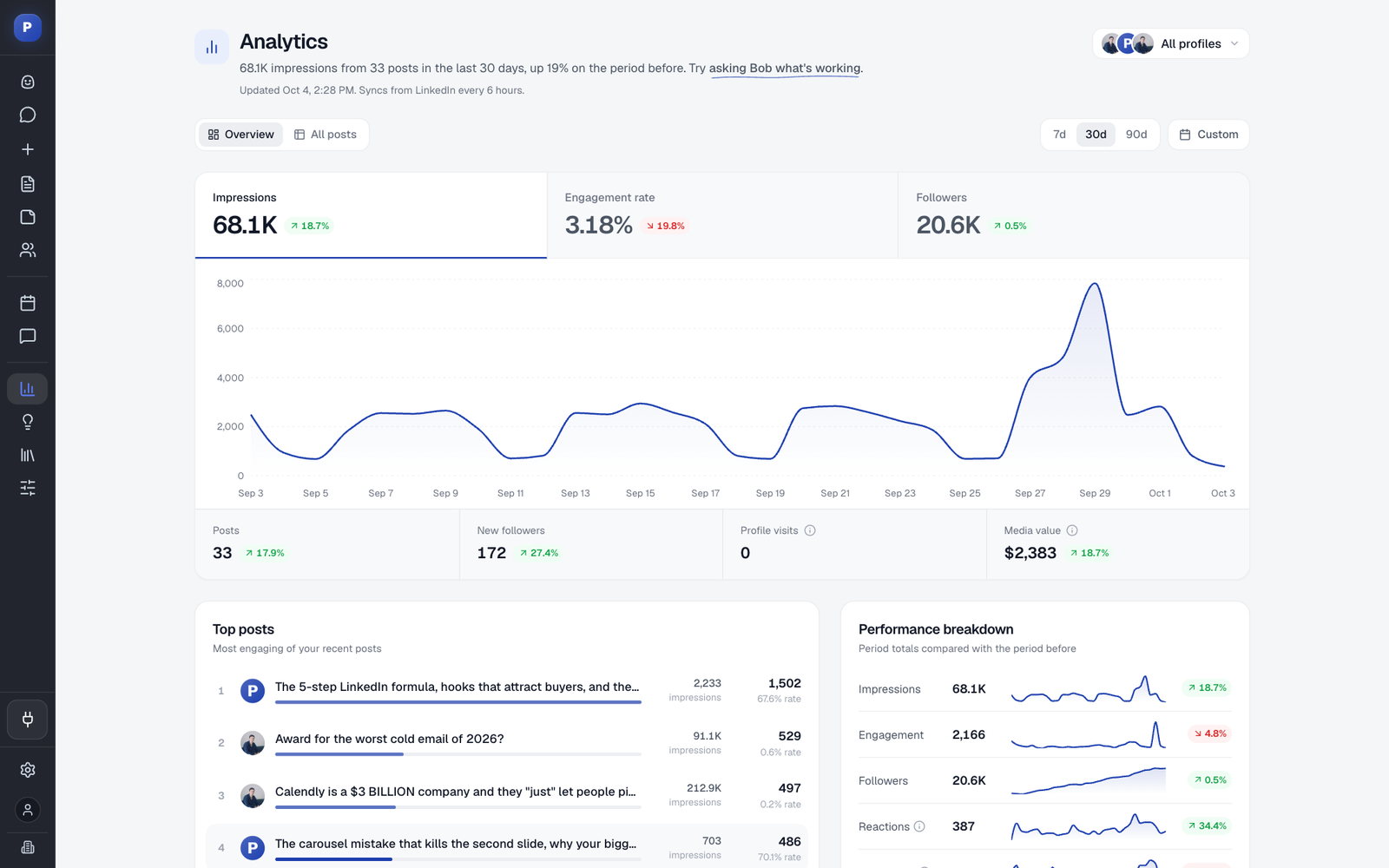
That's the kind of engagement that signals real authority to LinkedIn's algorithm. Posts with high save rates get distributed more widely because they represent content worth keeping. To see which of your own posts earn saves, sort your posts by saves in a LinkedIn analytics dashboard instead of judging them by likes. Not every tool reports saves, so check our guide to choosing a LinkedIn analytics tool before you pick one.
The Post That Sparked This Strategy
The post I'm analyzing is titled "3 Types of LinkedIn Posts That Actually Generate Leads," including an infographic. It performed exceptionally well because it wasn't generic AI-generated advice—it was my actual knowledge packaged into a saveable format.
Here's the process I used to create it.
Step 1: AI-Powered Content Ideation
Content planning shouldn't feel like pulling teeth. I use an AI assistant called Agent Bob in Postiv AI that creates weekly content plans automatically.
Agent Bob analyzes:
- Industry news and trending topics
- Your previous high-performing posts
- What's going viral in your LinkedIn niche
- Your connected knowledge sources
From this analysis, it generates content ideas tailored to your audience. The "3 Types of LinkedIn Posts" idea came directly from Agent Bob's weekly plan.
When you're happy with an idea, you can click to create the post immediately.
Step 2: Creating Content From Your Unique Knowledge
Here's where most people get AI content wrong. They use generic prompts and get generic output.
The key is connecting your actual knowledge base. I integrated my Notion workspace where I keep course materials, frameworks, and documented expertise. When the AI creates content, it pulls from my specific knowledge—not random internet information.
For example, my post about the 40/40/20 content framework came directly from my content flywheel documentation. The AI found and structured that knowledge into a shareable format.
This is the difference between "AI-generated content" and "AI-amplified expertise."
Step 3: Adding Visual Elements That Get Saved
Text posts are fine, but visual content gets saved at much higher rates. Infographics and carousels create reference materials people actually bookmark.
For the lead generation post, I added a notebook-style infographic. The AI generated it in about 10-20 seconds based on the post content.
You can also create carousel swipe files—multi-page visual content that walks through a concept step by step. These formats are naturally saveable because they organize information visually.
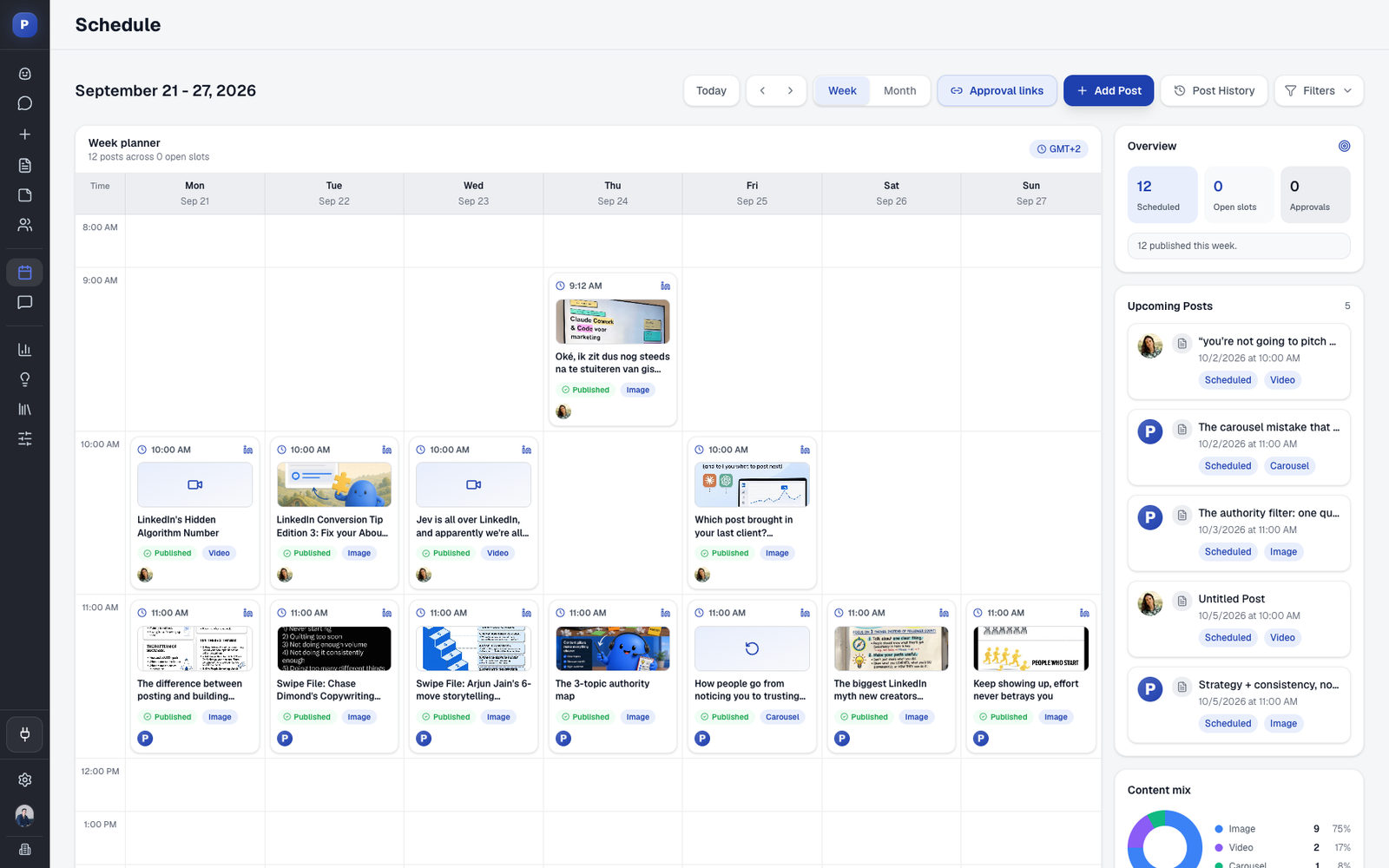
Step 4: Schedule and Forget
Once your post and visual are ready, schedule it directly to LinkedIn. The platform is LinkedIn's official integration partner, meaning your posts go out reliably without worrying about third-party API issues.
I typically batch-create content in one sitting, then schedule everything for the week. This frees up time for actual conversations instead of daily posting pressure.
The Real Secret: Amplify, Don't Replace
The goal isn't to let AI do everything. It's to amplify your unique knowledge at scale.
Generic AI content gets scrolled past. Content based on your real expertise—structured and visualized by AI—gets saved because it's actually valuable.
When you share frameworks and knowledge that only you have, you create content worth bookmarking. That's the difference between building an audience and building authority.
Creating Your Own Save-Worthy Content
Here's a simple framework to start:
- Document your expertise — Write down the frameworks, lessons, and insights you use in your work
- Connect your knowledge base — Integrate your notes, documents, or courses with your content tool
- Let AI find the angles — Use AI ideation to discover which pieces of your knowledge would resonate most
- Add visual formats — Transform ideas into carousels or infographics that become reference materials
- Maintain consistency — Schedule content regularly so your audience knows to expect value from you
Types of Content That Get Saved
Not all content is equally saveable. Focus on these formats:
Educational Frameworks
Step-by-step processes and mental models that people can apply to their own work.
Data-Backed Insights
Statistics and findings with clear takeaways. Numbers give people something concrete to reference.
Checklists and Cheat Sheets
Quick-reference materials that condense complex topics into scannable formats.
Career/Industry Guides
Evergreen content that remains relevant, like how-to guides for specific professional situations.
Stop Chasing Likes, Start Creating Value
The shift from like-focused content to save-focused content is really a shift in mindset. You're not trying to get reactions—you're trying to create resources.
When you approach every post thinking "Would someone save this for later?", you naturally create better content. You cut the fluff, add more actionable detail, and format information more clearly.
That's how you build real authority on LinkedIn. Not through viral moments, but through consistently creating content worth keeping.
Ready to create LinkedIn content that gets saved? Postiv AI helps you plan, create, and schedule content based on your unique expertise—not generic AI output. Try it free for a week and see the difference.
Frequently Asked Questions
Why are LinkedIn saves more valuable than likes?
Saves indicate genuine value because users want to reference your content later. While anyone can tap a like button casually, saving a post shows the reader found it valuable enough to bookmark for future use. LinkedIn's algorithm interprets saves as a stronger engagement signal and pushes saved content to more users.
How do I create LinkedIn content worth saving?
Focus on sharing actionable frameworks, step-by-step guides, and practical insights from your own experience rather than generic advice. Use visual formats like carousels and infographics that distill complex topics into scannable, reference-worthy content.
What is Agent Bob and how does it help with content planning?
Agent Bob is an AI content planning feature in Postiv AI that creates weekly content plans based on industry news, your previous high-performing posts, viral content in your niche, and your unique knowledge base. It generates content ideas you can use as inspiration or directly turn into posts.
Can I use AI for LinkedIn content without sounding generic?
Yes, the key is integrating your unique knowledge into the AI workflow. Connect your own notes, courses, or documents as a knowledge base. The AI then creates content based on your specific expertise rather than generic information, making the output authentically yours.
What content formats get the most saves on LinkedIn?
Carousels and infographics tend to get the most saves because they present information in a visually organized, easily scannable format that readers want to reference later. Educational content, frameworks, and step-by-step processes work particularly well.