

Canva alternative
The Canva Alternative for LinkedIn.
Canva designs anything. Postiv does one job: LinkedIn carousels, infographics and post images on your brand, written with your voice and scheduled from the same place. Keep Canva for posters, decks and video.
7-day free trial. Canva facts from canva.com/pricing, checked June 16, 2026.
The Short Answer
Canva or Postiv? It Depends What You Design.
Pick Canva if you design all kinds of things: decks, posters, video, brand assets. Pick Postiv if most of what you design is LinkedIn content and you are tired of writing in one app, designing in Canva, exporting a PDF and uploading it by hand. Plenty of people keep both: Canva for one-off design, Postiv for the weekly LinkedIn rhythm.
Stay with Canva if
- You design far more than LinkedIn: decks, posters, print, events. Canva covers all of it, and Postiv only designs LinkedIn and X visuals.
- You want full control of every pixel and a template library with millions of designs. Postiv has a canvas editor and templates, but it is not a general design tool.
- You edit video. Postiv takes the video you attach and does not create or edit it.
- You are on Canva's free plan and one Brand Kit is enough. Postiv starts with a 7-day trial.
Switch to Postiv if
- Most of what you open Canva for is LinkedIn carousels, infographics and post images.
- You want the post written and the carousel designed in one sitting, from a voice note, a screenshot or your own documents.
- You schedule to LinkedIn profiles and company pages and want the design on the same calendar, with approvals when several people post.
Why Switch
Why People Look for a Canva Alternative
Canva is excellent at what it is built for: general design. These are the limits LinkedIn creators run into.
- 01
It is a design tool, not a LinkedIn tool
Canva has no LinkedIn post composer. You write the post in one app, design the carousel slide by slide in Canva, export a PDF and upload it to LinkedIn yourself. Nothing connects the design to the post, the plan or the calendar.
- 02
The AI does not learn your voice
Magic Write and Canva AI generate text and designs from prompts. Nothing learns how you write from your LinkedIn posts, and AI use is a shared monthly allowance with a paid AI Pass add-on above it.
- 03
Scheduling and analytics stop short
The Social Content Planner starts on Pro and schedules designs to your social accounts. It is basic: no automatic first comment, and the analytics cover your designs and ads, not how your LinkedIn posts perform.
- 04
Brand control sits behind paid plans
The Free plan has one Brand Kit with three colors. Pro includes five Brand Kits for $144 a year, and Business includes 100 at $250 a year per person.
Compare
Postiv vs Canva, Feature by Feature.
Facts from canva.com/pricing, checked June 16, 2026. Postiv features and prices from postiv.ai/pricing.
Canva
Postiv
Pricing
Canva vs Postiv Pricing.
Canva costs far less per seat, and its free plan is real. What it does not include is the writing, scheduling and LinkedIn analytics around the design, so compare the whole stack, not the design seat.
Canva
MonthlyYearlyFree
1,000+ design types, 1 Brand Kit with 3 colors, 5GB storage, limited AI
$0
$0
Pro
Billed $144/yr for 1 person. 5 Brand Kits, Social Content Planner, bigger AI allowance
See site
$12
Business
Billed $250/yr per person. Team admin, roles, approvals, 100 Brand Kits
See site
$20.83
Enterprise
Large organizations, 1,000 Brand Kits
Custom
Custom
Postiv
MonthlyYearlyCreator Pro
Ideas, weekly plan, writing in your voice, carousels, infographics, analytics, LinkedIn and X
$99
$49.50
Team
Everything in Creator Pro, unlimited members and profiles, approvals
$229
$159
Both plans: LinkedIn and X on one calendar, the Postiv MCP, and a 7-day free trial.
Prices per month in USD. Yearly is the monthly cost when billed annually.
What You Would Pay
1 person, design only
- Canva
- Free, or Pro at $144/yr
- Postiv
- Creator Pro, $99/mo ($49.50 yearly)
1 person, writing, design and scheduling
- Canva
- Pro at $144/yr, plus a writer and a scheduler
- Postiv
- Creator Pro, $99/mo ($49.50 yearly)
4 people, design only
- Canva
- Business, $250/yr each ($1,000/yr)
- Postiv
- Team, $229/mo ($159 yearly)
4 people, writing, design and scheduling
- Canva
- Business ($1,000/yr), plus a writer and a scheduler
- Postiv
- Team, $229/mo ($159 yearly)
With Postiv
What Changes When You Switch.
One workspace for the whole loop: ideas, drafts in your voice, design, approvals, scheduling and results.
Carousels on your brand
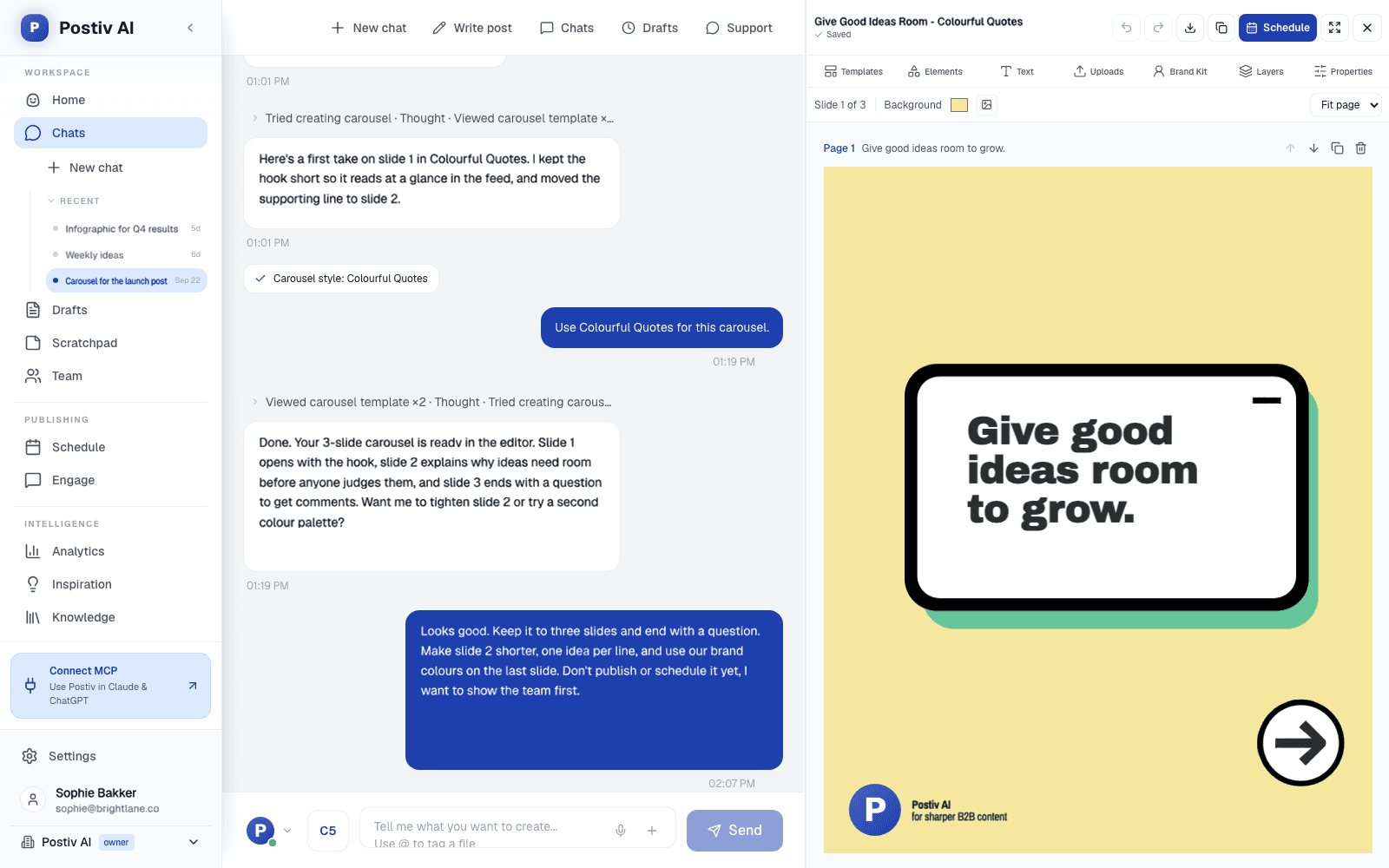
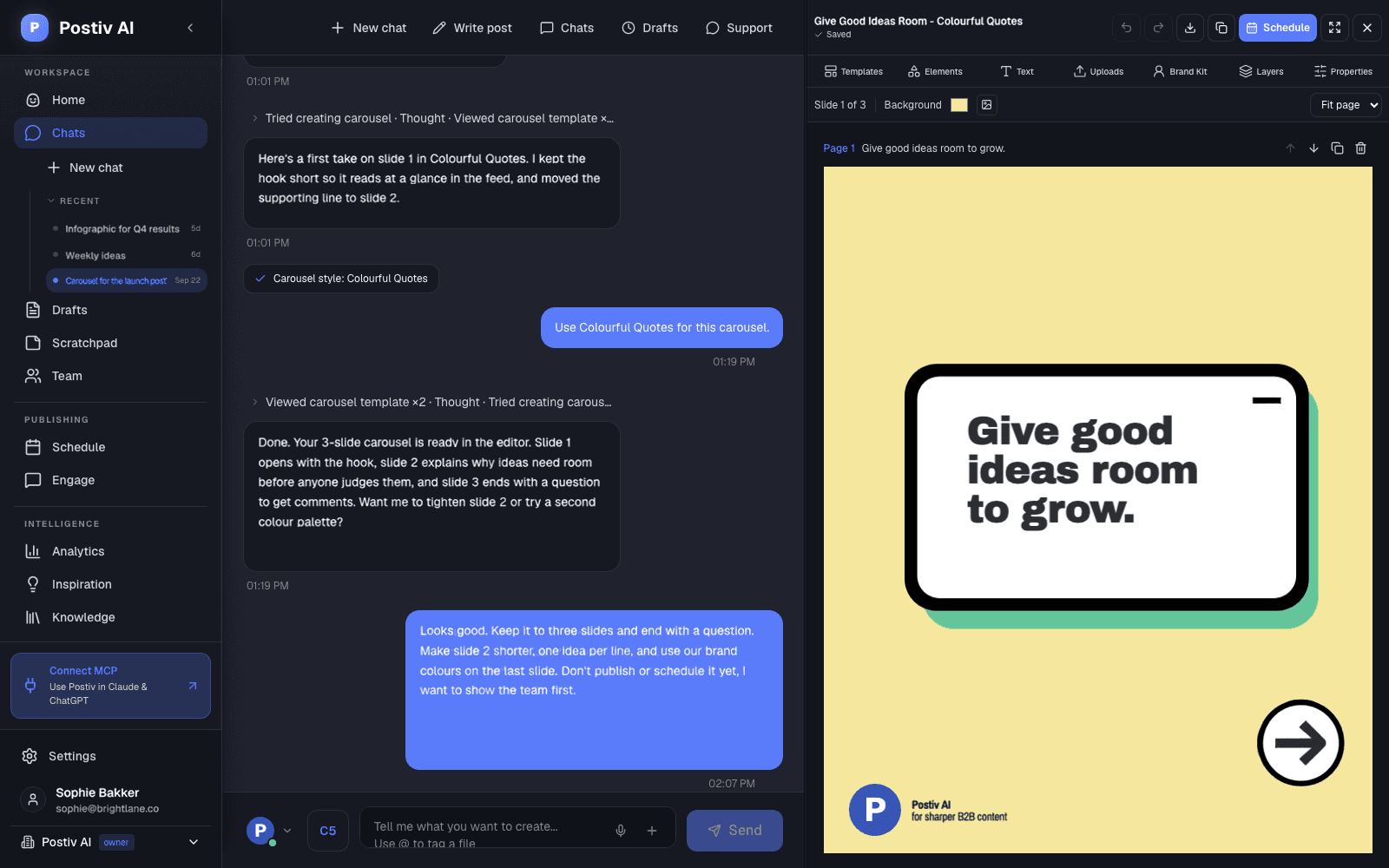
Your colors, fonts and logo on every slide. Start from a template, edit on a 1080 by 1350 canvas with up to 30 slides, and export a PDF that publishes as a LinkedIn document post.
Carousel generatorInfographics from your real numbers
Stat grids, timelines, processes, comparisons and checklists on one canvas, published as an image post. Postiv only shows data you provide, never invented statistics.
Infographic makerChange any slide by asking
Ask Bob to rewrite a slide, swap colors or fonts, or restyle the whole carousel. Magic Apply moves a carousel into a new template or your brand kit and keeps your text.
Content creationThe post gets written too
Draft from a voice note, a screenshot or a file in your knowledge base, in your writing style. You finish it in your own words.
Knowledge baseScheduled from the same place
Put the finished post on one calendar for your profile or company page, with posting slots and an automatic first comment. No export, no upload.
SchedulingEvery voice in one workspace
Personal profiles and company pages on one calendar, with shared assets and approvers per profile on the Team plan.
Team management
Switching
Switch From Canva in 3 Steps.
No migration project. Connect your accounts, set up your voice and brand, and plan a week.
- 1
Set up your brand kit
Add your colors, fonts and logo once. Export them from Canva if that is where they live. Every carousel, infographic and image starts from your brand kit.
- 2
Make your first carousel
Tell Bob the idea or start from a template. Edit on the canvas or by asking, and add an infographic or a post image if the post needs one.
- 3
Schedule it, keep Canva for the rest
Put the post on the calendar for your profile or company page, or send it for approval. Keep Canva for decks, posters and video.
FAQ
Questions About Leaving Canva.
What is the best Canva alternative for LinkedIn?
It depends on what you use Canva for. If most of it is LinkedIn carousels, infographics and post images, Postiv designs them on your brand kit, drafts the post in your voice and schedules it from the same place, so you stop exporting and uploading by hand. If you also design decks, posters or video, keep Canva for those. It stays the strongest general design tool.
Can I use Canva for LinkedIn carousels and posts?
Yes. Canva has carousel templates and a multi-page editor. Design at 1080 by 1350 pixels (portrait) or square, download the pages as one PDF, then upload it to LinkedIn with Add a document. What Canva does not do is write the post, learn your voice or publish the carousel to LinkedIn for you, so the writing, the scheduling and the upload happen in other tools.
Is Canva free, or do I need Pro for LinkedIn?
Canva has a real free plan: more than 1,000 design types, a large template library, 5GB of storage and limited AI. For LinkedIn work the limits are the Brand Kit (one, with three colors) and the social content planner, which starts on Pro. Pro costs $144 a year for one person, about $12 a month, and Business costs $250 a year per person.
Is there a free Canva alternative for LinkedIn?
Yes, a few. Adobe Express has a free tier, and Pixlr and Snappa are lighter browser editors. Postiv has a free LinkedIn carousel generator that needs no signup: edit slides at LinkedIn size and download a PDF with a small Postiv watermark. The full workspace, with AI drafting, planning and scheduling, comes with a 7-day free trial.
What is the difference between Canva and Postiv?
Canva is a general design tool: posters, decks, social graphics and video. Postiv is a LinkedIn-first workspace. It drafts the post in your voice, designs the carousel, infographic or image on your brand kit, and schedules it for your profile or company page. The two overlap on LinkedIn visuals only.
Can Canva schedule posts to LinkedIn?
Canva has a Social Content Planner on Pro and above that schedules designs to connected social accounts. It is a basic planner: it is not a LinkedIn post composer, it has no automatic first comment and no LinkedIn post analytics. Postiv schedules the post together with its carousel, infographic or image on a calendar built around LinkedIn posting slots, with an automatic first comment and LinkedIn analytics.
Does Canva's AI learn my writing voice?
Not from your LinkedIn posts. Magic Write and Canva AI generate text and designs from prompts, and your Brand Kit styles the look, not the writing. Canva's AI is also a shared monthly allowance, with a paid AI Pass add-on above Pro and Business. In Postiv every profile has a writing style (tone, structure, vocabulary, hooks and your own rules), and Bob drafts from your notes, screenshots and knowledge base.
Is Postiv cheaper than Canva?
No, not per seat. Canva Pro is $144 a year for one person, about $12 a month, and Canva has a free plan, while Postiv Creator Pro is $99/mo or $49.50/mo billed yearly. Postiv's price covers AI drafting, planning, scheduling and LinkedIn analytics on top of the design, which Canva does not include. For teams, Postiv Team is $229/mo ($159/mo billed yearly) with unlimited members and profiles, while Canva Business is $250 a year per person.
Can Postiv make infographics and post images?
Yes. Infographics cover stat grids, timelines, processes, comparisons, funnels and checklists on a 1080 by 1350 canvas and publish as image posts. They only use real numbers you give Postiv. Post images come in styles such as quote cards and notebook or whiteboard infographics, with your brand kit applied. AI creation is on Creator Pro and Team.
What do professionals use instead of Canva?
It depends on the job. Designers who want finer control usually move to Figma or Adobe Creative Cloud. Marketers who need infographics, presentations or reports often look at Visme or Piktochart, and Adobe Express is a template-based editor with a free tier. For LinkedIn content specifically, a LinkedIn workspace like Postiv lets you make the carousel inside the tool where you write and schedule the post.
Are there open-source alternatives to Canva?
Yes. Penpot, GIMP, Inkscape and Krita are the best known. They are powerful but have a steeper learning curve and are not built for social content workflows: none of them writes the post or publishes it.
Can I bring my Canva brand into Postiv?
Yes, the brand part. Export your logos, images and brand colors from Canva and add them, with your fonts, to your Postiv brand kit. Designs you have already made stay in Canva, so keep it for anything you still want to edit there, and rebuild the templates you use every week in the carousel editor.
Still Comparing?
- Canva LinkedIn carousel alternative guideWhat Canva can and can't publish to LinkedIn, and where a LinkedIn-native tool ships carousels faster.
- Postiv pricingPlans, trial and what each one includes.
- All Postiv alternativesPostiv compared with 30 LinkedIn and social tools.
- Buffer alternativeHow Postiv compares with Buffer.
- Publer alternativeHow Postiv compares with Publer.
- ContentStudio alternativeHow Postiv compares with ContentStudio.
Last updated . Canva facts from canva.com/pricing.
Try Postiv Next to Canva for a Week.
Keep Canva running while you trial Postiv. Connect LinkedIn, plan a week from what's working in your niche, and compare. 7-day free trial.

