Think of a LinkedIn impression as a single "sighting" of your content. Anytime your post, article, or company update appears on someone's screen—whether in their main feed, a search result, or on a profile—that counts as one impression. It’s a pure measure of visibility.
What a LinkedIn Impression Really Means
Let's break it down with an analogy. Picture your LinkedIn post as a billboard on a busy highway. Every single time a car drives past and that billboard comes into view, that’s an impression.
It doesn’t matter if the driver reads every word, remembers the phone number, or just glances at it for a split second. The simple act of it being displayed is what counts. That’s the core of what an impression is: a passive count of how many times your content was served up to someone's eyes.
The Scale of Opportunity
This metric is crucial because of LinkedIn's massive scale. With over a billion members, every impression is a slice of valuable digital real estate. But here's the kicker: only about 1% of users post content weekly.
This tiny fraction of active creators generates a staggering 9 billion impressions every single week. For consultants, founders, and marketers, this is a golden opportunity. The feed is far less saturated than other platforms, giving your content a real shot at getting noticed. Digging into more LinkedIn statistics can really put the platform's potential into perspective.
An impression is the first step in any interaction. You can't get a click, a comment, or a share until your content has first been seen. It's the foundation of your entire content strategy.
Ultimately, impressions tell you how well the LinkedIn algorithm is working for you. A high impression count means your content is being distributed far and wide, reaching people well beyond your immediate network. This visibility is the fuel for everything else you want to achieve, whether it's generating leads or becoming a recognized voice in your field. It's the first domino that needs to fall.
How LinkedIn Measures Impressions and Other Key Metrics
To really get a handle on what an impression on LinkedIn means, you have to pop the hood on the platform's analytics. It’s not about a single number, but a whole set of metrics that work together to tell the story of your content's journey.
Let's start with the basics. LinkedIn counts an impression when your content is at least 50% in view for a minimum of 300 milliseconds on someone's screen. That’s it. This standard keeps a quick, accidental scroll from messing with your data. The post just has to be visible for a fraction of a second to count.
This simple rule has a big effect: your impression count will almost always be higher than your reach.
Impressions vs. Reach: The Critical Difference
Think of it like this: Impressions are the total number of times your content was displayed, while reach is the number of unique people who saw it. One person can rack up multiple impressions.
Here’s a simple scenario: you post a new article.
- Day 1: Your connection, Sarah, scrolls past your post in her feed. That’s 1 impression and 1 person reached.
- Day 2: A colleague shares your post, and Sarah sees it again. Now you have 2 impressions, but your reach is still just 1 person.
- Day 3: Sarah pops over to your profile to see what you've been up to and sees that same post again. That's a third view, pushing your total to 3 impressions, while your reach stays at 1.
Understanding this is key to reading your analytics correctly. A high impression count with low reach often means a small, dedicated group of followers is seeing your content over and over. For a deeper look, exploring the interplay between reach and impressions can add another layer to your understanding.
This visual helps break down how impressions are the first step toward everything else.
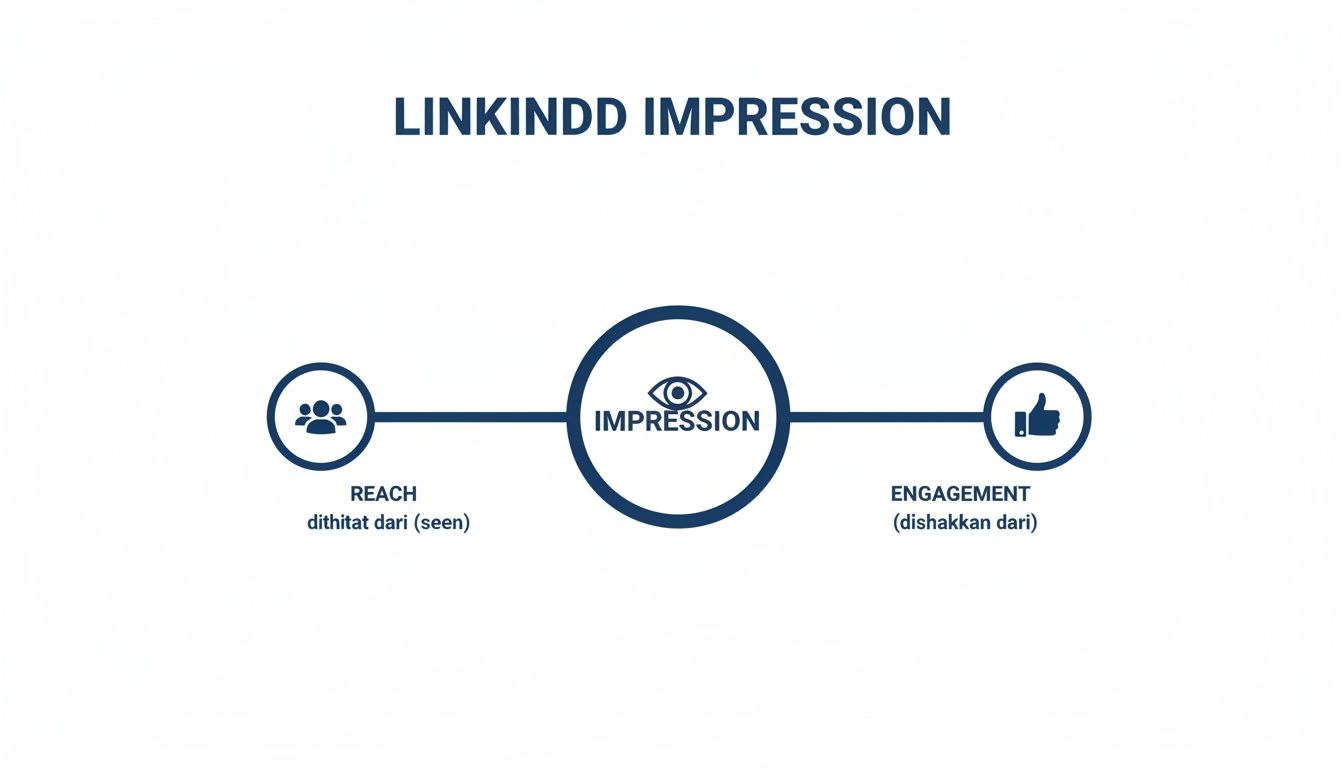
The takeaway is that every like, comment, and share begins with an impression, but not every impression turns into a meaningful action.
Organic, Paid, and Viral Impressions
LinkedIn doesn't just give you one big number. It breaks down your impressions into different types so you can see exactly where your views are coming from.
-
Organic Impressions: These are the views you earn naturally. Your content shows up in your connections' feeds or someone finds it through a search. This is a pure measure of your content's relevance to your network.
-
Paid Impressions: This is visibility you buy through sponsored content or ads. You're paying to push your content in front of specific audiences that you might not otherwise reach.
-
Viral Impressions: This is the magic that happens when someone likes, comments on, or shares your post, causing it to appear in their network’s feeds. Viral impressions are a huge signal that your content is hitting the mark.
Why does this matter? Keeping an eye on these different impression types helps you tell the difference between the audience you've built and the audience you've bought. It gives you a much clearer picture of your content's real-world appeal.
Knowing these distinctions is the first step to making smarter content decisions. Once you can see if your growth is coming from organic interest or paid campaigns, you can fine-tune your strategy. To connect these top-level metrics to real business results, our guide on https://postiv.ai/blog/measuring-content-marketing-roi is a great next step.
Why Your LinkedIn Impressions Truly Matter for Growth
It’s easy to dismiss impressions as just another vanity metric, but they’re actually the very foundation of your growth on LinkedIn. Think of each impression as planting a tiny seed of awareness. One seed won’t do much, but a thousand of them start to build a forest of visibility for you or your business.
This constant visibility is how you build trust and familiarity. When a potential client or industry peer keeps seeing your insights pop up in their feed, you stop being a stranger and start becoming a recognized voice. That repeated exposure keeps you top-of-mind, making your name the first one they think of when an opportunity comes up.
Turning Visibility into Tangible Results
High impression counts are what fuel real business outcomes. Every single time your content is seen, it’s a potential entry point into your sales pipeline. A steady flow of impressions creates a consistent pulse of inbound interest, which means you can spend less time chasing down cold leads.
This is also how you establish yourself as a thought leader. Authority isn't something you can just claim; you have to earn it by consistently sharing your expertise where people can see it. Impressions are the vehicle that delivers that expertise to the right audience, solidifying your reputation and attracting high-quality connections.
While metrics like likes and comments get all the attention, a strong and steady stream of impressions is what truly powers long-term professional relevance and opens doors to new opportunities.
Ultimately, every impression tells part of a story. But the real value comes from who is seeing your content. Demographically, LinkedIn is packed with high-value professionals—around 53% of U.S. college graduates are on the platform. It's especially popular with the 25-49 age group, which means your content is landing in front of people who make decisions and control budgets. You can learn more about the professional makeup of LinkedIn's audience.
Connecting Impressions to Your Business Goals
Impressions are the top-of-funnel metric that makes everything else possible. They are the first sign that your content strategy is actually working, grabbing the attention you need to drive people to take the next step.
- Brand Awareness: Consistent impressions ensure your brand is seen by the right people, building recognition over time.
- Lead Generation: Every impression is a potential lead. The more people who see your content, the more chances you have to convert them.
- Thought Leadership: Visibility is a prerequisite for authority. Impressions distribute your expertise at scale.
To see how impressions fit into the bigger picture, it helps to understand other Lead Generation Key Performance Indicators. This helps connect the dots between that first view and a final sale, showing how that initial "sighting" kicks off the entire customer journey. Without impressions, the rest of your funnel simply can’t work.
Proven Strategies to Increase Your LinkedIn Impressions

Knowing what an impression is on LinkedIn is one thing. Actually getting more of them? That’s where the real work begins. Boosting your impressions is all about getting your ideas, expertise, and brand in front of more eyeballs, which is how you build authority and stumble upon new opportunities.
It's not about posting into the void and crossing your fingers. You need a solid game plan that works with the LinkedIn algorithm, not against it. These are the strategies I’ve seen work time and again to help great content get the visibility it deserves.
Master High-Performing Content Formats
On LinkedIn, how you say something can be just as important as what you say. While a sharp text-only post can still land well, certain formats consistently get more love from the algorithm, driving both impressions and the engagement that fuels them.
Playing around with these different formats is the best way to figure out what your audience genuinely responds to.
- Multi-Image Posts & Carousels: These are absolute gold right now. Why? They make people stop and swipe, increasing the "dwell time" on your post. LinkedIn sees that as a sign of quality content and pushes it out to more people. It's not uncommon to see engagement rates for these formats hit over 6%.
- Native Video: Don't just share a YouTube link. Upload your video files directly to LinkedIn. The platform heavily favors its own video player, and the results speak for themselves—native videos often see up to 5x more engagement than other types of content.
- Documents & Polls: Sharing a PDF document or running a quick poll are fantastic ways to get people to interact. Polls are especially powerful because they're a low-effort way for your audience to engage, giving your post that crucial initial boost it needs to take off.
To help you get the ball rolling, I've put together a quick comparison of formats that are known for driving high impression counts.
High-Impact Formats for Boosting Impressions
| Content Format | Impression Potential | Best For | Pro Tip |
|---|---|---|---|
| Carousel (PDF) | Very High | Storytelling, tutorials, repurposing blog content. | Make the first slide a killer hook. Aim for 5-10 slides to keep people swiping. |
| Native Video | High | Personal stories, behind-the-scenes looks, expert tips. | Add captions! Most users watch with the sound off. Keep it under 2 minutes. |
| Polls | High | Quick feedback, sparking debate, audience research. | Keep the question simple and the options clear. Always engage with responses in the comments. |
| Text + Image(s) | Medium-High | Announcing news, sharing a quote, event photos. | Use high-quality, relevant images. Multiple images often perform better than one. |
| Text-Only | Medium | Asking questions, sharing a strong opinion or short story. | The first few lines are critical to stop the scroll. Use formatting (like bullet points) to make it readable. |
Diversifying your content mix like this gives you more shots on goal. For a little creative fuel, you can find a ton of powerful engagement post ideas that you can adapt to any of these formats.
Nail Your Timing and Consistency
When you post is almost as important as what you post. The first couple of hours are make-or-break. Strong early engagement tells the LinkedIn algorithm, "Hey, people like this!" and it will start showing your post to a much wider audience.
General advice often points to mid-week mornings (Tuesday through Thursday, 9–11 am), but your audience is unique. Dive into your own analytics to see when your followers are most active and adjust accordingly.
Consistency is the engine of visibility. I’ve seen it again and again: posting weekly can generate twice the engagement of posting sporadically. The algorithm rewards users who show up and contribute value on a regular basis. Make it a habit.
Spark Conversations and Use Hashtags Wisely
Remember, LinkedIn is a social network. Your goal isn't just to talk at people; it's to talk with them. The algorithm is literally designed to find and promote good conversations.
- End with a Question: This is the easiest trick in the book. Invite people to share their thoughts or experiences. It turns a monologue into a dialogue.
- Reply to Every Comment: When someone takes the time to engage, always write back. Not only does this build a loyal community, but it also doubles the engagement count on your post, which is a massive signal to the algorithm.
Hashtags are your content's sorting system. They help LinkedIn understand what your post is about and show it to people interested in those topics. Stick to 3 to 5 highly relevant hashtags—a mix of broad and niche terms works best. This simple step is key to helping people outside your immediate network discover your content.
How to Interpret Impressions for Smarter Content Decisions

Collecting data is one thing, but the real magic happens when you turn those numbers into a smarter content strategy. Think of each impression on LinkedIn as a clue. By piecing these clues together, you can move past simply counting views and start to truly understand what makes your audience stop scrolling.
The whole point is to connect visibility with actual value. A post with 10,000 impressions but only a few likes isn't a failure, but it tells a completely different story than one with 2,000 impressions that ignites a real conversation in the comments. Learning to read that story is the key to creating content that doesn't just get seen—it gets results.
Moving Beyond Vanity Metrics
On their own, impressions can feel like a vanity metric. Big numbers look impressive, but they don't mean much without context. To give them meaning, you have to look at them alongside engagement. The best way to do this is by tracking your engagement rate by impressions.
This simple formula turns a raw number into a genuinely useful performance indicator:
(Total Engagements ÷ Total Impressions) x 100 = Engagement Rate
This percentage reveals how compelling your content was to the people who actually saw it. Did they scroll right past, or did you give them a reason to stop, think, and interact? Tracking this metric over time helps you create your own benchmark for what "good" looks like for your audience. To really get a handle on this, it's worth learning how to analyze content performance in a more structured way.
A rising engagement rate, even if your impressions stay the same, is a huge win. It's proof that you're hitting the mark with your content's quality and relevance—you’re not just reaching people, you’re resonating with them.
It also helps to see how you stack up. Across 2024, the average LinkedIn engagement rate by impressions has been climbing from 4.48% to 5.42%. Different formats also see different results; carousels can pull in engagement rates around 6.6%, while native video tends to get about 5x more engagement than a simple text post. You can discover more insights about these LinkedIn benchmarks to get a clearer picture of where you stand.
Spotting Patterns to Refine Your Strategy
Your analytics dashboard is basically a treasure map. If you regularly review your top posts, you'll start to see patterns emerge that can guide your entire content plan. Look for the common threads that connect your posts with both high impressions and strong engagement.
Start by asking a few critical questions:
- What topics are hitting home? Are your posts on industry trends getting more love than your personal stories, or is it the other way around?
- Which formats are resonating? Do carousels always outperform your single-image posts? Does your audience jump on videos more than text-based questions?
- When is the best time to post? Is there a clear day or time when your audience is online and ready to engage with your content?
Answering these questions turns your analytics from a simple report card into a powerful playbook. This data-driven approach lets you double down on what works, ditch what doesn't, and constantly fine-tune your strategy. Instead of guessing what your audience wants, you'll be making informed decisions based on their actual behavior, giving every piece of content the best possible shot at success.
Answering Your Top Questions About LinkedIn Impressions
Once you start digging into your LinkedIn analytics, you’re bound to have some questions. It's totally normal. Think of this as the go-to spot to clear up those nagging uncertainties about what an impression actually means day-to-day.
Getting these nuances right is what separates the pros from the amateurs. It helps you trust your data and, more importantly, make better decisions based on it.
What’s a “Good” Number of Impressions for a Post?
Everyone wants to know the magic number, but the truth is, there isn't one. What counts as "good" is completely different for a freelance writer with 500 connections versus a CMO at a major tech company with 50,000. It all depends on your network, your niche, and how well your content hits the mark.
Instead of fixating on a random number, track these two indicators instead:
- Your Impression-to-Follower Ratio: Are your impressions higher than your follower count? If so, that's a fantastic sign. It means your content is reaching beyond your immediate circle and tapping into new networks.
- Your Engagement Rate (Calculated by Impressions): For most professional topics, an engagement rate between 2-5% of your impressions is a solid benchmark. This tells you people aren't just scrolling past your post—they're actually stopping to react, comment, or share.
Your real goal shouldn't be to hit an industry-wide average, but to consistently improve on your own average.
Help! Why Did My Impressions Suddenly Drop?
It’s always a little jarring to see your impression count tank out of nowhere, but don't panic. There’s almost always a logical reason behind it. If you see a sudden dip, it's time to play detective and look into a few usual suspects:
- You Changed Your Game Plan: Did you recently start posting videos instead of text? Or maybe you switched from talking about marketing to talking about personal development? The LinkedIn algorithm might just be recalibrating to your new style.
- You’re Using Outbound Links: LinkedIn wants to keep users on its platform. If your post's main goal is to send someone to your blog or website, the algorithm often limits its reach. A popular way around this is to drop the link in the first comment instead of the post itself.
- Your Posting Has Been Sporadic: The algorithm tends to favor consistency. If you go from posting daily to once a week, you might see a corresponding drop in visibility.
- The Algorithm Changed (Again): LinkedIn is always tweaking its algorithm to improve the user experience. A strategy that worked wonders last month might not be as effective today.
When your impressions fall off a cliff, the best first move is to revisit your most successful posts from the past. See what made them work, and start experimenting from there.
One Thing to Remember: Your own views on your posts don't count. LinkedIn is smart enough to filter out your activity, so you can be sure the impression count reflects how many other people saw your content in their feed. It keeps the data clean and focused on your audience.
Ready to turn these insights into authority-building content without all the heavy lifting? Postiv AI brings together a brand-trained AI writer, a carousel designer, and a scheduler. You can create posts that get noticed in minutes and build your professional brand. Start your free trial at https://postiv.ai.