LinkedIn has evolved far beyond a digital resume repository. It is now a critical content and community platform where strategic execution separates top performers from the rest. In today's competitive environment, simply showing up is insufficient; success depends on mastering the specific tactics that generate visibility, engagement, and professional authority. Generic advice like “be authentic” or “post consistently,” while true, lacks the actionable detail needed to make a real impact. To stand out, B2B professionals need a concrete playbook.
This guide delivers precisely that, outlining nine proven best practices for posting on LinkedIn that move beyond the obvious. We will provide actionable frameworks for creating content that genuinely resonates with your target audience and satisfies the platform's algorithm. You will learn not just what to do, but how to do it effectively.
We will cover everything from structuring viral hooks and designing high-engagement carousel posts to leveraging your analytics for optimal timing and building genuine connections through strategic storytelling. Each practice is designed to help B2B founders, marketers, and sales teams transform their LinkedIn presence from a passive profile into a tangible asset for brand building, lead generation, and establishing thought leadership. Forget the fluff; this is a direct, no-nonsense roadmap to mastering LinkedIn content creation. We’ll dive into the specific formats, narrative structures, and engagement triggers that drive meaningful results, ensuring every post you publish serves a strategic purpose.
1. Post Consistently on a Schedule
One of the most impactful yet frequently overlooked best practices for posting on LinkedIn is maintaining a strict, consistent schedule. This means publishing content on the same days, around the same times, every single week. This approach signals to the LinkedIn algorithm that you are a reliable, active contributor, which can significantly boost your content's visibility and reach.
Consistency accomplishes two critical goals. First, it conditions the algorithm to favor your profile, as platforms prioritize creators who provide a steady stream of value. Second, it builds audience expectation and trust. When your followers know they can expect valuable insights from you every Monday, Wednesday, and Friday morning, they are more likely to look for, engage with, and share your content, creating a powerful engagement loop.
Why This Practice Is Essential
A consistent cadence transforms your LinkedIn activity from a series of random posts into a strategic content program. Sporadic posting, such as publishing five times one week and then going silent for two, sends confusing signals to both the algorithm and your audience. It disrupts momentum and makes it difficult to build a loyal following. For a full data-driven breakdown of how the algorithm rewards consistency, see our LinkedIn content strategy for 2026.
Conversely, a predictable schedule establishes your authority and keeps you top-of-mind. Think of successful creators like Gary Vaynerchuk, whose high-frequency posting strategy cemented his brand, or Loom’s VP of Marketing, whose daily insights on product strategy have built a dedicated professional audience. Their success is rooted in reliability.
Actionable Tips for Implementation
- Set a Realistic Frequency: Aim for 3-5 high-quality posts per week. It's better to post three great pieces of content consistently than five rushed ones.
- Batch Your Content: Dedicate a specific block of time each week or month to write and design multiple posts. This prevents the daily pressure of creating something new and ensures you stay on track during busy periods. A free LinkedIn post generator can speed up the batching process by turning topics into structured drafts in seconds, and an AI LinkedIn post generator that writes in your voice keeps every batched draft on-brand so you edit less.
- Use a Scheduler: Leverage LinkedIn’s native scheduling feature, or compare the best LinkedIn scheduling tools to plan and automate your posts weeks in advance. See our comparison of the best LinkedIn post creator tools for options at every budget.
- Time Your Posts Strategically: Analyze your LinkedIn analytics to identify when your audience is most active. Schedule posts to go live 30-60 minutes before these peak times to maximize initial engagement. For more information on planning your content effectively, explore this guide on how to create a content calendar.
2. Write Compelling Headlines and Hook Text
The first two lines of your LinkedIn post are the most valuable real estate you have. A compelling hook is the single element that determines whether a user stops scrolling to read more or continues past your content without a second thought. This practice involves crafting an opening that immediately grabs attention by creating curiosity, evoking emotion, or promising a clear value proposition.

This tactic is effective because it interrupts the passive scrolling behavior common on social feeds. A strong hook acts as a pattern interrupt, forcing the reader to pause and engage. By front-loading the value or mystery, you significantly increase the chances that someone will click "see more," which is a key engagement signal that tells the LinkedIn algorithm your content is worth promoting.
Why This Practice Is Essential
In a crowded professional feed, generic openers like "Excited to share" or "Proud to announce" are invisible. They fail to communicate immediate value and are easily ignored. A powerful hook, however, cuts through the noise and directly addresses the reader's interests or pain points, making your content feel relevant and urgent.
Creators like Dickie Bush and Nicolas Cole have popularized frameworks that turn this into a science, demonstrating how vulnerability ("I almost deleted this before posting.") or a curiosity gap ("Here's what nobody tells you about X...") can reliably boost engagement. Mastering this skill is fundamental to any successful LinkedIn strategy, as it directly impacts your post's initial performance and overall reach. This is one of the most critical best practices for posting on LinkedIn because without a good hook, even the best content goes unread.
Actionable Tips for Implementation
- Create a Curiosity Gap: Start with a phrase that hints at a valuable or surprising outcome without revealing it all at once. For example: "I discovered something unexpected about sales funnels..."
- Use a Contrarian Statement: Challenge a commonly held belief within your industry to spark debate and interest. For example: "Most companies get content marketing wrong. Here's why."
- Lead with Vulnerability: Share a personal struggle or a mistake to build an immediate human connection. This approach fosters trust and relatability.
- Ask a Direct Question: Pose a thought-provoking question that encourages readers to reflect and respond in the comments, boosting engagement from the start.
- Test and Measure: Experiment with 3-4 different hook styles each week. Track which ones generate the most "see more" clicks, comments, and overall impressions to refine your approach. If you want to dive deeper into crafting effective content, explore these guidelines on how to write engaging LinkedIn posts.
3. Use Carousel Posts for Higher Engagement
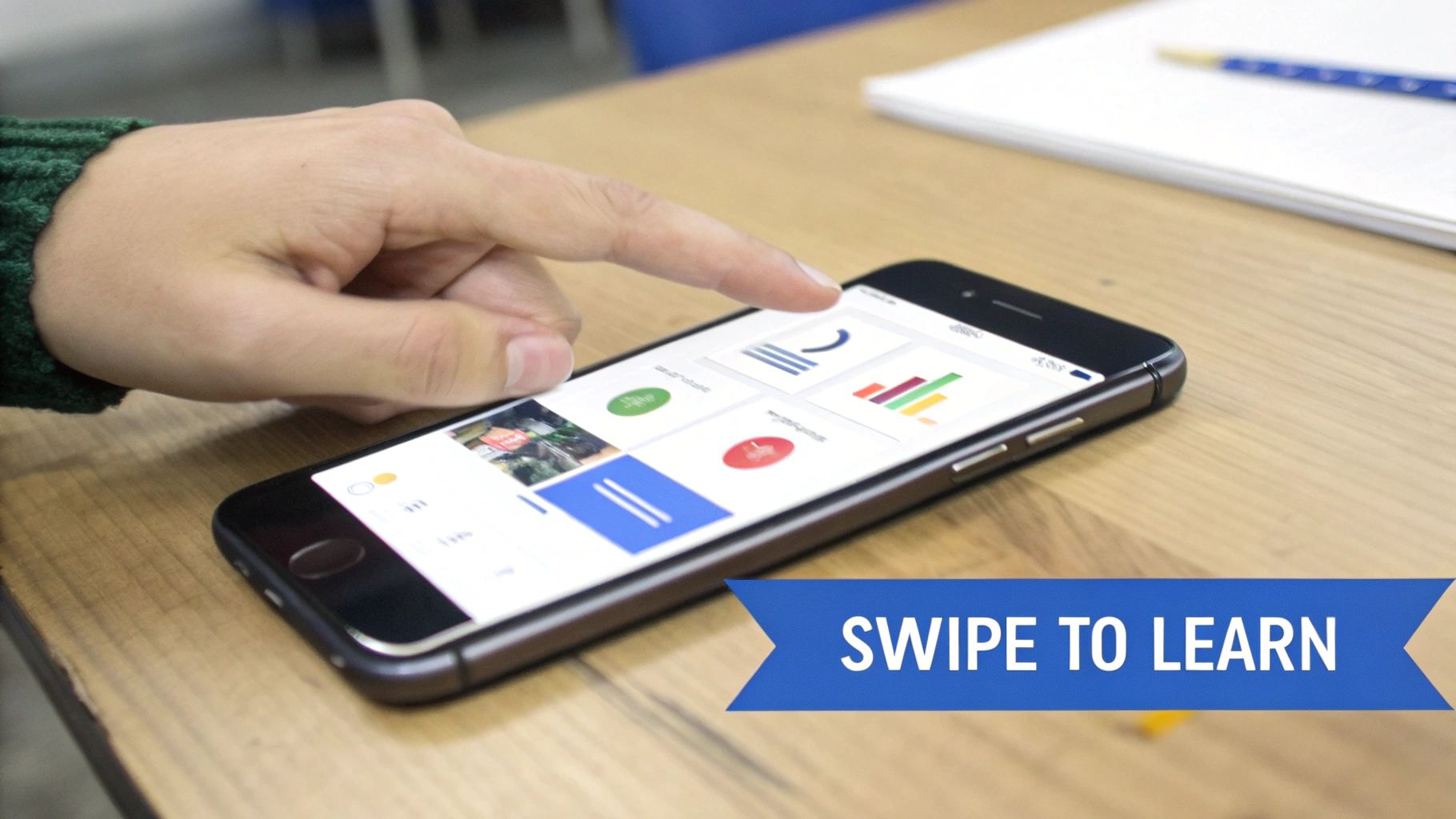
Carousel posts, often shared as multi-page PDF documents, are one of the most powerful formats for driving engagement and conveying complex ideas on LinkedIn. They consistently outperform single-image posts because they hold user attention longer, encouraging swipes that signal strong interest to the algorithm. Each slide is an opportunity to tell a story or walk your audience through a detailed process, increasing the time they spend on your content.
This format transforms a simple post into an interactive micro-presentation, which is why it's a cornerstone of the best practices for posting on LinkedIn. Carousels are visually prominent in the feed, inviting clicks and shares while allowing you to deliver significant value in a condensed, easy-to-digest package. The swiping action itself creates a pattern of commitment, making viewers more likely to engage with your call to action on the final slide.
Why This Practice Is Essential
A single-image post delivers one message, but a carousel delivers a complete narrative arc. This extended format allows you to establish credibility by breaking down a framework, sharing a step-by-step guide, or presenting data-backed insights. It positions you as an expert capable of providing structured, in-depth knowledge, not just fleeting thoughts.
This method is popularized by industry leaders who use it to educate and build authority. HubSpot’s marketing framework carousels, for example, consistently generate thousands of likes by turning complex strategies into simple visual guides. Similarly, creators like Chris Do use carousels to teach design principles, building a massive following by offering free, high-value education. Their success proves that carousels are unmatched for delivering educational content that resonates. If you'd rather not build every slide by hand, a LinkedIn carousel generator can draft the hook, structure, and CTA for you from a single topic or URL. For data-heavy or statistic-driven topics, infographic carousels take this a step further. Our guide to LinkedIn infographic makers covers the best tools for turning numbers and frameworks into polished visual carousels.
Actionable Tips for Implementation
- Structure for Swipes: Design your carousel with a clear progression: a strong hook on the first slide, value-driven content on the middle slides (2-7), and a clear call to action on the final slide.
- Prioritize Mobile Readability: Keep text minimal on each slide, ideally 3-5 lines maximum. Use large, legible fonts and high-contrast colors to ensure your message is clear on small screens.
- Maintain Brand Consistency: Use a consistent color palette, fonts, and logo placement across all slides to create a professional, recognizable look. This reinforces your brand identity with every swipe.
- Test Different Lengths: Experiment with carousels of varying lengths, such as 5, 7, or 10 slides, to see what your audience responds to best. Analyze dwell time and completion rates to find your sweet spot.
- Craft a Compelling Opening: Pair your carousel with a strong opening text in the post body. Use the first two lines to create curiosity and tell readers what value they will get by swiping through the document.
4. Drive Engagement with Strategic Questions and Polls
One of the most effective best practices for posting on LinkedIn is to actively invite conversation using strategic questions and native polls. This approach shifts your content from a one-way broadcast to a two-way dialogue, which dramatically increases engagement metrics like comments and reactions. This interaction signals to the algorithm that your content is valuable and sparks discussion, prompting wider distribution.
Inviting direct audience participation accomplishes two key objectives. First, it boosts your post's visibility by triggering the algorithm's preference for conversational content. Second, it provides invaluable, direct feedback from your target audience. Asking what their biggest challenge is or which solution they prefer gives you a direct line into their needs, helping you refine your content, products, and services.
Why This Practice Is Essential
Incorporating questions and polls turns passive scrollers into active participants. A post that simply states an opinion might get likes, but one that ends with a thought-provoking question like, "What's the #1 skill you wish you learned earlier in your career?" can generate hundreds of insightful comments. This depth of engagement is a powerful indicator of content quality for both the algorithm and your audience.
This strategy is frequently used by top creators and brands to foster community and gather market intelligence. Product teams at companies like Loom, for example, ask "What feature would you build next?" to get direct user feedback. This not only boosts engagement but also makes their audience feel heard and invested in the product's evolution. Neglecting this practice leaves valuable engagement and insights on the table.
Actionable Tips for Implementation
- Ask Specific, Open-Ended Questions: Avoid simple yes/no questions. Instead, ask prompts that encourage detailed responses, such as "What's the biggest misconception about [your industry]?"
- Position Questions for Visibility: Place your primary question at the very end of your post. This placement acts as a clear call-to-action for readers who have finished your content.
- Use Polls Sparingly but Strategically: Limit polls to 1-2 times per month to maintain their novelty and impact. Design options that represent real strategic choices, not obvious or generic answers.
- Engage with a Purpose: Actively respond to comments on your posts. This encourages further discussion, builds relationships, and shows your audience that you value their input. Your responses can also inspire more engagement post ideas for future content.
5. Optimize Posting Times and Frequency by Analytics
Posting high-quality content is only half the battle; ensuring it reaches your audience at the right moment is just as crucial. One of the most effective best practices for posting on LinkedIn is to optimize your schedule based on your own analytics. This data-driven approach moves beyond generic advice and pinpoints the exact times and days your specific audience is most active and receptive.
This strategy accomplishes two key objectives. First, it maximizes initial engagement, a critical signal to the LinkedIn algorithm that your content is valuable and should be shown to a wider audience. Second, it ensures your message lands when your followers are actively scrolling, thinking about their professional challenges, and are more likely to comment, share, and absorb your insights.
Why This Practice Is Essential
Publishing content when your audience is offline is like speaking to an empty room. By analyzing your data, you avoid posting into these “dead hours” and instead capitalize on peak activity windows. This transforms your content strategy from guesswork into a precise, performance-oriented operation that compounds results over time. For a detailed breakdown of optimal windows by day and industry, see our full guide on the best time to post on LinkedIn.
For example, B2B software companies often find success posting Tuesday through Thursday between 8 AM and 10 AM in their target timezone, catching professionals as they start their workday. In contrast, sales teams might focus on Tuesday to Friday mornings (8-11 AM) to align with decision-maker activity. Relying on your unique analytics, rather than general trends, is what separates good content distribution from great.
Actionable Tips for Implementation
- Dive Into Your Analytics: Regularly check LinkedIn’s native analytics under the “Followers” tab to see the days and times your audience is most active. Use this as your starting point.
- Test and Measure: Experiment with different posting times for a 2-4 week period before drawing firm conclusions. Track not just impressions but engagement rate (%), as this is a truer measure of content resonance.
- Schedule 30-60 Minutes Before Peak Time: Post slightly ahead of the peak activity window. This gives the algorithm time to process your content and start distributing it just as your audience begins to log on.
- Segment for Global Audiences: If your followers are spread across different timezones, consider posting multiple times a day or using a tool like Postiv AI to schedule content tailored to each region’s peak hours.
- Track Content Type Performance: Analyze if certain formats (e.g., video, carousels, text-only) perform better at specific times. Your audience might prefer quick text posts in the morning and more in-depth carousels in the afternoon.
6. Share Personal Stories and Authentic Vulnerability
In a landscape saturated with corporate jargon and polished announcements, one of the most powerful best practices for posting on LinkedIn is to share authentic personal stories. The platform’s algorithm and users increasingly reward content that reveals genuine struggles, behind-the-scenes journeys, and lessons learned from failure. This approach builds a deep human connection, making your profile more relatable and memorable than generic brand updates.

This strategy works by leveraging vulnerability to build trust. When you share a challenge you overcame, you are not just presenting a success story; you are offering a blueprint for resilience that others can connect with. This shift from broadcasting achievements to sharing the journey is what separates forgettable content from posts that create a loyal community.
Why This Practice Is Essential
Authentic storytelling cuts through the noise and differentiates you from competitors. It transforms your professional profile from a static resume into a dynamic narrative of growth and expertise. While data and achievements demonstrate competence, personal stories create the emotional resonance that fosters genuine loyalty and engagement.
Creators like Dickie Bush, who openly documents his writing struggles alongside his breakthroughs, have built massive followings based on this principle. Similarly, founders who share transparent metrics about their startup journey, like Austin Rief, or discuss the mental health challenges of entrepreneurship, like Jennifer Lepird, build powerful personal brands rooted in authenticity. Their success proves that vulnerability, when paired with valuable insights, is a strategic advantage.
Actionable Tips for Implementation
- Connect Stories to a Lesson: Always tie your personal narrative back to a concrete, actionable insight for your audience. The goal is to educate or inspire, not just to share for its own sake.
- Be Specific, Not Vague: Instead of saying you "faced challenges," describe the specific obstacle, the mistake you made, and what you learned. Concrete details make the story believable and impactful.
- Balance Vulnerability and Authority: Share your struggles, but also demonstrate how you navigated them. This reinforces your expertise and shows you are a problem-solver, not just a victim of circumstance.
- Write As You Speak: Use conversational, first-person language to make your content feel genuine. Avoid corporate speak and let your authentic voice shine through. This makes your posts more accessible and relatable.
7. Provide Immediate Value in Every Post
The most effective posts on LinkedIn don't hide their value behind a click or a signup form; they deliver it upfront. This best practice for posting on LinkedIn centers on providing actionable, specific insights directly in the post itself. This approach immediately rewards the reader for their time, building trust and positioning you as a generous expert rather than a transactional marketer.
When your content offers an immediate takeaway, whether it's a framework, a surprising statistic, or a contrarian take on an industry trend, it signals respect for your audience's attention. This selfless delivery of value is what encourages saves, shares, and thoughtful comments, which are high-quality engagement signals for the LinkedIn algorithm.
Why This Practice Is Essential
In a crowded feed, users make split-second decisions about what to read. Posts that begin with a question or a vague promise often get scrolled past. By front-loading the value, you stop the scroll and give your audience a compelling reason to engage. This strategy shifts the dynamic from "What can I get from my audience?" to "What can I give my audience?"
Think of a SaaS expert like Lincoln Murphy, who shares detailed onboarding frameworks directly in his posts, or HubSpot, which breaks down complex marketing concepts into digestible, applicable steps. Their content performs well because the primary goal is education, not traffic. The promotion or call-to-action is a secondary element, presented only after significant value has been delivered.
Actionable Tips for Implementation
- Answer "What's in it for them?" Immediately: Start your post with the core insight. Instead of "I learned a lot about sales last week," try "The best salespeople close 30% more deals by doing this one thing."
- Deliver the Core Value Early: Present your main framework, tip, or data point within the first half of the post. Don't make your audience read to the very end to get the payoff.
- Structure for Application: Organize your content as a mini-guide or framework that readers can mentally apply to their own work, such as "Step 1 > Step 2 > Step 3."
- Use Specifics, Not Vague Claims: Use numbers, percentages, and concrete examples. Instead of "Improve your marketing," provide "3 ways to lower your CAC by 15% this quarter."
- Track High-Value Indicators: Pay close attention to which posts get the most saves and shares. These metrics are a strong indicator that you have successfully provided immediate, applicable value.
8. Leverage Multiple Content Formats (Video, Text, Carousel, Document)
One of the most powerful and strategic best practices for posting on LinkedIn is to diversify your content formats. Instead of relying solely on text or images, a well-rounded strategy incorporates a mix of video, text-only posts, carousels, and document uploads. This approach directly taps into how the LinkedIn algorithm functions, as it promotes different formats to distinct audience segments, maximizing your overall reach and engagement potential.
Diversifying formats accomplishes two key objectives. First, it prevents audience fatigue by keeping your feed fresh and engaging. Not everyone consumes information the same way; some prefer quick videos, while others enjoy in-depth carousels. Second, it allows you to appeal to the algorithm's preference for variety. A profile that successfully utilizes multiple formats is seen as a more dynamic and valuable contributor, often resulting in broader visibility across the platform.
Why This Practice Is Essential
A single-format strategy severely limits your potential reach and impact. The LinkedIn algorithm is designed to create a varied user experience, meaning it actively looks for different types of content to surface. By mixing formats, you increase the chances of your content being prioritized. This is more than just a theory; it’s a proven method for growth.
Consider how HubSpot expertly blends carousels for educational frameworks, short videos for actionable tips, and document posts for comprehensive case studies. Similarly, B2B tech companies like Loom find their video posts demonstrating product features outperform written tutorials by a significant margin. This multi-format approach is a cornerstone of how top-tier personal brands and companies build engaged followings, as it caters to diverse preferences and algorithmic priorities simultaneously.
Actionable Tips for Implementation
- Start with a Balanced Mix: As a baseline, aim for a distribution of 50% video, 30% carousels, and 20% text-based posts. Adjust this based on your analytics.
- Repurpose Content Smartly: Create one core piece of content, like a blog post or research finding, and repurpose it across multiple formats. A key insight can become a text post, a short video, and a multi-slide carousel.
- Optimize for Each Format: Keep videos short and mobile-friendly (15-90 seconds) with captions, as many users watch without sound. Use document posts (PDFs) for sharing in-depth reports, whitepapers, or case studies that viewers can download.
- Analyze and Adapt: Regularly review your LinkedIn analytics to see which formats drive the most engagement and reach. If carousels consistently outperform text posts, adjust your content distribution accordingly.
If you need inspiration for what to post in each format, our guide to LinkedIn post examples breaks down 16 proven post types with templates and hook formulas you can adapt.
9. Optimize for Comments and Engagement (Not Just Vanity Metrics)
One of the most powerful best practices for posting on LinkedIn is shifting your focus from vanity metrics like likes and impressions to high-quality engagement, specifically comments. The LinkedIn algorithm places a massive premium on comments because they signal a deep, meaningful interaction. A post that sparks a vibrant discussion is seen as more valuable than one that simply collects passive reactions.
This approach centers on creating content that intentionally invites conversation. When a post receives a surge of comments shortly after being published, it sends a strong signal to the algorithm that the content is valuable and relevant. This "comment velocity" triggers a significant boost in reach, exposing your post to a much wider audience beyond your immediate network.
Why This Practice Is Essential
Chasing likes or follower counts can be misleading. While these metrics look good on the surface, they don't necessarily translate to influence, authority, or business results. Comments, on the other hand, represent active participation and genuine interest. They indicate that your content has resonated enough for someone to stop, think, and contribute their own thoughts.
This is the key to unlocking exponential reach. Viral creators like Dickie Bush often structure their posts with questions or prompts that generate thousands of comments, propelling their content to millions of viewers. The algorithm interprets this robust dialogue as a sign of high-value content worth promoting across the platform. Ultimately, the effectiveness of your LinkedIn efforts comes down to mastering proven strategies to increase social media engagement.
Actionable Tips for Implementation
- Prioritize Rapid Responses: Make an effort to reply to the first 20-30 comments within the first hour of posting. This immediate interaction fuels the initial algorithmic boost.
- Ask Open-Ended Questions: Instead of simple yes/no polls, end your posts with questions that encourage thoughtful responses, such as "What's one lesson you learned from a failed project?" or "How would you handle this situation?"
- Create Conversation Threads: Don't just reply once. Respond to the replies on your comments to create deeper, multi-layered conversations that further increase the post's engagement score.
- Structure Posts to Provoke Discussion: Create content around a specific opinion, a common challenge, or a request for advice. A slightly controversial yet professional take often sparks healthy debate and drives comments.
- Pin a High-Value Comment: If a reader leaves an exceptionally insightful comment, pin it to the top. This rewards quality contributions and adds more value for future readers.
LinkedIn Posting: 9 Best Practices Comparison
| Strategy | Implementation Complexity 🔄 | Resource Requirements ⚡ | Expected Outcomes 📊 | Ideal Use Cases 💡 | Key Advantages ⭐ |
|---|---|---|---|---|---|
| Post Consistently on a Schedule | Moderate—requires planning and discipline 🔄🔄 | Time for content creation + scheduling tools; batching reduces load ⚡ | Steady increase in reach, impressions, and long-term authority 📊 | Solopreneurs, personal brands, agencies managing multiple accounts 💡 | Algorithmic preference, audience expectation, repurposing library ⭐ |
| Write Compelling Headlines and Hook Text | Low–Medium—iterative testing and copy skill 🔄🔄 | Low time; requires testing and headline-writing skill ⚡ | Higher CTR and early engagement; more full-post reads 📊 | Content marketers, executives, solopreneurs cutting through noise 💡 | Stops the scroll; boosts impressions and comment depth ⭐ |
| Use Carousel Posts for Higher Engagement | High—design and narrative planning required 🔄🔄🔄 | Design time or templates; tools to create mobile-first slides ⚡/medium | 2–3x engagement vs. static posts; more shares and time-on-post 📊 | Marketing managers, agencies, educators, visual storytellers 💡 | Visual branding, sequential storytelling, strong shareability ⭐ |
| Drive Engagement with Strategic Questions and Polls | Low—easy to create; needs moderation 🔄 | Low creation cost; moderate ongoing moderation time ⚡ | Increased comments and feedback; higher conversational reach 📊 | Sales teams, product teams, community builders, solopreneurs 💡 | Direct audience insights, quick participation, community building ⭐ |
| Optimize Posting Times and Frequency by Analytics | Medium—requires data collection & analysis 🔄🔄 | Analytics tools and 2–4 weeks of data; timezone segmentation ⚡ | Improved early engagement velocity and optimized impressions 📊 | Marketing managers, agencies, sales teams across regions 💡 | Data-driven timing that maximizes reach and efficiency ⭐ |
| Share Personal Stories and Authentic Vulnerability | Low–Medium—emotional comfort and craft 🔄🔄 | Low time but requires judgement on disclosure and framing ⚡ | Stronger engagement, loyalty, relatability, and DMs 📊 | Solopreneurs, executives, relationship-focused roles (sales/coaching) 💡 | Deep human connection, differentiation, high shareability ⭐ |
| Provide Immediate Value in Every Post | High—requires original insight and clear structure 🔄🔄🔄 | Significant research and expertise; more creation time ⚡/low | Higher trust, shares, saves, and long-term authority 📊 | Consultants, agencies, marketing managers, trusted advisors 💡 | Positions you as generous expert; drives repeat engagement ⭐ |
| Leverage Multiple Content Formats (Video, Text, Carousel, Document) | High—coordination across formats and skills 🔄🔄🔄 | Significant production resources (video, design, editing) ⚡/high | Broader reach; format-specific boosts (video often highest) 📊 | Agencies, marketing teams, solopreneurs repurposing content 💡 | Prevents fatigue, reaches varied audiences, repurposing ROI ⭐ |
| Optimize for Comments and Engagement (Not Just Vanity Metrics) | Medium–High—active community management & strategy 🔄🔄🔄 | Ongoing time to respond and moderate; analytics for sentiment ⚡/moderate | Much higher reach from comment velocity; stronger community 📊 | Community builders, time-available solopreneurs, B2B marketers 💡 | Conversation-driven distribution, deeper insights, relationship opportunities ⭐ |
What Changed in the 2026 LinkedIn Algorithm
Understanding the algorithm shifts is essential context for applying the best practices for posting on LinkedIn effectively. The 2026 algorithm moved away from pure recency toward relevance and relationship scoring, meaning older posts can resurface in feeds weeks after publishing if they continue generating engagement.
Three signals now dominate how LinkedIn evaluates your content:
- Topic consistency and profile credibility: LinkedIn reads your profile headline, About section, and posting history to understand your expertise areas. Posts that align with your established topics get distributed to a more relevant audience. If your headline is still a generic job title, start by upgrading it with one of these LinkedIn headline examples, or run it through our free LinkedIn tools hub, which includes a headline generator and bio generator to keep your whole profile on-brand.
- Engagement quality over volume: Saves and thoughtful comments carry significantly more weight than reactions. A post with 15 detailed comments will outperform one with 200 likes.
- Evaluation window: The algorithm now assesses posts over the first 3-8 hours rather than just the initial 90 minutes. This gives quality content more time to gain traction organically.
Keywords Over Hashtags
One practical shift: LinkedIn now scans post copy for contextual keywords rather than relying on hashtags for topic classification. This means writing naturally with relevant industry terms matters more than appending a list of hashtags. If you do use hashtags, limit them to 3-5 highly specific ones and avoid generic tags. For a deeper dive into crafting posts that align with these algorithm changes, see our guide on formatting LinkedIn posts for maximum engagement.
The Rise of Saves as a Metric
Saves have become the most important engagement signal in 2026. When someone saves your post, it tells LinkedIn the content has lasting reference value, not just momentary interest. Posts that get saved consistently receive extended distribution in the feed. Structure your content as frameworks, checklists, or step-by-step processes that people will want to return to later.
Frequently Asked Questions
What is the 3-2-1 rule on LinkedIn?
The 3-2-1 rule is a simple framework for structuring LinkedIn posts that perform well. Write 3 different hooks and pick the strongest one to lead your post. Share 2 concrete insights or actionable takeaways that your audience can apply immediately. End with 1 clear call-to-action, whether that is a question, a request to share, or a link to a resource. This structure keeps posts focused and prevents the common mistake of rambling without a clear point. It is particularly useful for text-only posts where you need to deliver value quickly within a limited attention window.
How does the LinkedIn algorithm work in 2026?
The 2026 LinkedIn algorithm prioritizes relevance over recency and evaluates content using relationship scoring. It looks at three main factors: your topic consistency and profile credibility, the quality and depth of engagement your posts receive, and the seniority and relevance of the people interacting with your content. Posts are assessed over a 3-8 hour window after publishing, and the algorithm now surfaces older content that continues to generate meaningful engagement. Saves and comments carry significantly more weight than simple reactions like likes. For a full breakdown of how to plan your content around these algorithm signals, explore our LinkedIn content calendar template.
How many hashtags should you use on LinkedIn in 2026?
In 2026, LinkedIn's algorithm has shifted toward scanning post text for contextual keywords, making hashtags less critical than in previous years. If you use them, stick to 3-5 highly relevant hashtags that add genuine categorization value. Avoid generic or spammy tags like #Follow, #Like, or #Motivation. Do not repeat keywords that are already in your post copy, as LinkedIn already reads those for context. Many top creators have stopped using hashtags entirely in favor of writing keyword-rich post copy that naturally signals their topic area to the algorithm.
Should you put links in LinkedIn posts?
External links in your main post body can significantly reduce your reach. LinkedIn wants to keep users on the platform, so posts with outbound links often receive less algorithmic distribution. The recommended approach is to keep 80% of your posts as native content with no links. When you do need to share a URL, place it in the first comment rather than the post body. Some recent data suggests LinkedIn is also starting to recognize the "link in comments" workaround, so use it sparingly and make sure your post copy is strong enough that readers naturally check the comments.
What type of LinkedIn post gets the most engagement?
Carousel posts (uploaded as PDFs) and short-form video consistently outperform other formats in 2026. Carousels generate 2-3x more engagement than single-image posts because each swipe signals interest to the algorithm and increases dwell time. Video posts under 90 seconds with captions perform especially well now that LinkedIn has a dedicated Video tab and "Videos for You" section on mobile. Text-only posts still work when paired with strong hooks and clear formatting. The most effective strategy is to rotate formats: aim for roughly 50% carousel or video content, 30% text posts, and 20% document or image posts. Track which formats resonate most with your specific audience using your LinkedIn analytics and content performance data.
Putting It All Together: Your Path to LinkedIn Authority
We've covered a comprehensive blueprint for transforming your LinkedIn presence from a passive profile into a dynamic engine for authority, connection, and growth. Navigating the nuances of this platform doesn't have to be a game of chance. By moving beyond generic advice, you can build a systematic approach that generates predictable, meaningful results. The best practices for posting on LinkedIn are not isolated tactics; they are interconnected components of a holistic strategy that prioritizes authenticity, value, and engagement.
Remember, the journey begins with consistency. Establishing a reliable schedule, as we discussed, is the foundational habit that makes every other effort possible. It builds audience expectation and signals to the LinkedIn algorithm that you are a serious creator. From there, you can layer on the art of crafting compelling hooks and headlines that stop the scroll, turning passive viewers into active readers.
From Tactics to a Cohesive Strategy
The true power of these best practices emerges when you combine them. Think of your content as a well-rounded portfolio designed to serve different purposes and capture attention in various ways:
- For Deep Engagement: Use high-impact carousel posts to break down complex ideas into digestible slides. Pair these with strategic questions or polls that actively invite your audience into a conversation, signaling to the algorithm that your content is a valuable community hub.
- For Building Trust: Share personal stories that reveal the human behind the expertise. This authentic vulnerability creates a powerful connection that data-driven posts alone cannot achieve. It's the key to turning followers into genuine advocates.
- For Demonstrating Expertise: Ensure every single post, regardless of format, provides immediate and tangible value. Whether it’s a quick tip, a detailed analysis in a document post, or an insightful video, your content must serve the reader first and foremost.
Ultimately, success isn't just about mastering one format or tactic. It's about developing the agility to leverage multiple content types, from text to video, while always optimizing for comments and meaningful conversations over simple vanity metrics like likes. To truly master your professional presence, beyond individual tips, explore these proven strategies for posting on LinkedIn to see how these elements can work together in a broader campaign.
Your Actionable Next Steps
The path to becoming a LinkedIn authority is a marathon, not a sprint. Don't feel overwhelmed by the need to implement everything at once. Instead, adopt an iterative approach to improvement.
- Start Small: Choose just one or two practices from this guide to focus on for the next 30 days. Perhaps it's committing to a consistent posting schedule or experimenting with your first carousel post.
- Measure and Analyze: Use your LinkedIn analytics to track the performance of your new approach. Pay close attention to comments, shares, and follower growth, not just views. What resonates most with your audience?
- Refine and Expand: Once you've built confidence and have data to guide you, gradually incorporate another best practice into your routine. This methodical process ensures sustainable growth without leading to burnout.
Mastering these concepts is more than just a social media exercise; it's an investment in your personal brand, your professional network, and your business's pipeline. By consistently showing up with valuable, engaging, and authentic content, you transition from being just another connection to being a must-follow voice in your industry. This is how you build trust at scale, attract inbound opportunities, and cement your status as a go-to authority.
Ready to implement these best practices without the manual overhead? Postiv AI combines a brand-trained AI writer, an integrated carousel designer, and advanced scheduling with analytics to automate your entire LinkedIn workflow. Transform your strategy into execution and focus on what truly matters: building connections and sharing your expertise. Try Postiv AI today and build your authority, faster.