Tagging someone on LinkedIn is easy. You just type the @ symbol, start typing a name, and pick from the list that pops up. But knowing how to tag is different from knowing why and when. Using tags strategically is one of the most powerful, low-effort ways to get your content in front of the right people.
Why Smart Tagging Is a LinkedIn Game Changer
Before we get into the nitty-gritty, let's talk about why this is so much more than just a notification feature. Think of it less as a function and more as a strategic tool for growth. When you tag a person or a company, you're not just name-dropping; you're actively inviting them into the conversation.
That simple @-mention sends them a notification, pulling them directly to your post. This is where the magic happens. When they engage, their network sees it, creating a ripple effect that can dramatically expand your reach. For founders and B2B professionals, this turns a simple update into a genuine networking opportunity, helping you build relationships and showcase your authority.
The Data Speaks for Itself
Still not convinced? The numbers are hard to argue with. When you look at posts from personal profiles that strategically tag relevant people or companies, the results are striking. They see an average of 2.75 times more impressions and a massive 5 times higher engagement than similar content posted from a company page without any tags.
For a founder trying to reach decision-makers or a marketer highlighting a key partner, that's a huge boost in visibility without spending a dime on ads.
Here's a real-world example: Tag a client in a post celebrating a project milestone. You're not just giving them a shout-out; you're inviting their entire network to see your success. That kind of social proof is gold for building trust.
To really bring this home, here’s a look at the clear difference tagging makes on a post's performance metrics.
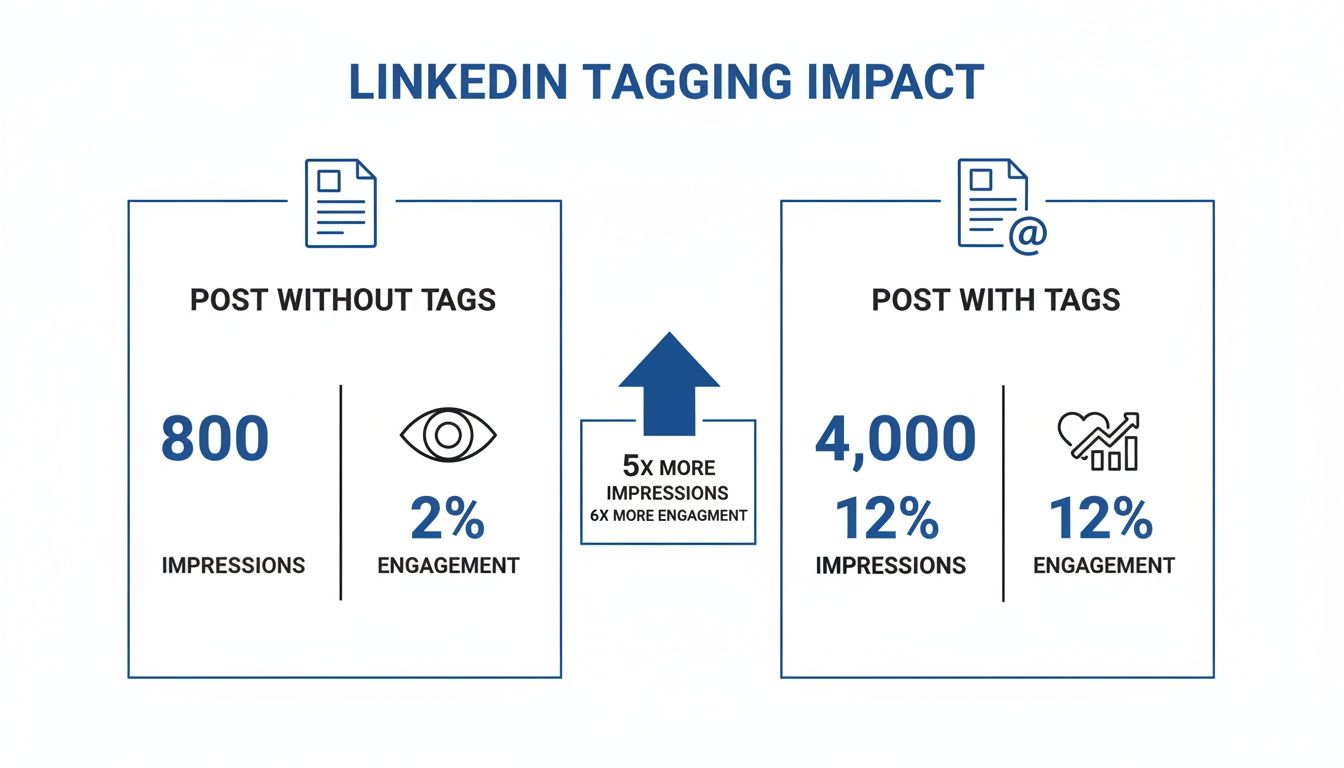
This kind of impact shows that smart tagging is a core tactic for anyone serious about growing their presence on LinkedIn. It's a key part of the puzzle if you're looking for sustainable audience growth. If you want to dive deeper into that, we've got a complete guide on how to get more LinkedIn followers.
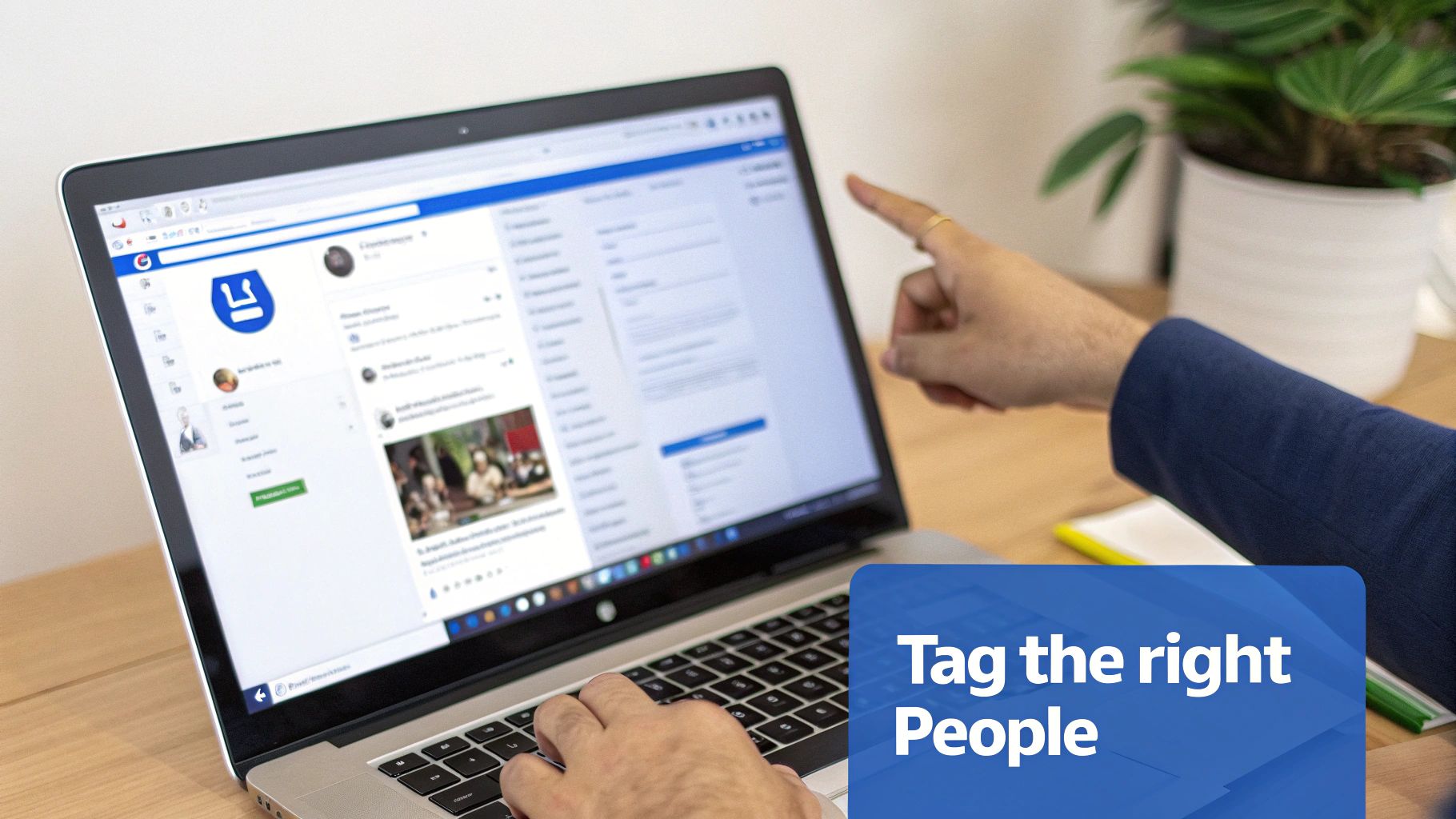
Tagging People and Companies the Right Way
It seems simple enough, right? Just hit the @ symbol, start typing a name, and pick the right profile from the list that pops up. But there’s a real art to doing this well. A strategic tag can kickstart a great conversation, strengthen a professional relationship, and get your content in front of a whole new audience.
The golden rule is relevance. Before you tag anyone, stop and ask yourself: is this person or company genuinely connected to what I'm posting? A random tag just feels like spam, and that’s not the reputation you want to build. Think of it like inviting someone into a real-life conversation—you wouldn't just grab a stranger off the street and pull them into a discussion they have zero context for.
Scenarios for Effective Tagging
Let's look at a few real-world situations where a tag can make all the difference:
-
Giving Credit Where It's Due: Sharing a project update or celebrating a company win? Make sure to tag the team members who made it happen. It’s a simple way to recognize their work, show your appreciation, and build a great team atmosphere.
-
Showcasing Client Success: If you've just wrapped up a fantastic project, get your client's permission and then post about it. Tagging their company page in a short case study or thank-you post acts as powerful social proof for your own business. For more on this, check out our guide on LinkedIn company page best practices.
-
Citing an Expert or an Idea: Quoting an industry leader or sharing an insightful article they wrote? Tag them! It shows you’re paying attention to the conversation in your field and, if you're lucky, they might just share your post with their much larger network.
A well-placed tag is often the first step to getting a lively discussion going. It's the catalyst that often leads to insightful LinkedIn comments and deeper engagement.
Finding the Right Profile
We've all been there—trying to tag someone with a common name and seeing a dozen options appear. It’s a common hiccup. Always take that extra second to glance at the profile picture and headline to make sure you’ve got the right person. If you're still not 100% sure, open their profile in a new tab to confirm. It's a small step that prevents an awkward mistake.
A thoughtful tag is a bridge. It connects your content to another person's network, turning a simple post into a valuable networking tool. Use it to build relationships, not just to chase notifications.
Ultimately, it comes down to being authentic and considerate. Tag people to celebrate them, include them in a relevant discussion, or give them credit. When you approach it that way, your tags will always be a welcome addition, helping you build a stronger and more engaged network. It’s how the simple act of tagging becomes a cornerstone of a smart LinkedIn strategy.
Using Hashtags to Reach a Wider Audience
Tagging people and companies is great for direct engagement, but hashtags are what get your content discovered by a whole new audience on LinkedIn. Think of them as signposts. They categorize your post, plugging it into wider conversations and making sure it lands in front of people who are interested in your topic, even if they don't follow you yet.
The trick is to use a smart mix. A lot of people just dump in popular tags and hope for the best, but a little intention goes a long way.
- Broad Hashtags: These are your big-ticket items, like
#Marketingor#Leadership. They have huge followings, which is great for reach, but your post can also get lost in the noise. - Niche Hashtags: Here’s where you get specific. Something like
#B2BSaaSMarketingor#StartupGrowthwill attract a much more targeted—and often more engaged—audience. - Branded Hashtags: It's always a good idea to create a unique tag for your brand or a specific campaign, like
#PostivAI. This helps you track conversations about your company and build a community around your content.
Crafting Your Hashtag Strategy
I see this all the time: posts stuffed with a dozen random hashtags. That’s not the way to do it. The sweet spot is usually 3-5 highly relevant hashtags. This clarity helps the LinkedIn algorithm understand exactly what your post is about and who it should show it to.
If you're stuck on which ones to use, a good LinkedIn hashtag generator can give you some solid ideas and help you find tags that will actually expand your reach.
This strategy gets even better when you pair it with the right content format. For example, we've seen that multi-image carousels hit an incredible 24.42% average engagement rate, blowing text-only and even video posts out of the water.
Imagine you're on a demand gen team. Tagging a well-designed carousel with #SalesEnablement could drive click-through rates as high as 2-4% on your call to action. That's a direct impact on your pipeline. If you're curious about this, you can learn more about how to format your LinkedIn posts for maximum impact.
Pro Tip: Don't fly blind. Before you use a hashtag, search for it on LinkedIn. See what kind of content shows up and how much engagement it's getting. This little bit of research ensures you're jumping into conversations that are actually active and relevant.
Advanced Tagging Strategies for Different Content Formats
Tagging on LinkedIn isn't a one-trick pony. The pros know that how you tag on LinkedIn has to change with what you're posting. A simple text update needs a different touch than a detailed carousel or a full-blown article.
Think about promoting a LinkedIn Event. Your tagging strategy here is everything. Don't just tag your company page. Tag the speakers, the moderators, and any sponsors involved. It's a simple move, but it pings their entire networks, which can dramatically expand your reach and drive registrations far beyond your own follower base.
Matching Your Tags to Your Content
The real skill is weaving tags into your content so they feel like a natural part of the conversation, not an afterthought. Each format gives you a unique chance to pull people in.
-
LinkedIn Articles: As you write, tag contributors, experts you've quoted, or companies you've featured right there in the article text. This not only adds a layer of credibility but also gives them a great reason to share your work, creating an instant ripple effect.
-
Video Content: If you’re sharing a video interview or a webinar clip, tag the expert in the post description. This gives them proper credit and, more importantly, invites them into the comment section to answer questions and engage directly with the audience.
-
Carousel Posts: Carousels are a great place to get creative. Go beyond the caption and tag people or companies directly on the image of the slide where they’re mentioned. It’s a visual shout-out that really stands out, perfect for highlighting partners or team members.
Key Takeaway: Treat each piece of content like a stage. Your tags are your invitations, bringing others into the spotlight with you and multiplying your reach with every relevant mention.
This tailored approach really works. For carousel posts, for instance, tagging relevant topics like 'AI Marketing' or team members on educational slides can boost engagement by 15-25% over the platform average. Research backs this up, showing that tagging personal profiles drives way more interaction—a crucial insight as brands post more frequently. You can dive deeper into the latest LinkedIn statistics and trends with Metricool's latest analysis.
When you match your tagging to your content, you stop just broadcasting and start building real momentum through targeted conversations.
Common Tagging Mistakes and How to Avoid Them
Knowing how to tag people on LinkedIn is half the battle; knowing what not to do is just as critical. A few tagging missteps can make your content feel spammy, annoy your network, and even get your post buried by the algorithm. Let's walk through the most common blunders I see and how you can easily sidestep them.
The biggest offender? Over-tagging. We've all seen it: a post with a laundry list of tagged names that have nothing to do with the content. This is done purely to grab attention, but it's a huge turn-off. It’s the digital equivalent of shouting in a library and is a surefire way to get your tag removed or, worse, get your post ignored entirely.
Tagging the Wrong Profile
It happens more often than you'd think. You go to tag "John Smith," and five different profiles pop up. Picking the wrong one is an easy mistake to make, but it's an awkward one.
Always take a moment to glance at the profile picture and headline that appears in the dropdown menu. That quick check can save you from tagging a complete stranger and looking unprofessional.
Pro Tip: If you're thinking of tagging an industry leader you don't know personally, warm them up first. Dropping a thoughtful comment on one of their recent posts is a much better way to build a connection than a cold tag out of nowhere.
Broken and Inactive Tags
Finally, watch out for broken tags. This is what happens when you type @Name but forget to actually click on their profile from the pop-up list. The name will just show up as plain text—it won't be clickable, and the person you're trying to mention won't get a notification.
You'll know you've done it right when the name turns blue and bold. If it's just black text, your tag is broken.
Your Questions About LinkedIn Tagging Answered
Even when you think you've got the hang of LinkedIn, specific questions always seem to crop up. Getting the little details right is what separates a good strategy from a great one, so let's tackle some of the most common tagging questions I hear.
Can You Edit a Tag After Posting?
Absolutely. We've all been there—you hit "Post" and immediately spot a mistake. Thankfully, fixing a tag is simple. Just find the three-dot menu on your post, click "Edit post," and then you can add or remove tags as needed using the @ symbol.
One thing to remember: the person you originally tagged already got a notification. When you save your changes, the new person you tag will receive a fresh notification, but the one you removed won't be told you took the tag away.
What if Someone Tags You in an Irrelevant Post?
It’s bound to happen. You get a notification, and you’ve been tagged in something spammy or completely unrelated to your work. Don't worry, you have complete control.
Go to the post, click the same three-dot menu in the corner, and select "Remove tag from post." It's that easy. Your profile is instantly unlinked, and the person who tagged you isn't notified. This lets you discreetly manage your professional image without any awkward conversations.
Your LinkedIn profile is your professional storefront. Don't hesitate to remove tags that don't align with your brand or expertise. It’s about quality control, not confrontation.
Is There a Tagging Limit?
Technically, yes. LinkedIn lets you tag up to 30 people or companies in a single post. But just because you can doesn't mean you should. In fact, please don't.
Hitting that limit is a classic spammer move and a red flag for both the algorithm and your audience. A good rule of thumb is to only tag people who are genuinely part of the conversation or directly mentioned in the content. Over-tagging is annoying, looks desperate, and can actually hurt your post's reach.
Ready to create high-impact LinkedIn content without the guesswork? Postiv AI combines a brand-trained AI writer, a carousel designer, and scheduling tools to turn your ideas into authority-building posts in minutes. Start your trial today.