
Your LinkedIn profile is more than a digital resume; it's the foundation of your entire lead generation strategy. It needs to work for you 24/7, attracting and engaging potential clients before you even send your first message. Get this right, and everything else becomes easier.
Turn Your Profile Into a Lead-Generating Machine
Before you even think about outreach or content, your profile has to be primed to convert. It's your digital first impression. A confusing or self-serving profile will send potential leads running. A well-crafted one, however, builds instant credibility and becomes the command center for all your activities.
Don't just take my word for it. The data shows that a massive 89% of B2B marketers are on LinkedIn hunting for leads, and 62% of them say it actually works. In fact, LinkedIn is reportedly 277% more effective for lead generation than other big social platforms. You can dig into more of these fascinating LinkedIn lead generation statistics yourself, but the message is clear: every part of your profile counts.
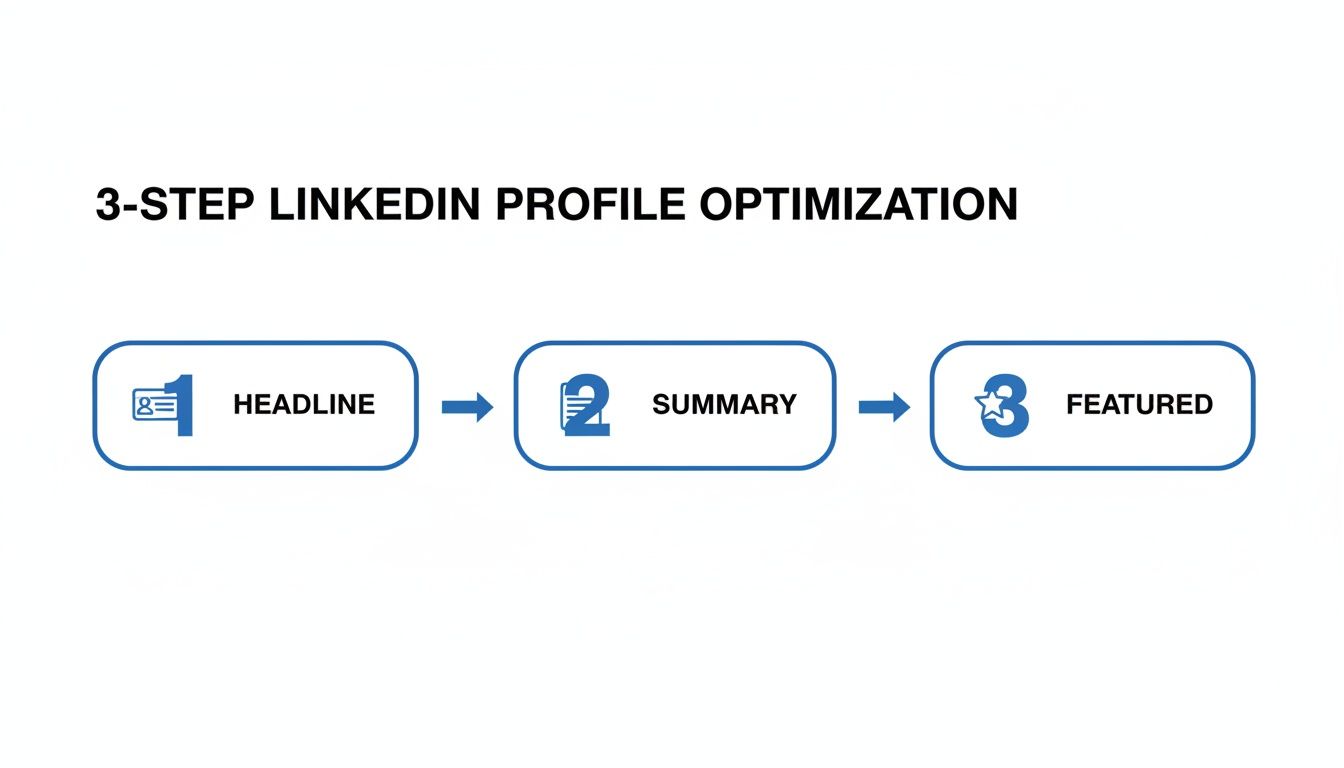
This simple diagram shows how the three core elements—your headline, summary, and featured section—work together to guide a visitor from casual interest to genuine engagement.
Nail Your Headline
Your headline is the most important piece of text on your profile. It follows you everywhere—in search results, in the feed when you comment, and on every connection request you send. Most people waste this space with just their job title, like "Marketing Manager at ABC Corp." That tells people what you are, but not what you do for them.
A powerful headline is always client-focused. It needs to grab your ideal customer by the collar by speaking directly to their problems or goals.
-
Instead of: "Founder & CEO"
-
Try: "I Help B2B SaaS Founders Scale to $10M ARR with Predictable Lead Gen Systems"
-
Instead of: "Content Writer"
-
Try: "Helping Tech Brands Turn Complex Ideas into Content That Drives Demos & Trials"
See the difference? One is a label. The other is a hook that immediately qualifies—and attracts—the right people.
Write an "About" Section That Connects
Once your headline piques their interest, your "About" section is where you seal the deal. This is not the place for a stuffy, third-person bio. You need to tell a story, and you need to tell it in your own voice.
I've found this simple structure works wonders for guiding a reader from stranger to potential lead:
- The Hook: Kick things off with a question or a bold statement that hits on your prospect's biggest headache.
- The Problem: Briefly show them you understand their world by describing the challenges they're up against. Empathy is key.
- The Solution: This is where you connect their problem to your solution. Explain how you help people overcome those specific challenges.
- The Proof: Back it up. Drop in a key statistic, a short client testimonial, or a mini case study to build credibility.
- The Call to Action (CTA): Tell them exactly what to do next. Make it easy—ask them to connect, point them to a free resource, or invite them to book a quick call.
Key Takeaway: Your summary isn't actually about you. It's about what you can do for your future client. Every sentence should be written through the lens of how you deliver value to them.
Put Your Best Stuff on Display in the "Featured" Section
Think of the "Featured" section as your personal portfolio, front and center on your profile. Leaving this blank is a massive missed opportunity to give visitors tangible value right away.
This is your chance to showcase your expertise and offer up lead magnets that work for you while you sleep. Here are a few things that work really well:
- A link to your most popular blog post or guide.
- A downloadable PDF of a powerful case study or whitepaper.
- A registration link for an upcoming webinar.
- Your company's latest industry report.
Using this section strategically turns your profile from a static page into an active resource hub, nurturing prospects around the clock.
To pull it all together, here’s a quick checklist to make sure both your personal and company pages are ready to generate leads.
Profile Optimization Checklist
| Element | Optimization Tactic | Why It Matters |
|---|---|---|
| Profile Photo | Use a professional, high-quality headshot where you look approachable. | It's your first impression. A clear, friendly photo builds instant trust. |
| Banner Image | Create a custom banner that includes your value proposition or a CTA. | This is prime visual real estate to reinforce your message and brand. |
| Headline | Make it client-centric: "I help [Ideal Client] achieve [Desired Outcome] by [Your Method]." | It's your unique selling proposition that follows you all over LinkedIn. |
| "About" Section | Follow the Hook, Problem, Solution, Proof, and CTA framework. | It guides prospects on a journey, building connection and prompting action. |
| Featured Section | Pin your best lead magnets: case studies, webinars, guides, or key articles. | It provides immediate value and captures leads without any direct outreach. |
| Experience | Detail results, not just responsibilities. Use bullet points with metrics. | It demonstrates your track record of success and adds concrete proof. |
| Company Page | Complete all sections, use consistent branding, and post regular updates. | It acts as a central hub for your brand and a destination for interested leads. |
Making these adjustments transforms your profile from a passive resume into an active, strategic asset that brings opportunities to you.
Develop a Content Strategy That Pulls in Prospects
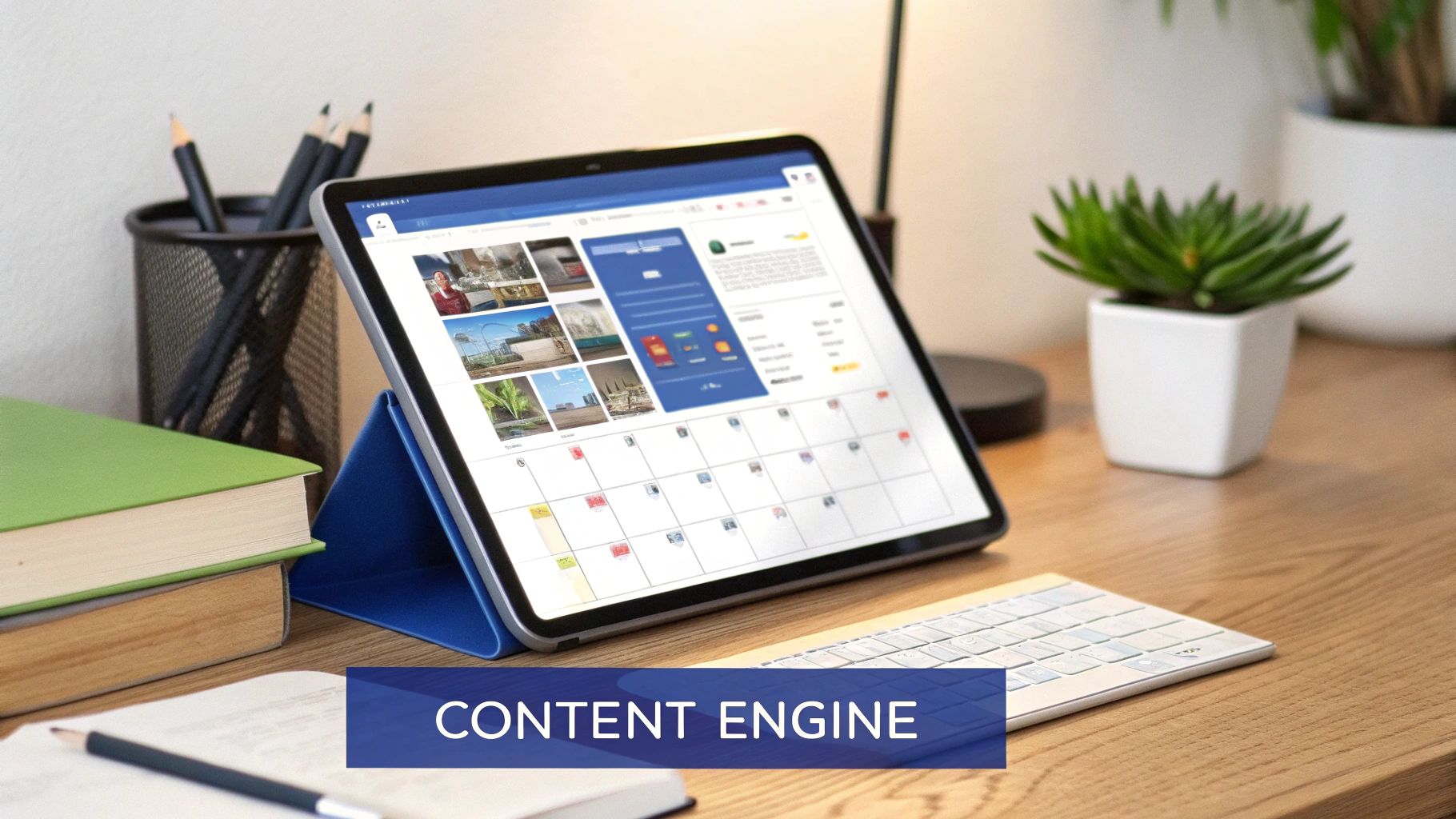
An optimized profile gets people to your digital doorstep, but it’s your content strategy that invites them in for a conversation. Without it, your profile is just a static business card. With a solid content plan, you transform your page into a hub of expertise that actively draws prospects into your world, warming them up long before you ever send a connection request.
Effective content on LinkedIn isn't about chasing viral hits; it's about methodically building authority and trust. The real goal is to become the go-to expert in your niche. When your ideal clients hit a roadblock, your name should be the first one that comes to mind.
This is where the classic "Give-Give-Give-Ask" model really shines. You have to provide genuine value at least three times before you even think about asking for anything in return. Every piece of helpful content is a deposit into your "goodwill bank," positioning you as a generous expert, not just another salesperson.
Adopt the Give-Give-Give-Ask Model
Think of your LinkedIn feed as an ongoing conversation with your ideal customer. You wouldn't barge into a real-life conversation by shouting your sales pitch, and you shouldn't do it here either. The "Give-Give-Give-Ask" framework is a much more natural, relationship-first approach.
Here’s how it breaks down in practice:
- Give #1: Educate. Start by sharing something that teaches your audience a new skill or offers a fresh perspective. This could be a quick industry tip, a breakdown of a complex concept, or an insight they can use immediately.
- Give #2: Inspire. Next, share a story. A personal reflection, a client success story, or a case study that shows what's possible can build a powerful emotional connection and help prospects see themselves achieving similar results.
- Give #3: Solve. Now, offer a practical solution to a common pain point. This might be a simple checklist, a downloadable template, or a step-by-step guide that makes their life easier.
- The Ask: Only after consistently delivering value have you earned the right to make an ask. This could be an invitation to a webinar, an offer for a free consultation, or a link to your services page.
By the time you get to the "ask," your audience already sees you as a credible, helpful resource. That makes them far more receptive to whatever you're offering. This is the secret to generating leads on LinkedIn without feeling spammy.
Choosing the Right Content Formats
Not all content formats are created equal. Different formats achieve different goals, and the smartest strategies use a mix to keep things fresh and engaging. The trick is to match the format to your message and what you know about your audience's habits.
Let's look at the data. With 40% of active monthly users logging in daily, you have a fresh audience to capture every single day. We also know that posts including images consistently see double the engagement rates—a simple but powerful tactic. If you want to dig deeper, Sprout Social has a great breakdown of LinkedIn engagement statistics that inform marketing strategies.
Here are some of the most effective formats I've seen work:
- Text-Only Posts: These are perfect for storytelling, asking thought-provoking questions, and sharing quick insights. They feel incredibly personal and are fantastic for sparking genuine conversations in the comments.
- Image Posts: A single, high-impact image with a sharp caption can stop the scroll like nothing else. Think data visualizations, powerful quotes, or behind-the-scenes photos that add a human touch.
- Document Posts (Carousels): These are absolute gold for demonstrating deep expertise. You can break down a complex topic into a series of digestible slides, educating your audience and cementing your authority with every swipe.
Expert Tip: Carousels are crushing it on LinkedIn right now. They keep users on your post for longer, which is a massive signal to the algorithm that your content is valuable. The platform then rewards you by showing it to more people.
Creating Content That Connects
The best LinkedIn content feels less like a corporate broadcast and more like a real, human conversation. It should educate, resonate, and make people think. The easiest way to get started is by defining three to five core content pillars—these are the big-picture themes you want to own.
For instance, a marketing consultant's pillars might be:
- B2B Lead Generation Tactics
- Marketing Automation Workflows
- Client Success Stories & Case Studies
With these pillars in place, content creation becomes a system, not a daily scramble. Every single post should tie back to one of them, reinforcing your expertise over and over again. If you're looking for more structured ideas, our guide on how to write LinkedIn posts that attract clients offers some great, actionable frameworks.
Finally, remember the work isn't over when you hit "post." The conversation is just beginning. Engaging with every single comment is non-negotiable. Responding thoughtfully not only builds real relationships but also gives your post a significant boost in the algorithm. Every comment tells LinkedIn that your content is sparking a discussion, helping it reach a wider audience of potential leads.
How to Do Outreach That Actually Starts a Conversation
Having a great profile and a solid content game will bring people to you, but direct outreach is where you take control. This is the engine for generating high-quality leads on LinkedIn.
But let's be clear: the goal isn't to blast out hundreds of generic, copy-pasted messages that everyone ignores. Effective outreach is about starting real conversations with the right people. It’s a game of precision, not volume.
First, Build a Hyper-Targeted Lead List
The success of your outreach hinges entirely on who you’re talking to. This is where tools like LinkedIn Sales Navigator are worth their weight in gold. Forget basic filters like job title or industry—you can get so much more specific.
The real magic is in using real-time buying signals and triggers to build your lists. Think of these as conversation starters handed to you on a silver platter. They turn a cold message into a relevant, timely touchpoint.
Here are a few high-intent triggers I always look for:
- Recent Job Changes: A new executive or manager is almost always looking to make their mark. That means they're open to new tools, services, and ideas.
- Company News & Funding: Did a target company just land a huge funding round? That signals they have a budget and are gearing up for growth.
- Shared a Relevant Post: If someone posts about a problem that your product solves, they are practically raising their hand for help.
When you start with this level of targeting, you're not just shouting into the void. You're speaking directly to people who have a reason to listen.
Crafting Connection Requests That Don't Get Ignored
That little connection request note is your first impression. The default "I'd like to add you to my professional network" is a completely wasted opportunity. The mission is simple: be memorable and give them a genuine reason to click "Accept."
The best requests I've seen are always short, personalized, and never, ever salesy. Find a point of common ground and lead with that. For a deep dive into message frameworks that actually get accepted, check out our guide on the best LinkedIn message for connecting with 10 proven templates.
Example 1: The "Shared Content" Angle
"Hi [Name], I saw your recent post on [Topic] and loved your take on [Specific Point]. It really resonated with me. Would be great to connect and follow your insights."
Example 2: The "Mutual Connection/Group" Angle
"Hi [Name], I noticed we're both in the [Group Name] community and I've enjoyed your contributions. Always looking to connect with other sharp [Job Title]s. Let's connect."
See how simple that is? You're showing you’ve done a tiny bit of homework. Taking 30 seconds to do this can push your acceptance rate north of 45%.
Here's Why This Matters: When done right, LinkedIn outreach is ridiculously effective. We're talking an 85% reply rate for messages, which is three times higher than cold email. Combine that with LinkedIn's visitor-to-lead conversion rate of 2.74%—nearly triple what you see on other platforms—and it becomes crystal clear why personalized outreach is a non-negotiable skill.
The Multi-Touchpoint Value Sequence
Okay, so they accepted your request. Now what? Don't dive straight into a pitch! That’s the fastest way to get ghosted.
Instead, think in terms of a "value sequence" that unfolds over several days. You're building rapport and warming up the conversation naturally.
A simple sequence might look like this:
- The Thank You & Value Add: A day after they connect, send a quick thank-you note. Mention something from their profile again, and then offer a genuinely useful resource with zero strings attached—maybe a great article or an industry report.
- The Follow-Up Engagement: A few days later, find one of their posts and leave a thoughtful comment. Don’t just say "great post!" Add to the conversation. This keeps you on their radar without being pushy.
- The Gentle Pivot: After another few days, you can start to steer the conversation toward business. Frame it around their world, not your product. Something like, "Seeing that you're a [Job Title] at [Company], I was curious how your team is handling [Common Problem]."
This patient, value-first approach is how you turn a connection into a conversation, and eventually, a qualified lead. Once you have a connection, knowing how to find emails on LinkedIn can be the perfect next step to move the conversation off-platform.
Why LinkedIn Outreach Beats Cold Email
If you're debating between investing time in LinkedIn messages or traditional cold email, the data makes the case pretty clearly. The context and trust inherent to LinkedIn give your messages a massive advantage over a cold inbox.
| Metric | LinkedIn Messaging | Cold Email |
|---|---|---|
| Connection/Open Rate | 50-70% (Acceptance Rate) | 15-25% |
| Average Reply Rate | 20-30% | 1-5% |
| Personalization Level | High (Profile data is rich) | Low to Medium |
| Trust Signal | High (Visible profile & network) | Low (Unknown sender) |
The visible profile, mutual connections, and shared context on LinkedIn make every touchpoint feel more personal and trustworthy. When you combine this natural advantage with the personalized outreach tactics above, your response rates will leave cold email in the dust.
Amplify Your Reach with LinkedIn Ads
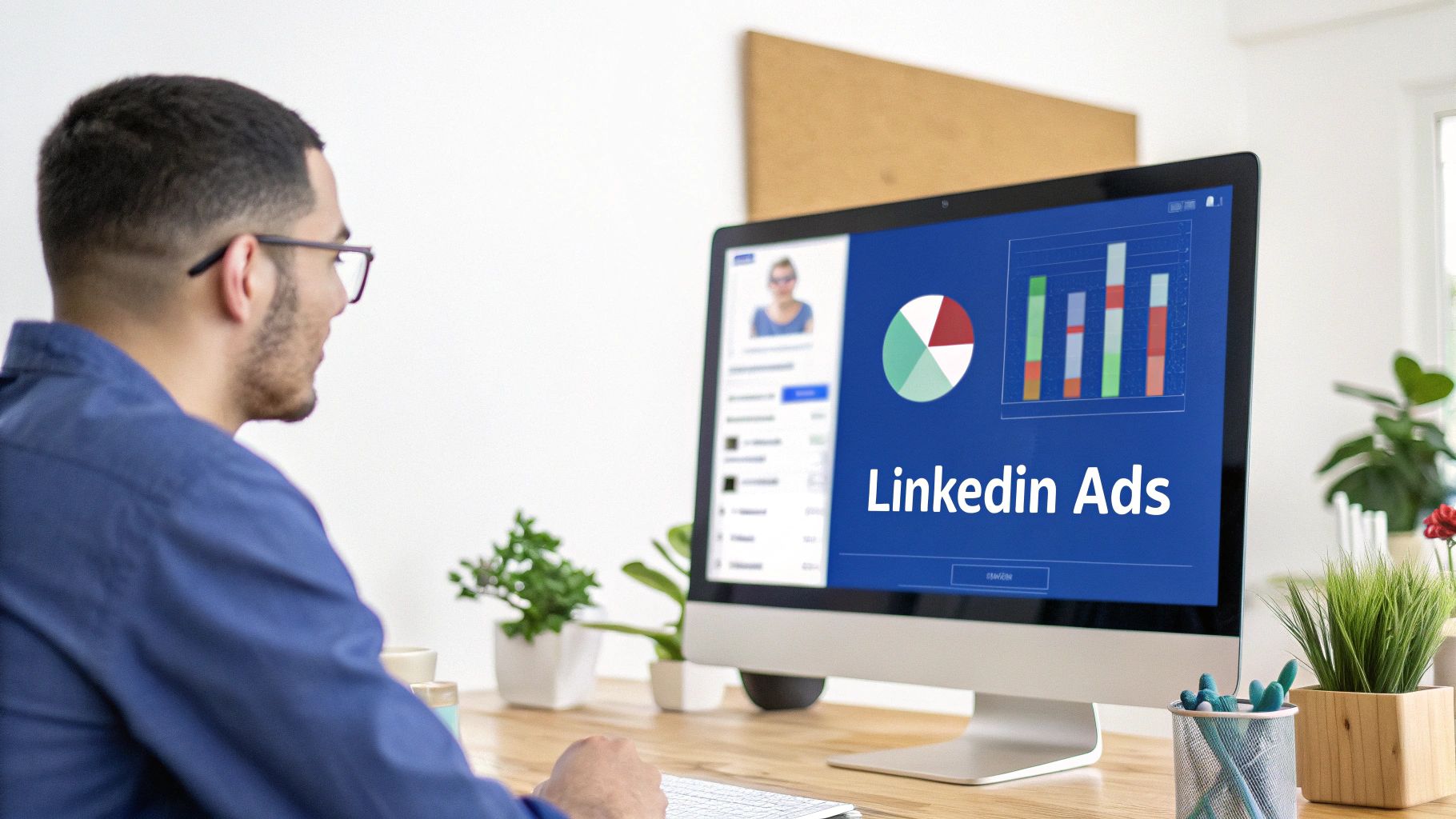
While your organic strategy is fantastic for building trust and authority, it eventually hits a ceiling. To really scale your lead generation and build a predictable pipeline, you need to pour some fuel on the fire. That's where LinkedIn Ads come in.
Think of it this way: paid ads let you bypass the algorithm and put your message directly in front of your ideal customer. Instead of hoping the right people see your content, you can guarantee it with surgical precision.
Choosing the Right Ad Formats for B2B
LinkedIn offers a few different ad formats, but for generating B2B leads, some are clear winners. The trick is matching the format to your campaign goal.
-
Sponsored Content: These are the native ads that pop up right in the LinkedIn feed, looking just like a regular post. They’re perfect for promoting your best content—like a high-value guide or a killer case study—to a much wider, yet still targeted, audience.
-
Message Ads: Formerly known as Sponsored InMail, this format sends a direct message to a user’s inbox. They feel personal and are incredibly effective for high-value offers, like inviting VPs to an exclusive webinar or offering a demo to decision-makers in a niche industry.
-
Lead Gen Forms: This isn't really an ad format, but a game-changing feature you can add to your ads. When someone clicks your call-to-action, a form instantly appears, pre-filled with their LinkedIn profile info. This slashes the friction of signing up, which is why conversion rates, especially on mobile, go way up.
The most powerful campaigns often mix and match. For instance, you could run a Sponsored Content ad promoting a new industry report and attach a Lead Gen Form to capture leads without them ever leaving the LinkedIn app.
Setting Up a High-Converting Campaign
A winning ad campaign comes down to three things: knowing your audience, having a compelling offer, and setting a smart budget. The real power of LinkedIn Campaign Manager is its insanely detailed targeting.
You can build audiences based on criteria you could only dream of with organic reach:
- Job Title & Seniority: Target VPs of Marketing, but make sure to exclude interns.
- Company Size & Industry: Zero in on SaaS companies with 50-200 employees.
- Specific Skills or Groups: Reach people who list "Project Management" as a skill or belong to specific industry groups.
My Pro Tip: Always start with a narrow, hyper-specific audience. It's far better to get a high conversion rate from a small, relevant group than a tiny one from a massive, unfocused audience. Once you see what’s working, you can slowly broaden your targeting.
Once your audience is locked in, your ad copy needs to be sharp and to the point. It has to immediately answer the question, "What's in it for me?"
- Instead of: "Our new AI software report is available."
- Try: "See how AI can cut your team's manual data entry by 40%. Get the free report."
Budgeting is, of course, a huge piece of the puzzle. For a deep dive into what you can expect to spend, our guide on LinkedIn advertising costs breaks it all down. My advice? Start with a modest daily budget to test your ads and audiences, then double down on what works.
Organic vs. Paid: Choosing Your Strategy
Deciding between an organic-only approach and adding paid ads can be tough. Both have their place, and the best strategies often use a combination of the two. Here's a quick breakdown to help you decide where to focus your energy and budget.
| Attribute | Organic Strategy | Paid Strategy (LinkedIn Ads) |
|---|---|---|
| Speed | Slow and steady; builds over months. | Fast results; can generate leads within hours. |
| Cost | "Free" but requires significant time investment. | Requires a direct ad budget (Pay-to-play). |
| Reach | Limited by your network and the algorithm. | Highly scalable and precisely targeted. |
| Goal | Building brand, trust, and community. | Lead generation, direct response, and sales. |
| Best For | Establishing long-term authority and relationships. | Predictable pipeline, product launches, event promotion. |
Ultimately, organic content builds the trust and authority that makes your paid ads more effective. They work together, not against each other.
Real-World Use Cases for Paid Ads
Let's make this practical. Imagine you're a consultant who just posted a carousel on improving sales team efficiency. It did really well organically. Now what?
You could turn that exact post into a Sponsored Content ad targeting Sales Directors at mid-sized companies who aren't yet in your network. Attach a Lead Gen Form offering a "Sales Efficiency Checklist," and you're capturing high-quality leads directly from the feed.
Or, let's say you're a SaaS company launching a new feature for project managers. You could run a Message Ad campaign inviting PMs in the software industry to an exclusive live demo. The message feels personal and drives sign-ups from the exact people you want to talk to.
By pairing the trust you've built organically with the scale of paid ads, you create a powerful lead generation machine. You’re not just starting conversations anymore—you're consistently filling your pipeline. If your audience is other businesses, our deep dive on LinkedIn for B2B lead generation breaks down the ICP, content, and qualification steps for selling to companies.
Scale Your Efforts with Smart Automation
Let's be honest. Manually managing every profile view, content post, and connection request is a fast track to burnout, not business growth. As you start to see success, those manual tasks become the very bottleneck that chokes your lead flow. This is where smart automation comes in—not to replace genuine connection, but to handle the grunt work so you have more time to build it.
The right kind of automation helps you maintain a consistent, high-value presence on LinkedIn without being chained to your desk all day. It’s all about working smarter, amplifying what you’re already doing, and building a system that brings in leads like clockwork.
Automate Your Content Machine
If there's one secret to winning with the LinkedIn algorithm, it's consistency. But who has the time to create top-tier content day in and day out? It's a massive time sink. This is where AI-powered tools can be a game-changer, slashing the time it takes to get from a rough idea to a polished post or carousel.
Tools like Postiv AI are built specifically for this. You can use its AI to brainstorm post ideas, draft content that actually sounds like you, and even transform a long-form blog post or a case study into a slick LinkedIn carousel in a matter of minutes.
Here’s a glimpse of how a platform like this turns content creation from a chore into an efficient system.
This isn't just about writing. As you can see, you can go from brainstorming and drafting with an AI assistant to designing and scheduling everything in one spot. It just removes all the friction between having a great idea and getting it in front of your network.
By putting the creation and scheduling on autopilot, you guarantee your profile stays active and valuable, even when you're swamped. This keeps you top-of-mind and constantly pulls new prospects into your world.
Smart and Safe Outreach Automation
While automating content is a huge time-saver, automating parts of your outreach is where you can see some serious, exponential growth. But you have to be careful here. Blasting out generic, automated messages is the quickest way to tank your reputation and get your account restricted.
The real goal of smart outreach automation is to manage the initial, repetitive tasks while keeping personalization front and center.
Here’s a workflow that's both safe and incredibly effective:
- Automated Connection Requests: Start by using a tool to send connection requests to a super-targeted list you've built in Sales Navigator. The trick is to use a personalized, field-tested template that dynamically pulls in details like their name and company.
- Initial Follow-Up Sequence: As soon as someone accepts your request, the system can send a pre-written "thanks for connecting" message or share a helpful resource. This first touchpoint is automated, but because it’s instant, it feels natural and timely.
- Manual Takeover Trigger: This is the most important part. The second a prospect replies, all automation for that person stops. The system should flag the conversation for you to step in and have a real, human-to-human discussion.
Crucial Insight: Effective automation isn’t a "set it and forget it" strategy. It’s about building a system where tech handles the first few repetitive steps, and you take over the moment a real conversation begins. This blend of efficiency and personal touch is what makes it so powerful.
Building Your Automated Lead Gen Workflow
When you start integrating these tools, your lead generation stops feeling like a series of random manual tasks and starts looking like a cohesive, scalable system. A well-designed workflow frees you from the drudgery, letting you pour your time and energy where it truly counts: building relationships and closing deals. Many businesses are now exploring the best LinkedIn automation tools to find a solution that fits their needs, trying to strike that perfect balance between efficiency and authentic engagement.
By combining AI-driven content with safe, personalized outreach automation, you're building a lead generation engine that runs 24/7 in the background. This is how you shift from hunting for leads one by one to creating a predictable pipeline that fuels real, sustainable growth.
Track Your Results and Optimize What Works
Throwing content and outreach messages out into the void and hoping for the best isn't a strategy. If you're not tracking what's working, you're just guessing. Generating leads consistently on LinkedIn is a feedback loop—you do something, you measure the result, and you adjust. This final analytical piece is what turns sporadic wins into a predictable system that keeps your pipeline full.
The Key Metrics That Actually Matter
You could easily get lost in a sea of LinkedIn metrics, but that just leads to analysis paralysis. The key is to focus on a handful of performance indicators that tell you the real story about your lead generation funnel's health.
Here's a summary of the most important metrics to track, what they indicate, and the benchmarks to aim for.
| Metric | What It Measures | Why It's Important | Good Benchmark |
|---|---|---|---|
| Profile Views | How many people have viewed your personal profile. | Indicates top-of-funnel interest and the effectiveness of your content and engagement strategy. | 20-50% increase month-over-month. |
| Connection Acceptance Rate | The percentage of sent connection requests that are accepted. | Directly reflects the quality and personalization of your outreach messages. | 30% or higher. |
| Post Engagement Rate | The percentage of your audience that interacts with your content. | Shows how well your content resonates. Comments are the most valuable for starting conversations. | 2-5% on average. |
| Click-Through Rate (CTR) | The percentage of people who click a link in your post, ad, or message. | Measures how compelling your call-to-action is. | 1-2% for organic posts. |
The goal here isn't vanity—it's about understanding the narrative your data is telling you. A sudden spike in engagement on a post about a specific client problem? That's your audience screaming, "Talk more about this!"
Using LinkedIn's Built-In Analytics
Before you rush out to buy a fancy analytics tool, get familiar with what LinkedIn gives you for free. Both your personal profile and Company Page have built-in analytics that offer some powerful insights.
On your personal profile, you can see post views, basic engagement numbers, and even the demographics of who's looking at your profile. For your Company Page, the data is even richer, with breakdowns of follower growth, visitor details, and post performance trends over time. To really get the most out of your efforts, you need to focus on measuring content effectiveness and tying your activity directly to tangible business outcomes, not just likes and views.
Test, Tweak, and Repeat
Once you have your baseline data, the real fun begins. Optimization is all about making small, deliberate changes and measuring what happens. It's a continuous cycle of testing and learning.
The golden rule? Test one thing at a time. If you change your headline, your CTA, and your post format all at once, you'll have no idea what actually made the difference.
Here are a few simple tests you can run:
- Headline vs. Headline: Try a question in your headline for two weeks, then switch to a benefit-focused one for the next two. See which one drives more profile views.
- Content Format Showdown: If you only post text updates, create a carousel or a short video on a similar topic. Compare the engagement rates. You might be surprised by what your audience prefers.
- Outreach Message A/B Test: Send 20 connection requests with one template and another 20 with a slightly different one. Which version gets a better acceptance rate?
By constantly testing, you build a powerful feedback loop that makes your entire strategy smarter. You'll learn exactly what your audience wants, allowing you to double down on what works and ditch what doesn't. This is how you transform random LinkedIn activity into a reliable lead-generating machine.
Answering Your Top LinkedIn Lead Generation Questions
Even the best-laid plans come with questions. When you're deep in the trenches of generating leads on LinkedIn, it's natural for a few things to pop up. Let's walk through some of the most common questions I hear, clearing up the confusion so you can get back to building a killer lead pipeline.
How Much Should I Actually Spend on LinkedIn Ads?
There isn't a one-size-fits-all answer here, but a smart way to start is by testing the waters, not diving in headfirst. I usually advise clients to begin with a daily budget of around $50 to $100 for a new campaign. That’s generally enough to get you some solid data within a week or two without breaking the bank.
The real metric to obsess over is your Cost Per Lead (CPL). Once you have a baseline CPL, you can reverse-engineer your budget based on your actual sales targets. For example, if you know a qualified lead is worth $500 to your business, paying a CPL of $75 is a no-brainer. Start small, prove the concept, and then pour fuel on what's working.
How Often Do I Need to Post on LinkedIn?
Forget the idea that you need to post constantly. Consistency will always beat sheer frequency. For most B2B companies and professionals, the sweet spot is posting 3 to 5 times per week. This keeps you on your audience's radar and feeds the algorithm without turning into a full-time job.
My Two Cents: Quality is everything. A single, insightful post that gets people talking is worth more than five generic updates that fall flat. Make every post count by delivering genuine value.
This steady cadence makes your profile look active and authoritative. Think about it: when a potential lead gets a connection request from you and clicks on your profile, seeing a history of thoughtful content builds trust instantly.
Is Sales Navigator Really Worth the Money?
If you're truly committed to using LinkedIn for lead generation, then yes, absolutely. The free version of LinkedIn is great for basic networking, but Sales Navigator is a different beast entirely—it was built from the ground up for prospecting. Its advanced search filters are where the real magic happens.
Here’s why I see it as a non-negotiable tool for serious prospectors:
- Insanely Specific Searches: You can drill down with filters like "posted on LinkedIn in the last 30 days" or "changed jobs in the last 90 days"—signals that give you a perfect, timely reason to connect.
- Smart Lead Lists: Save your ideal prospects into organized lists and get alerts when they post content or get mentioned in the news. It’s like having a personal assistant for outreach triggers.
- InMail Messages: You get a monthly allotment of InMails to contact people outside your network, which dramatically expands your reach.
It's the difference between fishing with a single rod and using a professional-grade sonar system to find exactly where the fish are. For a deep dive that ties all these pieces together, this modern B2B playbook on how to generate leads on LinkedIn is a fantastic resource.
How Much Time Do I Actually Need to Invest?
This is the million-dollar question. The honest answer is it depends on your goals, but consistency beats intensity every single time. You don't have to live on LinkedIn, but you do have to show up regularly.
For most professionals, a sustainable and effective routine breaks down like this:
- Content Creation (1-2 hours per week): Set aside a dedicated block of time to brainstorm, write, and schedule 2-4 high-quality posts. The trick is to batch this work so you're not scrambling for ideas every day.
- Daily Engagement (15-20 minutes per day): This is your non-negotiable daily habit. Use this time to reply to comments, engage with posts from your target prospects, and send out a few thoughtful, personalized connection requests.
All in, you're looking at roughly 3-4 hours per week. It's a small price to pay for building a reliable pipeline of new business.
Don't fall into the trap of thinking more time equals more leads. A focused 20 minutes of strategic engagement each day will always outperform hours of mindless scrolling. It's about the quality of your actions, not the quantity of time.
Can I Get Results if I Don't Have a Big Network?
Absolutely. In fact, starting small can be a hidden advantage. It forces you to be incredibly intentional about who you connect with. Remember, the goal isn't to have the most connections; it's to have the right ones.
If you're starting from scratch or have a small network, pour your energy into two key areas:
- High-Quality, Niche Content: When your audience is small, every post has to pull its weight. Create content that speaks directly to the pains and ambitions of your ideal client. This instantly positions you as a specialist and attracts the exact people you want to work with.
- Hyper-Personalized Outreach: With a smaller list of prospects, you can afford to do your homework. A connection request that mentions a recent post they wrote or a shared interest has a massively higher acceptance rate than a generic, templated one.
Your network will grow naturally as you consistently share value and build real relationships. Focus on the quality of your connections, not just the quantity, and the leads will follow.
Personal Profile vs. Company Page: Where Should I Focus?
Your personal profile, hands down. People connect with, trust, and buy from other people, not from a brand logo. Your profile is where you build your reputation as an expert, share your unique point of view, and have the real, human-to-human conversations that turn into clients.
Think of your Company Page as your brand's official headquarters. It's essential for credibility, sharing company-wide news, and it's an absolute must for running any LinkedIn Ads. But for organic lead generation, the real action—the relationship-building—happens through your personal profile.
Ready to stop the content grind and start building real authority on LinkedIn? Postiv AI combines a brand-trained AI writer, carousel designer, and scheduler into one seamless workflow. Turn your ideas into high-converting posts and carousels in minutes, not hours. Discover how Postiv AI can transform your LinkedIn strategy today!